
开源、轻量、易用的服务器监控与运维工具
官网
https://nezha.wiki/GitHub
https://github.com/naiba/nezhaTelegram
哪吒监控公告板
https://t.me/nezhanewsNezha Monitoring Global
https://t.me/nezhamonitoring_global演示站点
安装教程
安装环境
公网IP 服务器
已安装 Docker Engine
准备一个 OAuth 服务商账户 (国内用户推荐 Gitee/Gitea)
安装软件
通过 Docker-Compose 安装
安装说明文档
https://github.com/QYG2297248353/appstore-1panel/tree/custom/apps/nezhahttps://git.lifebus.top/Ms-Studio/appstore-1panel/src/branch/custom/apps/nezha通过 1Panel 安装
安装第三方应用商店:Docker 应用商店 - 1Panel 版本
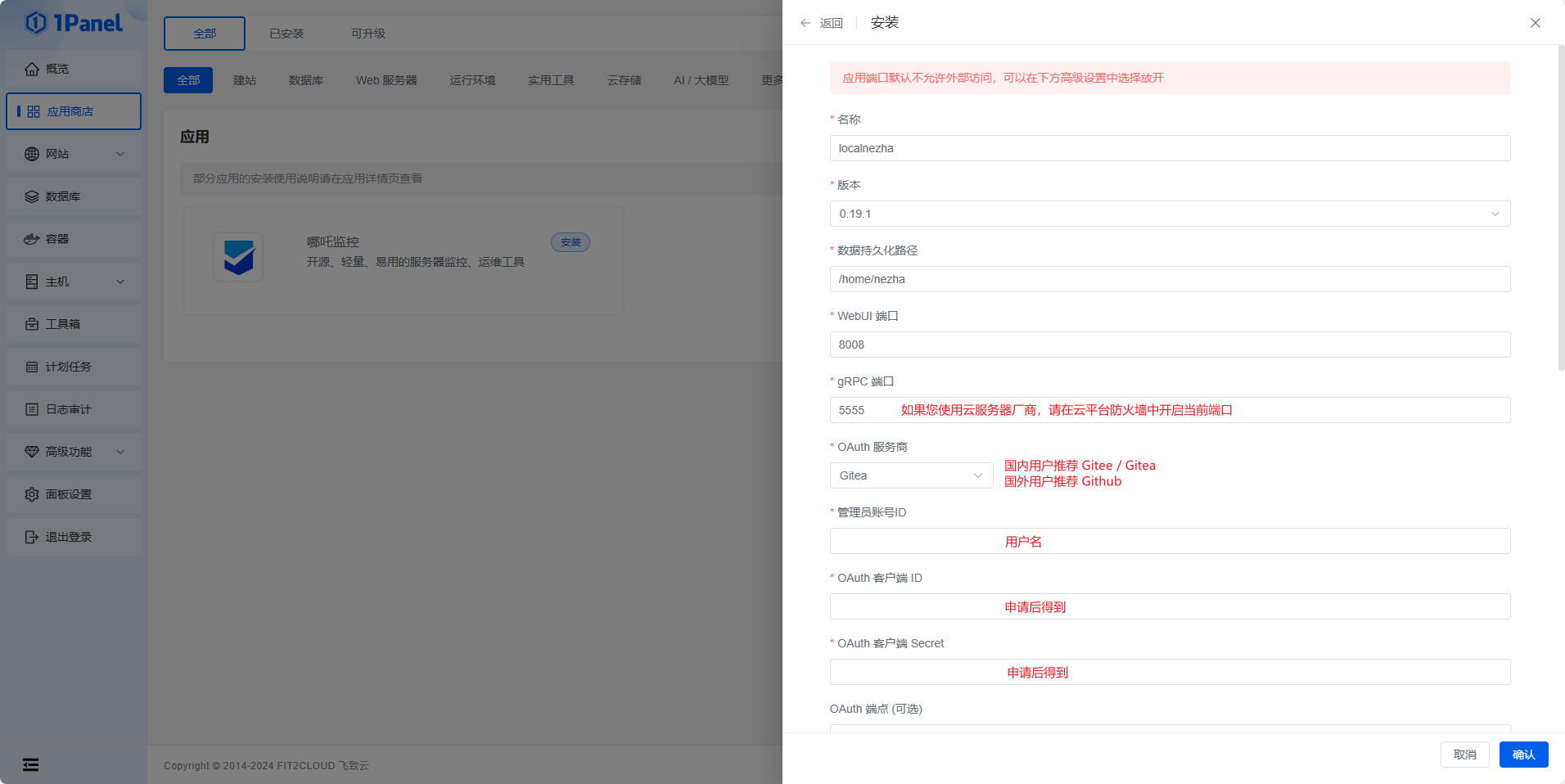
申请 OAuth2 应用
注册或登录账户
https://gitee.com/oauth/applications进入
设置>>第三方应用>>创建第三方应用
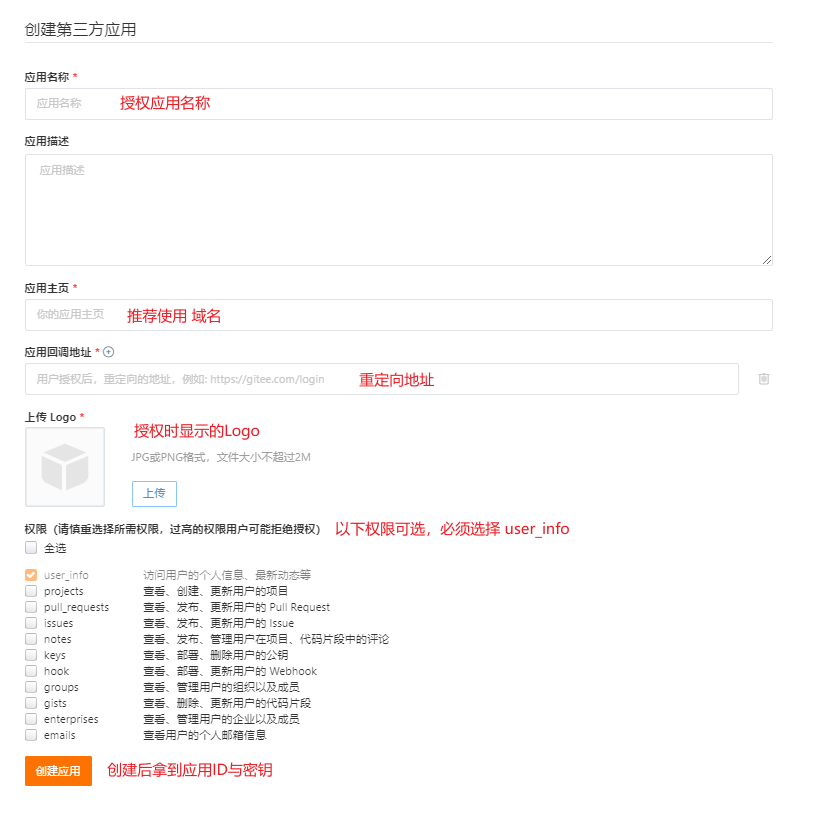
⚠️ 回调地址
/oauth2/callback填写时,需要填写完整回调地址:
协议 + 域名 + /oauth2/callback示例:
https://nezha.com/oauth2/callback
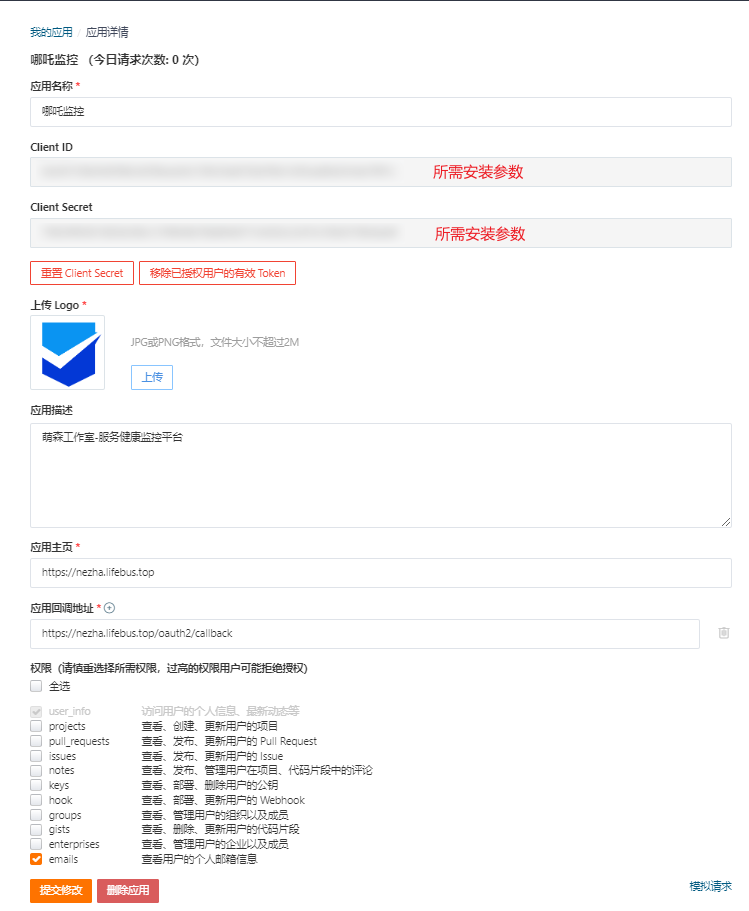
获得安装参数
OAuth 客户端 ID 对应 Client ID
OAuth 客户端 Secret 对应 Client Secret
完成安装
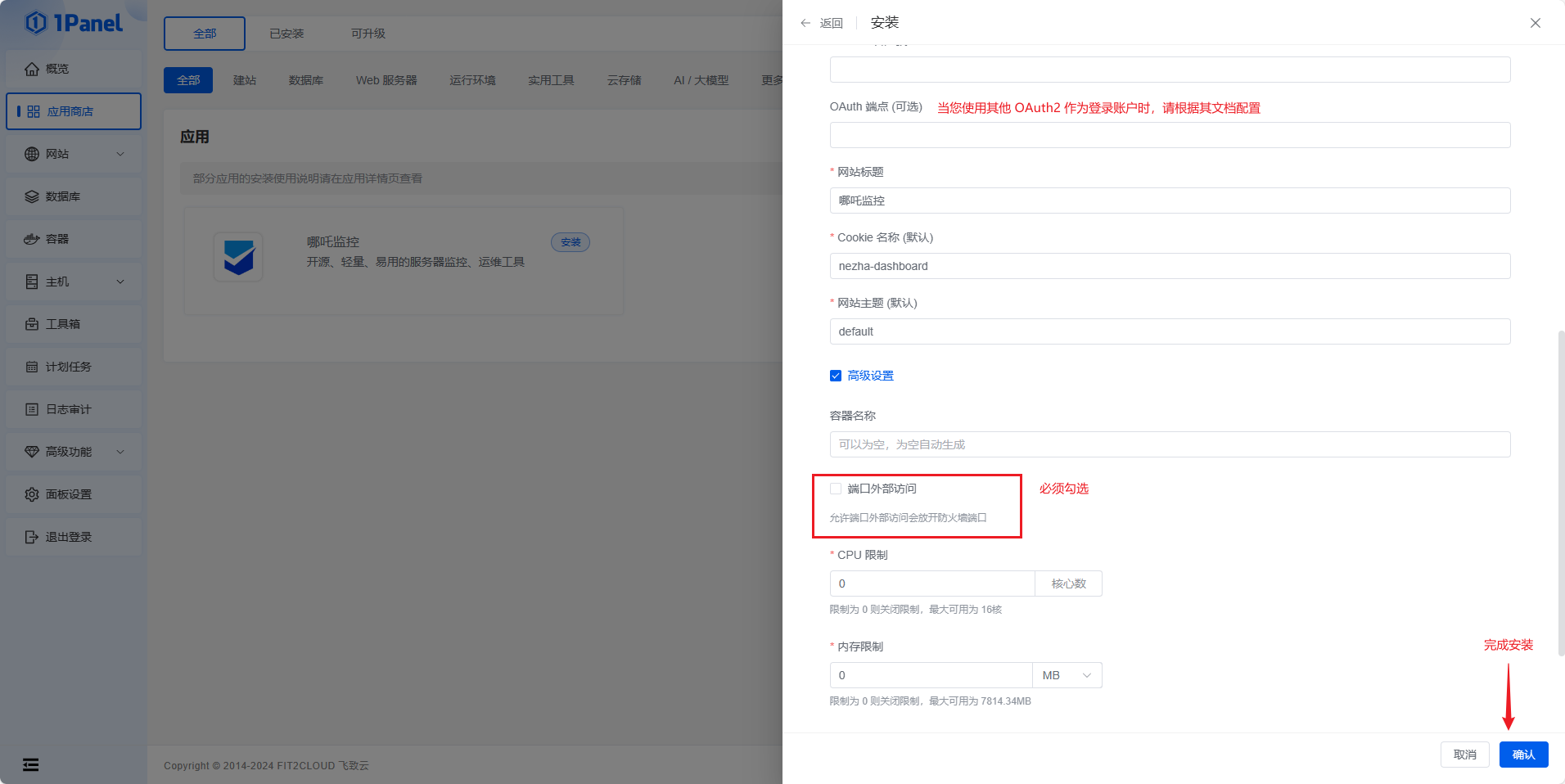
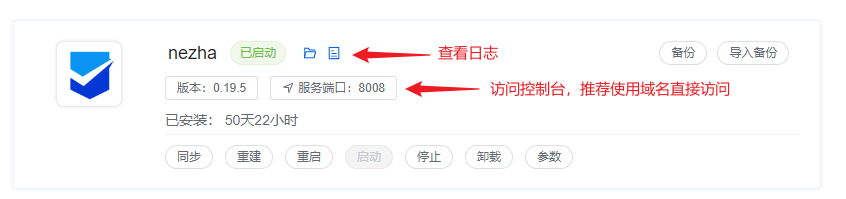
此时此刻,已经完成了主控面板的安装,收集服务器信息,就需要Agent支持,请查看使用说明。
反向代理
Nginx 配置
location / {
    proxy_pass http://127.0.0.1:8008;
    proxy_set_header Host $http_host;
    proxy_set_header      Upgrade $http_upgrade;
}

location ~ ^/(ws|terminal/.+|file/.+)$ {
    proxy_pass http://127.0.0.1:8008;
    proxy_http_version 1.1;
    proxy_set_header Upgrade $http_upgrade;
    proxy_set_header Connection "Upgrade";
    proxy_set_header Host $http_host;
}
常见问题
❓ 如何实现多人登录?
用户名中指定用户时,一般情况只能写一个。
填写时可以使用 , 作为分隔符,填写多个用户。
已经安装完成用户,可以通过后台管理界面,添加用户。
❓Agent 支持Docker吗
Agent 的设计思路和 Dashboard 相反,Dashboard 要尽可能不影响宿主机工作,但 Agent 则需要在宿主机中执行监控服务和运行命令。
将 Agent 放入容器中确实可以继续执行监控任务,但 WebShell 等功能无法正常运行,因此不提供 Docker 镜像。
使用教程
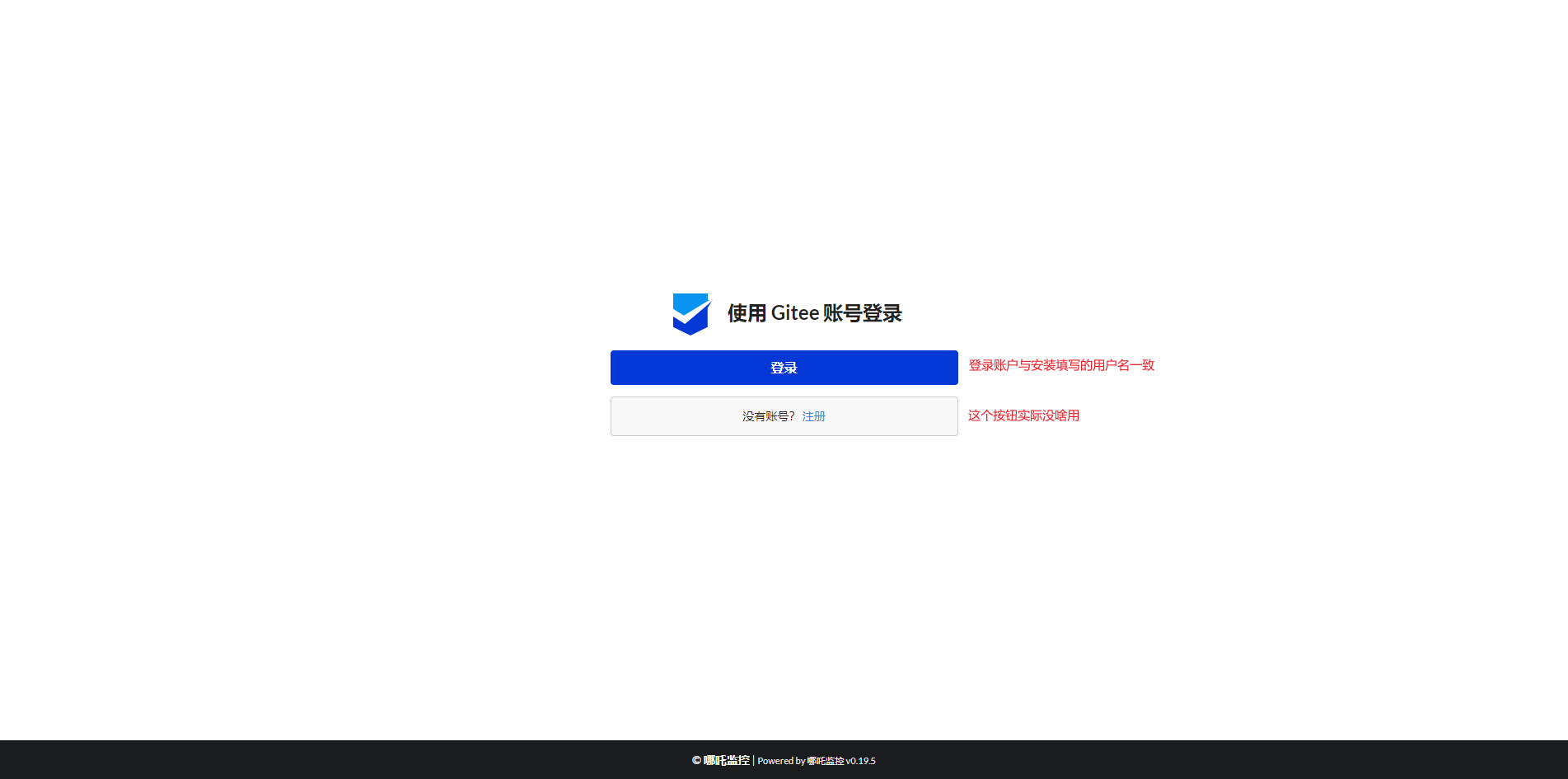
登录
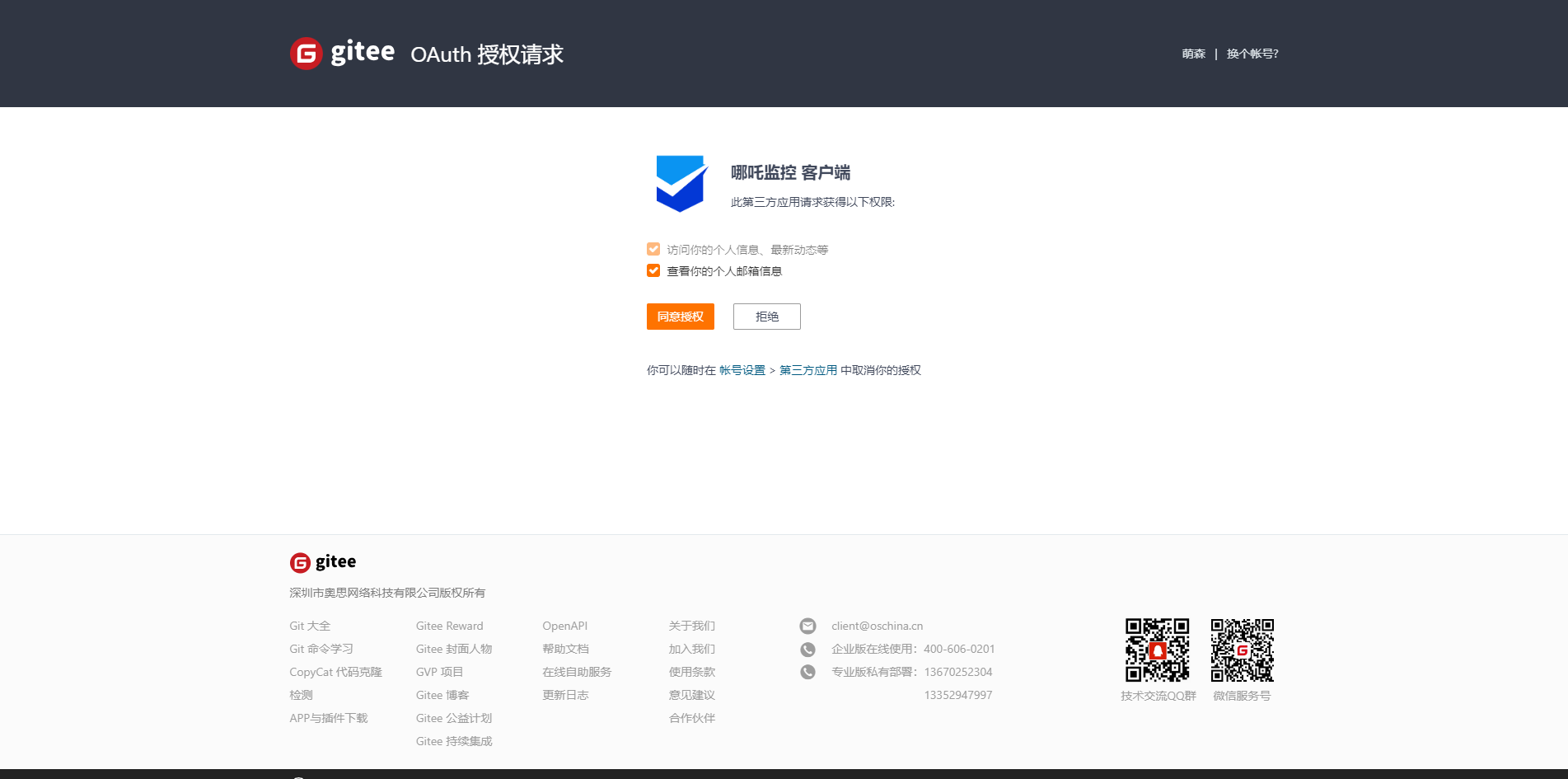
授权
配置服务
进入后台,修改以下配置

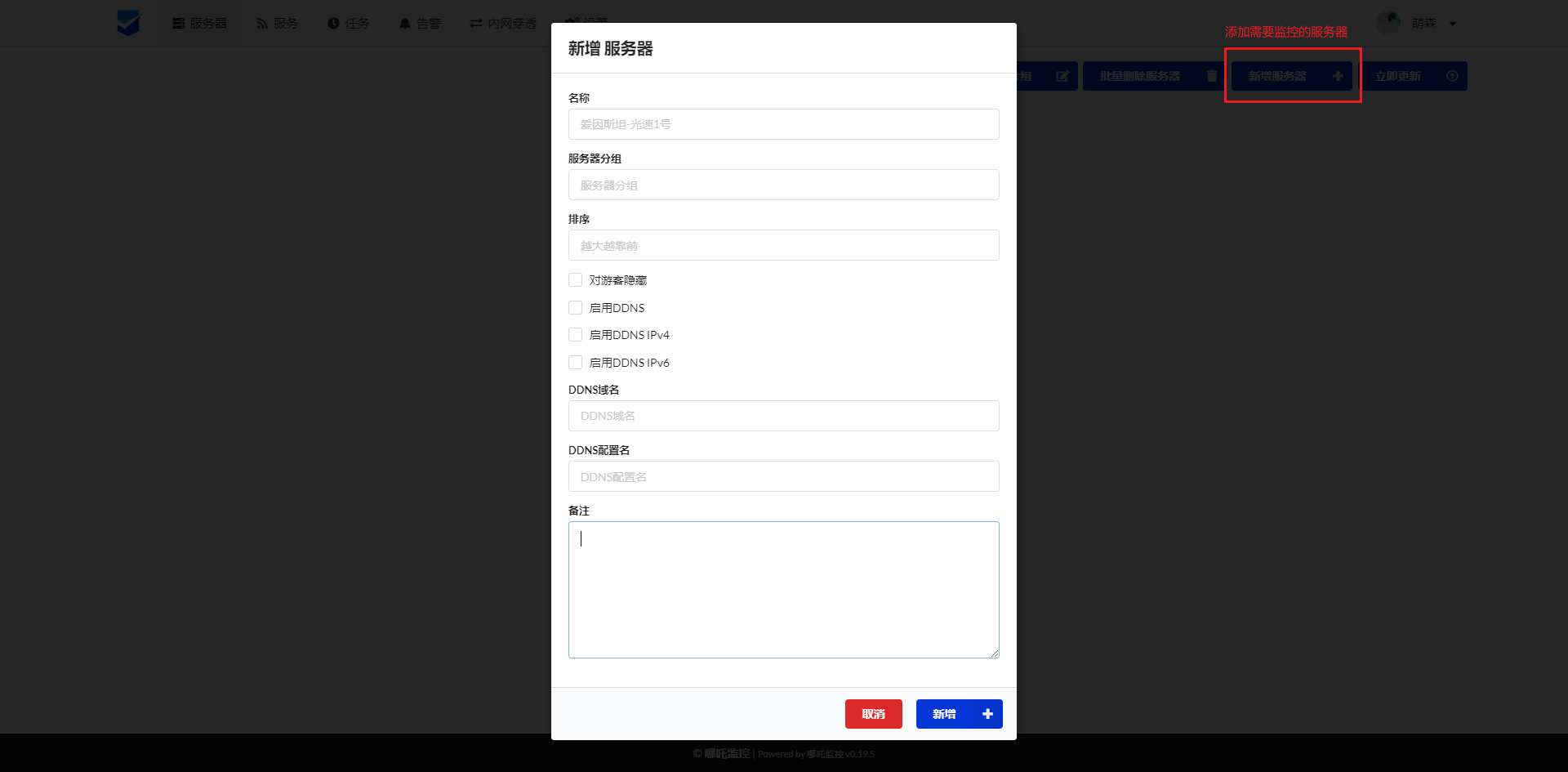
【后台】 添加监控
【后台】安装 Agent
通过 一键安装 完成对 Agent 的安装。
如果您的系统无法完成安装,请参考:
官方文章:https://nezha.wiki/guide/agent.html#%E5%85%B6%E4%BB%96%E6%96%B9%E5%BC%8F%E5%AE%89%E8%A3%85-agent
社区文章:https://nyko.me/2020/12/13/nezha-windows-client.html
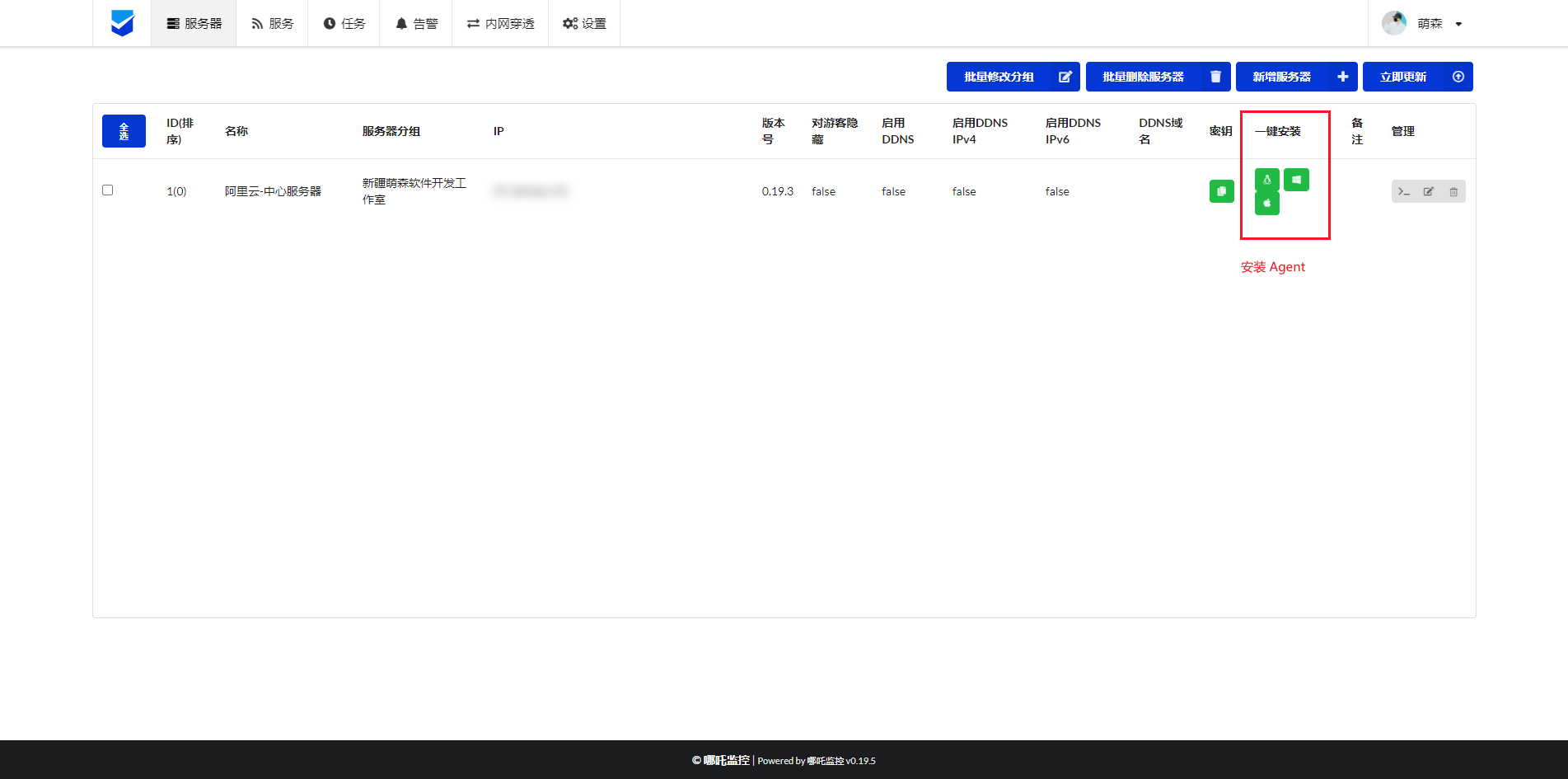
支持 Linux / Windows / Mac 系统安装,点击按钮,你将获得一段安装命令。
Windows 的命令可能不太一样,但是最终效果是一致的。
curl -L https://raw.githubusercontent.com/naiba/nezha/master/script/install.sh -o nezha.sh && chmod +x nezha.sh && ./nezha.sh install_agent <nezha.com> 5555 <pass_secert><nezha.com>为当前域名,且不携带协议头
前提是,您已经提前完成 配置服务 否则,复制接口可能异常。
<pass_secert>绑定密钥,添加的表单信息所生成的密钥,安装Agent后自动将数据汇聚与此表单中。
添加通知服务
添加 Bark 通知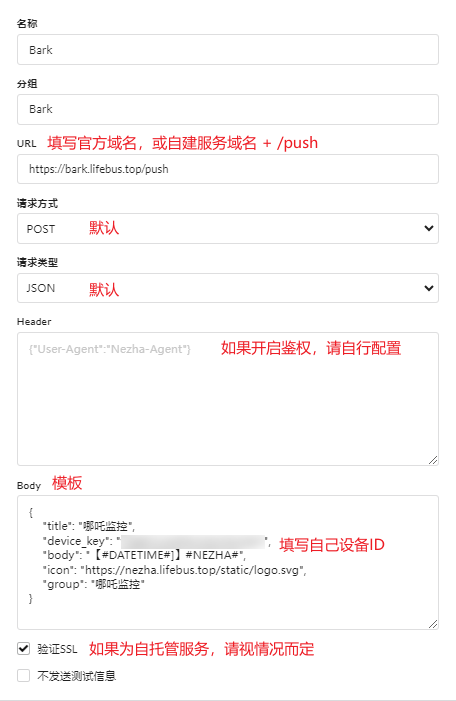
消息模板
{
    "title": "哪吒监控",
    "device_key": "device_key",
    "body": "【#DATETIME#]】#NEZHA#",
    "icon": "https://nezha.lifebus.top/static/logo.svg",
    "group": "哪吒监控"
}
公共托管服务器
序号 | 域名 | 提供商 | SSL支持 |
|---|---|---|---|
1 | bark.lifebus.top | 新疆萌森软件开发工作室 | 🟢 |
2 | bark.lifebus.fun | 新疆萌森软件开发工作室 | 🟢 |
服务支持
如需远程部署安装,可通过以下服务下单。
该商城支持开票服务,如需开票,请在下单后联系客服说明情况。
PC 端
https://store.lifebus.top/手机端