本文记录为 Fluid 主题添加音乐播放器的过程。
前言
给博客添加音乐播放功能的办法有很多,比较方便的有两种。
使用音乐平台提供的插件
以网易云为例,网页端点击生成 外链播放器 即可生成外链代码。
可以在自己博客页面中嵌入插件:
1
| <iframe frameborder="no" border="0" marginwidth="0" marginheight="0" width=330 height=450 src="//music.163.com/outchain/player?type=0&id=2205641361&auto=1&height=430" ></iframe>
|
效果:
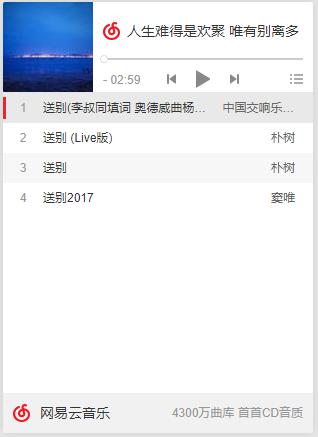
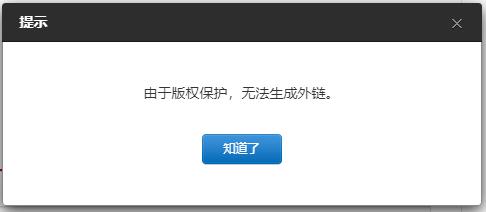
但是有相对非常多的音乐由于版权保护,没办法生成外链:
使用 hexo-tag-aplayer 插件
hexo-tag-aplayer 就是将 APlayer 内嵌入博客页面的 Hexo 插件。
安装执行:
1
| script$ npm install --save hexo-tag-aplayer
|
早期的 hexo-tag-aplayer 不支持 MetingJS,使得需要图片 url,音乐 url 等等参数,操作起来都很麻烦,需要去音乐网站扒音乐播放链接或者下载下来存储在七牛云或本地,要了解具体参数和使用可以查看其中文文档了解。
MeingJS 支持 (3.0 新功能)
MetingJS 是基于 Meting API 的 APlayer 衍生播放器,引入 MetingJS 后,播放器将支持对于 QQ 音乐、网易云音乐、虾米、酷狗、百度等平台的音乐播放。
如果想在本插件中使用 MetingJS,请在 Hexo 配置文件 _config.yml 中设置:
接着就可以 在文章中使用 MetingJS 播放器了,例如打开网易云音乐网站找一个歌单,例如: https://music.163.com/#/playlist?id=3136952023, 这个歌单的 id 就是 3136952023,按下面格式即可使用:
1
| {% meting "3136952023" "netease" "playlist" "theme:#FF4081" "mode:circulation" "mutex:true" "listmaxheight:340px" "preload:auto" %}
|
配置设置
说回正题,配置 hexo-tag-aplayer 在 Fluid 主题运行
安装好插件之后,在主题配置文件 _config.fluid.yml 中的 custom 添加下面 js 和 css 依赖。
1
2
3
4
5
| custom_js:
- //cdn.jsdelivr.net/npm/aplayer/dist/APlayer.min.js #/APlayer#/APlayer依赖
- //cdn.jsdelivr.net/gh/metowolf/MetingJS@1.2/dist/Meting.min.js #/APlayer依赖
custom_css:
- //cdn.jsdelivr.net/npm/aplayer/dist/APlayer.min.css #/APlayer依赖
|
添加完成后在hexo根目录下的配置文件_config.yml 中添加以下配置。
1
2
3
4
| # aplayer
aplayer:
  meting: true
asset_inject: false
|
创建音乐界面
编辑 hexo/source/playlist/index.md 文件,我们此时需要向其中的 正文部分 插入音乐播放列表信息
可以参考:官方文档
获取歌单 ID
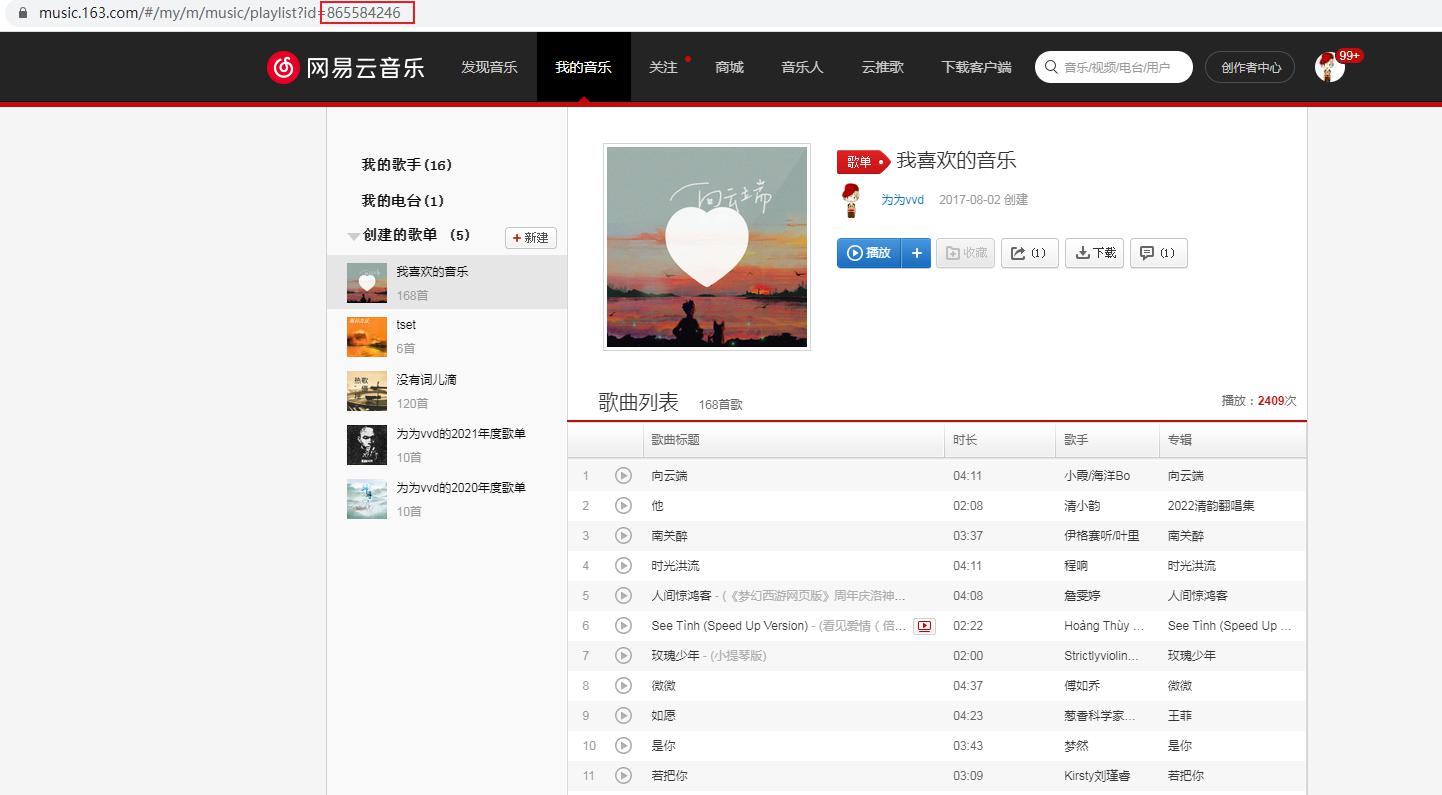
meting 信息中最关键的就是歌单 ID 了,我们此处以网易云音乐的歌单为例,获取自己最喜欢音乐的歌单 ID
登录网易云音乐网页版,进入我的音乐,选择最喜欢的音乐,此时链接中的 ID 内容就是歌单 ID,前面的 playlist 表示这个是个歌单
歌单配置
在 hexo/source/playlist/index.md 文件正文中加入:
高级用法参考官方文档
1
2
| <!-- 简单示例 (id, server, type) -->
{% meting "865584246" "netease" "playlist" %}
|
也就是说,我现在的该文件为:
1
2
3
4
5
6
7
8
9
| ---
title: playlist
date: 2023-07-04 15:11:24--- <!-- 简单示例 (id, server, type) -->
{% meting "865584246" "netease" "playlist" %}
|
访问链接
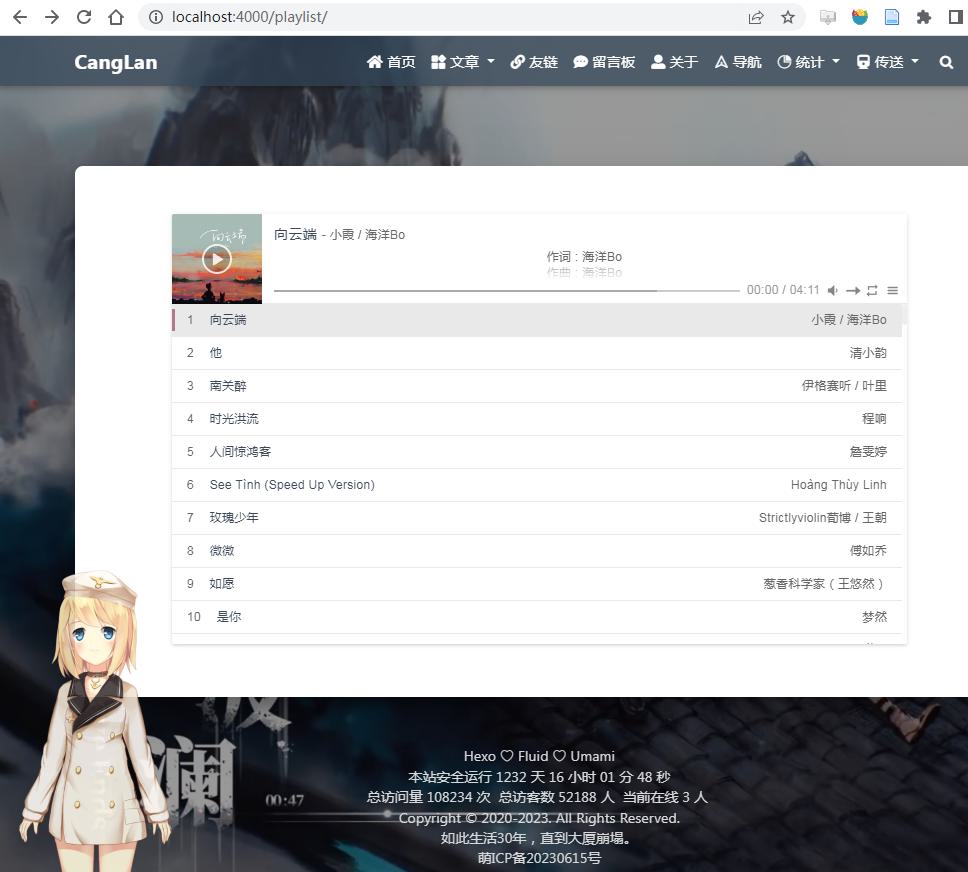
此时访问 your_host/playlist 就可以看到网页音乐播放器了。
全局音乐插件
如果想在非 Post 页面使用插件功能,直接使用上面的方法修改 layout 的话会报以下错误
1
| scriptError: Unexpected tag "meting"
|
所以我们只能使用另一种办法,创建 Hexo/source/_data/APlayer.swig 文件,添加以下内容。
1
| script{% if aplayer.enabled %} <!-- require APlayer --> <link rel="stylesheet" href="{{aplayer.cdn.css}}"> <script src="{{aplayer.cdn.js}}"></script> <!-- require MetingJS --> <script src="{{aplayer.cdn.meting}}"></script> <meting-js server="{{aplayer.server}}" type="{{aplayer.type}}" fixed="{{aplayer.fixed}}" id="{{aplayer.id}}" auto="{{aplayer.auto}}" mini="{{aplayer.mini}}" autoplay="{{aplayer.autoplay}}" theme="{{aplayer.theme}}" loop="{{aplayer.loop}}" order="{{aplayer.order}}" preload="{{aplayer.preload}}" volume="{{aplayer.volume}}" mutex="{{aplayer.mutex}}" list-folded="{{aplayer.listfolded}}" list-max-height="{{aplayer.listmaxheight}}" storage-name="{{aplayer.storagename}}" > </meting-js>{% endif %}
|
接着打开 主题配置文件 ,在最底部添加
1
| script# --------------------------------------------------------------# APlayer settings# --------------------------------------------------------------# enabled: true/false 开启/关闭# id: song id / playlist id / album id / search keyword 歌曲ID、歌单ID、关键字# server: netease, tencent, kugou, xiami, baidu 音乐平台# type: song, playlist, album, search, artist 类型# auto: music link, support: netease, tencent, xiami# fixed: true/false 吸底模式# mini: true/false 迷你模式# autoplay: true/false 自动播放# theme: #eeeeee 主题颜色# loop: values: 'all', 'one', 'none' 循环播放# order: values: 'list', 'random' 是否随机播放# preload: values: 'none', 'metadata', 'auto' 预载入# volume: 0.7 默认音量,请注意播放器会记忆用户设置,用户手动设置音量后默认音量即失效# mutex: true/false 互斥,阻止多个播放器同时播放,当前播放器播放时暂停其他播放器# list-folded: true/false 列表默认折叠# list-max-height: 340px 列表最大高度# storage-name: metingjs 存储播放器设置的 localStorage keyaplayer: enabled: true id: 3099335800 server: netease type: playlist auto: fixed: true mini: true autoplay: true theme: #607d8b loop: 'all' order: 'random' preload: 'auto' volume: 0.7 mutex: true listfolded: true listmaxheight: 340px storagename: metingjs cdn: css: https://cdn.jsdelivr.net/npm/aplayer/dist/APlayer.min.css js: https://cdn.jsdelivr.net/npm/aplayer/dist/APlayer.min.js meting: https://cdn.jsdelivr.net/npm/meting@2/dist/Meting.min.js
|
打开 hexo/scripts/plugins.js, 在 head 注入点注入 APlayer
1
| hexo.extend.filter.register('theme_inject', function (injects) { . . . // 引入 APlayer injects.head.file('aplayer', 'source/_data/APlayer.swig', {aplayer: hexo.theme.config.aplayer}); . . .});
|
最后是 MetingJs 的参数详情:
| 参数名 |
默认 |
description |
| id |
require |
歌曲 ID / 播放列表 ID / 专辑 ID / 搜索关键字 |
| server |
require |
音乐平台,可选值: ‘netease’,’tencent’,’kugou’,’xiami’,’baidu’ |
| type |
require |
类型,可选值:’song’, ‘playlist’, ‘album’, ‘search’, ‘artist’ |
| auto |
options |
音乐链接,支持: ‘netease’, ‘tencent’, ‘xiami’ |
| fixed |
false |
开启吸底模式,详情 |
| mini |
false |
开启迷你模式,详情 |
| autoplay |
false |
音频自动播放 |
| theme |
#2980b9 |
主题色 |
| loop |
all |
音频循环播放,可选值: ‘all’, ‘one’, ‘none’ |
| order |
list |
音频循环顺序,可选值: ‘list’, ‘random’ |
| preload |
auto |
预加载,可选值: ‘none’, ‘metadata’, ‘auto’ |
| volume |
0.7 |
默认音量,请注意播放器会记忆用户设置,用户手动设置音量后默认音量即失效 |
| mutex |
true |
互斥,阻止多个播放器同时播放,当前播放器播放时暂停其他播放器 |
| lrc-type |
0 |
详情 |
| list-folded |
false |
列表默认折叠 |
| list-max-height |
340px |
列表最大高度 |
| storage-name |
metingjs |
存储播放器设置的 localStorage key |
参考资料
文章链接:
https://www.zywvvd.com/notes/hexo/theme/fluid/fulid-music-player/fulid-music-player/



