











原文:https://ichochy.com/posts/spring/20210620.html
使用 Spring 的 RestTemplate 调用 HTTP 请求,实现 RESTful Web 服务调用
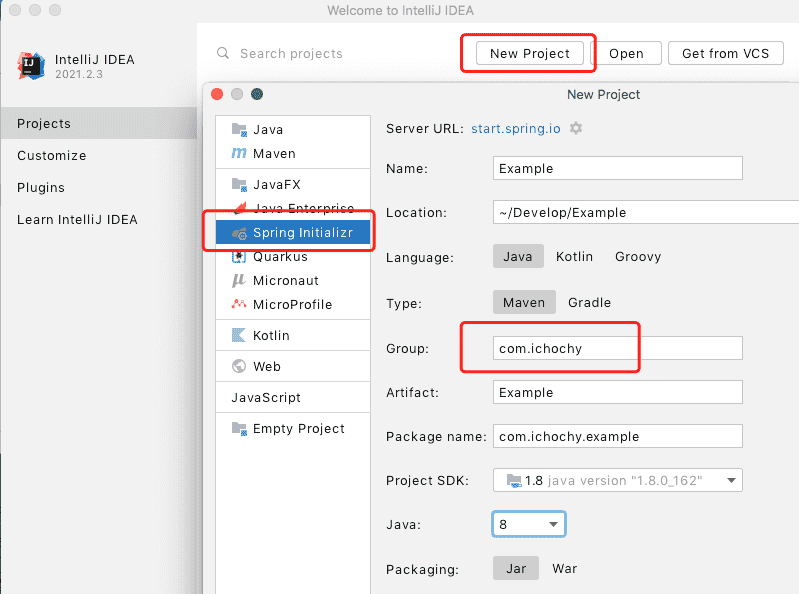
打开 IDEA 创建新项目 New Project,使用 start.spring.io 快速构建
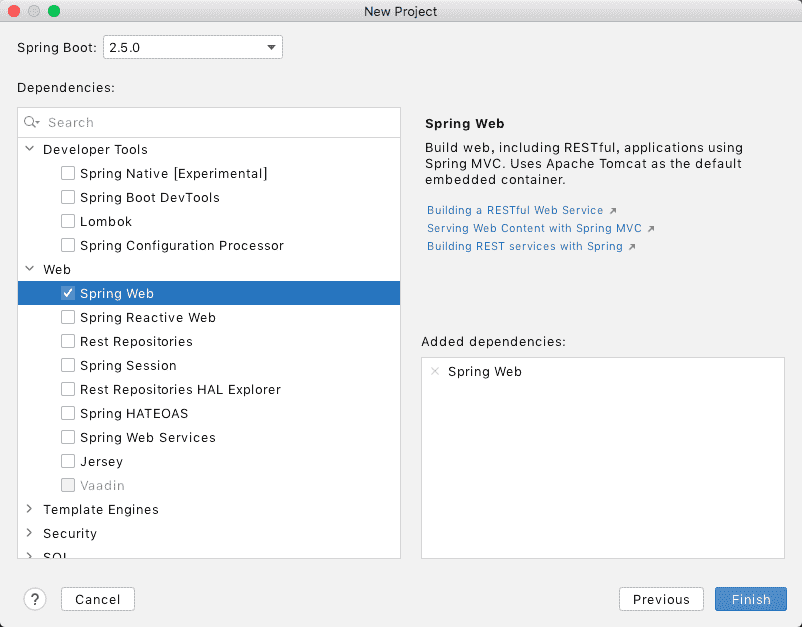
添加 Spring Web 依赖,finish 创建项目
pom.xml 中手动管理依赖模块
    <dependencies>
        <dependency>
            <groupId>org.springframework.boot</groupId>
            <artifactId>spring-boot-starter-web</artifactId>
        </dependency>
    </dependencies>
/*
 * Copyright (c) 2021 iChochy
 * URL:https://ichochy.com
 * Date:2021/06/17 11:40:17
 */

package com.ichochy.example.restful;

public class Greeting {
    private Long id;
    private String content;

    /**
     * JSON 转换时需要无参构造方法
     */
    public Greeting() {}

    /**
     * 用参的构造方法
     * @param id
     * @param content
     */
    public Greeting(Long id, String content) {
        this.id = id;
        this.content = content;
    }

    public Long getId() {
        return id;
    }

    public void setId(Long id) {
        this.id = id;
    }

    public String getContent() {
        return content;
    }

    public void setContent(String content) {
        this.content = content;
    }
}
注: 需要一个无参的构造方法,JSON转换时需要
/*
 * Copyright (c) 2021 iChochy
 * URL:https://ichochy.com
 * Date:2021/06/25 09:07:25
 */

package com.ichochy.example.restful;

import com.fasterxml.jackson.databind.ObjectMapper;
import org.springframework.boot.CommandLineRunner;
import org.springframework.boot.web.client.RestTemplateBuilder;
import org.springframework.context.annotation.Bean;
import org.springframework.stereotype.Service;
import org.springframework.web.client.RestTemplate;

@Service
public class RequsetService {

    @Bean
    public RestTemplate restTemplate(RestTemplateBuilder builder) {
        return builder.build();
    }

    @Bean
    public ObjectMapper mapper() {
        return new ObjectMapper();
    }

    @Bean
    public CommandLineRunner run(RestTemplate restTemplate,ObjectMapper mapper) throws Exception {
        return args -> {
            Greeting object = restTemplate.getForObject(
                    "http://localhost:8080/greeting", Greeting.class);
            System.out.println(mapper.writeValueAsString(object));
        };
    }
}
├── pom.xml
└── src
    └── main
        └── java
            └── com
                └── ichochy
                    └── example
                        ├── ExampleApplication.java
                        └── restful
                            ├── Greeting.java
                            ├── RequsetService.java
                            └── RESTFulController.java
main 方法启动项目
/*
 * Copyright (c) 2021 iChochy
 * URL:https://ichochy.com
 * Date:2021/06/09 22:07:09
 */

package com.ichochy.example;

import org.springframework.boot.SpringApplication;
import org.springframework.boot.autoconfigure.SpringBootApplication;

@SpringBootApplication
public class ExampleApplication {

    public static void main(String[] args) {
        SpringApplication.run(ExampleApplication.class, args);
    }
}
服务默认端口号为8080
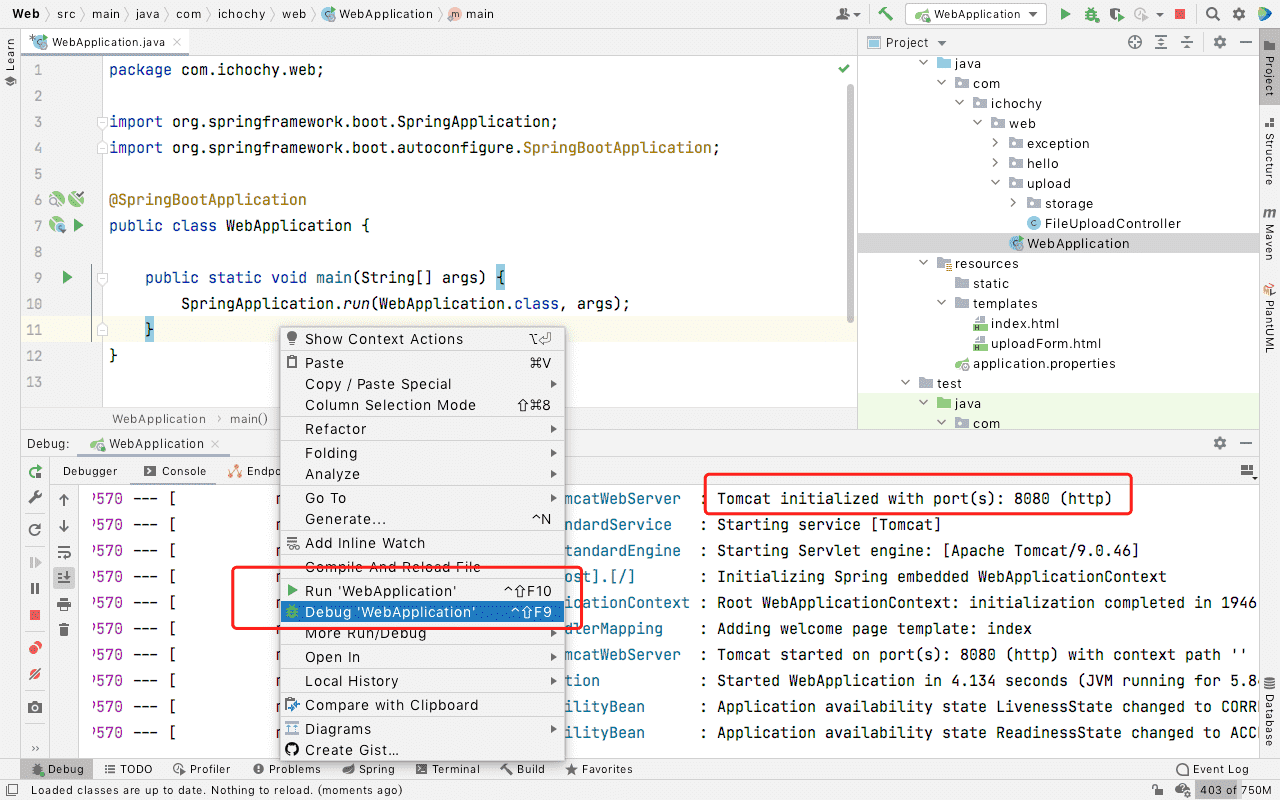
日志中会打印如下信息,说明RestTemplate.getForObject成功请求并返回数据对象
{"id":1,"content":"Hello, World!"}
RestTemplate.getForObject成功请求并返回数据对象ObjectMapper.writeValueAsString将对象转化为字符串https://github.com/iChochy/Example
此内容由惯性聚合(RSS阅读器)自动聚合整理,仅供阅读参考。 原文来自 — 版权归原作者所有。