






原文:https://ichochy.com/posts/spring/20211120.html
使用 Spring Security 合理配置页面权限,管理用户登录权限,实现页面安全
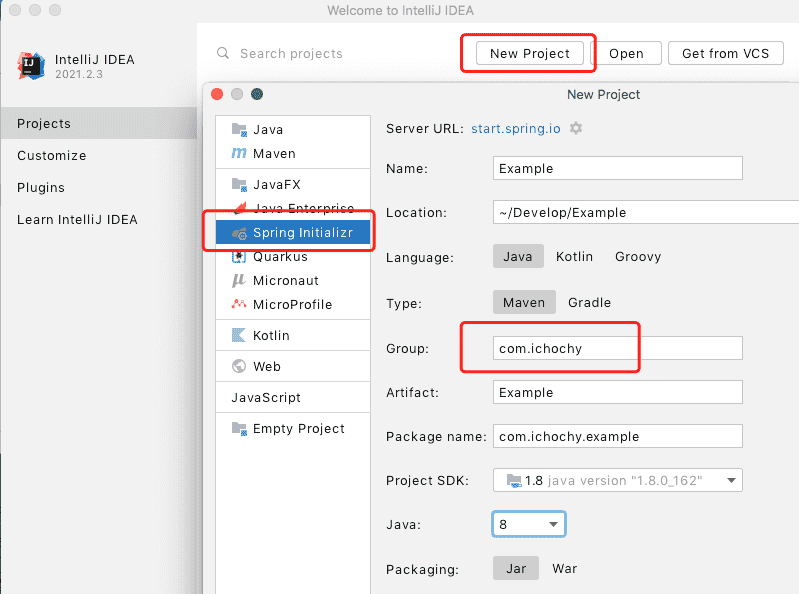
打开 IDEA 创建新项目 New Project,使用 start.spring.io 快速构建
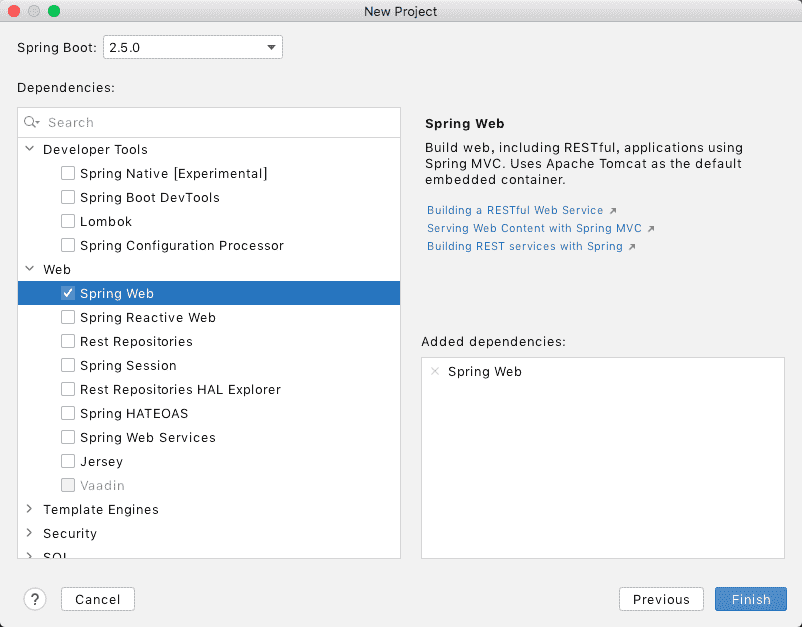
添加 Spring Web 依赖,finish 创建项目
添加 Spring Security 依赖
<dependency>
    <groupId>org.springframework.boot</groupId>
    <artifactId>spring-boot-starter-thymeleaf</artifactId>
</dependency>
<dependency>
    <groupId>org.springframework.boot</groupId>
    <artifactId>spring-boot-starter-security</artifactId>
</dependency>
templates/login.html
<!--
  ~ Copyright (c) 2021 iChochy
  ~ URL:https://ichochy.com
  ~ Date:2021/06/10 19:44:10
  -->

<!DOCTYPE html>
<html lang="en">
<head>
    <meta charset="UTF-8">
    <title>Login</title>
</head>
<body>

<h1>Login</h1>

<div th:if="${param.error}">
    Invalid username and password.
</div>
<div th:if="${param.logout}">
    You have been logged out.
</div>
<form th:action="@{/login}" method="post">
    <div><label> User Name : <input type="text" name="username"/> </label></div>
    <div><label> Password: <input type="password" name="password"/> </label></div>
    <div><input type="submit" value="Sign In"/></div>
</form>

</body>
</html>
创建form表单,登录地址/login,方法为post
templates/index.html
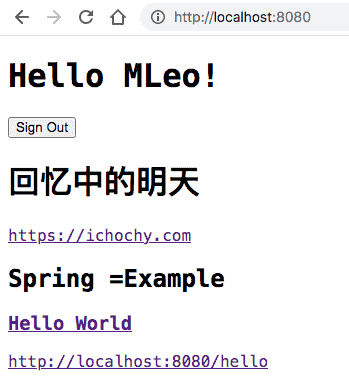
<h1 th:inline="text">Hello [[${#httpServletRequest.remoteUser}]]!</h1>
<form th:action="@{/logout}" method="post">
    <input type="submit" value="Sign Out"/>
</form>
httpServletRequest.remoteUser获取当前登录用户
登出地址/logout,方法为post
创建com/ichochy/example/MvcConfig.java
/*
 * Copyright (c) 2021 iChochy
 * URL:https://ichochy.com
 * Date:2021/11/22 19:24:22
 */

package com.ichochy.example;

import org.springframework.context.annotation.Configuration;
import org.springframework.web.servlet.config.annotation.ViewControllerRegistry;
import org.springframework.web.servlet.config.annotation.WebMvcConfigurer;

@Configuration
public class MvcConfig implements WebMvcConfigurer {
    public void addViewControllers(ViewControllerRegistry registry){
        registry.addViewController("/login").setViewName("login");
    }
}
添加登录页面控制器,指定地址/login
创建 WebSecurityConfig,继承 WebSecurityConfigurerAdapter
/*
 * Copyright (c) 2021 iChochy
 * URL:https://ichochy.com
 * Date:2021/11/22 20:06:22
 */

package com.ichochy.example.login;

import org.springframework.context.annotation.Bean;
import org.springframework.context.annotation.Configuration;
import org.springframework.security.config.annotation.web.builders.HttpSecurity;
import org.springframework.security.config.annotation.web.configuration.EnableWebSecurity;
import org.springframework.security.config.annotation.web.configuration.WebSecurityConfigurerAdapter;
import org.springframework.security.core.userdetails.User;
import org.springframework.security.core.userdetails.UserDetails;
import org.springframework.security.core.userdetails.UserDetailsService;
import org.springframework.security.crypto.factory.PasswordEncoderFactories;
import org.springframework.security.crypto.password.PasswordEncoder;
import org.springframework.security.provisioning.InMemoryUserDetailsManager;


@Configuration
@EnableWebSecurity
public class WebSecurityConfig extends WebSecurityConfigurerAdapter {
    @Override
    protected void configure(HttpSecurity http) throws Exception {
        http
            .authorizeRequests()
                .antMatchers("/login").permitAll()
                .anyRequest().authenticated()
            .and()
            .formLogin()
                .loginPage("/login").permitAll()
            .and()
            .logout()
                .permitAll();
    }

    @Bean
    @Override
    public UserDetailsService userDetailsService(){
        PasswordEncoder encoder = PasswordEncoderFactories.createDelegatingPasswordEncoder();
        UserDetails userDetails = User.builder()
                .passwordEncoder(encoder::encode)
                .username("MLeo")
                .password("iChochy")
                .roles("iChochy")
                .build();
        return new InMemoryUserDetailsManager(userDetails);
    }
}
重写configure,配置登录权限,配置非认证(permitAll)地址和认证(authenticated)地址,loginPage自定义登录页面和权限,logout自定义登出页面和权限
userDetailsService方法设置用户登录信息存入内存,校验用户登录信息
passwordEncoder指定密码加密编码username指定用户为:MLeopassword指定密码为:iChochyroles指定角色为:iChochy├── pom.xml
└── src
└── main
├── java
│ └── com
│ └── ichochy
│ └── example
│ ├── ExampleApplication.java
│ ├── MvcConfig.java
│ └── login
│ └── WebSecurityConfig.java.java
└── resources
├── application.properties
├── static
└── templates
├── index.html
└── login.html
ExampleApplication/*
* Copyright (c) 2021 iChochy
* URL:https://ichochy.com
* Date:2021/06/09 22:07:09
*/
package com.ichochy.example;
import org.springframework.boot.SpringApplication;
import org.springframework.boot.autoconfigure.SpringBootApplication;
@SpringBootApplication
public class ExampleApplication {
public static void main(String[] args) {
SpringApplication.run(ExampleApplication.class, args);
}
}
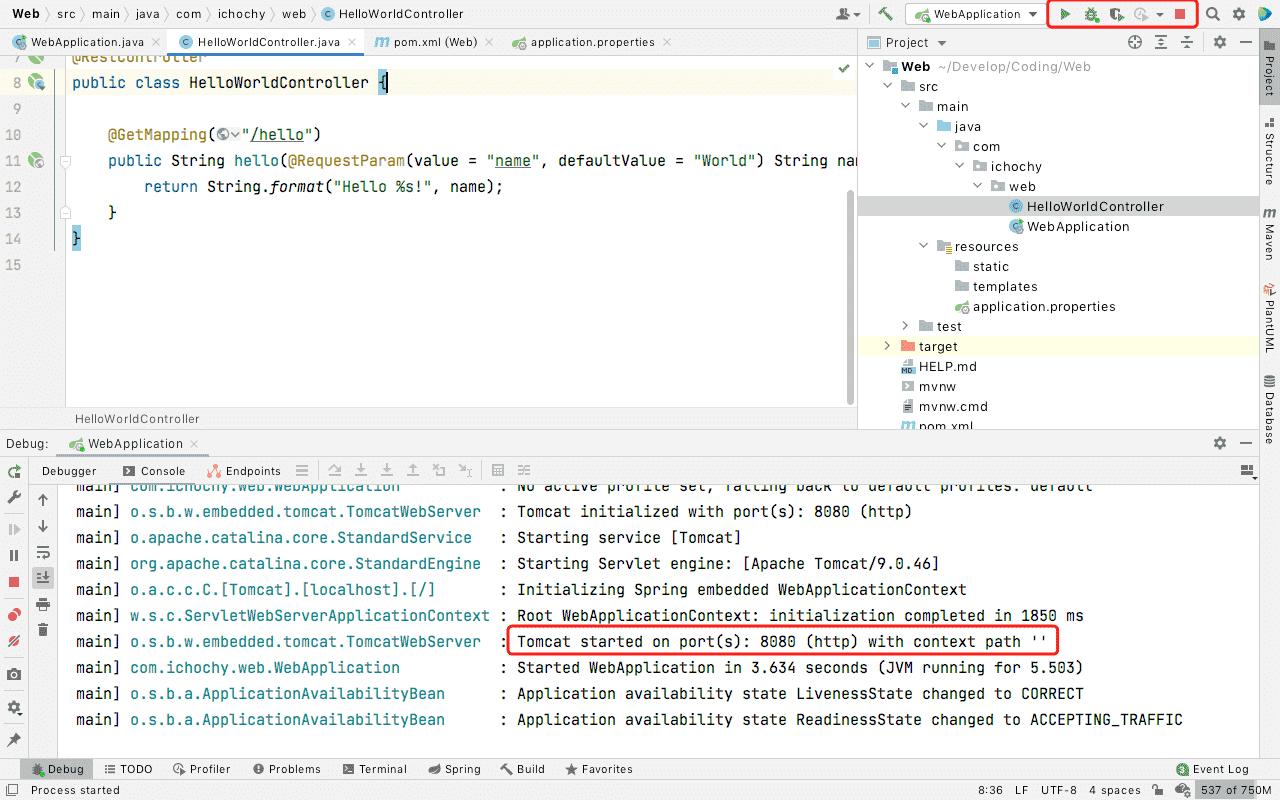
Dubug 运行项目,启动成功后可以看到默认端口号为8080
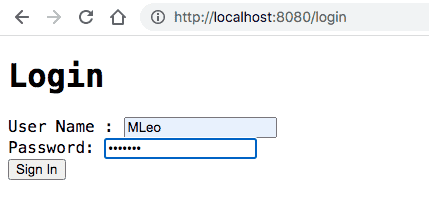
浏览器访问 http://localhost:8080,自动302重定向到登录页面
登录成功页面
使用 Spring Security 管理登录权限,实现项目权限安全
https://github.com/iChochy/Example
此内容由惯性聚合(RSS阅读器)自动聚合整理,仅供阅读参考。 原文来自 — 版权归原作者所有。