








原文:https://ichochy.com/posts/spring/20210530.html
表单提交完成数据的交互,实现数据的传递并进行系统处理或反馈,完成用户的指令。
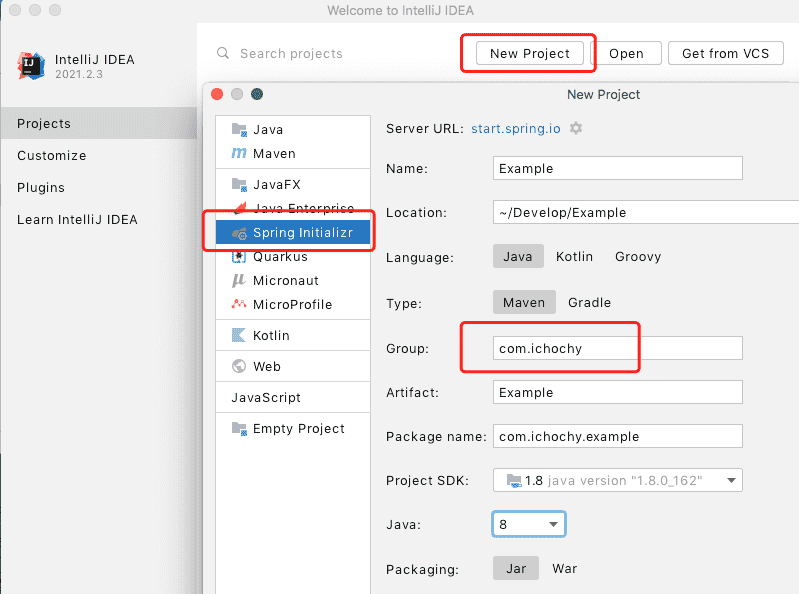
打开 IDEA 创建新项目 New Project,使用 start.spring.io 快速构建
添加 web、thymeleaf 依赖,finish 创建项目
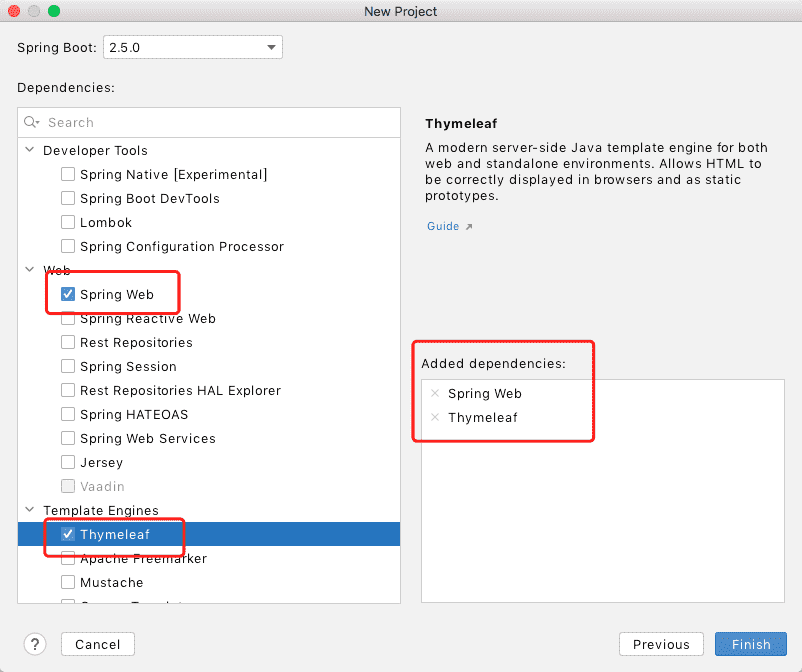
pom.xml 中手动管理依赖模块
    <dependencies>
        <dependency>
            <groupId>org.springframework.boot</groupId>
            <artifactId>spring-boot-starter-web</artifactId>
        </dependency>
        <dependency>
            <groupId>org.springframework.boot</groupId>
            <artifactId>spring-boot-starter-thymeleaf</artifactId>
        </dependency>
    </dependencies>
创建 Form 对象,用来接收、传递表单数据
/*
 * Copyright (c) 2021 iChochy
 * URL:https://ichochy.com
 * Date:2021/06/10 19:36:10
 */

package com.ichochy.example.form;

/**
 * 表单信息
 */
public class Form {

    private long id;
    private String title;
    private String url;
    private String content;

    public long getId() {
        return id;
    }

    public void setId(long id) {
        this.id = id;
    }

    public String getTitle() {
        return title;
    }

    public void setTitle(String title) {
        this.title = title;
    }

    public String getContent() {
        return content;
    }

    public void setContent(String content) {
        this.content = content;
    }

    public String getUrl() {
        return url;
    }

    public void setUrl(String url) {
        this.url = url;
    }
}
创建控制器 FormController,接收表单数据
/*
 * Copyright (c) 2021 iChochy
 * URL:https://ichochy.com
 * Date:2021/06/09 22:07:09
 */

package com.ichochy.example.form;


import org.springframework.stereotype.Controller;
import org.springframework.ui.Model;
import org.springframework.web.bind.annotation.GetMapping;
import org.springframework.web.bind.annotation.ModelAttribute;
import org.springframework.web.bind.annotation.PostMapping;

@Controller
public class FormController {

    /**
     * 打开表单
     * @param model
     * @return
     */
    @GetMapping(value = "/form")
    public String openForm(Model model) {
        model.addAttribute("form", new Form());
        return "form";
    }

    /**
     * 提交表单
     * @param form
     * @param model
     * @return
     */
    @PostMapping(value = "/form")
    public String submitForm(@ModelAttribute Form form, Model model) {
        model.addAttribute("form", form);
        return "result";
    }
}
FormController)为请求控制器openForm)来响应 http://localhost:8080/form 的 get 请求。submitForm)来响应 http://localhost:8080/form 的 get 请求。String 为展示对应的视图名称,如:return "form"展示 form.html 视图新建 form.html,接交表单数据
<!--
  ~ Copyright (c) 2021 iChochy
  ~ URL:https://ichochy.com
  ~ Date:2021/06/10 19:44:10
  -->
<!DOCTYPE html>
<html lang="en">
<head>
    <meta charset="UTF-8">
    <title>Form</title>
</head>
<body>
<h1>Form</h1>
<form th:action="@{/form}" th:object="${form}" method="post">
    <p>Id: <br><input type="text" th:field="*{id}"/></p>
    <p>Title:<br> <input type="text" th:field="*{title}"/></p>
    <p>URL: <br><input type="text" th:field="*{url}"/></p>
    <p>Message: <br><textarea th:field="*{content}"></textarea></p>
    <p><input type="submit" value="Submit"/> <input type="reset" value="Reset"/></p>
</form>
</body>
</html>
post新建 result.html,展示表单数据
<!--
  ~ Copyright (c) 2021 iChochy
  ~ URL:https://ichochy.com
  ~ Date:2021/06/10 19:44:10
  -->
<!DOCTYPE html>
<html lang="en">
<head>
    <meta charset="UTF-8">
    <title>Result</title>
</head>
<body>
<h1>Form</h1>
<h1>Result</h1>
<p th:text="'Id: ' + ${form.id}"/>
<p th:text="'Title: ' + ${form.title}"/>
<p th:text="'URL: ' + ${form.url}"/>
<p th:text="'Message: ' + ${form.content}"/>
<a href="/form">Submit another message</a>
</body>
</html>
├── pom.xml
└──src
    └── main
        ├── java
        │   └── com
        │       └── ichochy
        │           └── example
        │               ├── ExampleApplication.java
        │               └── form
        │                   ├── Form.java
        │                   └── FormController.java
        └── resources
            ├── application.properties
            ├── static
            └── templates
                ├── form.html
                └── result.html
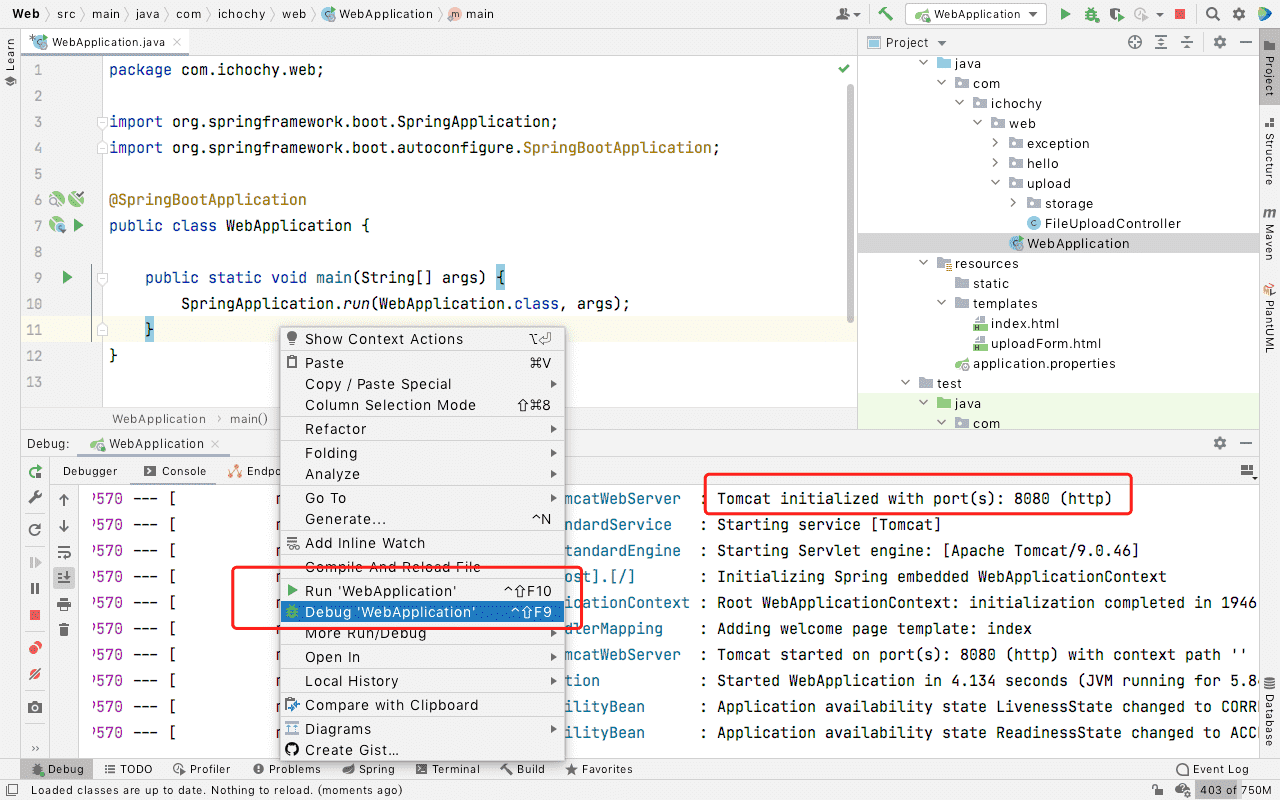
启动成功后可以看到默认端口号为8080
直接访问:http://localhost:8080/form
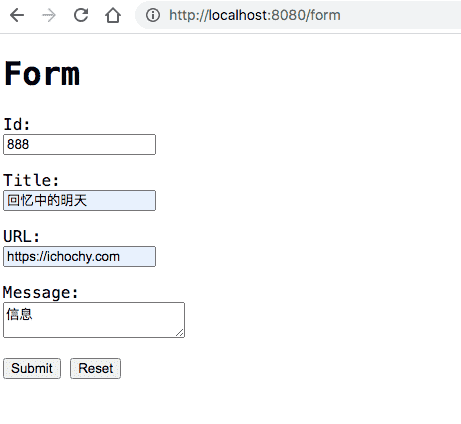
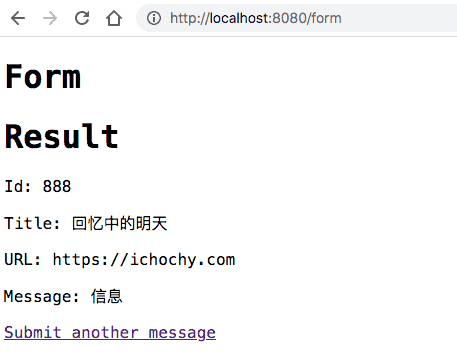
Submit 提交表单后可以查看到表单提交的信息
https://github.com/iChochy/Example
此内容由惯性聚合(RSS阅读器)自动聚合整理,仅供阅读参考。 原文来自 — 版权归原作者所有。