







原文:https://ichochy.com/posts/spring/20210615.html
使用 Spring 创建 RESTful Web 服务,实现Hello World的 RESTful 请求
RESTful 是应用程序接口的一种架构风格,它使用 HTTP 请求来访问和使用数据。请求方式包含 GET、PUT、POST 和 DELETE 类型,这些类型是指有关资源操作的读取、更新、创建和删除。
RESTful 协议定义 HTTP 方法如下:
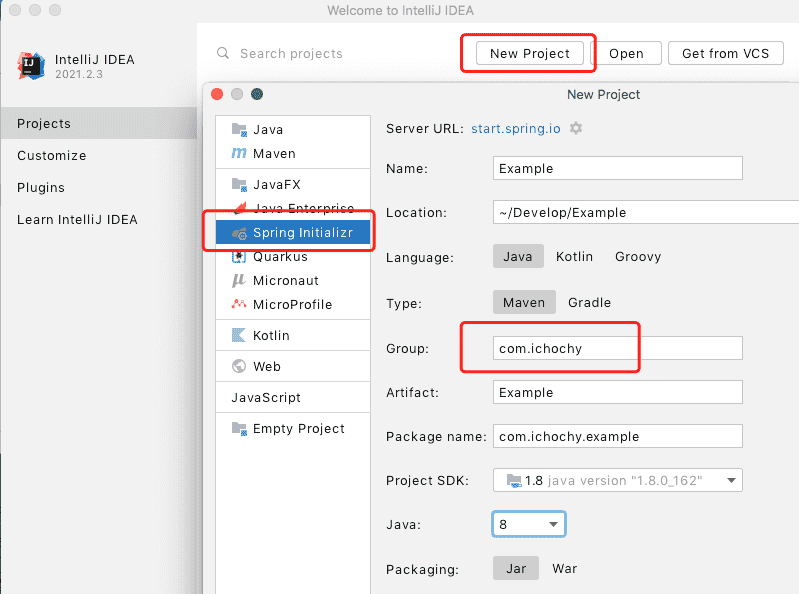
打开 IDEA 创建新项目 New Project,使用 start.spring.io 快速构建
添加 Spring Web 依赖,finish 创建项目
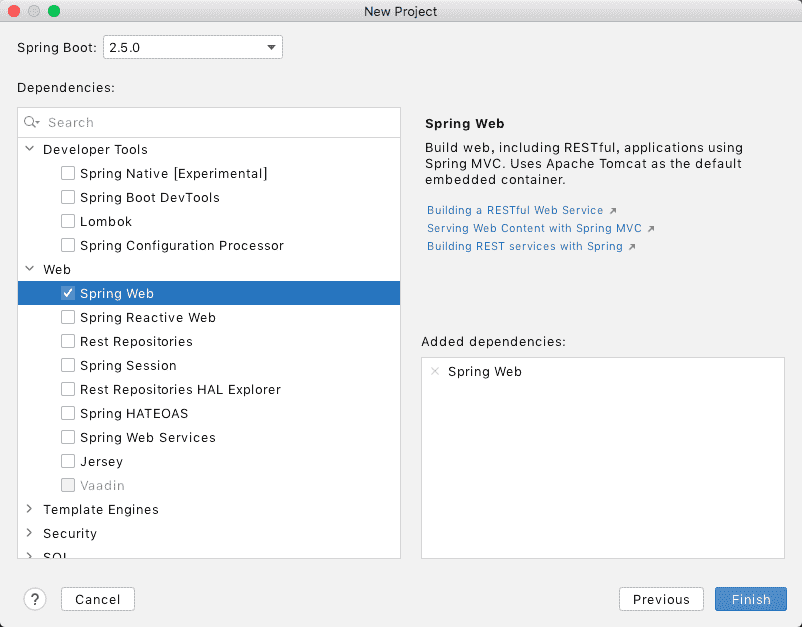
pom.xml 中手动管理依赖模块
    <dependencies>
        <dependency>
            <groupId>org.springframework.boot</groupId>
            <artifactId>spring-boot-starter-web</artifactId>
        </dependency>
    </dependencies>
/*
 * Copyright (c) 2021 iChochy
 * URL:https://ichochy.com
 * Date:2021/06/17 11:40:17
 */

package com.ichochy.example.restful;

public class Greeting {
    private Long id;
    private String content;

    /**
     * 用参的构造方法
     * @param id
     * @param content
     */
    public Greeting(Long id, String content) {
        this.id = id;
        this.content = content;
    }

    public Long getId() {
        return id;
    }

    public void setId(Long id) {
        this.id = id;
    }

    public String getContent() {
        return content;
    }

    public void setContent(String content) {
        this.content = content;
    }
}
/*
 * Copyright (c) 2021 iChochy
 * URL:https://ichochy.com
 * Date:2021/06/17 11:44:17
 */

package com.ichochy.example.restful;

import org.springframework.web.bind.annotation.GetMapping;
import org.springframework.web.bind.annotation.RequestParam;
import org.springframework.web.bind.annotation.RestController;

import java.util.concurrent.atomic.AtomicLong;

@RestController
public class RESTFulController {

    private static final String template = "Hello, %s!";
    private final AtomicLong counter = new AtomicLong();

    @GetMapping("/greeting")
    public Greeting greeting(@RequestParam(value = "name", defaultValue = "World") String name) {
        return new Greeting(counter.incrementAndGet(), String.format(template, name));
    }
}
/greeting 为 HTTP GET 请求name)为请求参数,默认值为 “World”├── pom.xml
└── src
└── main
└── java
└── com
└── ichochy
└── example
├── ExampleApplication.java
└── restful
├── Greeting.java
└── RESTFulController.java
main 方法启动项目
/*
 * Copyright (c) 2021 iChochy
 * URL:https://ichochy.com
 * Date:2021/06/09 22:07:09
 */

package com.ichochy.example;

import org.springframework.boot.SpringApplication;
import org.springframework.boot.autoconfigure.SpringBootApplication;

@SpringBootApplication
public class ExampleApplication {

    public static void main(String[] args) {
        SpringApplication.run(ExampleApplication.class, args);
    }
}
服务默认端口号为8080
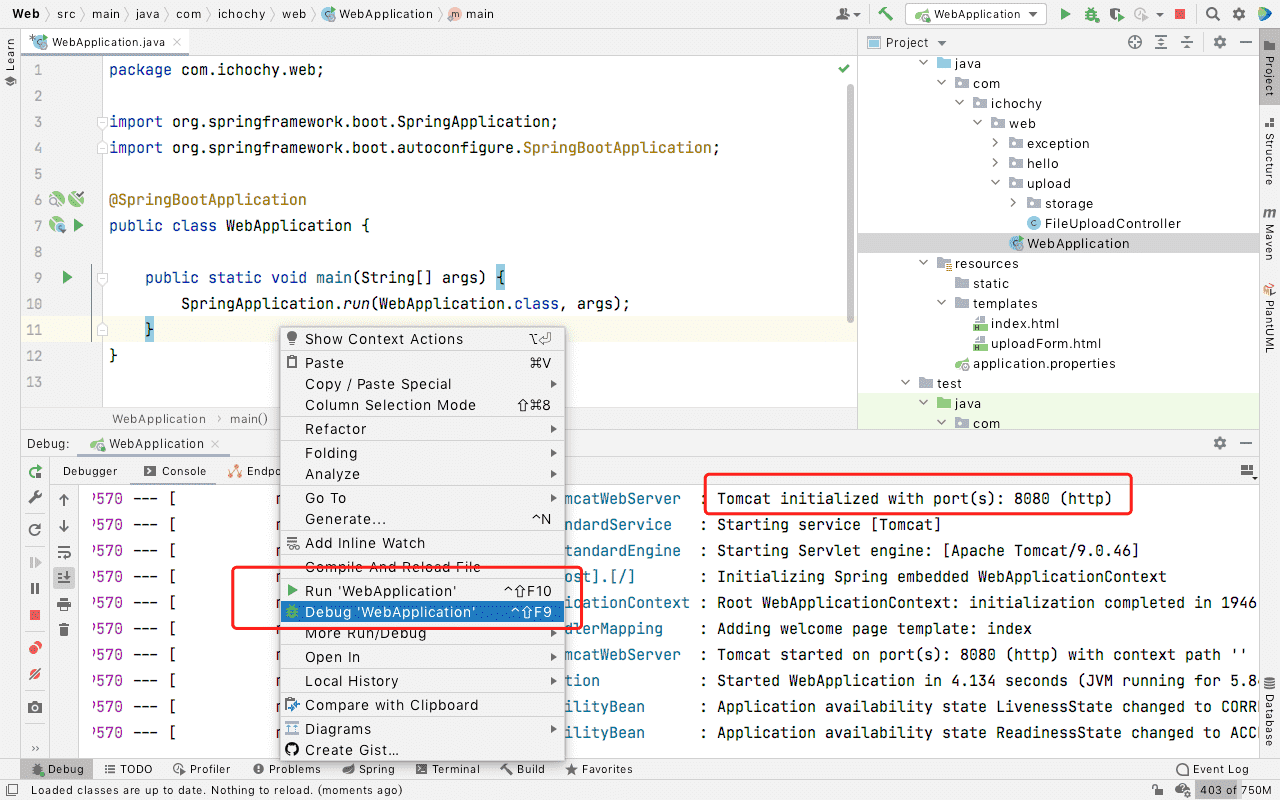
访问:http://localhost:8080/greeting
{"id":1,"content":"Hello, World!"}
访问:http://localhost:8080/greeting?name=iChochy
{"id":2,"content":"Hello, iChochy!"}
@RequestMapping(method=GET)。Jackson JSON库自动将类型实例编组为 JSONhttps://github.com/iChochy/Example
此内容由惯性聚合(RSS阅读器)自动聚合整理,仅供阅读参考。 原文来自 — 版权归原作者所有。