







原文:https://ichochy.com/posts/spring/20210525.html
学习 Java,就离不开 Spring ,现在就用 Spring 框架快速创建一个 WEB 项目,欢迎来到我的世界 Hello World。
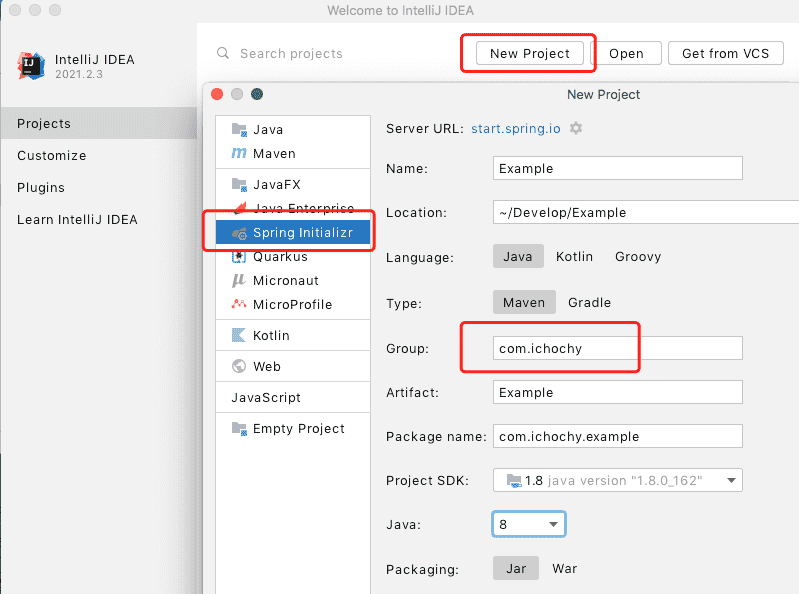
打开 IDEA 创建新项目 New Project,使用 start.spring.io 快速构建
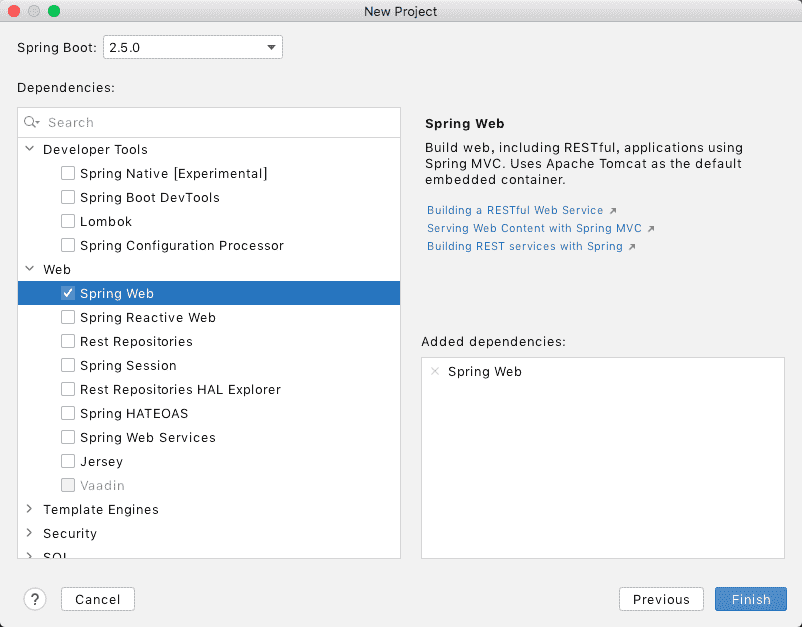
添加 Spring Web 依赖,finish 创建项目
├── pom.xml
└── src
    └── main
        ├── java
        │   └── com
        │       └── ichochy
        │           └── example
        │               ├── ExampleApplication.java
        │               └── hello
        │                   └──HelloWorldController.java
        └── resources
            ├── application.properties
            ├── static
            └── templates
HelloWorldControllerpackage com.ichochy.example.hello;
import org.springframework.web.bind.annotation.GetMapping;
import org.springframework.web.bind.annotation.RequestParam;
import org.springframework.web.bind.annotation.RestController;
@RestController
public class HelloWorldController {
@GetMapping("/hello")
public String hello(@RequestParam(value = "name", defaultValue = "World") String name) {
return String.format("Hello %s!", name);
}
}
HelloWorldController)为请求控制器hello)来响应 http://localhost:8080/hello 的 get 请求。name)为请求参数,默认值为 “World”。ExampleApplication/*
* Copyright (c) 2021 iChochy
* URL:https://ichochy.com
* Date:2021/06/09 22:07:09
*/
package com.ichochy.example;
import org.springframework.boot.SpringApplication;
import org.springframework.boot.autoconfigure.SpringBootApplication;
@SpringBootApplication
public class ExampleApplication {
public static void main(String[] args) {
SpringApplication.run(ExampleApplication.class, args);
}
}
@SpringBootApplication 注释,包如下注解的合集:
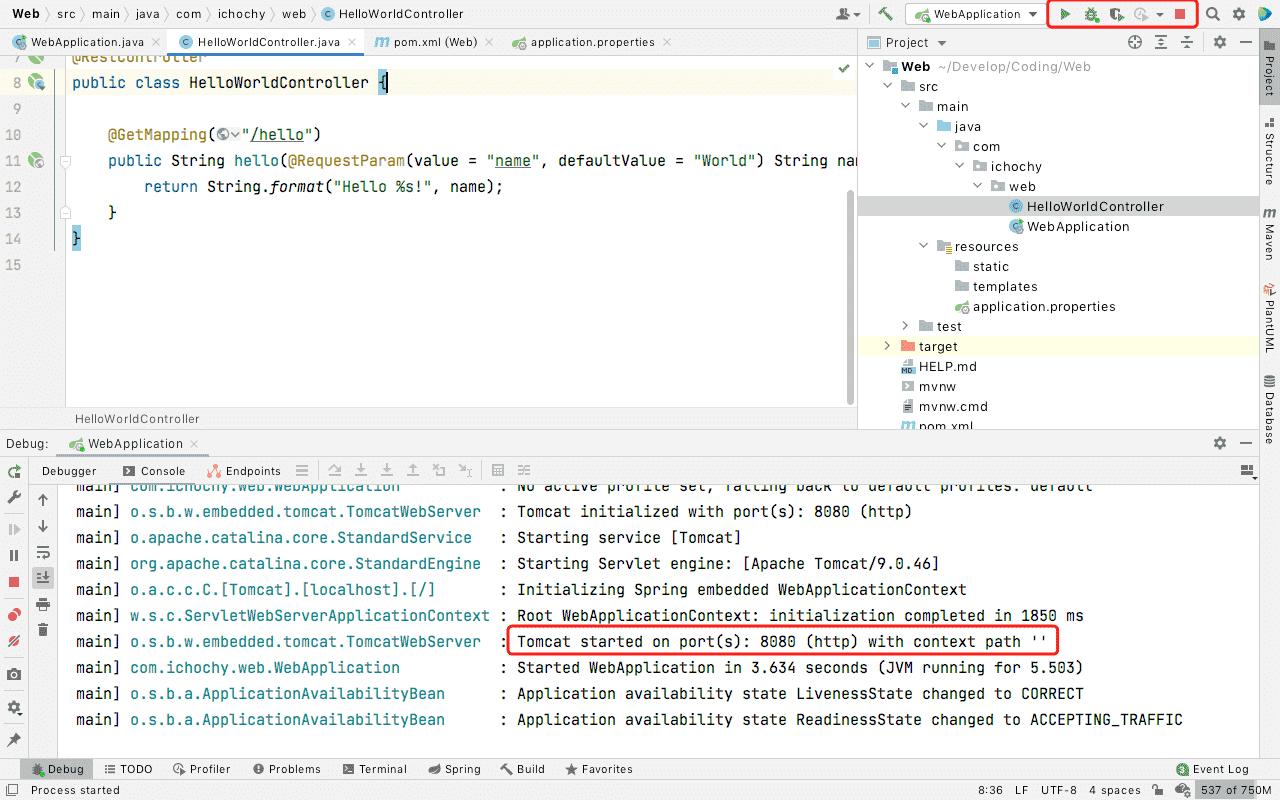
com.ichochy.example当前包中查找组件、配置、服务和控制器Dubug 运行项目,启动成功后可以看到默认端口号为8080
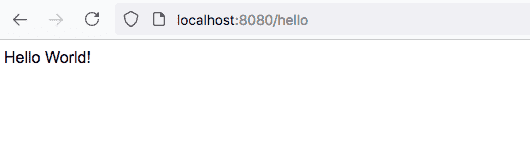
浏览器访问 http://localhost:8080/hello,Web 项目默认返回 Hello World
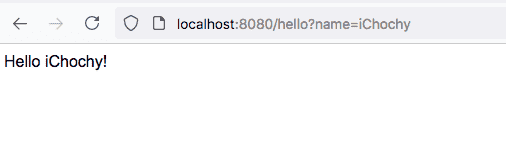
添加 name 参数访问 http://localhost:8080/hello?name=iChochy
https://github.com/iChochy/Example
此内容由惯性聚合(RSS阅读器)自动聚合整理,仅供阅读参考。 原文来自 — 版权归原作者所有。