


AI-Assistance in Character Posing: How It Works in Cascadeur
Hello, I'm Eugene Dyabin a Co-Founder of the renowned Game Publisher Nekki and also a Senior Producer of the AI-based character animation tool Cascadeur. After achieving a master's degree in applied mathematics in 2006, my team and I created the internationally successful Shadow Fight game series and made it the most-played mobile fighting game series - with over 500 million downloads.
I'm also an avid code developer actively involved in Cascadeur programming. My personal goal is to make Cascadeur a "ChatGPT for character animation", thus enabling even beginners to create physically realistic animation on a professional level.

In collaboration with two AI specialists from my team, Aina Chirkova, and Max Tarasov, I would like to tell you how we came up with an intelligent tool to make character posing in games development easier and faster and how much time it took us to actually make it work.
Every time another neural network breakthrough happens eg Midjourney or DALL-E, which makes real magic, it causes a well-deserved hype. But when it comes to making neural networks into usable tools to perform creative tasks, having control becomes the most important factor. It turns out, almost every artist wants to have complete control over every stroke and every nuance they make. Which is reasonable!
That's exactly what we faced when developing our AutoPosing tool for our game animation software Cascadeur which would allow animators to create natural poses using as few controllers as possible. We want to tell you how we first got an interesting result with the help of a rather deep and smart neural network, and then we spent over a year reworking the whole thing, breaking it up into a bunch of smaller and simpler neural networks and heuristic algorithms, adding different exceptions and settings. And all that just to ensure that animators get maximum control and predictability.
We want to show that there is a huge gap between fully automatic unrestrained magic and a tool that can actually be used for work.
We were aiming to develop a tool which would allow animators to quickly set up draft poses and perfect them after. This way, making each pose could become several times faster.
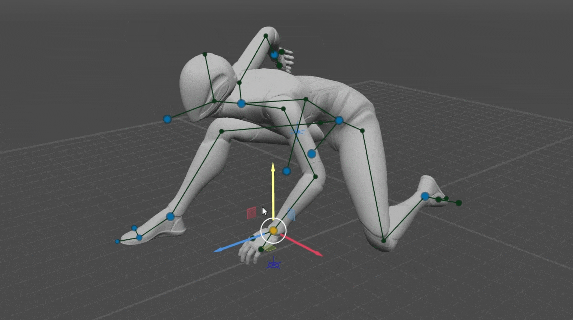
The initial idea was rather simple – to feed the position of only 6 points (neck, pelvis, wrists, and ankles) into the neural network for it to suggest the most natural pose with these points retaining their positions.
In order to teach it, we took 1300 animations from our game Shadow Fight 3. Later we made an additional set of special rare poses. We mirrored everything to double the dataset and ended up with 2600 animations with a total of 220,000 poses in them, 80% of which we used for teaching and 20% left for testing.
The teaching concept was simple.We took 6 points out of each pose and input them into the neural network. It suggests the position of the rest of the points. Then we compare the position of these points to the ones in the initial pose and estimate the deviations. The network learns via a backpropagation algorithm using mean squared error loss.
The result turned out to be quite interesting:

Then we made the system more complex by introducing several internal neural networks, where the output of one was fed into the input of another. This system allowed the user to control not only the 6 points but every point of the rig so that animators could improve the pose utilizing any amount of points, all of them if need be.
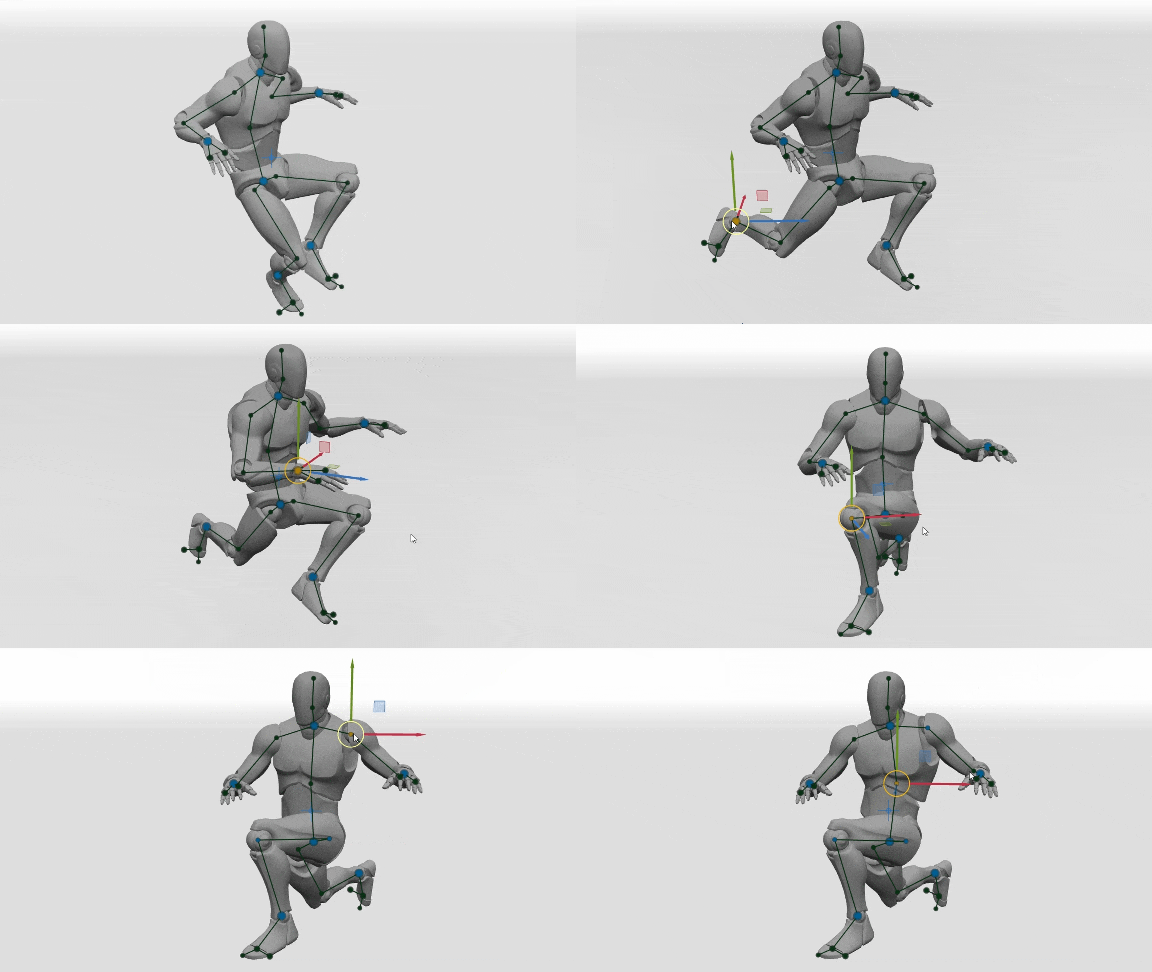
The task seemed to be resolved.You get full control over the pose, and the neural network helps and it does save time.
But in reality, working with that version of AutoPosing proved to be rather annoying. The main issue was it being unpredictable. When you don't understand what's going on you end up fighting the neural network instead of letting it assist you. The neural network turned out to be far too creative, it would always try to guess things that you didn't want it to. While you were moving the 6 main points the head would turn due to some internal logic, along with the feet and the wrists, the spine would bend. Although the poses themselves turned out nicely, the process was rather frustrating.
We went through multiple iterations and ran many experiments, tried various approaches, and in the end spent more than a year to get a result that would be convenient to use for actual work.
So the main point is that instead of having one cleverly complicated neural network we got a complex system of 12 simpler ones. Each neural network does its own job or controls a specific region of the body, and some of them engage only in specific cases. Some system behaviors we achieved without using neural networks at all, replacing them with heuristic algorithms.
Let's see which character parameters are resolved by which neural networks and algorithms.
The general direction is resolved by a fully connected neural network which consists of 2 hidden layers of 200 and 100 neurons.

This neural network resolves the direction of the whole character using 4 points (Wrists and Ankles)
Thing is, that during the learning process of the rest of the neural networks, all the poses used were oriented the same way, with Pelvis and Neck placed along the Y axis, and Chest turned facing along the X axis. This way the space of possible positions of the rest of the body is narrowed down and does not depend on the character's orientation. Thus, in order to make AutoPosing work, we first have to get the general direction of the character from Wrists and Ankles, so that the rest of the networks would work relative to that.
This direction can also be set by the animator manually using the Direction Controller. In that case, this neural network is bypassed and the set direction is taken for further calculations. If Wrists positions are not set, only Ankles, the direction of the character is determined trivially – horizontal and perpendicular to the line connecting Ankles.
A fully connected neural network with 4 hidden layers (150, 200, 150, 100).
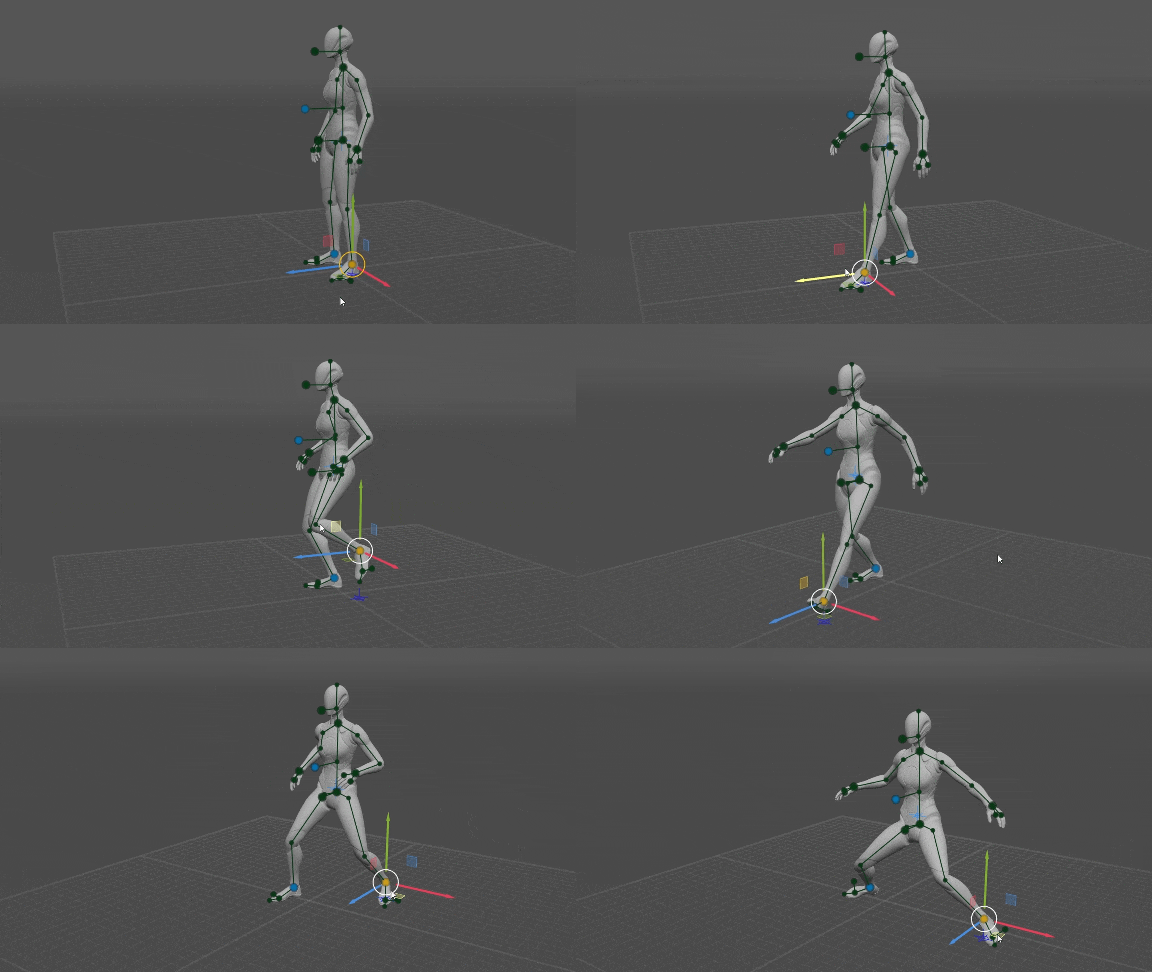
The position of Wrists depends on the position of Ankles, which is always set by the user. It also depends on the Character Direction Controller.
We assumed that if the user positions Ankles close to the ground and doesn't spread them too wide apart, they likely expect to get locomotion poses, thus poses from the locomotion dataset were used in the learning process. Eg when moving the right foot forward, the right arm moves backward.
2 fully connected neural networks (Pelvis and Neck) with 4 hidden layers each (200, 250, 200, 150).
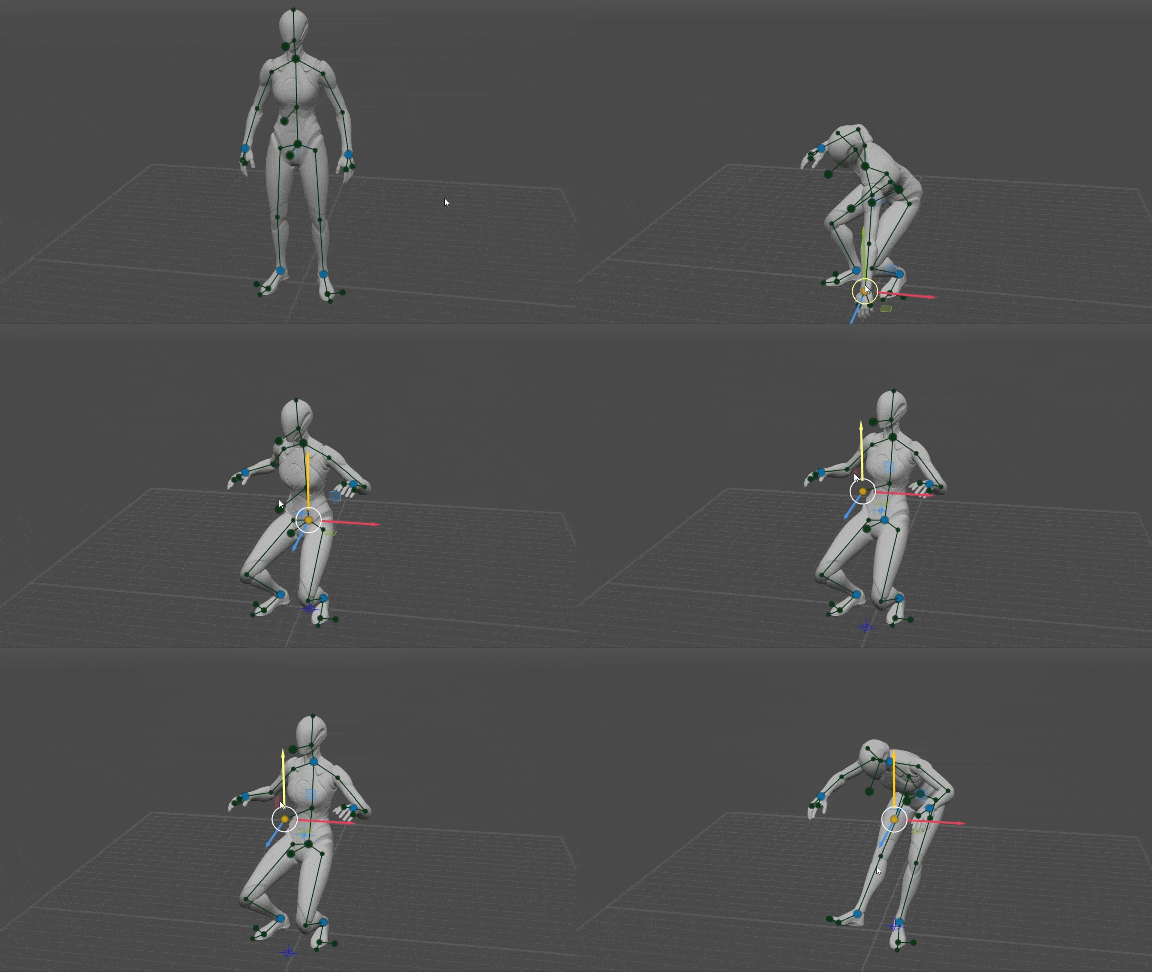
The position of Pelvis and Neck depends on the position of Ankles, Wrists, and Character Direction Controller. Meanwhile, the position of Pelvis and Neck relative to each other is defined by a vector. Thus, if the user sets the position of one, the position of the other is determined relative to it.
A fully connected neural network with 3 hidden layers (128, 30, 10).
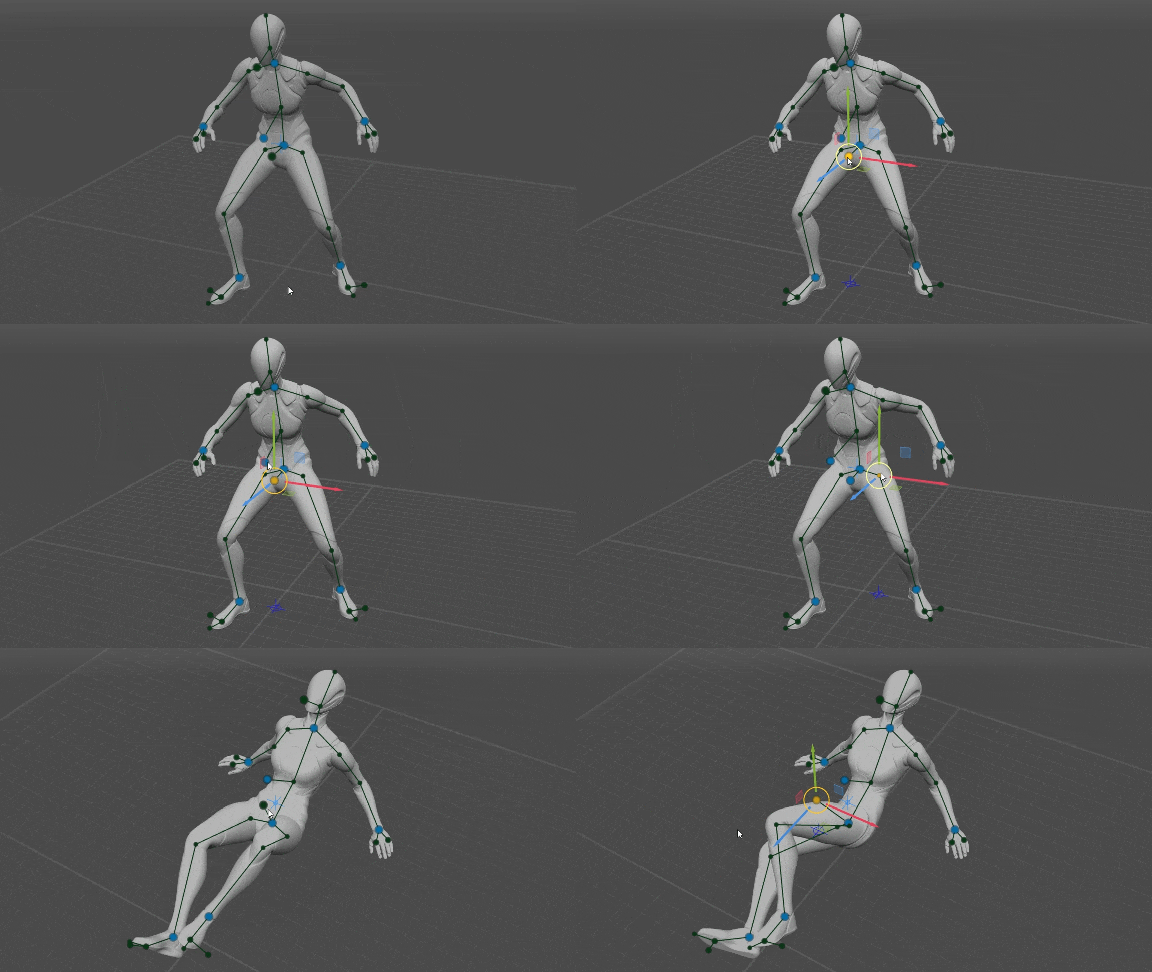
The orientation of Pelvis depends on the position of Ankles, Neck, and Pelvis Direction Controller (if the latter is set by the user). Moreover, the user can rotate Pelvis around one axis using the Direction Controller, and rotate it around the Direction Controller axis by moving Hips.
A fully connected neural network with 3 hidden layers (128, 30, 10).
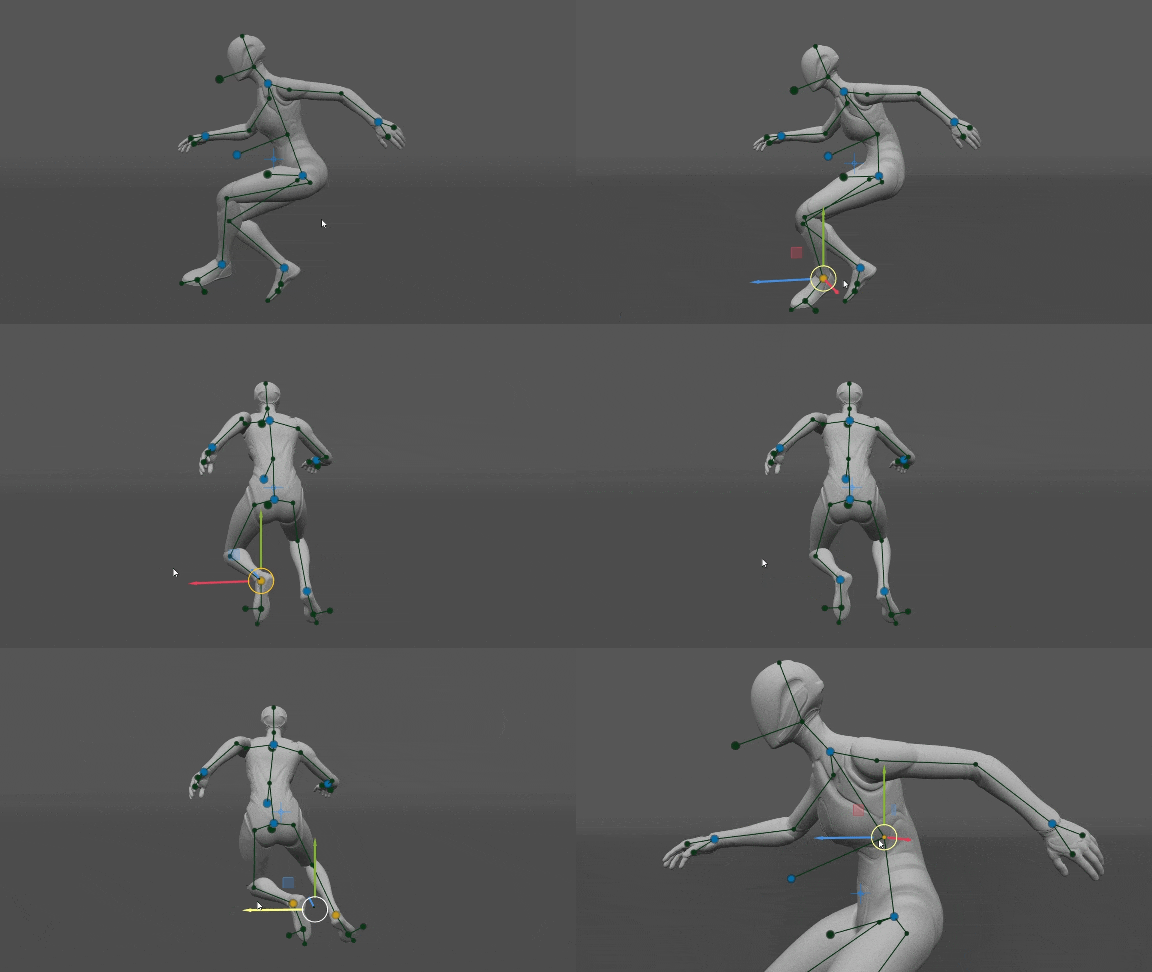
The position of Ankles, Pelvis, and Neck, as well as Character Direction Controller, are input into the neural network. The bending of the spine mainly depends on the degrees of freedom left by the direction of Chest, the orientation of Pelvis, and the distance between Pelvis and Neck. We had to make visualizations in GeoGebra like this one to visualize all the possible ways the spine can bend.
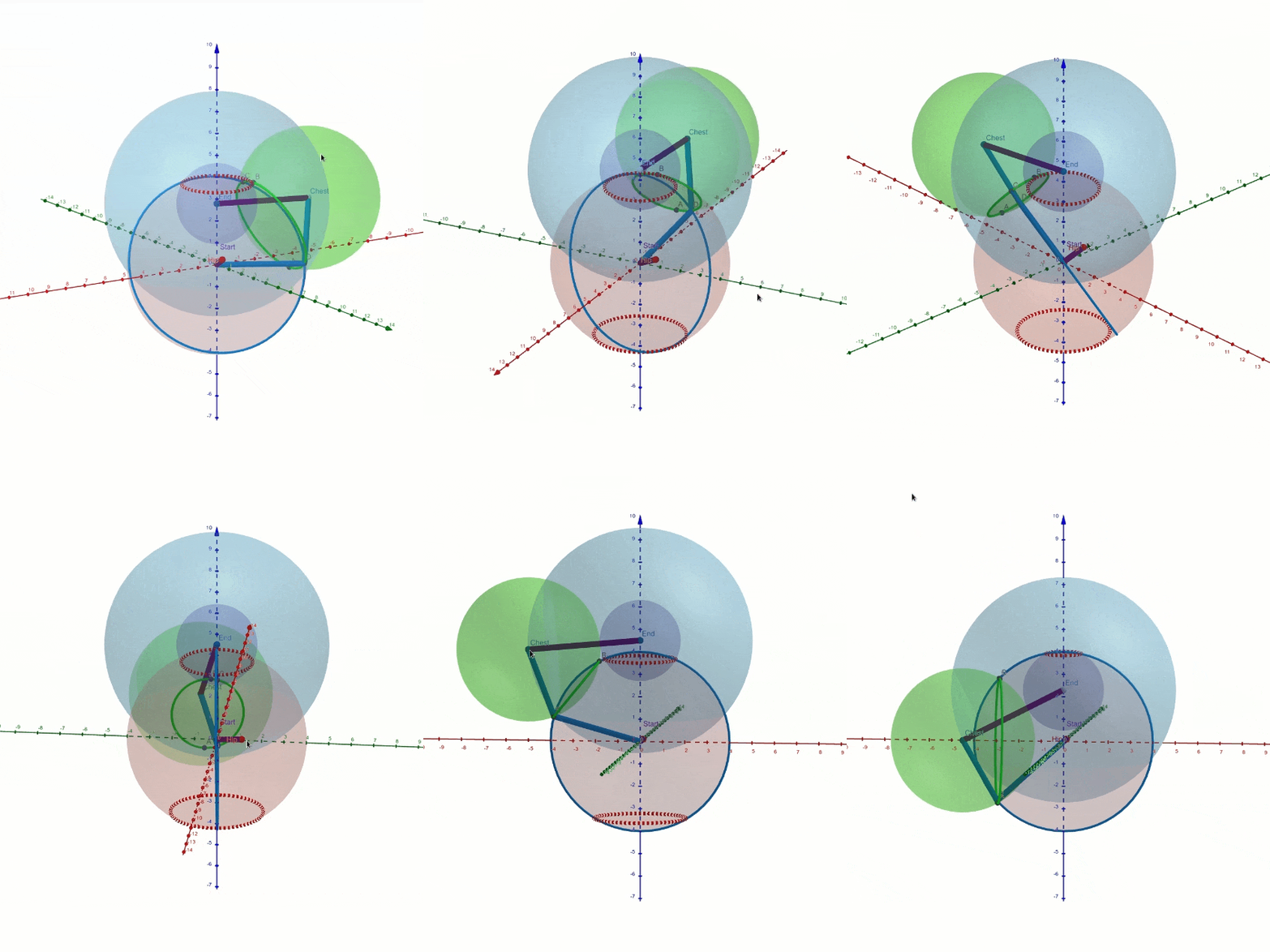
The main problem this neural network resolves is which direction the spine shall bend in. For instance, legs mainly determine whether the spine should bend forward or backward.Another important thing to mention is that by default the spine avoids S-curve, but the user can curve the spine freely by adjusting Pelvis and Chest.
Controlled by 5 fully connected neural networks (Hands, Elbows, Shoulders, Feet and Knees) with 2 hidden layers each (64, 32).
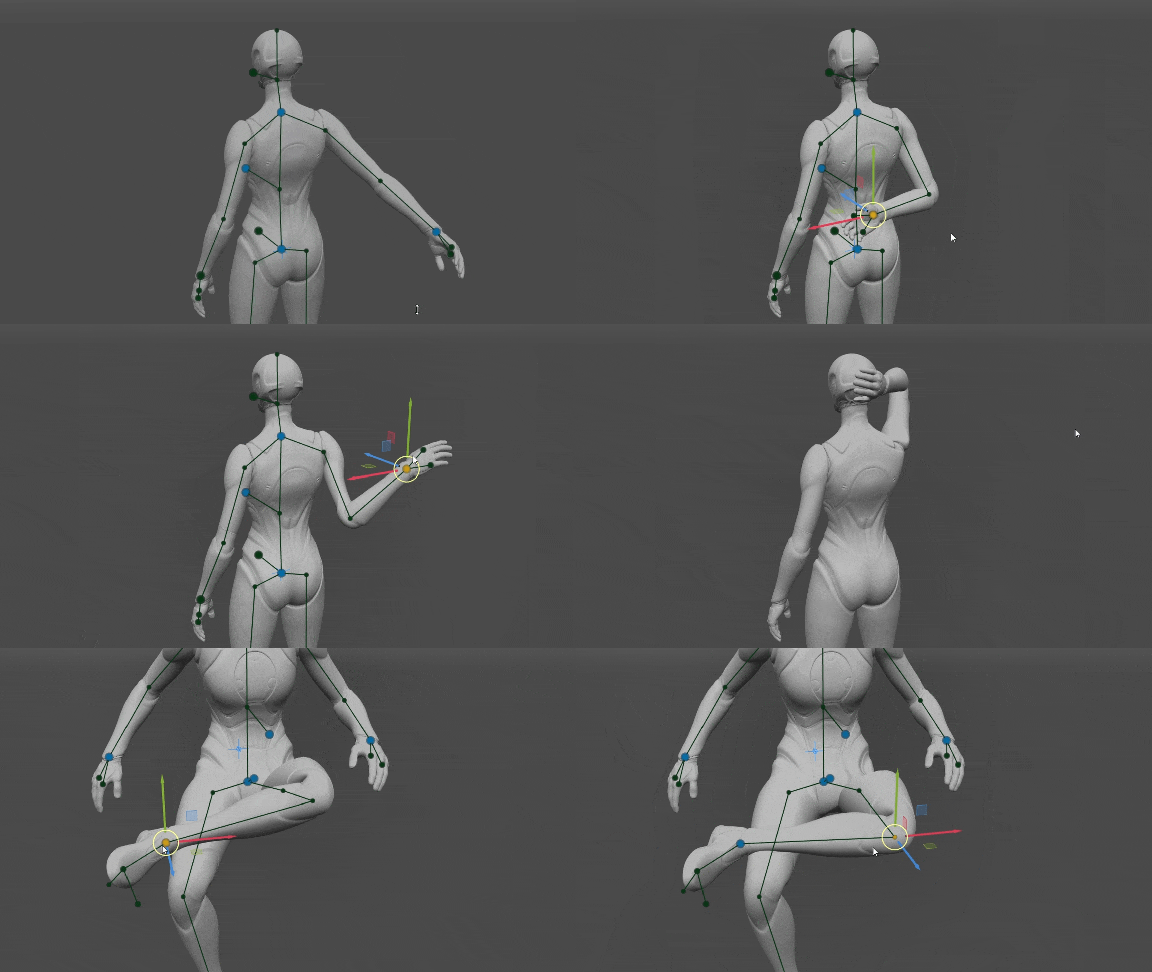
These neural networks determine the orientation of Hands and Feet as well as the position of Elbows, Shoulders, and Knees.
Note that the neural networks for the points of the arms work separately for the left and the right arm, thus avoiding any influence of the arms on each other. However, the neural networks for the points of the legs work together, because the legs influence each other through Pelvis.
The orientation of Hands and Feet is determined by the main 6 points (Ankles, Wrists, Pelvis, and Neck). The position of Shoulders depends on the orientation of Hands, and the position of Elbows in turn depends on the position of Shoulders.
Here we made an important decision about Hands and Feet. If their orientation is not set by the user, we take it from the T-pose, otherwise, they behave unpredictably from the user's perspective. Once the position of all the points of the limbs is resolved the local angles of Hands and Feet are reset to their T-pose values. Usually, Hands in a T-pose inherit the direction of the forearms, and Feet are perpendicular to the shins.
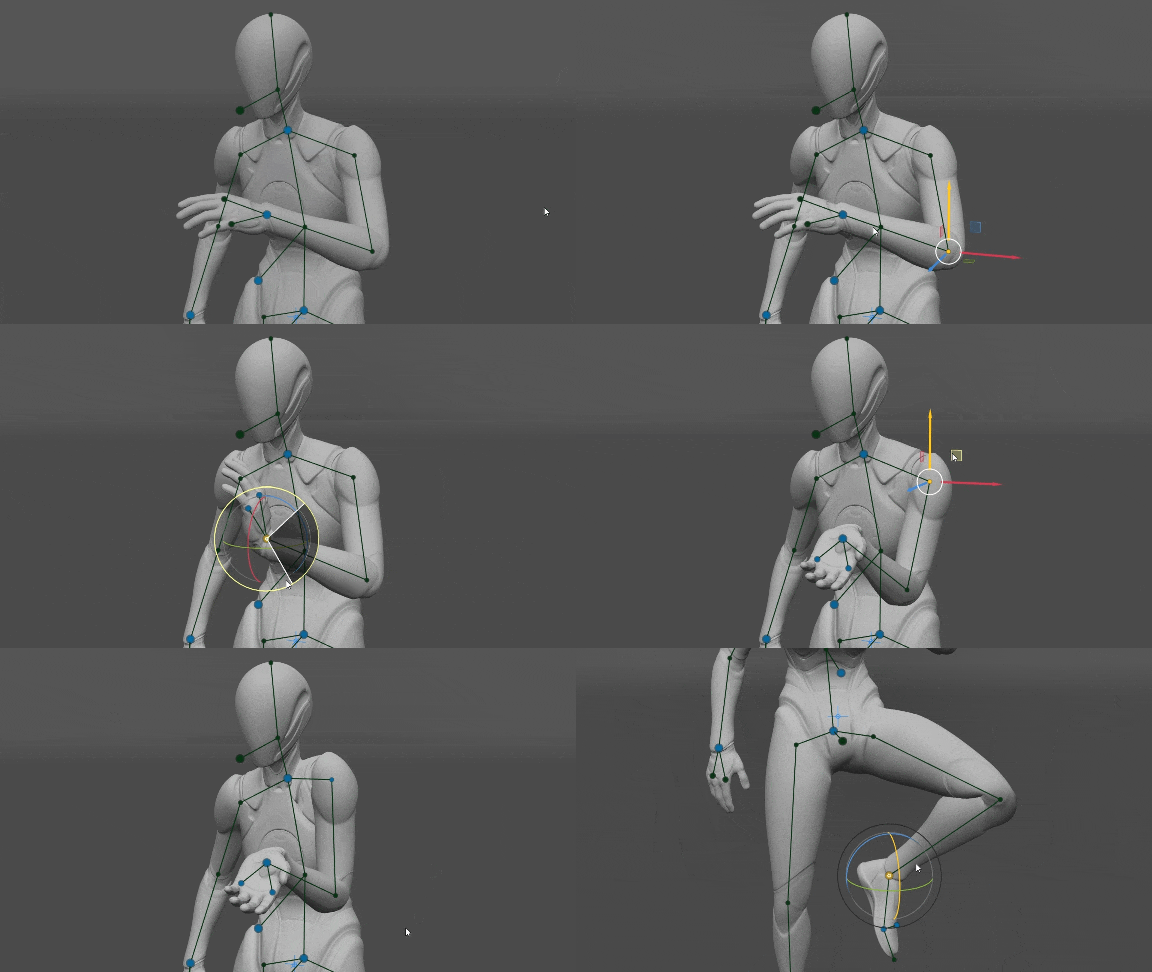
We noticed that if the orientation of Hands is set, it is enough to determine the position of the Elbows and Shoulders very precisely (when compared to the dataset). That can be useful in VR, where we have the orientation and position of the player's hands and we need to determine the position of elbows and shoulders and of the avatar.Also, the orientation of Feet is enough to determine the position of the Knees and the orientation of Pelvis.
This system doesn't use any neural networks. It's a fully heuristic algorithm.
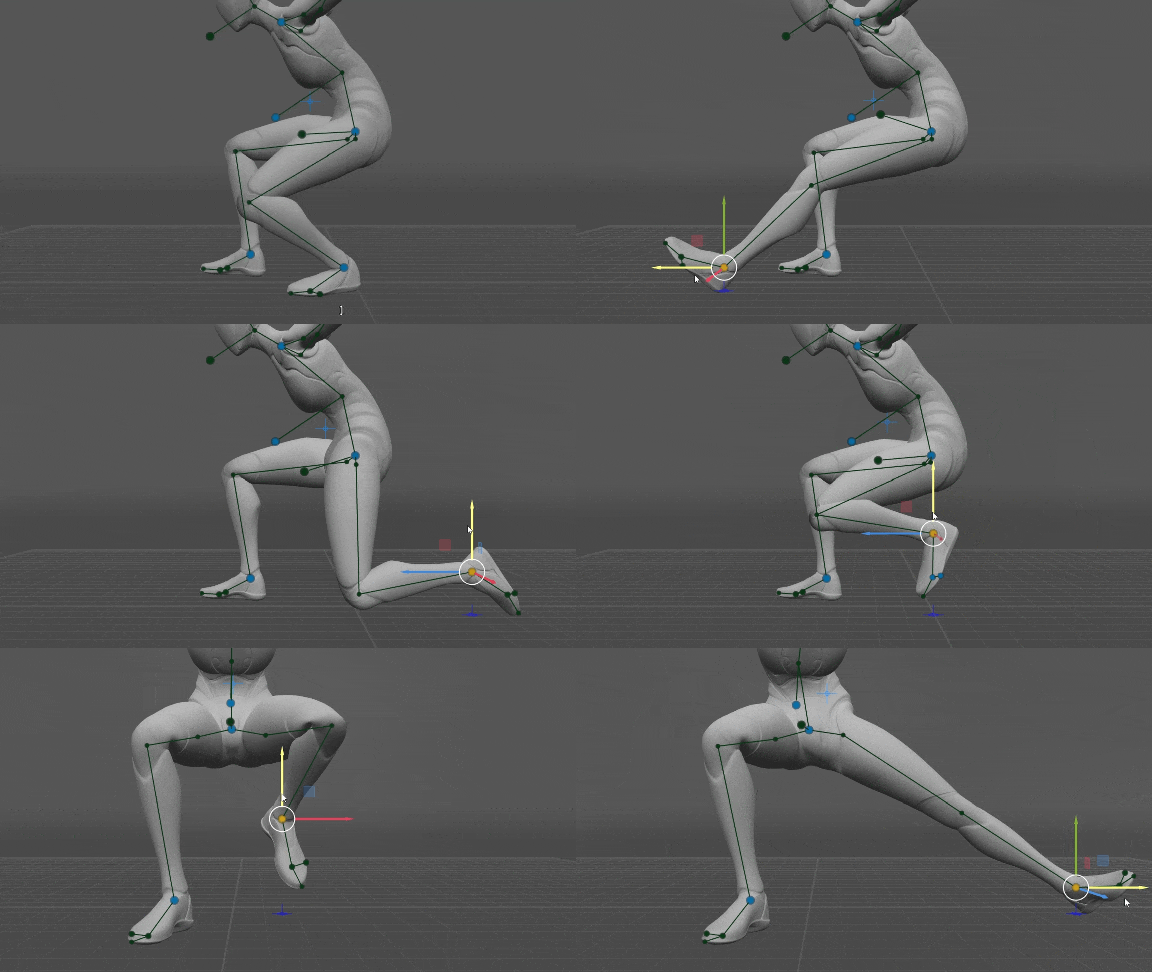
There's a particular height at which the orientation of Foot starts to blend into the one from the T-pose. We assume that in the T-pose, the character's feet stand flat on the ground.
There are some limits to the shin angle against the ground. If the Foot moves far ahead and the shin exceeds a certain angle, the Foot no longer aligns with the ground and gets on its heel. If the Foot moves far behind, it lays on the ground. The same goes for moving sideways. Also, the points of the foot can collide with the ground. That allows the toes to bend when touching the ground.
The Hands work similarly to the Feet, only their direction depends on the Character Direction Controller.
A fully connected neural network with 2 hidden layers (64, 32)
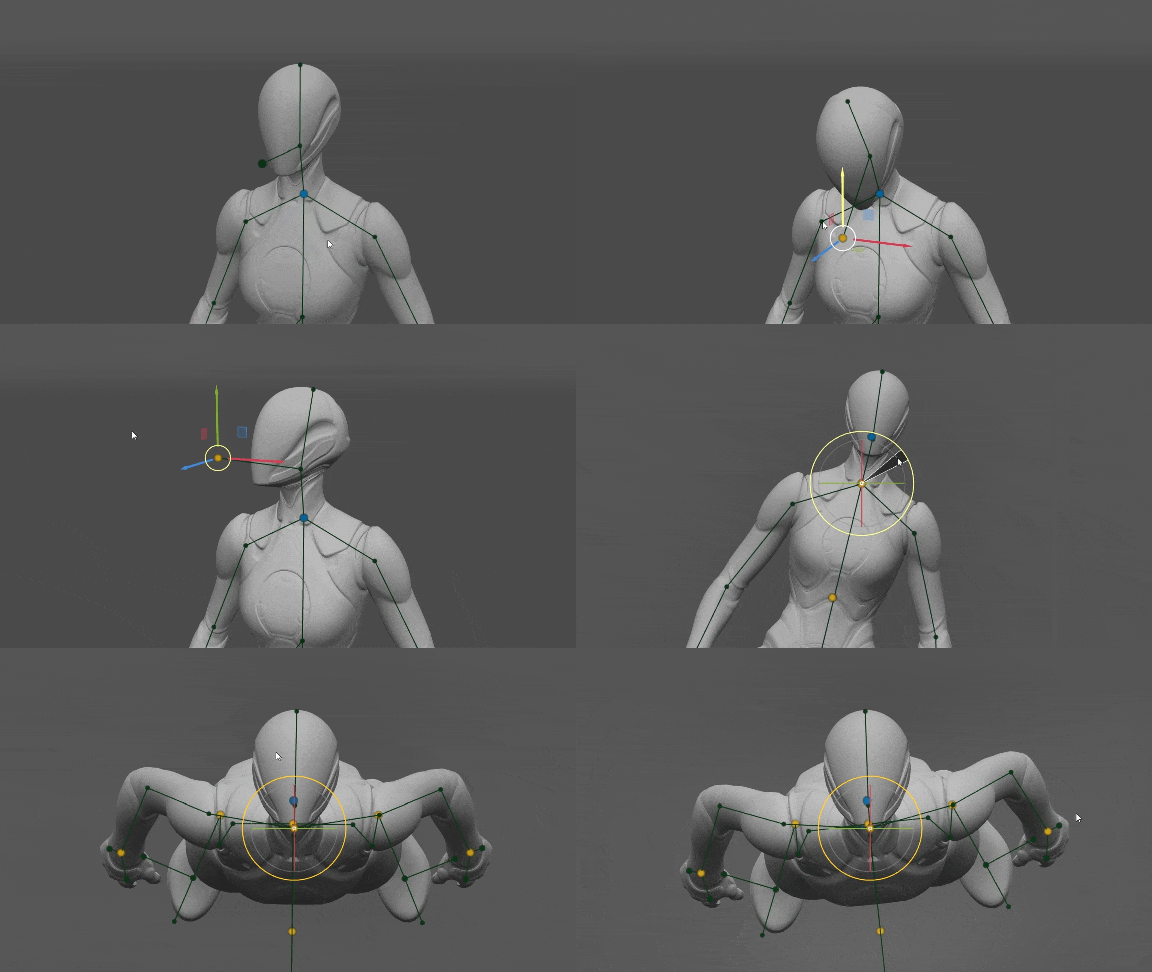
The position of Neck, the direction of Character, the parameters of Spine, and the direction of Head are input into the neural network.
As long as the direction of Head is not set by the user, it retains its orientation relative to Chest from the T-pose. But if the user adjusts the Head Direction Controller, the Head will face the direction specified. At the same time, the neural network adjusts its tilt, along with the rotation of the Neck. The Head is the only body part that knows where up is and tends towards its upright position.
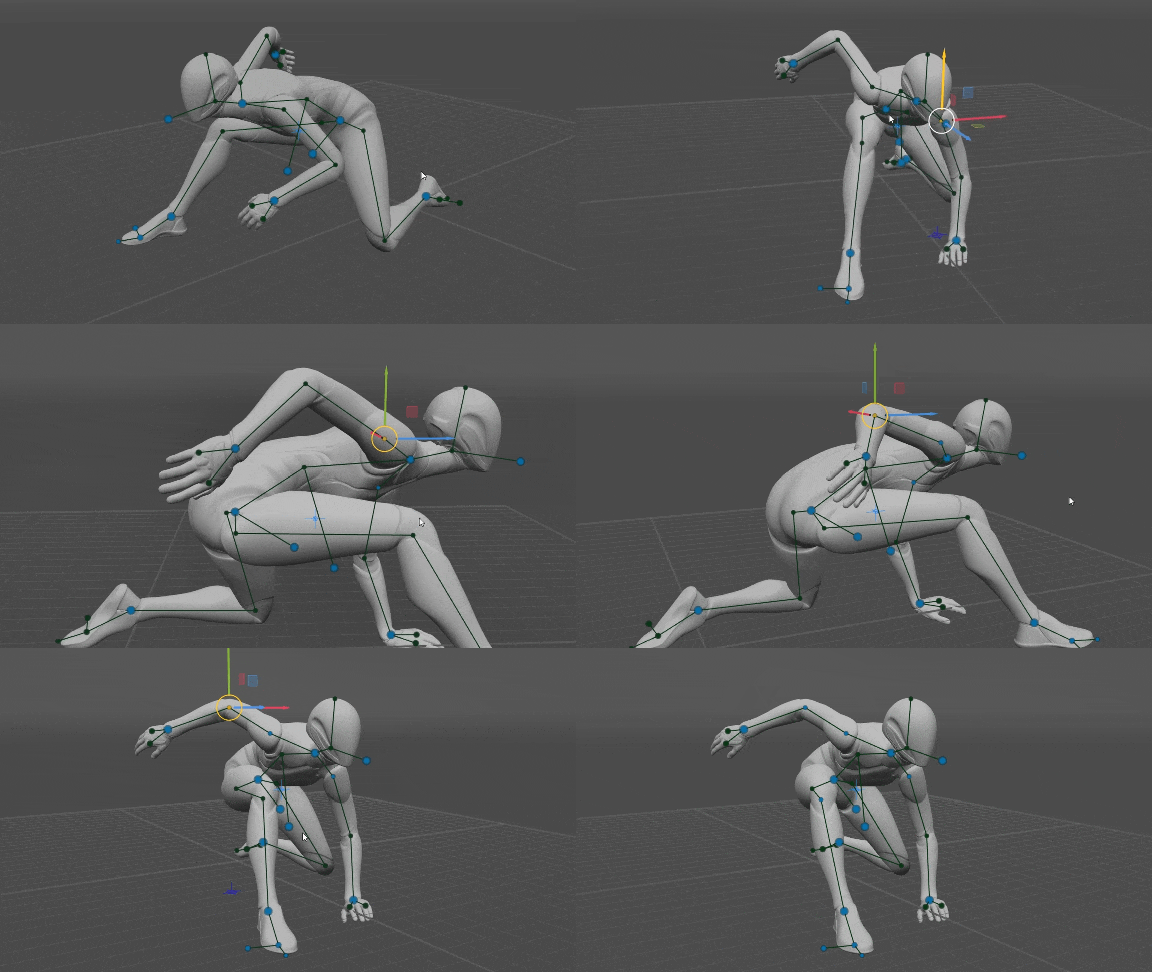
The user can move every point of the rig, ie Elbows, Shoulders, Knees, Pelvis, and Chest. Then the position resolved by the neural network is ignored and the user position is used instead. That allows for full control over the pose, bypassing the neural networks altogether.
Note, the orientation of Hands and Feet (if not set by the user) is determined by the positions of Elbows and Knees respectfully, because Hands inherit the direction of the forearm and Feet are perpendicular to the shins.
It took us over a year of hard work and many iterations, from the moment we got our first impressive results to the point when AutoPosing became actually usable in real work. The initial solution was beautiful, and the neural network was deep and smart, however, the end result turned out complex and multilayered, with a bunch of exceptions and special solutions. But that's exactly what made AutoPosing intuitive and predictable, and achieved its main goal – it saves time.
What is it exactly that saves time? Firstly, you have to make way fewer mouse movements, as most of the rig points you don't even have to touch, and for many – only slightly adjust their position. Pelvis, shoulders, and spine seldom require any adjustments, and you rarely need to fix knees and elbows.Also, automatic feet alignment to the ground allows you to rotate the feet horizontally and not by all 3 axes.
The second feature that speeds up the workflow is less obvious. When you create animation using keyframes it is easier for you to track big arcs, such as the movement of the hand for instance. But you also have to move the elbows, and shoulders, and make subtle changes to the spine, which, when handled manually, results in minor fluctuations in the keyframes and the interpolation between them ends up being wobbly. However, in AutoPosing you mainly work with big arcs, and all the corresponding movements of the elbows, shoulders, knees, pelvis, and spine are performed automatically, and it often results in a smooth interpolation right away.
It is important to note that in any case, you are free to change anything and retain full control over the result. We hope this deep technical insight into the AI of Cascadeur was interesting for you.
The Cascadeur Team
此内容由惯性聚合(RSS阅读器)自动聚合整理,仅供阅读参考。 原文来自 — 版权归原作者所有。