








I got into hardware almost by accident while working on a side project. The idea was to build a small device and connect it to my home network so it could run AI agents with OpenClaw and stay in the background doing useful things, nothing complicated. For example, pulling tech news from a site and turning that into static UIs, one for my Samsung Android TV and another for my ePaper display, while also letting my family manage a shared calendar through Telegram and view it on one of the screens we have on the fridge.
I looked at this from two angles. One was the hardware side, chips, memory, and bandwidth. The other was how I plan to use them, either running them locally or calling them through APIs like OpenAI, Anthropic, or Google. This is where people often get it wrong. They give advice based on the app you want to run, not the model behind it, and that’s why you hear things like, “you don’t need a Mac mini to run OpenClaw”, which is true but also adds to the confusion, because you end up buying a Raspberry Pi and the system crashes as soon as you try to run even a small model. And it crashes because the machine doesn’t have enough memory or bandwidth.
Based on that, I put together a list of machines that could work as an always on device:
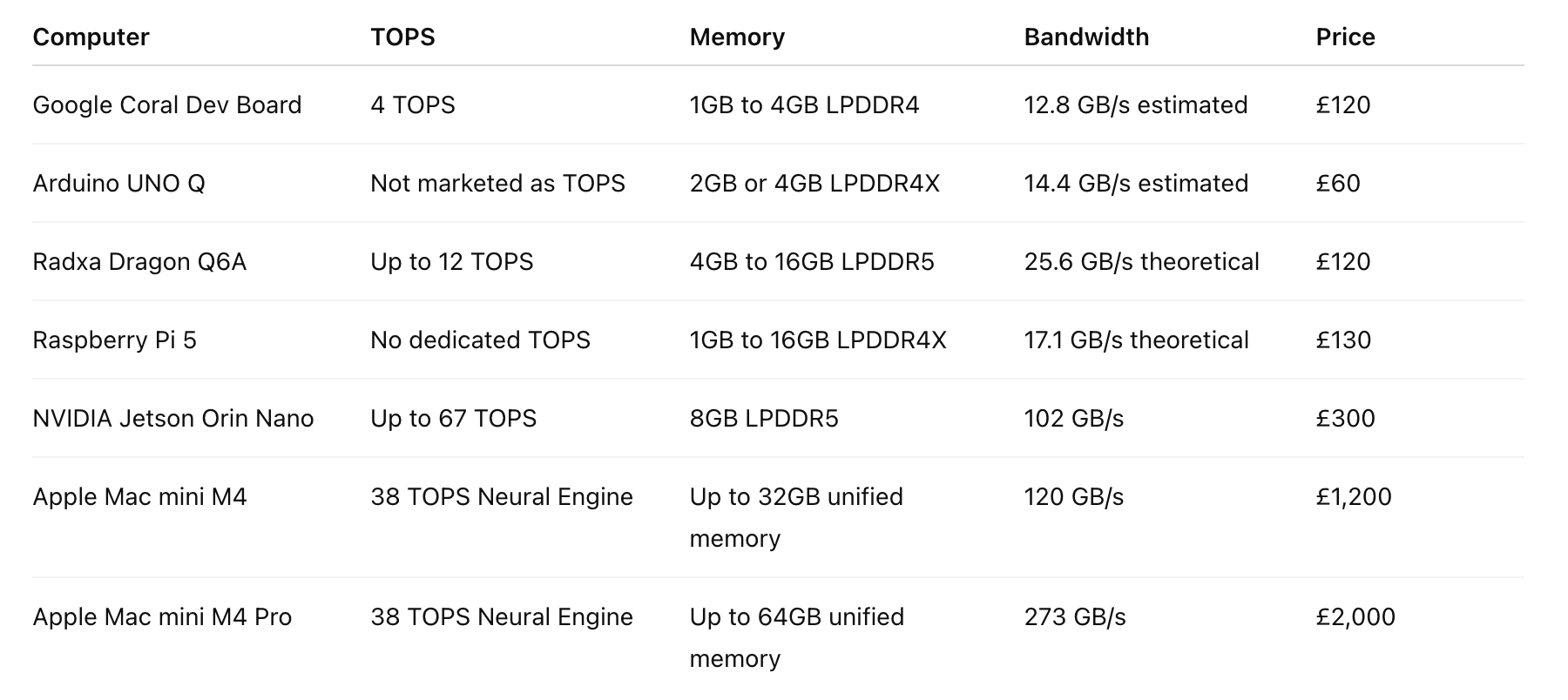
It turns out that running models locally comes down to two things, memory and bandwidth. If the model you want to use is larger than the available memory, it will not run or it will be too slow to use. Hardware vendors promote TOPS because it’s an easy number to sell, but it does not tell you whether a model will fit or how it behaves under real load. A device can show a high TOPS number and still struggle with mid-sized models because it can’t move data fast enough or doesn’t have enough memory. Another device with lower TOPS but more memory can run larger models without issues.
Here’s a comparison table based on the specs I gathered:
To give you an idea, a 7B model needs around 4 to 8 GB, a 13B model needs around 8 to 16 GB, and a 70B model needs around 32 to 64 GB using compression. You also need extra space for the runtime metadata and cache. If you do not leave around 20% free, you will run into crashes or slowdowns.
The problem with single-board computers like Coral or the Raspberry Pi is that they are not built for modern LLMs. They are designed for simple vision tasks, such as detecting objects in a camera feed. They don’t have the memory to handle the billions of parameters found in modern chat models. A typical 7B model exceeds the capacity of most of these boards, because when you send a request to a model, the system needs access to all the data to generate a response. That data is stored as a large file on disk, and since reading from disk is too slow, that data has to be loaded into memory first.
So, for each request, the model itself stays in memory, and additional memory is used for the context and the cache. Gulp!
For some people, the most practical option is the Apple Mac mini M4 Pro with as much memory as they can afford. The reasons are unified memory and the fact that everything works out of the box. The CPU and GPU share the same pool, so the model can use all of it directly. You can configure it with up to 64 GB, which is enough to run models from 7B up to 70B with compression.
After buying and testing multiple boards and mini PCs as part of my side project, I can confirm the Mac mini M4 Pro is the most practical option for building local AI applications. It sits between cheaper boards, often called edge devices, and more expensive machines like the NVIDIA DGX Spark at around £4,000.
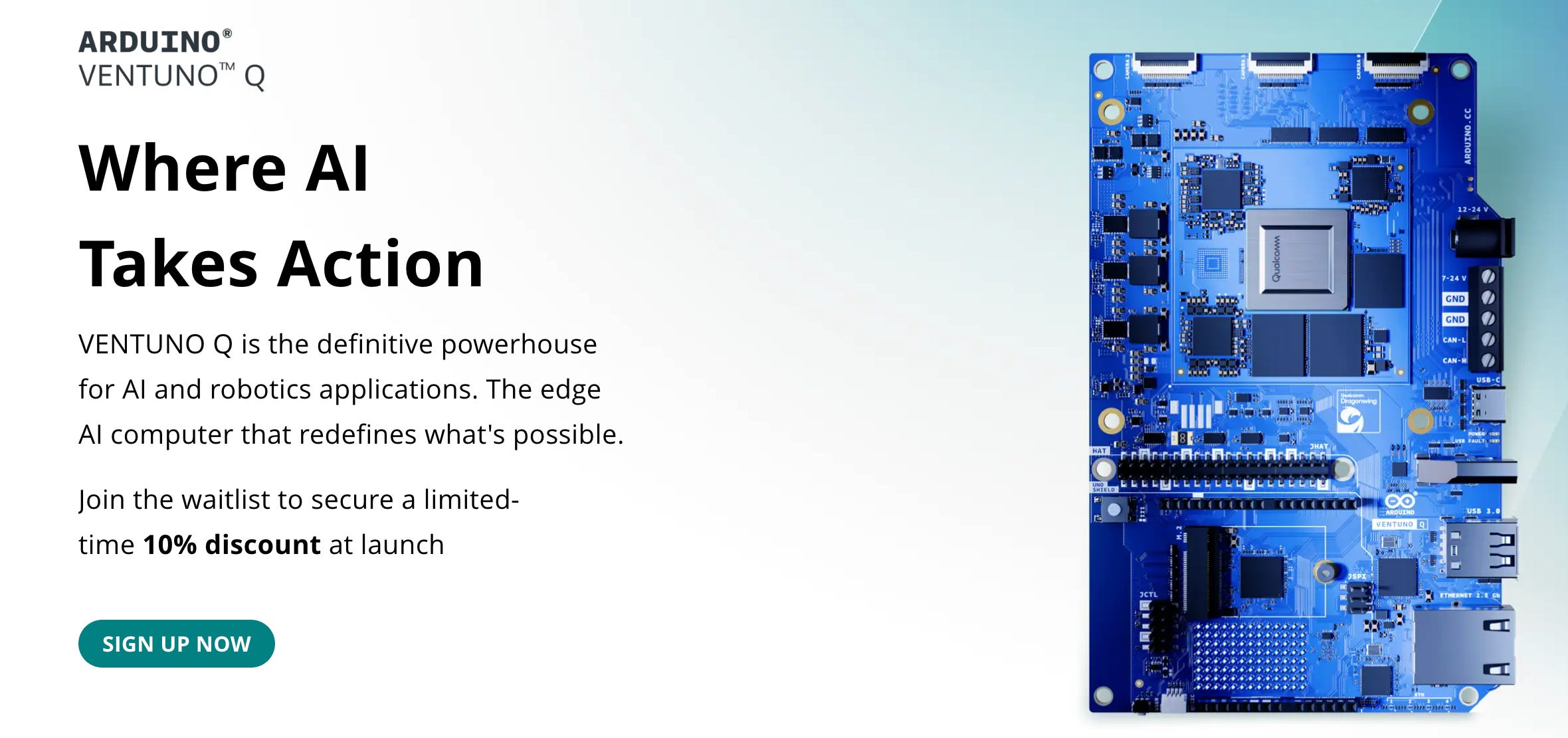
There’s no doubt that computer chips are becoming more powerful, for example, the new Arduino Ventuno Q was recently announced with these specs:
40 TOPS
NPU Dragonwing IQ8 processor
16 GB of RAM
But the limiting factor here is still the 16 GB of memory, not the NPU. Even with the most powerful single-board computer, like the Ventuno Q, you are limited by RAM, so you can only load these models:
Llama 3 8B in 4-bit
Mistral 7B in 4-bit
Gemma 7B in 4-bit
Phi-3 Mini
So yes, chips are becoming more powerful, but LLMs are also getting bigger and bigger.
Your choice depends on what you want to do:
For learning and small projects: Use cloud AI and cheap edge devices like the Radxa Dragon Q6A, Arduino Ventuno Q, or Google Coral to understand basic vision AI.
For local AI apps and agents: Use on-device AI and a Mac mini M4 Pro with 64GB of memory.
For robotics and sensors: Use the NVIDIA Jetson AGX Orin. It has 64GB of memory and is built for industrial environments where you need to process sensor data in real-time.
For heavy prototyping: The NVIDIA DGX Spark is a powerful desktop supercomputer that can handle models up to 200B parameters.
For enterprise scale: Use cloud accelerators or data centre machines like the NVIDIA H100 or AMD Instinct MI300X. These provide the bandwidth needed for many users.
What helped me understand hardware better was using AI agents and feeding them manuals, specs, benchmarks, and research papers. They helped me look at the problem from two angles, the hardware itself and how models behave in practice. That saved me weeks of going down the wrong path, buying the wrong device, and testing setups that were never going to work.
From this experience, I learned to ignore TOPS and focus on memory first. If a machine has enough of it, it can run the models you need. This is why the Mac mini M4 Pro came out as the most practical option for working with LLMs locally.