






adminbolt's AI Assistant is a natural-language interface built into the client dashboard that reads panel state, provisions resources, and runs diagnostics from plain English instructions. With the AI Agent Hub introduced in adminbolt 1.0.2, the same assistant pairs to a WhatsApp number, so the conversation you start at your desk continues from your phone. One conversation, two surfaces, the same scoped API access underneath.
The assistant covers the operational range the panel itself covers, websites, databases, mailboxes, SSL, PHP versions, logs, within the user's permission scope. It asks clarifying questions when an instruction is incomplete, requires a confirmation word for destructive operations, and stores nothing sensitive in the browser. The pairing flow takes about thirty seconds and only has to happen once per session window.
This walkthrough covers what the assistant does, how the WhatsApp pairing flow works step by step, the security choices around session duration and the confirmation word, and where the feature fits into a hosting operator's day. Every section pairs an explanation with a screenshot from the panel.
What adminbolt's AI Assistant does
It is a chat widget on the top of the client dashboard that translates plain-English requests into scoped panel API calls, listing websites, adding domains, changing PHP versions, fetching logs, and returns structured responses. The same conversation engine is available over WhatsApp once the user pairs the channel through the AI Agent Hub.
The AI Assistant widget in the panel
The widget sits at the top of the client dashboard, above the resource cards. Empty state, it shows a prompt input and a Connect WhatsApp action.
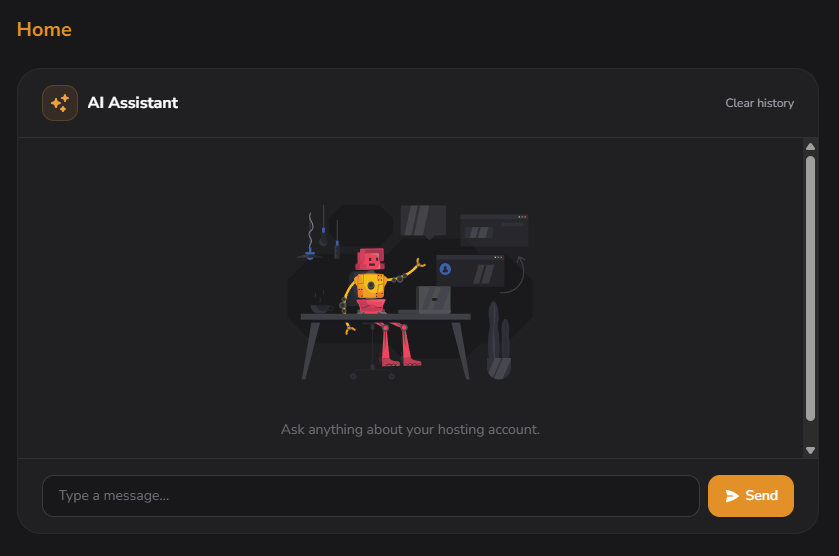
Two design choices matter here. First, the widget is on the dashboard, not buried under a "Tools" submenu, it is one of the first things a client sees on login, which is what determines whether the assistant gets used or ignored. Second, the prompt input streams responses inline rather than opening a separate chat panel. Operators get the answer in the same field of view they were already looking at.
Asking questions: read operations
Type a question, get a structured answer. A query like "show me websites" returns a table with domain, ID, PHP version, and status, not a paragraph of prose paraphrasing a database row.
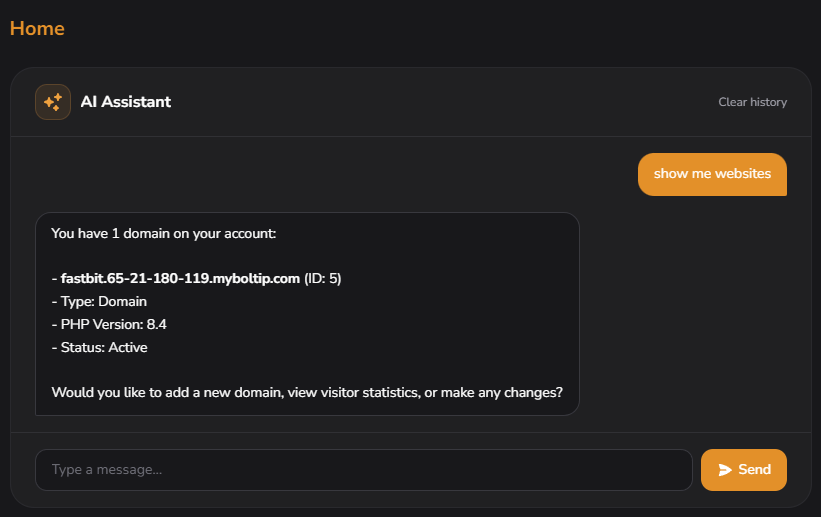
The output is structured for a reason. A hosting operator scanning for one specific site does not want to parse English sentences. They want a sortable, copyable table. The values come from the panel API at the moment of the query, so they are current. The model does not invent state from training data; it asks the panel and renders the response.
Useful read queries in the same shape:
- "show me my websites"
- "what is my disk usage"
- "list my SSL certificates"
- "how many email accounts do I have on example.com"
- "show recent error logs for shop.example.com"
In production, read queries are also the lowest-risk way to evaluate the assistant in your own environment. They cannot break anything, they show how the model maps language to tool calls, and they expose the terminology your customers actually use ("website" vs "domain" vs "site").
Doing things: multi-turn create operations
The interesting case is when an instruction is incomplete. "Add website example.com" cannot be completed in one shot because the panel needs a PHP version. The assistant asks before acting.
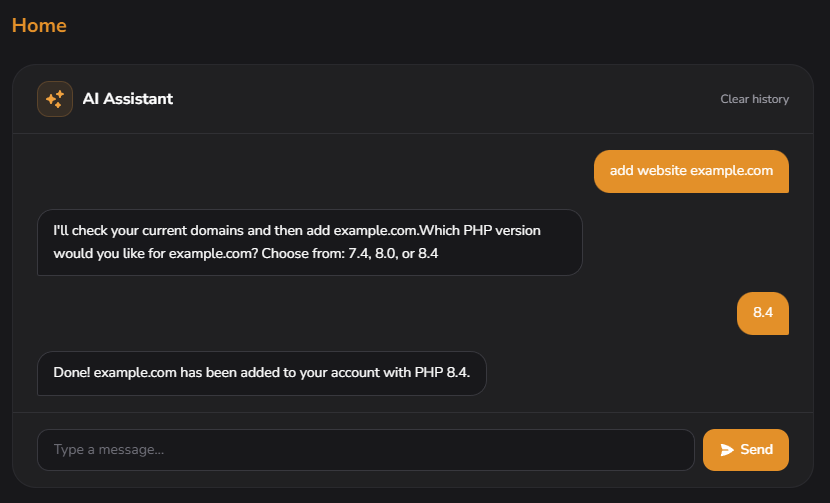
The walked example:
- User: "add website example.com"
- AI: "Which PHP version would you like for example.com? Choose from: 7.4, 8.0, or 8.4."
- User: "8.4"
- AI: "Done! example.com has been added with PHP 8.4."
Disambiguation matters in production because the wrong default is a support ticket. Defaulting to the latest stable PHP version breaks legacy WordPress installs and older frameworks; defaulting to an older version wastes the upgrade work the customer just paid for. The two extra seconds to ask are cheaper than the call from the customer whose site went white after a "helpful" choice.
What you can ask for
Five categories cover almost everything operators do day-to-day.
- Read. "show me websites," "what is my disk usage," "list SSL certificates," "show recent errors for example.com."
- Create. "add website example.com," "create mailbox info@example.com with a 5 GB quota," "issue a Let's Encrypt certificate for shop.example.com."
- Modify. "change PHP version on example.com to 8.0," "increase the quota on info@example.com to 10 GB," "enable the HTTPS redirect on shop.example.com."
- Delete. "remove the subdomain test.example.com," "delete the database wp_oldsite." Each delete is gated by the confirmation word.
- Diagnose. "why is example.com returning 502," "is mail to gmail.com working," "show me recent failed logins."
The last category is where the language model adds the most over a traditional UI. The assistant can pattern-match across log lines, summarize what it sees, and recommend the next check, in a way that a keyword search through a log file cannot.
Adding WhatsApp: pairing flow
The Connect WhatsApp button sits in the dashboard alongside the AI Assistant widget. Click it to start the pairing flow.
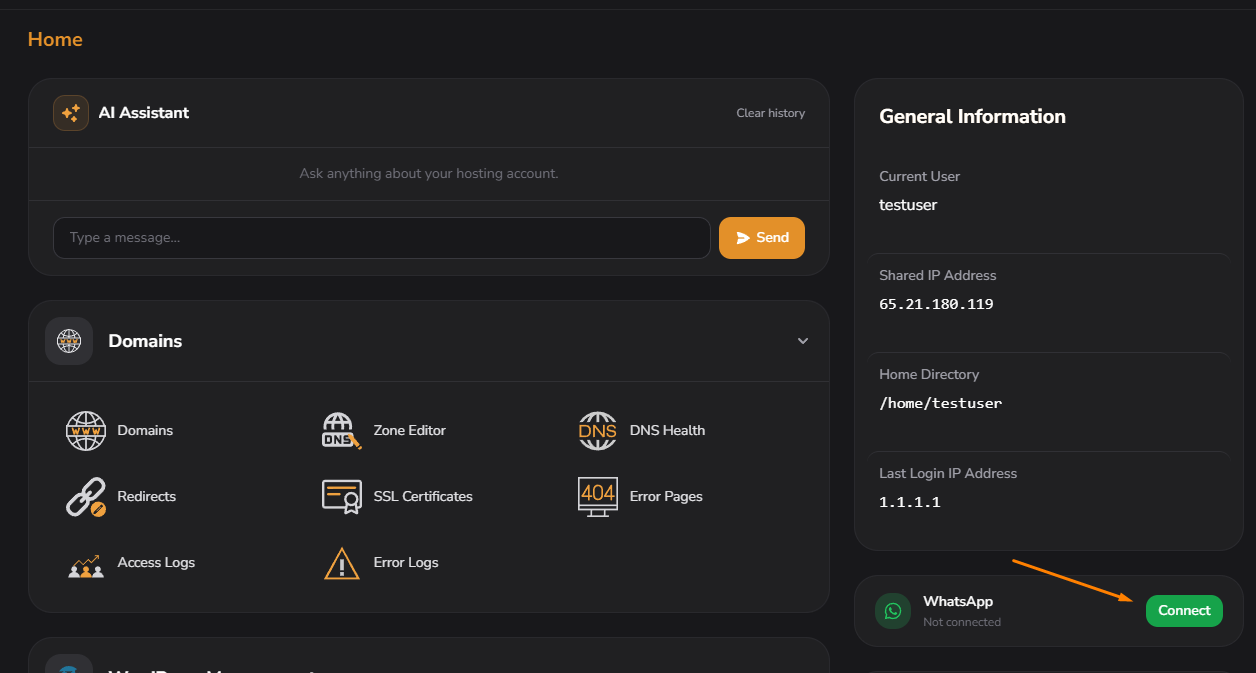
The reason a phone channel exists at all: most hosting work is reactive. A customer calls about a down site, an alert fires, a deal closes and needs provisioning. None of that happens while sitting in front of the panel. A WhatsApp pairing turns the phone into a partial admin terminal, same scoped permissions, same audit trail, no browser tab required. For operators outside the US, where WhatsApp is the default communication channel for business, that channel is also where customers already are.
The pairing modal: session duration and confirmation word
The Connect button opens a modal with two important configuration choices before the code is generated.
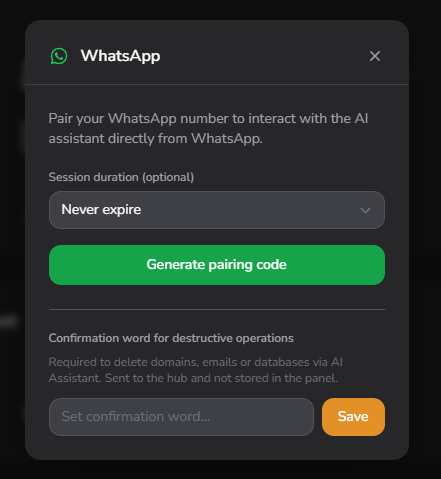
Session duration is a dropdown with four options:
- Never expire, pairing stays active until manually disconnected.
- 1 day, for one-off mobile access.
- 7 days, short contractor windows or a weekly re-pair ritual.
- 30 days, the common monthly cycle.
Confirmation word is a separate input. It is required only for destructive operations, deletes, and the value is stored at the AI Agent Hub, not in the p