







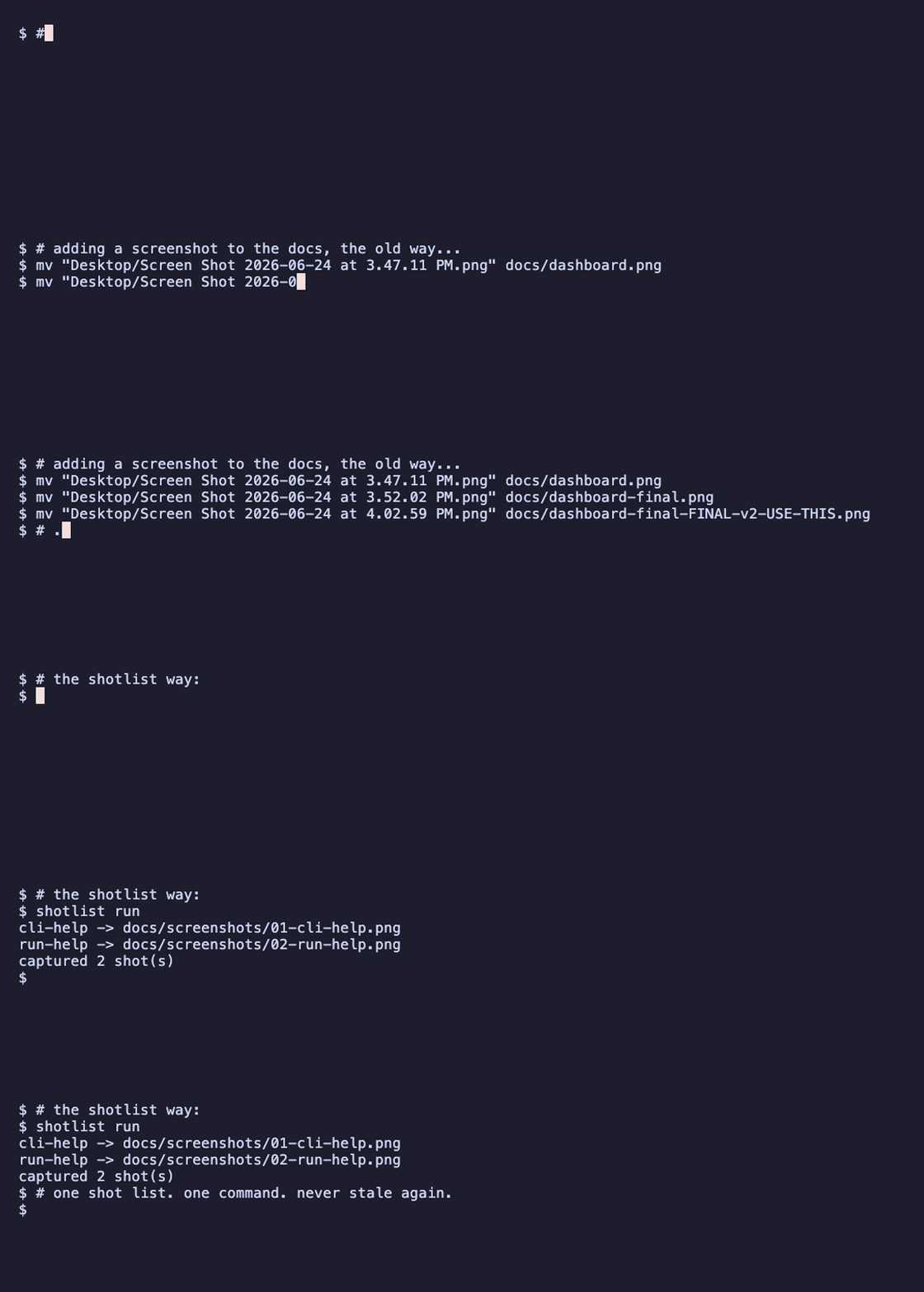
Screenshots for your docs — as code. One committed shot list captures your web pages, your real terminal windows, and stateful CLI sessions — and regenerates them all with a single command.
Contents
- The problem
- Quickstart
- One shot list, four kinds of shot
- Use cases
- Proof reports & pipelines
- Why shotlist, and not the others
- How it works
- Use with Claude
- Commands
- Develop
The problem
Documenting a feature means launching the app, clicking to the right state, screenshotting, naming the file, and embedding it — every time the UI changes. The screenshots drift out of date the moment you ship, and nobody notices until they're embarrassingly wrong.
shotlist makes them reproducible: describe how to start your app and what
to shoot once, in a committed .shotlist.yaml, then regenerate the whole set on
demand — locally or in CI. Same config + same app state → same screenshots.
Quickstart
pip install shotlist             # installs the `shotlist` command
playwright install chromium      # one-time browser download

shotlist init        # writes a starter .shotlist.yaml
shotlist run         # boots your app, captures every shot, tears it all down
One shot list, four kinds of shot
output:
  dir: docs/screenshots
  readme: README.md            # optional: splice <img> snippets straight into the README

app:                           # optional — omit for static sites or pure-CLI shots
  command: "npm run dev"
  ready: { url: http://localhost:5173, timeout: 30 }   # never shoot a half-booted app

shots:
  - { name: dashboard, kind: web, url: http://localhost:5173/dashboard, full_page: true, alt: "Dashboard" }
  - { name: cli-help,  kind: cli, command: "mytool --help", alt: "Top-level help" }
| Kind | Captures | How |
|---|---|---|
web |
a browser page — with optional click/fill/wait steps first | Playwright / Chromium |
cli · native (macOS default) |
a real screenshot of your Terminal.app window — your font, your theme | AppleScript + screencapture |
cli · rendered (any OS, CI-safe) |
the command's output drawn as a styled terminal card | PTY → ANSI→HTML → Chromium |
session |
a stateful, multi-command flow in one persistent terminal — one shot per step | one Terminal window, captured after each step |
A session is how you screenshot a flow whose later steps depend on earlier ones —
the shell state (cwd, env, background processes) carries across. Background a
long-running process with & and a small wait_ms, keep capturing, and the
session tears it down on close.
Use cases
shotlist fits anywhere a screenshot would otherwise go stale:
- README & docs screenshots — the core: regenerate the whole set on every UI change.
- Test-evidence / proof — capture a feature flow step by step (a
session) and share the generatedindex.htmlas proof it works. - CI drift-checking —
shotlist checkfails the build when a screenshot changes unexpectedly (with a visual--diff). - Blog posts & tutorials — polished web and CLI shots from one config.
- Onboarding & demo galleries — versioned sets you keep across releases.
- Long-running processes — background a dev server with
&+wait_msand shoot it live.
Each one has a complete, copy-paste .shotlist.yaml in the recipes cookbook,
docs/recipes.md.
Proof reports & pipelines
Every shotlist run also writes, next to the PNGs:
index.html— a self-contained gallery you can open and share as a proof report;manifest.json— a machine-readable record of the run (a pipeline artifact).
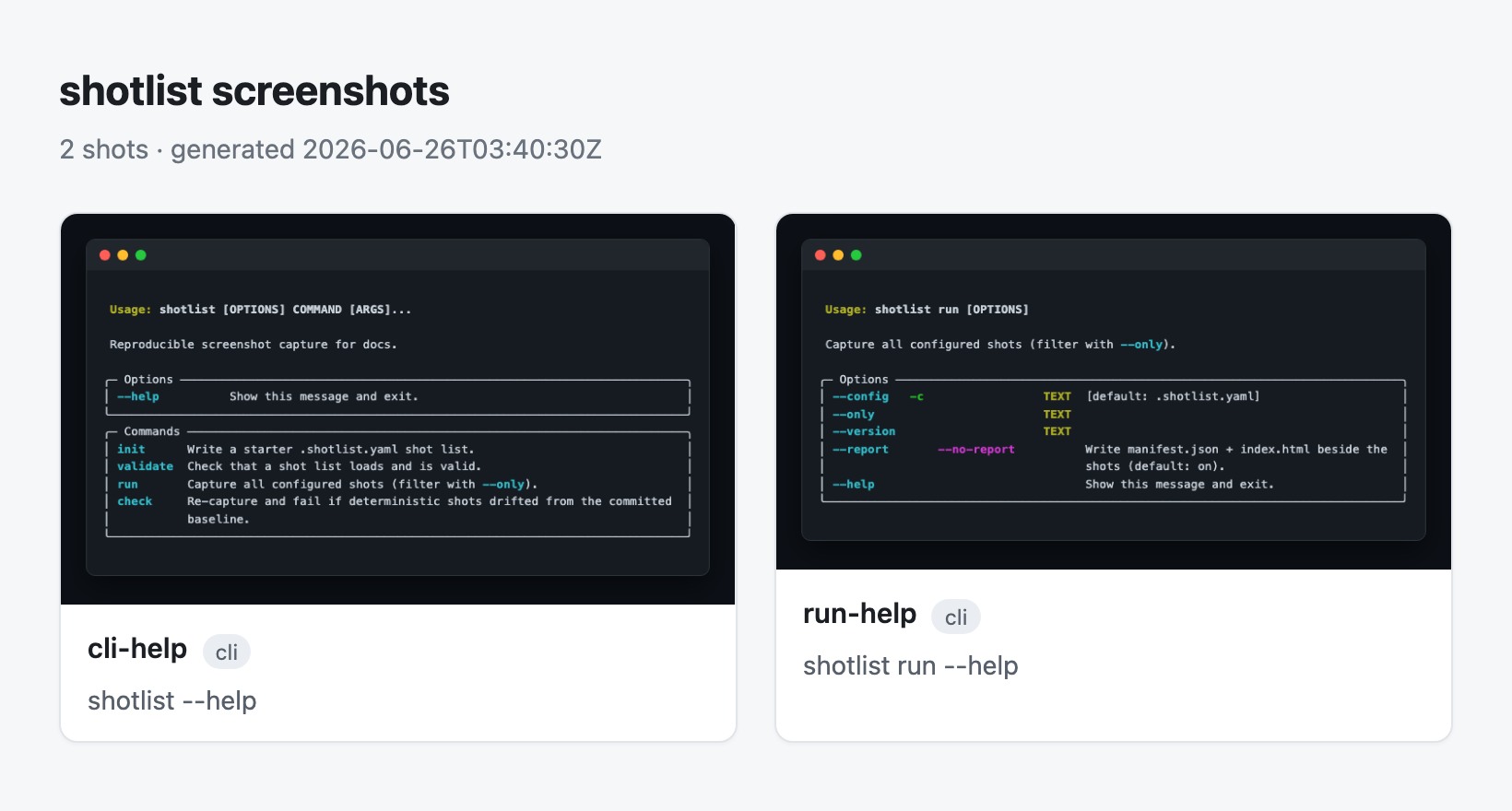
Attach manifest.json to a CI job, or open index.html as test-evidence. Gate CI
with shotlist check — it re-captures and fails when a screenshot drifts from
the committed baseline (shotlist check --update to accept intended changes; add
--diff DIR to render baseline·current·diff images) — or drop in the bundled
GitHub Action. Turn the report off with --no-report (or output.report: false). Details in docs/pipeline.md.
Why shotlist, and not the others
The pieces exist in isolation; shotlist is the one tool that does all of it under
a single committed config.
| web pages | real terminal | CLI sessions | README auto-embed | reproducible / CI | |
|---|---|---|---|---|---|
| shotlist | ✅ | ✅ | ✅ | ✅ | ✅ |
| shot-scraper | ✅ | ❌ | ❌ | ❌ | ✅ |
| freeze / carbon | ❌ | synthetic | ❌ | ❌ | ✅ |
| Percy / Chromatic | ✅ | ❌ | ❌ | ❌ | ✅ (cloud, paid) |
| doing it by hand | 😖 | 😖 | 😖 | ❌ | ❌ |
No cloud, no paid services, no special OS permissions for web/rendered shots. (Native Terminal capture needs macOS Screen-Recording permission; everything else needs nothing.)
How it works
.shotlist.yaml ─► load + validate ─► [ boot app, wait until ready ] ─► one engine
                                                                        routes each
                                                                        shot by kind:
        web ───────► Playwright / Chromium
        cli·native ► a real Terminal.app window
        cli·render ► PTY → ANSI→HTML → Chromium
        session ───► one persistent Terminal, a shot per step
                                                                      ─► NN-name.png
                                                                         + README splice
The clever part is what isn't here: no AI runs at capture time. Claude's only
job is to author the .shotlist.yaml once by reading your repo; after that the
engine is a plain, deterministic program — fast, free, and re-runnable in CI with
no model in the loop. See the full design in docs/design.md.
Robust by design. The readiness probe (HTTP / TCP port / log line) means you never screenshot a half-booted app, and the app is launched in its own process group and torn down — even on a crash or Ctrl-C — so a shotlist run never leaves an orphaned dev server behind.
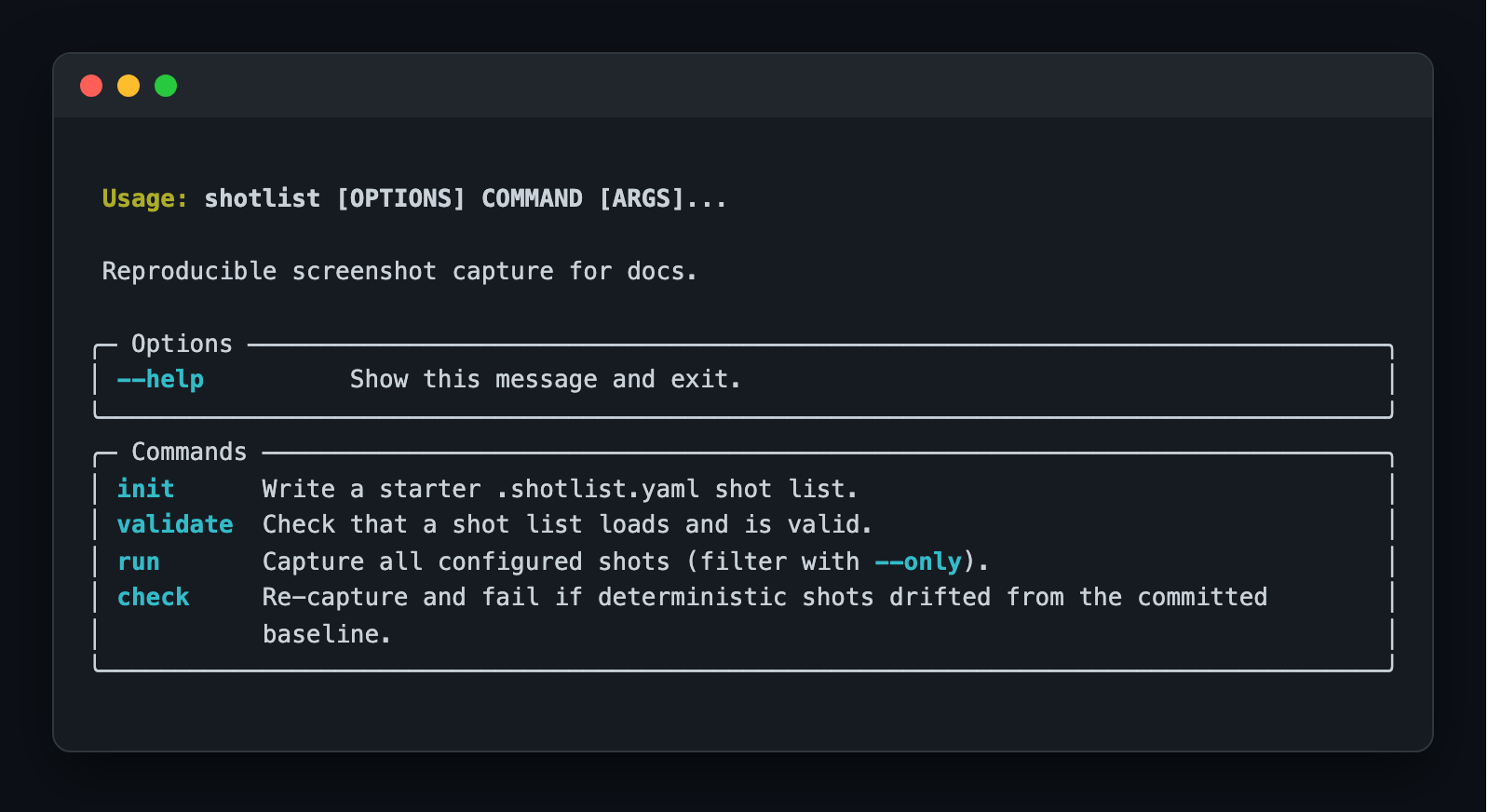
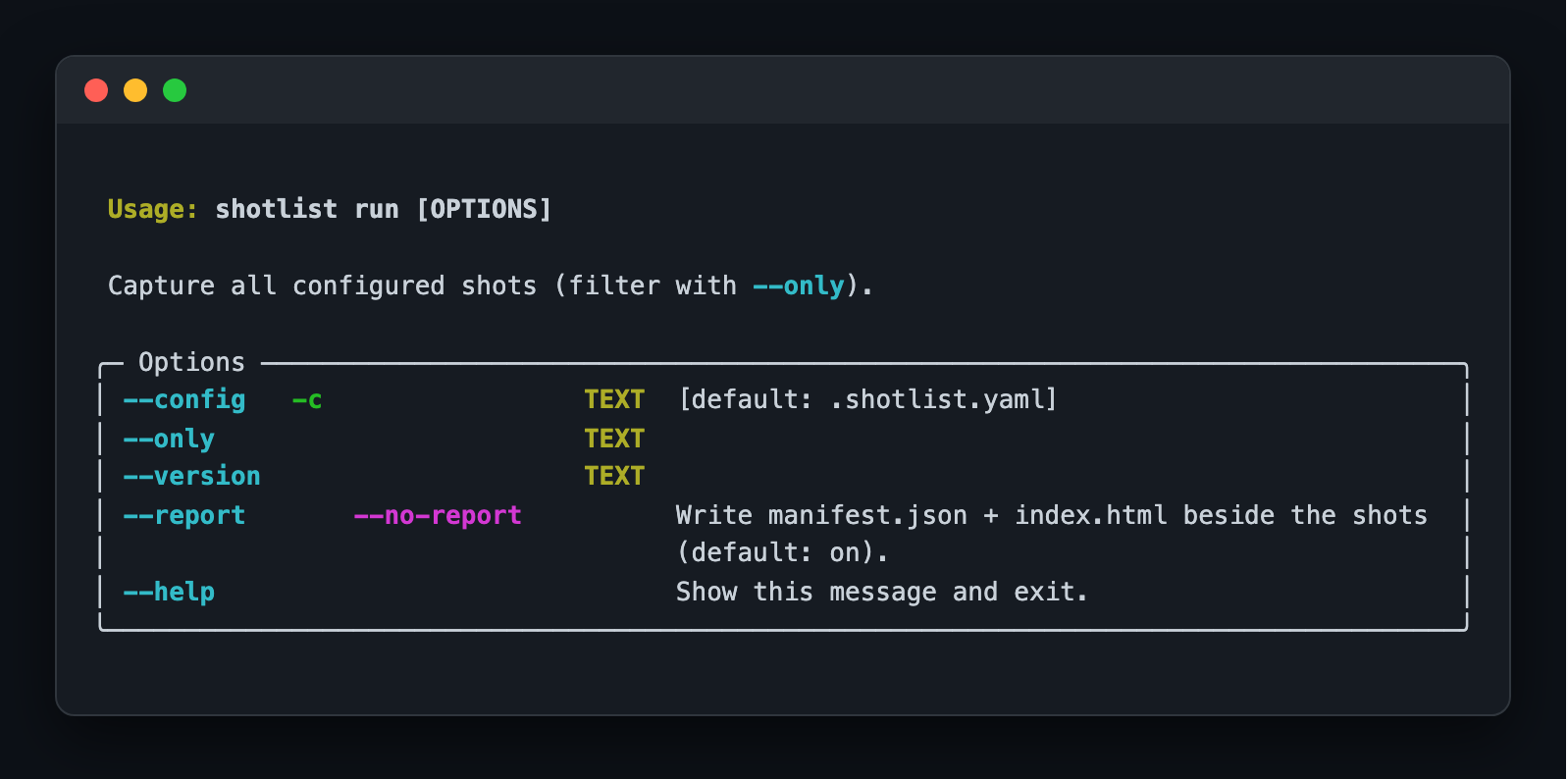
shotlist, captured by shotlist
This repo dogfoods itself: the shots below are produced by running shotlist run
on its own .shotlist.yaml and spliced in automatically.
The shotlist CLI
Run options
Use with Claude
shotlist ships an optional Claude integration in integrations/claude/:
- a
/shotlistskill that inspects your repo (routes,--help, README), writes the.shotlist.yamlfor you, and runs it; - an optional auto-snapshot hook that drops a raw snapshot when a dev server
starts (the honest "dumb snapshot"; the curated set always comes from
shotlist run).
Commands
| Command | What it does |
|---|---|
shotlist init |
Scaffold a starter .shotlist.yaml |
shotlist validate |
Check the shot list is well-formed |
shotlist run |
Capture every shot and write outputs |
shotlist run --only dashboard |
Capture a single shot by name |
shotlist run --version v2 |
Write into a versioned subfolder |
shotlist check |
Fail if a screenshot drifted from the committed baseline |
shotlist check --update |
Re-shoot and accept the current screenshots as the baseline |
shotlist check --diff DIR |
Also render baseline·current·diff images for changed shots |
Develop
git clone https://github.com/varmabudharaju/shotlist && cd shotlist
python3 -m venv .venv && source .venv/bin/activate
pip install -e ".[dev]"
playwright install chromium
pytest                       # the suite is fully offline
CI runs ruff, mypy, and pytest on Python 3.11 and 3.12. A separate
verify-action workflow dogfoods the bundled GitHub Action on every PR —
running shotlist run then shotlist check on a Linux runner — so a regression in
the action is caught before it ships. Releases publish to PyPI automatically via
Trusted Publishing.
The hero GIF is itself reproducible — demo.tape + vhs demo.tape.
License
MIT © Varma Budharaju