
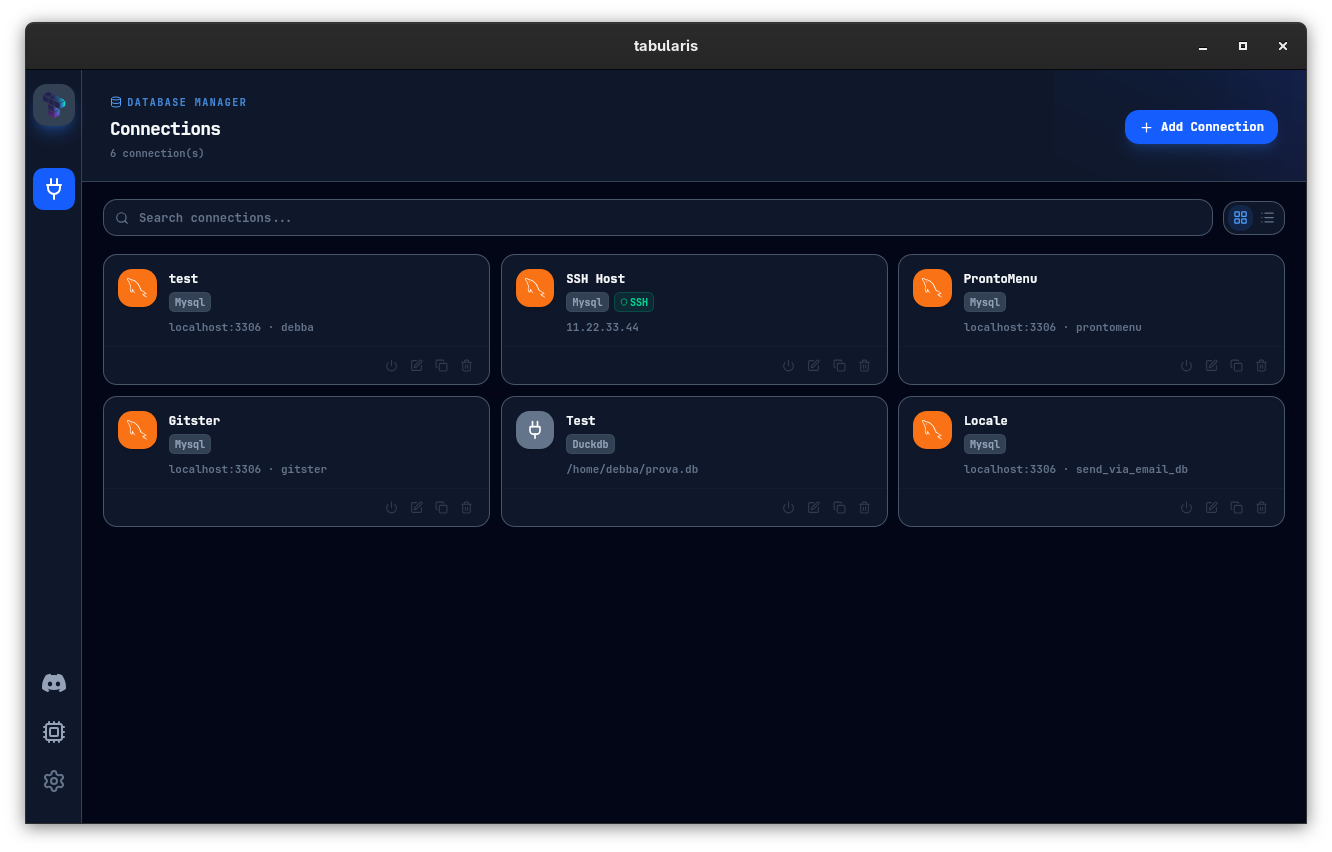
Work across PostgreSQL, MySQL/MariaDB, and SQLite from one consistent interface. Save multiple connection profiles locally and switch between them without friction.





Latest from the blogv0.13.3: Color Your Results, Theme Your Tabs, and Pick Up Where You Left Off →
v0.13.3MCP-nativeOpen Source · Apache 2.0
Tabularis is an open-source desktop SQL workspace for PostgreSQL, MySQL/MariaDB, SQLite and 12+ more databases like DuckDB, ClickHouse, Redis and Firestore. Its built-in MCP server lets Claude, Cursor and Devin (formerly Windsurf) read your schema and run queries in the same app you already use.
32k downloadsHomebrew, Snap, AUR and more →View all releases on GitHub →
Most database clients are still designed for a world where a human writes every query. That world is changing fast: in 2026 a lot of real SQL gets drafted, iterated, and sometimes executed by AI agents inside Claude Code, Cursor, and Devin (formerly Windsurf).
Tabularis is the open-source desktop database client built for that reality — without giving up what a good SQL tool already has to be.
Rust + Tauri backend, React 19 frontend, Apache 2.0.
Rust
TypeScript
React
SQLite/PG/MySQL
Every database Tabularis supports today and the ones the community is building next — each tagged with where it stands, from shipped drivers to open bounties.
Work across PostgreSQL, MySQL/MariaDB, and SQLite from one consistent interface. Save multiple connection profiles locally and switch between them without friction.
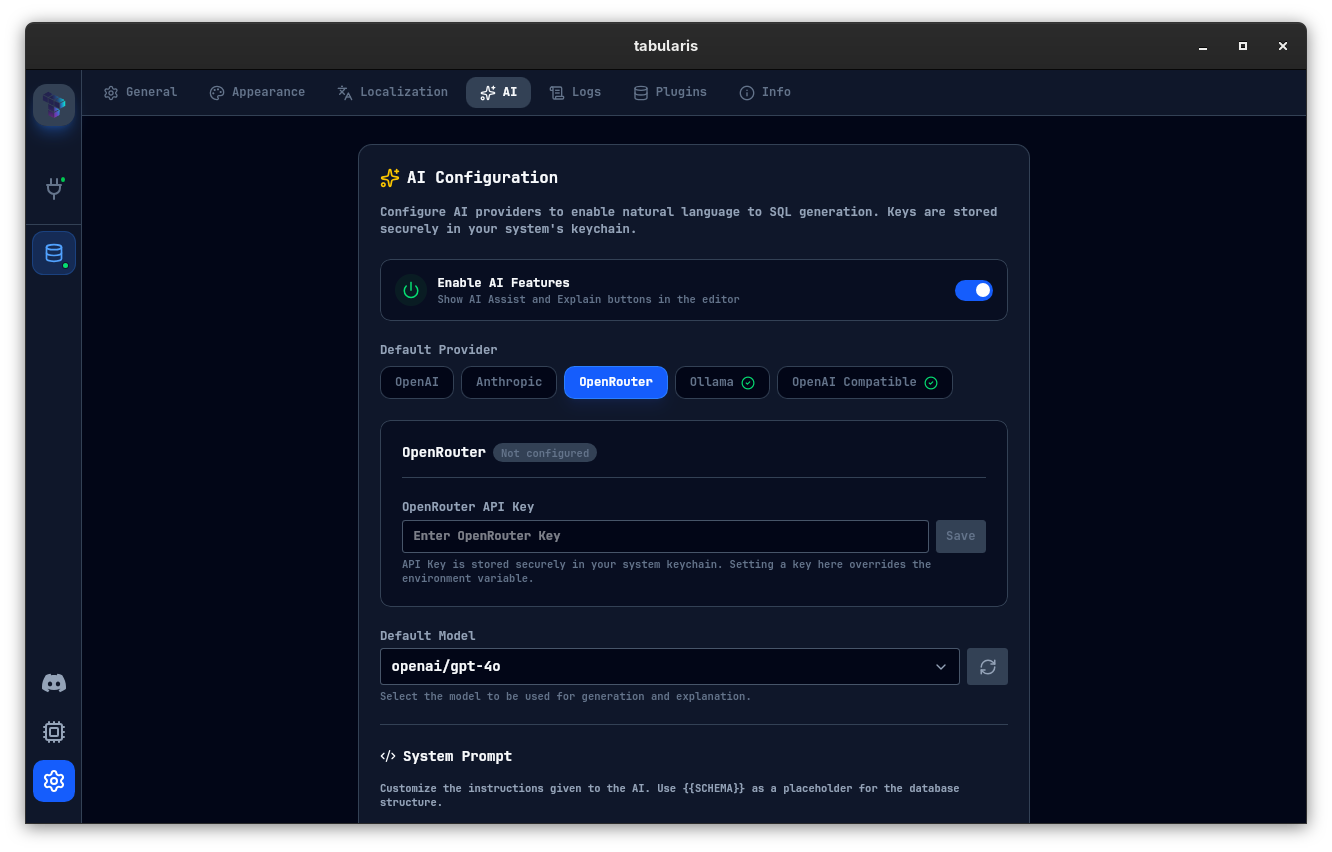
Draft SQL from plain English, explain unfamiliar queries, and iterate faster while staying in control of your provider. Works with OpenAI, Anthropic, OpenRouter, and Ollama (local models).
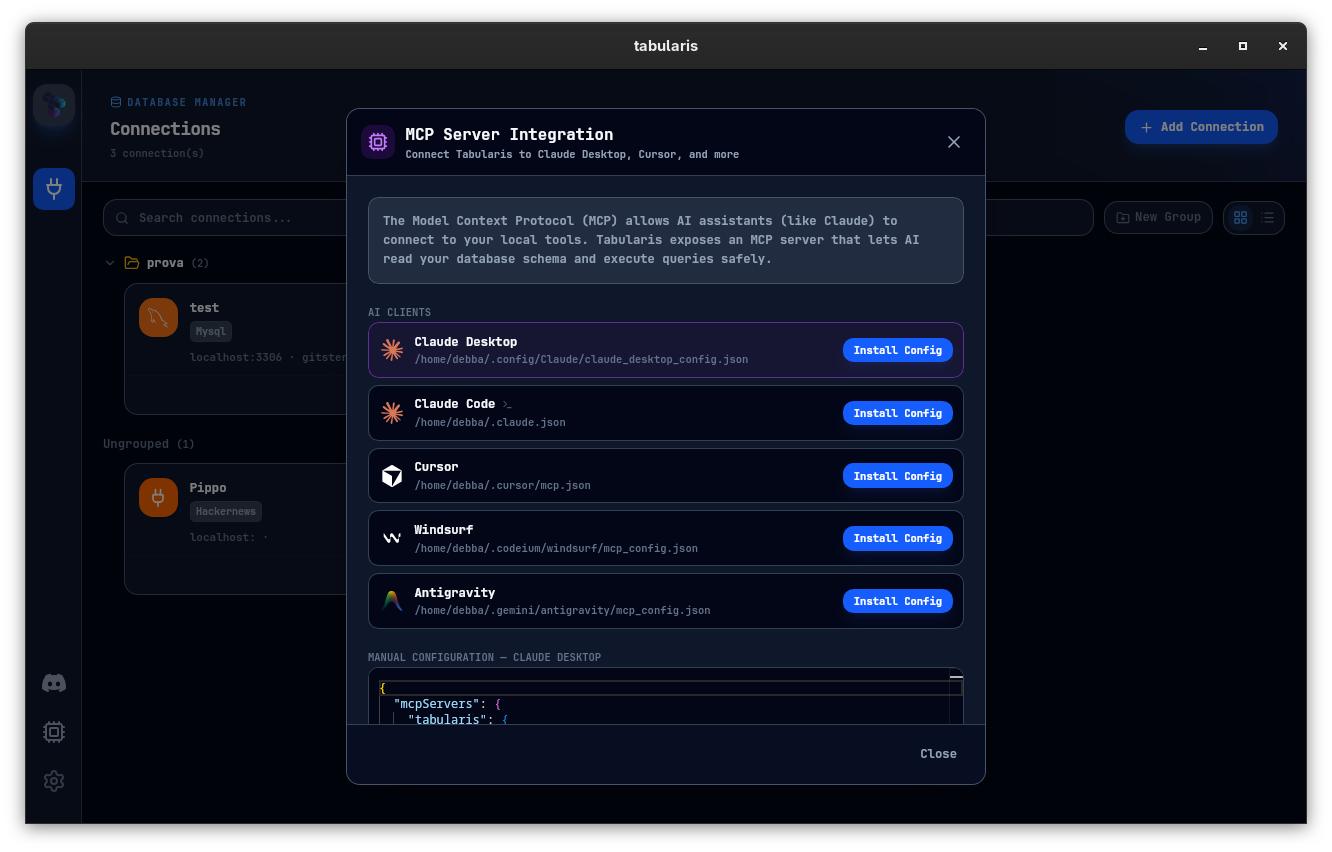
Built-in Model Context Protocol support lets AI agents inspect your schemas and run database actions through Tabularis instead of ad-hoc scripts.
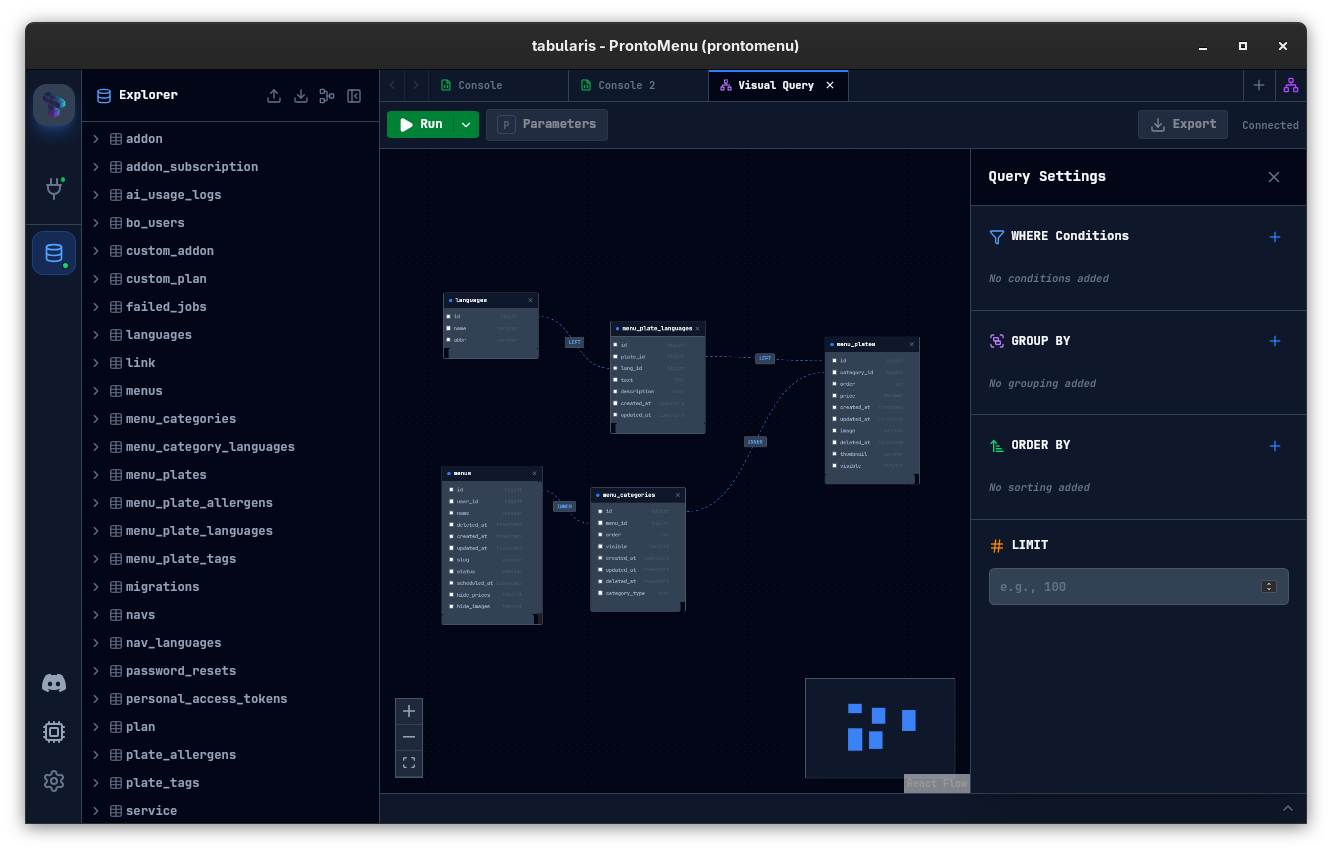
Build joins, filters, and aggregations visually, then inspect the generated SQL. Useful when exploring a schema or assembling a query before dropping down to raw SQL.
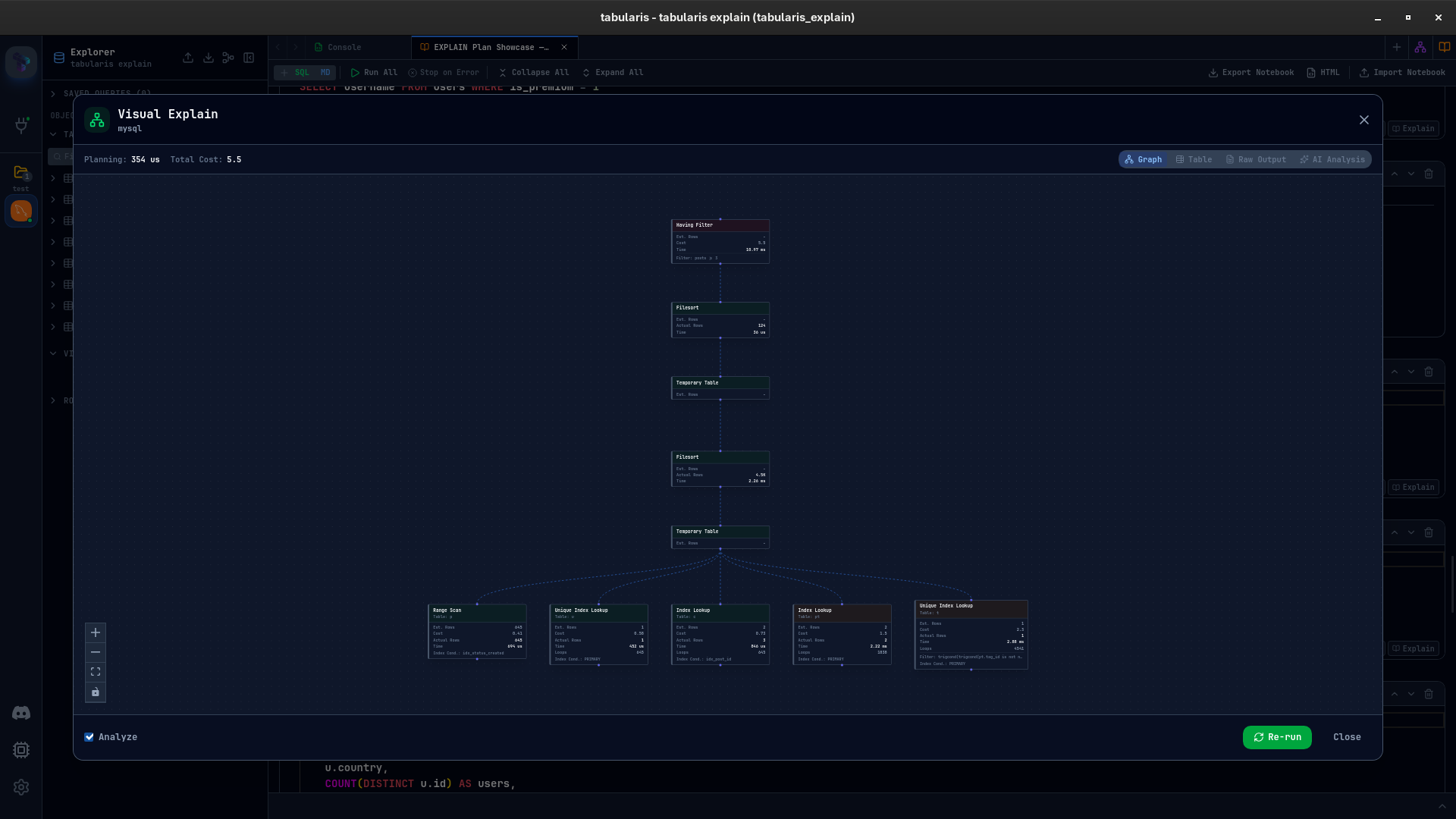
Turn execution plans into interactive graphs, exact node tables, raw output, and optional AI analysis. Useful for spotting costly scans, estimate gaps, and optimizer choices faster.
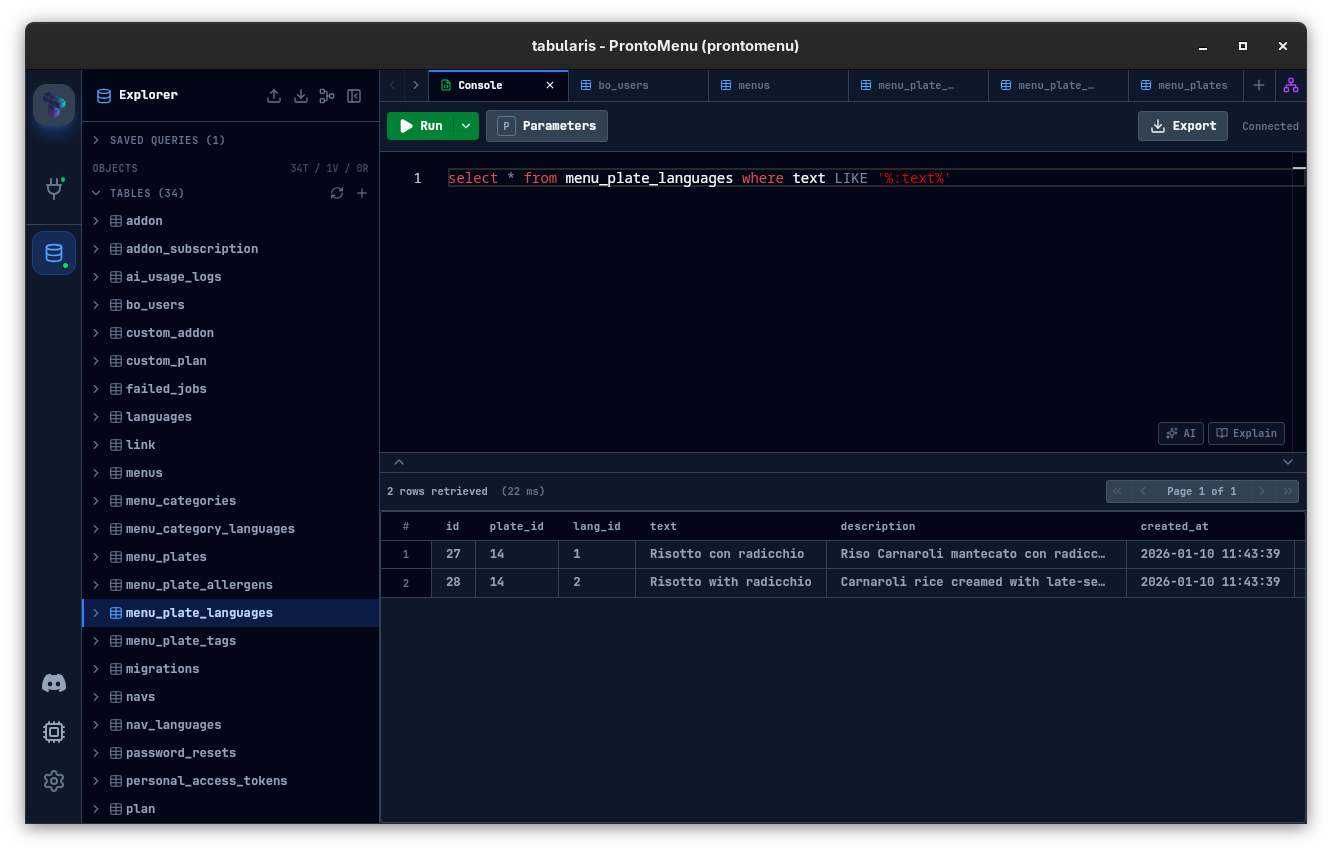
Monaco-powered editing with multiple tabs, syntax highlighting, and precise execution controls. Run the current selection or the whole script without leaving the keyboard.
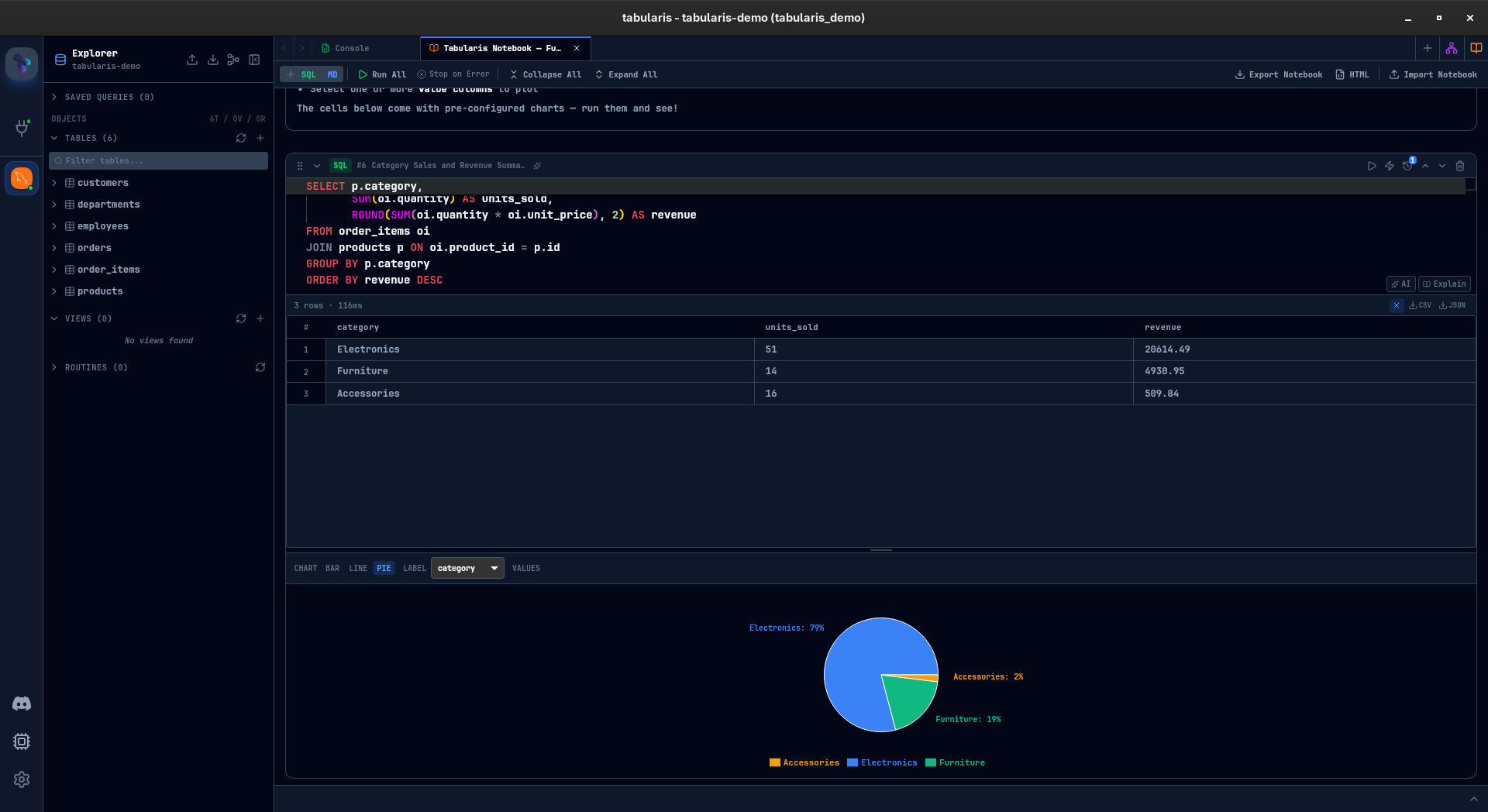
Combine SQL and Markdown in reusable, multi-cell workflows. Keep inline results, lightweight charts, shared variables, parameters, and repeatable analysis in one place.
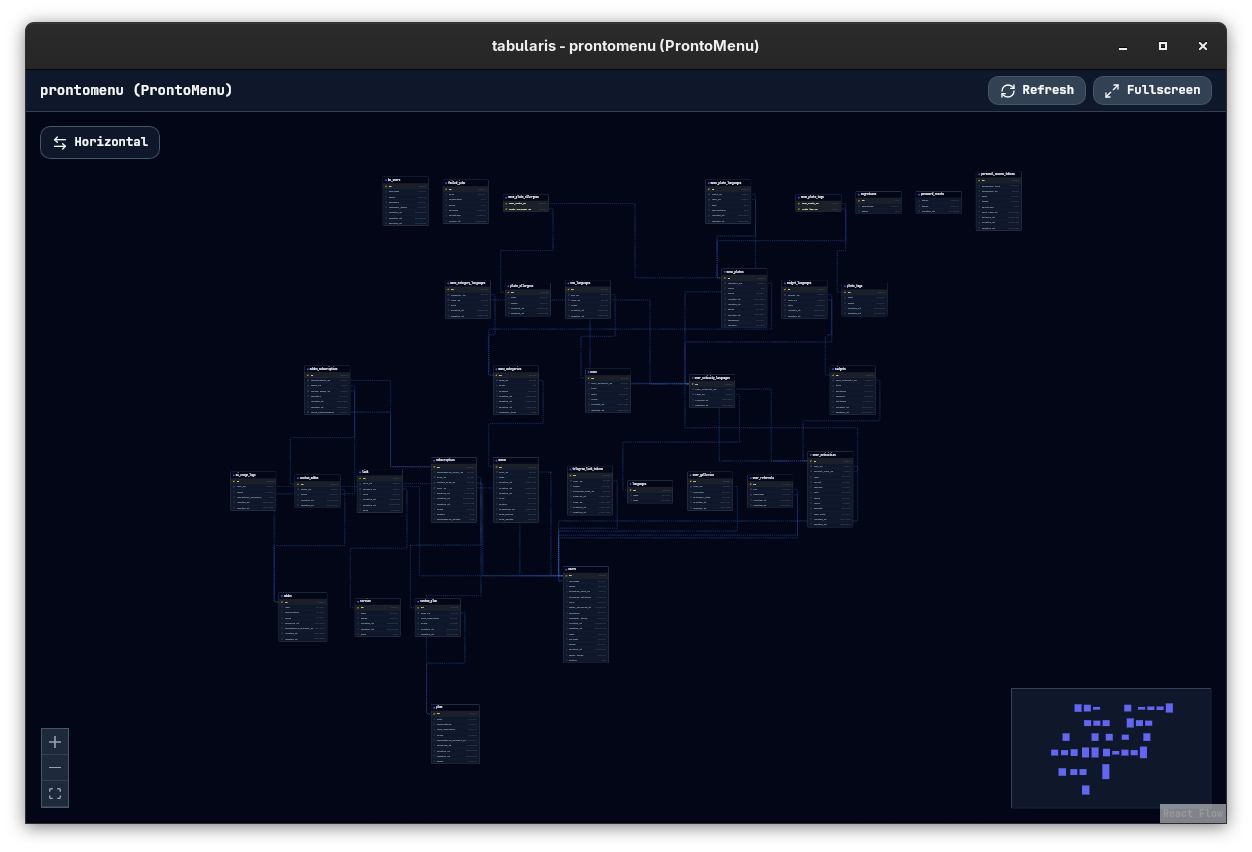
Edit tables and columns inline, use guided schema dialogs for structural changes, and inspect relationships with an interactive ER diagram.
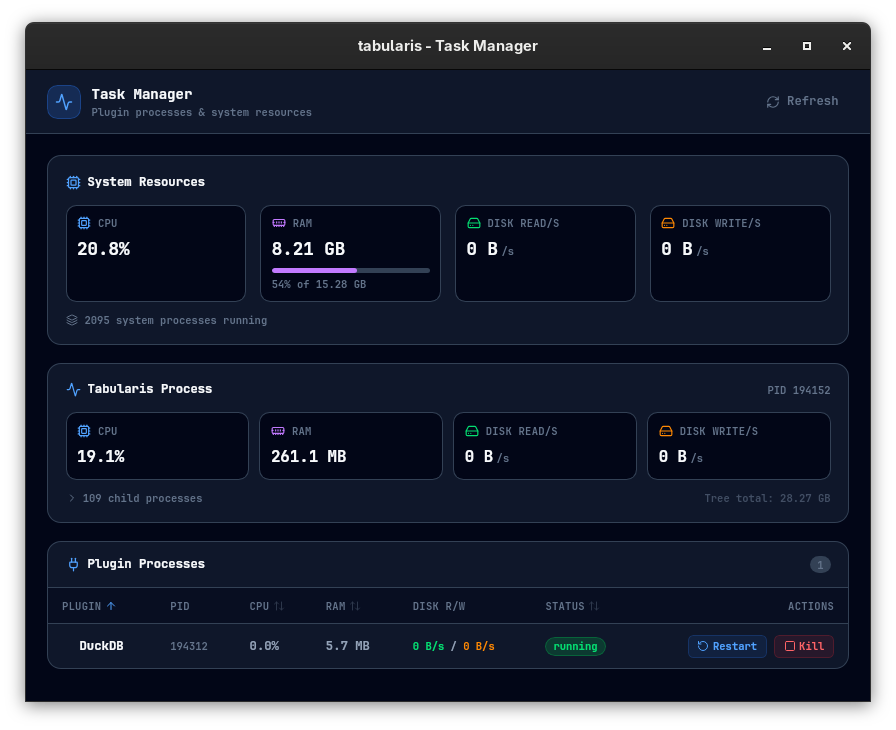
Monitor plugin processes in real time. Track CPU, RAM and disk usage for each plugin, inspect child processes, and force-kill or restart any plugin directly from the built-in Task Manager window.
Browse and edit result sets without leaving the query workflow. Update rows inline, remove records, copy selections, or export results to JSON and CSV in one step.
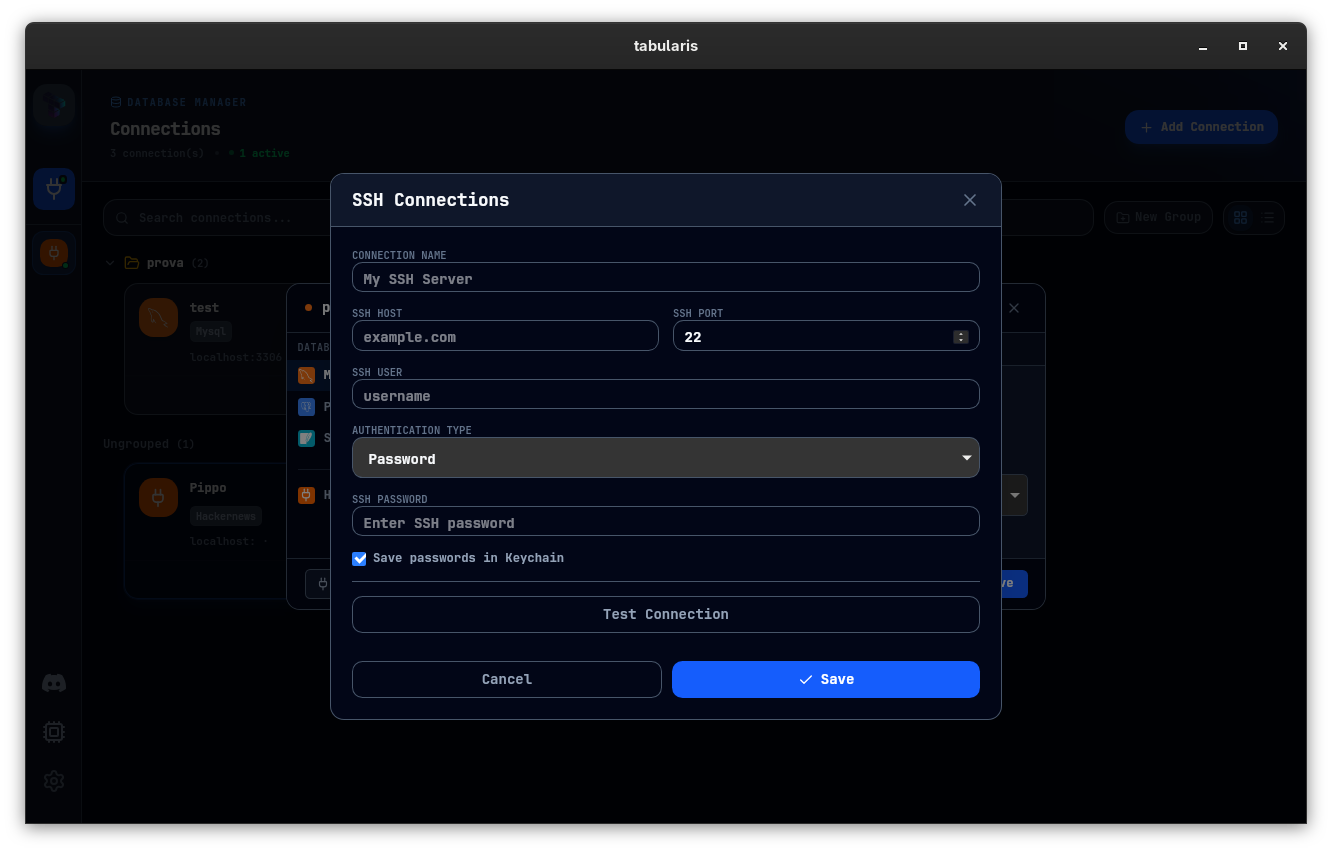
Reach remote databases through SSH tunnels and keep secrets out of plain text. Passwords and API keys are stored in your system's keychain.
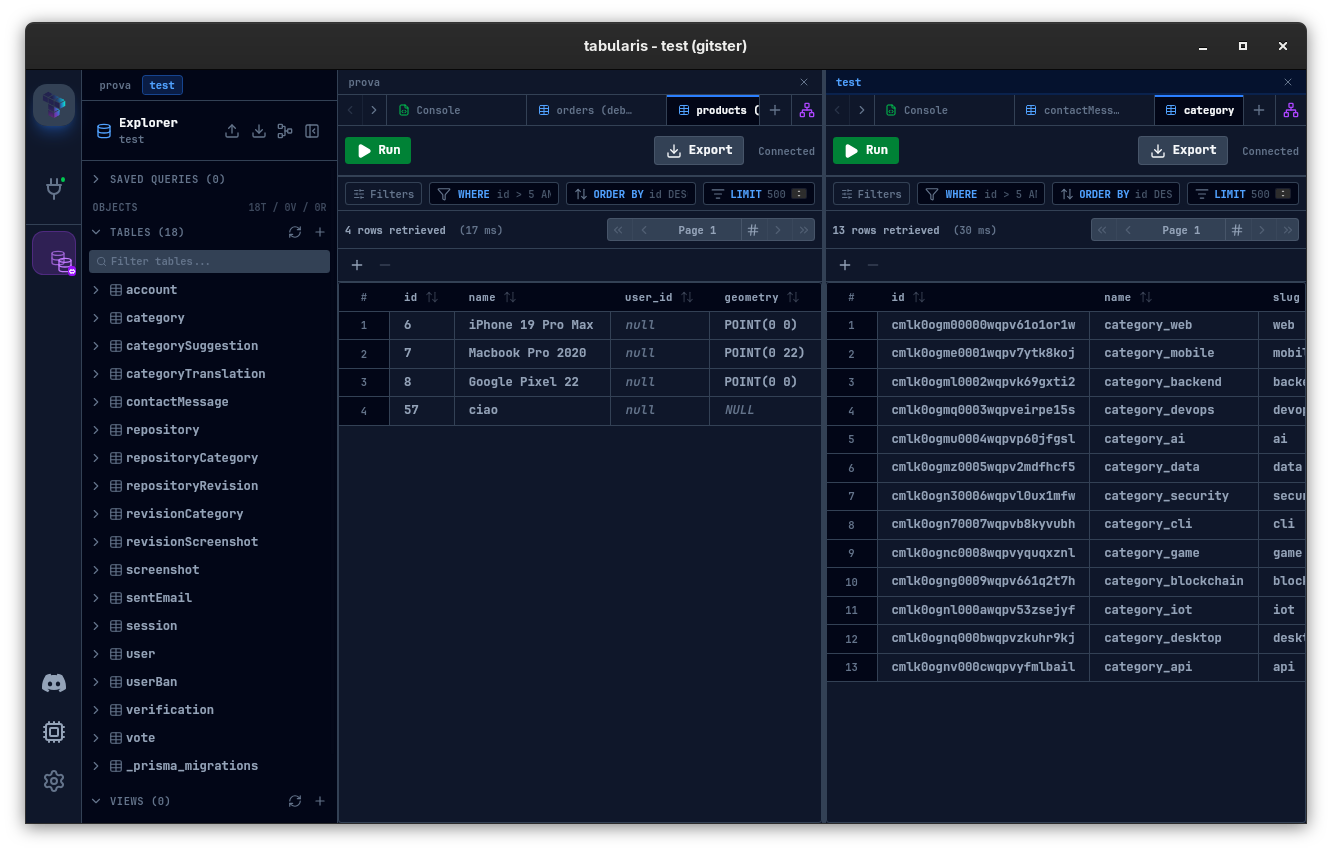
Open multiple connections at once in a resizable split layout and compare datasets side by side without jumping between windows.
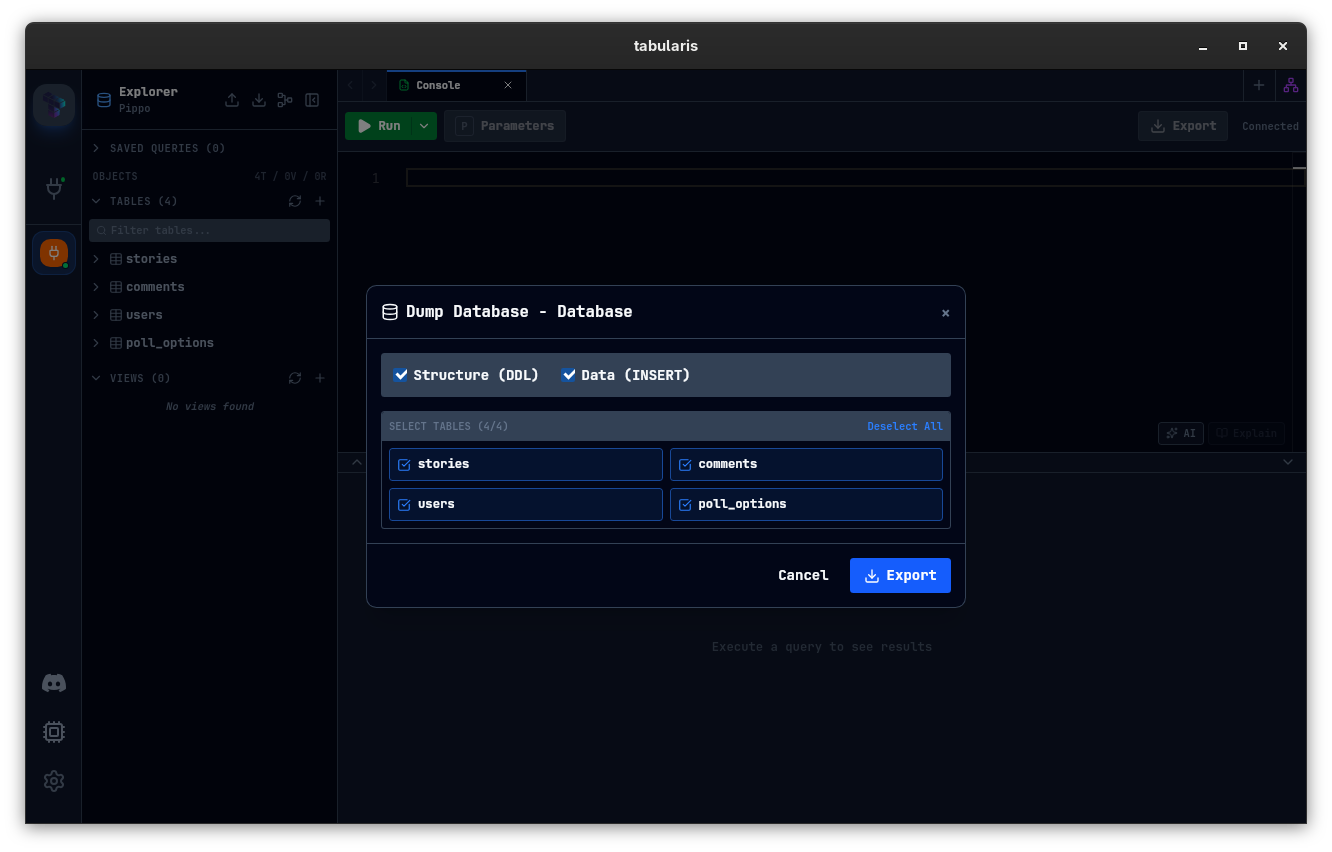
Export full SQL dumps and bring them back with a guided import flow. Useful for backups, local restores, and quick migration loops.
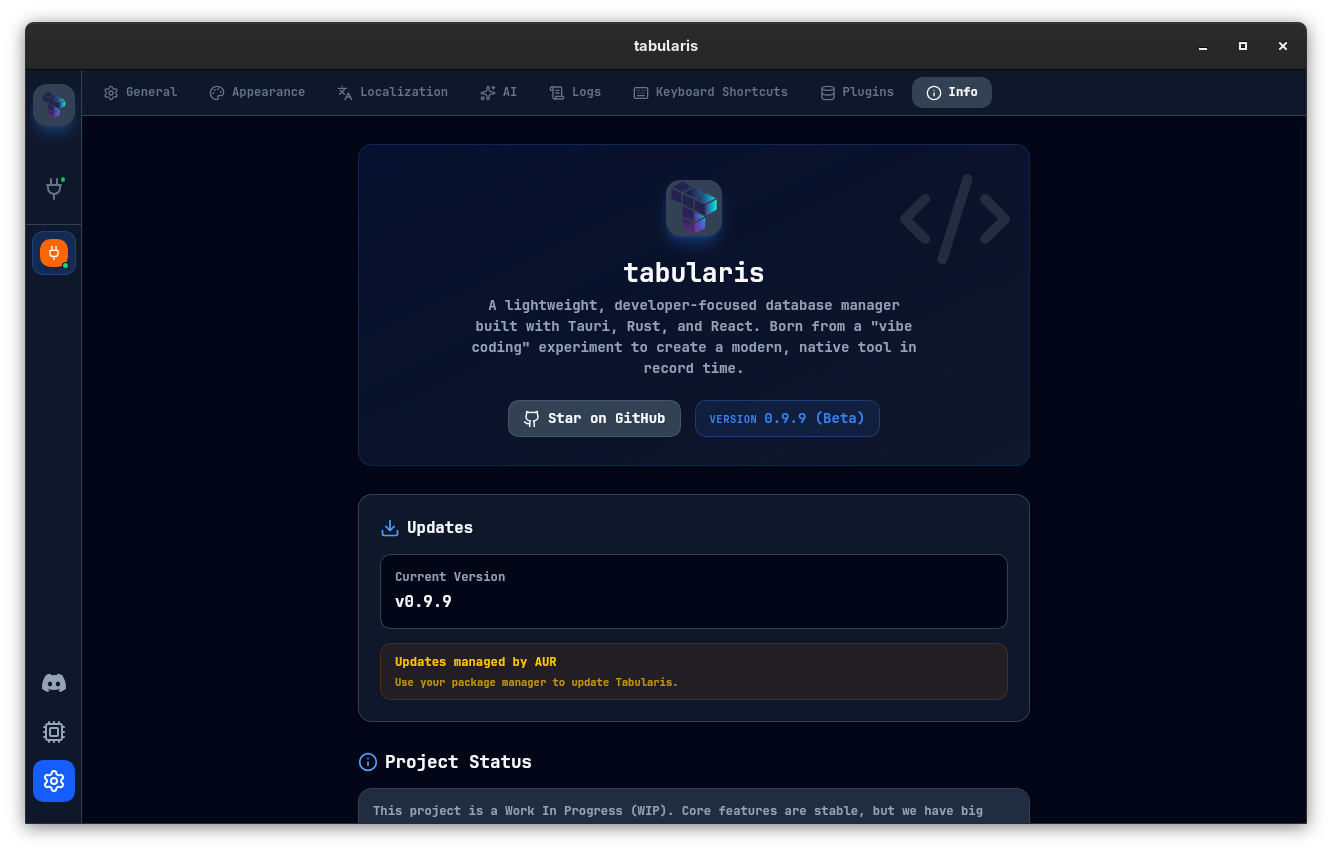
Automatic: Tabularis checks for updates on startup and notifies you when a new version is available. Manual: You can always check for updates manually or download the latest release from GitHub.
Start from the workflow you actually care about: PostgreSQL work, MySQL and SQLite work, reusable SQL analysis, secure access, extensibility, AI-native database tooling, or tool comparisons.
For AI Agents (MCP-native)Give Claude, Cursor, and Devin (formerly Windsurf) safe, schema-aware access to your real databases through Tabularis.PostgreSQL ClientA developer-focused PostgreSQL workflow with SQL editing, schema tools, SSH, and notebooks.SQL NotebooksReusable SQL analysis with cells, markdown, inline charts, and parameters.Visual EXPLAIN ToolInspect execution plans as interactive color-coded graphs, tree tables, and get instant AI-powered performance suggestions.Visual Query BuilderConstruct complex SQL statements visually by dragging tables, drawing JOINs, and applying point-and-click aggregations.DBeaver AlternativeA focused comparison for developers evaluating a more modern open-source SQL workflow.Database Client for LinuxAn open-source desktop workflow for Linux users who want SQL editing, SSH, and cross-platform parity.SQLite ClientA stronger desktop workflow for SQLite-based apps, prototypes, migrations, and local debugging.MySQL ClientA developer-focused MySQL and MariaDB workflow with SQL editing, SSH, and reusable notebook analysis.Secure Database ClientA local-first database workflow with SSH tunneling, system keychain storage, and controlled desktop access.Plugin-Based Database ClientAn extensible database client with a plugin system for custom engines and broader database workflows.DuckDB and Redis WorkflowsExtend beyond built-in engines with plugin-driven workflows for analytical and mixed-stack database use cases.
Tabularis is hackable with an external plugin system. Plugins are standalone executables that communicate with the app over JSON-RPC 2.0 via stdin/stdout, so database support can evolve independently from the core release cycle.
Write a driver in Rust, Go, Python, Node.js, or any language that can speak JSON-RPC over stdin/stdout. No heavyweight SDK required.
Install, update, and remove plugins from Settings → Plugins without restarting the app. New drivers appear immediately in the connection form.
Each plugin runs in its own process. If a plugin crashes, the failure is isolated to that integration instead of taking down the whole app.
Bounty Market
Request, sponsor, discuss, or claim the integrations the community wants next. Turn scattered requests into visible work.
19 open targets9 in motion11 shipped proofs
Query a folder of .csv / .tsv files as a database. Each file becomes a table.
by debba · Supports Tabularis v0.9.2
Tabularis treats themes as part of the workflow, not a cosmetic extra. Switch between 10+ presets instantly, with editor syntax colors generated to stay coherent with the active UI theme.
Need implementation details, setup steps, or feature walkthroughs? The wiki covers the workflows behind the UI.
Join the Discord server to talk with maintainers, share feedback, report friction, and help shape the roadmap.
此内容由惯性聚合(RSS阅读器)自动聚合整理,仅供阅读参考。 原文来自 — 版权归原作者所有。