惯性聚合 高效追踪和阅读你感兴趣的博客、新闻、科技资讯
阅读原文 在惯性聚合中打开

推荐订阅源

cs.CL updates on arXiv.org
Cyber Security Advisories - MS-ISAC
V
V2EX
V
Visual Studio Blog
博客园_首页
Last Week in AI
Last Week in AI
Apple Machine Learning Research
奇客Solidot–传递最新科技情报
奇客Solidot–传递最新科技情报
S
SegmentFault 最新的问题
钛媒体:引领未来商业与生活新知
钛媒体:引领未来商业与生活新知
Martin Fowler
Martin Fowler
Recent Announcements
J
Java Code Geeks
月光博客
月光博客
cs.AI updates on arXiv.org
F
Fortinet All Blogs
P
Privacy & Cybersecurity Law Blog
C
CERT Recently Published Vulnerability Notes
C
CXSECURITY Database RSS Feed - CXSecurity.com
B
Blog RSS Feed
S
Schneier on Security
酷 壳 – CoolShell
酷 壳 – CoolShell
OSCHINA 社区最新新闻
OSCHINA 社区最新新闻
W
WeLiveSecurity
A
Arctic Wolf
U
Unit 42
博客园 - 司徒正美
freeCodeCamp Programming Tutorials: Python, JavaScript, Git & More
有赞技术团队
有赞技术团队
Recorded Future
Recorded Future
Engineering at Meta
Engineering at Meta
Google DeepMind News
大猫的无限游戏
大猫的无限游戏
Microsoft Security Blog
Hacker News: Ask HN
Hacker News: Ask HN
量子位
B
Blog
T
The Exploit Database - CXSecurity.com
C
Cisco Blogs
博客园 - 三生石上(FineUI控件)
H
Help Net Security
博客园 - 叶小钗
C
Cyber Attacks, Cyber Crime and Cyber Security
L
LINUX DO - 热门话题
Hugging Face - Blog
Hugging Face - Blog
Google DeepMind News
小众软件
小众软件
雷峰网
雷峰网
TaoSecurity Blog
TaoSecurity Blog
Schneier on Security

Mereith's Blog

记一次代理转发问题的排查与解决 PVE DataCenter Manager 端口号跳转错误修复 k8s + jenkins + gitlab 触发器 【转载】没有编程生产力这样的东西 【后续】居然被 ddos 了 居然被 ddos 了 Tagger - 让版本标签管理更简单 openclash 开启后端口转发失效 nextjs 启动时执行代码 买了太多VPS不知道干什么,干脆做个网站 juhost Level-1 测评 VMISS CN - Hong Kong VMISS JP - Tokyo - BGP 测评 VMISS CN - Hong Kong - BGP HomeLab 的终点是 最近在做的事情 因为选择艰难症,自己写了一套开源博客系统 手撸一个nodejs分布式爬虫,还要可视化 HomeLab 分享 我的个人工作流——开源项目推荐 动手写一个超简单的编译器 safari 插件开发 Safari Extensions Preferences 按钮无响应 设置移动端软键盘回车按钮文案 nginx proxy manager 非标准端口反代 Host 不对 监控 k8s ingress 自动添加域名 DNS 解析 使用 ingress 注解给 traefik ingress 添加中间件 使用流水线功能为文章添加固定结尾 为 VanBlog 添加一个小挂件 基于React/umi/egg自建博客系统 如何正确停止 NodeJS 子进程 k8s pod 替换策略 让威联通、pve 共享 ups 实现断电关机 Ubuntu 配置 samba 混合云部署k3s集群(基于wireguard) pve 无法启动 grub lvmid not found error antd Password 关闭自动补全 code-server node not found pve no quorum 错误 || 无法登录 pve Cannot Initiate CMAP Service pve 节点删不干净 PVE 指针(鼠标)漂移 pve 重启网络 Proxmox VE 直通显卡 ProxmoxVE (PVE) 7.0 换源升级 用 SOCAT 端口转发 git 无法 pull 仓库refusing to merge unrelated histories 用 vuepress 搭建私人知识库 js 防抖节流中的 this 与箭头函数 Dockerfile 给 Ubuntu 换源 docker 内访问宿主机 docker 删除无用镜像 css 实现展开收起动画 nginx 301 问题 Node.js 流式编程 关于我重写了三次博客项目这件事 css flex 布局超出隐藏 css 隐藏滚动条 css 文字超出隐藏并显示省略号 css 填充 svg 颜色 css 黑白滤镜 nginx 反代丢端口 docker-compose 部署 matomo 分析系统 基于 strapi 开发应用 strapi 关闭 Content Security Policy nginx 反代 rewite url ssh 通过跳板机访问目标机器 Cent os 7 安装 zsh 5.6 以上版本 win11 任务栏不合并 bash 数组操作 vim 修改文件格式为 unix k8s 集群 control-plane-endpoint 主机名 git https 保存密码 Bash 判断命令存在 & 重定向 python 导出项目依赖 cent os 7 安装 gcc 版本 9 System limit for number of file watchers reached cent os 7 安装 git 2.x css 下划线中间向两边滑动效果 linux 挂载 SMB/CIFS linux 清除 ACL windows 命令行安装 inf 驱动 css 文字不可选择 iperf3 网络测速工具 cent os 换源 k8s 1.21.3 从 docker 迁移到 containerd 解决Nginx安装错误:No package nginx available 问题 从pve的硬盘里导出数据 Errors were encountered while processing adguardhome配合clash pve中使用LXC容器安装OMV LXC直通硬盘 nginx反代模版 docker常用开启容器的命令 PVE的LXC容器中安装Docker ProxmoxVE系统分区相关 基于clash搭建旁路网关 Portainer添加节点 linux声卡设置及录音音 OpenWrt用VLAN PVE换源及去掉订阅提示和改端口
win10-tensorflow环境快速搭建-基于anaconda
wanglu@mereith.com (mereith) · 2022-07-21 · via Mereith's Blog

请注意,本文编写于 2323 天前,最后修改于 1416 天前,其中某些信息可能已经过时。

众所周知,配置环境一直是个有点小麻烦的事儿,tensorlow分为gpu版本和cpu版本的,其中gpu版本的需要额外的cudacudnn,但是你要是不用gpu吧,又太慢了。上次实在linux下安装开发环境,这次我们在win10下安装tensorflow环境带gpu的版本,为了省事,我们用acaconda进行快速安装。

安装Anaconda3

按照官网的描述:

{% blockquote %} The open-source Anaconda Distribution is the easiest way to perform Python/R data science and machine learning on Linux, Windows, and Mac OS X. With over 19 million users worldwide, it is the industry standard for developing, testing, and training on a single machine, enabling individual data scientists to: Quickly download 1,500+ Python/R data science packages Manage libraries, dependencies, and environments with Conda Develop and train machine learning and deep learning models with scikit-learn, TensorFlow, and Theano Analyze data with scalability and performance with Dask, NumPy, pandas, and Numba Visualize results with Matplotlib, Bokeh, Datashader, and Holoviews {% endblockquote %}

emm说白了就是一个python/r 的科学平台,可以很方便的帮你配置环境,管理各种包。

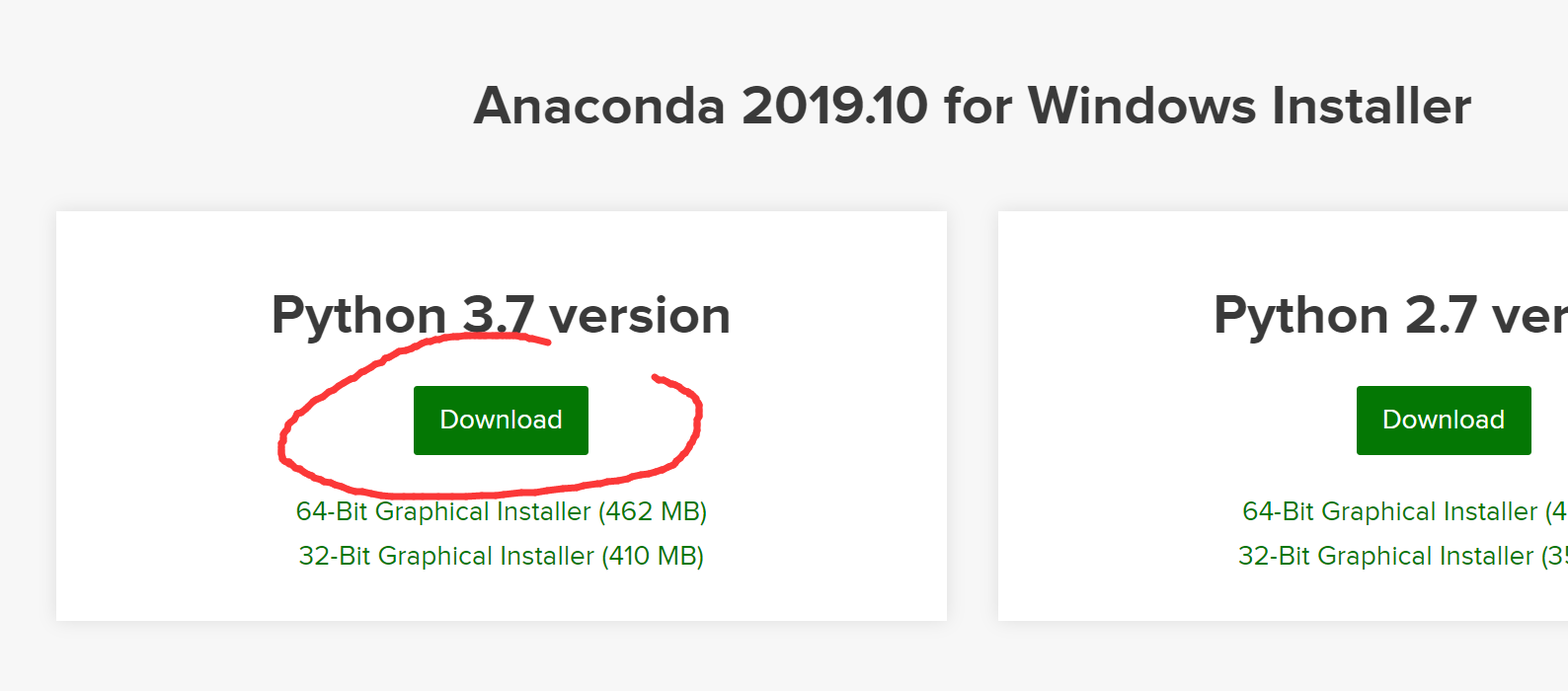
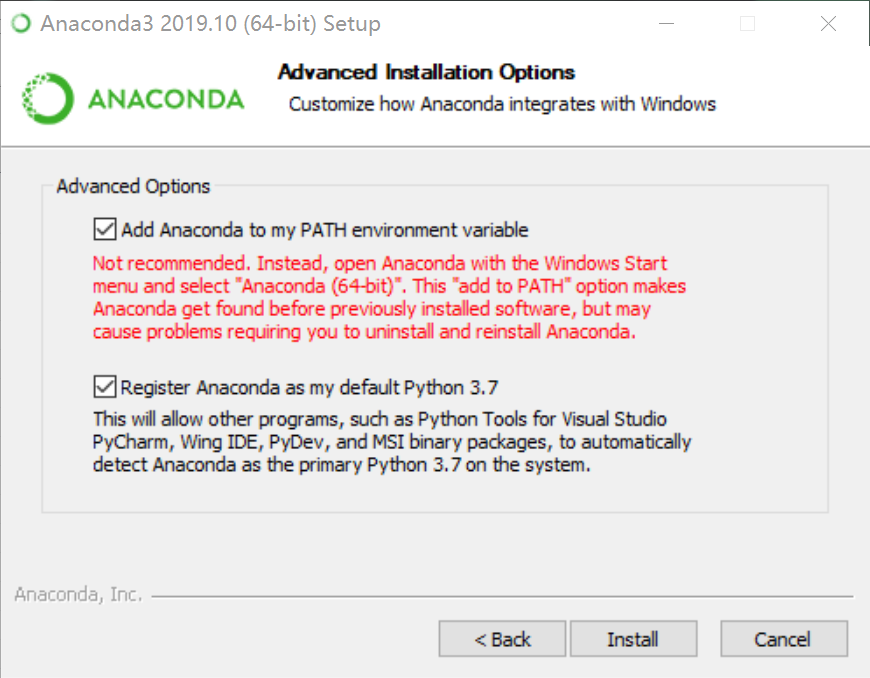
下载地址 我们选择python3.7的64位版本 记得右键管理员安装,然后一路下一步即可,需要注意的是到最面需要添加环境变量的时候勾选上,省的后期手动添加:
安装CUDA和CuDNN

这是为了gpu版本准备的,cpu版本的可以跳过这部分

CUDA是NVIDIA推出的运算平台,CuDNN是专门针对Deep Learning框架设计的一套GPU计算加速方案。

在anaconda安装tensorflow-gpu的时候,会自动安装这俩,但是也可以自己安装(懒得自己安装的话,跳过即可)

先去官网下载安装包,注意的是不同的tensorflow-gpu支持的cuda版本不太一样,要一一对应看好了:

其中CUDA下载完了一路下一步就行了,其中选项选择自定义安装,只勾选第一个CUDA,其他都不选。到最后可能会提示让你安装Visual Studio,忽略即可

cudnn下载完了是一个压缩包里面有三个文件夹。把三个文件夹复制到cuda安装目录下即可,一般是在C:\Program Files\NVIDIA GPU Computing Toolkit\CUDA\vx.x (vx.x是你的版本号)

这样就装好CUDA和CuDNN了,懒人可以跳过去,直接让anaconda自己装就行了嘛。

打开anaconda的命令行,在最左下角的开始菜单里面,选择右键管理员运行
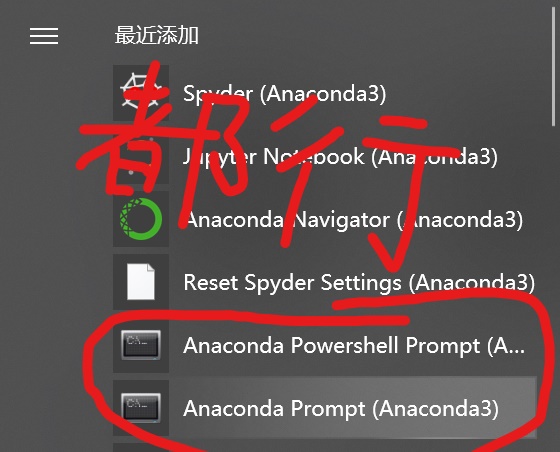
在出现的命令行里,输入:

conda create -n tensorflow_gpu python=3.6

如果你不想要gpu,只用cpu,那么:

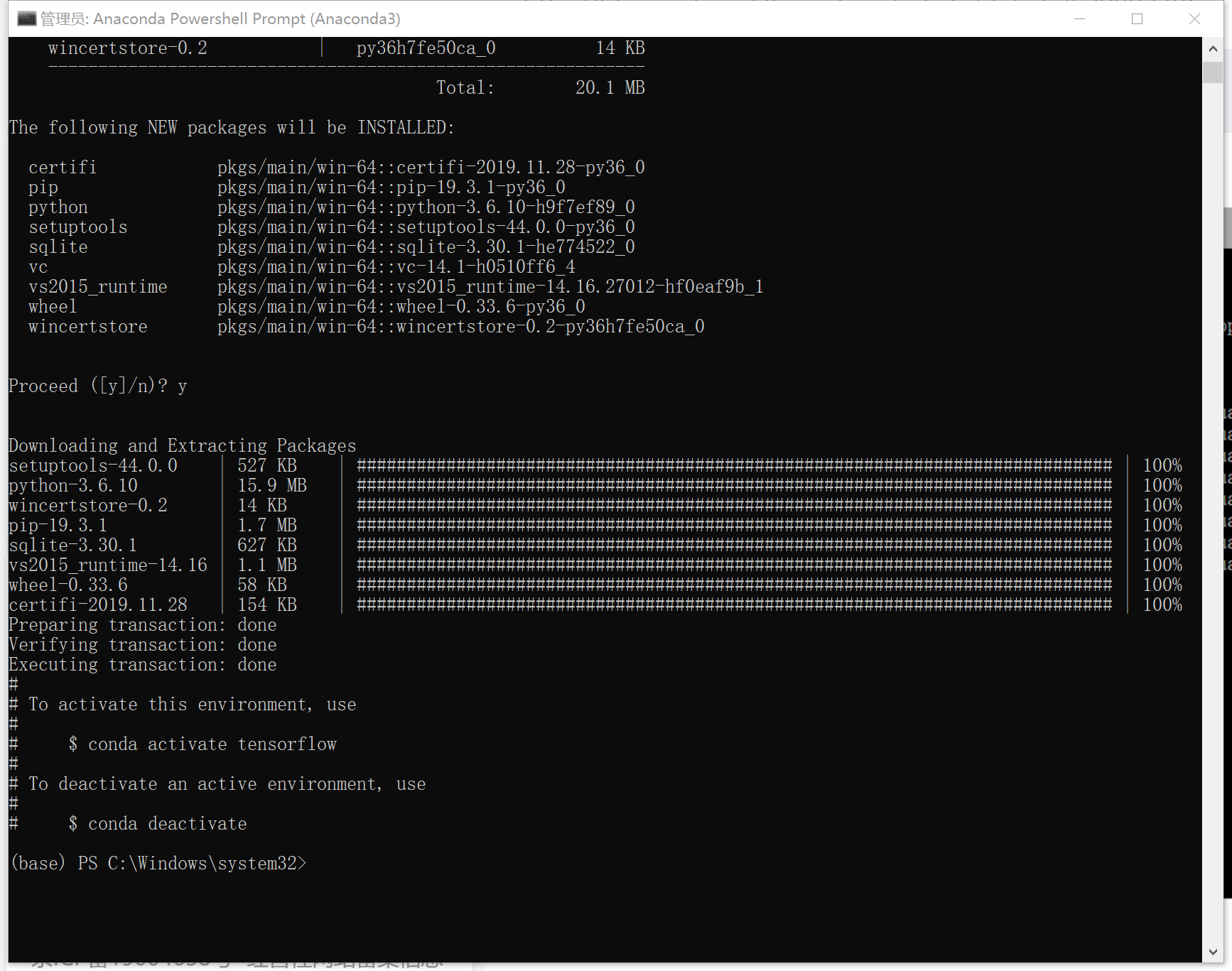
conda create -n tensorflow python=3.6

中间会让我们确认,输入个y按回车就好了。 可能需要一段时间,尤其是国外的服务器可能会慢。耐心等。 安装完后,会提示我们用activatedeactivate进行切换。

安装各种

我们先激活环境,在命令行输入:


(如果是cpu的请去掉后面的gpu) 现在可以升级一下各种库(可选),输入:


安装tensorflow

如果是gpu输入: conda install tensorflow-gpu,cpu输入conda install tensorflow 确认等待即可。
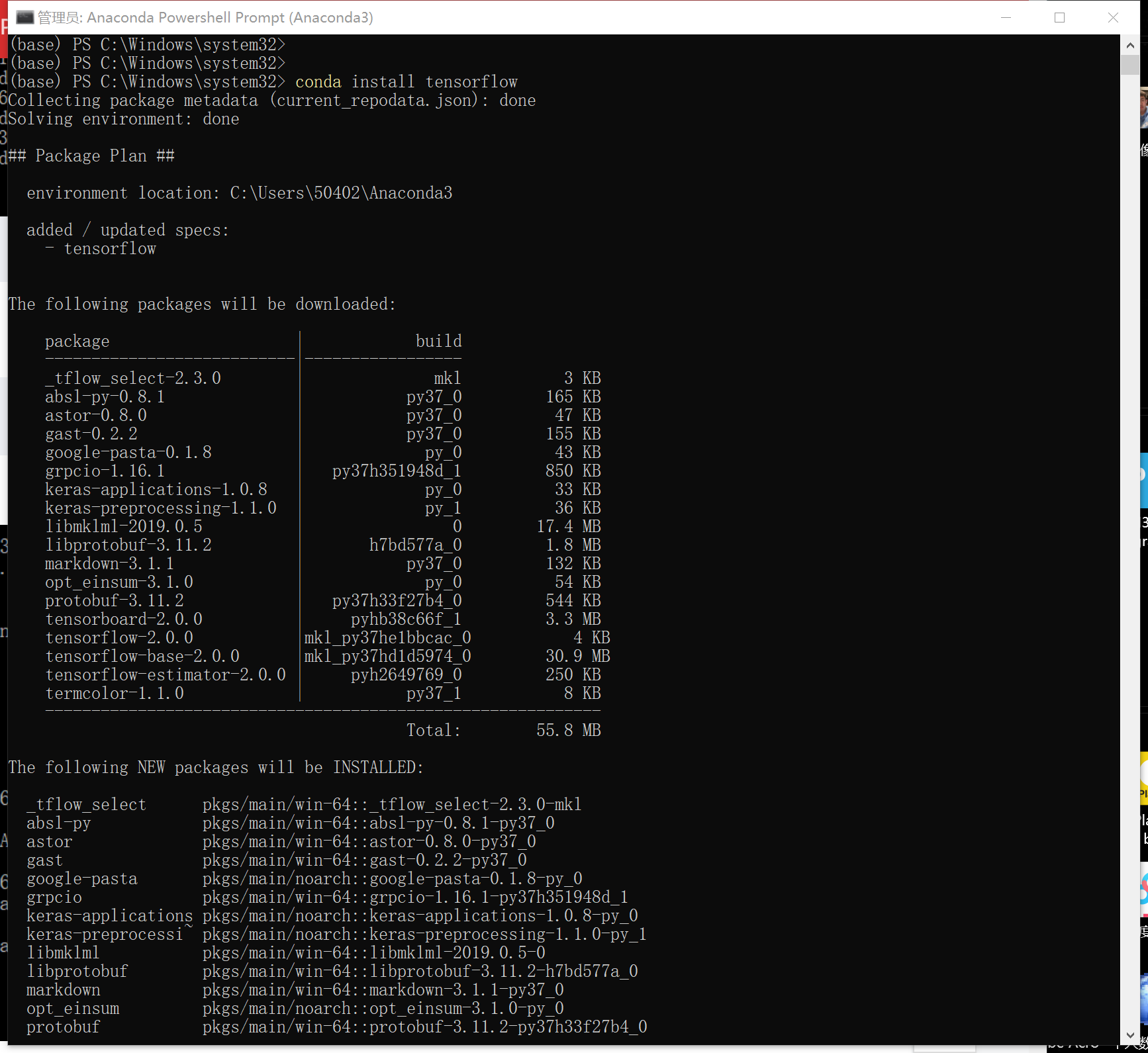
测试

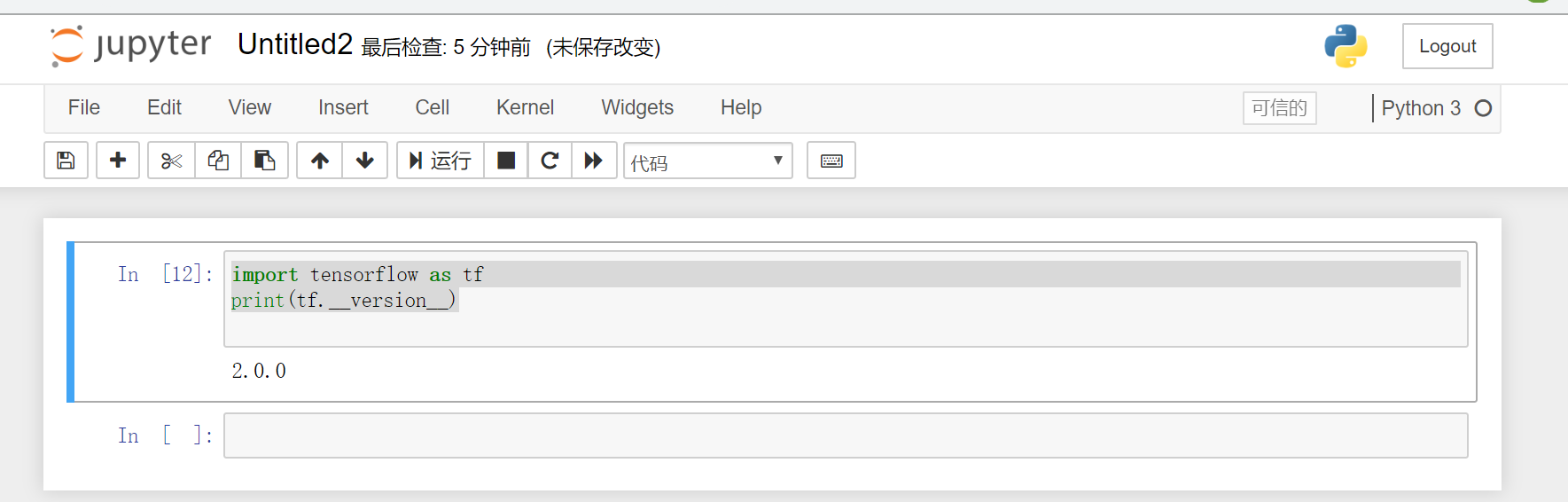
这里我们直接用anaconda自带的python ide来测试,打开jupyter notebook(就还在开始菜单里),输入下面的代码,回车:

import tensorflow as tf print(tf.__version__)

如果顺利会出现版本号(2.0)