惯性聚合 高效追踪和阅读你感兴趣的博客、新闻、科技资讯
阅读原文 在惯性聚合中打开

推荐订阅源

V
Vulnerabilities – Threatpost
Know Your Adversary
Know Your Adversary
C
Cyber Attacks, Cyber Crime and Cyber Security
S
Secure Thoughts
让小产品的独立变现更简单 - ezindie.com
宝玉的分享
宝玉的分享
Spread Privacy
Spread Privacy
AWS News Blog
AWS News Blog
D
Docker
Threat Intelligence Blog | Flashpoint
OSCHINA 社区最新新闻
OSCHINA 社区最新新闻
TaoSecurity Blog
TaoSecurity Blog
博客园 - 三生石上(FineUI控件)
Apple Machine Learning Research
Cyberwarzone
Cyberwarzone
V
V2EX
Exploit-DB.com RSS Feed
WordPress大学
WordPress大学
P
Palo Alto Networks Blog
H
Heimdal Security Blog
奇客Solidot–传递最新科技情报
奇客Solidot–传递最新科技情报
博客园 - 叶小钗
N
News and Events Feed by Topic
cs.CL updates on arXiv.org
Simon Willison's Weblog
Project Zero
Project Zero
Martin Fowler
Martin Fowler
大猫的无限游戏
大猫的无限游戏
D
DataBreaches.Net
Engineering at Meta
Engineering at Meta
S
Schneier on Security
Google DeepMind News
cs.CV updates on arXiv.org
Hugging Face - Blog
Hugging Face - Blog
P
Proofpoint News Feed
S
SegmentFault 最新的问题
Hacker News: Ask HN
Hacker News: Ask HN
小众软件
小众软件
博客园 - 聂微东
S
Security Affairs
T
Tor Project blog
www.infosecurity-magazine.com
T
Threat Research - Cisco Blogs
T
Threatpost
博客园 - 【当耐特】
L
LINUX DO - 热门话题
G
Google Developers Blog
P
Privacy & Cybersecurity Law Blog
A
About on SuperTechFans
F
Fortinet All Blogs

程序员笔记(huoyijie.cn)

generate new dataset with llm and knowledge graph resume deepseek applications Implement the classic huarongdao game with react Implement the classic tetris game with react Writing admin dashboard template with Nextjs How to AuthN user with OpenLDAP share whiteboard with websocket ocr overview tech notes subscribe topic with sse multi devices github an algorithm used for image text detect an algorithm used for image text detect facial expression recognition technology based on neural network oauth2 mysql store a real time collaborative whiteboard with infinite space How to perform load testing with Grafana k6 fix split of undefined with gitbook theme nodejs http proxy middleware analyze referer of express website writing a CDN origin server with Django a personal lightweight CMS tool writing in Golang profile introduce the post processing introduce the text detect method blockchain for dummies medical applications on ai facial expression recognition study facial expression recognition auth auth with oauth2 auth with jwt chat with sse react chat with websocket react http message signatures infinite whiteboard with socket.io multi factor auth with totp subscribe topic with sse capture screen to gif Golang 经典入门实践教程 · GitBook EFS 加密文件系统 · GitBook 弈杰围棋智能终端 · GitBook 如何把手机触摸屏变成触控板(Touchpad) · GitBook 基于 SOCKET.IO 搭建个人电脑 HTTP 静态服务器代理 · GitBook 三百行代码搭建一个简单的 SOCKS5 代理服务器 · GitBook 微信小程序(蓝牙BLE)远程遥控树莓派小车 · GitBook 树莓派的一些使用经验 · GitBook 从零开始制作树莓派小车 · GitBook UDPack 2.0 协议 · GitBook 前言 · GitBook 升级 Ubuntu 到 20.04 LTS 长期维护版本 · GitBook 反向代理服务器实现原理 · GitBook 网站支持 HTTP 2.0 · GitBook 搭建配置邮件服务器 · GitBook 使用 Git 与 Gitbook 创建管理电子书 · GitBook 网站图片视频接入CDN · GitBook a personal lightweight self hosted git server written in Golang 快速搭建CDN回源服务器 · GitBook 基于 Git 搭建代码托管服务器 · GitBook
语音远程遥控树莓派小车 · GitBook
huoyijie · 2024-05-24 · via 程序员笔记(huoyijie.cn)

语音远程遥控树莓派小车

本文接 微信小程序(蓝牙BLE)远程遥控树莓派小车 那篇文章,在实现手机端微信小程序与树莓派小车之间通过蓝牙 BLE 通信的基础上,增加了小程序端的语音识别能力,让小车可以接收语音命令。本文实践了微信公众平台开放的“微信同声传译插件”,这个插件可以让小程序轻松获得语音识别和不同语言之间翻译的能力。

首先 Clone 代码(代码地址)

git clone git@github.com:huoyijie/raspberrypi-car.git

目录说明

$ tree -L 3
.
├── ble
│   ├── car.py
│   ├── miniclientctl
│   │   ├── app.js
│   │   ├── app.json
│   │   ├── app.wxss
│   │   ├── index
│   │   ├── project.config.json
│   │   └── sitemap.json
│   ├── miniclientctl_2.0_voice
│   │   ├── app.js
│   │   ├── app.json
│   │   ├── app.wxss
│   │   ├── components
│   │   ├── image
│   │   ├── index
│   │   ├── project.config.json
│   │   ├── sitemap.json
│   │   └── utils
│   └── rpicarctl
│       ├── characteristic.js
│       ├── main.js
│       ├── node_modules
│       ├── package.json
│       └── package-lock.json
├── car.py
├── LICENSE
└── README.md

本文主要是针对小程序进行调整,其他部分程序都不用调整。可以看到增加了 miniclientctl_2.0_voice 目录,是增加了语音遥控的小程序代码。

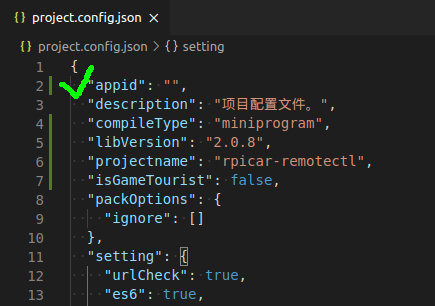
首先在微信公众平台上面注册一个小程序,把 project.config.json 中的 appid 替换成刚刚在公众平台获得的 appid

配置appid

然后在 微信公众平台 → 设置 → 第三方设置 → 插件管理 中 添加微信同声传译插件 (wx069ba97219f66d99),这样小程序就可以使用该插件了。
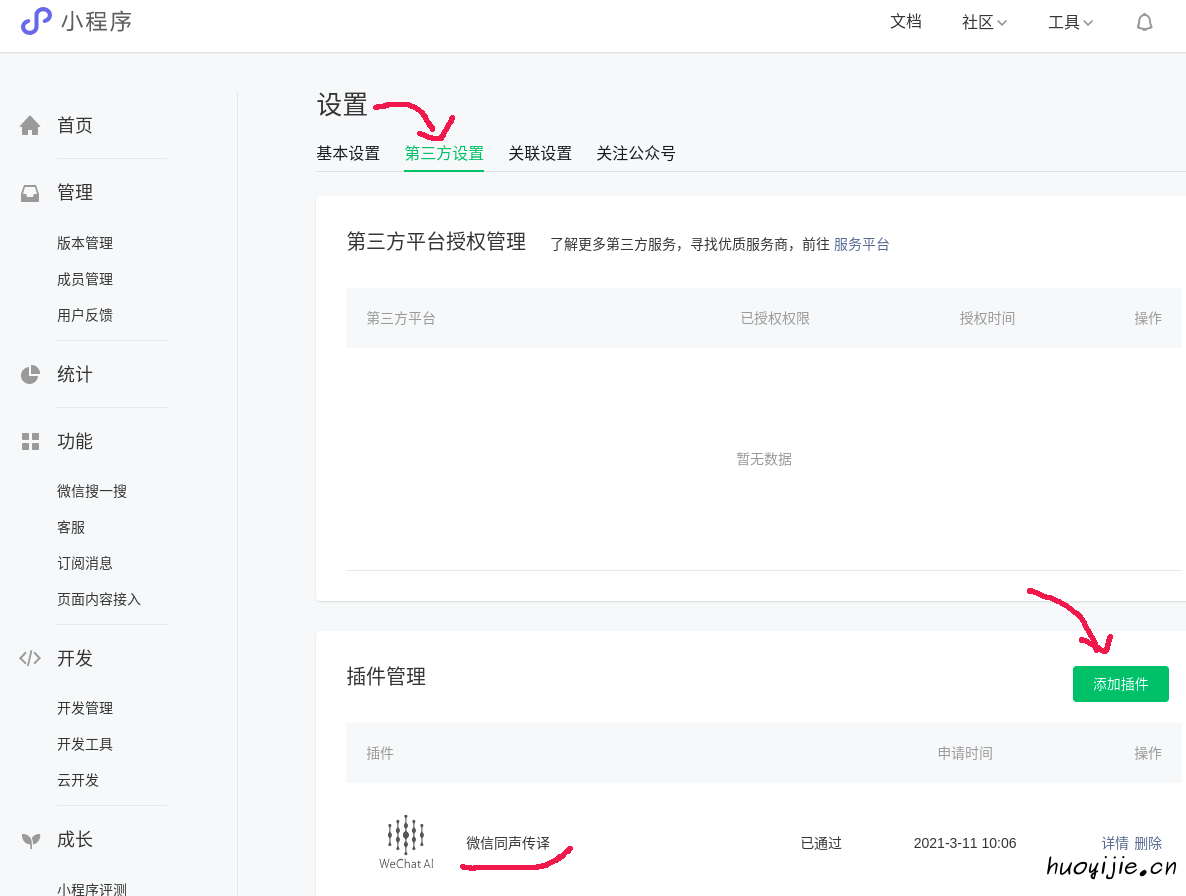
配置插件

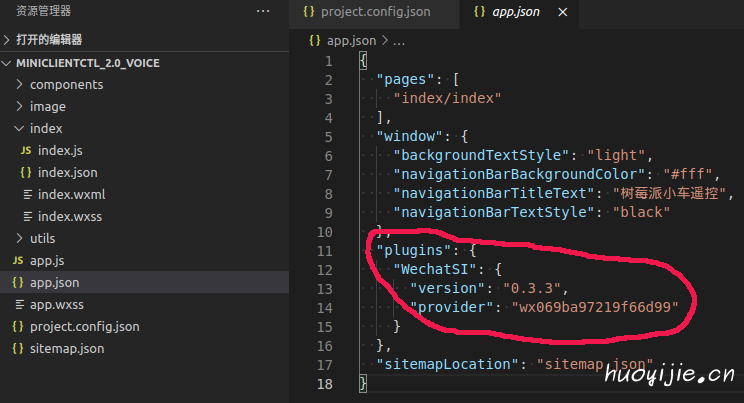
然后在项目文件app.json中配置该插件

配置插件

编辑app.js文件,增加获取授权代码getRecordAuth

App({
  onLaunch: function () {

  },

  // 权限询问
  getRecordAuth: function() {
    wx.getSetting({
      success(res) {
        console.log("succ")
        console.log(res)
        if (!res.authSetting['scope.record']) {
          wx.authorize({
            scope: 'scope.record',
            success() {
                // 用户已经同意小程序使用录音功能,后续调用 wx.startRecord 接口不会弹窗询问
                console.log("succ auth")
            }, fail() {
                console.log("fail auth")
            }
          })
        } else {
          console.log("record has been authed")
        }
      }, fail(res) {
          console.log("fail")
          console.log(res)
      }
    })
  }
})

小程序启动后,初始化完成后会先加载首页代码,即 index/index.js,可以在加载 index.js 时触发刚刚的授权请求。编辑 index.js 文件,增加 onLoad 方法,里面会增加请求授权和初始化插件代码。

onLoad() {
  this.initRecord()
  app.getRecordAuth()
}

在看插件初始化代码前,先看下本次主要新增的代码有哪些
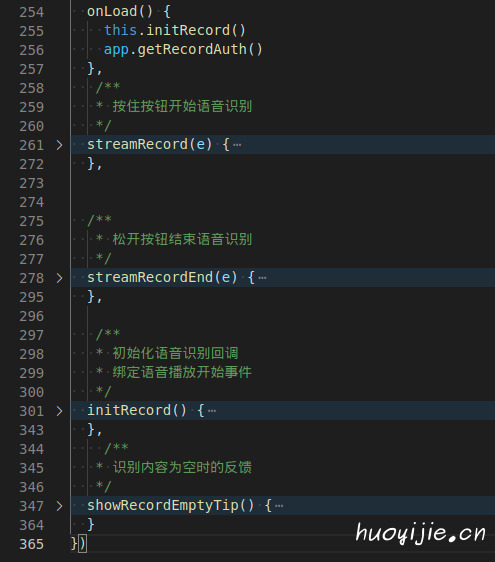
语音遥控代码

主要有 streamRecordstreamRecordEndinitRecord 3 个方法,分别对应开始录音、录音结束以及初始化插件的代码。语音识别完成后的回调函数其实是在 initRecord 里面设置的,因此当语音识别为文字时,可以在此处转换为对小车发出的指令。具体看下代码

initRecord() {
  // 识别结束事件
  manager.onStop = (res) => {

    let text = res.result.trim()
    console.log(`>> 树莓派小车接手指令: ${text}`)

    if(text == '') {
      this.stop() // 指令异常先停止
      this.showRecordEmptyTip()
      return
    }

    if (text === '前进。' || text === 'GO.') {
      this.forward()
    } else if (text === '后退。' || text === 'Back.') {
      this.backward()
    } else if (text === '停止。' || text === 'Stop.') {
      this.stop()
    } else if (text === '左转。' || text === 'Left.') {
      this.left()
    } else if (text === '右转。' || text === 'Right.') {
      this.right()
    } else {
      this.stop()
    }

    this.setData({
      recording: false,
      bottomButtonDisabled: false,
    })
  }

  // 识别错误事件
  manager.onError = (res) => {

    this.setData({
      recording: false,
      bottomButtonDisabled: false,
    })

  }
}

manage.onStop 会在语音识别为文字后调用,res.result 即为识别后的文字,此时可以判断出如果是指定的小车指令,则给小车发出相应指令。

最后是小程序界面上增加了录音按钮,长按按钮录音,放开按钮后触发语音识别。
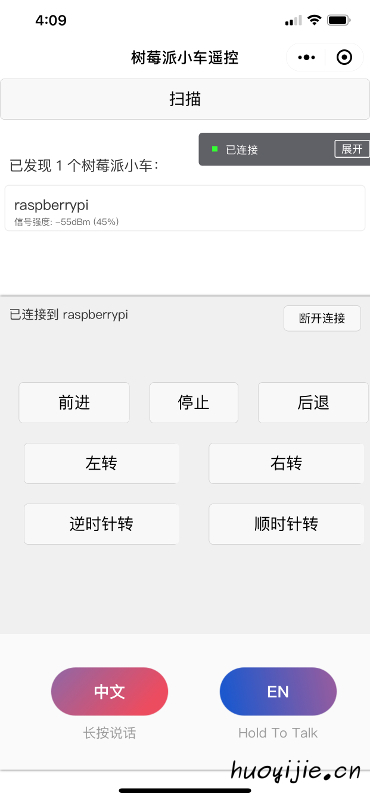
语音遥控小程序

OK,主要内容介绍完了,如果还有疑问可以看一下项目的代码,语音识别部分代码不多比较容易懂。文中语音识别部分参考了微信开源项目 Face2FaceTranslator 的代码。