






Follow ZDNET: Add us as a preferred source on Google.
"The art of Linux" -- that's where the name for the Artix distribution comes from, and this modern, independent take on Linux takes the art in its name seriously.
But don't be misled; Artix (an Arch-based rolling release distribution) isn't geared toward artists (although it certainly could be). Rather, Artix is about the art of creating a unique Linux distribution while replacing several of the usual bits and pieces.
Also: France is replacing 2.5 million Windows desktops with Linux - and I mapped out its new stack
For example, Artix eschews systemd in favor of either OpenRC or dinit (user's choice), as well as XLibre or Wayland, in place of Xorg. According to the Artix FAQ, the developers "love systemd," but would never use it. And by cutting out systemd, the developers can be certain that upstream changes won't eventually affect the project and that systemd cannot creep into the binary packages.
I don't want to get in the weeds, but I will say this: Systemd may not be loved by all, but it has become the standard. Because of that, the distributions that refuse to adopt it will struggle to gain much ground.
That's a shame, because some of those systemd-less distributions are actually quite good. Such is the case with Artix. Upon installing Artix (which was very easy), the first thing I noticed was how fast it boots; we're talking ChromeOS-speed here. Don't blink; otherwise, you'll miss the bootup.
Also: How to use Linux without ever touching the terminal
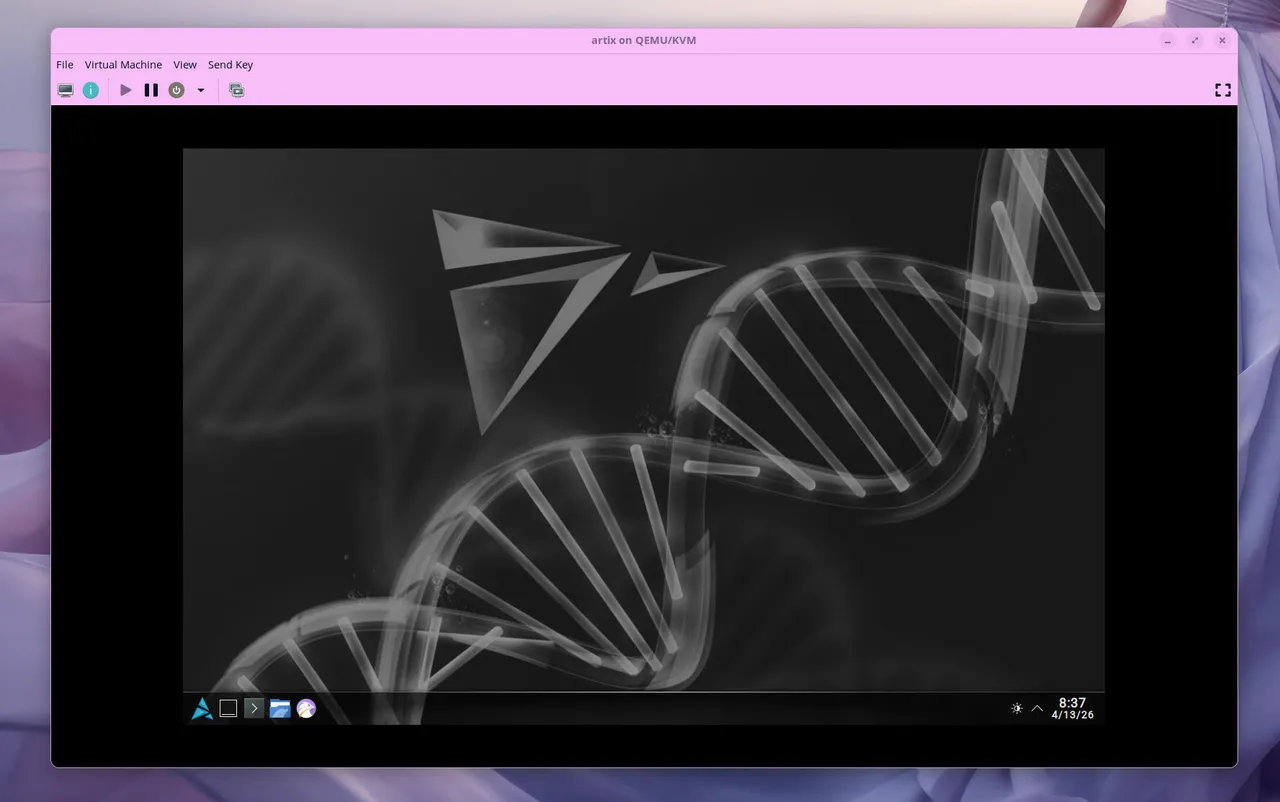
Once I'd logged in, I immediately noticed yet another thing Artix does differently. Most modern distributions that use KDE Plasma as the desktop environment keep the now-default floating panel option. I believe that gives the desktop a bit more modernity, which I love. Artix doesn't go that route and, instead, opts for a traditional panel. Of course, the theme is dark (which has also become the norm - much to my disappointment). There's just enough transparency, and the overall effect is quite nice.
The Artix theme is quite nice (if you like dark desktops).
Click on the menu, however, and you'll see that Artix doesn't ship with much in the way of user applications. Sure, there's a menu for Office, but all it contains is Okular PDF viewer. Okay then, let's get some apps installed to make this distribution usable.
Also: My 11 favorite Linux distributions of all time, ranked
Ruh roh… there's no app store, which means we're going to have to take care of things from the command line. Click the menu and then System > Konsole, to open the terminal window.
Let's try and install a GUI app store.
sudo pacman -Sy octopi
Fingers crossed. Then, bingo! In seconds, I had the Octopi GUI app store installed. Menu > System > Octopi to open the new app and start with the installation of the software I need. A little bit of LibreOffice, a dash of GIMP, a smidge of VLC media player, and Flatpak to pick up the slack. Unfortunately, there's no support for Flatpak apps in Octopi.
Octopic is about as good as it gets for an Arch-based GUI app store.
Given that it's not recommended to use KDE Discover on an Arch-based distribution, it looks as if all Flatpak apps will have to be managed via the command line. That's not a problem for me, but for those who aren't accustomed to the CLI (Command Line Interface), it might be a bit of a hurdle. But then again, that's kind of the nature of Arch and all of its derivatives.
One other oddity is that Artix opts for the Falkon web browser. Although I respect Falkon and think it's a viable option, I don't think it's exactly a browser for the masses.
I've been using systemd for so long that I'd forgotten what it was like to use a different initialization manager. Well, Artix ships with OpenRC. Turns out, it's not terribly challenging. For example, say you want to start the SSH service. To start the SSH daemon, the command would be:
sudo rc-service sshd start
Simple. The same thing holds true for stopping and restarting, so:
sudo rc-service sshd stop
sudo rc-service ssh restart
Here's another area where I have zero complaints. Artix is like so many other Linux distributions I've used: it's fast. From boot to application installation to opening apps, Artix's speed is impressive.
Also: Ready for a Linux laptop? I found one that competes with my MacBook Pro
I did my usual test with Ollama local AI. I will say that downloading the Ollama service took much longer than expected, but that could be the problem of their servers and not Artix.
Because Aritx uses OpenRC, I had to create an init file for Ollama. To do that, I created the new file called ollama in the /etc/init_d/ directory (NOTE: Swap out the _ for a . in this command and all previous commands that point to the OpenRC initialization directory).
sudo nano /etc/init_d/ollama
In that file, I added the following:
#!/sbin/openrc-run
command="/usr/local/bin/ollama serve"
command_background=true
pidfile="/run/ollama.pid"
name="ollama"
depend() {
need net
}
start_pre() {
checkpath --directory --mode 0755 /run
}
Save and close the file.
Give the file executable permissions with:
sudo chmod +x /etc/init_d/ollama
Add the service with:
sudo rc-update add ollama default
Start the service with:
sudo rc-service ollama start
You're good to go.
I pulled the llama3.2 LLM and ran my queries, and Artix/Ollama replied without hesitation. Well played, Artix, well played.
The answer to this question is pretty simple: If you tend to trod your own path and feel like you might enjoy an operating system that challenges you just enough to stretch your Linux prowess, Artix might be a good fit. Most everything it does is a bit different, but it does it all well enough that I find this Linux distribution a viable and enjoyable option.
Also: 10 Linux apps I install on every new machine (and why you should, too)
However, if you're not into bucking the system, you might consider EndeavorOS Titan as your Arch-based distribution.
此内容由惯性聚合(RSS阅读器)自动聚合整理,仅供阅读参考。 原文来自 — 版权归原作者所有。