





I already had an RTX 4080. 16GB of VRAM. Good enough for gaming, not good enough for the models I wanted to run locally. The next step up in GPU land is either spend a fortune on a card with more VRAM, or find another way.
I found another way.
I bought a datacenter GPU that doesn’t even have a normal PCIe connector, stuck it in my gaming PC with an adapter, and now I have 32GB of VRAM across two GPUs running a 27 billion parameter model at 32 tokens per second. The whole thing cost me £200.
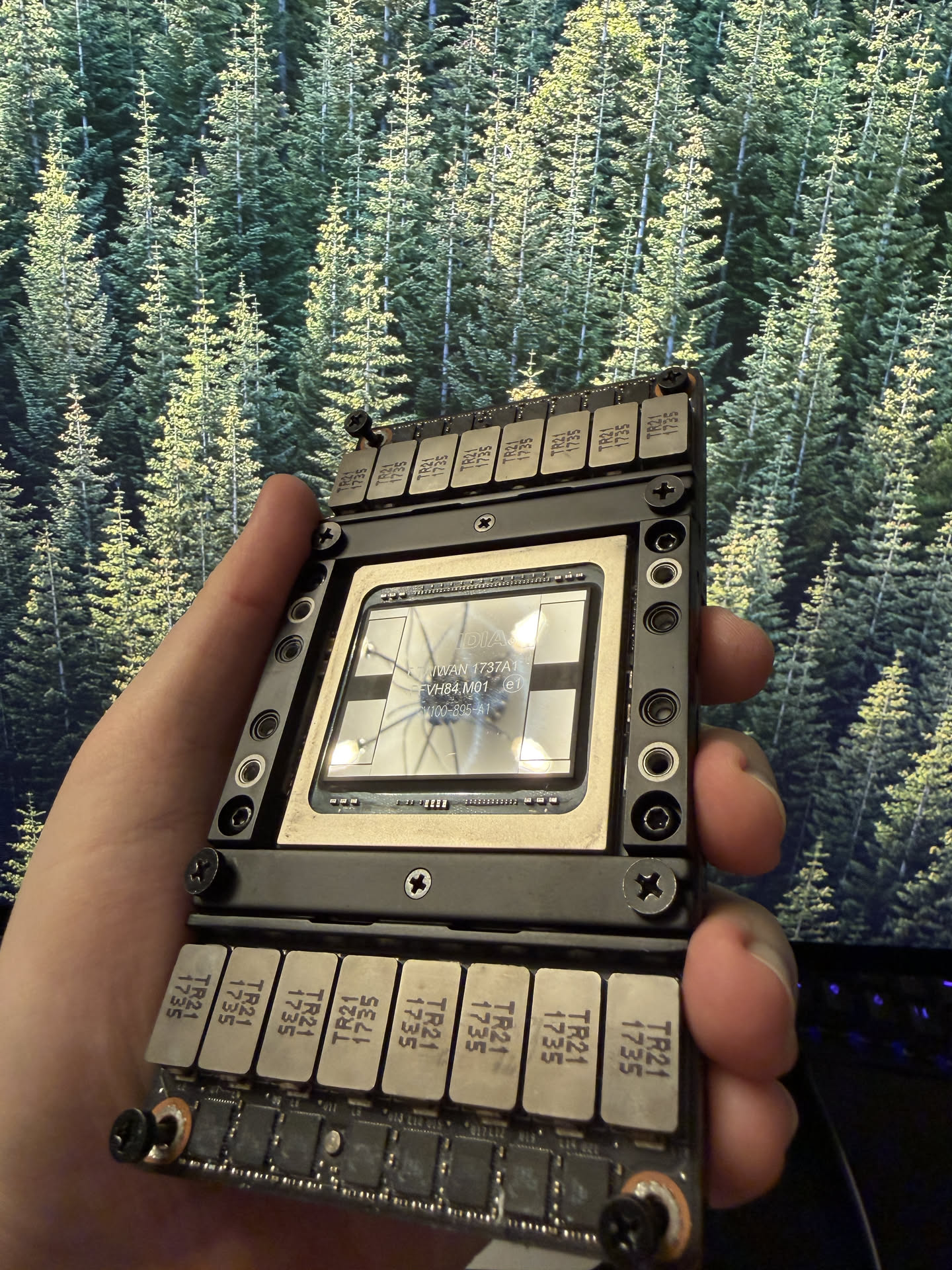
This is a Tesla V100 SXM2 16GB. It was designed for NVIDIA’s DGX servers and hyperscaler racks. The SXM2 form factor means it does not have a PCIe slot. It does not have display outputs. It does not have a normal power connector. It sits on a proprietary board inside a server rack and communicates over NVLink.
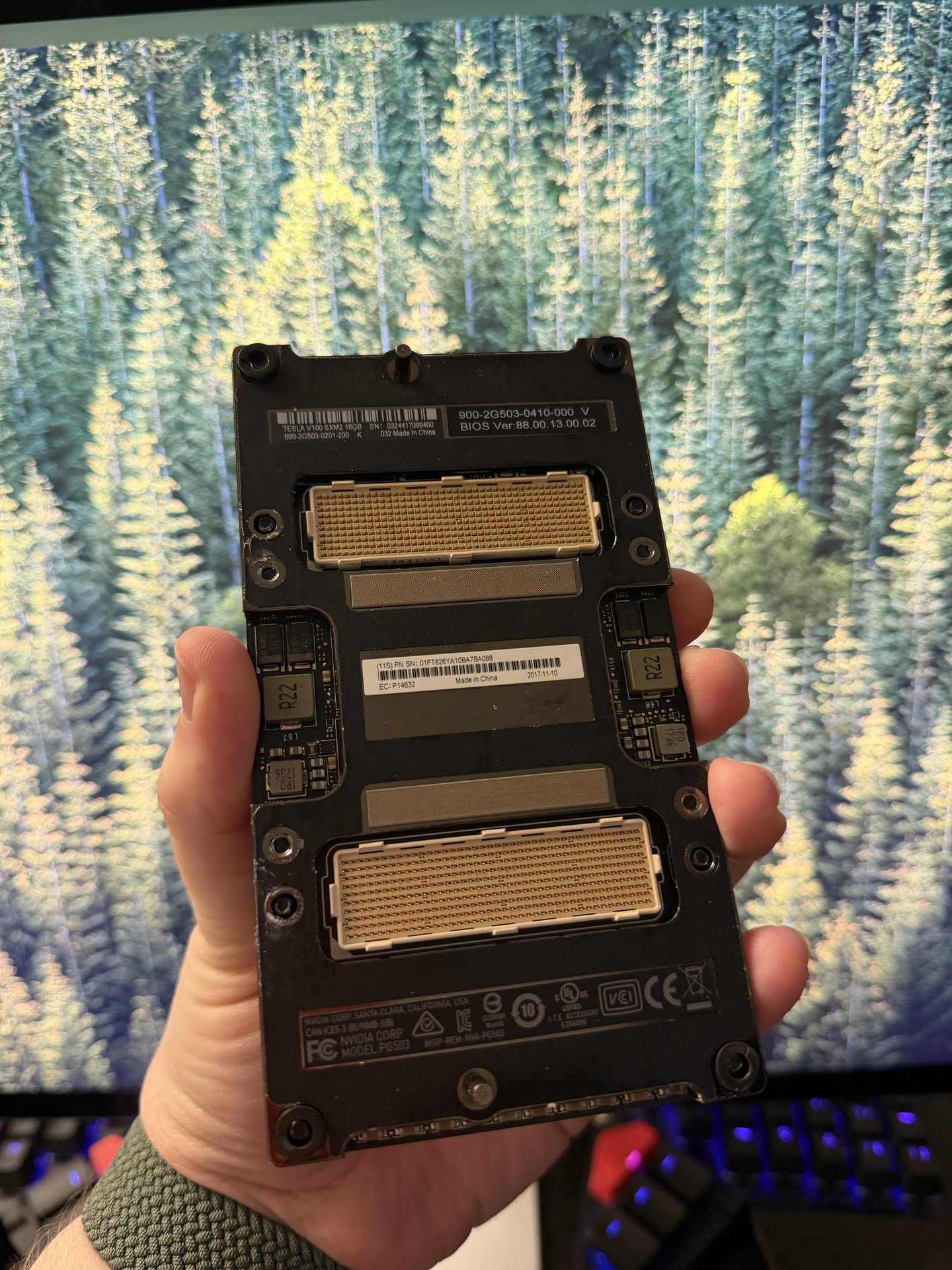
You cannot plug this into a motherboard. Not without help.
But here is the thing: this is a Volta GPU with 16GB of HBM2 memory, 5120 CUDA cores, and I picked it up for about £150 on eBay. The compute is still real. The VRAM is still real. And the memory bandwidth is where it gets genuinely surprising.
HBM2 is a different class of memory. The V100 has a 4096-bit memory bus delivering 900 GB/s of bandwidth. To put that in perspective, my RTX 4080 with its fancy GDDR6X manages 736 GB/s. The V100 from 2017 has 22% more memory bandwidth than a GPU that launched in 2022.
And it is not just NVIDIA’s consumer cards that lose. Apple’s M3 Max does 400 GB/s. The M4 Max does 546 GB/s. The brand new M5 Max, which will set you back over £3,000 for a laptop, manages 614 GB/s. A GPU from 2017 beats every Mac on the market.
The closest AMD competition to my 4080 is the RX 7900 XTX, which does 960 GB/s on its 24GB of GDDR6. Technically that edges out the V100, but the 7900 XTX costs £700+ and ROCm support for LLM inference is still rough compared to CUDA. The V100 gives you 94% of that bandwidth for less than a quarter of the price, and it just works with llama.cpp.
The only consumer GPU that comfortably beats it is the RTX 5090 at 1,792 GB/s, and that card costs over £2,000. For LLM inference, where memory bandwidth is the bottleneck that determines your tokens per second, this matters more than almost anything else.
The only problem is the connector.
Turns out, someone makes an SXM2-to-PCIe adapter. It is not made by NVIDIA. It is not officially supported by anyone. It is a bare PCB with the SXM2 socket on one side and a PCIe edge connector on the other. I paid about £50 for it. Half of that might just be the copper.
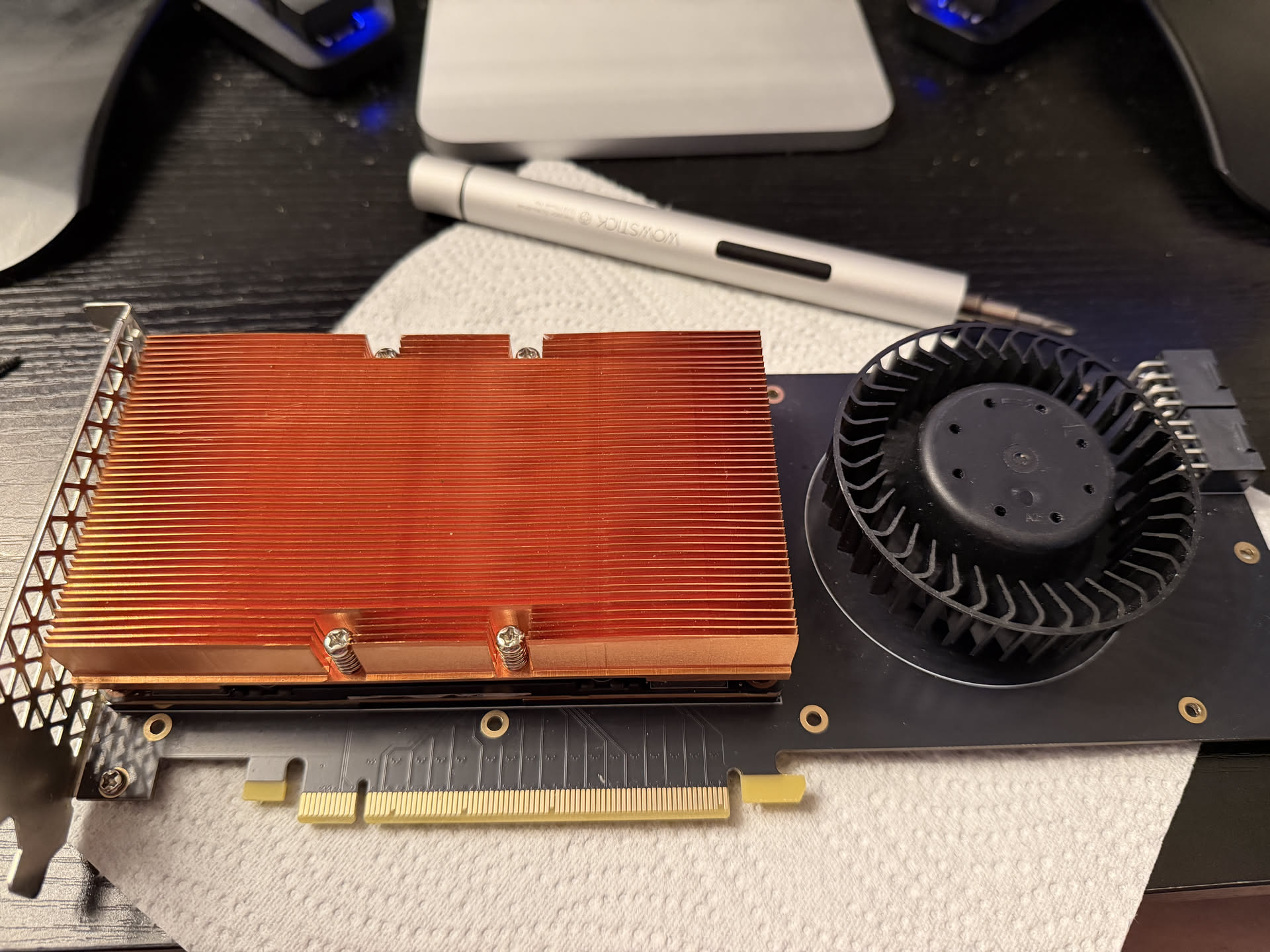
So for about £200 total, I had a 16GB VRAM GPU that could slot into my motherboard alongside my RTX 4080. That is 32GB of total VRAM. A single RTX 5090 with 32GB costs over £2,000. I am not saying this is the same experience. I am saying the VRAM is the same.
Before I could do anything useful with the V100, I had to deal with the fan.
The V100 SXM2 was designed to live inside a 2U server with industrial cooling. The fan on the adapter is not subtle. It is not quiet. It is not something you want in a room you also sleep in.
I measured it with my Apple Watch:
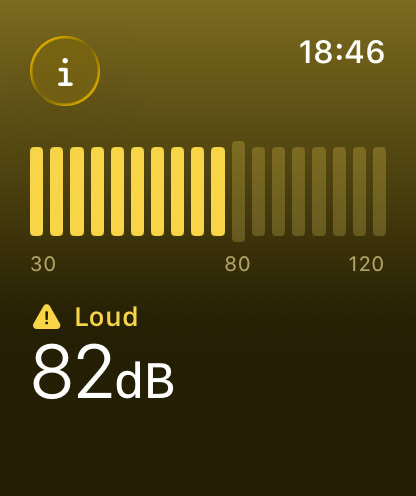
82 decibels. That is somewhere between a garbage disposal and a lawnmower, well past “loud PC” and into “should I be wearing earplugs in my own house” territory.
And the worst part: you cannot control it. I tried nvidia-smi, I tried scanning for it on Linux, I even tried Afterburner on Windows (more on that later, the whole setup barely works on Windows). Nothing. The fan on this adapter is not designed to be controlled. It is designed to run at 100%, forever, inside a server rack where nobody has to hear it.
Here is me trying to figure out the fan pinout. I guessed it might be a standard case fan pinout on a weird connector, so I jammed two jumper wires into VCC and ground and prodded a 9V battery against them. It spun. And it was so much quieter than the 12V it normally gets:
That confirmed the pinout and gave me hope that the fan could actually be tamed.
The 9V battery test told me the pinout was standard case fan territory, just with a weird connector. The next question was whether the fan would actually respond to PWM control if I wired the tachometer and PWM pins to my motherboard.
So I shoved some jumper wires into the connector and jammed the other ends into a spare fan header (turn your volume up):
It works. The motherboard can read the RPM and the fan responds to PWM. I keep it at 10%. It never goes above 50C even at full load, and I cannot really hear it.
Now I just needed a proper cable instead of jumper wires held in by hope.
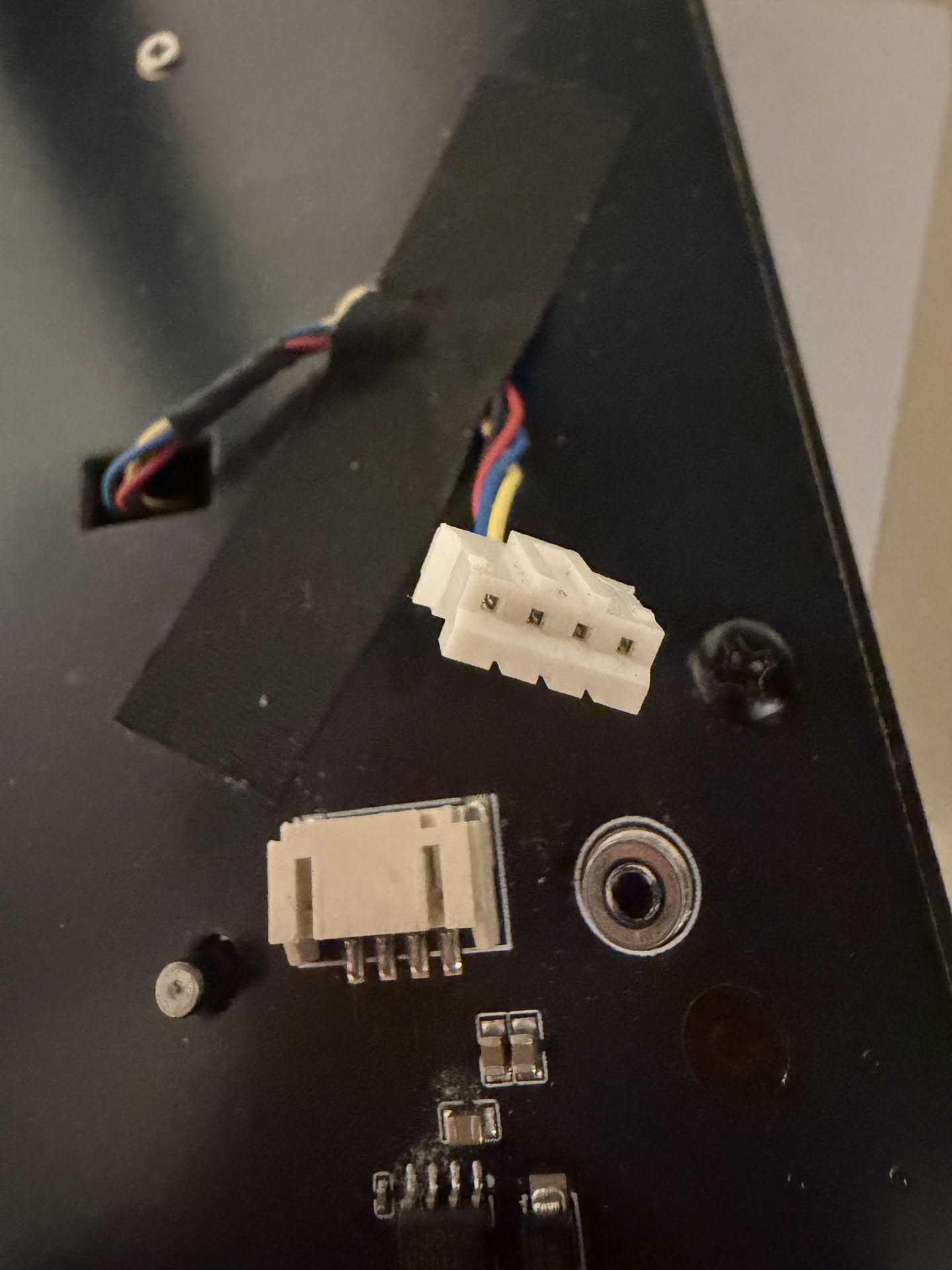
The fan connector on the adapter is a small JST PH2.0 plug with four pins. Motherboard fan headers use a standard 0.1 inch (2.54mm) pitch. The GPU fan uses a 2.0mm JST PH connector. The pins are closer together and the plug is smaller.
The solution was a 2.54mm male to PH2.0 female jumper cable. The female PH2.0 end plugs into the fan’s tachometer and PWM pins, and the male 2.54mm end goes into a spare fan header on the motherboard:
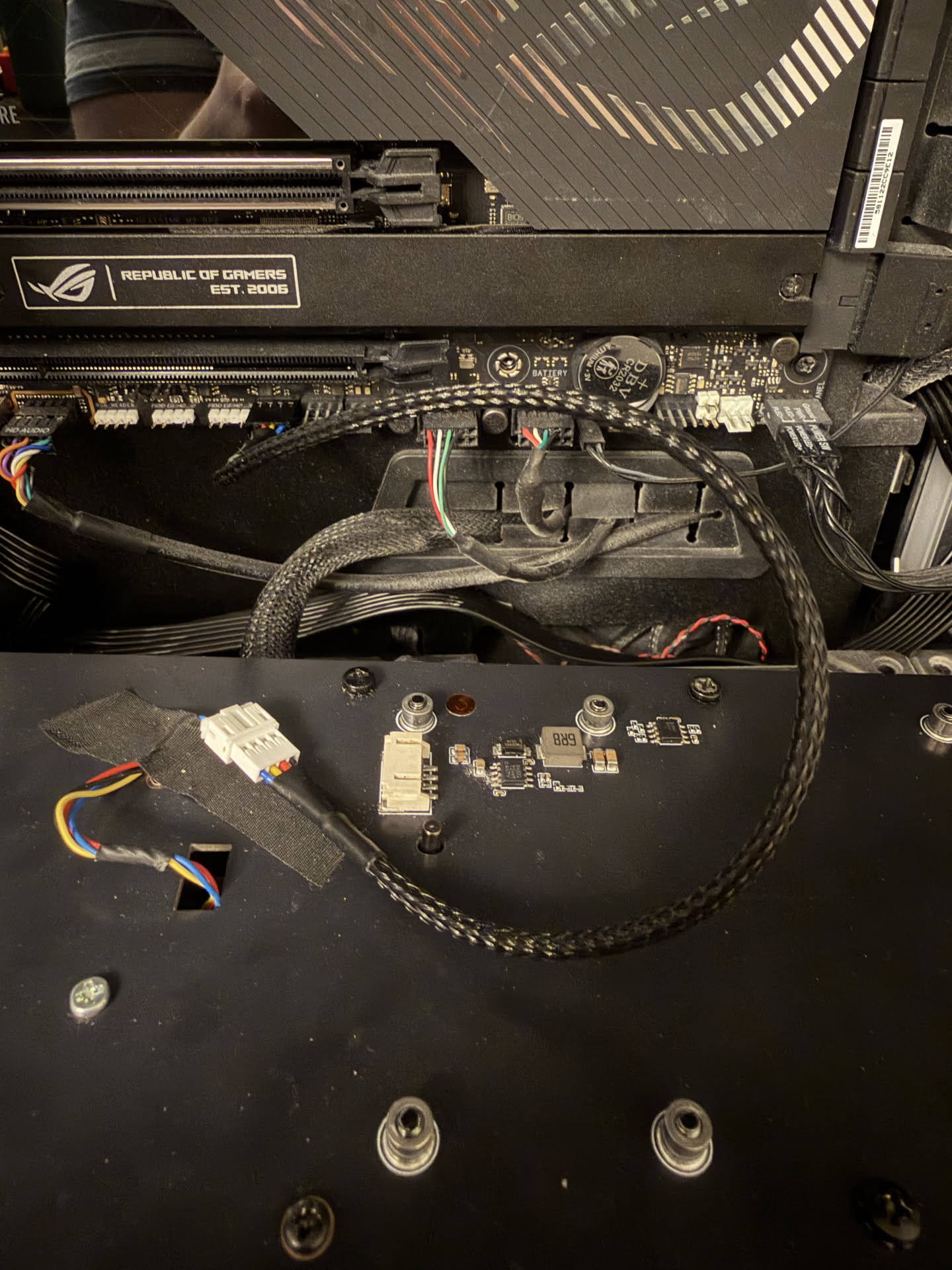
That went from 82dB ear damage to something I can actually live with.
With the fan situation handled, the V100 slotted right in alongside my 4080:
llama.cpp can split the model across both GPUs using tensor splitting. It pipelines the layers across the PCIe bus so the 4080 handles some layers and the V100 handles the rest. It is not as fast as having a single GPU with 32GB, but it works, and it cost me roughly 10% of what a 32GB GPU would cost. For what it is worth, the most I have ever seen the V100 pull is around 150W. That is not nothing, but it is not out of this world for a GPU running local LLM inference.
The V100 also comes in a 32GB variant. It costs more than double what I paid, but we are still talking about a few hundred pounds for 32GB of HBM2 memory on a single card. Two of those would give you 64GB of VRAM for roughly 20% of what an RTX 5090 costs in today’s market.
You can also cluster them. The SXM2 format supports NVLink natively, which means if you are building a proper multi-GPU setup, these cards can talk to each other at very high bandwidth. Even through the PCIe adapter, the tensor split performance is solid.
This part was surprisingly smooth thanks to NixOS. The V100 is a Volta chip. NVIDIA dropped Volta support starting with driver branch 560. The last driver that supports both my RTX 4080 (Ada) and the V100 (Volta) is branch 550.x, which maps to nvidiaPackages.legacy_535 on NixOS.
That driver only supports CUDA up to 12.2. Current nixpkgs ships CUDA 12.6 minimum. So I had to pull CUDA 12.2 from nixpkgs 24.05.
Also, the driver requires kernel 6.6. Newer kernels are not supported with the legacy driver.
And here is a weird one: even though this is a headless inference server, services.xserver.enable = true is required. Without it, the NVIDIA kernel modules do not load.
NixOS made most of this straightforward. Here is the key configuration for getting the driver and kernel right:
boot.kernelPackages = pkgs.linuxPackages_6_6;
hardware.nvidia.package = config.boot.kernelPackages.nvidiaPackages.legacy_535;
services.xserver.enable = true;
services.xserver.videoDrivers = [ "nvidia" ];
And for loading CUDA 12.2 from an older nixpkgs since the current one only ships 12.6+:
nixpkgs.overlays = [
  (final: prev: {
    cudaPackages_12_2 = nixpkgs-cuda.legacyPackages.${prev.system}.cudaPackages_12_2;
  })
];
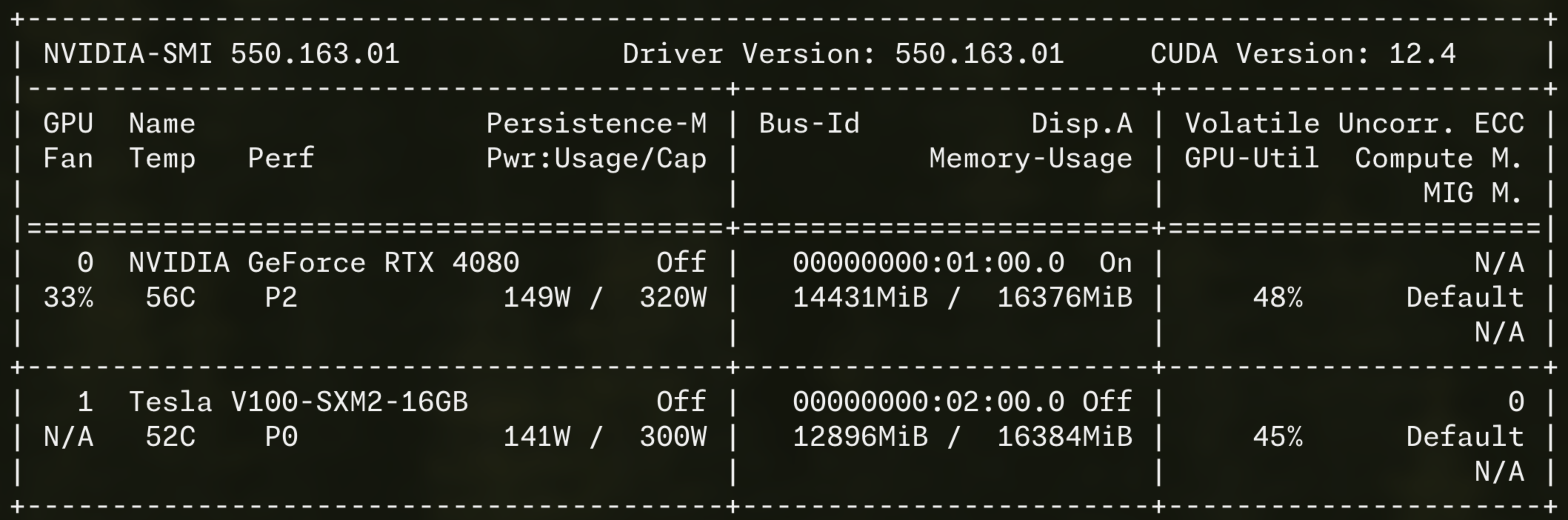
The important thing is: it works. Both GPUs show up, CUDA is functional, and NixOS handled the whole thing elegantly. If you want to replicate this, the entire machine definition is in this commit on my dotfiles repo, including the llama.cpp service definition and the custom build pinned to the right version.
I am running Qwen3.6-27B-MTP quantized at Q5_K_M, which comes in at about 19GB. With both GPUs, the entire model fits in VRAM with room for context:
| Setting | Value |
|---|---|
| Model | Qwen3.6-27B-MTP Q5_K_M (19GB) |
| Context size | 128k tokens |
| GPU layers | 99 (all offloaded) |
| Tensor split | -ts 1.0,1.0 (even across both GPUs) |
And the performance:
| Metric | Value |
|---|---|
| Inference speed | ~32 tok/s |
| Prompt processing | ~133-160 tok/s |
32 tokens per second is fast enough for interactive use. It is faster than most cloud API endpoints when you factor in network latency. And this is with tensor splitting across two different GPU architectures connected by PCIe.
I want to be clear about something. This is not “good for a local model.” This is not “acceptable if you lower your expectations.” Qwen3.6-27B ties with Claude Sonnet 4.6 on Artificial Analysis’s Agentic Index. It beats Sonnet 4.6 on MMMU-Pro and Terminal-Bench 2.0. A 27 billion parameter model running on secondhand hardware is genuinely competitive with the latest cloud models from Anthropic.
Yes, Sonnet 4.6 edges it out on GPQA and SWE-Bench Verified. It should, it is a massive proprietary model. And yes, if you want the absolute best, Opus 4.8 exists. It also costs more per 20 minutes of heavy use than I paid for this entire GPU and adapter setup combined. But the gap is shockingly small. We have reached the point where the model you run in your bedroom is in the same conversation as the ones that charge you per token.
The MTP in the model name stands for Multi-Token Prediction. Normal LLM inference predicts one token at a time. Predict one token, accept it, predict the next token, repeat. MTP changes this by having the model predict several future tokens at once, then verifying which ones were correct. Accepted tokens are essentially free. Wrong predictions fall back to the normal path.
The result is roughly 1.5-2x faster generation with no accuracy loss. On my setup that means inference goes from around 32 tok/s to potentially 50-60 tok/s when MTP hits its stride, especially on predictable output like code.
The catch is that MTP support in llama.cpp is new. The version in nixpkgs does not support the Qwen3.6 MTP architecture, so I had to build llama.cpp from source at a specific commit that added support. On NixOS this is painless. I have a custom derivation pinned to the right commit, and the whole thing is reproducible. When I want to update the model or change the llama.cpp version, I change one line in my config, run nixos-rebuild switch, and I am done. No dependency hell, no reinstalling by hand, no wondering whether I built against the right CUDA version.
The Qwen3.6-27B model supports image input through a separate multimodal projector file (mmproj). This is about 928MB extra, and it is fascinating.
The way it works is that a vision encoder (similar to what ChatGPT and Claude use) takes image pixels and translates them into the LLM’s token embedding space. The model does not “see” the image the way a human does. Instead, the vision encoder compresses the image into a sequence of vectors that live in the same mathematical space as text tokens. The LLM then processes those vectors as if they were just another sequence of tokens.
What this means in practice: you send the model an image URL alongside your text prompt, and it can describe, analyze, and reason about what it sees. The entire vision capability adds about 1GB to the model size. That is it. One gigabyte and your local LLM can read images.
In llama.cpp, the flags are straightforward:
--mmproj /mnt/nas/llamacpp/mmproj-F16.gguf --mmproj-offload
The --mmproj-offload flag loads the vision encoder onto GPU alongside the model, so you still get fast inference even with images.
I use this setup with OpenCode, which is an AI coding assistant that can run against local models. The LLM server runs on my desktop, but I do not use it from that machine. I use it from any other machine in my house over the network, or from outside over Tailscale (but that is a blog post for another time). Pointing OpenCode at the llama.cpp server is as simple as setting the API URL. The model runs locally, the responses are fast, and nothing leaves my network.
All the models live on my TrueNAS server, mounted via NFS:
fileSystems."/mnt/nas" = {
  device = "truenas-nfs.tymscar.com:/mnt/oasis/services";
  fsType = "nfs";
  options = [ "nfsvers=4" "_netdev" "auto" "nofail" ];
};
The llama.cpp service depends on mnt-nas.mount, so it does not start until the NAS is available. This means I can store terabytes of models without worrying about local disk space.
The entire OS runs from a Corsair MP600 MINI in a DockCase USB-C NVMe enclosure. No internal drive modification needed. When I want to game, I unplug the drive and reboot into my main Windows install, and game normally on the 4080. When I want to do LLM stuff, I plug the drive back in, reboot into NixOS, and both GPUs are available.
This is not as elegant as a dual-boot menu, but it is simple and it works. No GRUB, no bootloader conflicts, no partition management. Just a physical switch.
The V100 occasionally disappears from lspci and nvidia-smi after a warm reboot (where the OS restarts but the motherboard stays powered). This seems to be an ACPI enumeration issue with the PCIe slot. A cold reboot (physically power off, wait a few seconds, power back on) always restores it.
When the V100 is absent, llama.cpp fails to start because it cannot fit the model on a single 16GB GPU. The service crash-loops until the GPU comes back. This is not a big deal in practice since I am usually around when I reboot, but it is worth knowing about. It gives me the same vibes as the infamous AMD GPU reset bug, where passing through an AMD GPU to a VM and then shutting it down leaves the GPU in a state that only a full host power cycle can fix.
For £200, I got:
The only real cost was the noise, and I solved that with £2 worth of jumper cables and a bit of connector spelunking. The V100 is not the fastest GPU for inference, and the tensor split across two different architectures is not as clean as a single GPU. But for the price, it is absurdly good value.
If you want to run proper models locally, look at the secondhand server GPU market. You do not even need an existing GPU. I happen to have a 4080 in my gaming PC, but a single V100 in a cheap server box would give you 16GB of VRAM and a perfectly usable local LLM for very little money. The V100 SXM2 is not the only option. The P40 gives you 24GB for similar money, though it is slower and has no Tensor Cores. The V100 32GB variant costs more but still undercuts any consumer GPU with that much VRAM.
Just be ready for the fan.
此内容由惯性聚合(RSS阅读器)自动聚合整理,仅供阅读参考。 原文来自 — 版权归原作者所有。