为终端设置 ASCII ART
2021-09-21 17:30:11
#WSL
突发奇想,想在进入 WSL 时,显示用于欢迎的 ASCII ART,最好还是彩色的。找了诸如figlet、toilet等工具,都不好用,于是写了一个 python 脚本来解决这个问题
虽然这玩意儿没什么用,但是搞的好看心情舒畅哇 😄
成果图如下,可以实现随机色彩:
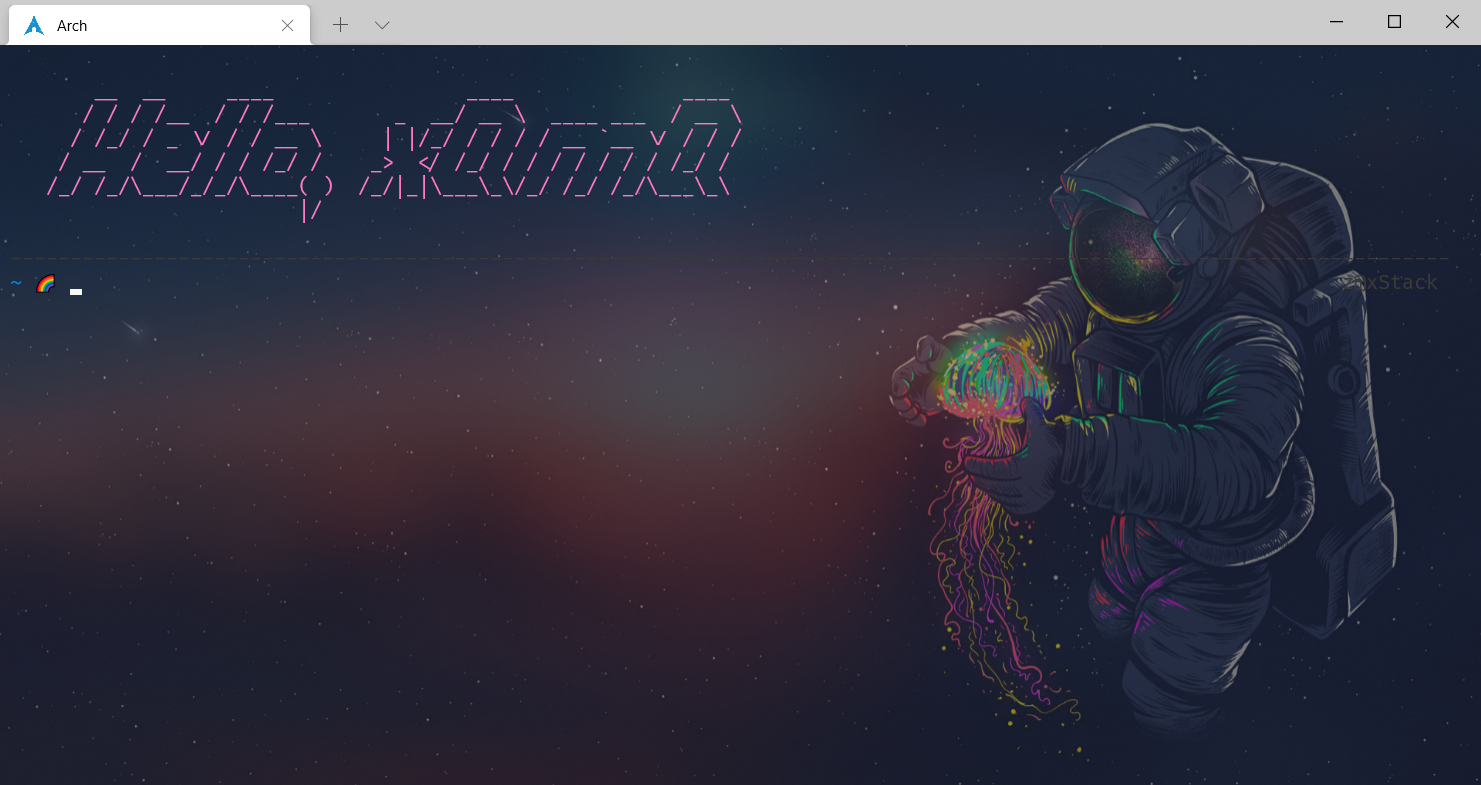
这里用到了 python 库:pyfiglet,用于实现字符串转变为 ASCII ART;然后通过增加颜色代码,来实现随机色彩输出
1
2
3
4
5
6
7
8
9
10
11
12
13
14
15
16
17
18
19
20
21
22
|
import random
import pyfiglet

text = " Hello, xQmQ"

font = "slant"

color_code = {'red': '\033[31m',
              'green': '\033[32m',
              'yellow': '\033[33m',
              'blue': '\033[34m',
              'violet': '\033[35m',
              'azure': '\033[36m'
              }

color = random.choice(list(color_code.keys()))

string = color_code[color] + pyfiglet.figlet_format(text, font) + '\033[0m'

print("\n" + string)
|
然后通过写入~/.zshrc来默认启动
1
| python $HOME/.script/rainbow-ascii-art.py
|
代码挺简单,但是在测试的时候发现折磨人的问题了
一开始,可以在打开 shell 时正常输出 ASCII ART,但是通过 ranger 的S命令进入当前停留目录时,也会输出
通过排查 ranger 的S命令,得到如下
ranger 通过$SHELL打开一个新的子 shell,打开子 shell 时会调用配置文件~/.zshrc,就会重复输出
想到通过更改 ranger 的S命令,启动终端的同时设置一个环境变量,子 shell 通过判断环境变量是否存在,来判断当前 shell 是不是 rnager 打开的子 shell
最终更改如下:
1
2
3
4
5
6
7
8
9
10
11
12
13
14
15
16
17
18
19
20
21
22
23
24
25
26
27
28
29
30
31
32
33
34
35
36
37
38
39
40
41
42
43
44
45
46
47
48
49
50
51
52
53
54
55
56
57
|
@@ -376,7 +376,7 @@ map <A-k> scroll_preview -1
 map ? help
 map W display_log
 map w taskview_open
-map S shell $SHELL
+map S shell export ranger=1 && $SHELL

 map :  console
 map ;  console


new file mode 100644


@@ -0,0 +1,16 @@
+#!/bin/env python
+
+import random
+import pyfiglet
+
+text = " Hello, xQmQ"
+
+font = "slant"
+
+color_code = {'red': '\033[31m',
+              'green': '\033[32m',
+              'yellow': '\033[33m',
+              'blue': '\033[34m',
+              'violet': '\033[35m',
+              'azure': '\033[36m'
+              }
+
+color = random.choice(list(color_code.keys()))
+
+string = color_code[color] + pyfiglet.figlet_format(text, font) + '\033[0m'
+
print("\n" + string)


@@ -19,12 +19,11 @@ alias ps='procs'
 alias ls-'lsd'
 alias lg='lazygit'

+# 登录欢迎
+if [[ -z $ranger ]];
+then
+    python $HOME/.script/rainbow-ascii-art.py
+fi

 # 设置代理
 export hostip=$(cat /etc/resolv.conf |grep -oP '(?<=nameserver\ ).*')
|



