




目录
JetBrains可通过提供免费的所有产品包许可证来支持你的开源项目,以用于项目的开发。如果你是项目负责人或核心贡献者都可以申请JetBrains全家桶license。
这里需要注意,一个项目必须进行至少3个月的积极开发才能获得支持,您应该是该项目的项目负责人或核心贡献者。
另外项目git托管于github或者gitee均可。
https://www.jetbrains.com/shop/eform/opensource
如下图,填写项目信息,建议使用github项目,这里我是用了存储在gitee的开源项目进行申请,大家如果国内使用了gitee申请也是没有问题的
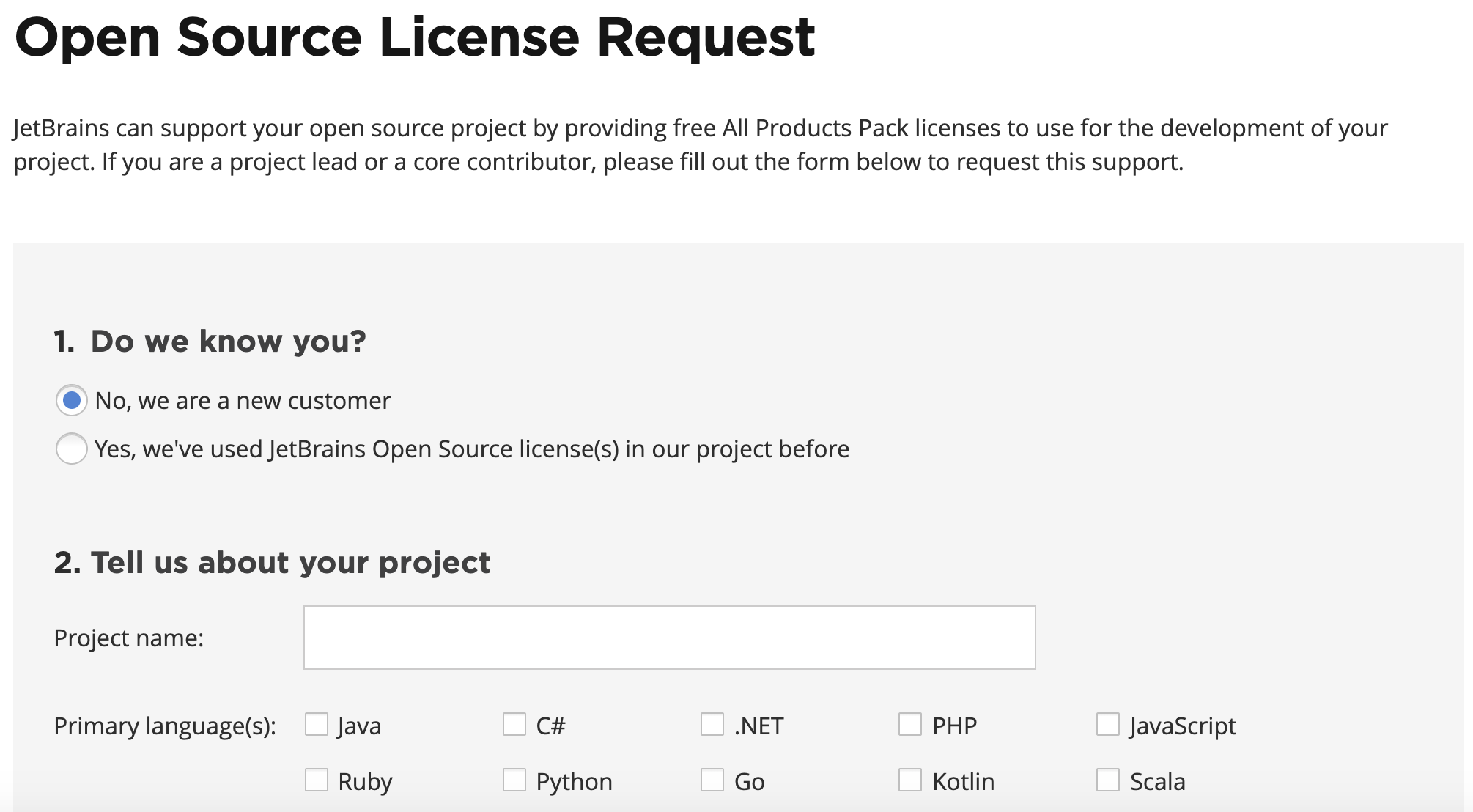
一般需要大约两周时间会进行审核及回复。
2020年05月19日 19:54 (星期二)


Hello an,

Thank you for your Open Source license request.

We will evaluate your project, and we’ll notify you of our decision by email. Please note that it could take 1-2 weeks to have your project reviewed.

If your request is urgent or if you have any additional questions, please contact us at JetBrains Community Support.

Kind regards,

JetBrains Community Support Team
www.jetbrains.com
The Drive to Develop
点击Take me to my license(s) 链接,进行注册账号或者绑定license即可。我这个大约申请时间耗时近20天。
2020年06月09日 21:31 (星期二)

Dear an,
We’re writing to let you know that we have approved your request for free JetBrains Open Source license(s). You can find the license certificate attached to this message.

Your free subscription(s) will be valid for one year. You will receive an automatic email reminder shortly before the licenses expire. If your project still meets our Support Program's requirements at that time, feel free to apply for a renewal.

Please note that JetBrains OS licenses can be used only for development of your non-commercial open source project. Please do not use them for any commercial purposes. If you’ve received more than one license, please share them only with active contributors to your project.

To proceed with your free order, please click the link below:
Take me to my license(s)

We hope that JetBrains software will be useful for your project! If you feel that our tools have helped you a great deal, we would be grateful if you could mention JetBrains' support on your project's homepage. You could do this by placing our Logo and a link to JetBrains such as https://www.jetbrains.com/?from=ABC (make sure to replace ‘ABC’ with the name of your OS project, no spaces). Thanks in advance!

If you have any questions, please feel free to reach us at opensource@jetbrains.com. We’ll be glad to help.

Kind regards,

JetBrains Community Support Team
https://www.jetbrains.com
The Drive to Develop
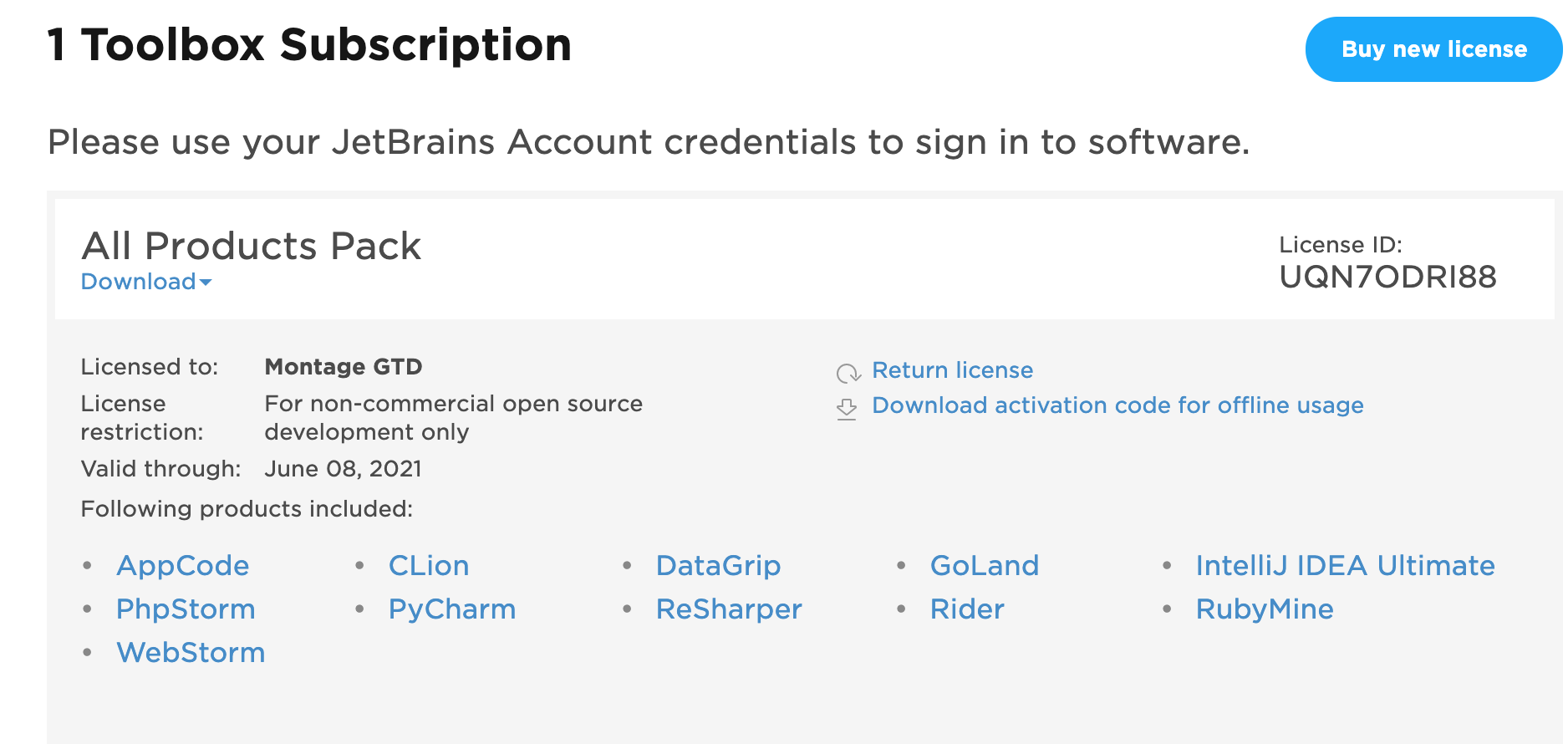
全家桶license来咯,点击链接https://account.jetbrains.com/licenses,即可查看相关license,点击Download会下载license压缩包
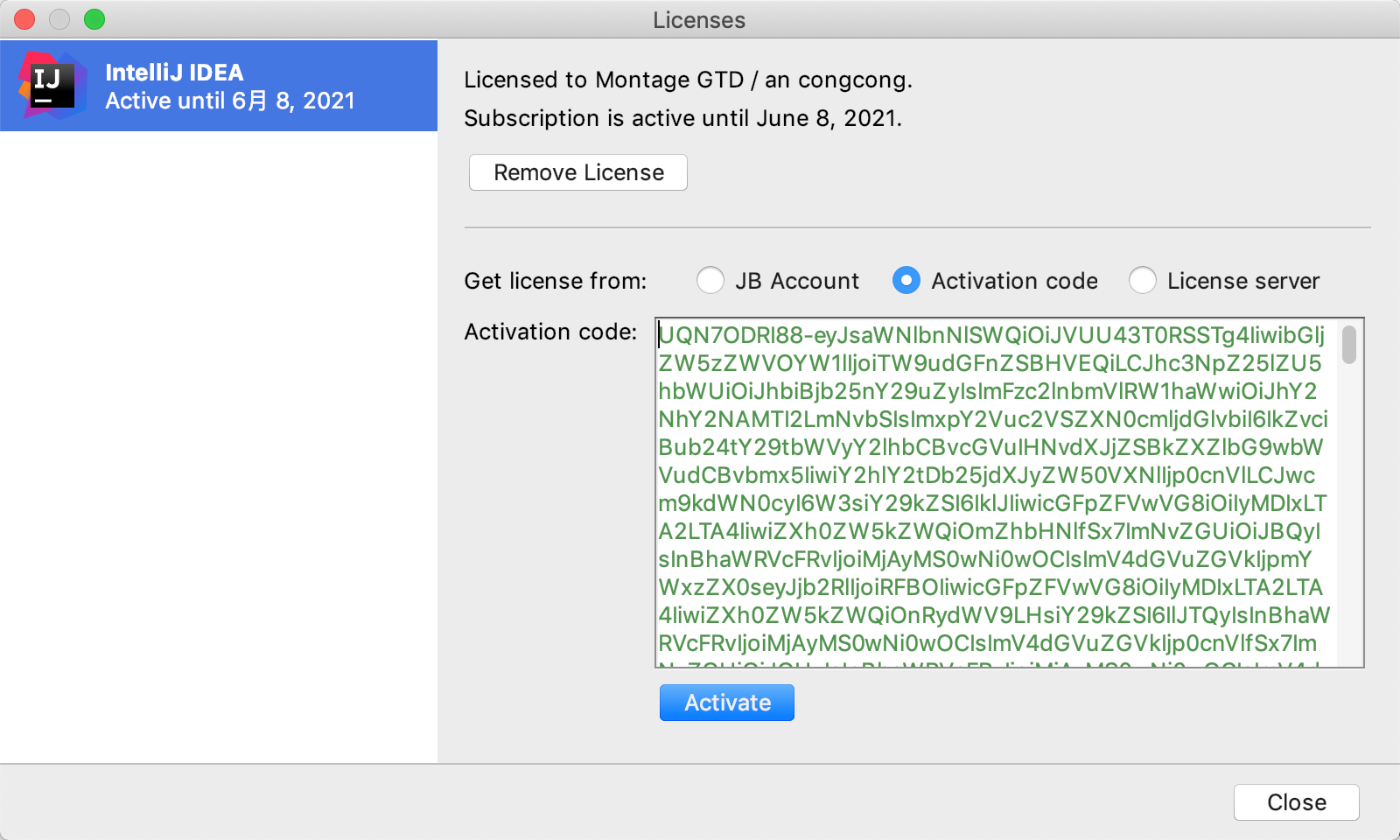
菜单项Help->register,将license信息填到activation code文本框即可,激活成功,有效期一年,期满可再次申请。
此内容由惯性聚合(RSS阅读器)自动聚合整理,仅供阅读参考。 原文来自 — 版权归原作者所有。