






Use DDNS To Access Intranet Devices
Sometimes I need to access my home NAS when I go out. Since it is increasingly challenging to apply for a public IPv4 in China, and the official QuickConnect service of Synology is also very slow. After referring to relevant tutorials, I decided to resolve the domain name to public IPv6 through DDNS and access the intranet devices directly through the domain name.
Based on the previous experiment of cracking the optical modem to get the superuser privileges to modify the routing mode, I connected the router to the optical modem. Then let the router dial and turn on IPv6, and after assigning the public network IPv6, I started the DDNS configuration process.
Through Synology’s DNS service
Open the Control Panel, click External Access, select DDNS, then click Add, and select Synology as the service provider. Then customize the configuration below.
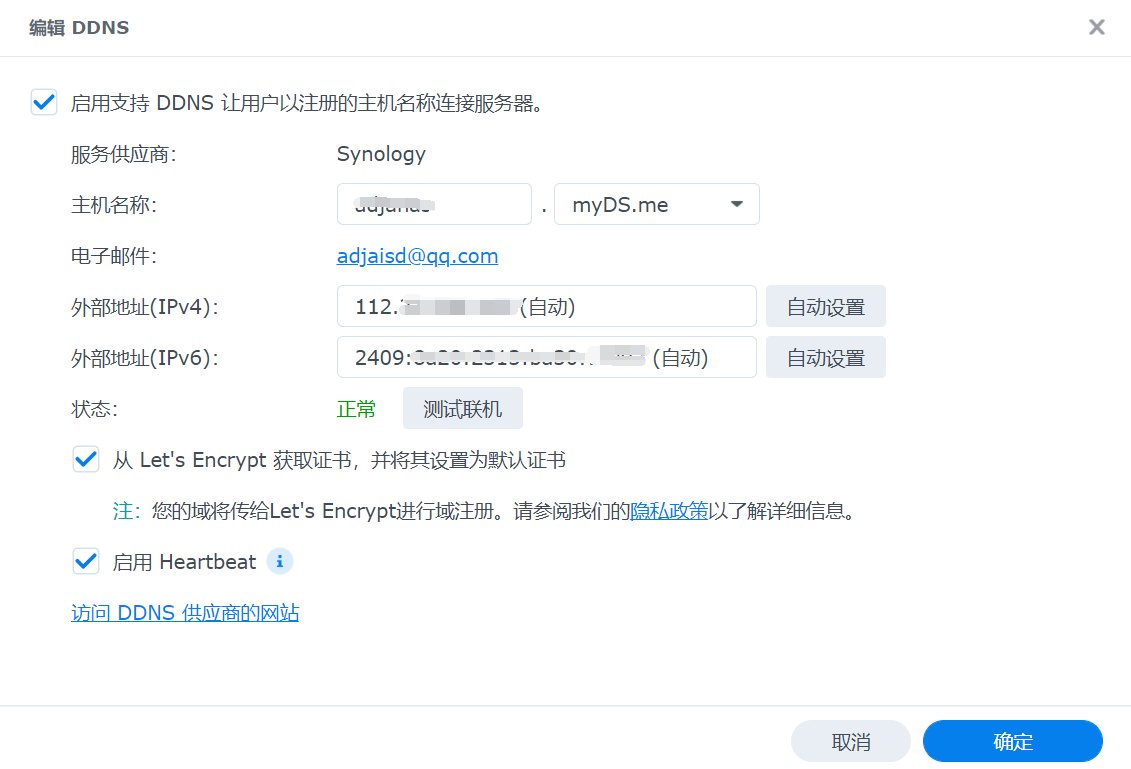
If you need https access, check “Get a certificate from Let’s Encrypt” and click OK.
Using a DNS service from another provider
The following only takes Tencent Cloud’s DNS service as an example. You need to apply for a domain name on Tencent Cloud’s official website in advance.
Using the ddns-go image
To perform dynamic domain name resolution, you need your own NAS device to query the local IP address regularly, and then call the interface to update the domain name resolution field to implement DDNS.
So you can’t change the method. There are many methods on the Internet. Here I provide a method to use Docker to update DDNS.
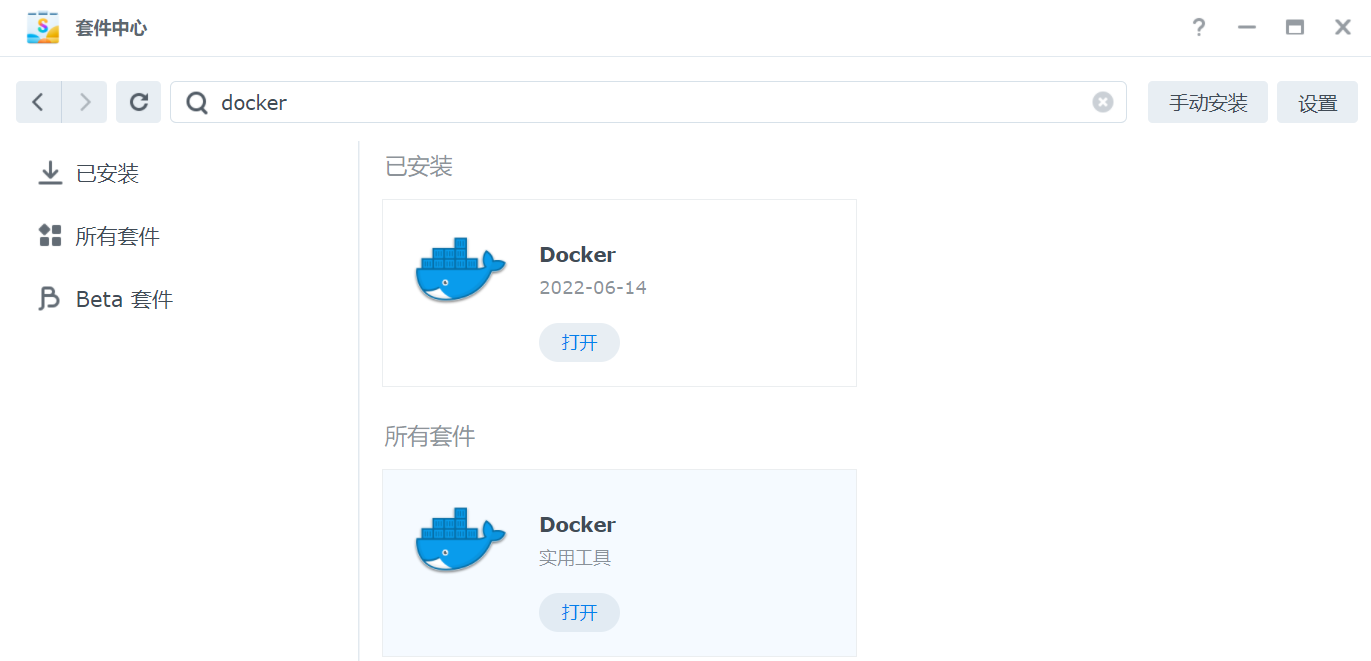
Search for Docker in the package center and install Docker. The steps are omitted.
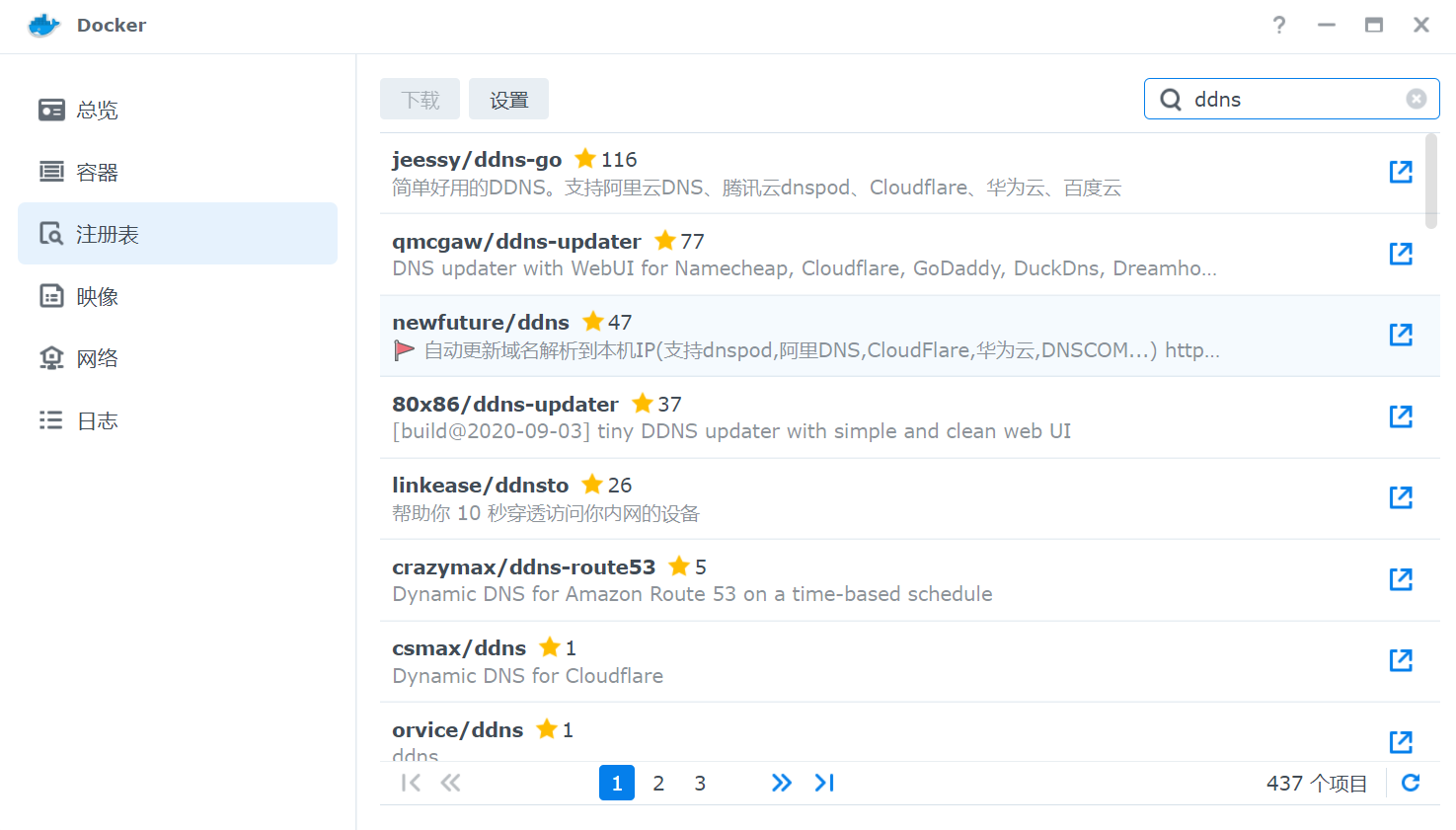
Open Docker, select “Registry”, search for ddns, and install the first “ddns-go”
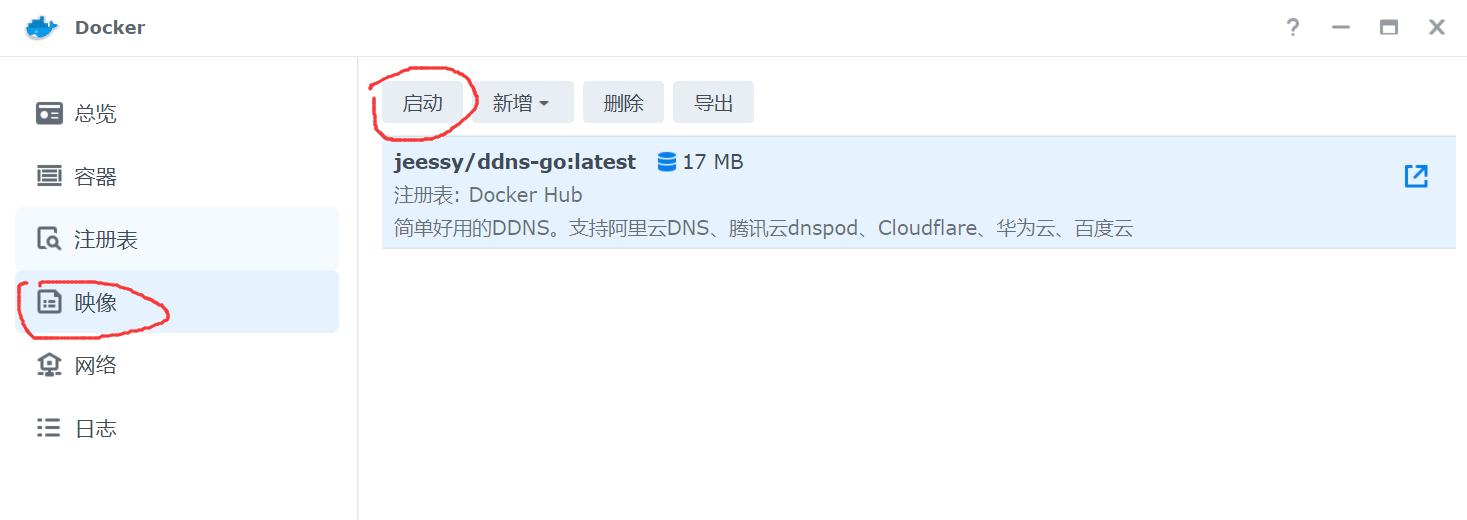
After the installation is complete, open the image, select ddns-go, and click Start.
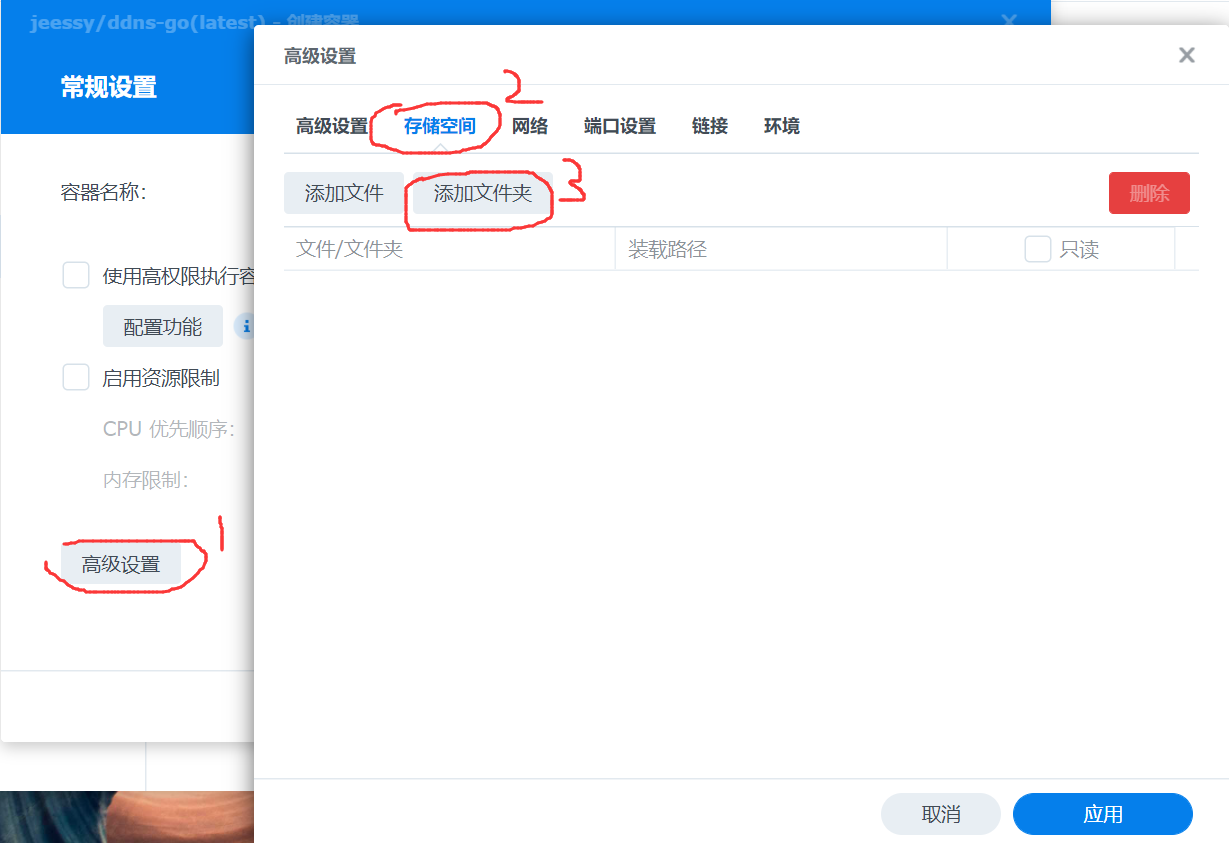
Click Advanced Settings->Storage->Add Folder.
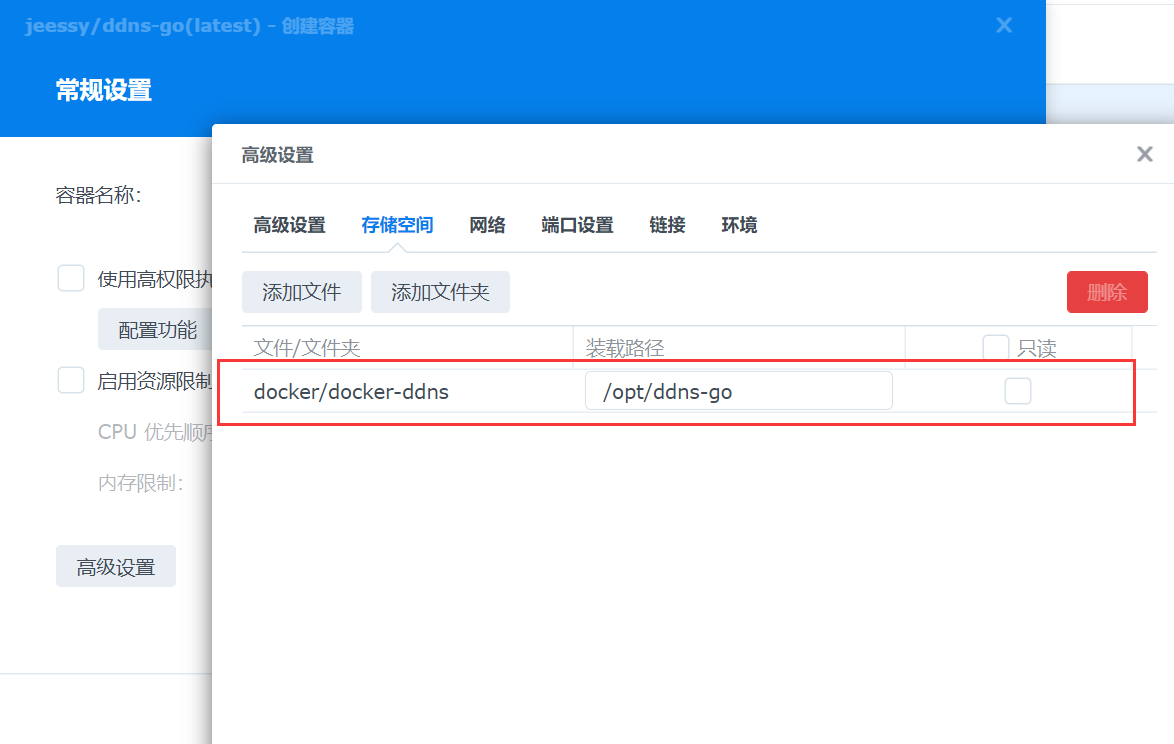
Modify the mount path, my configuration is as follows:
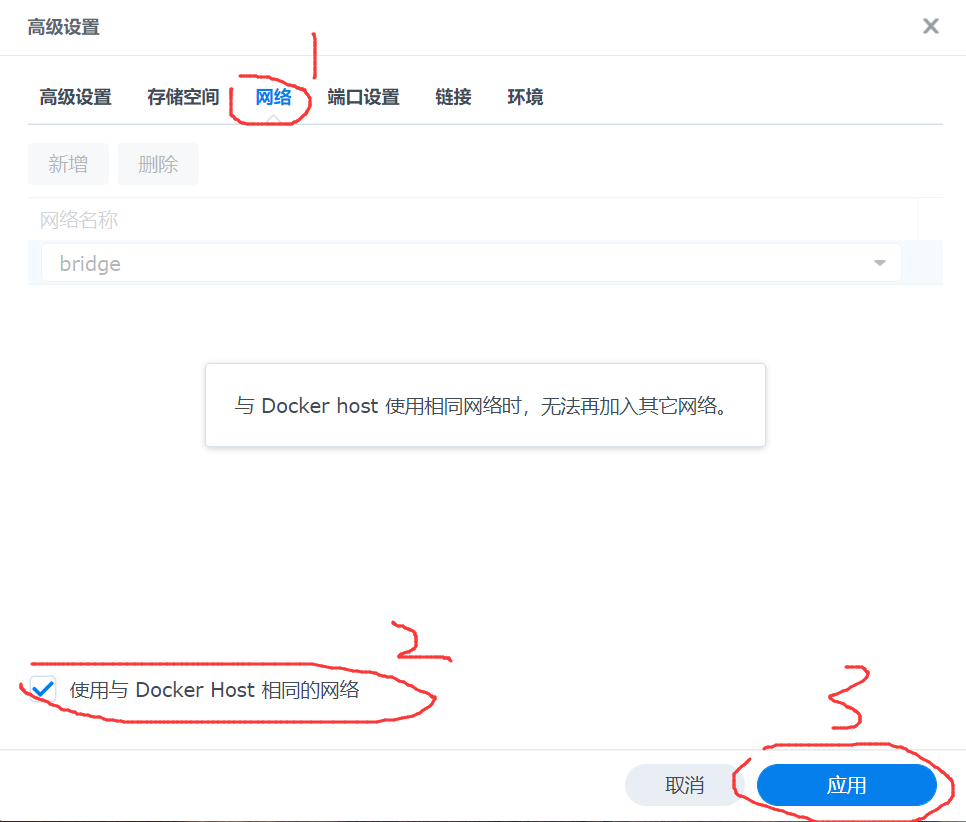
Click Network->Check Host Network->Apply.
Click Next, click Finish.
Configuring DDNS
Open http://[nas ip corresponding to the domain name]:9876/
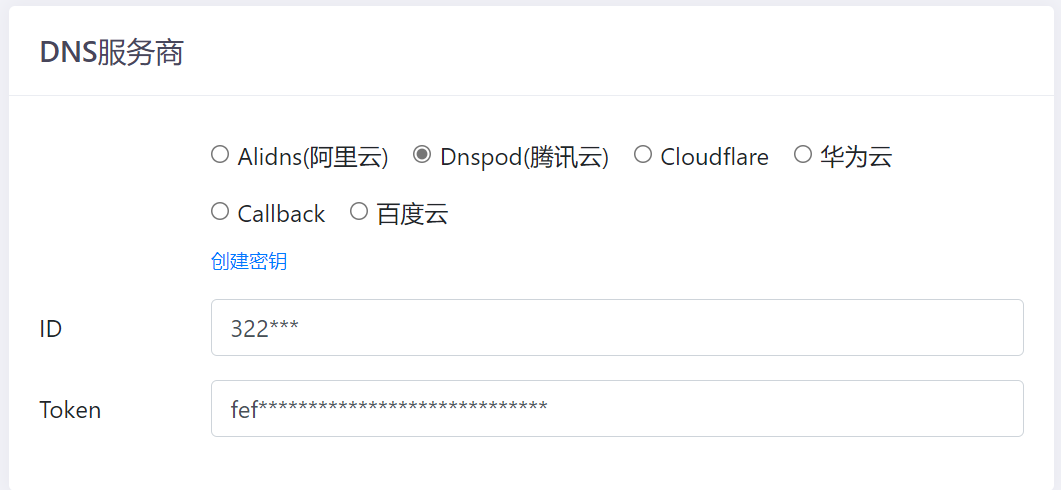
Configure DNS service provider, select Tencent Cloud, enter ID and Token, Note that the ID and Token here correspond to “DNSPod Token”, not “Tencent Cloud API Key”, the link is https: //console.dnspod.cn/account/token/token
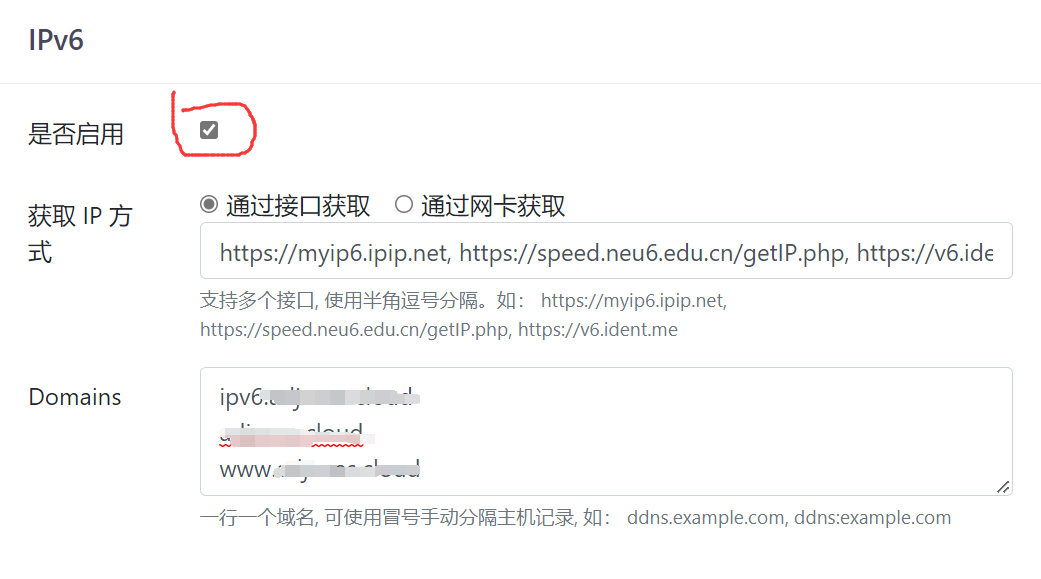
Only enable ipv6, my configuration is as follows:
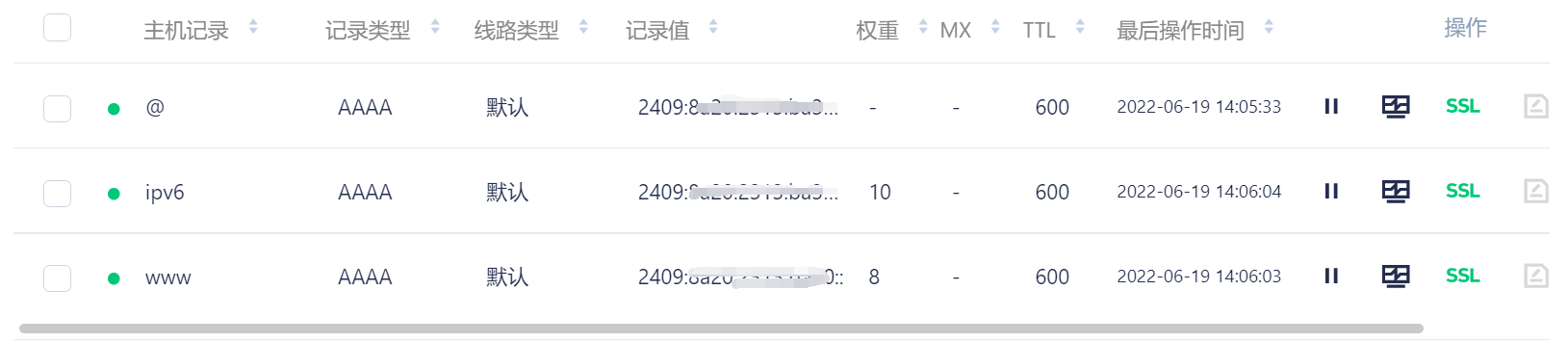
Before clicking “Save”, you need to configure the domain name resolution and add an AAAA type (indicating an IPv6 address) record. Fill it out and it will automatically update. My configuration is as follows:
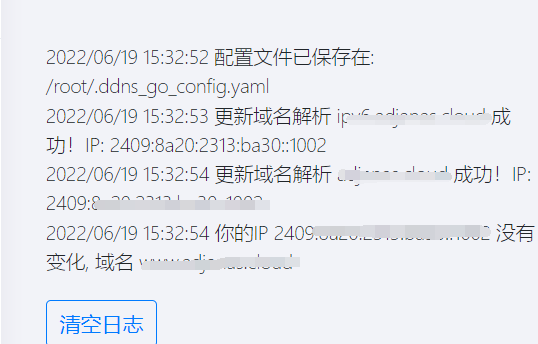
After the configuration is completed, click Save, and the latest history records will appear on the right.
Finally, you can test it through domain name + port.
Additional
In the summer of 2022, after the installation was completed, I asked my classmates to help test the speed of different prefecture-level cities in Jiangsu. The speed was still quite fast.
After graduation, I went to other provinces. After finding my first job. I thought about NAS again and tried to continue using it, but found that the same method did not work at all, mainly because the network infrastructure varies greatly between provinces.
If you are in a province where IPv6 has not been promoted, it is recommended to Avoid tossing. In addition, due to the proliferation of PCDN in the past few years, operators will check whether users have built PCDN based on the upstream speed of bandwidth. If DDNS is used maliciously, it may cause broadband to be blocked.
2022-06-19 Record
2023-07-07 Update