惯性聚合 高效追踪和阅读你感兴趣的博客、新闻、科技资讯
阅读原文 在惯性聚合中打开

推荐订阅源

Google DeepMind News
N
Netflix TechBlog - Medium
The Register - Security
C
Cybersecurity and Infrastructure Security Agency CISA
H
Hackread – Cybersecurity News, Data Breaches, AI and More
The Hacker News
The Hacker News
P
Proofpoint News Feed
Project Zero
Project Zero
The GitHub Blog
The GitHub Blog
The Last Watchdog
The Last Watchdog
F
Fortinet All Blogs
S
Schneier on Security
Help Net Security
Help Net Security
Security Archives - TechRepublic
C
Check Point Blog
让小产品的独立变现更简单 - ezindie.com
P
Proofpoint News Feed
I
InfoQ
T
The Blog of Author Tim Ferriss
Cisco Talos Blog
Cisco Talos Blog
Stack Overflow Blog
Stack Overflow Blog
T
Troy Hunt's Blog
人人都是产品经理
人人都是产品经理
T
Threatpost
www.infosecurity-magazine.com
C
Cyber Attacks, Cyber Crime and Cyber Security
雷峰网
雷峰网
cs.AI updates on arXiv.org
Threat Intelligence Blog | Flashpoint
爱范儿
爱范儿
Forbes - Security
Forbes - Security
Vercel News
Vercel News
S
Security Affairs
美团技术团队
P
Privacy & Cybersecurity Law Blog
N
News and Events Feed by Topic
Cyberwarzone
Cyberwarzone
Recent Commits to openclaw:main
Jina AI
Jina AI
Spread Privacy
Spread Privacy
Attack and Defense Labs
IT之家
IT之家
U
Unit 42
Recorded Future
Recorded Future
W
WeLiveSecurity
PCI Perspectives
PCI Perspectives
P
Palo Alto Networks Blog
H
Hacker News: Front Page
S
Security @ Cisco Blogs
博客园 - 【当耐特】

server – Ed_'s Blog

给 Debian 开了自动安全更新 – yywr's Blog Crontab 使用笔记 – yywr's Blog 终于修了个梯子 – yywr's Blog 防火墙配置工具 UFW – yywr's Blog 说说 LNMP 面板 – yywr's Blog Linux 程序开机启动并保活:Systemd 进程守护管理工具 – yywr's Blog Linux 下自动挂载 Samba /CIFS 共享文件夹 – yywr's Blog Ubuntu 开机自动挂载第二块硬盘 – yywr's Blog 重装了家里的服务器系统 – yywr's Blog 主机安装 Tiny Tiny RSS 踩坑记 – yywr's Blog
构建网络私有书架,实现听书看书 – yywr's Blog
yywr · 2022-04-30 · via server – Ed_'s Blog

自从 Kindle 的屏幕被砸出一点缝变得漏光之后,我越来越不喜欢带着它通勤了,而在手机或电脑上看书是不太可能的,所以重新想到了听书这个途径

试过 Kindle 的 Android 客户端,实在难搞;试过播客,基本上没什么意思,光是资源就是一个大问题,所以搁置了很长一段时间。

最近发现 Android 上的 Edge 浏览器已经支持朗读功能了,所以决定解决看书听书这个问题,这样我不用每隔一段时间就纠结这个问题。

基本架构
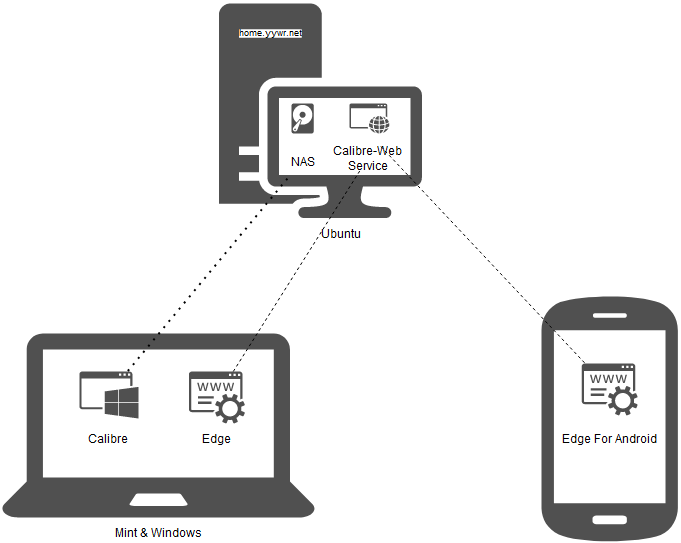
使用 Calibre 管理书库,Calibre-Web 做网页呈现,NAS 存储电子书和 Calibre 的数据库文件

这样我可以使用 Edge 从网页访问书本,然后利用朗读功能进行朗读,目前我使用的系统中, Windows 和 Android 都有自然语音,而 Linux 下目前有入口但无法正常使用,不确认是不是我的系统问题,最近在家办公用的都是 Windows 系统,没有去折腾 Mint ,先这样吧

为什么不单使用 Calibre-Web,其实最开始是这么想的,但是实际使用下来发现管理编辑真的很头疼,涉及到编辑操作的时候经常挂,而收集来的书的质量经常让我忍不住的想要编辑更新一下,索性还是用 Calibre 做编辑管理工具好了

使用体验

先说下体验,Calibre 是真的不错,尤其是碰到一些书本质量或者元数据或者封面又或者书内目录广告这些让人头脑充血的时候,自己编辑一下就好了

在 Calibre 上编辑完,Calibre-Web 端刷新页面就行,没碰到别人说的要重连数据库的问题

Android 下的 Edge 朗读功能可以后台运行,像音乐播器一样,最近疫情在家听着,很适合催眠。。。

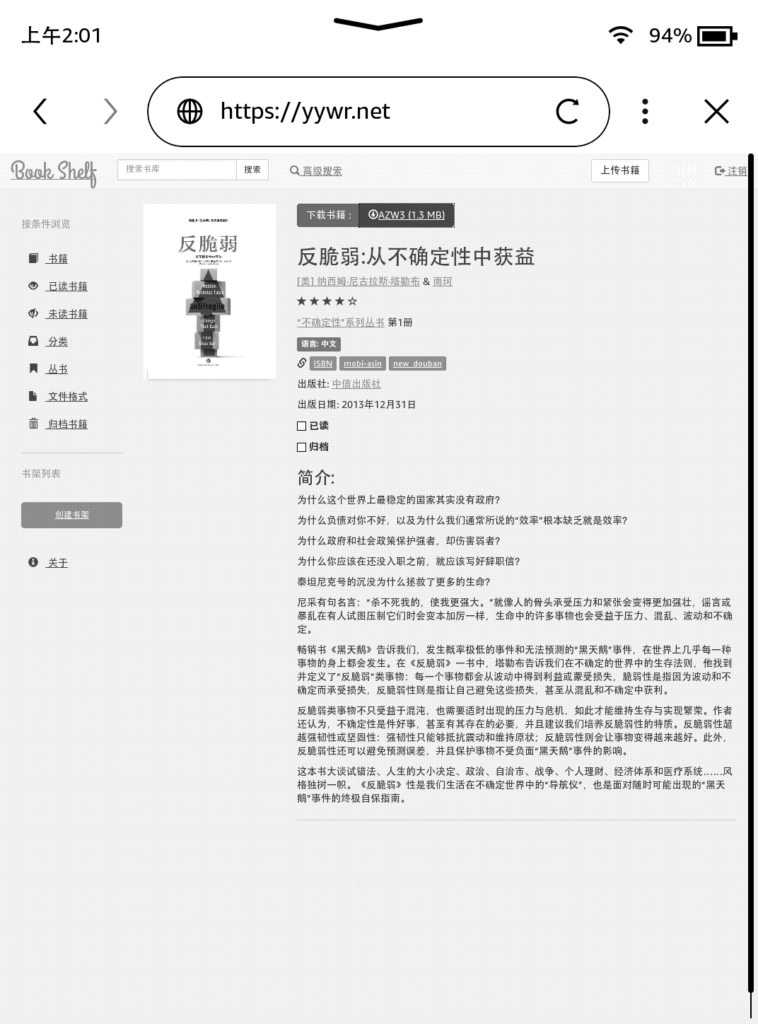
Kindle 这边,除了通过有线发送 、Amazon 推送之外,还多了一个选择,利内置的浏览器访问网页,然后将文件直接下载到 Kindle。