







FLUX.1 Kontext is a new image editing model from Black Forest Labs. It is the best in class model for editing images using text prompts, and the latest addition to the FLUX.1 family.
In our tests we’ve found Kontext to give accurate and brilliant results. It’s better and cheaper than OpenAI’s 4o/gpt-image-1 model (and there’s no yellow tint).
There are three models, two are available now, and a third open-weight version is coming soon:
We’re so excited with what Kontext can do, we’ve created a collection of models on Replicate to give you ideas:
Like all models on Replicate, you can run Kontext with an API with just a few lines of code.
Here’s an example of how to run Kontext Pro with the Replicate JavaScript client:
An image editing model lets you guide how an image changes. That means you can use text prompts to make small tweaks or big transformations while keeping the original image as your starting point. Change a car’s color, swap a background, or give a portrait a whole new style — all by telling Kontext what you want.
Kontext is really good with quick image edits. You’ll see in these examples that when you edit an image of a person, the person keeps their identity, whether the change is big or small.
For more complex changes, such as adding people or altering the setting, it’s best to describe each modification clearly. As long as your instructions per edit aren’t too complicated, being specific tends to give better results.
When editing people in images, small wording choices can make a big difference. A prompt like “transform the person into a Viking” might lead to a full identity swap. If you want to keep the same person, it helps to be more specific. You can focus your prompt on just the part you want to change, like clothing, eye color, or background.
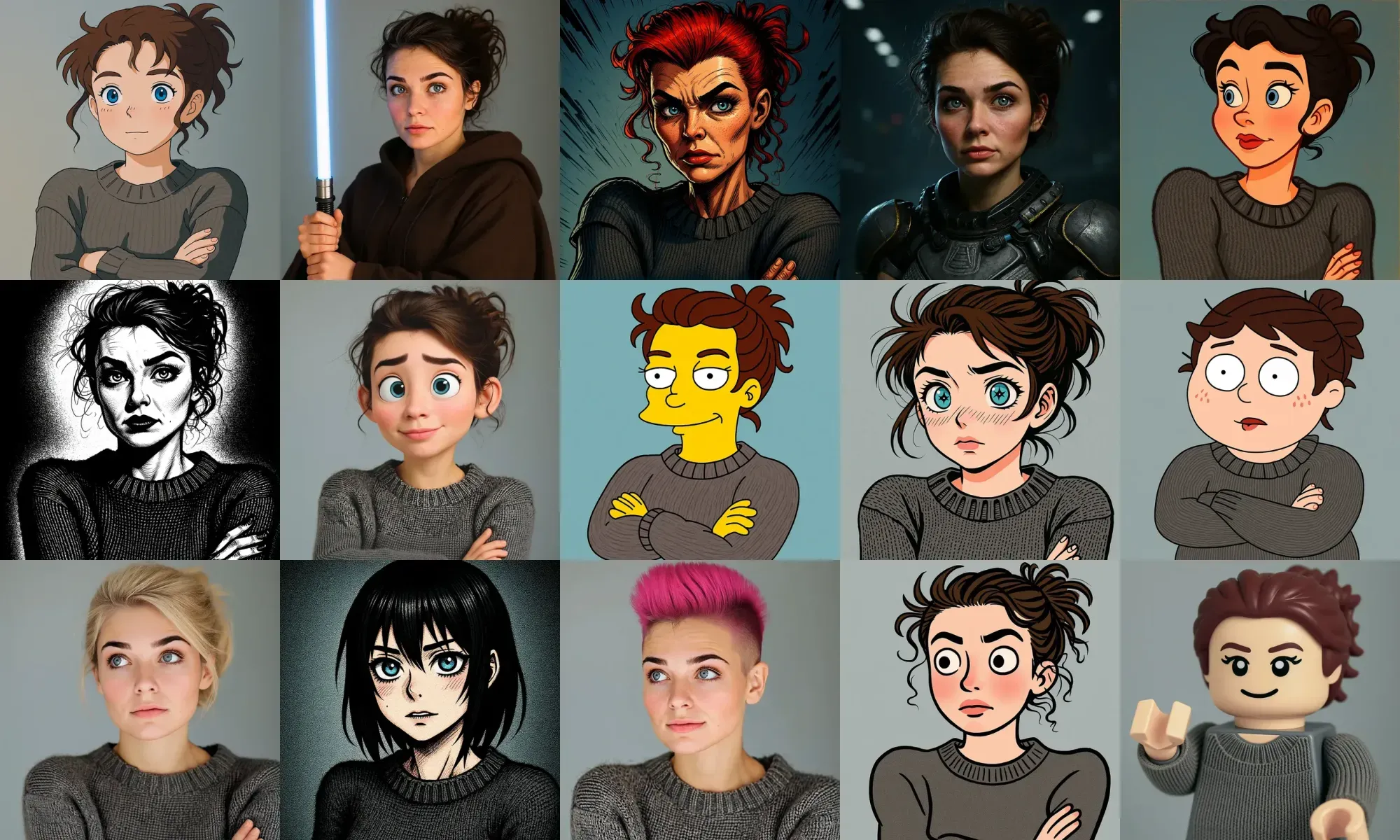
When you’re prompting for style transfer, being specific makes all the difference (you’ll notice a theme with prompting FLUX Kontext). Instead of vague instructions like “make it artistic,” name the exact style, like “impressionist painting” or “watercolor sketch.” Referencing well-known movements or artists helps guide the model more clearly: think “Renaissance” or “1960s pop art.”
Kontext works quite well with reimagining images with different art media, for example.
If a style label doesn’t do the trick, describe the key traits that define it, such as “visible brushstrokes, thick paint texture, and rich color depth.” And if you want certain elements to stay the same, say so (“keep the original composition”). The more precise your language, the more intentional your results will be.
Kontext can edit text directly in images, so you don’t need to recreate signs, posters, or labels from scratch. The clearest way to do this is often by quoting the exact text you want to change.
Here are some general tips when dealing with text:
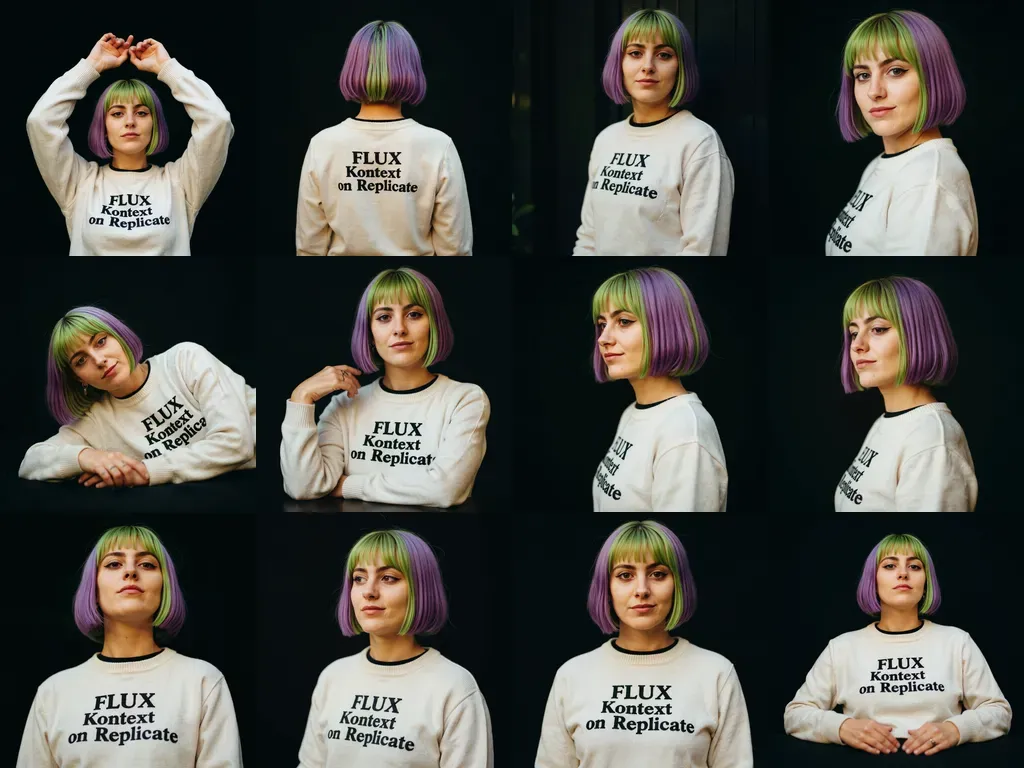
Kontext is also great at keeping characters consistent, even through a bunch of edits. Start with a clear reference (like “the woman with short black hair”) and say what’s changing, whether it’s the setting, activity, or style. If you want the same person to stick around, just mention what to keep: face, expression, clothing, or whatever else matters.
Notice how we’re able to maintain character consistency through a long series of edits:
Occasionally, editing backgrounds and scenes while keeping characters consistent will require clarity to keep the subject in the same position, scale, or pose.
A short prompt can sometimes leave too much open to interpretation:
Put him on the beach
To better preserve a subject’s position, try a more descriptive prompt like this:
Change the background to a beach while keeping the person in the exact same position, maintain identical subject placement, camera angle, framing, and perspective. Only replace the environment around them.
If you generate images using Kontext directly on Replicate, you’re free to use those outputs in your commercial projects, including apps, marketing, or any other business use.
It’s simple: run Kontext or its derivatives on Replicate, and you can use everything you generate, commercially.
Kontext is surprisingly versatile. Whether you’re tweaking outfits, reimagining a photo as an oil painting, or swapping out signage text, the key is in how you write your prompts: clear, specific, and step-by-step when needed.
It’s easy to imagine FLUX Kontext powering some seriously creative apps. A visual story builder that evolves a character across scenes, a poster generator that updates brand content in seconds, or an AI-powered art canvas for rapid concept prototyping — there is so much potential. If you’re building something visual, Kontext is worth experimenting with.
Here’s a good TL;DR for prompting FLUX Kontext:
Let the hacking begin. Chat with us on Discord or show us your creations on Twitter X!
此内容由惯性聚合(RSS阅读器)自动聚合整理,仅供阅读参考。 原文来自 — 版权归原作者所有。