


I followed a few Twitter accounts that post yuri photos, and I saved some of these images when I saw them. 女の子になりたい!
However, it would be better if there is a bot that could do all this for me. And of course, applying for a Twitter developer account is a must. When your developer account is ready, you will need to generate a consumer key & secret pair.
This program will be really simple and straightforward. It reads from a config file that contains the consumer key & secret pair, as well as a list of usernames you interested in, and the path to the directory where you'd like to save images. A sample of the config file is shown below.
{
  "key": "KEYKEYKEYKEYKEYKEYKEYKEY",
  "secret": "SECRETSECRETSECRETSECRET",
  "img_dir": "imgs",
  "users": [
    "username1",
    "username2",
    "username3"
  ]
}
Substitute your own consumer key & secret, and then list some users you interested in in the users array.
Also, I don't want the program to be too complex, so I decide to not use any database. If you want to add more users to the list while the program is running, then just add them into the JSON file and save it. The program will try to reload the user list before the next round of polling data.
And this program is on OwO now! https://owo.ryza.moe/. You can download and install it on Linux with only one line command. (For more details about OwO, you can refer to this post, Rust Learning from Zero (23) —— The OwO software distribution system!)
bash <(curl -sSLf https://owo.ryza.moe/twitter-img-saver/install.sh)
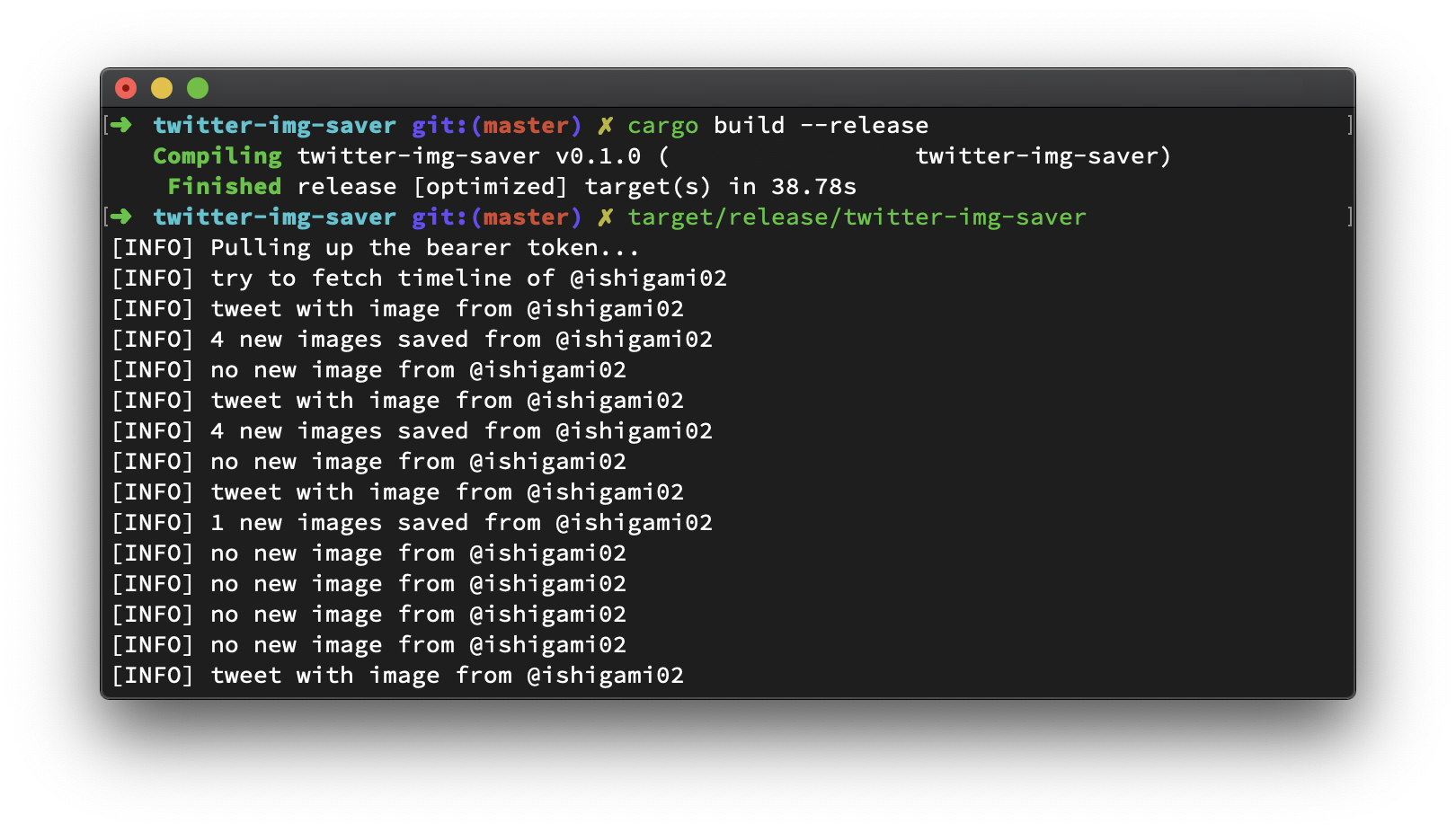
Below comes the code!
use clap::Clap;
use egg_mode::{entities::MediaType, Token, tweet::{Timeline, Tweet}};
use hyper::{body::HttpBody, Client};
use hyper_tls::HttpsConnector;
use serde::Deserialize;
use std::{
    collections::HashMap,
    fs::File,
    io::BufReader,
    path::Path,
    str::FromStr,
    thread::sleep
};
use tokio::io::{self, AsyncWriteExt};

#[derive(Clap)]
#[clap(version = "1.0", author = "Ryza <[email protected]>")]
pub struct Opts {
    /// Sets a custom config file.
    #[clap(short, long, default_value = "twitter-img-saver.json")]
    pub config: String,
}

#[derive(Deserialize, Clone)]
struct Config {
    /// Twitter Consumer API Key
    key: String,
    /// Twitter Consumer API Secret
    secret: String,
    /// Path to the directory where you'd like to save images
    img_dir: String,
    /// Twitter Usernames. Their tweets with images will be saved.
    users: Vec<String>
}

impl Config {
    pub fn load<P>(path: P) -> io::Result<Config> where P: AsRef<Path> {
        // Open the file in read-only mode with buffer.
        let reader = BufReader::new(File::open(path)?);
        let config = serde_json::from_reader(reader)?;
        Ok(config)
    }
}

struct TwitterUser {
    image: HashMap<u64, bool>,
    timeline: Timeline,
}

impl TwitterUser {
    fn new(timeline: Timeline) -> TwitterUser { TwitterUser{ image: HashMap::new(), timeline } }
}

#[tokio::main]
#[allow(unreachable_code)]
async fn main() -> egg_mode::error::Result<()> {
    // parse cli args
    let config_path = Opts::parse().config;
    // load config
    let config = Config::load(&config_path)
        .expect("[ERROR] cannot parse config file");
    // generate keypair and get bearer token
    let token = egg_mode::KeyPair::new(config.key.clone(), config.secret.clone());
    println!("[INFO] Pulling up the bearer token...");
    let token = egg_mode::auth::bearer_token(&token).await?;

    // user list, their tweets with images will be saved
    let mut users = config.users.clone();
    // @username, photo_id, is_saved
    let mut mem_record : HashMap<String, TwitterUser> = HashMap::new();
    // setup according to user list
    set_user_record(&token, users, &mut mem_record).await;
    loop {
        // save images now
        save_images(&mut mem_record, &config.img_dir).await?;
        // wait for 600 seconds
        sleep(std::time::Duration::from_secs(600));
        // try to reload user list from config file
        // (so that we don't need to restart the whole program)
        users = Config::load(&config_path).unwrap_or(config.clone()).users;
        // update memory record based on user list
        set_user_record(&token, users, &mut mem_record).await;
    }
    Ok(())
}

/// Setup user records
///
/// @param token      Twitter bearer token
/// @param users      List of usernames
/// @param mem_record Lookup table for checking whether if an image is saved
async fn set_user_record(token: &Token, users: Vec<String>, mem_record: &mut HashMap<String, TwitterUser>) {
    // get all active usernames
    let mut existed = mem_record.keys().map(|s| (s.clone(), false)).collect::<HashMap<String, bool>>();
    // for each username in the given list
    for username in &users {
        // initialize corresponding timeline if not in the record
        if !mem_record.contains_key(username) {
            mem_record.insert(username.clone(), initialize_timeline(username, &token).await);
        } else {
            // otherwise it's still active
            *existed.get_mut(username).unwrap() = true;
        }
    }
    // for usernames not appearing in the new list
    let _ = existed.iter().map(|(username, enabled)| {
        if !enabled {
            // remove from the record
            mem_record.remove(username);
        }
    }).collect::<Vec<_>>();
}

/// Initialize timeline of a user
async fn initialize_timeline(username: &String, token: &Token) -> TwitterUser {
    // 50 recent tweets (then filter out all replies and retweets)
    let timeline = egg_mode::tweet::user_timeline(username.to_string(), false, false, &token)
        .with_page_size(50);
    TwitterUser::new(timeline)
}

/// Save Twitter Images
///
/// @param mem_record Lookup table for checking whether if an image is saved
/// @return OK(()) or any Err(e) occurred during pulling the timeline or downloading images
async fn save_images(mem_record: &mut HashMap<String, TwitterUser>, img_dir: &String) -> egg_mode::error::Result<()> {
    // try to pull each users' timeline
    for (username, user) in mem_record.iter_mut() {
        let timeline = &user.timeline;
        println!("[INFO] try to fetch timeline of @{}", username);
        let latest_id = timeline.max_id;
        let feed = timeline.call(latest_id, None).await?;
        for tweet in feed.response {
            match extract_from_stream(&tweet, user, img_dir).await {
                Err(e) => println!("[ERROR] {}", e.to_string()),
                Ok(num_image_saved) => match num_image_saved {
                    0 => println!("[INFO] no new image from @{}", username),
                    _ => println!("[INFO] {} new images saved from @{}", num_image_saved, username),
                },
            }
        }
    }
    Ok(())
}

/// Extract media from a single tweet
async fn extract_from_stream(tweet: &Tweet, user_record: &mut TwitterUser, img_dir: &String) -> std::result::Result<u32, Box<dyn std::error::Error + Send + Sync>> {
    let mut num_image_saved = 0u32;
    if let Some(ref user) = tweet.user {
        let username = user.screen_name.clone();
        if let Some(ref media) = tweet.extended_entities {
            let mut media_is_photo = false;
            for info in &media.media {
                match info.media_type {
                    MediaType::Photo => {
                        if !media_is_photo {
                            println!("[INFO] tweet with image from @{}", username);
                            media_is_photo = true;
                        }
                        if !*user_record.image.get(&info.id).unwrap_or(&false) {
                            num_image_saved += fetch_url(
                                hyper::Uri::from_str(format!("{}?format=png&name=large", info.media_url_https).as_str()).unwrap(),
                                format!("{}/{}", img_dir, username),
                                format!("{}.png", info.id)).await?;
                            user_record.image.insert(info.id.clone(), true);
                        }
                    },
                    _ => (),
                }
            }
        }
    }
    Ok(num_image_saved)
}

/// Fetch URL and save file to disk
async fn fetch_url(url: hyper::Uri, save_dir: String, save_as: String) -> std::result::Result<u32, Box<dyn std::error::Error + Send + Sync>> {
    tokio::fs::create_dir_all(&save_dir).await?;
    let filepath = format!("{}/{}", save_dir, save_as);
    if !Path::new(&filepath).exists() {
        let client = Client::builder().build::<_, hyper::Body>(HttpsConnector::new());
        let mut res = client.get(url.clone()).await?;
        match res.status().as_u16() {
            200 => {
                let mut file = tokio::fs::File::create(&filepath).await?;
                while let Some(next) = res.data().await {
                    file.write_all(&next?).await?;
                }
            },
            other => eprintln!("[ERROR] HTTP {} returned for {}", other, url.to_string()),
        }
        Ok(1)
    } else {
        Ok(0)
    }
}