








nano banana爆火!网上看到的那些超强效果图是如何生成的呢?谷歌的官方Prompt模板终于来了!赶紧先收藏再说!
这几天爆火的nano banana,让更多人体验到AI对图像生成与处理的革命。
网友们玩疯了,开发出各类好玩的用法。
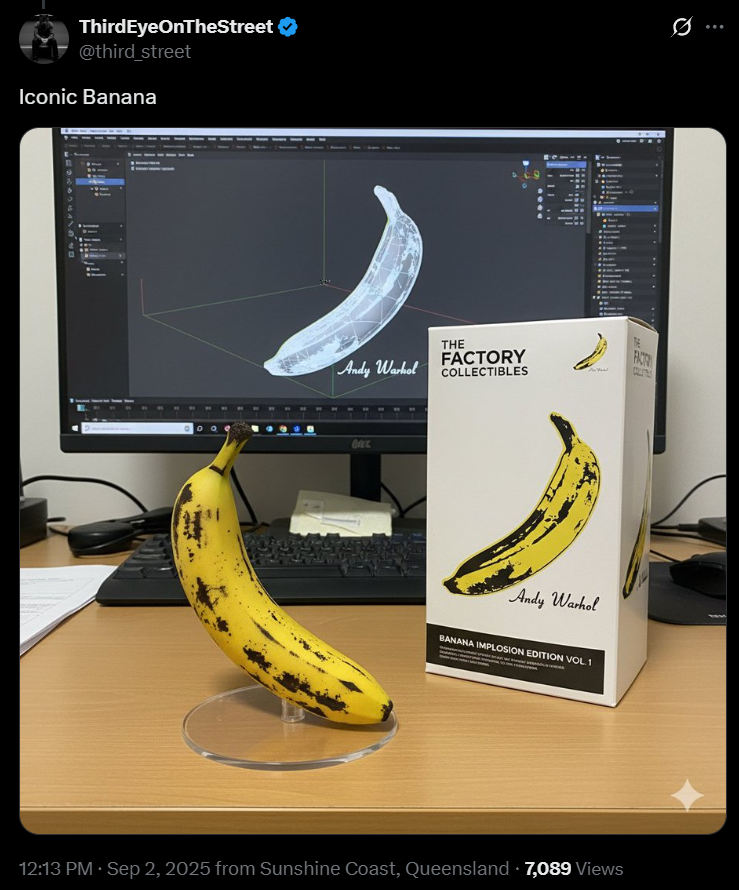
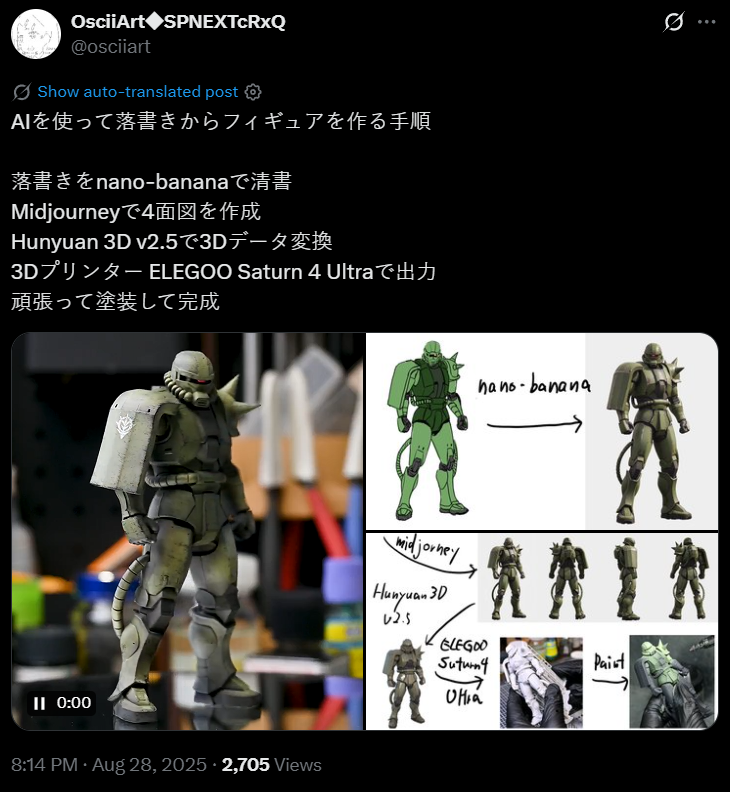
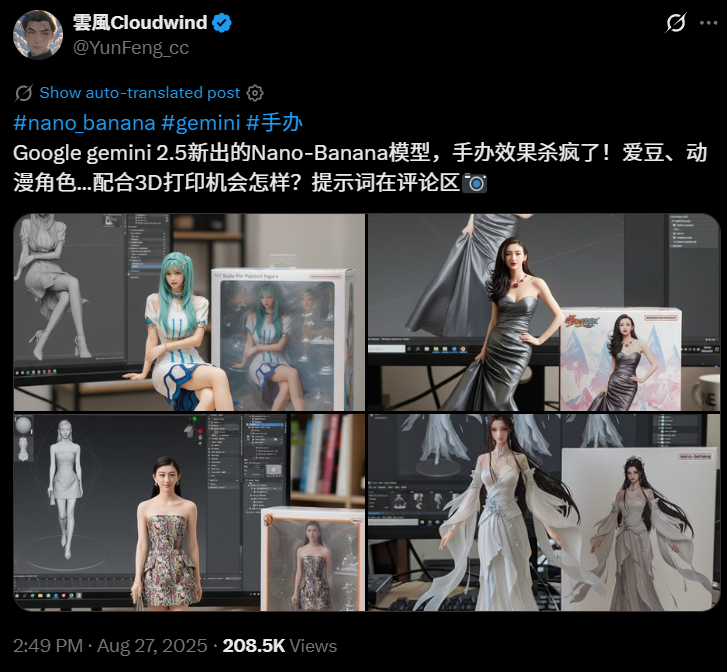
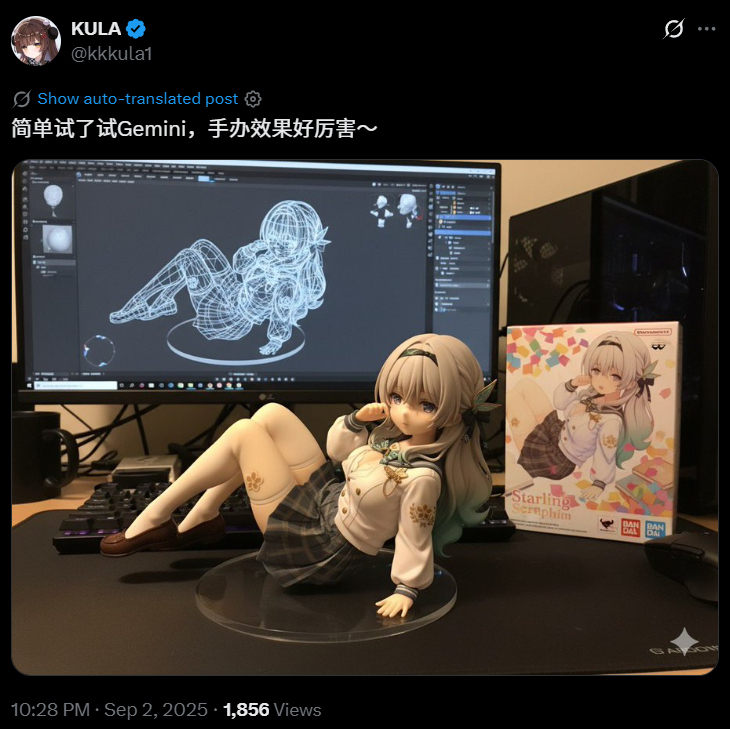
有用nano banana直接将照片生成手办模型的:
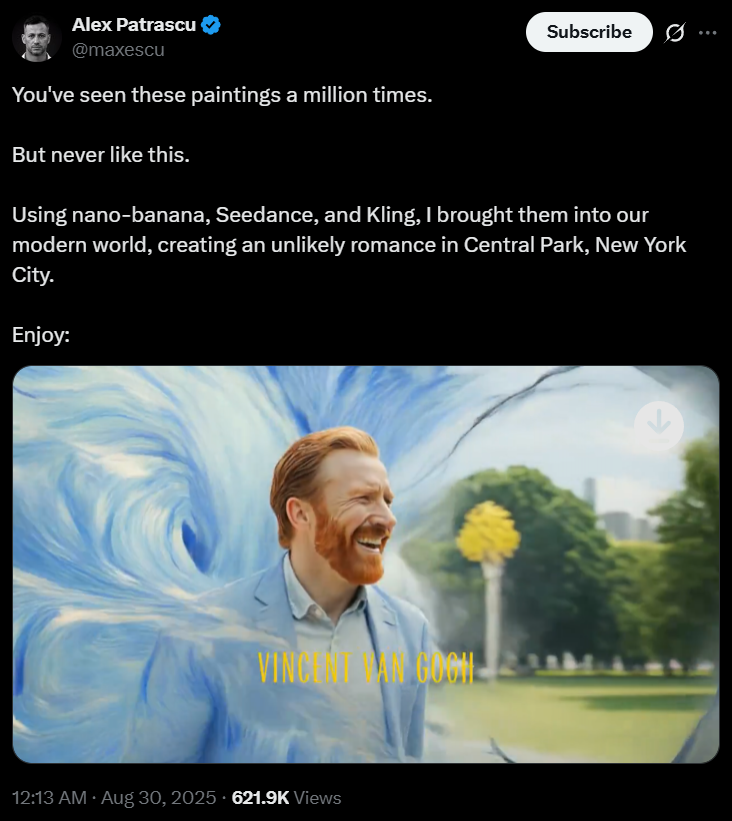
有人脑洞大开,让nano banana、Seedance、Kling联手,将梵高和蒙娜丽莎、戴珍珠耳环的少女等名画的人物,同时带到了今天的纽约中央公园里,开启了一段浪漫的邂逅。
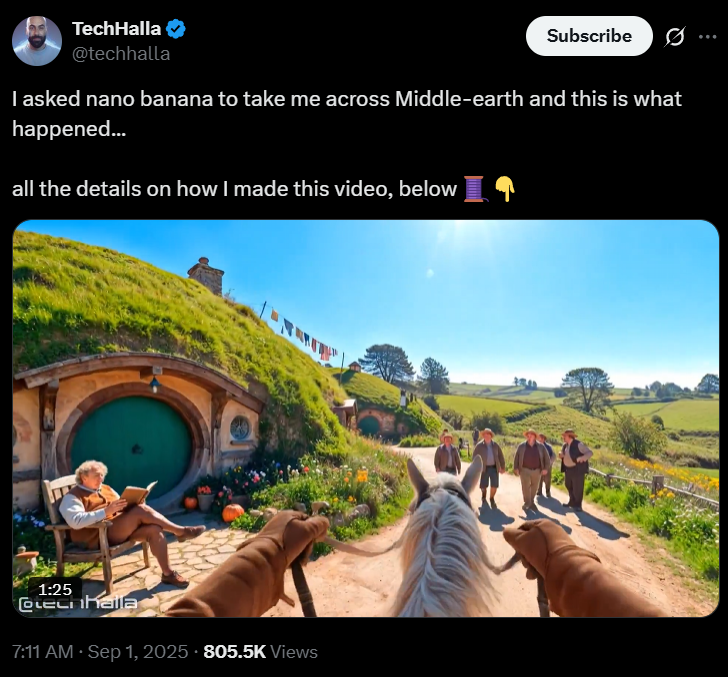
还有人使用nano banana反过来带我们穿越回了中土世界。
视频以第一人称视角在马车上疾驰,穿越迥异的区域,充满了3A游戏大作般的史诗感。
看到网上流传的nano banana生成的以假乱真、脑洞大开的图片和视频,不知道你是否也开始尝试使用nano banana了呢?
同样是生成图片,有人一句话就出大片,有人写满满一屏幕词也不对版。
谷歌为了帮助大家快速上手,亲自下场为我们带来了nano banana官方最强Prompt模板!
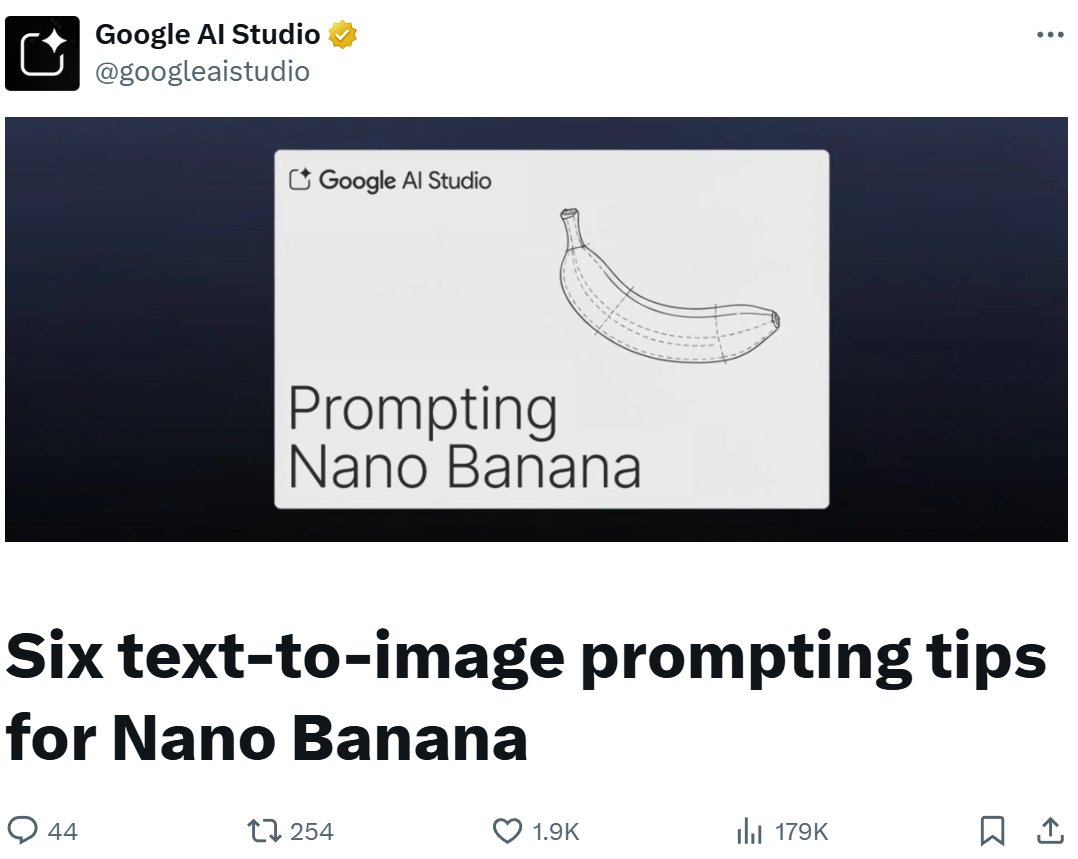
甭管你暂时是否理解为什么这样写,先收藏起来试着套模板就对了!
其中的关键是,你要像讲故事一样写场景。
基于nano banana(Gemini 2.5 Flash Image),这6套Prompt模板覆盖了写实、贴纸、文字、产品、留白与分镜,直接套用就能高质量生图!
写实感强的照片,是离不开摄影师的精心巧思的。
要生成写实感强的图像,你得像摄影师一样思考。
你需要考虑机位、镜头类型、光线、细节。
将这些元素加入Prompt后,会引导模型朝更逼真的效果靠近。
即使你不是专业摄影师,只要按照自己的理解多尝试,也大概率会比未说明这些关键要素而直接生成的图片的效果要好。
示例模板:
A photorealistic [shot type] of [subject], [action or expression], set in [environment]. The scene is illuminated by [lighting description], creating a [mood] atmosphere. Captured with a [camera/lens details], emphasizing [key textures and details]. The image should be in a [aspect ratio] format.
模板大意:
一张写实风格的[镜头类型],[主体],[动作或表情],场景设定在[环境]。画面由[光线描述]照明,营造出[情绪]氛围。使用[相机/镜头参数]拍摄,突出[关键材质与细节]。图像应为[纵横比]格式。
示例Prompt:
A photorealistic close-up portrait of an elderly Japanese ceramicist with deep, sun-etched wrinkles and a warm, knowing smile. He is carefully inspecting a freshly glazed tea bowl. The setting is his rustic, sun-drenched workshop. The scene is illuminated by soft, golden hour light streaming through a window, highlighting the fine texture of the clay. Captured with an 85mm portrait lens, resulting in a soft, blurred background (bokeh). The overall mood is serene and masterful. Vertical portrait orientation.
Prompt大意:
一张写实风格的特写人像:一位日本老陶艺家,脸上被岁月与阳光刻下的深深皱纹,露出温暖而睿智的微笑。他正仔细端详一个刚上釉的茶碗。场景位于他质朴、阳光充足的工作室。柔和的黄金时刻光线自窗外倾泻而入,凸显陶土的细腻纹理。使用85mm人像镜头拍摄,带来柔和的背景虚化(bokeh)。整体氛围宁静而老练。竖版人像构图。
生成的图片:
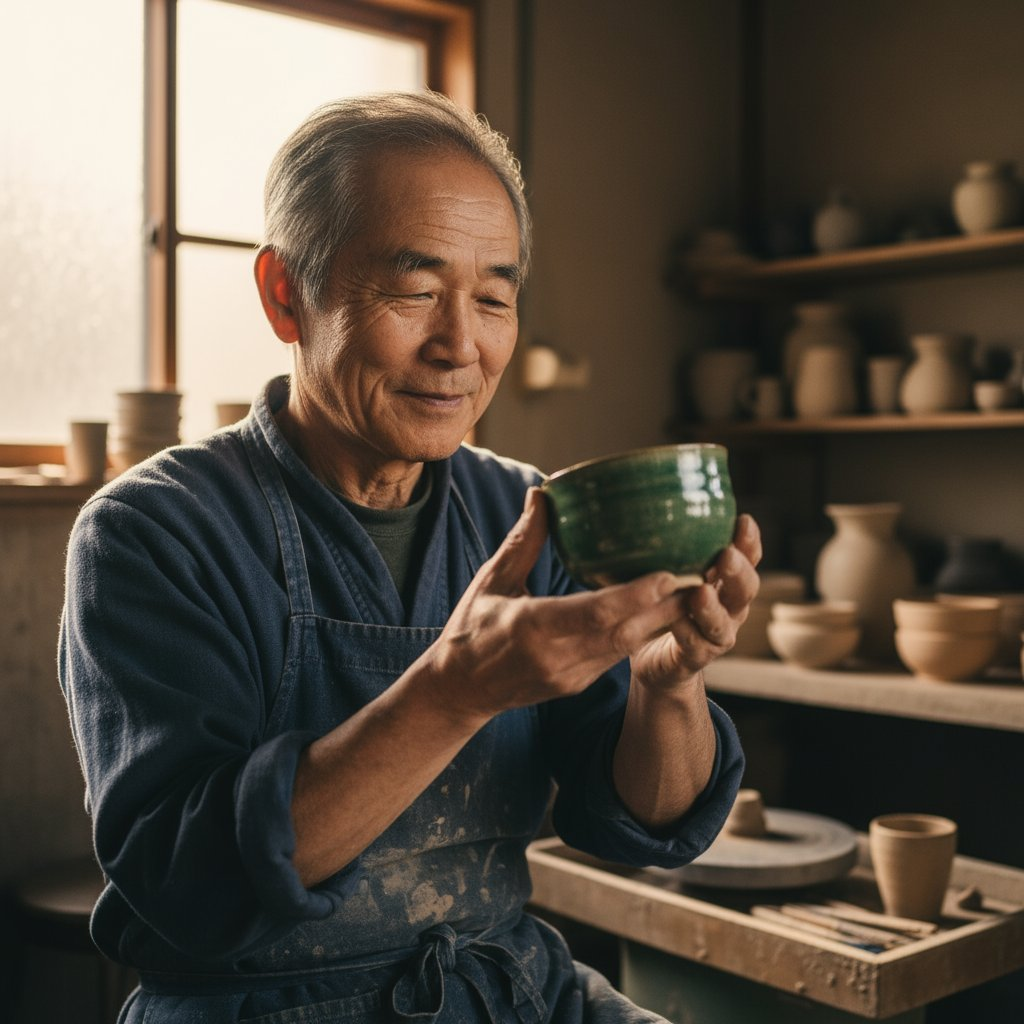
一张写实风格的日本老陶艺家特写人像
调用API生图示例Python代码:
from google import genai
from google.genai import types
from PIL import Image
from io import BytesIO
client = genai.Client()
# Generate an image from a text prompt
response = client.models.generate_content(
model=”gemini-2.5-flash-image-preview”,
contents=”A photorealistic close-up portrait of an elderly Japanese ceramicist with deep, sun-etched wrinkles and a warm, knowing smile. He is carefully inspecting a freshly glazed tea bowl. The setting is his rustic, sun-drenched workshop with pottery wheels and shelves of clay pots in the background. The scene is illuminated by soft, golden hour light streaming through a window, highlighting the fine texture of the clay and the fabric of his apron. Captured with an 85mm portrait lens, resulting in a soft, blurred background (bokeh). The overall mood is serene and masterful.”,
)
image_parts = [
part.inline_data.data
for part in response.candidates[0].content.parts
if part.inline_data
]
if image_parts:
image = Image.open(BytesIO(image_parts[0]))
image.save(‘photorealistic_example.png’)
image.show()
注意,上述代码需要你在第11行的contents中输入Prompt,在第22行的image.save()中输入你要保存时取的文件名。
后续其他调用API生图的代码仅需要修改这两处即可
在生成贴纸、图标、插图、项目素材这类图片时,你需要先把风格说清楚。
如果有其他特殊需求,比如需要白底的话,你得明确在Prompt中写出。
示例模板:
A [style] sticker of a [subject], featuring [key characteristics] and a [color palette]. The design should have [line style] and [shading style]. The background must be white.
模板大意:
一张[风格]的[主体]贴纸,具有[关键特征],采用[配色]。设计应当使用[线条风格]与[明暗/上色风格]。背景必须为白色。
示例Prompt:
A kawaii-style sticker of a happy red panda wearing a tiny bamboo hat. It’s munching on a green bamboo leaf. The design features bold, clean outlines, simple cel-shading, and a vibrant color palette. The background must be white.
Prompt大意:
一张可爱风(kawaii)贴纸:一只开心的小熊猫戴着迷你竹叶帽,正咀嚼一片绿色竹叶。设计使用粗壮、干净的描边,简单的赛璐璐上色,配色鲜艳。背景必须为白色。
生成的图片:

一张可爱风(kawaii)的小熊猫贴纸
调用API生图示例Python代码:
from google import genai
from google.genai import types
from PIL import Image
from io import BytesIO
client = genai.Client()
# Generate an image from a text prompt
response = client.models.generate_content(
model=”gemini-2.5-flash-image-preview”,
contents=”A kawaii-style sticker of a happy red panda wearing a tiny bamboo hat. It’s munching on a green bamboo leaf. The design features bold, clean outlines, simple cel-shading, and a vibrant color palette. The background must be white.”,
)
image_parts =[
part.inline_data.data
for part in response.candidates[0].content.parts
if part.inline_data]if image_parts:
image = Image.open(BytesIO(image_parts[0]))
image.save(‘red_panda_sticker.png’)
image.show()
nano banana在文本渲染这项任务上的表现是格外瞩目的。
你只需要把文字内容、字体风格(用描述性的词描述)、整体设计说明白,就可以产出质量很好的图片了。
示例模板:
Create a [image type] for [brand/concept] with the text “[text to render]” in a [font style]. The design should be [style description], with a [color scheme].
模板大意:
为[品牌/概念]创建一张[图像类型],其中包含文本「[要渲染的文本]」,使用[字体风格]。设计应为[风格描述],并采用[配色方案]。
示例Prompt:
Create a modern, minimalist logo for a coffee shop called ‘The Daily Grind’. The text should be in a clean, bold, sans-serif font. The design should feature a simple, stylized icon of a coffee bean seamlessly integrated with the text. The color scheme is black and white.
Prompt大意:
为一家名为「The Daily Grind」的咖啡店设计一个现代、极简的Logo。文字使用干净、粗体的无衬线字体。设计带有一个简洁、风格化的咖啡豆图标,并与文字无缝融合。配色为黑白。
生成的图片:

为一家名为「The Daily Grind」的咖啡店生成的现代极简风Logo
调用API生图示例Python代码:
from google import genai
from google.genai import types
from PIL import Imagefrom io import BytesIO
client = genai.Client()
# Generate an image from a text prompt
response = client.models.generate_content(
model=”gemini-2.5-flash-image-preview”,
contents=”Create a modern, minimalist logo for a coffee shop called ‘The Daily Grind’. The text should be in a clean, bold, sans-serif font. The design should feature a simple, stylized icon of a a coffee bean seamlessly integrated with the text. The color scheme is black and white.”,
)
image_parts = [
part.inline_data.data
for part in response.candidates[0].content.parts
if part.inline_data
]
if image_parts:
image = Image.open(BytesIO(image_parts[0]))
image.save(‘logo_example.png’)
image.show()
为品牌打广告时,打造一个干净、专业的产品照通常是一个比较不错的选择。
商业感=干净背景+可控布光+展示卖点的机位。
示例模板:
A high-resolution, studio-lit product photograph of a [product description] on a [background surface/description]. The lighting is a [lighting setup, e.g., three-point softbox setup] to [lighting purpose]. The camera angle is a [angle type] to showcase [specific feature]. Ultra-realistic, with sharp focus on [key detail]. [Aspect ratio].
模板大意:
一张高分辨率、影棚布光的[产品描述]产品照,置于[背景表面/描述]上。灯光为[布光设置,如三点柔光箱布光],用于[照明目的]。机位为[角度类型],以展示[特定卖点]。超写实,对[关键细节]进行锐利对焦。[纵横比]。
示例Prompt:
A high-resolution, studio-lit product photograph of a minimalist ceramic coffee mug in matte black, presented on a polished concrete surface. The lighting is a three-point softbox setup designed to create soft, diffused highlights and eliminate harsh shadows. The camera angle is a slightly elevated 45-degree shot to showcase its clean lines. Ultra-realistic, with sharp focus on the steam rising from the coffee. Square image.
Prompt大意:
一张高分辨率、影棚布光的产品照:一只极简风的消光黑陶瓷咖啡杯,摆放在抛光的混凝土表面上。灯光为三点柔光箱布光,营造柔和的高光并消除硬阴影。机位为略抬高的 45 度角,凸显其干净的线条。超写实,对咖啡升起的蒸汽进行锐利对焦。方形图像。
生成的图片:
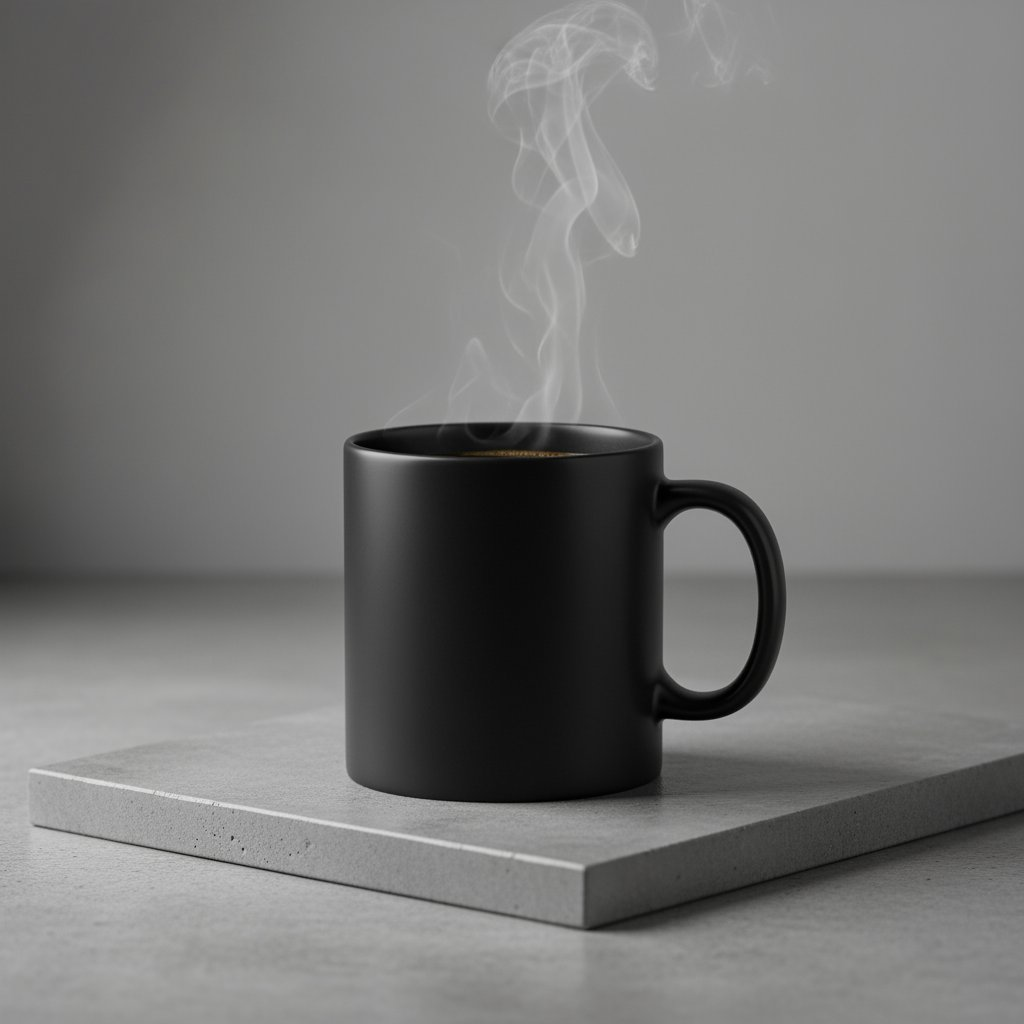
一张高分辨率、影棚布光的极简黑色陶瓷咖啡杯产品照
调用API生图示例Python代码:
from google import genai
from google.genai import types
from PIL import Image
from io import BytesIO
client = genai.Client()
# Generate an image from a text prompt
response = client.models.generate_content(
model=”gemini-2.5-flash-image-preview”,
contents=”A high-resolution, studio-lit product photograph of a minimalist ceramic coffee mug in matte black, presented on a polished concrete surface. The lighting is a three-point softbox setup designed to create soft, diffused highlights and eliminate harsh shadows. The camera angle is a slightly elevated 45-degree shot to showcase its clean lines. Ultra-realistic, with sharp focus on the steam rising from the coffee. Square image.”,
)
image_parts = [
part.inline_data.data
for part in response.candidates[0].content.parts
if part.inline_data
]
if image_parts:
image = Image.open(BytesIO(image_parts[0]))
image.save(‘product_mockup.png’)
image.show()
极简主义留白设计,非常适合为网站、演示或营销素材创建背景,方便后面再在图片上叠加文字。
示例模板:
A minimalist composition featuring a single [subject] positioned in the [bottom-right/top-left/etc.] of the frame. The background is a vast, empty [color] canvas, creating significant negative space. Soft, subtle lighting. [Aspect ratio].
模板大意:
一幅极简构图,画面中只有一个[主体],位于画面[右下角/左上角等]。背景是一整片空旷的[颜色]纯色画布,创造显著留白。柔和、克制的光线。[纵横比]。
示例Prompt:
A minimalist composition featuring a single, delicate red maple leaf positioned in the bottom-right of the frame. The background is a vast, empty off-white canvas, creating significant negative space for text. Soft, diffused lighting from the top left. Square image.
Prompt大意:
一幅极简构图:一片精致的红色枫叶位于画面右下角。背景是一整片空旷的米白色纯色画布,为文字留出大量留白。来自左上方的柔和、漫射光。方形图像。
生成的图片:
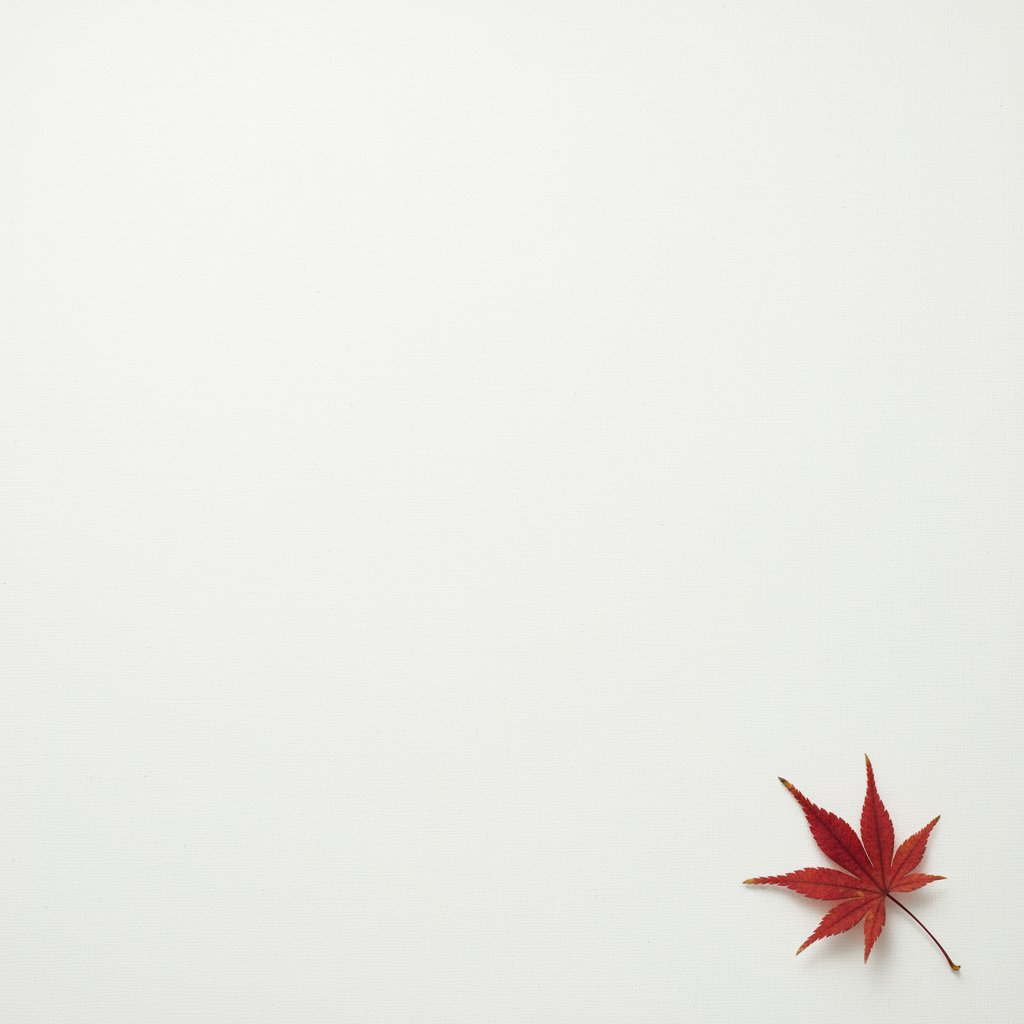
一幅极简构图:一片精致的红色枫叶
调用API生图示例Python代码:
from google import genai
from google.genai import types
from PIL import Imagefrom io import BytesIO
client = genai.Client()
# Generate an image from a text prompt
response = client.models.generate_content(
model=”gemini-2.5-flash-image-preview”,
contents=”A minimalist composition featuring a single, delicate red maple leaf positioned in the bottom-right of the frame. The background is a vast, empty off-white canvas, creating significant negative space for text. Soft, diffused lighting from the top left. Square image.”,
)
image_parts = [
part.inline_data.data
for part in response.candidates[0].content.parts
if part.inline_data
]
if image_parts:
image = Image.open(BytesIO(image_parts[0]))
image.save(‘minimalist_design.png’)
image.show()
你可以通过聚焦清晰的场景描述,一格一格地创作吸引人的视觉叙事。
这种方式非常适合做漫画、故事板等图片。
示例模板:
A single comic book panel in a [art style] style. In the foreground, [character description and action]. In the background, [setting details]. The panel has a [dialogue/caption box] with the text “[Text]”. The lighting creates a [mood] mood. [Aspect ratio].
模板大意:
一格[艺术风格]的漫画分镜。前景中,[人物描述与动作]。背景中,[环境细节]。画面包含一个[对白/旁白框],内容为「[文本]」。用光营造[情绪]氛围。[纵横比]。
示例Prompt:
A single comic book panel in a gritty, noir art style with high-contrast black and white inks. In the foreground, a detective in a trench coat stands under a flickering streetlamp, rain soaking his shoulders. In the background, the neon sign of a desolate bar reflects in a puddle. A caption box at the top reads “The city was a tough place to keep secrets.” The lighting is harsh, creating a dramatic, somber mood. Landscape.
Prompt大意:
一格粗粝的黑色电影风漫画,高反差黑白墨线。前景中,一位穿风衣的侦探站在闪烁的路灯下,雨水打湿了他的双肩。背景中,一家荒凉酒吧的霓虹招牌倒映在水坑里。顶部的旁白框写着:「在这座城市,想守住秘密并不容易。」用光强硬,营造戏剧而沉郁的氛围。横向画幅。
生成的图片:
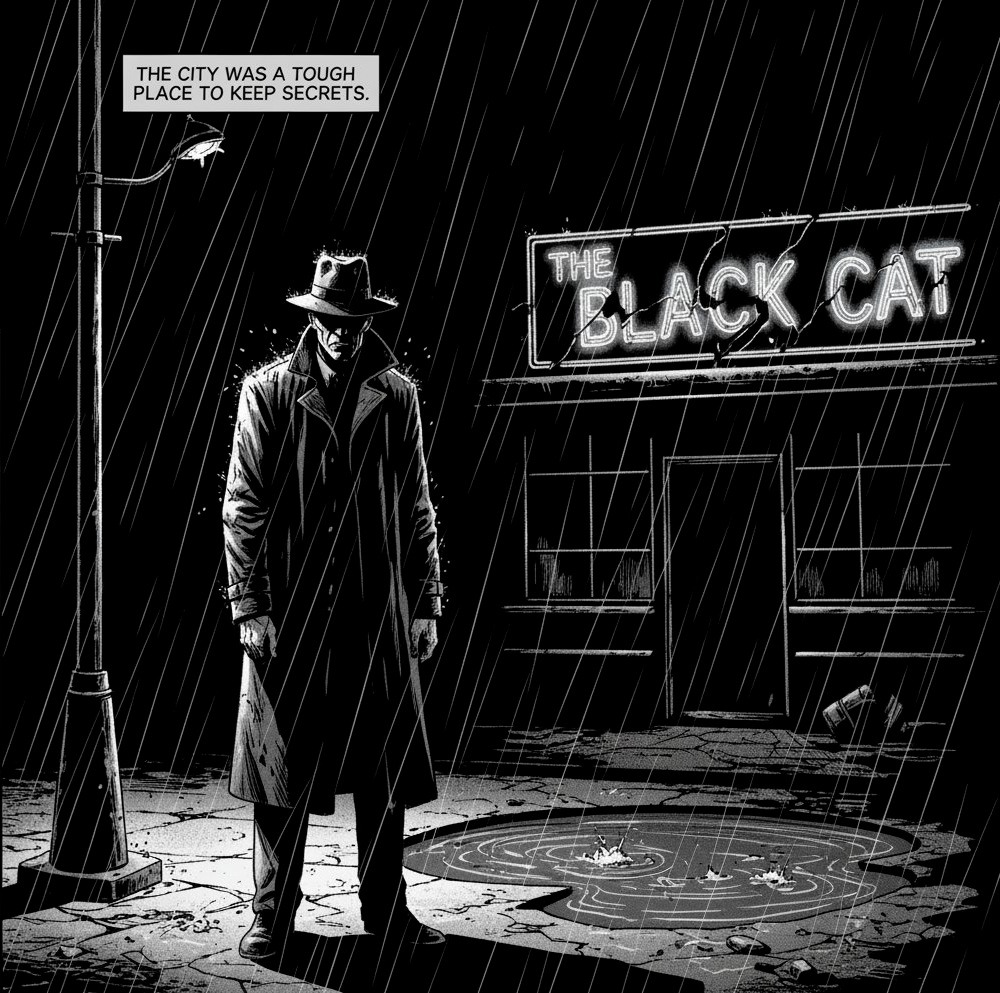
一格粗粝的黑色电影风漫画分镜
调用API生图示例Python代码:
from google import genai
from google.genai import types
from PIL import Imagefrom io import BytesIO
client = genai.Client()
# Generate an image from a text prompt
response = client.models.generate_content(
model=”gemini-2.5-flash-image-preview”,
contents=”A single comic book panel in a gritty, noir art style with high-contrast black and white inks. In the foreground, a detective in a trench coat stands under a flickering streetlamp, rain soaking his shoulders. In the background, the neon sign of a desolate bar reflects in a puddle. A caption box at the top reads “The city was a tough place to keep secrets.” The lighting is harsh, creating a dramatic, somber mood. Landscape.”,
)
image_parts = [
part.inline_data.data
for part in response.candidates[0].content.parts
if part.inline_data
]
if image_parts:
image = Image.open(BytesIO(image_parts[0]))
image.save(‘comic_panel.png’)
image.show()
有了以上谷歌官方的强大模板,人人都可以自己创造出高质量图片了!
先收藏再说,有空了快去亲自试试吧!
参考资料:
https://x.com/googleaistudio/status/1962957615262224511
新智元报道 编辑:艾伦
本文由人人都是产品经理作者【新智元】,微信公众号:【新智元】,原创/授权 发布于人人都是产品经理,未经许可,禁止转载。
题图来自Unsplash,基于 CC0 协议。
此内容由惯性聚合(RSS阅读器)自动聚合整理,仅供阅读参考。 原文来自 — 版权归原作者所有。