








warning: 这篇文章距离上次修改已过1403天,其中的内容可能已经有所变动。
搜遍了全网,只有这个链接 ( https://forum.openwrt.org/t/solved-luci-overview-page-has-blank-fields/16967 ) 类似。但我使用 frp 映射后的域名访问主页又能正常展示这些字段。看了下接口返回均是 200,response 也都正常。
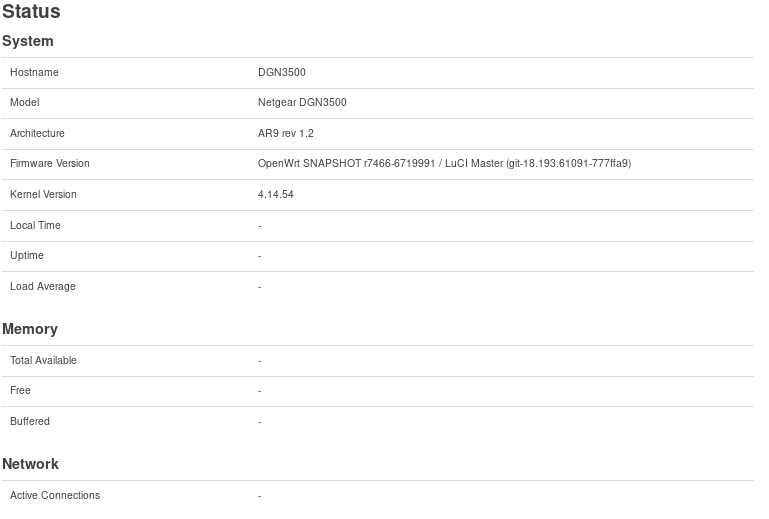
我的是下面这样的
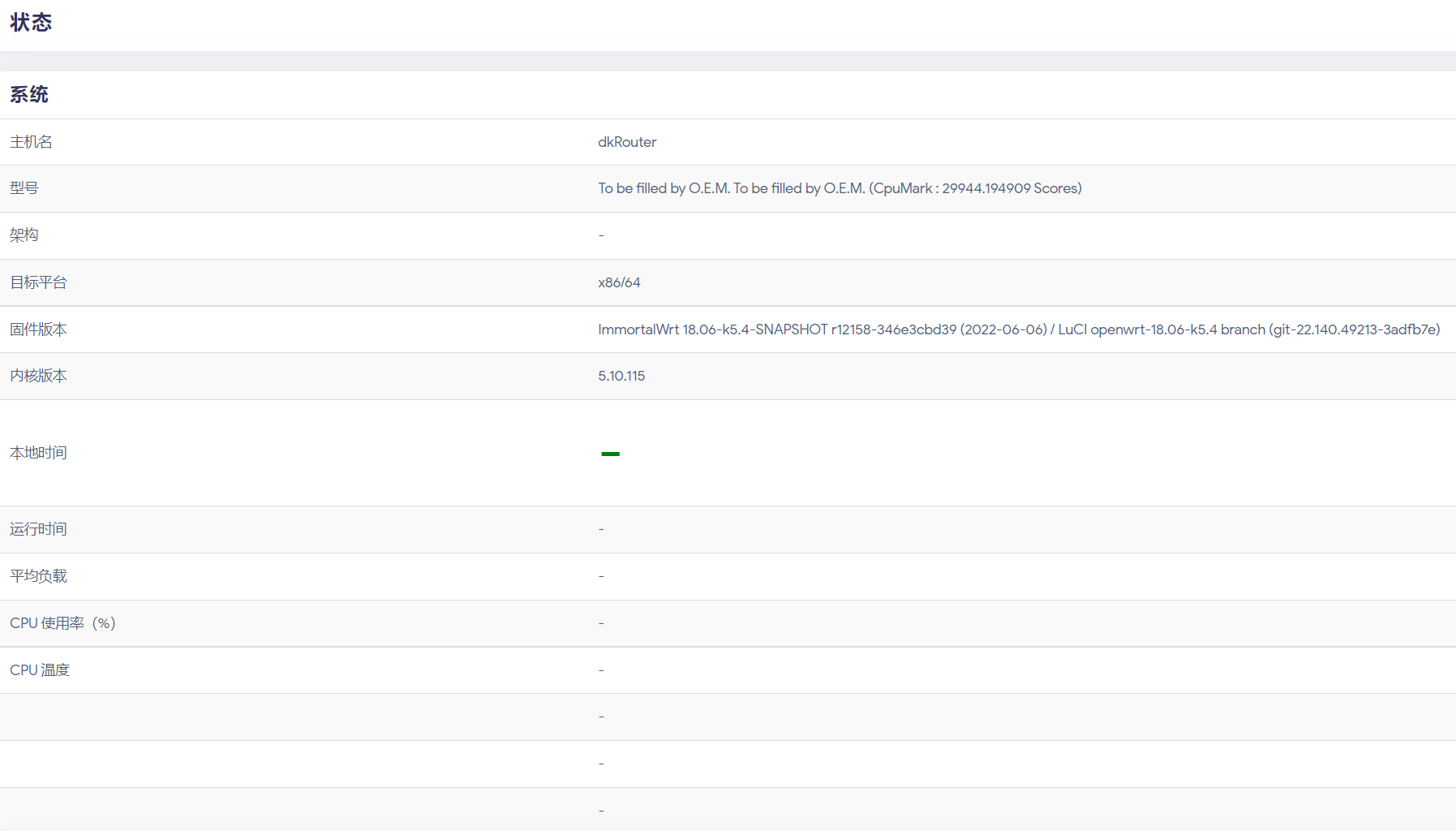
通过 F12 Console 可以看到 Uncaught TypeError: Cannot read properties of null (reading 'wan') 这样的报错,实际上 index 文件 /usr/lib/lua/luci/view/admin_status/index.htm info 会取 /cgi-bin/luci/ 接口返回的对象中各个成员,wan 只是他第一个获取的。debug 发现 info 是 null。所以问题肯定不能通过 var xxx = info && info.wan 这样去解决,后面还有一大堆 key 呢,实际上我也这么做过,问题并不能得到解决。
我通过 frp 基于公网 IP 服务器映射出来的域名可以正常加载这些信息,接口都有返回,但是我家里宽带现在具备了公网 IP,我就直接通过一个域名加非常规端口然后基于 https (在 OpenWrt 上跑了一个 nginx)访问就始终存在 info 是 null 的问题。
经过一番尝试,通过如下的方法解决了。
找到文件 /www/luci-static/resources/xhr.js,找到其中的 xhr.onreadystatechange = function () {
解析 xhr 的 responseText 是通过 json = eval('(' + xhr.responseText + ')'); 经过测试发现始终是 null,这一句里的单引号换成双引号也不行。
最终更改 json 解析的方式,这一行改成了 json = JSON.parse(xhr.responseText);
再次尝试,有了惊喜,发现日志打印出了 json object!但是遇到了新的问题
Refused to evaluate a string as JavaScript because 'unsafe-eval' is not an allowed source of script in the following Content Security Policy directive: "default-src 'self' http: https: data: blob: 'unsafe-inline'".原本的 xhr.js
xhr.onreadystatechange = function () {
            if (xhr.readyState == 4) {
                var json = null;
                if (xhr.getResponseHeader("Content-Type") == "application/json") {
                    try {
                        json = eval('(' + xhr.responseText + ')');
                    }
                    catch (e) {
                        json = null;
                    }
                }

                callback(xhr, json);
            }
        }
更改之后的 xhr.js
xhr.onreadystatechange = function()
                {
                        if (xhr.readyState == 4) {
                                var json = null;
                                if (xhr.getResponseHeader("Content-Type") == "application/json") {
                                        console.log('I am the original xhr, ', xhr);
                                        try {
                                                //json = eval('(' + xhr.responseText + ')');
                                                json = JSON.parse(xhr.responseText);
                                        }
                                        catch(e) {
                                                console.debug('parsing json failed: ', e);
                                                json = null;
                                        }
                                        console.log('I am the result json: ', json);
                                }

                                callback(xhr, json);
                        }
                }
console.log 建议删除,console.debug 可以保留。
经过一番学习、搜索,发现了此帖 Getting error Uncaught EvalError: Refused to evaluate a string as JavaScript because 'unsafe-eval' is not an allowed source of script
在 nginx 配置 location / { 下增加一行
add_header Content-Security-Policy "default-src 'self' https: data: 'unsafe-inline' 'unsafe-eval'" always;热更新一下 nginx,再次访问,成功了!
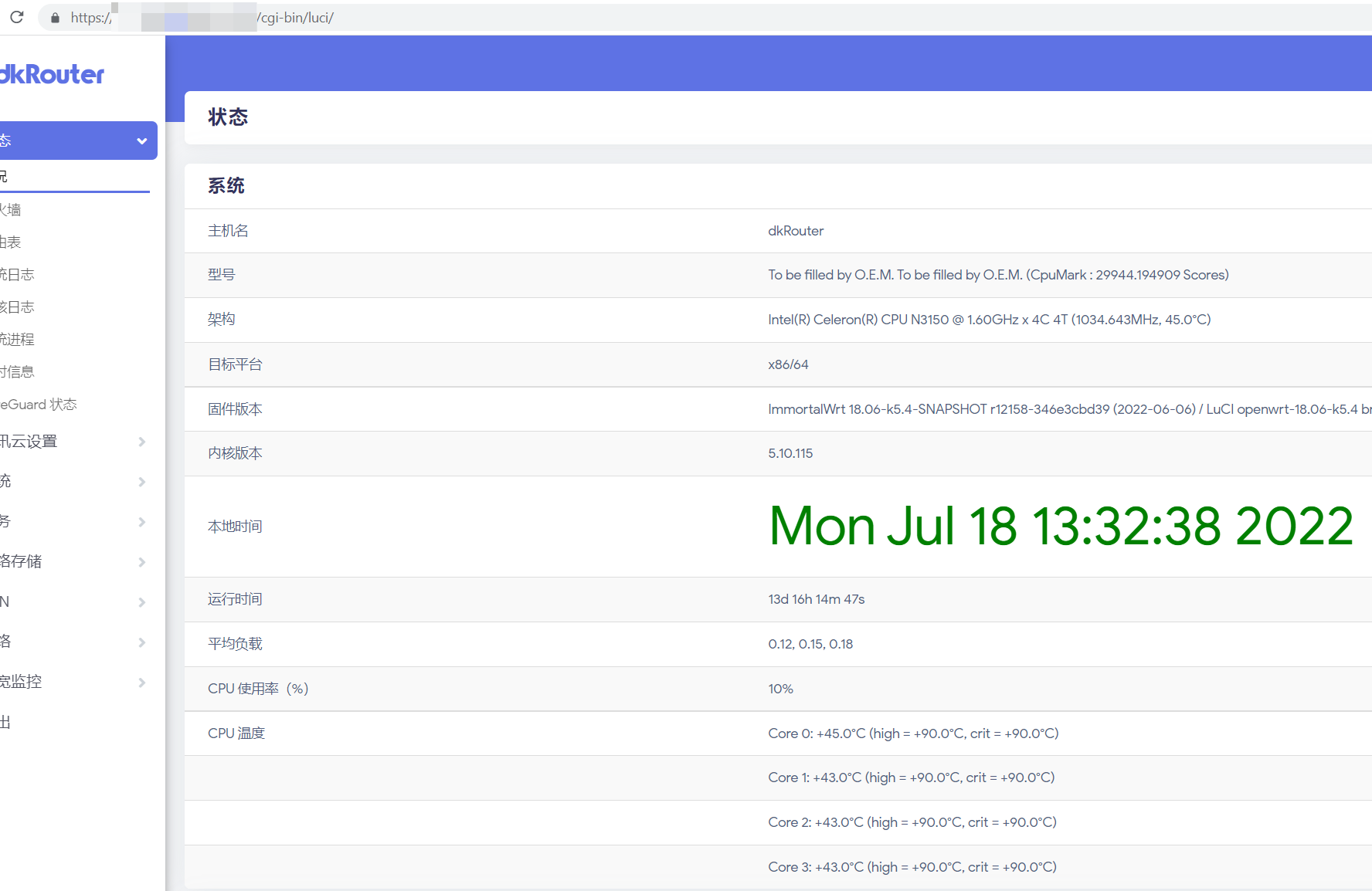
最后总结一下 json string to json object in JavaScript
# convert a json string to a json object

1. var json = JSON.parse(str);
2. var json = eval("(" + str + ")");
3. var json = (new Function("return " + str))();
不过需要注意的是,JSON.parse(str) 需要 json string 里 key value 均使用双引号包裹,整体使用单引号包裹。而 eval 和 new Function 的形式是单引号双引号均可,但是还需要注意,如果 key value 使用了单引号,那么外部需要使用双引号包裹,否则 js 报错。
此内容由惯性聚合(RSS阅读器)自动聚合整理,仅供阅读参考。 原文来自 — 版权归原作者所有。