




惯性聚合 高效追踪和阅读你感兴趣的博客、新闻、科技资讯
阅读原文 在惯性聚合中打开

推荐订阅源

F
Fortinet All Blogs
罗磊的独立博客
IT之家
IT之家
freeCodeCamp Programming Tutorials: Python, JavaScript, Git & More
月光博客
月光博客
博客园 - Franky
博客园 - 聂微东
博客园_首页
爱范儿
爱范儿
量子位
博客园 - 三生石上(FineUI控件)
G
Google Developers Blog
Martin Fowler
Martin Fowler
小众软件
小众软件
OSCHINA 社区最新新闻
OSCHINA 社区最新新闻
Cyber Security Advisories - MS-ISAC
Y
Y Combinator Blog
Vercel News
Vercel News
腾讯CDC
Microsoft Azure Blog
Hugging Face - Blog
Hugging Face - Blog
奇客Solidot–传递最新科技情报
奇客Solidot–传递最新科技情报
The Cloudflare Blog
Engineering at Meta
Engineering at Meta

Help Net Security

Police arrest 10 suspected members of Black Axe cybercrime gang ShinyHunters claims it stole 1.4 million records from Udemy Sevii unveils Cyber Swarm Defense Mode to stop AI-driven attacks at scale Alleged Chinese hacker extradited to US over cyberattacks targeting COVID-19 research Cequence Agent Personas bring granular control and governance to enterprise AI agents NowSecure MARI gives enterprises evidence-based visibility into third-party mobile app risk The metrics killing your SOC, and what to use instead US state privacy fines reached $3.425 billion in 2025 Canada’s first SMS blaster case leads to three arrests Linux storage management tool Stratis 3.9.0 adds online encryption and cache-less pool startup TLS Connect gives SMBs a right-sized automated tool to manage TLS certificates Aptori expands its platform with autonomous offensive testing to reduce security bottlenecks Your IAM was built for humans, AI agents don’t care The AI criminal mastermind is already hiring on gig platforms 25 open-source cybersecurity tools that don’t care about your budget Product showcase: LuLu reveals unauthorized outbound connections from Mac apps Week in review: Claude Mythos finds 271 Firefox flaws, Vercel breach Users advised to drop passwords and make room for passkeys - Help Net Security Indirect prompt injection is taking hold in the wild - Help Net Security Compromised everyday devices power Chinese cyber espionage operations - Help Net Security New Cisco firewall malware can only be killed by pulling the plug - Help Net Security Meta is overhauling how you sign in, manage settings, and protect your accounts - Help Net Security Ubuntu 26.04 LTS delivers memory-safe system tools and live patching for Arm servers - Help Net Security OpenAI’s GPT-5.5 is out with expanded cybersecurity safeguards - Help Net Security AI is speeding up nation-state cyber programs - Help Net Security A study of 1,000 Android apps finds a privacy policy logging gap - Help Net Security IT spending to hit $6.31 trillion record, thanks to AI - Help Net Security Where AI in CI/CD is working for engineering teams - Help Net Security With AI's help, North Korean hackers stumbled into a near-undetectable attack - Help Net Security Hacker with a special interest in breaching sports institutions ends behind bars - Help Net Security
Product showcase: NetGuard open-source firewall for Android
Anamarija Po · 2026-05-08 · via Help Net Security

NetGuard is a free, open-source firewall for Android phones and tablets that provides users with a simple way to block internet access. Android does not allow VPN services to be chained, so the app uses the Android VPN service to route all internet traffic through itself. NetGuard can be used without root access, although it also works on rooted devices.
NetGuard Android firewall

Activating NetGuard

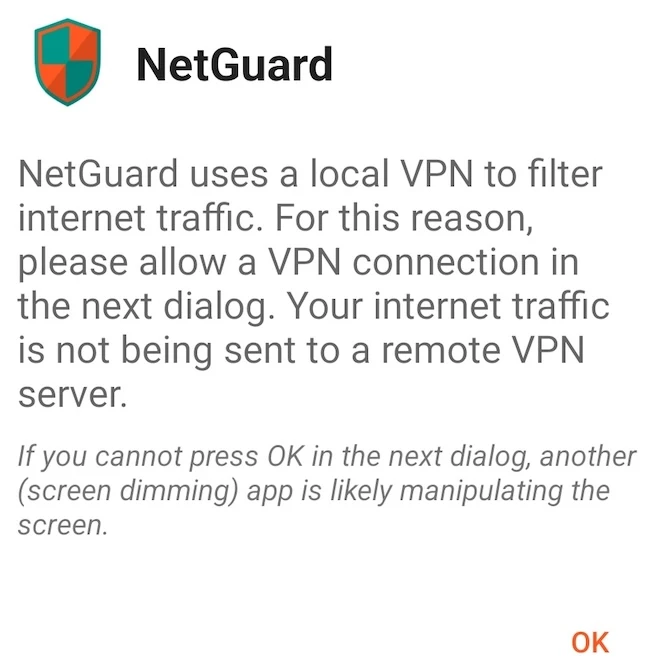
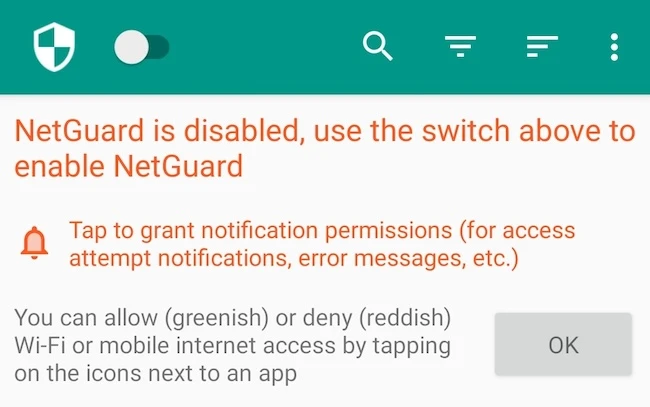
To activate the firewall, I enabled NetGuard using the switch in the action bar. Android then prompted me to approve a VPN connection so that the app could monitor and control network traffic. The app also recommended disabling battery optimization to ensure consistent performance.
NetGuard Android firewall

Features and network monitoring

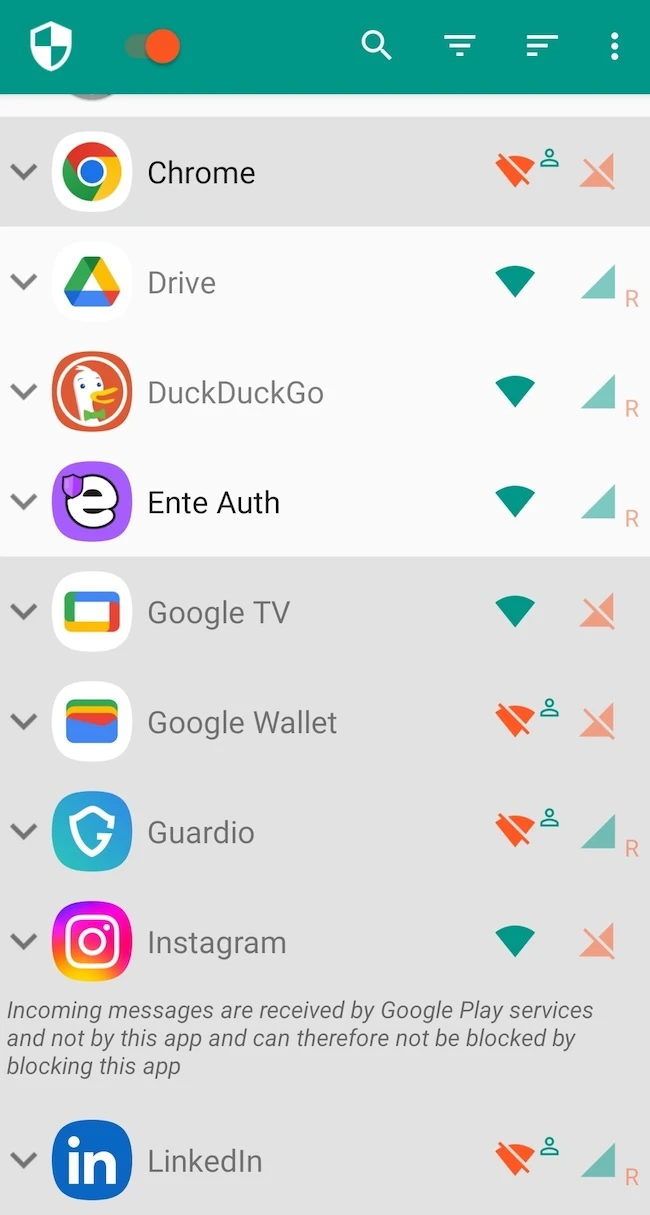
The main interface displayed a list of installed applications together with separate controls for Wi-Fi and mobile data access. Green icons indicated allowed connections, while red icons represented blocked access. Users can expand individual applications to configure additional rules and conditions.
NetGuard Android firewall

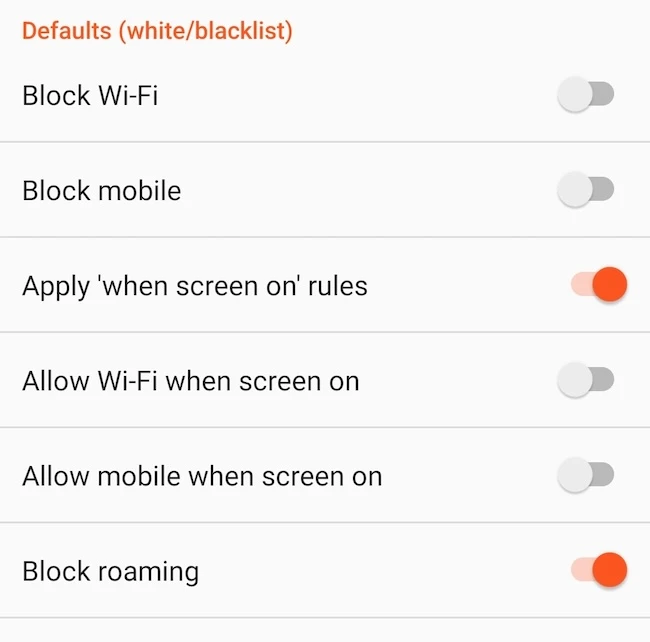
NetGuard provides several configuration options in the settings menu. These include blacklist and whitelist modes, blocking roaming connections, applying rules only when the screen is on, managing system applications, handling metered networks, and enabling LAN access.
NetGuard Android firewall

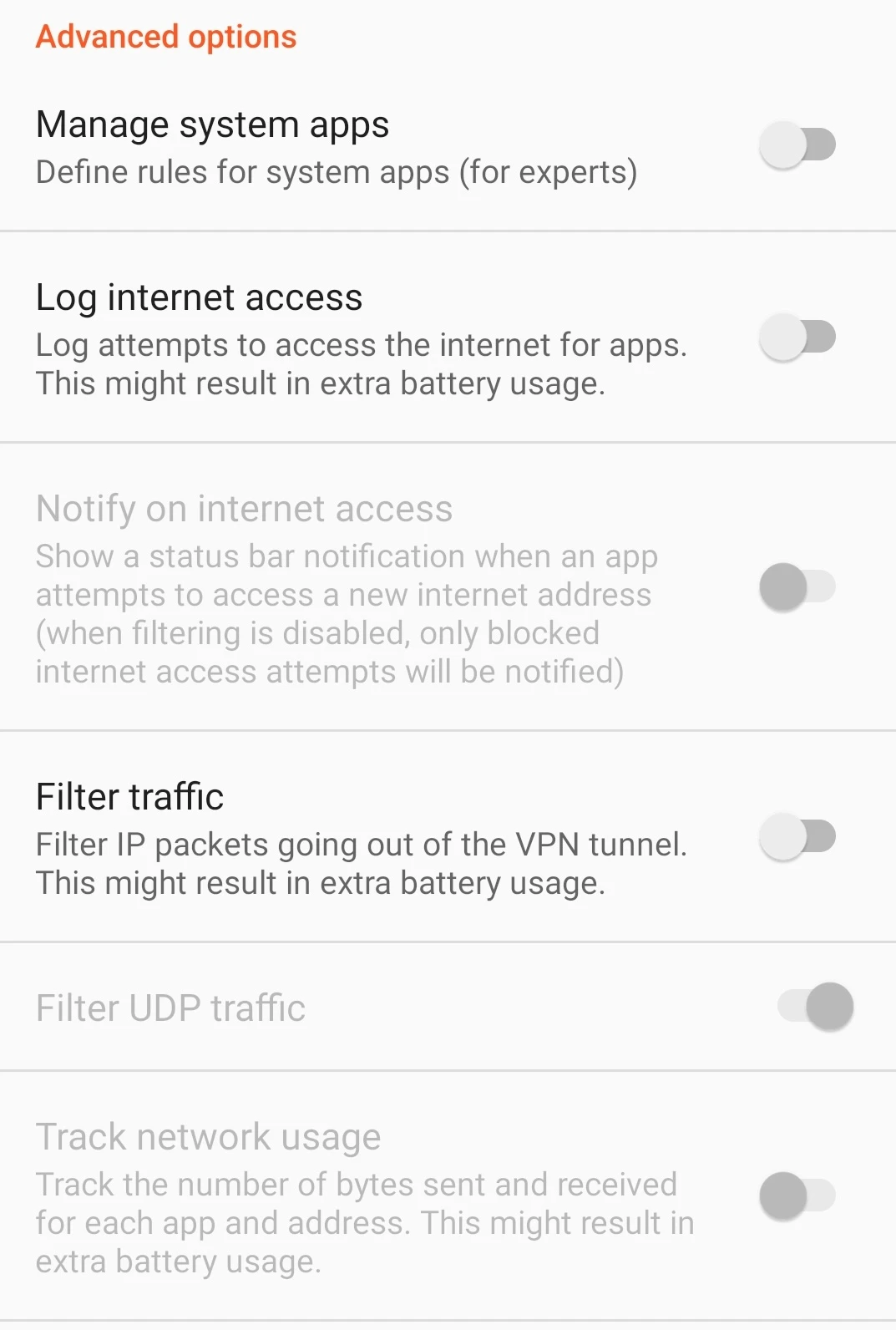
Advanced features such as traffic filtering, UDP filtering, logging internet access attempts, and tracking network usage are also available.
NetGuard Android firewall

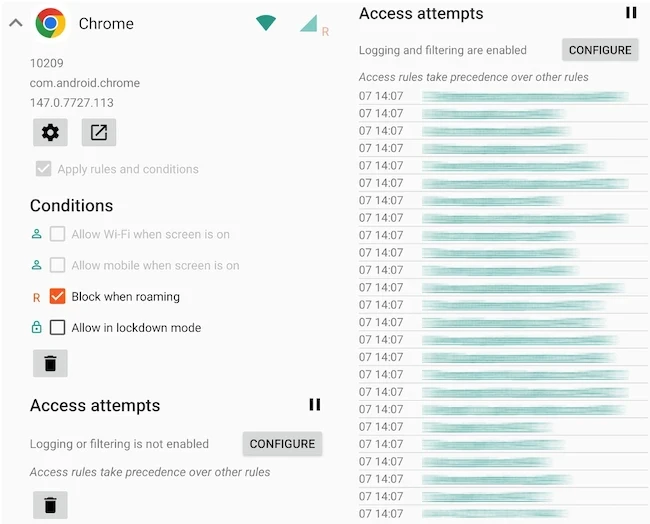
I changed the application-specific settings for Chrome, where additional rules such as blocking internet access during roaming and allowing access in lockdown mode could be configured.
NetGuard Android firewall

NetGuard also allows users to log and monitor network activity. The access logs displayed outgoing connections, accessed domains, ports, timestamps, and both IPv4 and IPv6 traffic.

Final thoughts

NetGuard is a user-friendly solution for monitoring and controlling internet access on Android devices. The app also offers a wide range of customization, filtering, and logging features, making it a useful tool for improving privacy, security, and overall control of network activity.