



惯性聚合 高效追踪和阅读你感兴趣的博客、新闻、科技资讯
阅读原文 在惯性聚合中打开

推荐订阅源

Recent Announcements
爱范儿
爱范儿
freeCodeCamp Programming Tutorials: Python, JavaScript, Git & More
宝玉的分享
宝玉的分享
T
Tailwind CSS Blog
博客园_首页
IT之家
IT之家
OSCHINA 社区最新新闻
OSCHINA 社区最新新闻
博客园 - 三生石上(FineUI控件)
有赞技术团队
有赞技术团队
大猫的无限游戏
大猫的无限游戏
雷峰网
雷峰网
奇客Solidot–传递最新科技情报
奇客Solidot–传递最新科技情报
博客园 - 司徒正美
WordPress大学
WordPress大学
Last Week in AI
Last Week in AI
人人都是产品经理
人人都是产品经理
Jina AI
Jina AI
月光博客
月光博客
小众软件
小众软件
S
SegmentFault 最新的问题
量子位
阮一峰的网络日志
阮一峰的网络日志
钛媒体:引领未来商业与生活新知
钛媒体:引领未来商业与生活新知

Help Net Security

Police arrest 10 suspected members of Black Axe cybercrime gang ShinyHunters claims it stole 1.4 million records from Udemy Sevii unveils Cyber Swarm Defense Mode to stop AI-driven attacks at scale Alleged Chinese hacker extradited to US over cyberattacks targeting COVID-19 research Cequence Agent Personas bring granular control and governance to enterprise AI agents NowSecure MARI gives enterprises evidence-based visibility into third-party mobile app risk The metrics killing your SOC, and what to use instead US state privacy fines reached $3.425 billion in 2025 Canada’s first SMS blaster case leads to three arrests Linux storage management tool Stratis 3.9.0 adds online encryption and cache-less pool startup TLS Connect gives SMBs a right-sized automated tool to manage TLS certificates Aptori expands its platform with autonomous offensive testing to reduce security bottlenecks Your IAM was built for humans, AI agents don’t care The AI criminal mastermind is already hiring on gig platforms 25 open-source cybersecurity tools that don’t care about your budget Product showcase: LuLu reveals unauthorized outbound connections from Mac apps Week in review: Claude Mythos finds 271 Firefox flaws, Vercel breach Users advised to drop passwords and make room for passkeys - Help Net Security Indirect prompt injection is taking hold in the wild - Help Net Security Compromised everyday devices power Chinese cyber espionage operations - Help Net Security New Cisco firewall malware can only be killed by pulling the plug - Help Net Security Meta is overhauling how you sign in, manage settings, and protect your accounts - Help Net Security Ubuntu 26.04 LTS delivers memory-safe system tools and live patching for Arm servers - Help Net Security OpenAI’s GPT-5.5 is out with expanded cybersecurity safeguards - Help Net Security AI is speeding up nation-state cyber programs - Help Net Security A study of 1,000 Android apps finds a privacy policy logging gap - Help Net Security IT spending to hit $6.31 trillion record, thanks to AI - Help Net Security Where AI in CI/CD is working for engineering teams - Help Net Security With AI's help, North Korean hackers stumbled into a near-undetectable attack - Help Net Security Hacker with a special interest in breaching sports institutions ends behind bars - Help Net Security
Product showcase: Avira Security for iOS blends security,...
Anamarija Pogorelec · 2026-06-22 · via Help Net Security

Avira Mobile Security for iOS combines security, privacy, and device optimization tools in a single application. The app is also available for Android, macOS, and Windows devices.
Avira Mobile Security

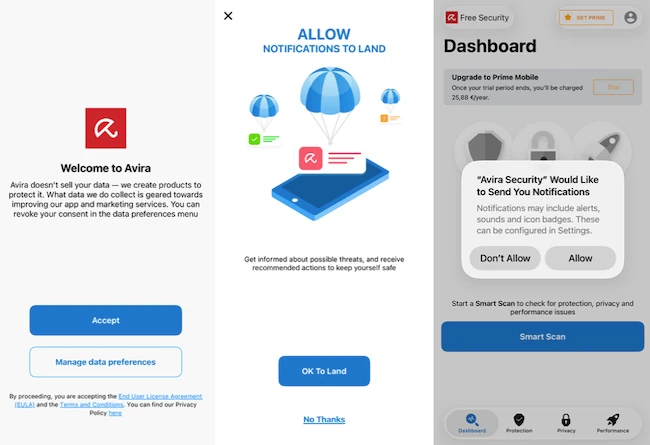
After downloading the application from the App Store users are guided through a short onboarding process. The application first presents information about data collection and privacy preferences, with options to accept the default settings or review them in more detail. It then requests permission to send notifications that can be used to alert users about potential security or privacy issues.

Dashboard overview

The main dashboard is organized into three categories: Protection, Privacy, and Performance. A Smart Scan button is prominently displayed and serves as the starting point for a device-wide assessment.

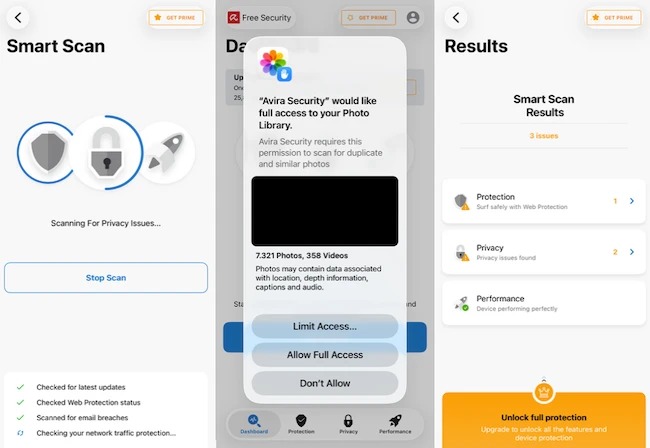
During testing, Smart Scan checked several areas, including iOS update status, Web Protection configuration, identity breach monitoring, and VPN status. The scan displays progress in real time and categorizes findings into Protection, Privacy, and Performance sections. Results are presented in a summary view that makes it possible to review each category individually and address any detected issues.
Avira Mobile Security

Protection features

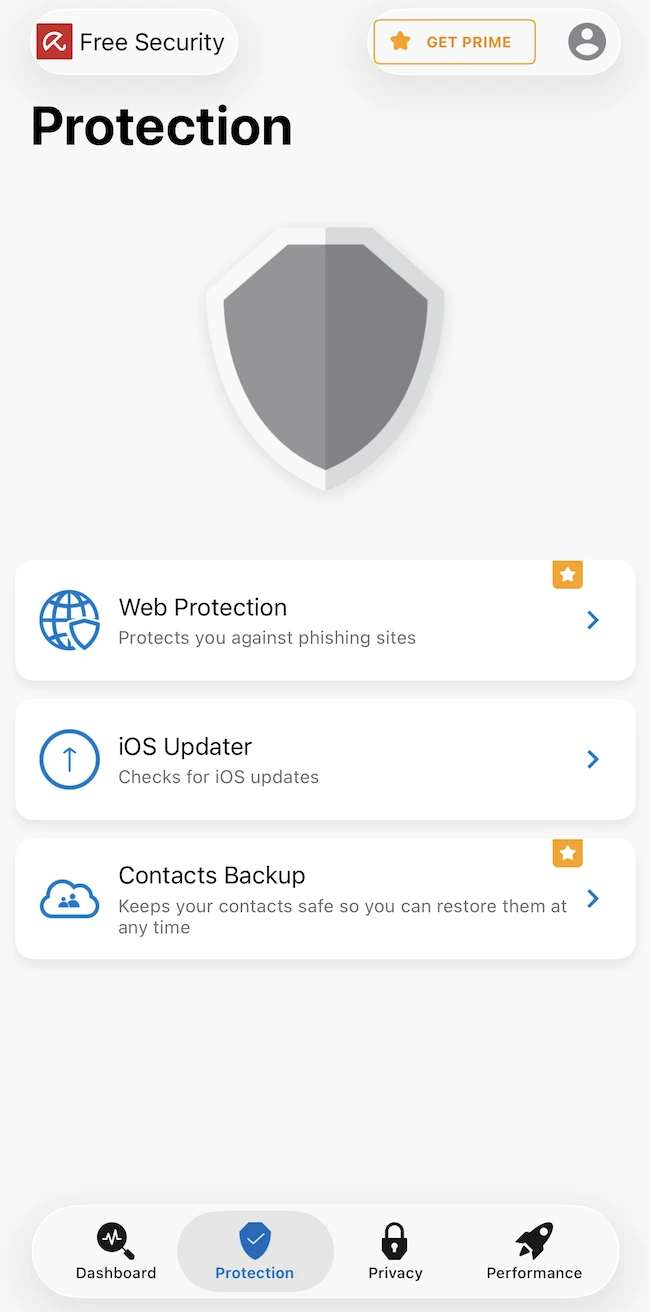
The Protection section contains three tools: Web Protection, iOS Updater, and Contacts Backup.
Avira Mobile Security

Web Protection helps block phishing websites and other potentially dangerous web content. During testing, the feature appeared as an item requiring user action within Smart Scan results when it was not enabled.

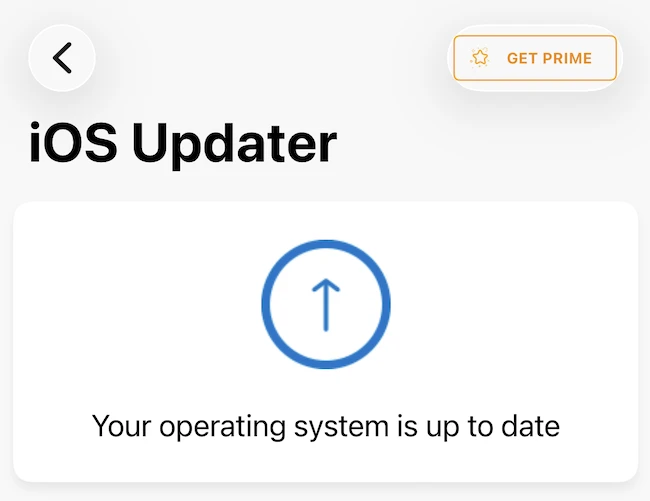
The iOS Updater checks whether the device is running the latest version of Apple’s operating system. In our test, the feature confirmed that the device was updated.
Avira Mobile Security

Contacts Backup can create and restore contact backups. This can be useful when migrating to a new device or recovering data after a reset.

Privacy features

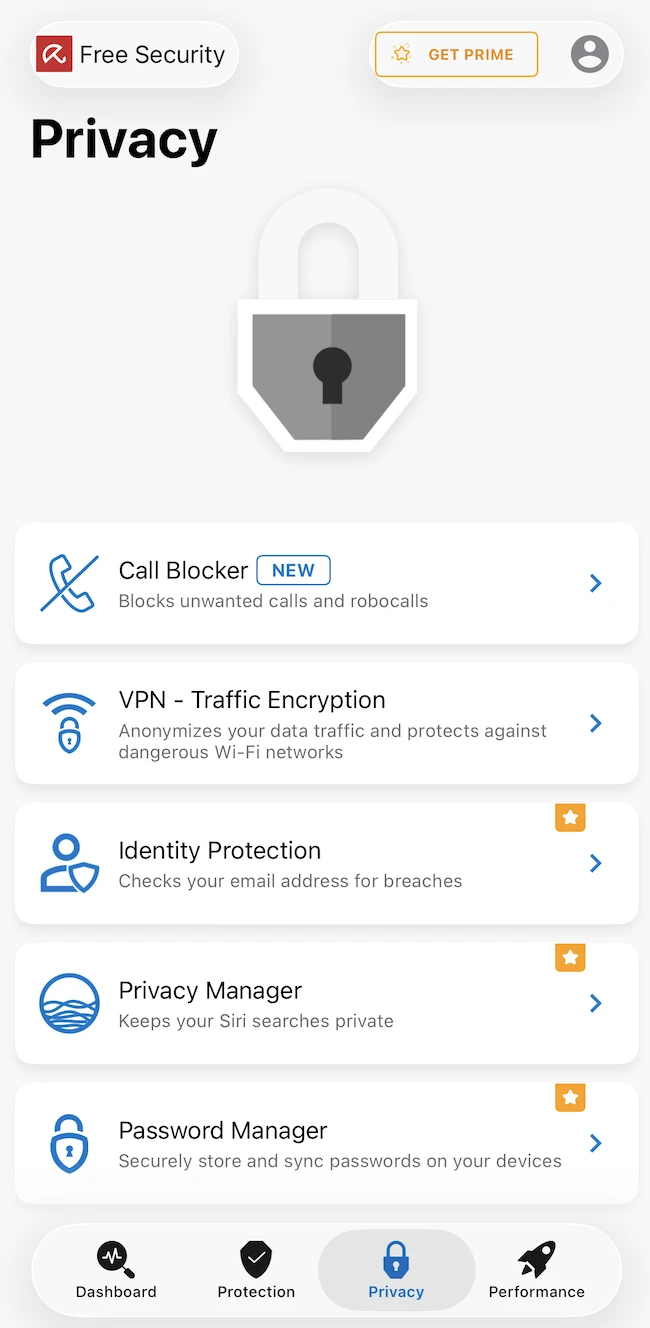
The Privacy section contains Identity Protection, VPN, Call Blocker, Privacy Manager, and Password Manager.
Avira Mobile Security

Identity Protection checks whether an email address has appeared in known data breaches.

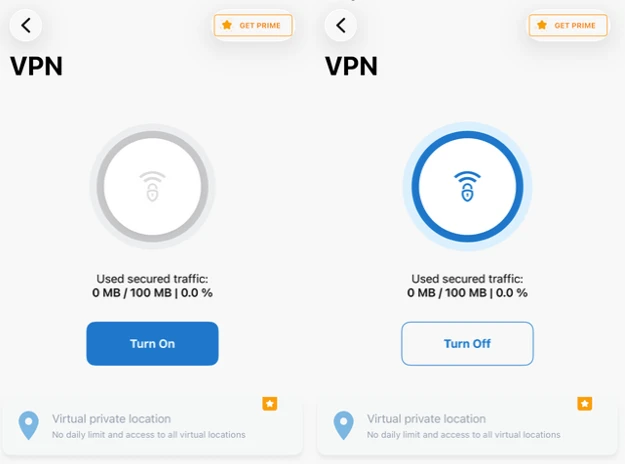
VPN encrypts network traffic and helps protect connections on public Wi-Fi networks. The free version includes 100 MB of VPN traffic, which is displayed within the VPN interface. Once the limit is reached, users are encouraged to upgrade to gain unrestricted usage.
Avira Mobile Security

Performance tools

The Performance section includes Photo Cleaner and Device Analyzer.

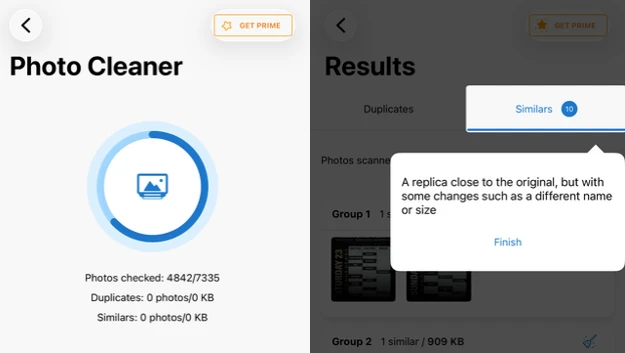
Photo Cleaner requires access to the device’s photo library and scans for duplicate and similar images. During testing, the application analyzed more than 7,000 photos and grouped visually similar images together for review. Results are organized into categories that show the number of similar photos and the storage space they occupy, allowing users to decide which files to keep or remove.
Avira Mobile Security

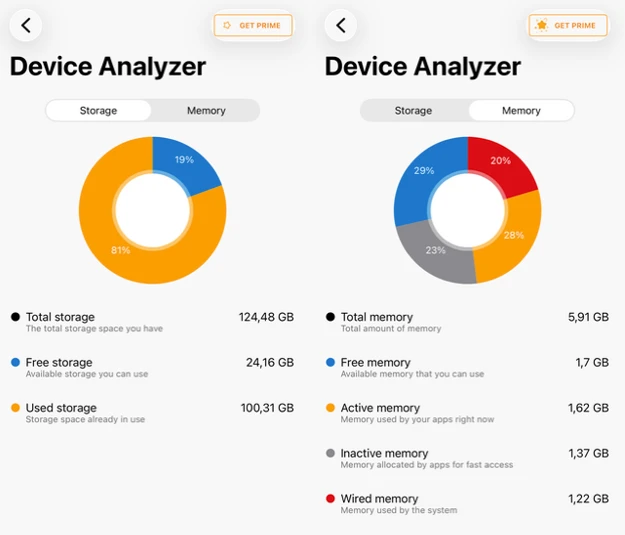
Device Analyzer provides information about storage usage and available device resources, giving users an overview of their device’s status.
Avira Mobile Security

Conclusion

Avira Security provides a useful collection of security, privacy, and optimization tools in its free version. Premium-only features are marked within the application interface, allowing free users to see what additional functionality is available before upgrading.