


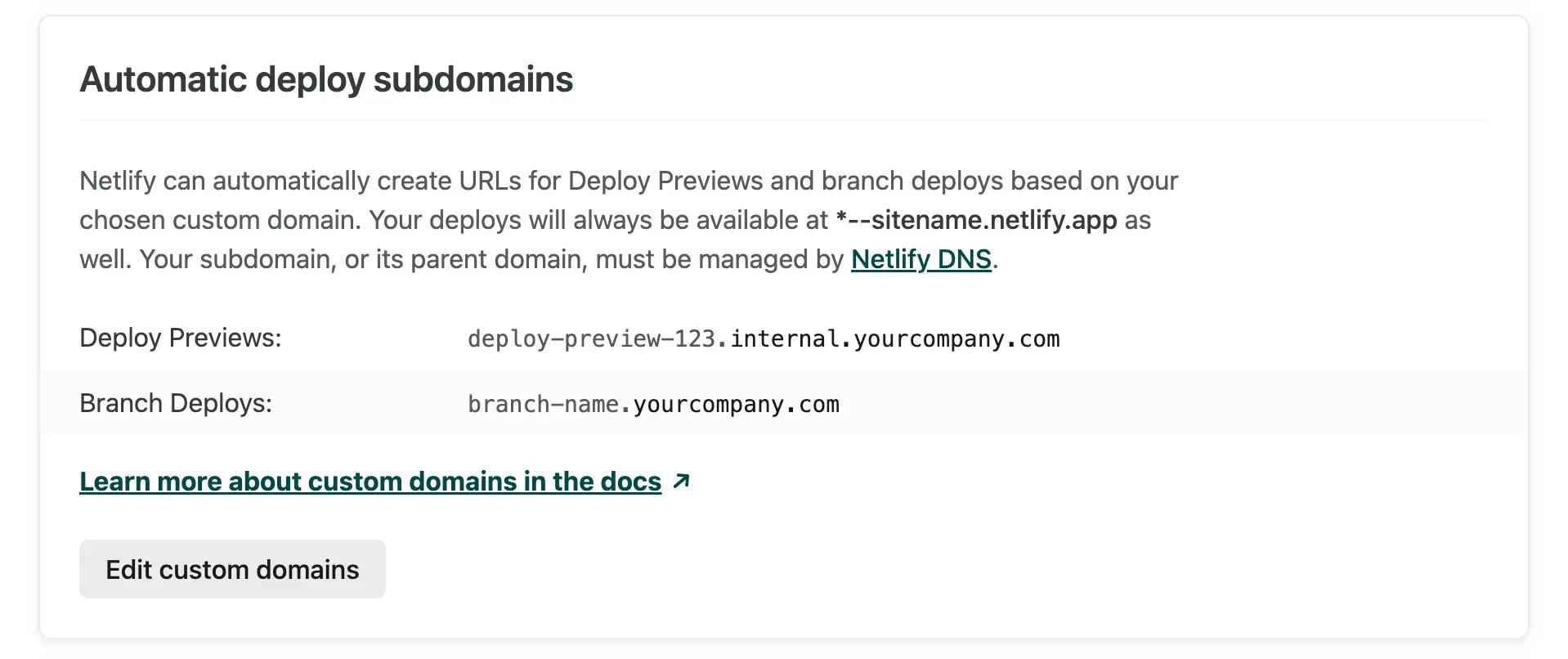
Automatic deploy subdomains are now generally available for all Netlify customers with a Pro plan or above! You can set a custom domain for your Deploy Previews and/or branch deploys, and Netlify will automatically generate and link to these URLs for these deploy contexts.
Why set a custom deploy subdomain?
Automatic deploy subdomains enable you to:
-
Quickly spin up additional environments at automatically-generated URLs.
-
Share Deploy Preview links with stakeholders or clients, and help ensure brand safety of those previews.
-
Help to ensure third-party integrations work properly in preview environments.
For example: If your auth or database solution requires access from allow-listed domains, you can add
*.previews.yourcompany.comto the allow list, instead of*.netlify.app. -
Empower security and IT teams to more easily build policies around company-controlled domains.
Set up in 60 seconds
Automatic deploy subdomains requires:
-
That your production site has at least one custom domain
-
A Netlify DNS-managed (sub)domain
Note: We understand that not all apex domains can be delegated to Netlify DNS, so we recently added the ability to bring just a subdomain, at any domain level of your choosing.
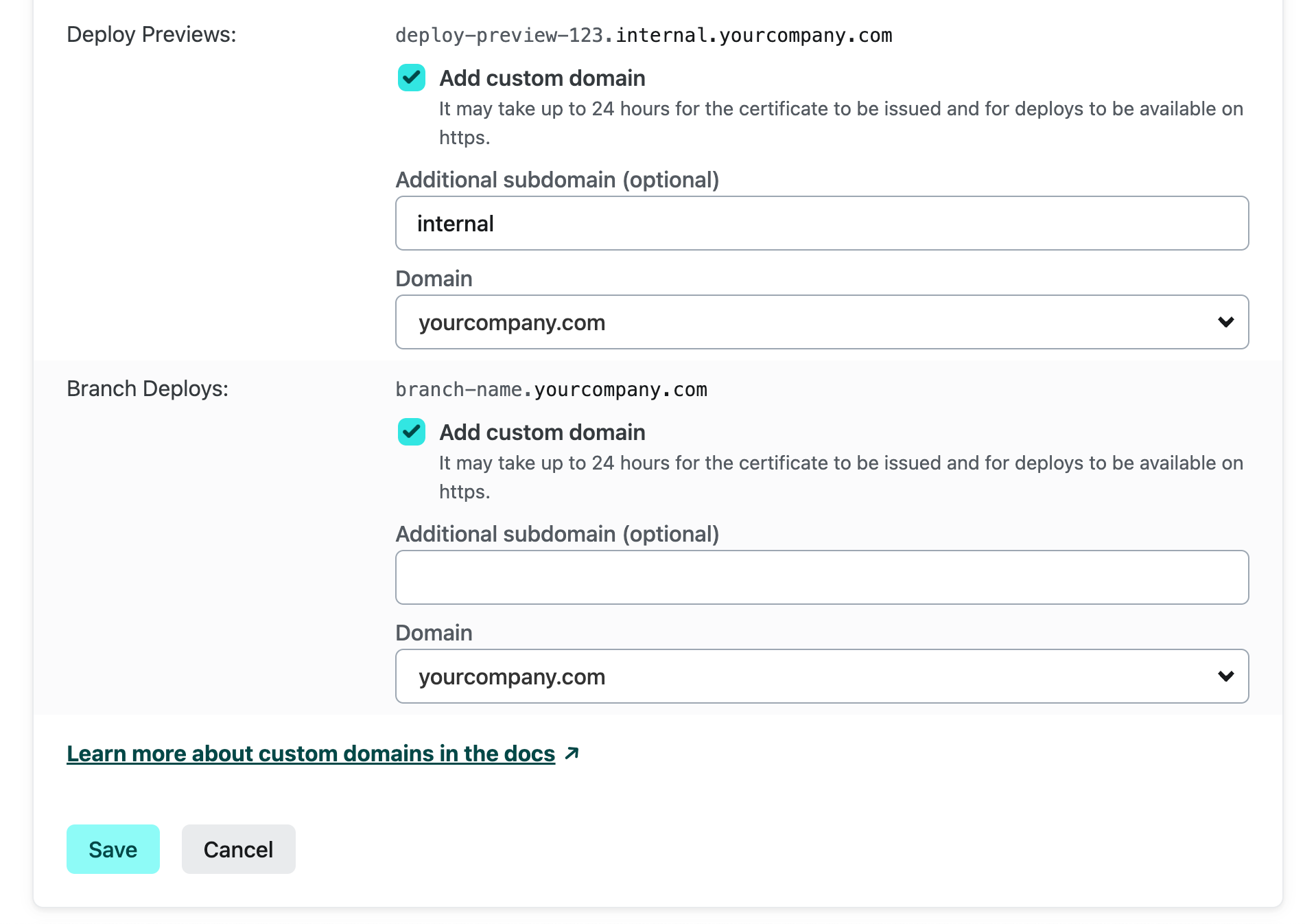
To set up your subdomains at Site Settings > Domain Management > Automatic deploy subdomains:
- Select “Edit custom domains”.
- Check “Add domain” next to each deploy context you want to customize.
- Select any domain from the “Domain” field. This list includes any (sub)domains you have delegated to Netlify DNS; you can add more at Team Overview > Domains.
- Add an optional prefix in the “Additional subdomain” field. You can have deploys available at
*.internal.yourcompany.comor*.qa.platform.yourcompany.cominstead of*.yourcompany.com. There is no need to set up any additional DNS records for this. - Press “Save”.
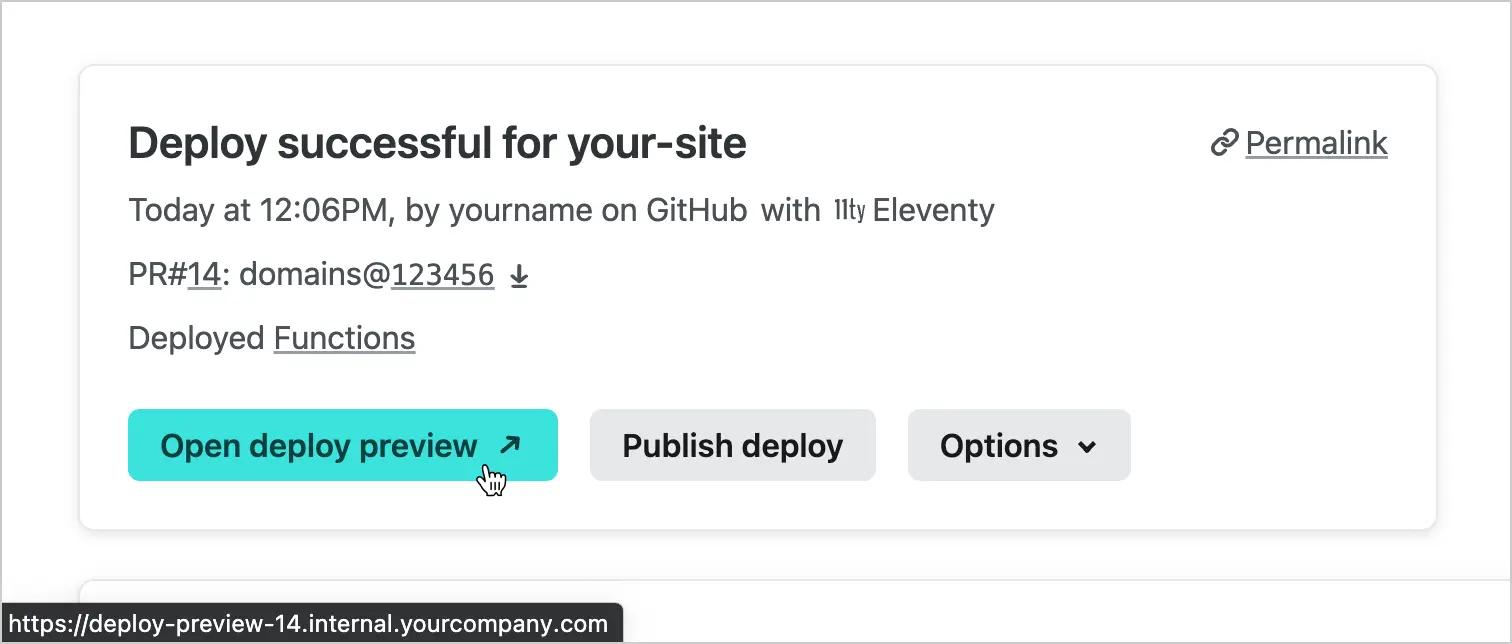
Netlify will automatically generate wildcard DNS records and SSL certificates for each Deploy Preview (deploy-preview–123.internal.yourcompany.com) and deployed branch (branch-name.internal.yourcompany.com). We will use these URLs on the app, in the API, and in deploy notifications:
Try it out today
You can learn more about how automatic deploy subdomains work and interact with other features on the docs. Please try it out today under Site Settings > Domain Management and let us know what you think on this short survey or on the forums!
Not already a Netlify customer? Sign Up for a free Pro trial to get access to automatic deploy subdomains and more features.