


💡 This blog post shows a dynamic approach of applying a Content Security Policy for the
script-srcdirective. Other directives likeconnect-srcwould not benefit from this dynamic approach.
The importance of a Content Security Policy
The web is open by default: any website can fetch scripts, stylesheets, images, fonts, and more as a resource from any domain. However, that leaves the door open for malicious actors to execute scripts on your site and attack your visitors. Website owners who value security of their websites, as well as their customers who use them, are encouraged to increase the security posture of the frontend of their website(s) by implementing a Content Security Policy.
What is a Content Security Policy (CSP)?
A Content Security Policy (CSP) is “a mechanism by which web developers can control the resources which a particular page can fetch or execute”. It instructs the browser to restrict network requests to a set of trusted domains specified by the website. It is an effective tool in the security tool belt that helps prevent resources — scripts, stylesheets, images, etc — from loading or executing without the website owner’s consent.
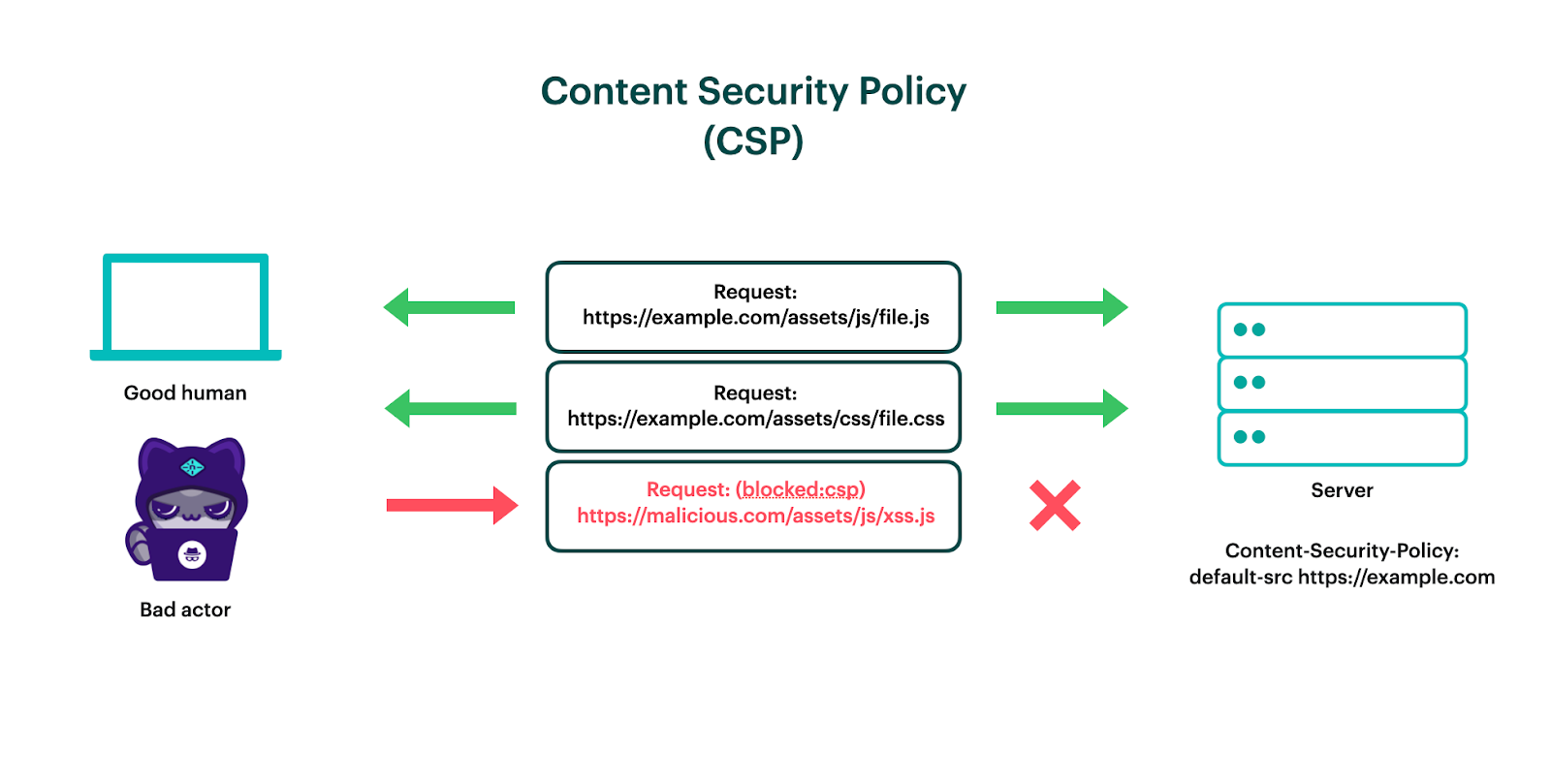
When we refer to a CSP, we are talking about a website’s Content-Security-Policy response header. The header’s value is a string of text, a semicolon-separated list of directives (like script-src, image-src, connect-src, etc) and their source lists, a list of domains (or content hashes) separated by spaces. This response header controls which external resources are allowed to be accessed by the site.
A CSP should be considered by any organization concerned about client-side attacks, compliance, exfiltration of customer data, and website defacement.
Setting up a CSP is difficult to get right
The problem with CSP is that it is notoriously fragile as well as tedious to maintain. Here are some common pitfalls you may encounter when specifying an allowlist of domains or content hashes that your website’s frontend is allowed to talk to:
- The CSP may block legitimate resources from loading or executing. If you forget to include a domain on this list, and your code legitimately attempts to fetch from this domain, then that request will be blocked.
- Inline snippets will need their content hashes recomputed if they change. If you employ the
script-srcdirective without'unsafe-inline', then inline scripts won’t execute unless you also include a SHA of its content in the CSP as well. You’ll need to either manually hardcode this hash (and adjust as needed whenever the script changes) or write a build step that computes and injects this hash for you. - Traditionally, CSP response headers are static, not dynamic, when served from a CDN. This means you’d need to maintain an allowlist of every single domain referenced by your site, which can easily balloon up to tens or hundreds of domains. But don’t worry - we have a better solution. Skip down to Simplifying CSP with dynamically-generated nonces for a spoiler on how we can implement a dynamic nonce.
In an effort to ease the operational risk of making CSP changes, a common strategy is to first deploy a Content-Security-Policy-Report-Only (CSP-RO) response header. This essentially sets up a dry-run of the CSP, reporting any violations (resources that the browser would block due to the domain not being on the allowlist) to the URI specified in the CSP’s report-uri directive. With a CSP-RO in place, you can test your CSP candidate against real production traffic. However, this strategy isn’t foolproof:
- Only domains that users access during this test period will be reported. Dusty corners of your app or site won’t be reported unless traffic is sent to them. Resources may point to different top-level domains (TLDs) based on the region the traffic is coming from (for example,
.dedomains may be accessed from Germany, whereas traffic from France might reach out to.frdomains), so if not all regions are active, then there will likely be holes in the reporting. - The test period is ongoing and it does not end. Typically, a CSP-RO is deployed alongside a CSP — acting kind of like a beta — where developers can test changes against production traffic to see if any violations are reported. If no violations are reported after some time, then the new rules are promoted to the CSP. The ongoing nature of CSP-RO is exhausting from a maintenance perspective.
Consider a marketing team that owns the Segment or Google Tag Manager implementation of a site. They want to add a script so that data starts flowing to this new destination. Unless this new destination’s domain is already included in the CSP, it won’t start working until developers make a code change to add it. This creates a bottleneck of marketers waiting on developers, as the code change will require human approval in a pull request.
As you can imagine, this allowlist would grow to become rather long. Take adding Google Analytics to the connect-src directive, for example: Google itself recommends that “each Google top-level domain (TLD) must be specified individually, since CSP syntax does not allow the use of wildcards on the right side of the hostname.” This number of Google domains is incredibly long (187 at time of writing!), and is what they recommend just to support a single service. Every external resource that the website reaches out to must be captured and documented, otherwise they will not load — it is strict by design. As a result, developers tend to be afraid to remove domains from this list, so it grows to be an append-only list of rules (much like a global stylesheet!). On top of that, this long allowlist is included in every response when served as a static header, inflating total request size and egress.
Many companies try to deploy a CSP, but never make it past the CSP-RO stage — including us! We had tried to enforce a CSP on the Netlify platform, but it never graduated from Report-Only, because 1) the workflow to approve new domains to the allowlist was too cumbersome, and 2) we weren’t confident that we were capturing all allowed domains in our proposed allowlist.

Subresource integrity solves a different problem
You may have heard of subresource integrity (SRI). Script tags include the integrity attribute, whose value must match the hashed value of the resource’s content, otherwise the browser will refuse to execute it. The hash for subresource integrity is static/deterministic; that is to say, the value does not change unless the content changes.
But implementing SRI is only helpful if you are hotloading scripts from a third-party. You want to be sure that the content you are downloading — such as a versioned library — does not change (either maliciously or accidentally). You also must calculate the sha ahead of time, and hardcode that value into your HTML, for it to become effective.
What SRI does not do is prevent cross-site scripting attacks (XSS). If you have user-generated content on your site, or collect user input from forms or query parameters, then your frontend developers must go through extra lengths to ensure that a maliciously-crafted input wouldn’t allow for scripts to be injected on the page. Modern frameworks like React have guardrails in place to prevent this, but there are some use cases (notably rendering markdown into HTML) where unsanitized markup can find a way to the client.
Simplifying CSP with dynamically-generated nonces
The crux of the difficulty behind implementing a CSP successfully is that manually maintaining an allowlist is tedious. What if instead of maintaining an allowlist, we could guarantee integrity dynamically?
That’s exactly what a CSP nonce does: on every request, a randomly-generated cryptographically-secure string gets included in the CSP’s script-src directive. If the random string from the CSP header does not equal the value in a <script> tag’s nonce attribute, then the browser will refuse to execute that script. Scripts that have a matching nonce attribute are considered to be trusted, and when the strict-dynamic keyword is specified, then any script(s) created from the trusted script will also be trusted and allowed to execute.
Using Netlify Edge Functions for dynamic CSP
Traditionally, CDNs aren’t able to dynamically generate response headers. The headers — like the content of the files themselves — are static, unless your site uses server-side rendering (SSR).
However, we have Netlify Edge Functions in our arsenal, which act like a middleware layer for the CDN. An edge function can intercept requests that match certain criteria (in this case, HTML documents), add a response header, and transform <script> tags to include a nonce attribute that is unique to every request.
By providing the script-src directive with a dynamically-generated nonce at request-time, attackers won’t be able to inject their own client-side scripts. Even data exfiltration — usually protected by the connect-src directive — becomes much more difficult.
How to implement dynamically-generated nonces on your Netlify sites
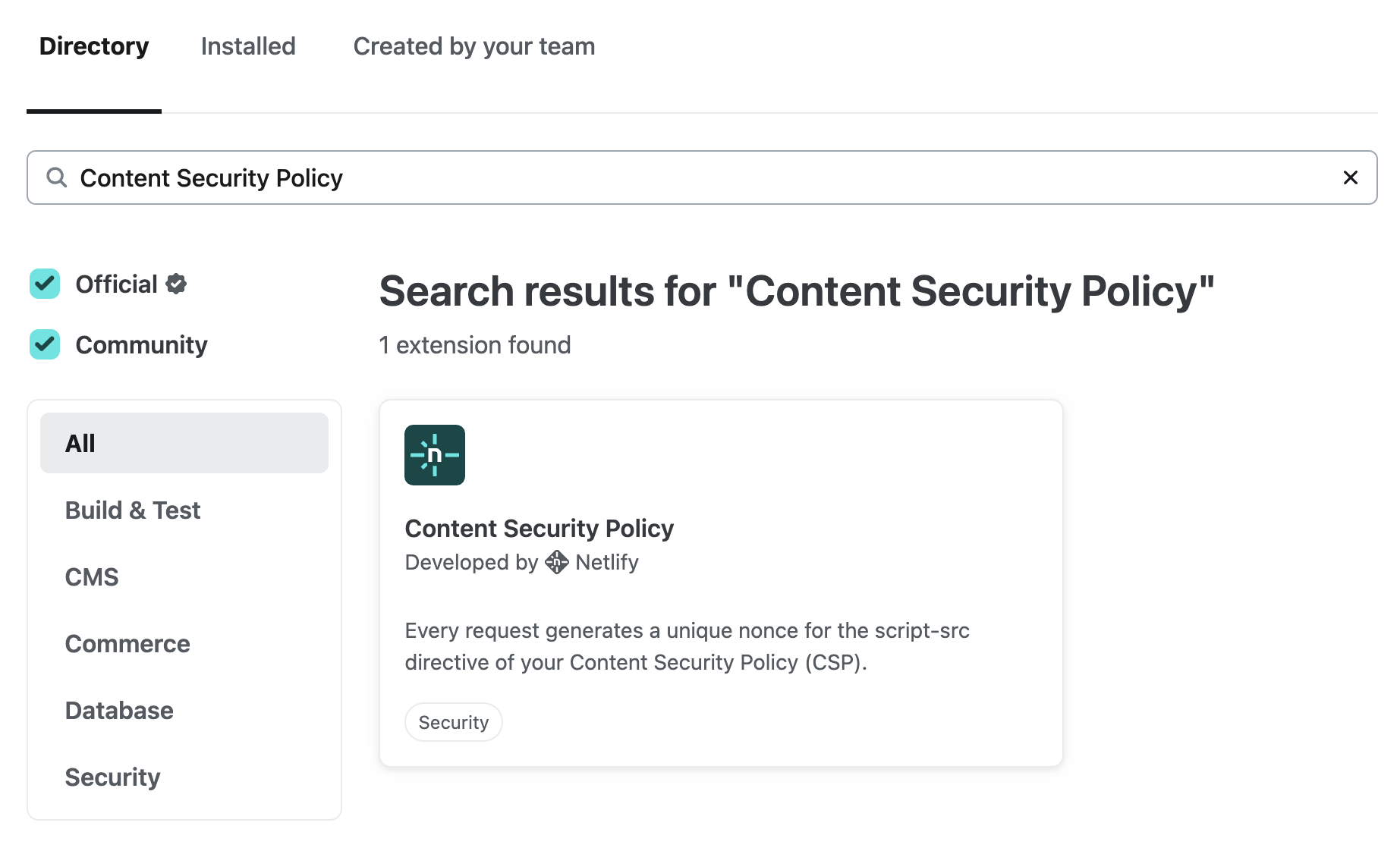
We’ve developed an extension using the Netlify SDK that will configure and deploy this edge function for you, called the Content Security Policy extension. Simply head to the Extensions page for your team, search for “Content Security Policy”, and install the extension:
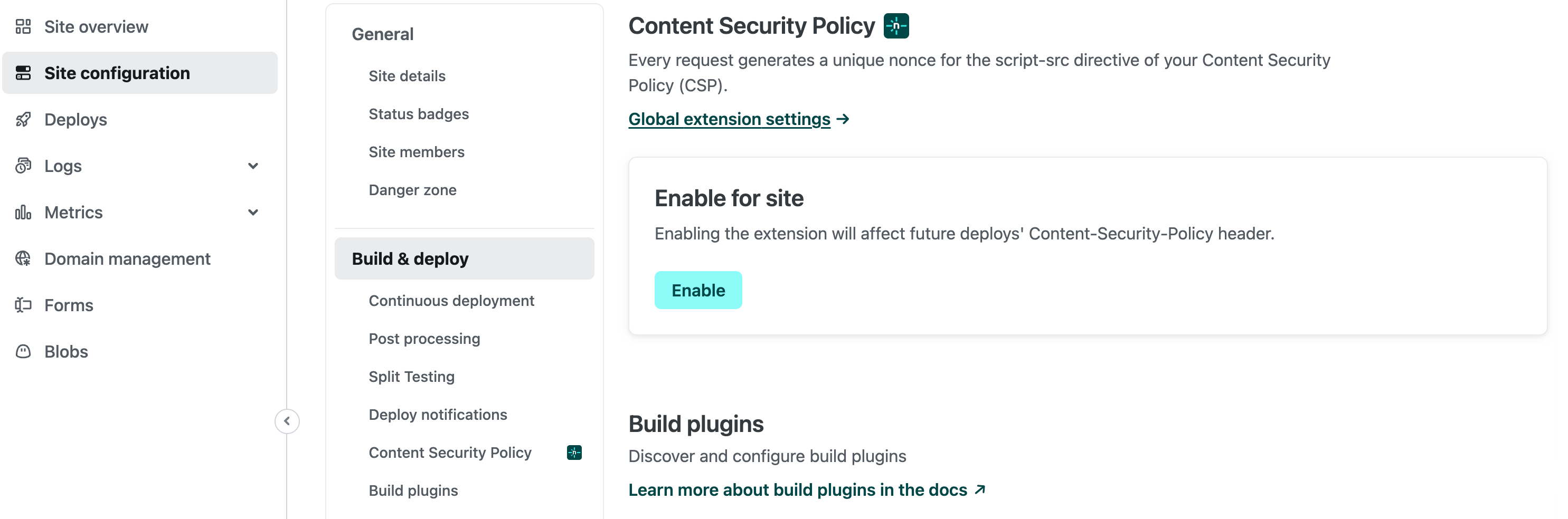
After you install the extension on your team, navigate to Site configuration > Build & Deploy > Content Security Policy for the site you want to add a CSP nonce to and select Enable:
The page will update and you can then configure the options in the same section:
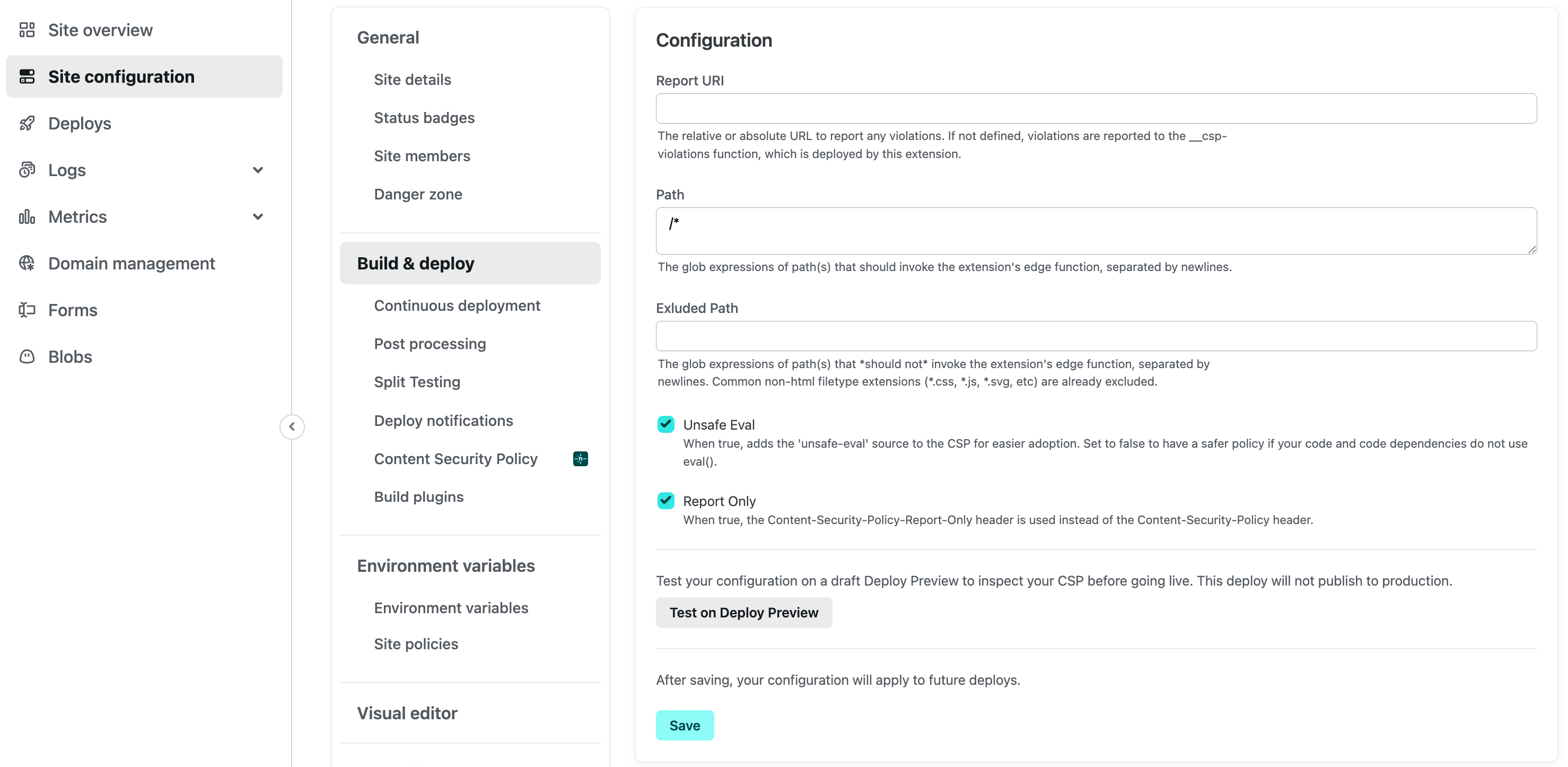
Your next deploy will contain the CSP nonce. If your site already has a CSP in place, this extension will merge the nonce with your existing directives.
🧩 If you prefer configuration as code, you can also enable this functionality by installing the @netlify/plugin-csp-nonce build plugin.
Testing your dynamic CSP
You can test in a Deploy Preview before going live by clicking the Test on Deploy Preview button under Site configuration > Build & Deploy > Content Security Policy. And because all deploys on Netlify are atomic and immutable, you can instantly rollback if anything goes awry. Inspect your response headers, and you should see a CSP with a value like this:
script-src 'nonce-6RIGit1eDC3GY0BRqEifv/dQ3OyKCZ8w' 'strict-dynamic' 'unsafe-inline' 'unsafe-eval' 'self' https: http:; report-uri /.netlify/functions/__csp-violations
Here, the 'unsafe-inline', 'self', https:, and http: sources are supplied for backwards-compatibility purposes, and are ignored by browsers that support the strict-dynamic source list keyword. Modern browsers support strict-dynamic (CSP Level 3 in Chrome 52+, Edge 79+, Firefox 52+, and Safari 15.4+).
By default, the extension will use the Content-Security-Policy-Report-Only response header for your CSP. This means that violations will be logged, but not blocked, giving you insight into how production traffic behaves with the policy without breaking functionality. Violations will be reported to and logged by a Netlify Function also deployed by the extension — you can monitor the violation reports by checking the logs of the __csp-violations function.
To graduate from a Content-Security-Policy-Report-Only header to a Content-Security-Policy header, remove the 'unsafe-eval' source list keyword (present by default for easier adoption), or configure a custom report-uri, just change the configuration values for the extension under Site configuration > Build & Deploy > Content Security Policy.
To gradually control the rollout of the nonce in your CSP while you monitor violation reports, you can set the CSP_NONCE_DISTRIBUTION environment variable to a value between 0 and 1. This value controls the percentage of traffic that would receive a transformed response containing the CSP nonce.
The edge function that transforms your site’s HTML to include the CSP nonce runs after snippet injection, so any user-defined snippets, as well as scripts supporting Real User Metrics (RUM) and the Netlify Drawer, will include the nonce attribute and won’t be blocked.
We’re so confident that this solution will help you implement a Content Security Policy for your site, that we’re putting our money where our mouth is: We currently use this edge function ourselves on 100% of requests to the Netlify platform. Inspect the response headers of the Netlify UI to see for yourself! We’ve been living with this in production for months now, and haven’t seen delays in response time or other ill effects. If Netlify Edge Functions start having a degraded or unavailable service, the edge function will by bypassed, meaning that the request chain will continue (albeit without the CSP nonce in place) rather than crashing altogether.
 The dynamic nonce gets added to both external and inline scripts.
💡 Don’t forget to test your updated CSP against common browser extensions that your users use. We’ve tested and confirmed that the Google Lighthouse, Google Translate, and 1Password browser extensions all work when the extension is enabled.
Enhanced web security made simple with the Netlify Dynamic CSP extension
We’re excited for you to try out the Content Security Policy extension on your site. Let us know what you think in the forums! If you or your team encounters any issues, please let us know by filing an issue on the GitHub repo.
If you’re not a Netlify Enterprise customer, reach out to our team for a custom demo.