





Netlify DB, now available in beta, is a part of Agent Week. A week of announcements focused on making it easier, faster, and safer to go from prompt to production.
Run this command, or install the @netlify/neon package. Either way, you get a production-ready PostgreSQL database automatically.
Netlify DB, powered by Neon, is serverless Postgres designed for the way AI agents work. With autonomous access and zero friction in your flow.
Build fullstack apps with agents
Yesterday we showed how agents can use the Netlify CLI, API, and even deploy your code with our new, official Netlify MCP Server. Today we’re solving the next challenge: where do those applications store their data?
Agents are fantastic at writing code, but when it comes to infrastructure, spinning up databases or adding storage, there’s a huge gap. No one wants to break focus to configure connections, let alone deal with 2FA. That’s not a good developer or agent experience.
We made Netlify DB to eliminate that friction entirely. With it, you can go from generating static UI to building dynamic, fullstack applications without breaking that flow, all within a single platform.
A database built for agent workflows
When starting your project and you need to store data you can in less than a minute. You can setup your database using npx netlify db init, which will even ask if you want to add Drizzle, too.
Or, when using Cursor, Windsurf, or Copilot on an existing Netlify project an agent will:
- Install the package:
npm install @netlify/neon - Write database code using
process.env.NETLIFY_DATABASE_URL - Run
netlify devand the database provisions automatically, adding the Neon extension
No connection strings or variables to deal with or config files to mess with. The agent stays in flow from code generation to live application.
Building a book tracker in minutes
Let’s see this in practice. With our MCP Server and Netlify DB, you can now have this conversation with your AI agent, something like ‘Create a book reading tracker app with a database’.
The agent can then scaffold a complete fullstack application using Netlify:
- Frontend components → React with Vite for fast development and building
- API endpoint → Netlify Function handling book storage and retrieval
- Database → PostgreSQL via Netlify DB, automatically configured
- Cover images → Book covers stored in Netlify Blobs
- Deployment → Live URL with Git-based CI/CD
Here’s the complete working backend and API the agent generated in our case:
import { neon } from "@netlify/neon";
import type { Context, Config } from "@netlify/functions";
const sql = neon();
// Ensure table exists
async function ensureTable() {
await sql(`
CREATE TABLE IF NOT EXISTS books (
id SERIAL PRIMARY KEY,
title TEXT NOT NULL,
author TEXT NOT NULL,
cover_url TEXT NOT NULL
)
`);
}
export default async (req: Request, context: Context) => {
await ensureTable();
if (req.method === "GET") {
// Fetch all books
const rows = await sql("SELECT * FROM books ORDER BY id DESC");
return new Response(JSON.stringify(rows), {
headers: { "Content-Type": "application/json" },
});
} else if (req.method === "POST") {
// Add a new book
const { title, author, cover_url } = await req.json();
if (!title || !author || !cover_url) {
return new Response(JSON.stringify({ error: "Missing fields" }), {
status: 400,
headers: { "Content-Type": "application/json" },
});
}
await sql(
"INSERT INTO books (title, author, cover_url) VALUES ($1, $2, $3)",
[title, author, cover_url]
);
return new Response(JSON.stringify({ success: true }), {
headers: { "Content-Type": "application/json" },
});
}
return new Response("Method Not Allowed", { status: 405 });
};
export const config: Config = {
path: "/api/books",
};
One prompt, two commands, and 50 lines code later, we have a working backend.
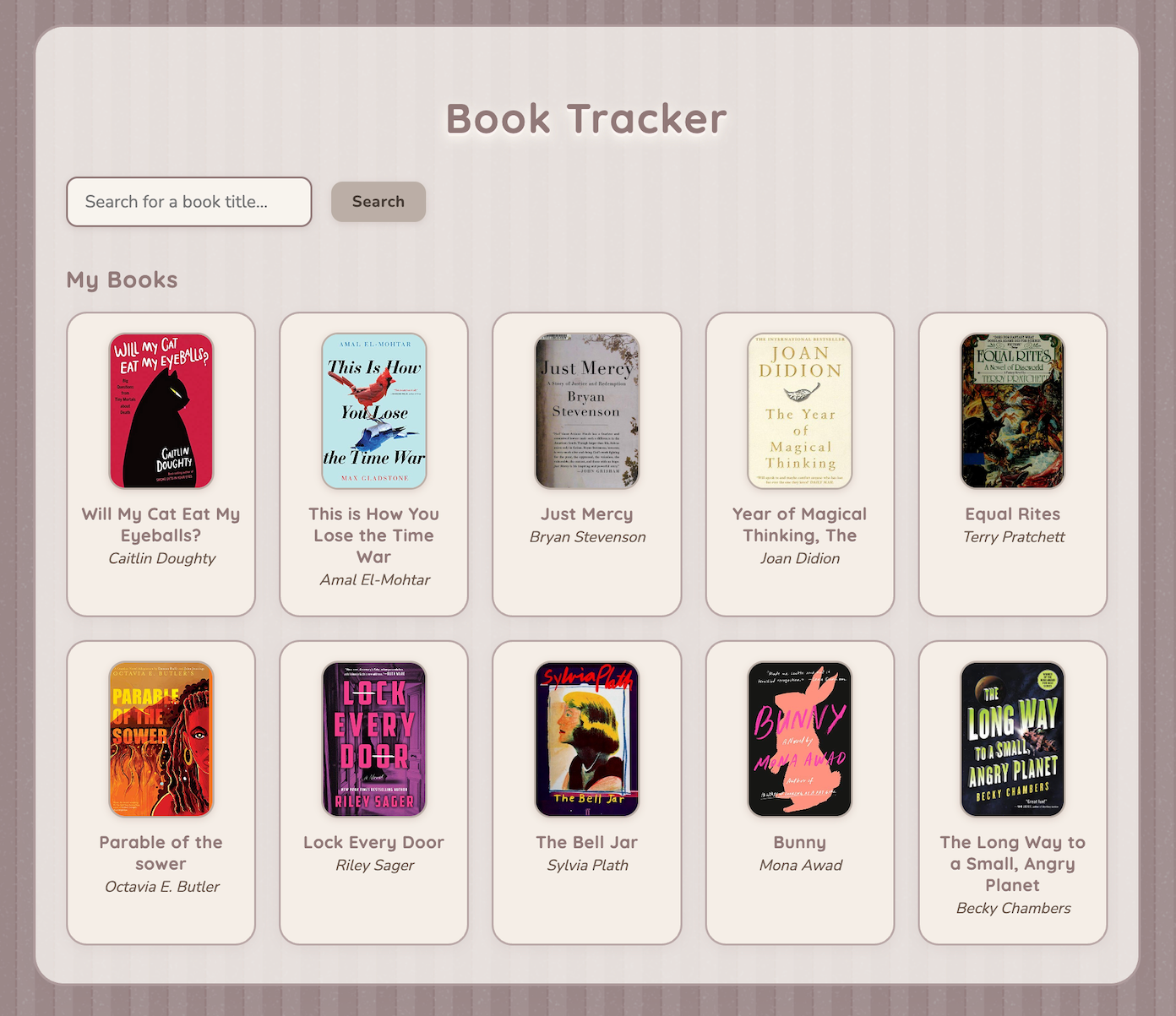
Explore and deploy the full React demo in Netlify’s examples on GitHub.
Production-ready Postgres
Netlify DB starts simple but grows with your needs. Development databases work immediately and give you 7 days to explore before you’re required to connect it to your Neon account. Which you can do from the Netlify Dashboard:
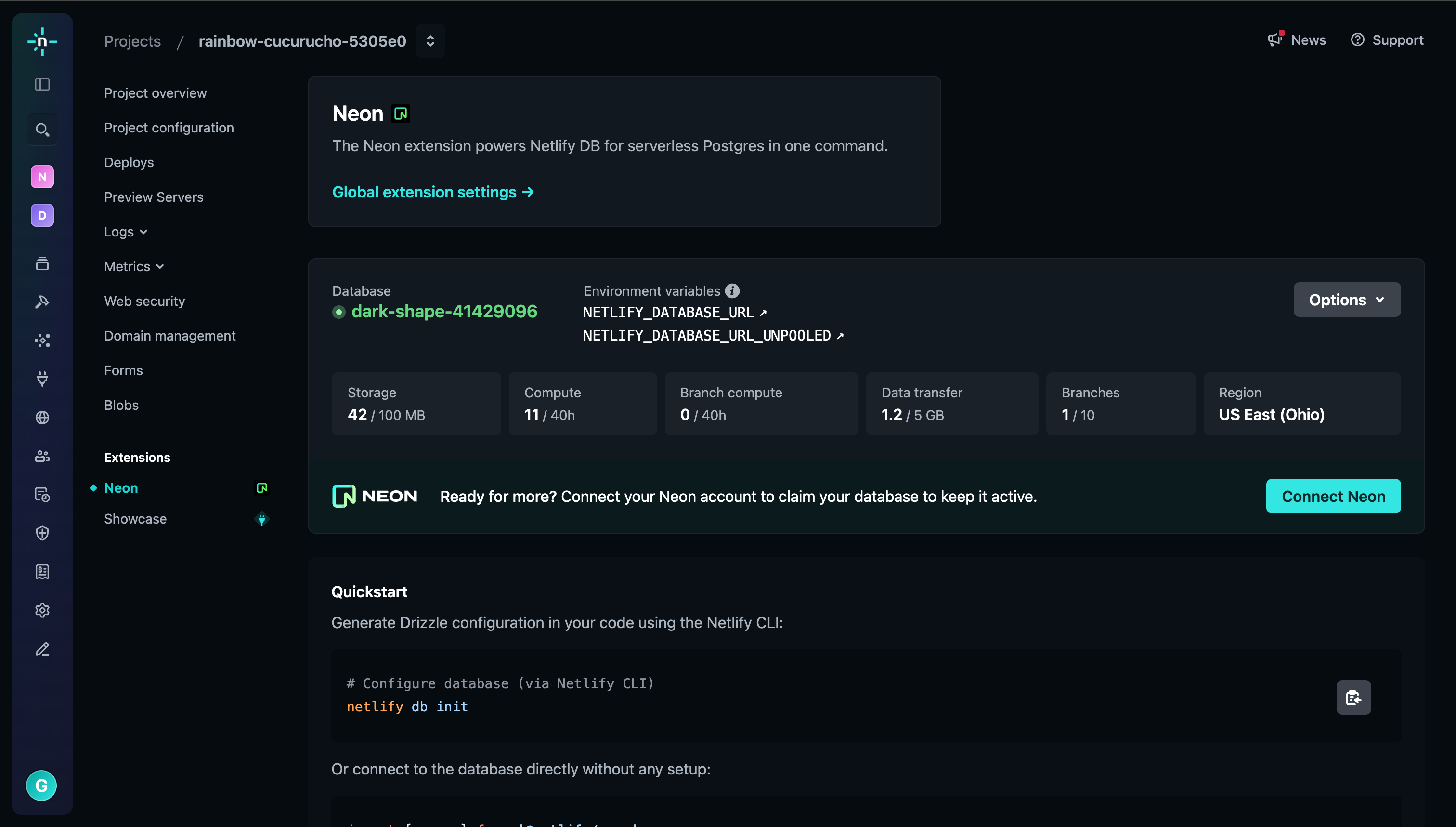
When you’re ready for production you can use Neon to:
- Add RLS policies for secure, multi-user applications
- Branch your database for safer feature development
- Scale compute resources as your application grows
And because Netlify DB is built entirely on open source PostgreSQL, you maintain full control of your data and can use any Postgres-compatible tools.
The platform that keeps up with AI
This is agent experience done right. While other cloud platforms require manual handoffs between code generation and infrastructure, Netlify enables you and your agents to complete the full journey from prompt to production.
Netlify DB joins our growing toolkit for AI-native development:
- Functions: Serverless compute that provisions with your code
- Blobs: Object storage for AI-generated files and media
- Forms: Managed form handling without backend complexity
- MCP Server: Direct agent access to deployment and management
We believe development and agents work best when infrastructure gets out of their way. Netlify DB eliminates the friction between code generation and data persistence, letting you build every type of app in one workflow and platform.
With agents able to code, deploy, and manage data, there’s one critical piece left: ensuring all this speed doesn’t compromise security. That’s what we’ll tackle tomorrow.