
惯性聚合 高效追踪和阅读你感兴趣的博客、新闻、科技资讯
阅读原文 在惯性聚合中打开

推荐订阅源

K
Kaspersky official blog
罗磊的独立博客
F
Fortinet All Blogs
人人都是产品经理
人人都是产品经理
量子位
V
Visual Studio Blog
Blog — PlanetScale
Blog — PlanetScale
M
MIT News - Artificial intelligence
B
Blog RSS Feed
腾讯CDC
博客园_首页
aimingoo的专栏
aimingoo的专栏
博客园 - 三生石上(FineUI控件)
博客园 - Franky
S
SegmentFault 最新的问题
N
Netflix TechBlog - Medium
小众软件
小众软件
奇客Solidot–传递最新科技情报
奇客Solidot–传递最新科技情报
K
KPMG report finds enterprise disconnect between AI and its ROI | CIO
Threat Intelligence Blog | Flashpoint
L
LINUX DO - 热门话题
cs.CL updates on arXiv.org
Martin Fowler
Martin Fowler
D
Docker
P
Privacy & Cybersecurity Law Blog
S
Securelist
V
V2EX
Jina AI
Jina AI
阮一峰的网络日志
阮一峰的网络日志
T
Tor Project blog
The Hacker News
The Hacker News
Microsoft Azure Blog
AWS News Blog
AWS News Blog
The GitHub Blog
The GitHub Blog
有赞技术团队
有赞技术团队
T
The Exploit Database - CXSecurity.com
Help Net Security
Help Net Security
酷 壳 – CoolShell
酷 壳 – CoolShell
Application and Cybersecurity Blog
博客园 - 叶小钗
Recent Announcements
Cloudbric
Cloudbric
Y
Y Combinator Blog
钛媒体:引领未来商业与生活新知
钛媒体:引领未来商业与生活新知
freeCodeCamp Programming Tutorials: Python, JavaScript, Git & More
Latest news
Latest news
MongoDB | Blog
MongoDB | Blog
H
Hackread – Cybersecurity News, Data Breaches, AI and More
Recorded Future
Recorded Future
V2EX - 技术
V2EX - 技术

Netlify Changelog

Gemini 3.5 Flash now available in Agent Runners 4 Nuxt CVEs: what Netlify users need to know Gemini 3.5 Flash now available in AI Gateway Agent Runners workflow improvements Next.js & React security release (May 2026): what to know Block project transfers out of your team Gemini 3.1 Flash-Lite now available in AI Gateway OpenAI GPT-5.5 Instant now available in AI Gateway New `netlify logs` CLI command Deploy to Netlify with Stripe Projects Netlify Database is now generally available OpenAI GPT-5.5 and GPT-5.5 Pro in AI Gateway & Agent Runners Rename an agent run GPT Image 2 now available in AI Gateway New frontend-design skill for Agent Runners Claude Opus 4.7 now available in AI Gateway and Agent Runners Pricing updates for Credit-based plans New sorting and filter controls on the Members page Netlify Database GA coming soon, no new databases for now Deploy logs streaming is now faster Netlify CLI adds prompt-based creation and anonymous deploys Deploy from Codex with the Netlify Plugin Hydrogen with React Router 7 now supported on Netlify Monitor credit usage by day Invoices for Enterprise Available on the Billing Page AI app development on production infrastructure with Netlify Introducing Prompt Templates OpenAI GPT-5.4 Nano and GPT-5.4 Mini in AI Gateway Change your pricing plan Internal Builder Role & Project Access Controls See your available credits at a glance Astro 6 just works on Netlify Limit AI feature usage OpenAI GPT-5.4 and GPT-5.4 Pro in AI Gateway & Agent Runners Deploy Preview screenshots in agent runs Gemini 3.1 Flash-Lite Preview now available in AI Gateway GPT-5.3 Instant now available in AI Gateway Use Netlify Agent Runners from Linear Automatic PHP bot scan blocking now live on all plans Support for stale-while-revalidate in Cache API Gemini 3.1 Flash Image Preview now available in AI Gateway GPT-5.3-Codex now available in AI Gateway Gemini 3.1 Pro Preview now available in AI Gateway Claude Sonnet 4.6 now available in AI Gateway and Agent Runners Sync changes with Agent Runners without Git Claude Opus 4.6 now available in AI Gateway and Agent Runners Agent Runners improvements recap 6 new React Router & Remix CVEs: what you need to know Vulnerability in Node.js: what Netlify users need to know 5 SvelteKit security vulnerabilities: what Netlify users need to know GPT-5.2-Codex Now Available in AI Gateway and Agent Runners Play Games While Agent Runners Do the Work Prerender.io support updated as new extension Gemini 3 Flash Preview now available in AI Gateway GPT-image-1.5 now available in AI Gateway AI Gateway now Generally Available Observability release is here Prerender extension now generally available Action required: React/Next.js CVE-2025-55184 and CVE-2025-55183 GPT-5.2 and GPT-5.2-Pro now available in AI Gateway and Agent Runners GPT-5.1-Codex-Max now available in AI Gateway and Agent Runners Netlify’s response to the critical React security vulnerability Netlify Vite Plugin now supports AI Gateway locally Claude Opus 4.5 now available in AI Gateway Projects deployed using a zip file via API now support branch deploys Day one support for Angular v21 on Netlify Gemini 3 now available in AI Gateway and Agent Runners DNS record management simplified for teams in Netlify organizations Skew protection for CLI workflows Support for more domain TLDs GPT-5.1 model now available in AI Gateway React Router 7 apps can now be deployed to Edge Functions | Netlify Changelog Git SHA exposed for triggered deploys | Netlify Changelog Test scheduled functions in Netlify dashboard | Netlify Changelog Revert agent run in a task | Netlify Changelog Deletion improvements with Netlify Blobs | Netlify Changelog Preview Server restart for cross-functional collaborators | Netlify Changelog AI inference usage graphs | Netlify Changelog Buy credit packs on demand | Netlify Changelog React Router 7 middleware now supported | Netlify Changelog Skew protection now available | Netlify Changelog Next.js 16 is ready to deploy on Netlify | Netlify Changelog Enforce Git-based workflows for production deploys | Netlify Changelog Claude Haiku 4.5 is now available in the AI Gateway | Netlify Changelog GPT 5 Pro now available in the AI Gateway | Netlify Changelog Updates to credit-based Personal and Pro plans | Netlify Changelog New AI workflows: Agent Runners and AI Gateway (beta) | Netlify Changelog Netlify pricing update: Introducing credit-based plans | Netlify Changelog Security Update: Multiple vulnerabilities in Next.js | Netlify Changelog ChatGPT deep link for failed deploy analysis | Netlify Changelog Equinix IP address expiring for 4-year old sites | Netlify Changelog Nuxt 4 support + new @netlify/nuxt module for local dev | Netlify Changelog Smart Secret Scanning for AI-Generated Code | Netlify Netlify DB: Serverless PostgreSQL Database | Netlify One-click install Netlify MCP on Cursor | Netlify Changelog Netlify MCP Server: AI Agents Can Now Deploy Code Directly | Netlify Netlify Becomes Official Vite Deployment Partner + New Plugin | Netlify Angular 20 support | Netlify Changelog Netlify CLI 21.4.1 UI and workflow enhancements | Netlify Changelog Security Update: Next.js sites on Netlify not vulnerable to CVE-2025-32421 | Netlify Changelog
Netlify has entered the chat: Netlify app for Slack now in beta
Nahrin Jalal · 2023-09-19 · via Netlify Changelog

No more messing with webhooks to get deploy notifications working in Slack: introducing the Netlify app for Slack, now available in beta!

Quickly connect your Slack workspace to your Netlify account to keep tabs on all your sites and team activity. The official Slack app introduces new notification types and enables your team to design your subscriptions to meet your team or organizational needs. You can also invite Ask Netlify to your channels and get product support at your fingertips. Learn more in the docs or get started by connecting your workspace.

The right signals, without the noise

We built the Netlify app for Slack for teams who use Slack as their home base of communication. Many different people are involved in building and maintaining your organization’s most important websites, but they might not all be in Netlify day-to-day. The Slack app brings that activity into a space your team already shares, making it easier for everyone to know what’s going on, like:

  • Has this week’s major release reached production?
  • Who rotated our secrets, stored in environment variables?
  • What feedback have stakeholders shared on our preview environments?

By bringing activity into these shared spaces, your team can get campaigns and functional releases out the door faster, as well as keep tabs on the security posture of your Netlify team and projects.

We know first-hand that noisy notifications can be a headache. The Netlify app for Slack enables your team to subscribe only to the events you need, on a team or site basis, in the relevant public and private channels.

Available notification types

The Netlify app for Slack enables you to subscribe to:

  • DNS zone and domain events
  • Team configuration changes
  • Team membership events
  • Comments and issues from the Netlify Drawer, i.e. activity in collaborative Deploy Previews and branch deploys
  • Deploy state changes. You can refine these events by deploy context—e.g. filter just to production—as well as by deploy state.
  • Environment variable events
  • Form submissions
  • Site configuration changes

We hope this granularity helps support your team’s most critical workflows. For example, a development channel may need a live play-by-play, whereas your marketing team may just want to keep on top of submissions from a lead generation form. If there’s something else you’d like to see, let us know!

Installing the Netlify app for Slack

On app.netlify.com, team Owners on Pro and Enterprise plans can navigate to Team Settings > Notifications and “Select workspace” to get started:
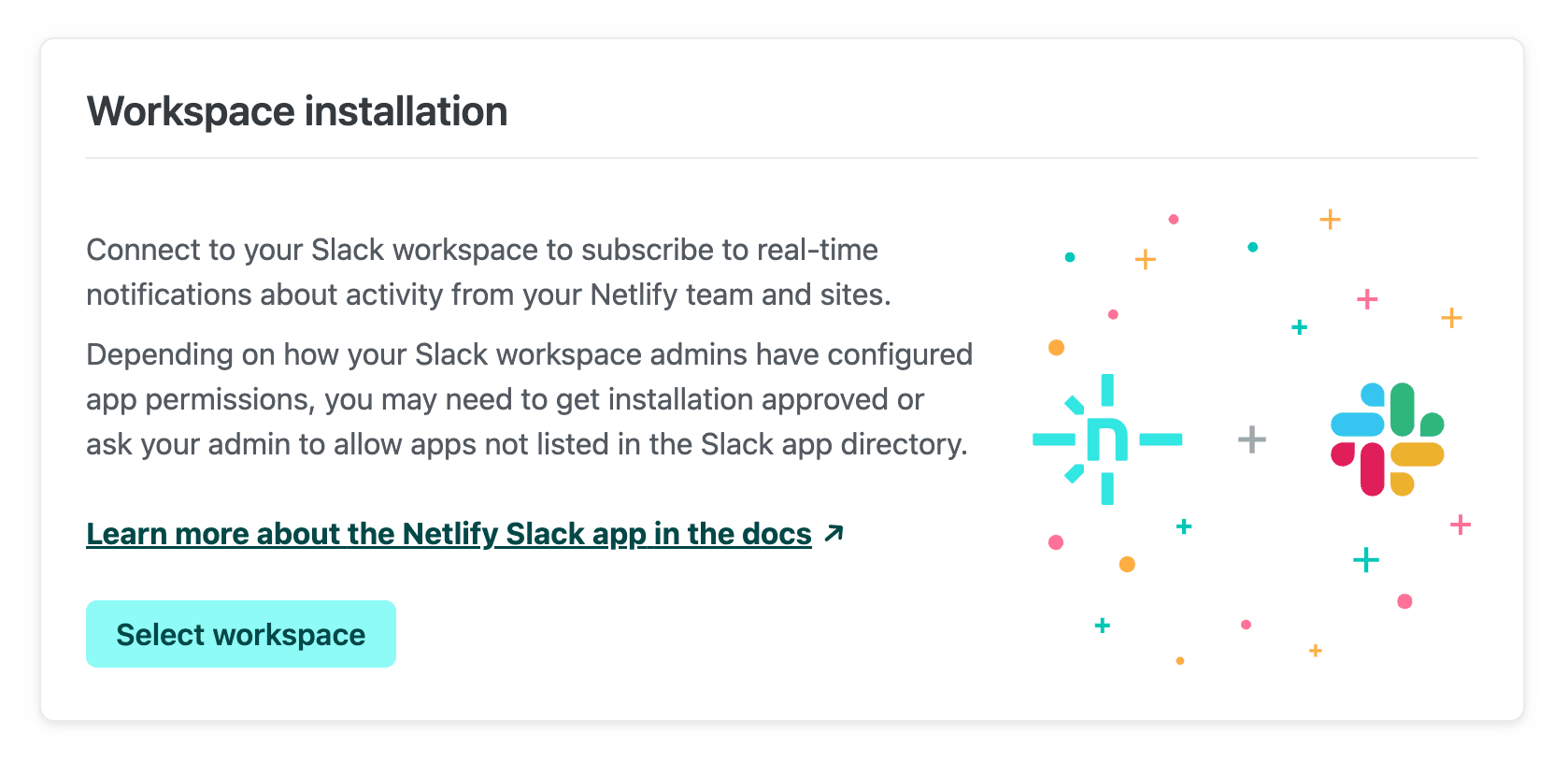
Netlify UI showing the ability to connect a workspace and install the app

Once you go through the prompts, the app will be installed in your chosen workspace. A Slack workspace can be connected to multiple different Netlify teams.

Permissions error?

While our app is under review for the Slack app directory, you may run into permissions limitations depending on your admins’ Slack configuration. Learn how to resolve these in the Netlify app for Slack docs. Of course, always check with your administrators before installing any application to your Slack workspace.

Subscribing to notifications

You can subscribe to Netlify notifications in any public or private channel, so long as the channel is not shared with another Slack workspace. There are two ways to manage your subscriptions:

  1. From the Netlify UI

    Once your workspace is connected, Team Settings > Notifications will show an option to “Add subscription”. You can select which event you’re interested in, as well as the channel you’d like to receive notifications in:
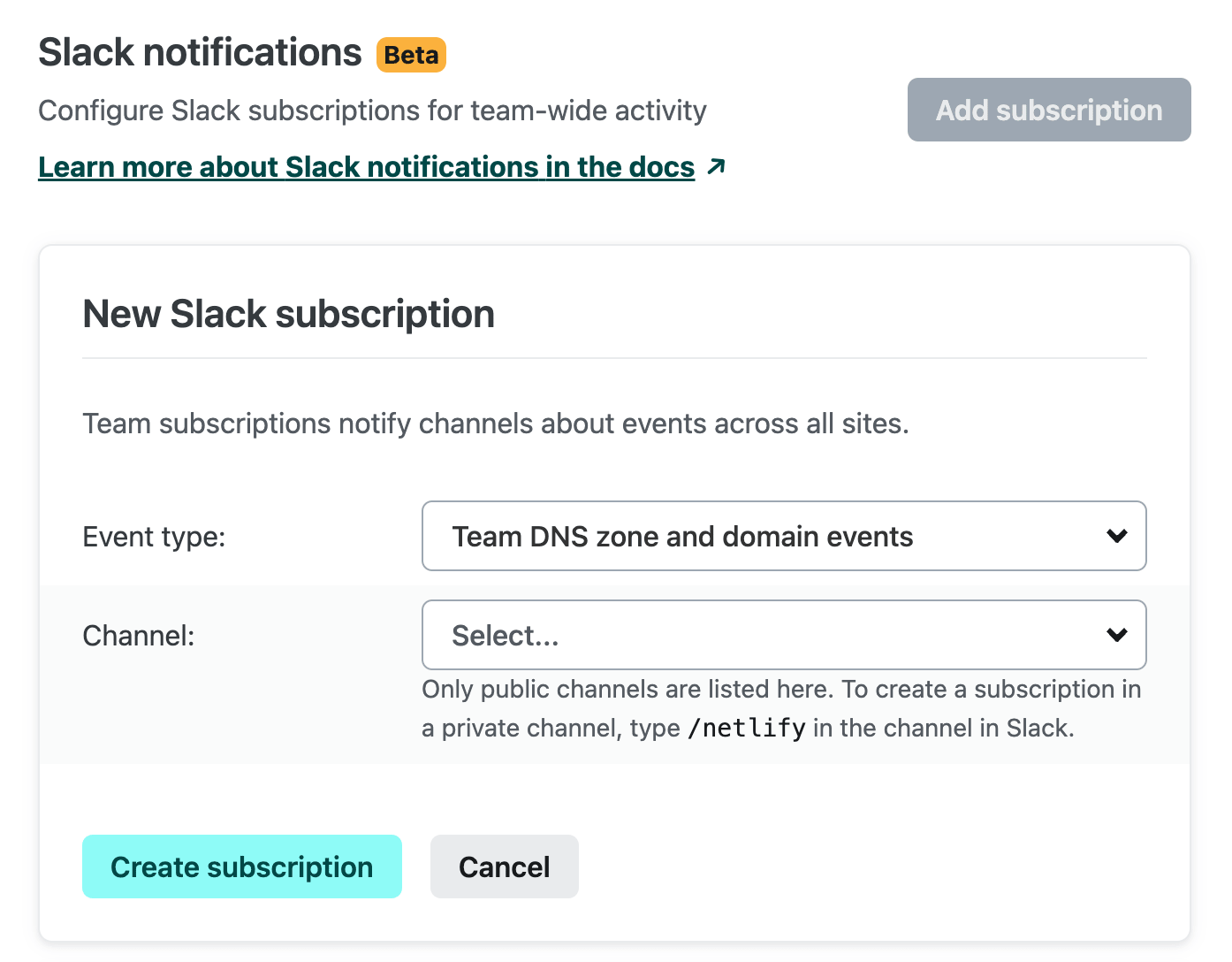
    Setting up a new Slack subscription to Team Domains and DNS events

    Subscriptions created here will track these notifications for the entire team (e.g. “Team configuration events”) or for all sites in the team (e.g. “Comments and issues from the Netlify Drawer”).
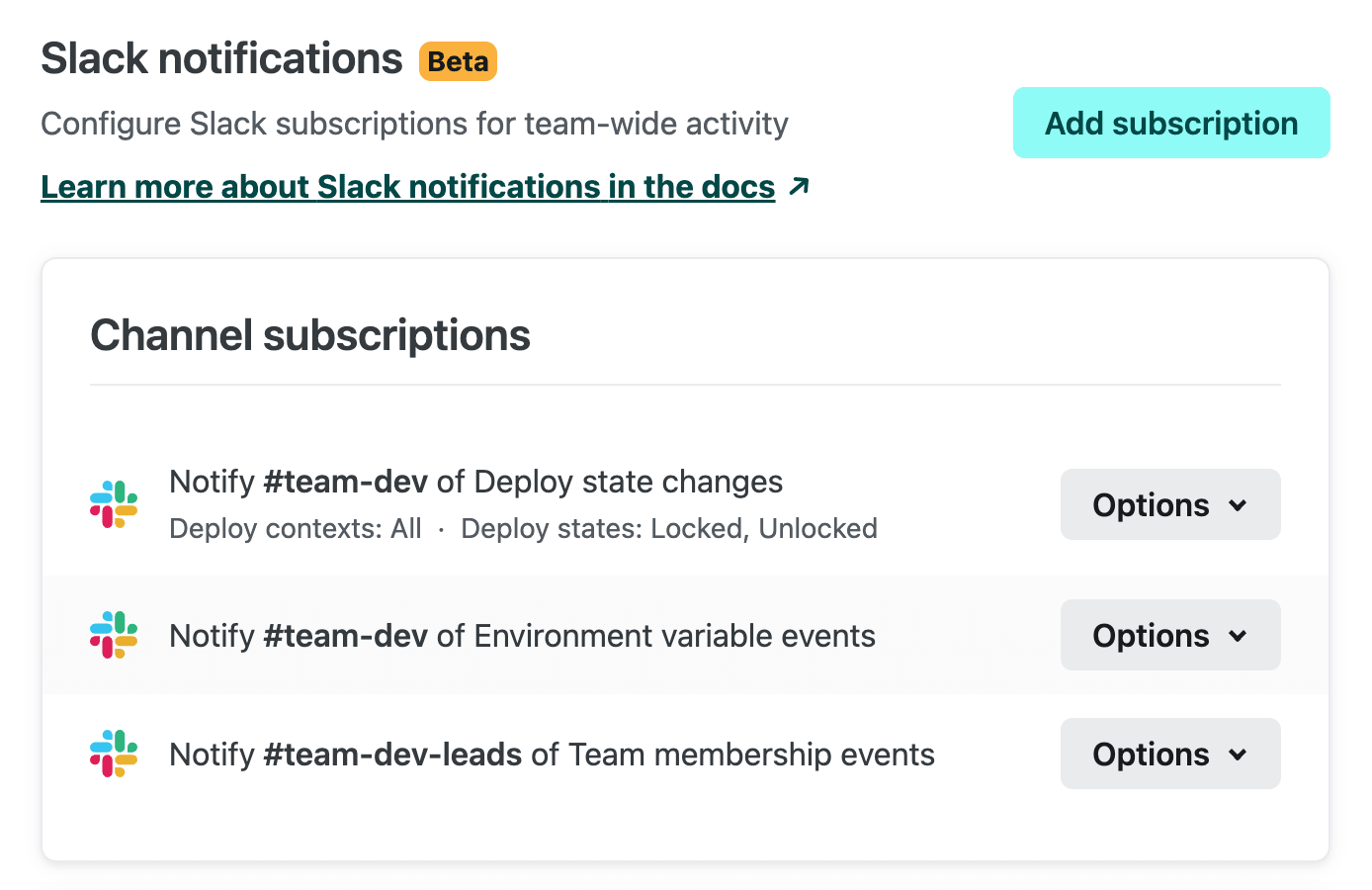
    Team dev channel is subscribed to environment variables and deploys for all sites on the team. Team dev leads channel is subscribed to team membership events

    If you’d like to subscribe to just a single site’s notifications, you can go to [Site Name] > Site Configuration > Notifications to create your subscriptions.
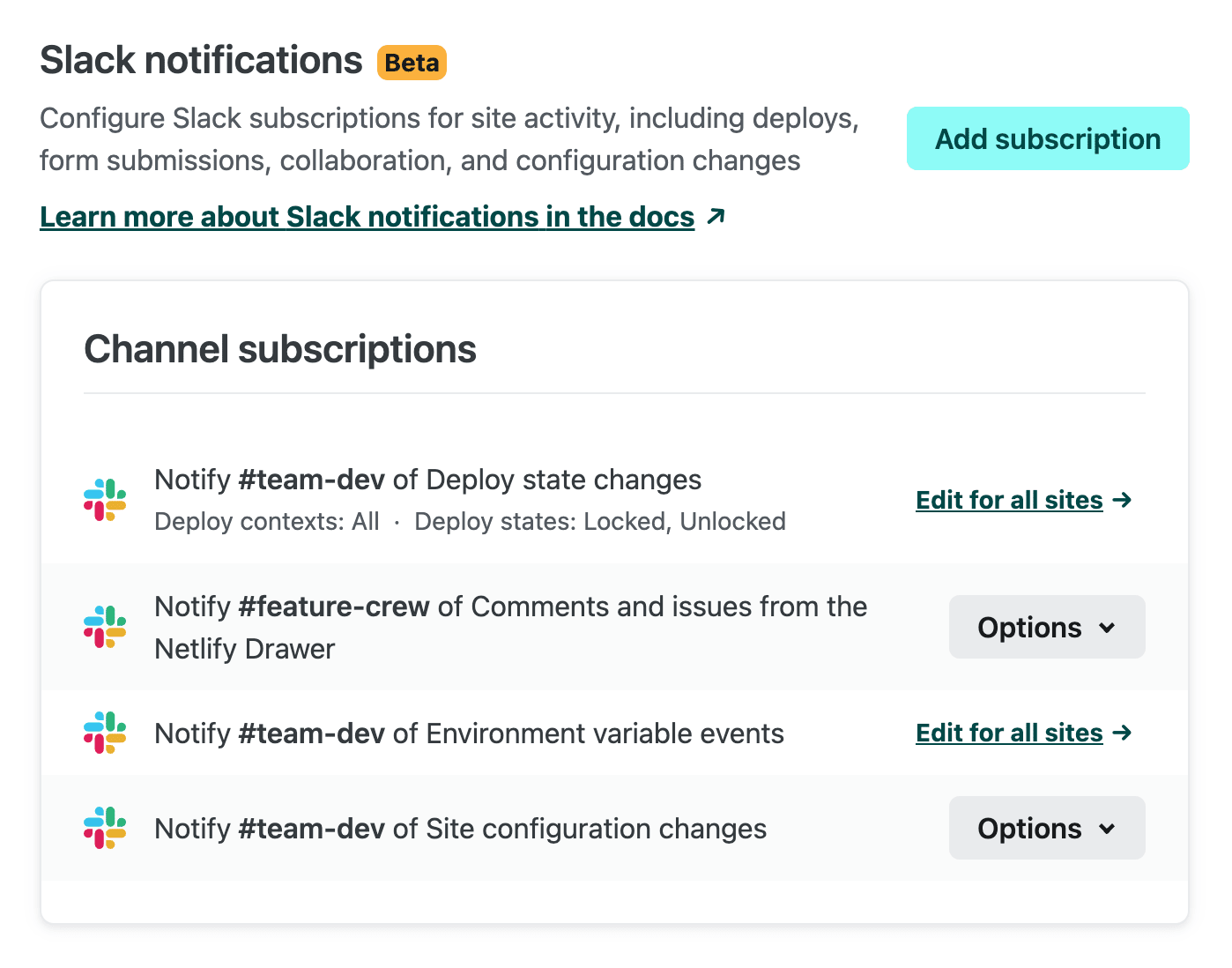
    This site's Slack notifications include 2 site-specific subscriptions and 2 all-sites subscriptions.

    Subscriptions that apply to all sites will also be listed in Site Configuration > Notifications.

  2. Directly from the Slack channel

    If you prefer to configure subscriptions from Slack, enter /netlify subscribe in your Slack channel to add, edit, or delete subscriptions. You can choose “Create new subscription” and select the event you want to subscribe to:
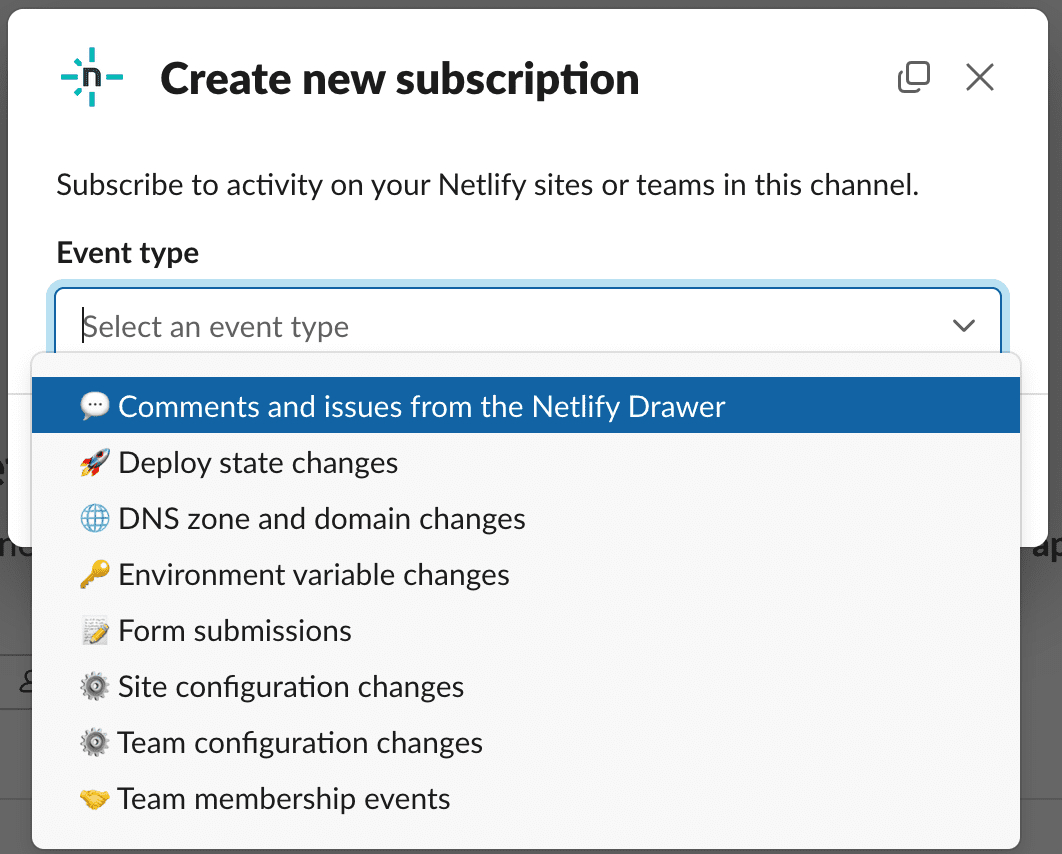
    Create new subscription modal in Slack, with an event type selector open, showing the aforementioned available types

    You’ll then choose the Netlify team you want to track this event on, as well as which site you want to subscribe to. If you leave the “Site” field blank, the subscription will be added for all sites on that team.

    Subscription changes made in the Netlify app will be synced to the list in /netlify subscribe, and vice versa.

Ask Netlify

To ask our chatbot assistant Netlify product questions, invite @Netlify to your Slack channel of choice. You can then @ mention the bot with your top-of-mind questions:
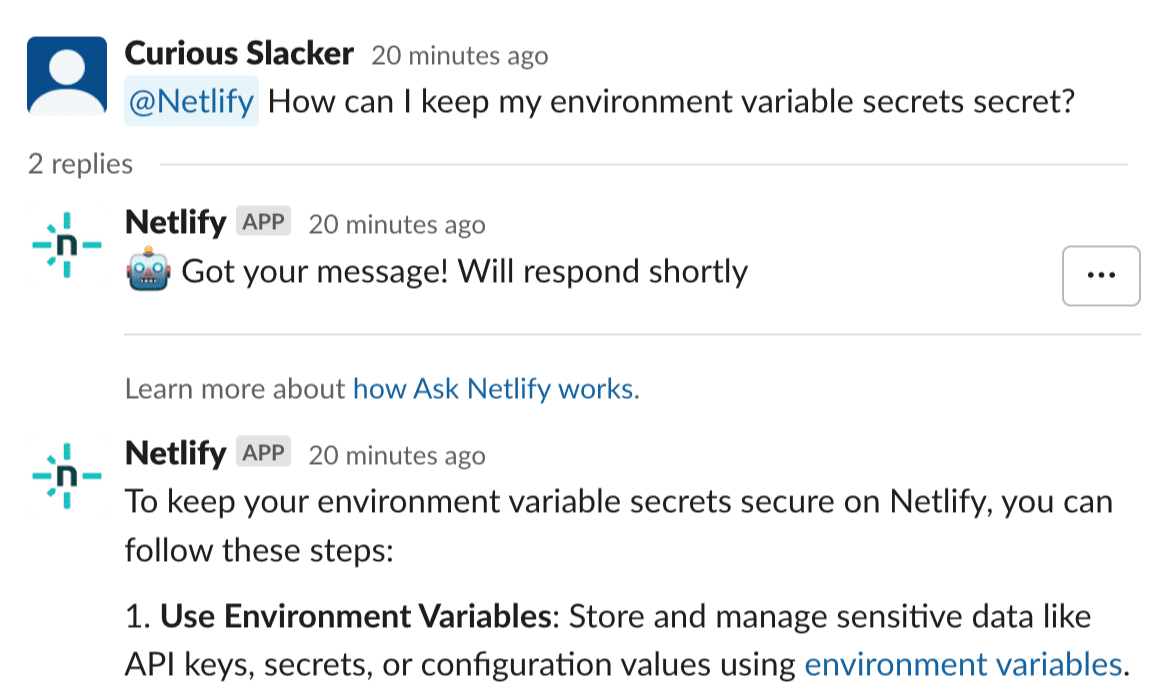
Ask Netlify chatbot responding in a Slack thread to a question about environment variables, using information from the docs.

Ask Netlify will thread its response to your question. Our chatbot assistant sadly cannot advise on the best burritos in your local area, but it can help you better take advantage of the products and features on the Netlify platform! Learn more about how it works.

Sharing feedback

We have more ideas up our sleeve for connecting your sites to your key communication channels, but we’d love to hear what you think! You can leave feedback directly from a Netlify Slack message, using the “…” menu:
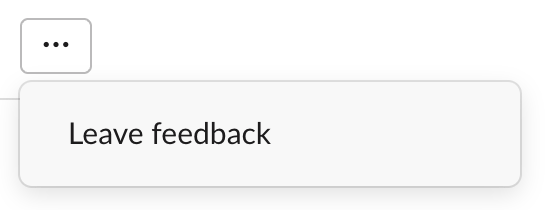
... menu on a Slack notification, opened to show Leave Feedback

Your feedback, along with notification metadata, will be sent to the Netlify team for review.

As ever, the Netlify forums are also available for any product feedback. Thanks to all who try out the Netlify-official Slack app beta, we always appreciate your thoughts!

Not yet on Netlify? Request a custom demo of our platform.