


Modern enterprises are increasingly gravitating towards monorepos, which is a testament to the efficiency and streamlined workflows that monorepos offer. With monorepo tooling like Nx, Lerna, or Turborepo gaining more traction, the community is embracing this paradigm as well. Today, we’re excited to announce several changes that make it easier for everyone to deploy monorepo-based sites on Netlify.
A monorepo, often referred to as a monolithic repository, is a single repository that contains multiple projects. These projects can be unrelated, loosely coupled, or tightly coupled. Typical implementations of monorepos include the use of tools like Nx, PNPM, or Yarn Workspaces.
Improved setup flow for monorepos
Our revamped setup interface scans the linked git repository and identifies the package manager, the build system, and the frameworks the repository’s sites are using. The setup screen now displays deployable sites within a monorepo through a site picker and proposes a complete configuration for the site, so that all that’s left for you is to deploy.
Here’s how the setup screen looks like when Netlify has identified that the imported git repository is a monorepo:
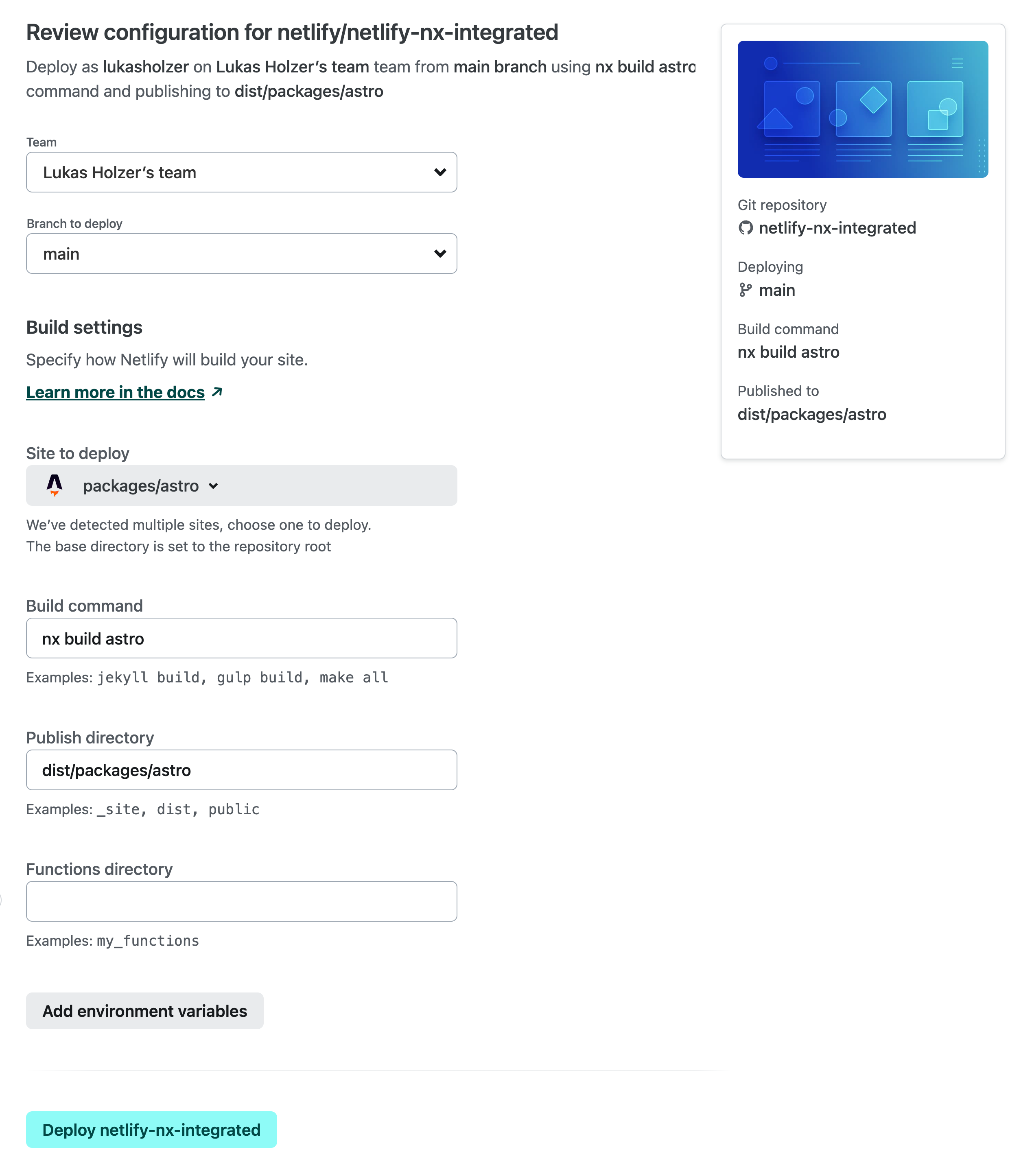
In the example above, we’ve identified that the repository uses Nx, the sites that are included in the repo, and the optimal build settings for each of the sites. To deploy a different site, you can use the dropdown menu.
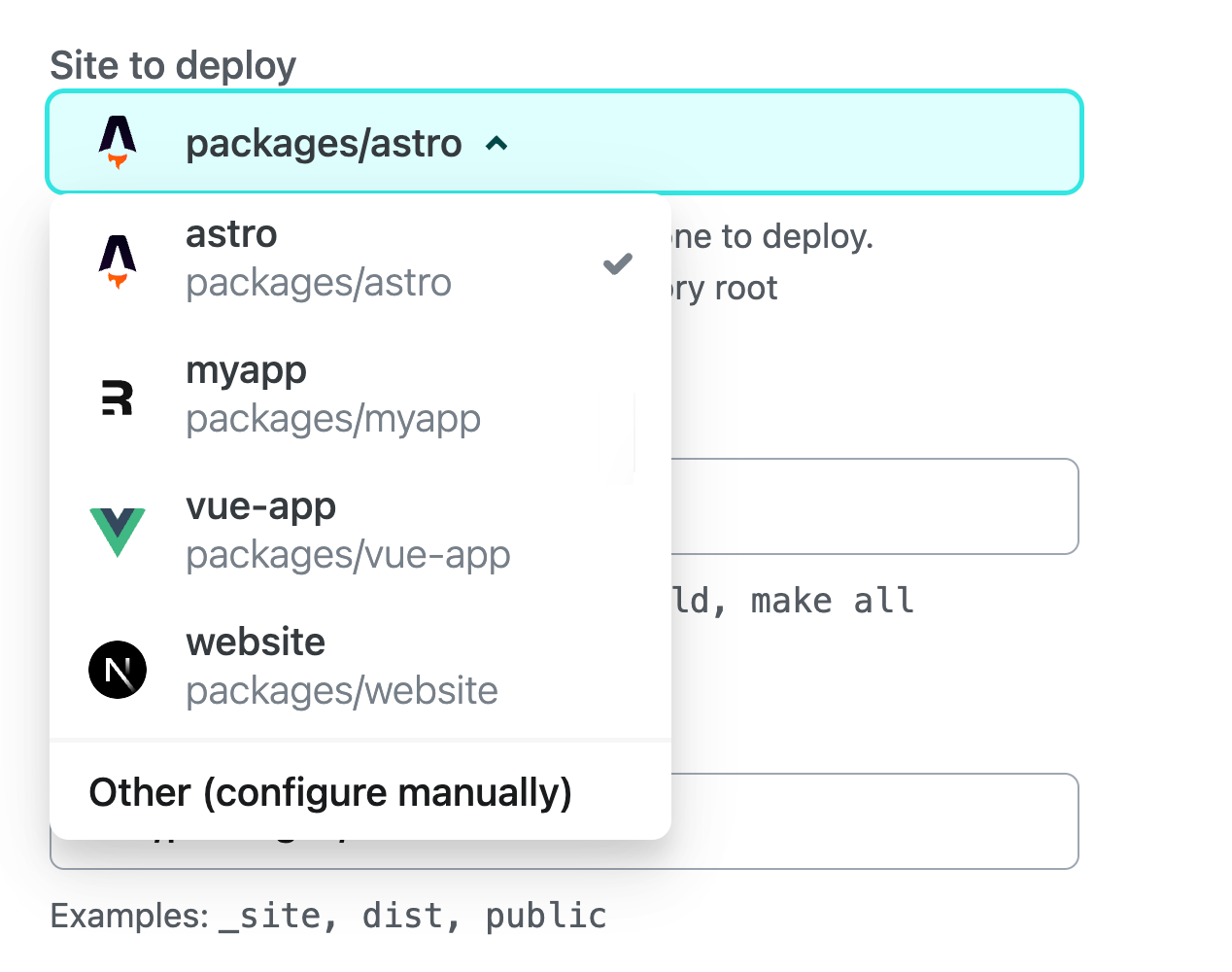
If the site isn’t automatically recognized, you can choose Other (configure manually) from the list, which allows for a manual set up of the site.
Beyond auto-populating the build command, we designate the Base directory (where dependency installation and build command execution occur) to the repository’s root.
Additionally, we identify a Package directory, which will be used to access configuration files such as netlify.toml, _redirects, or _headers. You can later inspect and edit these fields under Site configuration > Build & deploy > Continuous deployment > Build settings once your site setup is complete.
Recommended settings for a monorepo
For those considering deploying multiple sites from a monorepo, we recommend housing the configuration files (netlify.toml, _redirects and _headers) within the Package directory, without changing the Base directory.
Here’s an example directory structure for a monorepo containing two separate sites:
repository-root/
├─ apps/
│ ├─ app-1/
│ │ ├─ package.json
│ │ ├─ **netlify.toml**
│ │
│ ├─ app-2/
│ │ ├─ package.json
│ │ ├─ **netlify.toml**
│ │ ├─ **_redirects**
│
├─ packages/
│ ├─ component-library/
│ │ ├─ package.json
│
├─ package.json
For the example above, the Package directory can be configured within the UI to retrieve the associated configuration files from one of the two sites. We recommend leaving Base directory unset to ensure that both the build command execution and dependency installation run from the repository’s root.
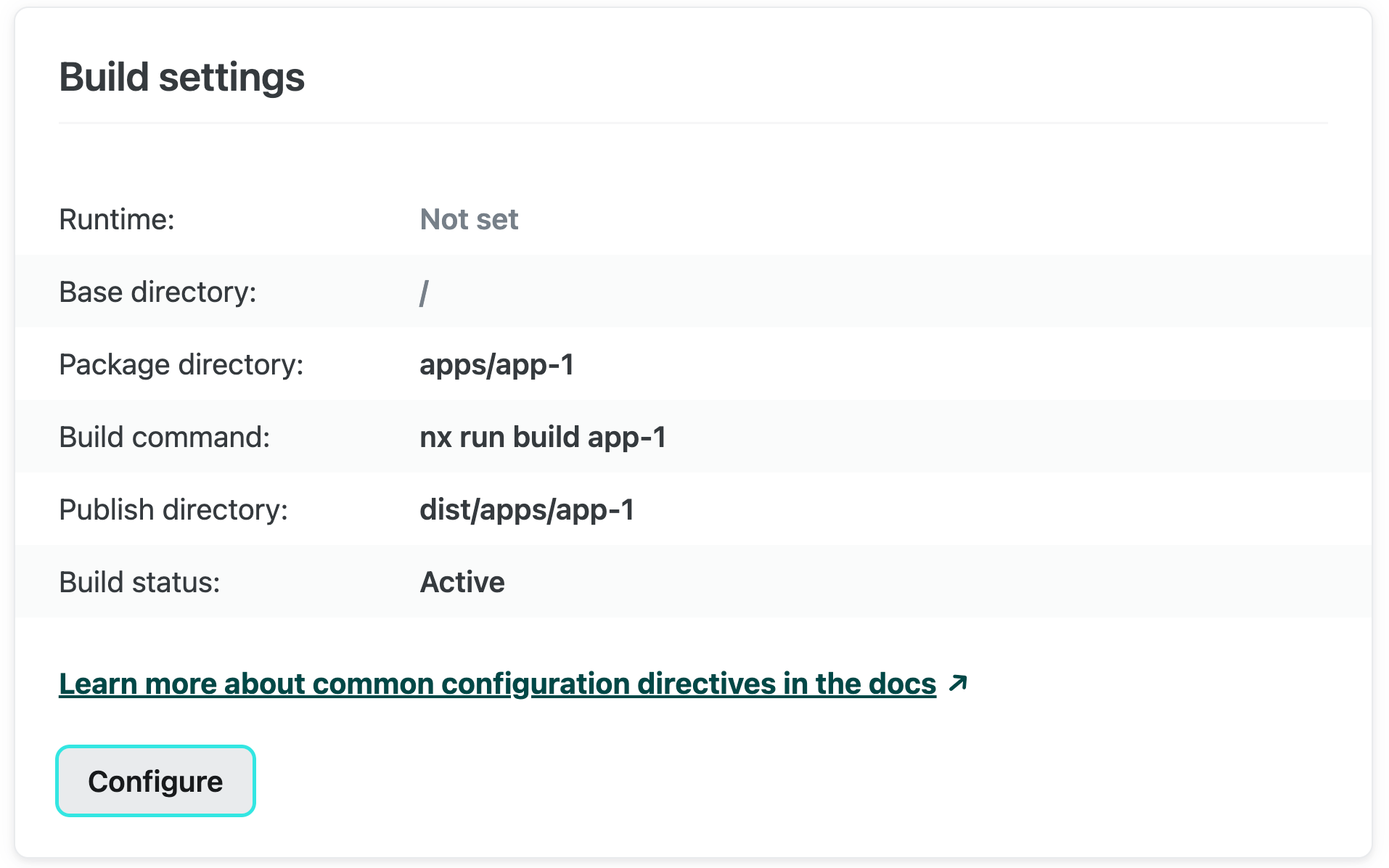
Netlify configuration files
Within the netlify.toml configuration file, all paths are set relative to the base directory, regardless of the location of the netlify.toml file. If the base directory is not set, it would point to the repository root, all the specified paths must be defined in relation to this root.
For instance, a configuration file located at apps/app-1/netlify.toml would now look as follows:
[build]
publish = "apps/app-1/dist"
edge_functions = "apps/app-1/custom-edge-functions-dir"
[functions]
directory = "apps/app-1/my_functions"
# An example local build plugin
[[plugins]]
package = "apps/app-1/custom-build-plugin"
This configuration strategy streamlines scenarios where the dist directory resides at the repository root or when there’s a need to share a build plugin across multiple sites. In such instances, you can easily specify a straightforward path originating from the repository root.
Improved local development for monorepos
Today, we’re also improving the local development experience for monorepos using the Netlify CLI. Previously, the need to switch directories when managing multiple sites, coupled with our build command detection’s lack of awareness of build tooling, often demanded extensive manual configuration.
Starting with version 16.0.0, running netlify dev at the root of your monorepo will show a site selection prompt, which mirrors the site picker from the setup screen.
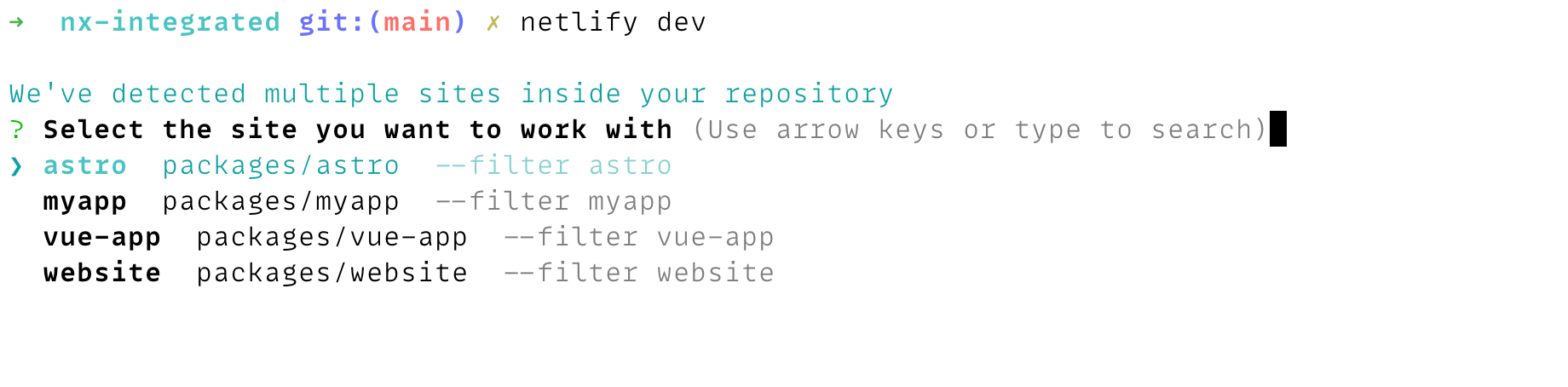
We’ve also introduced a --filter <site-name> or --filter <packagePath> , allowing the CLI commands to target a specific site from the monorepo.
This allows allows commands like dev , build, functions, and others. to run from the repo root instead of changing the working directory.
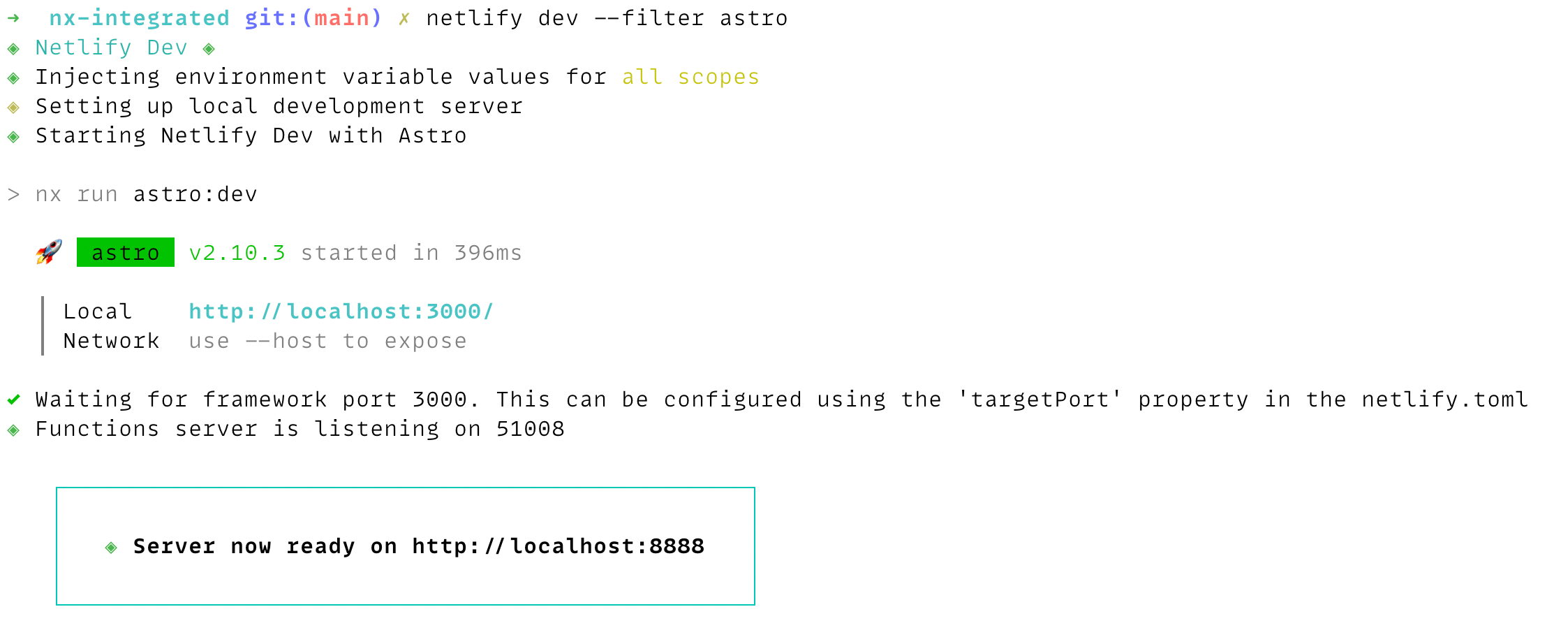
Executing commands from the repository root is essential to emulate the production behavior of our build pipeline. This approach aligns with the absolute paths specified in the configuration file, which are now anchored to the repository root.
Try it out today
You can learn more about how monorepos work on Netlify and interact with other features in our docs, and if you’d like a preview of the new settings, you can use our monorepo example. Please try it out today, and let us know what you think on the forums!