


Scopes and contextual values for environment variables are now generally available! These features are production-ready and can be used in all your sites today.
Scopes and contextual values are part of a new experience for environment variables. Netlify teams created after November 2, 2022 will get the new environment variables experience by default for all sites across their team. Existing teams can opt into the new experience on a site-by-site basis.
Starting in early 2023, Netlify will automatically migrate your sites and teams to the new environment variable experience if you haven’t done so already.
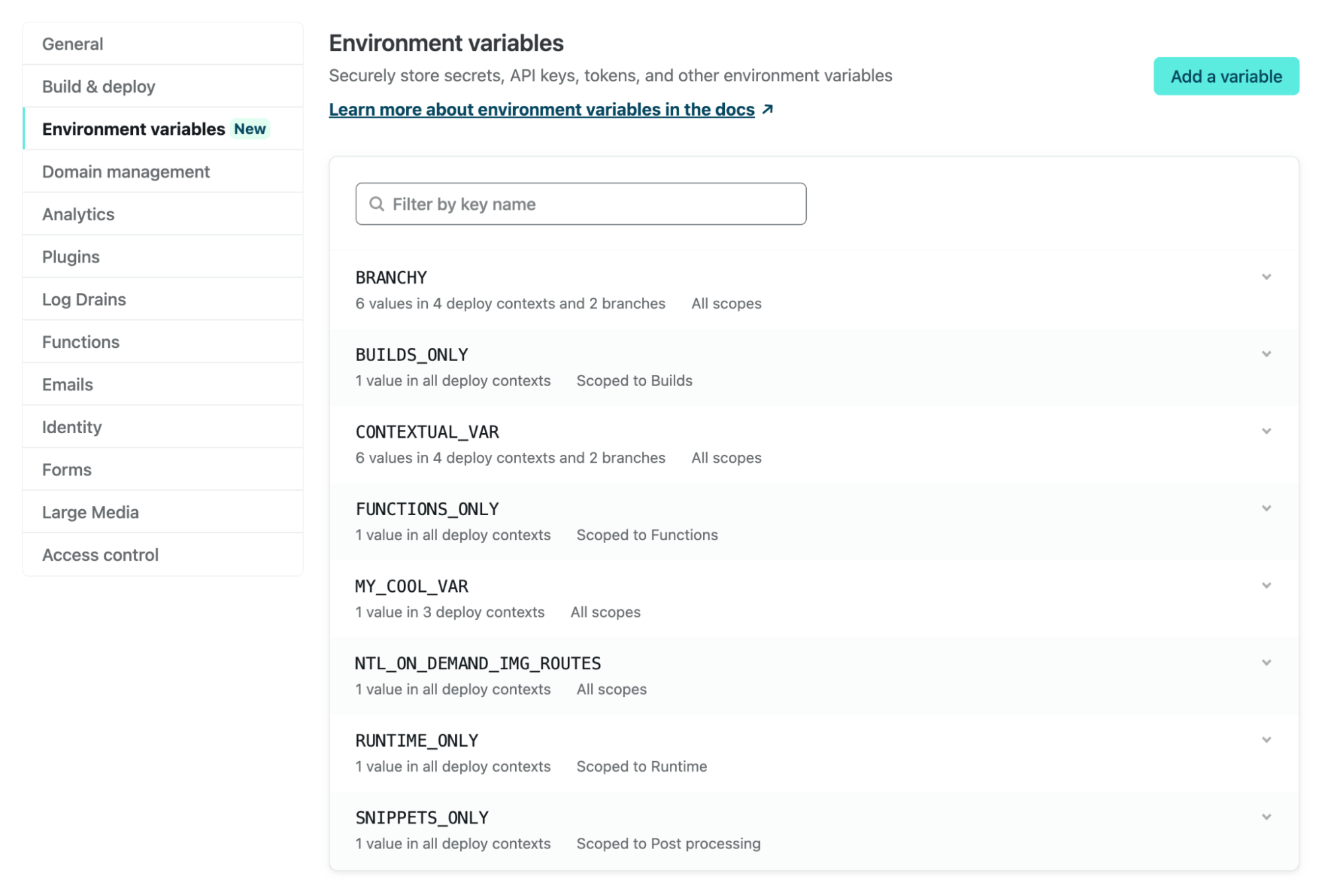
What’s new?
While there are some UI updates in the new environment variables experience, the biggest functional changes include these abilities:
- Scope the features where environment variables are available
- Set different values for the same key on different deploy contexts
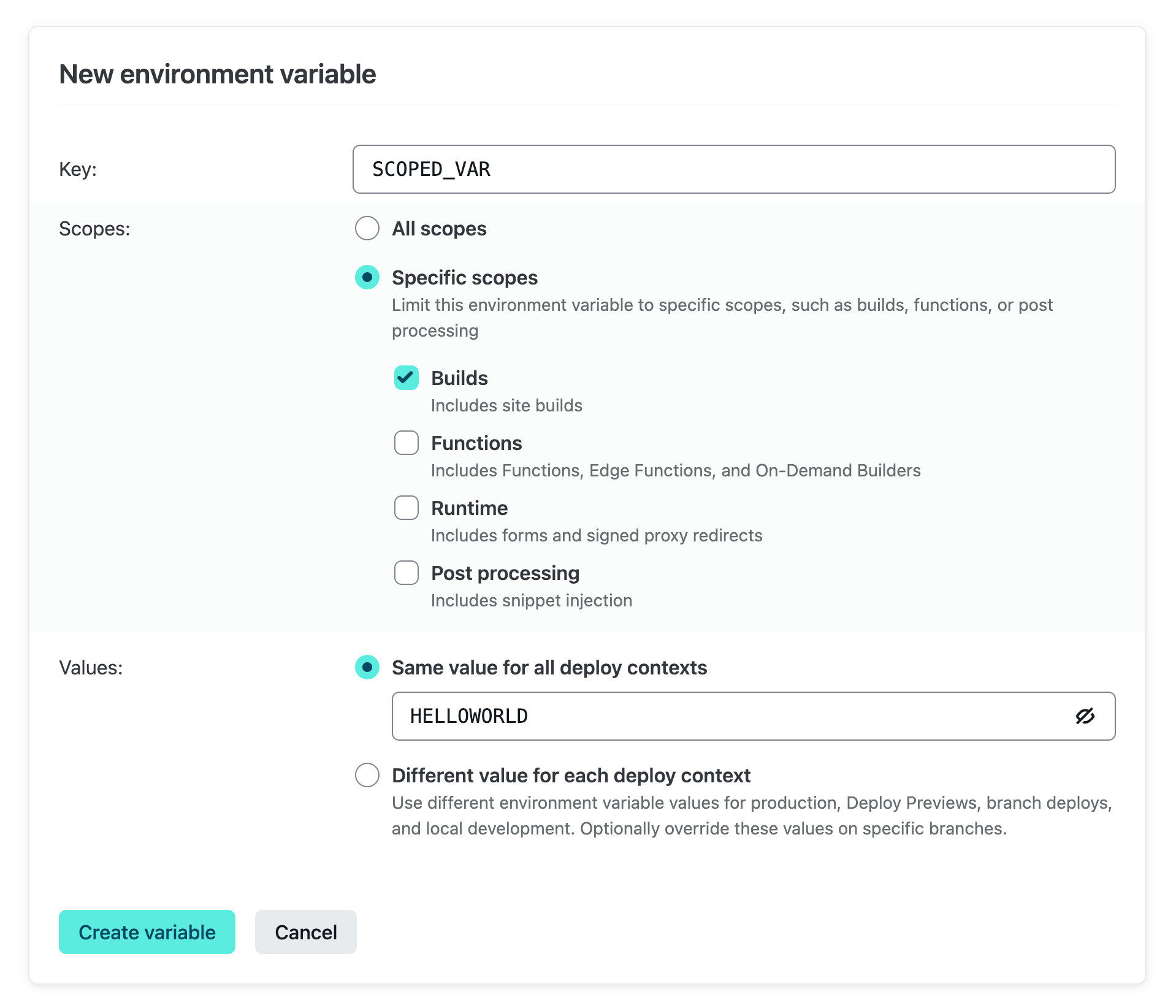
Scopes enable you to limit environment variables so that they can only be accessed by builds, functions, other runtime features, and/or post processing. This can be handy if you want to limit where data is accessed, or need to avoid exceeding limits on environment variables set by Lambda functions. Scopes are available for teams on our Pro plan or above.
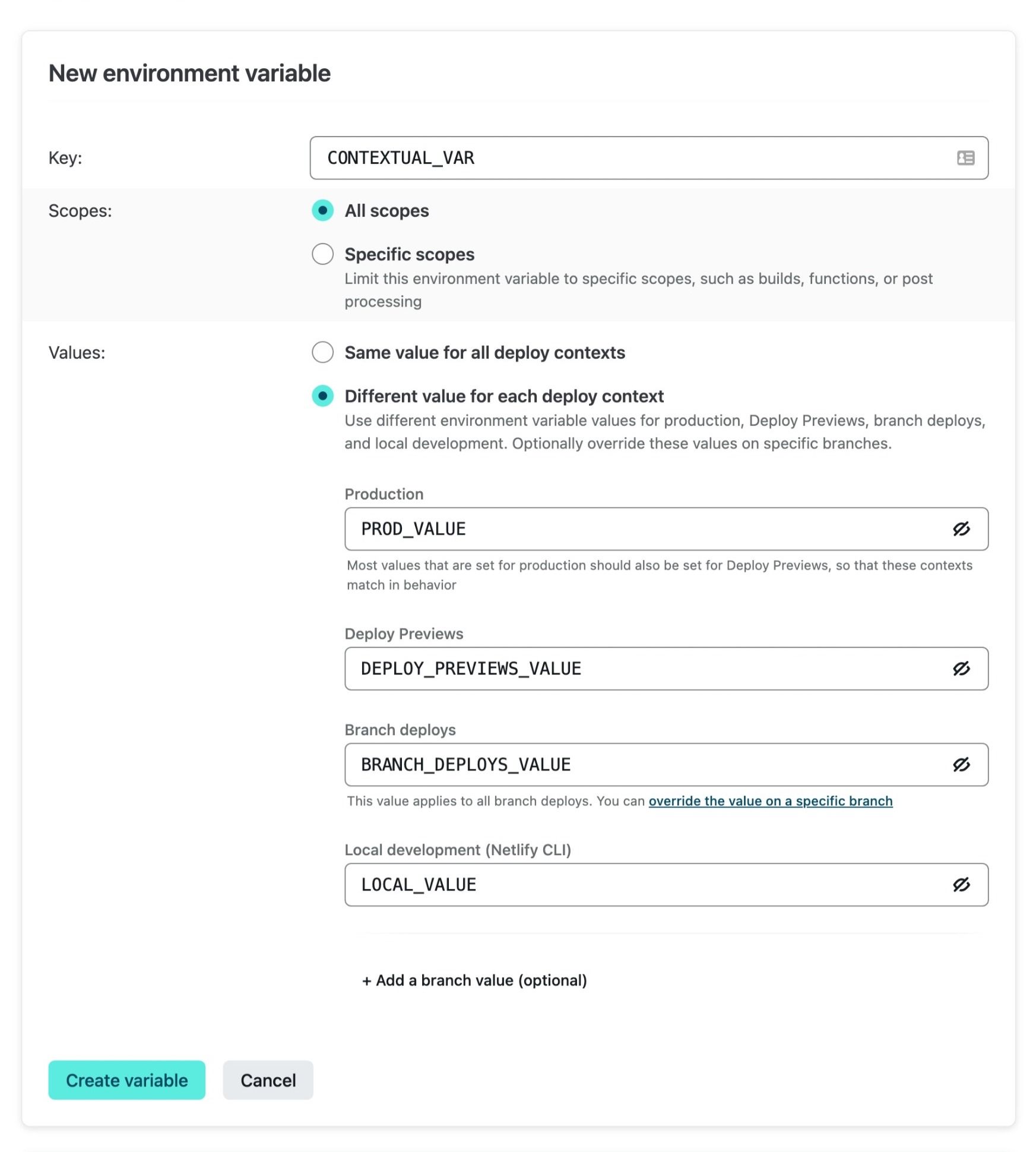
You can now also set different values for the same key on different deploy contexts. This includes built-in deploy contexts: production, Deploy Previews, branch deploys, and local development on the Netlify CLI. You can also change the value for specific branches. For example, a long-lived staging branch might need to reference a token for your headless CMS’s staging environment.
Scopes and contextual values are available on the Netlify app UI, CLI, or API. They can be used on site variables, as well as shared environment variables which are available to all sites on your team. You do not need an additional build plugin or netlify.toml configuration for this functionality in the new experience.
Learn more about these new features in the Netlify docs.
How to get the new env var experience
If your team was created on or after time of writing (November 2, 2022), your account already has the new experience. The Netlify docs describe how to confirm which environment variables experience is active for your team.
Otherwise, you can opt in to the new experience on a site-by-site basis, before Netlify moves your variables to the new experience in early 2023.
Here’s how to opt in
Go to Site Settings > Environment Variables and choose “Migrate environment variables.”
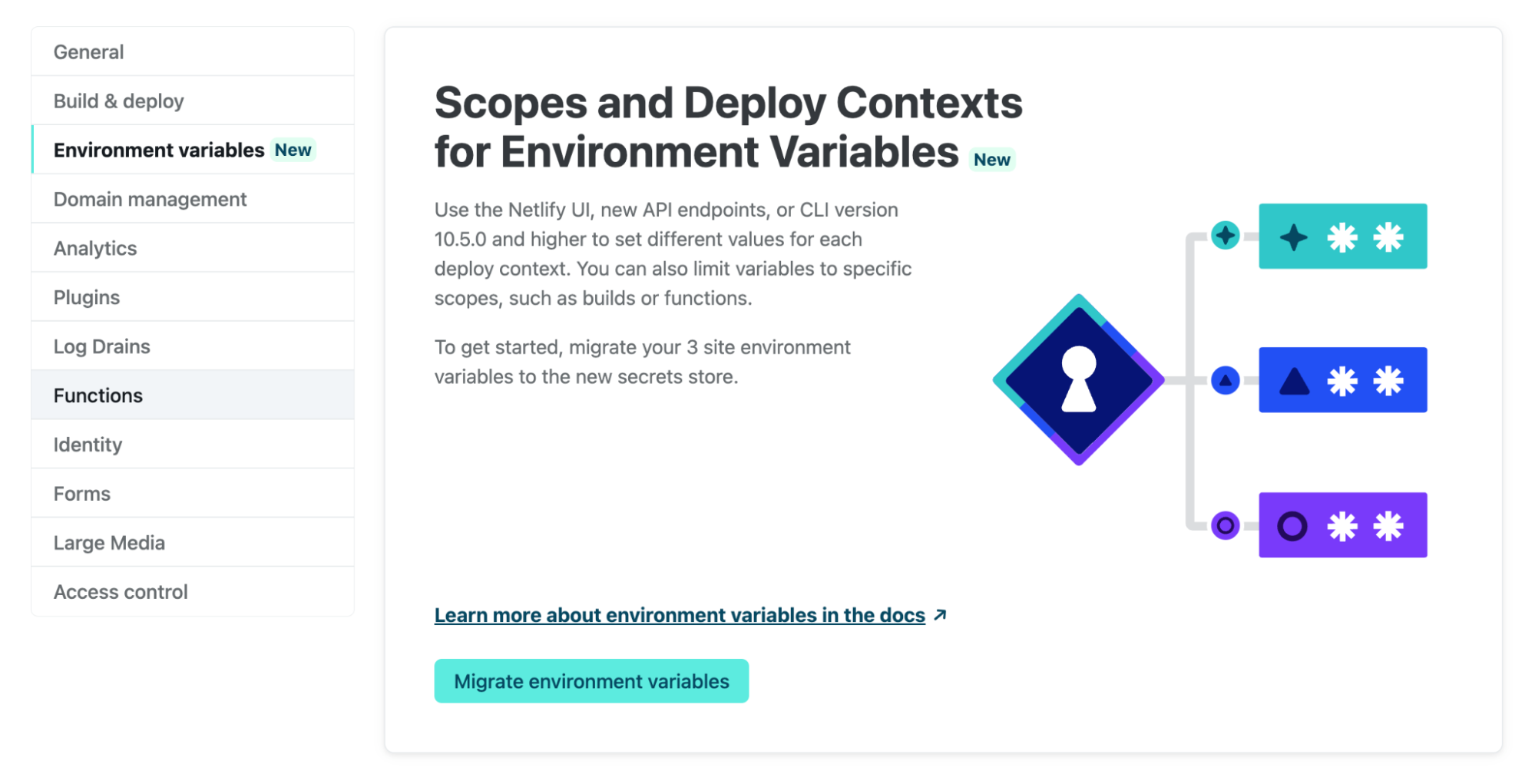
This will move your site environment variables to a new, better-encrypted service. The first time you migrate a site’s variables, shared environment variables (accessed from Team Settings) will also be copied to the new service.
Because scopes and contextual values are now generally available, you will no longer have the option to roll back to the old experience.
You can find the new environment variable settings at Site Settings > Environment Variables, and Team Settings > Environment Variables.
Changes to API endpoints
Using Site endpoints on the Netlify API to manage environment variables? You will need to switch to new environment variable endpoints when interacting with environment variables on the new experience. Learn more about the new endpoints in the docs.
Try it out today!
We’re excited to extend what environment variables can do on Netlify. If you’d like to use the new experience and want to know more, you can find details in the docs.
We’re always keen to know what you think, so please do share any feedback on the experience or environment variables in general in the Netlify forums. Thank you as always for your feedback!