


Hi folks!
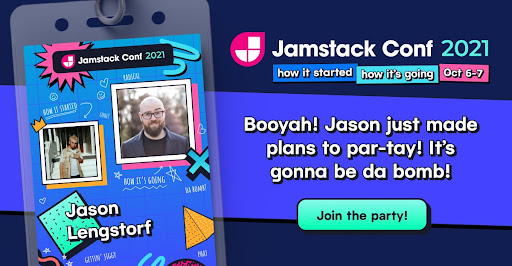
This August was all about the Jamstack ecosystem with new Netlify partner integrations, guides, and a special Architecting with Next.js event last week, all building towards a massive Jamstack Conf coming up on October 6-7. And don’t forget to create your Jamstack Conf badge! We also shipped lots of exciting product updates.
\ \ Read on to discover what’s new at Netlify. And if you want product updates like this in your inbox, you can subscribe to our newsletter.
Try the Essential Gatsby plugin—now with auto-install
Gatsby continues to be one of the most popular frameworks for Jamstack developers, and we’re excited to make running Gatsby on Netlify even easier for developers! Now, when you deploy a new Gatsby project, Netlify will auto-detect your framework and install the Essential Gatsby plugin so everything will work “out of the box” with zero configuration.
Learn more about the Essential Gatsby Plugin
Now available: Manage your Build Plugin versions
Netlify offers a range of Build Plugins to extend the functionality of the build process, and plugin authors sometimes create new versions of plugins to add functionality or address bugs. We’ve just released a way to manage the major versions of plugins that your site uses in the Netlify UI, so now it’s easier to update to a new version or roll back to a previous version.
Functions logs now accessible in the Netlify Drawer for Deploy Previews
You may have noticed a new icon in your Netlify Drawer when using Deploy Previews. We’ve added a Functions logs tab to collaborative Deploy Previews to help with monitoring and troubleshooting a specific deploy. You can access serverless function logs by opening the Function logs tab in the Netlify Drawer and selecting a function to check out its latest log contents for the current session.
Check your Functions Logs in Deploy Previews
Other Recent Updates
- Import custom files into your Serverless Functions on Netlify - Now you can import custom files into your Serverless Functions on Netlify. This unlocks a lot of possibilities for authoring Netlify functions, and you can include any type of file in your serverless functions, even if you reference them using dynamic expressions. Add these files manually in your configuration file, or you can let us figure things out for you by opting-in to esbuild.
- New comment box powers in collaborative Deploy Previews - There’s a new text area inside the Deploy Previews drawer! This new iteration appears when leaving a comment and when filing a new issue. It features a text formatting toolbar — helpful for non-technical reviewers who may not be familiar with markdown! It also adds a drag & drop file uploader affordance.
- E-Commerce with Angular, Shopify & Netlify Serverless Functions - Last month, we tried out the new Shopify API with posts covering 11ty, Astro, Gridsome, and Nuxt. In our next installment, you can learn about Shopify’s recently added cart functionality to the Storefront API, and try it out with Angular and Netlify Functions for some serverless action.
- New Netlify CLI v6.0.0 release - This month, we released an update to the Netlify CLI with an important optimization to how the build and deploy commands work together. For most sites, this means a 50% reduction in the time spent on bundling functions when deploying via the CLI. Additionally, it allows any modifications to the functions pipeline made by build plugins (e.g. changing the bundler or the included files) to be preserved in the deployment.
- New Nuxt on Netlify docs - This month, we published the latest in a series of updates to our docs that highlight our support and integrations with commonly used frameworks. The newly published Nuxt on Netlify docs include lots of helpful links and guides to get your next project setup and ready to use your favorite Nuxt features.
- All new sites now build on Netlify using the new Focal build image - A few months ago, we released a new build image based on Ubuntu 20.04 “Focal Fossa” as an opt-in beta. In August, it graduated out of beta, as the default for all new sites! For existing sites, you can still switch to the new build image by visiting your site dashboard and navigating to Site settings.
Popular Articles
- Party at Jamstack Conf 2021! Let’s talk Jamstack: How it started, how it’s going
- How the Netlify Data Team Migrated from Databricks to Snowflake
- Adding machine learning to your Jamstack site
- Top 6 things you can do with Netlify Dev in 2021
- How caching microservice outputs led to a 7x performance improvement
To stay up to date on changes like these, head over to the updates category in Netlify Support Forums and click on your profile icon, then click the bell icon to receive real-time notifications. Stay tuned for more exciting updates next month!