如果采用 Logstash 集中接收 Filebeat 的日志输入,容易造成单点瓶颈;如果采用 Kafka 接收 Filebeat 的日志输入,日志的时效性又得不到保障。这里直接将 Filebeat 采集的日志直接输出到 Elasticsearch。
1. 准备工作
这里没有区分 master、data、client 节点,而是直接一个集群三个节点复用。如果是超大规模的 Elasticsearch 集群,建议区分控制面和数据面以提高稳定性。
1
2
3
4
| kubectl get sc
NAME PROVISIONER RECLAIMPOLICY VOLUMEBINDINGMODE ALLOWVOLUMEEXPANSION AGE
local (default) openebs.io/local Delete WaitForFirstConsumer false 411d
|
1
2
3
4
5
6
7
8
| export ELASTICSEARCH_IMAGE=elasticsearch:7.17.5
docker run --name elastic-helm-charts-certs -i -w /tmp $ELASTICSEARCH_IMAGE /bin/sh -c " \
elasticsearch-certutil ca --out /tmp/elastic-stack-ca.p12 --pass '' && \
elasticsearch-certutil cert --name security-master --dns security-master --ca /tmp/elastic-stack-ca.p12 --pass '' --ca-pass '' --out /tmp/elastic-certificates.p12"
docker cp elastic-helm-charts-certs:/tmp/elastic-certificates.p12 ./
docker rm -f elastic-helm-charts-certs
openssl pkcs12 -nodes -passin pass:'' -in elastic-certificates.p12 -out elastic-certificate.pem
openssl x509 -outform der -in elastic-certificate.pem -out elastic-certificate.crt
|
1
2
3
4
| kubectl create ns elastic
kubectl -n elastic create secret generic elastic-certificates --from-file=elastic-certificates.p12
kubectl -n elastic create secret generic elastic-certificate-pem --from-file=elastic-certificate.pem
kubectl -n elastic create secret generic elastic-certificate-crt --from-file=elastic-certificate.crt
|
1
2
3
4
5
6
7
| ELASTIC_USER=elastic
ELASTIC_PASSWORD=XXXXXX
kubectl create secret generic elastic-credentials -n elastic \
--from-literal=username="${ELASTIC_USER}" \
--from-literal=password="${ELASTIC_PASSWORD}" \
--dry-run=client -o yaml | kubectl apply -f -
|
- 添加 Elastic Helm Charts 仓库
1
| helm repo add elastic https://helm.elastic.co
|
2. 安装 Elasticsearch
- 创建一个 values.yaml 文件,配置安装参数
1
| vim es-master-values.yaml
|
 1
 2
 3
 4
 5
 6
 7
 8
 9
10
11
12
13
14
15
16
17
18
19
20
21
22
23
24
25
26
27
28
29
30
31
32
33
34
35
36
37
38
39
| clusterName: "elasticsearch"
nodeGroup: "master"
roles:
master: "true"
ingest: "true"
data: "true"
imageTag: 7.17.5
image: elasticsearch
volumeClaimTemplate:
accessModes: ["ReadWriteOnce"]
resources:
requests:
storage: 200Gi
replicas: 3
esConfig:
elasticsearch.yml: |
xpack.security.enabled: true
xpack.security.transport.ssl.enabled: true
xpack.security.transport.ssl.verification_mode: certificate
xpack.security.transport.ssl.keystore.path: /usr/share/elasticsearch/config/certs/elastic-certificates.p12
xpack.security.transport.ssl.truststore.path: /usr/share/elasticsearch/config/certs/elastic-certificates.p12
extraEnvs:
- name: ELASTIC_PASSWORD
valueFrom:
secretKeyRef:
name: elastic-credentials
key: password
secretMounts:
- name: elastic-certificates
secretName: elastic-certificates
path: /usr/share/elasticsearch/config/certs
antiAffinity: "soft"
|
1
| helm install elasticsearch-master elastic/elasticsearch -n elastic --values es-master-values.yaml --set service.type=NodePort --version 7.17.3
|
3. 安装 Kibana
- 创建一个 values.yaml 文件,配置安装参数
 1
 2
 3
 4
 5
 6
 7
 8
 9
10
11
12
13
14
15
16
17
18
| elasticsearchHosts: "http://elasticsearch-master.elastic.svc:9200"
imageTag: 7.17.5
image: elastic/kibana
replicas: 1
extraEnvs:
- name: "NODE_OPTIONS"
value: "--max-old-space-size=1800"
- name: "ELASTICSEARCH_USERNAME"
valueFrom:
secretKeyRef:
name: elastic-credentials
key: username
- name: "ELASTICSEARCH_PASSWORD"
valueFrom:
secretKeyRef:
name: elastic-credentials
key: password
|
1
| helm install kibana elastic/kibana -n elastic --values kibana-values.yaml --set service.type=NodePort --version 7.17.3
|
4. 安装 Filebeat
- 创建一个 values.yaml 文件,配置安装参数
1
| vim filebeat-values.yaml
|
 1
 2
 3
 4
 5
 6
 7
 8
 9
10
11
12
13
14
15
16
17
18
19
20
21
22
23
24
25
26
27
28
29
30
31
| image: elastic/filebeat
daemonset:
extraEnvs:
- name: "ELASTICSEARCH_USERNAME"
valueFrom:
secretKeyRef:
name: elastic-credentials
key: username
- name: "ELASTICSEARCH_PASSWORD"
valueFrom:
secretKeyRef:
name: elastic-credentials
key: password
filebeatConfig:
filebeat.yml: |
filebeat.inputs:
- type: filestream
id: varlog
paths:
- /var/log/*.log
- type: container
enabled: true
paths:
- /var/lib/docker/containers/*/*.log
output.elasticsearch:
host: "${NODE_NAME}"
hosts: '["http://${ELASTICSEARCH_HOSTS:elasticsearch-master:9200}"]'
username: "${ELASTICSEARCH_USERNAME}"
password: "${ELASTICSEARCH_PASSWORD}"
protocol: http
|
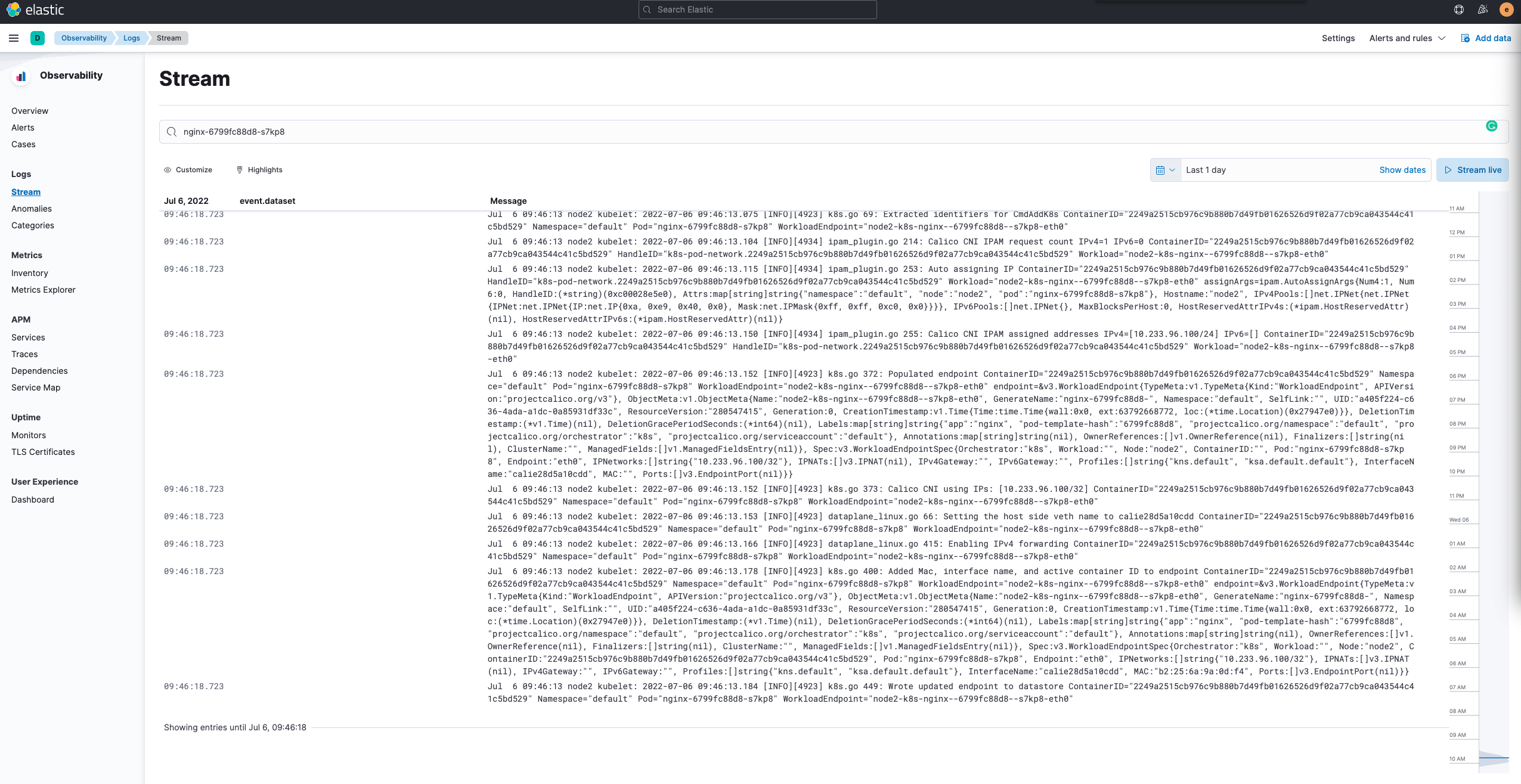
filebeat.yml 中的 filebeat.inputs 决定了 filebeat 会采集哪些日志。
1
| helm install filebeat elastic/filebeat -n elastic --values filebeat-values.yaml --version 7.17.3
|
5. 查看服务验证功能
 1
 2
 3
 4
 5
 6
 7
 8
 9
10
| kubectl -n elastic get pod
NAME READY STATUS RESTARTS AGE
elasticsearch-master-0 1/1 Running 0 10h
elasticsearch-master-1 1/1 Running 0 10h
elasticsearch-master-2 1/1 Running 0 10h
filebeat-filebeat-4l9jh 1/1 Running 0 9h
filebeat-filebeat-4m7r6 1/1 Running 0 9h
filebeat-filebeat-6x9pd 1/1 Running 0 9h
kibana-kibana-7976c5dc76-xfswq 1/1 Running 0 10h
|
1
2
3
4
5
6
| kubectl -n elastic get svc
NAME TYPE CLUSTER-IP EXTERNAL-IP PORT(S) AGE
elasticsearch-master NodePort 10.233.35.209 <none> 9200:30093/TCP,9300:31743/TCP 10h
elasticsearch-master-headless ClusterIP None <none> 9200/TCP,9300/TCP 10h
kibana-kibana NodePort 10.233.53.16 <none> 5601:30454/TCP 11h
|
通过 HOST_IP:30093 可以访问 Elasticsearch,如下图,此时需要输入账号密码,elastic:XXXXXX,也就是在准备工作中设置的账户信息。

正确输入凭证之后,Elasticsearch 会返回集群相关信息。
 1
 2
 3
 4
 5
 6
 7
 8
 9
10
11
12
13
14
15
16
17
| {
"name": "elasticsearch-master-1",
"cluster_name": "elasticsearch",
"cluster_uuid": "D6ugYWeTQSqi3kUAK-B36w",
"version": {
"number": "7.17.5",
"build_flavor": "default",
"build_type": "docker",
"build_hash": "8d61b4f7ddf931f219e3745f295ed2bbc50c8e84",
"build_date": "2022-06-23T21:57:28.736740635Z",
"build_snapshot": false,
"lucene_version": "8.11.1",
"minimum_wire_compatibility_version": "6.8.0",
"minimum_index_compatibility_version": "6.0.0-beta1"
},
"tagline": "You Know, for Search"
}
|
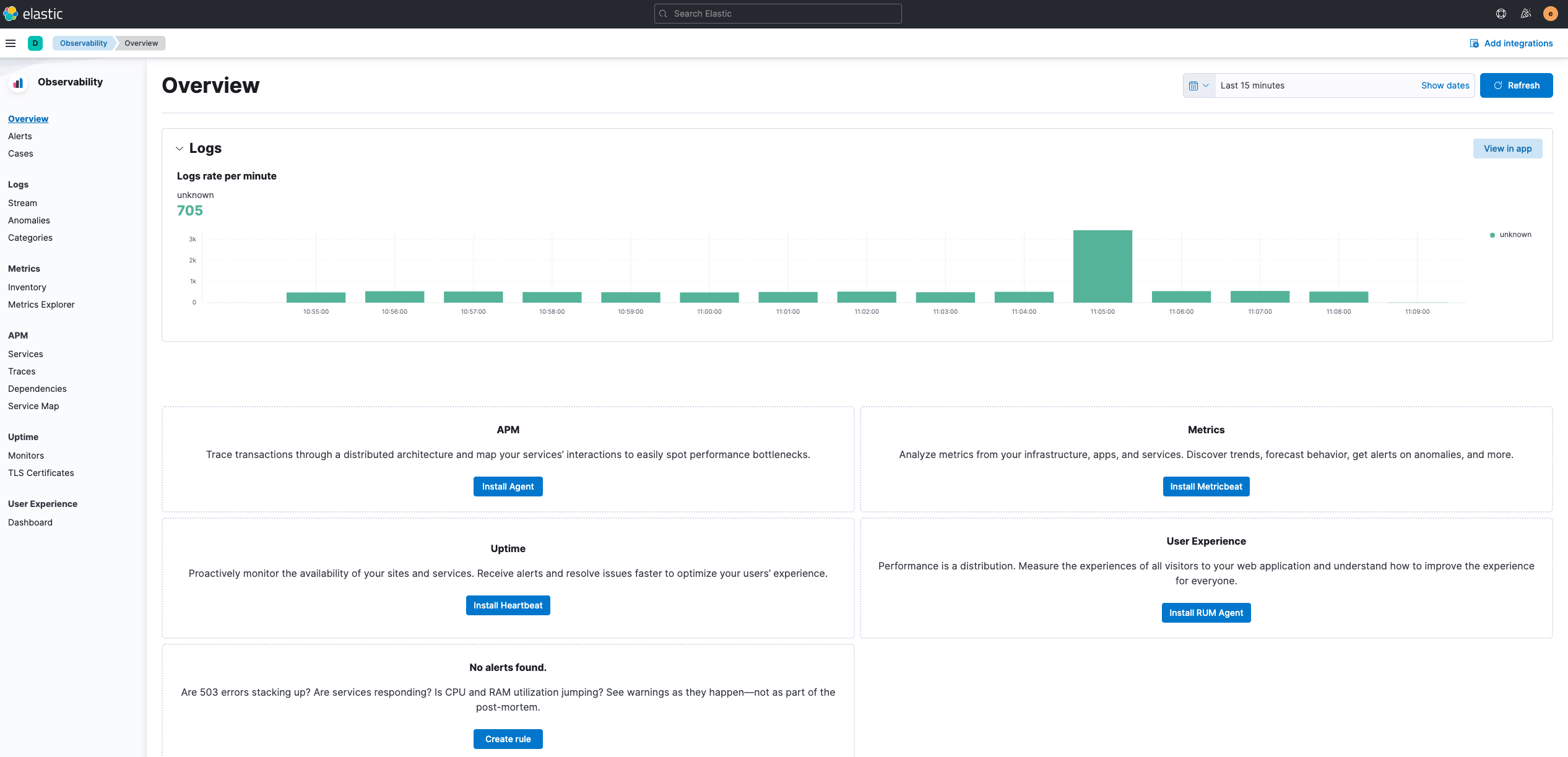
通过 HOST_IP:30454 可以访问 Kibana,如下图,与 Elasticsearch 的账户一样。

6. 清理环境
1
| helm uninstall elasticsearch-master -n elastic
|
1
| helm uninstall kibana -n elastic
|
1
| helm uninstall filebeat -n elastic
|
1
| kubectl -n elastic delete pvc --all
|
1
2
| unset ELASTIC_USER
unset ELASTIC_PASSWORD
|
7. 参考



