惯性聚合 高效追踪和阅读你感兴趣的博客、新闻、科技资讯
阅读原文 在惯性聚合中打开

推荐订阅源

Google DeepMind News
L
LangChain Blog
H
Help Net Security
博客园_首页
T
Tailwind CSS Blog
Microsoft Security Blog
T
The Blog of Author Tim Ferriss
雷峰网
雷峰网
Recent Announcements
D
DataBreaches.Net
U
Unit 42
Vercel News
Vercel News
I
InfoQ
Martin Fowler
Martin Fowler
Microsoft Azure Blog
Apple Machine Learning Research
S
SegmentFault 最新的问题
Jina AI
Jina AI
博客园 - 叶小钗
博客园 - 【当耐特】
罗磊的独立博客
OSCHINA 社区最新新闻
OSCHINA 社区最新新闻
月光博客
月光博客
Last Week in AI
Last Week in AI

陈少文的网站

巨变与机遇的未来十年 Kubernetes 平台管理软件压力测试方案 使用镜像部署 Hexo 静态页面 终于等到你 - GitHub 镜像仓库服务(ghcr.io) 一起来学 Go --(6)Interface 一起来学 Go --(5)Goroutine 和 Channel 什么是函数式编程 如何在 Kubernetes 集群集成 Kata 柯里化与偏函数 使用 PyGithub 自动创建 Label 软件产品是团队能力的输出 Helm 2 、Helm 3 比较 IoT 变现 Kubernetes 中的 DNS 服务 国内的 Helm 镜像源 Harbor 使用自签证书支持 Https 访问 DevOps 工具链之 Prow 如何使用 kfctl 安装 Kubeflow VS Code 无法下载 Go 插件的工具包 工程师更应具有服务精神 你不知道的 Docker 使用技巧 使用 Docker 运行 Tensorflow 论中国 什么是左移 如何清空 Git 仓库全部历史记录 一禅小和尚 有风吹过厨房 时间的玫瑰 如何在 CentOS 安装 GPU 驱动 开发 Tips(19)
Jenkins 集成 Robot Framework 自动化测试
微信公众号 · 2018-08-05 · via 陈少文的网站

Please enable Javascript to view the contents

1. 安装无头浏览器

1.1 CentOS 安装 Phantomjs

  • 下载并解压

访问 Phantomjs ,找到 Download phantomjs-2.1.1-linux-x86_64.tar.bz2 的下载链接,并拷贝。

在 CentOS 执行命令:

1
2
3
4
5
wget https://bitbucket.org/ariya/phantomjs/downloads/phantomjs-2.1.1-linux-x86_64.tar.bz2
# 如果没有安装 bzip2 可能会报错
yum install bzip2.x86_64
tar -jxvf phantomjs-2.1.1-linux-x86_64.tar.bz2
mv phantomjs-2.1.1-linux-x86_64 /usr/local/
  • 添加到环境变量

在行尾新增,如下内容

1
export PATH=$PATH:/usr/local/phantomjs-2.1.1-linux-x86_64/bin

使环境变量立即生效

查看 Phantomjs 版本号

安装完之后,发现 Phantomjs 官网有这么一句提示:Important: PhantomJS development is suspended until further notice 。意思是 PhantomJS 暂停开发了,心碎。在 Robot Framework 中使用 PhantomJS 时,Console 也会输出类似提示。

不过没关系,PhantomJS 只是无头浏览器的一种, Chrome 浏览器从 59 的版本开始新增加了一种模式 - 无头模式 headless。也就是说,可以用 Chrome headless 替代 PhantomJS 。

1.2 CentOS 安装 Chrome

  • 配置安装源
1
2
cd /ect/yum.repos.d/
vi google-chrome.repo

新增如下内容:

1
2
3
4
5
6
[google-chrome]
name=google-chrome
baseurl=http://dl.google.com/linux/chrome/rpm/stable/$basearch
enabled=1
gpgcheck=1
gpgkey=https://dl-ssl.google.com/linux/linux_signing_key.pub
  • 开始安装:
1
yum install google-chrome-stable
  • 查看 Chrome 版本
1
2
google-chrome -version
Google Chrome 68.0.3440.84
  • 安装 chromedriver

chromedriver 的版本需要与 Chrome 版本相匹配。在 chromedriver 页面,找到匹配的驱动下载链接。

1
2
3
wget https://chromedriver.storage.googleapis.com/2.41/chromedriver_linux64.zip
unzip chromedriver_linux64.zip
mv chromedriver /usr/bin/

tips: 如果没有将 chromedriver 文件放在 /usr/bin/ 目录下,执行测试用例时,会报错 WebDriverException: Message: 'chromedriver' executable needs to be in PATH. Please see https://sites.google.com/a/chromium.org/chromedriver/home

2. Jenkins 配置

2.1 安装 Jenkins

  • 首先需要安装 JDK 环境,然后安装 Jenkins。
1
2
3
wget -O /etc/yum.repos.d/jenkins.repo https://pkg.jenkins.io/redhat-stable/jenkins.repo
rpm --import https://pkg.jenkins.io/redhat-stable/jenkins.io.key
yum install jenkins
  • 新增 runner 分组和 runner 用户
1
2
groupadd -g 1234 runner
useradd runner -u 1234 -g 1234
  • 修改配置文件

/etc/sysconfig/jenkins

1
2
3
JENKINS_HOME="/data/runner"
JENKINS_USER="runner"
JENKINS_PORT="8080"
  • 启动 Jenkins

访问 http://127.0.0.1:8080/ 页面:

1
2
3
4
5
6
Unlock Jenkins
To ensure Jenkins is securely set up by the administrator, a password has been written to the log (not sure where to find it?) and this file on the server:

/home/runner/secrets/initialAdminPassword

Please copy the password from either location and paste

根据页面提示,cat /home/runner/secrets/initialAdminPassword 找到密码。然后,建议直接安装 Jenkins 推荐的插件,点击 Install suggested plugins

2.1 安装 robotframework 插件

在 Manage Jenkins > Plugin Manager 页面,选择 Avaliable 标签。搜索 robot,安装插件 Robot Framework plugin

最后别忘了重启 Jenkins ,以使插件生效。

3. 流水线配置

  • Jenkins 新建一个名为 robot-framework-demo 的 Freetyle project
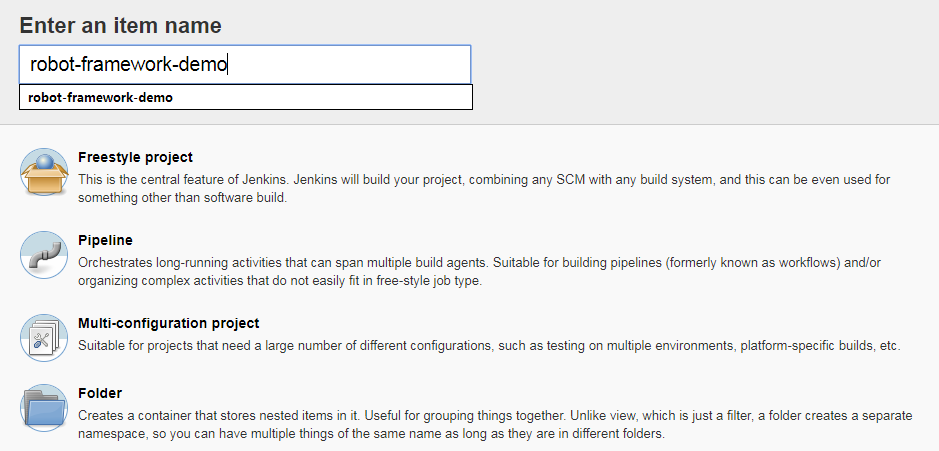
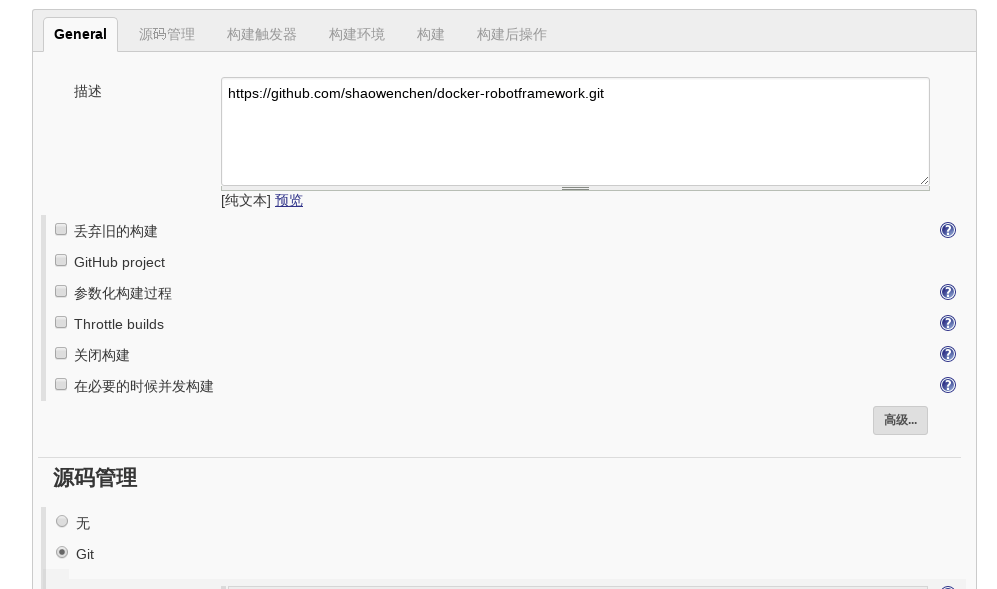
  • 代码管理选择 - Git 类型,输入:https://github.com/shaowenchen/docker-robotframework.git 。在仓库中,写了一个简单的 Robot Framework 测试用例,实现对网站首页测试截图的功能。
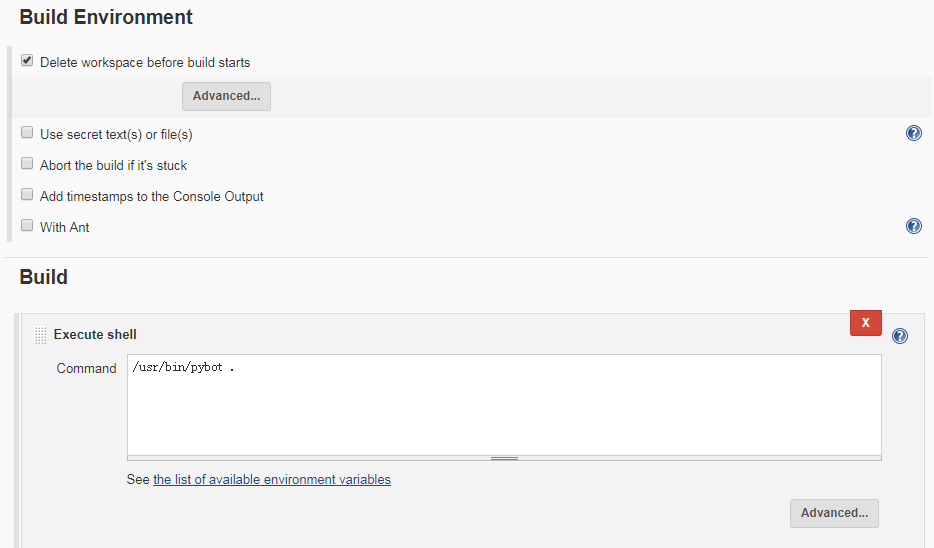
  • 在 Build 中,Add build step 选择 Execute Shell,输入:/usr/bin/pybot .

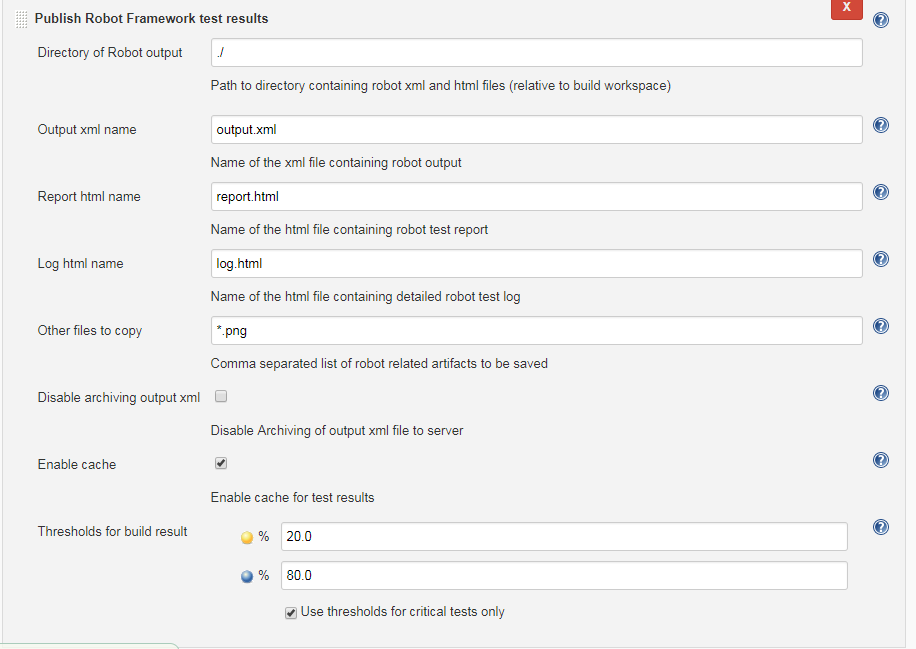
  • 在 Post-build Actions 中,Add post buld step 选择 Publish Robot Framework test results 。点击 Advanced 展开更多选项,在 Others files to copy 中,输入 *.png。这是为了在 report.html 或者 log.html 中,看到截图。否则,测试用例截图,并不会被归档到指定位置。
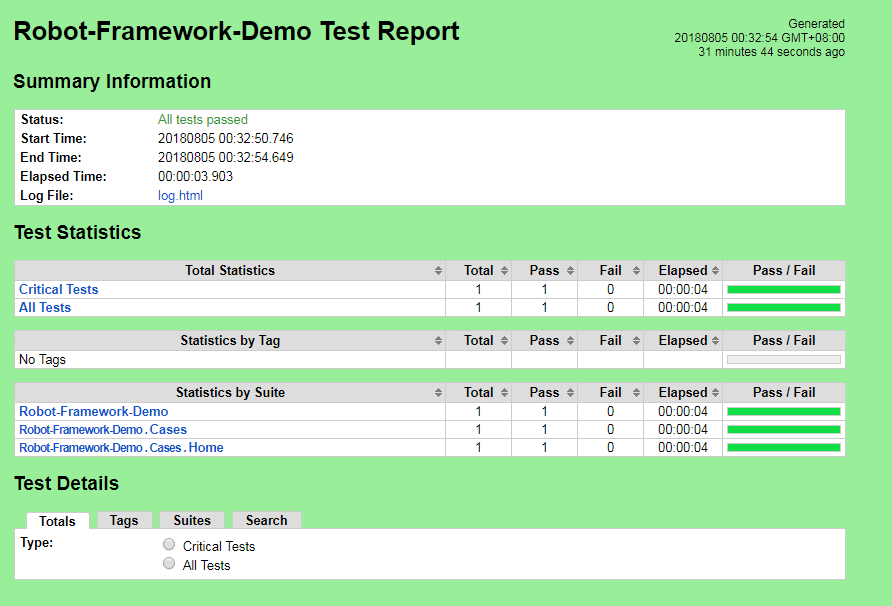
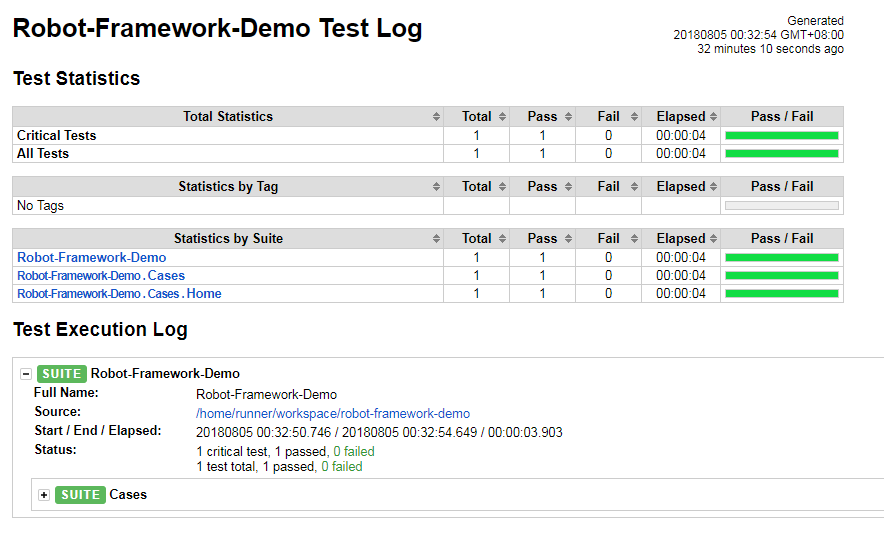
  • 安装 robot framework plugin 之后,在每次构建的详情中,就可以直接看到测试结果。
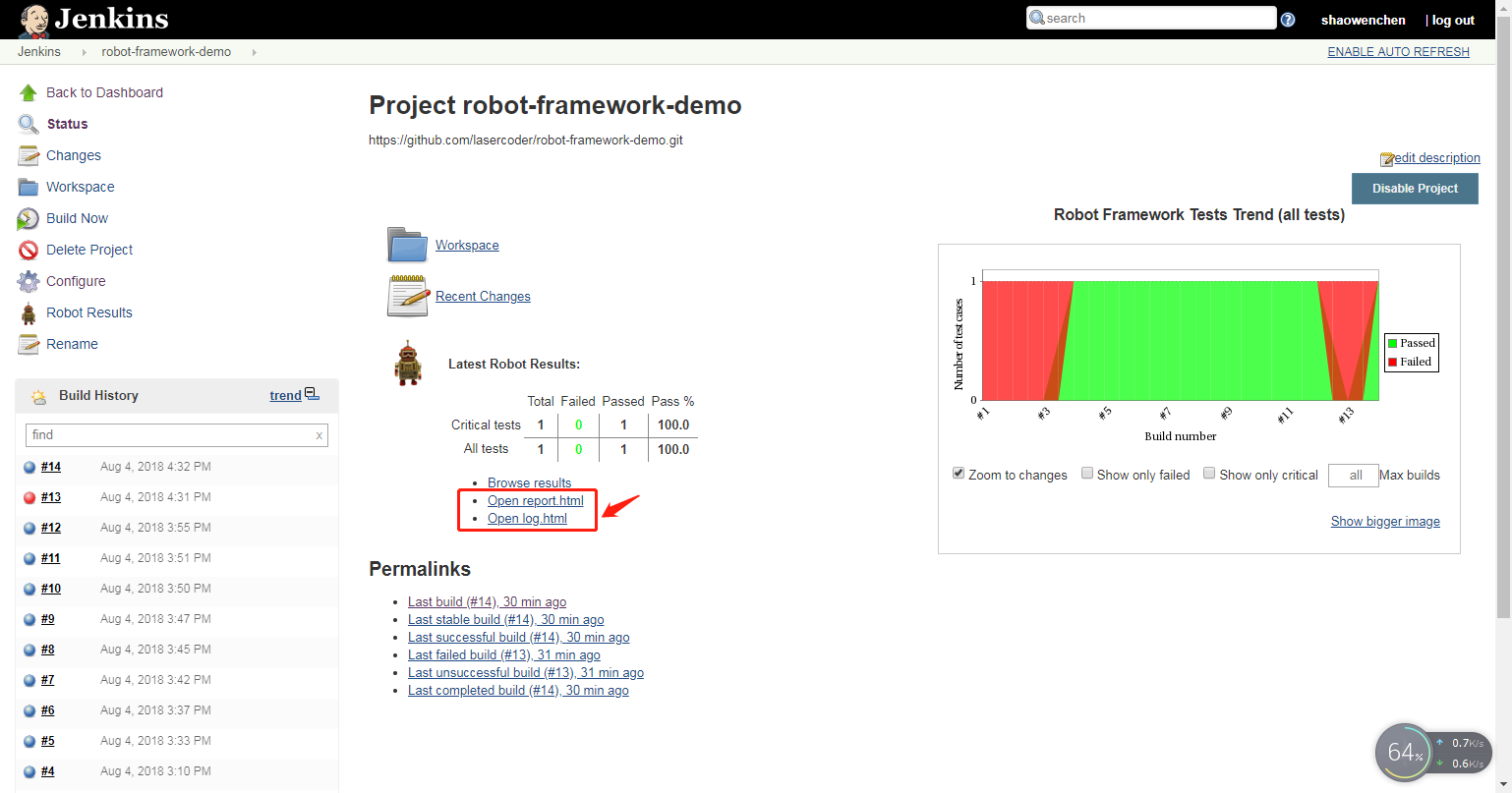
  • 查看测试报告 report

  • 查看测试日志 log

4. 问题与解决

  • Opening Robot Framework report/log failed

在 Manage Jenkins > Script Console 输入:

1
System.setProperty("hudson.model.DirectoryBrowserSupport.CSP", "")

点击运行。

需要重新执行一次构建, 就可以查看 report.html 和 log.html。

  • WebDriverException: Message: unknown error: DevToolsActivePort file doesn’t exist

在 Chrome 参数中新增 --no-sandbox --headless --disable-gpu 。如果不使用 Robot Framework ,在代码中:

1
2
3
4
5
6
7
8
from selenium.webdriver.chrome.options import Options

options = Options()
options.add_argument('--no-sandbox')
options.add_argument('--headless')
options.add_argument('--disable-gpu`')
driver = webdriver.Chrome(executable_path="/usr/bin/chromedriver",
chrome_options=options)
  • Selenium2Library . Capture Page Screenshot 截屏乱码
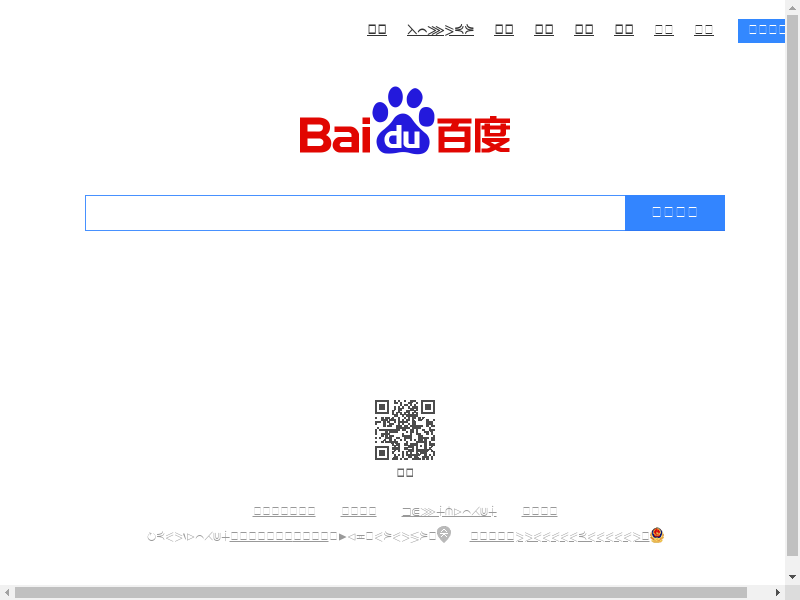
CentOS 安装中文字体

1
yum install cjkuni-ukai-fonts cjkuni-uming-fonts wqy-zenhei-fonts -y

5. 参考


微信公众号