1. Buildpack 老树开新花
Buildpacks 项目最早是由 Heroku 在 2011 年发起, 被以 Cloud Foundry 为代表的 PaaS 平台广泛采用。在之前的文档 《PaaS 部署之 buildpack》 中, 我演示了如何将一个 Django 应用部署到 Heroku 上。
Buildpacks 不足的是产出包是 Droplet 格式, 不能直接适配容器平台。
在 2018 年 1 月, Pivotal 和 Heroku 发起了一个项目 Cloud Native Buildpacks(简称, CNB) , 并在同年十月份加入 CNCF 。这个项目的目标就是实现一个统一的应用打包生态系统。
简单点就是, 之前打包出来是 Droplet, 现在是 OCI 容器镜像, 可以部署在任意兼容 OCI 镜像的容器平台。工作原理如下:
- 探测。根据源码内容, 自动探测、匹配 buildpacks 。
- 分析。在历史构建中, 查找缓存。
- 构建。将应用的源码, 创建为可运行的包
- 导出 OCI 格式的容器镜像。
2. Cloud Native Buildpacks 适合哪些人
Cloud Native Buildpacks 非常适合需要频繁打包应用的场景, 而且应用的种类比较多。
aPaaS 是提供运行时的平台, 经常需要部署各类应用。使用 Cloud Native Buildpacks 能规范打包流程, 快速将源码转换为镜像。
FaaS 平台提供函数的运行环境。在以容器为核心的基础设施上, FaaS 将用户代码打包为镜像, 再创建容器运行。而 Cloud Native Buildpacks 既能探测用户代码的编程语言、框架, 还能快速编译成 OCI 镜像, 正是 FaaS 之所需。Google Cloud Platform 的 FaaS 采用的就是 Buildpacks。
并不是每个开发者都适合使用 Cloud Native Buildpacks, 学习和维护也需要成本。如果你有很多应用需要维护和发布, 那么 Cloud Native Buildpacks 将拯救你, 起码可以少写很多 Dockerfile。
3. 与同类应用打包工具的比较
关于 S2I, 我之前写过一篇文档, 使用 S2I 构建云原生应用。我负责研发的一款产品中, 采用的就是 S2I 对源码进行打包成镜像。
而 Buildpacks 是我上一份工作中接触到的技术。当时我开发 SaaS , 需要借助 Buildpacks 打包应用。
这是来自 Buildpacks 社区的同类工具对比:
| Logo |  |  |  |  |
|---|
| Product Name | Cloud Native Buildpacks | source-to-image (s2i) | Jib | ko |
| Advanced Caching | Yes | Yes | No | No |
| Bill-of-Materials | Yes | No | No | No |
| Modular / Pluggable | Yes | No | N/A † | N/A † |
| Multi-language | Yes | Yes | No | No |
| Multi-process | Yes | No | No | No |
| Minimal app image | Yes | Yes ‡ | Yes | Yes |
| Rebasing | Yes | No | No | No |
| Reproducibility | Yes | No | Yes | Yes |
| Reusability | Yes | Yes | N/A † | N/A † |
| Integrations | _ Azure
_ CircleCI
_ GitLab
_ Google
_ Heroku
_ Spring Boot
_ Tekton
_ … | * OpenShift | _ Gradle
_ Maven | |
| Governance | CNCF | Red Hat | Google | Google |
从生态和功能上看, Buildpacks 比 S2I 更好。
4. 在 Docker 环境下打包应用
需要提前安装 Git 环境, 在 Docker 环境下操作。
4.1 安装 Pack 命令工具
Pack 是 Cloud Native Buildpacks 提供用于使用 buildpacks 的工具。这里以 Linux 系统为例进行安装:
1
| (curl -sSL "https://github.com/buildpacks/pack/releases/download/v0.17.0/pack-v0.17.0-linux.tgz" | sudo tar -C /usr/local/bin/ --no-same-owner -xzv pack)
|
查看 pack 的版本
1
2
3
| pack version
0.17.0+git-d9cb4e7.build-2045
|
4.2 打包一个应用
1
| git clone https://github.com/shaowenchen/devops-python-sample
|
1
| cd devops-python-sample/src
|
 1
 2
 3
 4
 5
 6
 7
 8
 9
10
11
12
13
14
15
16
17
18
19
20
21
22
| tree
.
|-- manage.py
|-- project
| |-- app1
| | |-- admin.py
| | |-- apps.py
| | |-- __init__.py
| | |-- migrations
| | | `-- __init__.py
| | |-- models.py
| | |-- tests.py
| | `-- views.py
| |-- __init__.py
| |-- settings.py
| |-- tests.py
| |-- urls.py
| `-- wsgi.py
`-- requirements.txt
3 directories, 14 files
|
这是一个非常普通的 Django 项目结构。
Builder 定义如何将源码转换为镜像的步骤, 如果有自己熟悉的 Builder 可以直接使用, 也可以使用 Pack 推荐的 Builder 。
 1
 2
 3
 4
 5
 6
 7
 8
 9
10
11
12
| pack builder suggest
Suggested builders:
Google: gcr.io/buildpacks/builder:v1 Ubuntu 18 base image with buildpacks for .NET, Go, Java, Node.js, and Python
Heroku: heroku/buildpacks:18 heroku-18 base image with buildpacks for Ruby, Java, Node.js, Python, Golang, & PHP
Heroku: heroku/buildpacks:20 heroku-20 base image with buildpacks for Ruby, Java, Node.js, Python, Golang, & PHP
Paketo Buildpacks: paketobuildpacks/builder:base Ubuntu bionic base image with buildpacks for Java, .NET Core, NodeJS, Go, Ruby, NGINX and Procfile
Paketo Buildpacks: paketobuildpacks/builder:full Ubuntu bionic base image with buildpacks for Java, .NET Core, NodeJS, Go, PHP, Ruby, Apache HTTPD, NGINX and Procfile
Paketo Buildpacks: paketobuildpacks/builder:tiny Tiny base image (bionic build image, distroless-like run image) with buildpacks for Java Native Image and Go
Tip: Learn more about a specific builder with:
pack inspect-builder <builder-image>
|
- 进行构建, 这里采用 heroku/buildpacks:20 进行构建
 1
 2
 3
 4
 5
 6
 7
 8
 9
10
11
12
13
14
15
16
17
18
19
20
21
22
23
24
25
26
27
28
29
30
31
32
33
34
35
36
37
38
39
40
41
42
43
44
45
46
47
48
49
50
51
| pack build python-sample --builder heroku/buildpacks:20
20: Pulling from heroku/buildpacks
Digest: sha256:128508a60a25ecac8ed16b4507747cceaf627e2617b2e898d98ac303411a010f
Status: Image is up to date for heroku/buildpacks:20
20: Pulling from heroku/pack
Digest: sha256:6f7301c933d3d0d777c3f5b99b5cc9d8e5ee7304e69b5f05989e19e5c4206a95
Status: Image is up to date for heroku/pack:20
===> DETECTING
======== Output: heroku/ruby@0.0.1 ========
no
err: heroku/ruby@0.0.1 (1)
heroku/python 0.3
heroku/procfile 0.6
===> ANALYZING
Previous image with name "python-sample" not found
===> RESTORING
===> BUILDING
-----> Installing python-3.6.12
-----> Installing pip 20.1.1, setuptools 47.1.1 and wheel 0.34.2
-----> Installing SQLite3
-----> Installing requirements with pip
! Your Django version is nearing the end of its community support.
! Upgrade to continue to receive security updates and for the best experience with Django.
! For more information, check out https://www.djangoproject.com/download/#supported-versions
Collecting Django==1.11.29
Downloading Django-1.11.29-py2.py3-none-any.whl (6.9 MB)
Collecting coverage==4.5.4
Downloading coverage-4.5.4-cp36-cp36m-manylinux1_x86_64.whl (205 kB)
Collecting pytz
Downloading pytz-2021.1-py2.py3-none-any.whl (510 kB)
Installing collected packages: pytz, Django, coverage
Successfully installed Django-1.11.29 coverage-4.5.4 pytz-2021.1
-----> $ python manage.py collectstatic --noinput
61 static files copied to '/workspace/static'.
-----> Discovering process types
Procfile declares types -> (none)
===> EXPORTING
Adding layer 'heroku/python:profile'
Adding 1/1 app layer(s)
Adding layer 'launcher'
Adding layer 'config'
Adding label 'io.buildpacks.lifecycle.metadata'
Adding label 'io.buildpacks.build.metadata'
Adding label 'io.buildpacks.project.metadata'
Warning: default process type 'web' not present in list []
*** Images (1de89df98f60):
python-sample
Adding cache layer 'heroku/python:shim'
Successfully built image python-sample
|
1
2
3
| docker images |grep python-sample
python-sample latest 39a646c853c2 41 years ago 756MB
|
41 years ago 应该是有 Bug, 镜像有点大。第二次构建时, 并没有看到明显提速, 看来得用自定义 Builder 才能展示上述表格中的优势。
 1
 2
 3
 4
 5
 6
 7
 8
 9
10
11
12
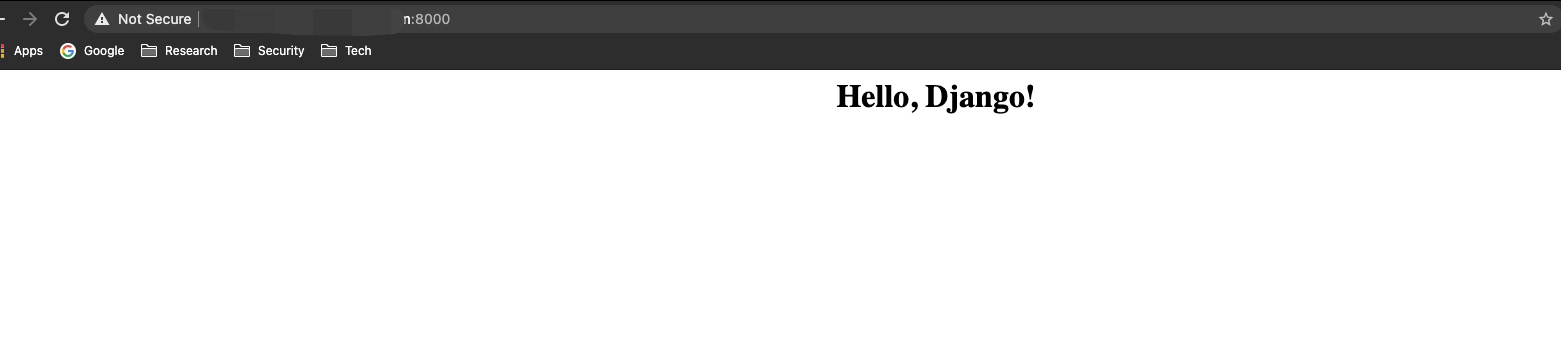
| docker run --rm -p 8000:8000 python-sample python manage.py runserver 0.0.0.0:8000
Performing system checks...
System check identified no issues (0 silenced).
You have 13 unapplied migration(s). Your project may not work properly until you apply the migrations for app(s): admin, auth, contenttypes, sessions.
Run 'python manage.py migrate' to apply them.
February 04, 2021 - 08:33:02
Django version 1.11.29, using settings 'project.settings'
Starting development server at http://0.0.0.0:8000/
Quit the server with CONTROL-C.
|
5. 总结
本文主要是体验了一下 Buildpacks 在云原生背景下的进化版本 Cloud Native Buildpacks 。
Buildpacks 与 S2I 一样, 支持开发者自定义 Builder, 也支持用户在源码仓库中自定义一些配置, 比如指定源码目录、指定解释器版本等。PaaS、FaaS 类的平台自己维护一套类似的工具, 不如直接采用并贡献这些开源项目。
6. 参考














