
1. Debug 到想跑路
GitHub Actions 是 GitHub 在 2018 年 10 月推出的持续集成服务。对于开源项目,免费提供无限时长的构建时间,同时支持 Linux、MacOs、Windows 系统,非常招人喜爱。
但是,最近的一次经历改变了我的看法。我给同事的仓库,提交了一个 improvement: build and ci 的 commit ,用于完善持续构建的功能。如下图:
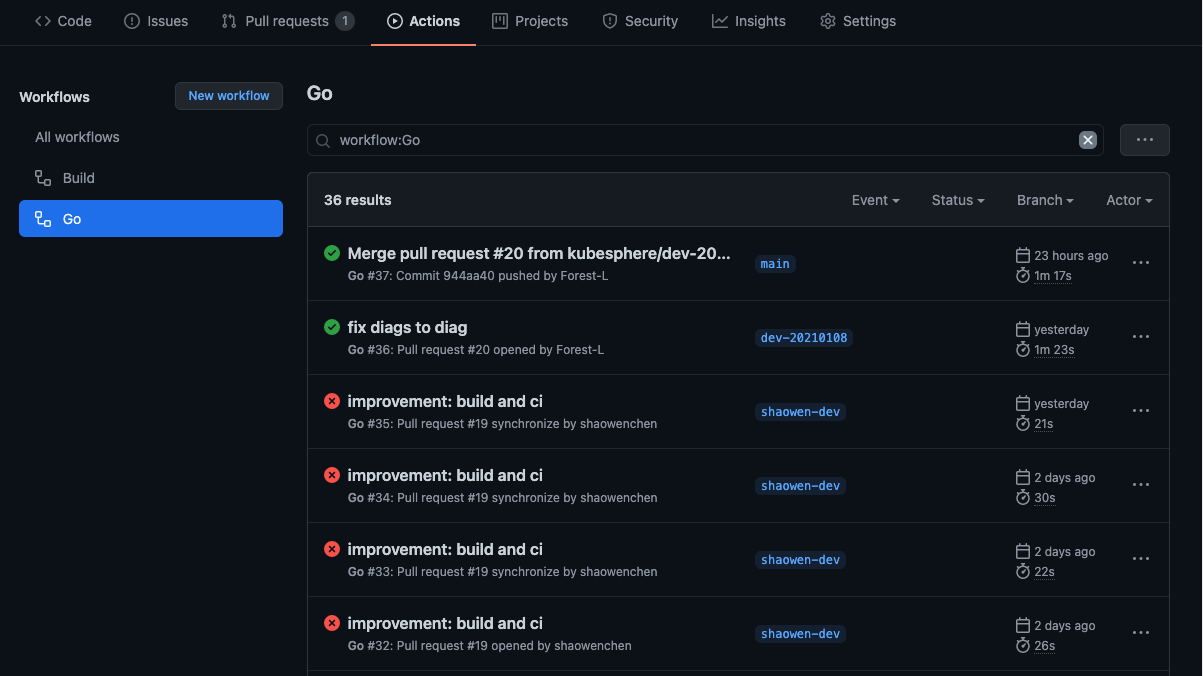
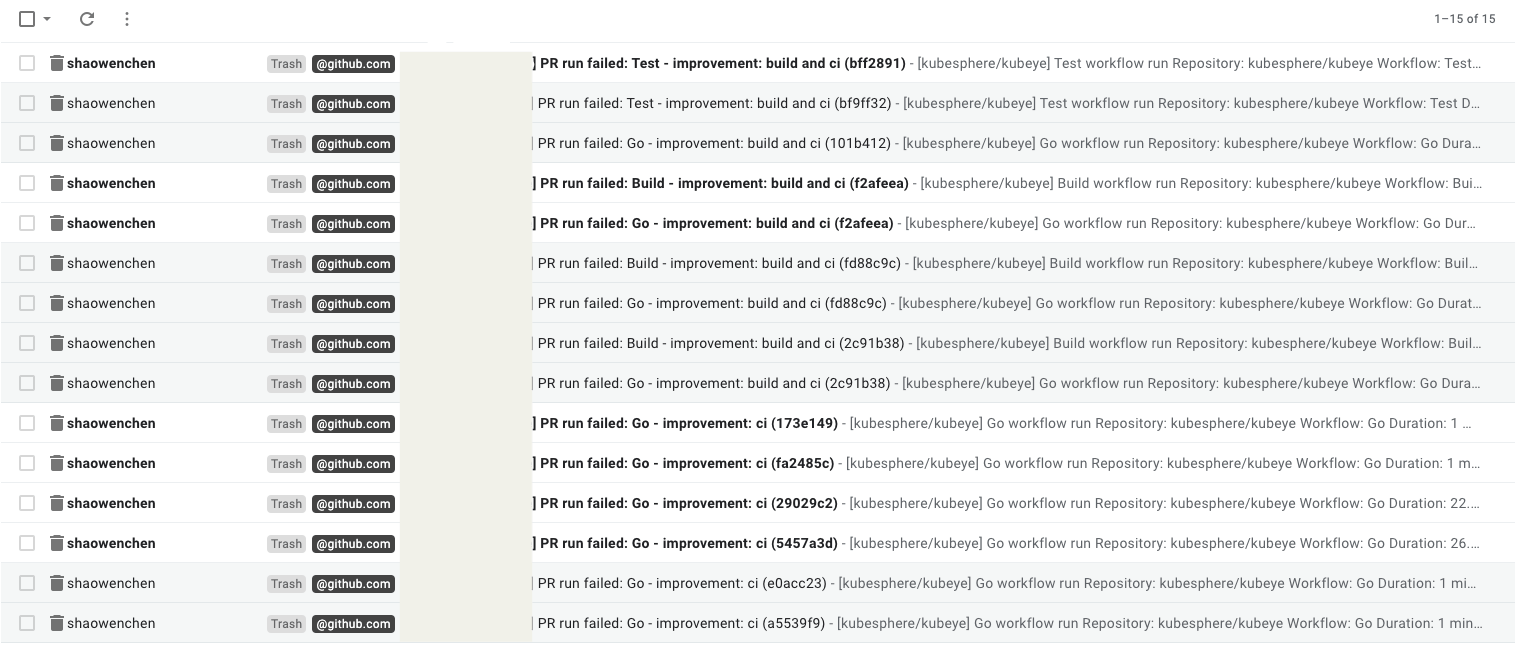
这只是 Debug 过程中的几条记录。在本地测试通过,但是添加到 workflows 就报错。花了一天多时间,提交了不下几十次用于测试。这是一个私有的仓库,只能遵循 Merge Requests 的研发流程。这倒不要紧,关键是老板 watch 了这个仓库。每次构建失败,都会收到一条通知邮件,还赶上年终,泪奔 ~~~
2. debugger-action 诞生记
周末正好看到 PingCap 有个 Hackathon 的活动,用较短的时间集中完成一个功能。灵感一闪,我周末就用 GitHub Actions 来解决一下 Debug 到想跑路的问题。
看了下 TypeScript 的语法,凭借之前 SaaS 全栈开发的一点底子,还有强大的 Google 搜索引擎,就把事情给办了。
一起来看看怎么调试 GitHub Actions 吧。下面是一个 Go 的 workflows 环境:
 1
 2
 3
 4
 5
 6
 7
 8
 9
10
11
12
13
14
15
16
17
18
19
20
21
22
23
24
25
26
27
28
| name: Build
on:
push:
branches: [master]
jobs:
build:
name: Build
runs-on: ubuntu-latest
steps:
- name: Set up Go 1.14
uses: actions/setup-go@v1
with:
go-version: 1.14
- name: Check out code into the Go module directory
uses: actions/checkout@v2
- uses: shaowenchen/debugger-action@v1
name: debugger
timeout-minutes: 30
continue-on-error: true
with:
frp_server_addr: ${{ secrets.FRP_SERVER_ADDR }}
frp_server_port: ${{ secrets.FRP_SERVER_PORT }}
frp_token: ${{ secrets.FRP_TOKEN }}
ssh_port: ${{ secrets.SSH_PORT }}
|
运行起来之后,Runner 会 hold 30 分钟,开发者可以通过 ssh 远程登陆到 Runner 上执行命令,进行调试。
1
| ssh root@frp_server_addr -p ssh_port
|
输入 root 密码: root
这样就进入了 Runner 的执行环境,debugger-actions 目前支持 Linux 和 MacOS 的构建环境。
3. 配置和使用 debugger-action
3.1 搭建 Frp Server
参考之前写过的一篇文档 《使用 frp 将本地服务发布到公网》 ,其中有一键安装的脚本。
安装成功会得到一个配置:
==============================================
You Server IP      : x.x.x.x
Bind port          : 5443
KCP support        : true
vhost http port    : 80
vhost https port   : 443
Dashboard port     : 6443
token              : x
tcp_mux            : true
Max Pool count     : 200
Log level          : info
Log max days       : 30
Log file           : enable
==============================================
如果没有服务器的同学,也可以使用我在项目 issues 中提供的测试 Frp Server ,https://github.com/shaowenchen/debugger-action/issues/3 。
3.2 配置秘钥
在 Settings 页面的 Secrets 中,添加三个秘钥,FRP_SERVER_ADDR, FRP_SERVER_PORT, FRP_TOKEN ,秘钥值来自上一步。如下图:
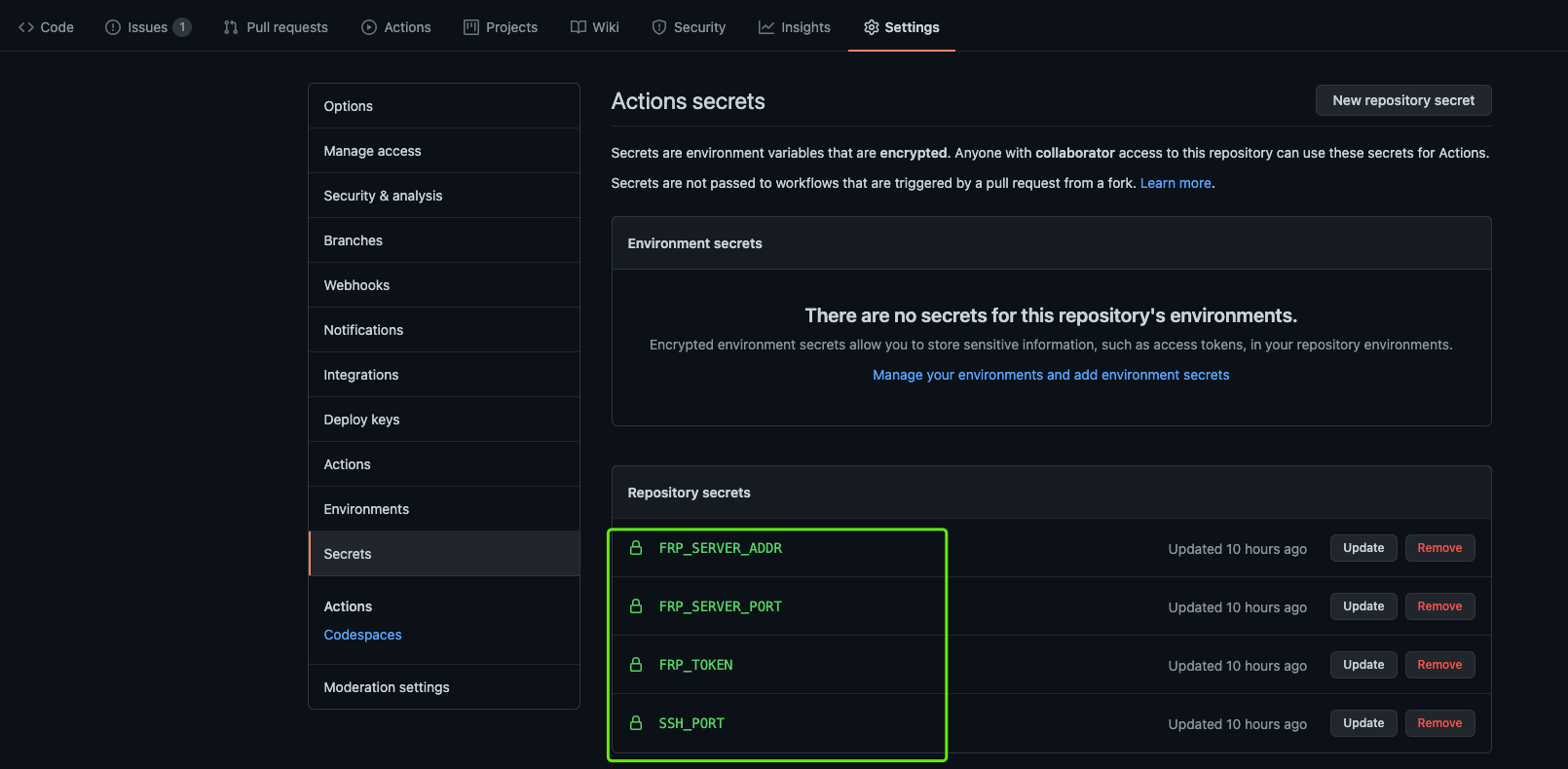
| Secrets | Frp 对应值 |
|---|
FRP_SERVER_ADDR | You Server IP |
FRP_SERVER_PORT | Bind port |
FRP_TOKEN | token |
SSH_PORT 可以任意指定,但不同 Workflows 中不能相同。SSH_PORT 相同,会导致 Frp Client 起不来。当然,也可以填写一个固定值,只是不那么安全。
3.3 添加 debugger-action
在 Workflows 中需要 Debug 的地方,添加下面的 yaml 片段。
1
2
3
4
5
6
7
8
9
| - uses: shaowenchen/debugger-action@v1
name: debugger
timeout-minutes: 30
continue-on-error: true
with:
frp_server_addr: ${{ secrets.FRP_SERVER_ADDR }}
frp_server_port: ${{ secrets.FRP_SERVER_PORT }}
frp_token: ${{ secrets.FRP_TOKEN }}
ssh_port: ${{ secrets.SSH_PORT }}
|
其中 timeout-minutes 用于设置需要 Debug 的时长。GitHub Actions 中,每个 Job 允许执行的最大时长为 6 个小时。
4. 使用测试
使用 ssh 命令,root/root(账户/密码),登陆到 Runner。
1
| ssh root@frp_server_addr -p ssh_port
|
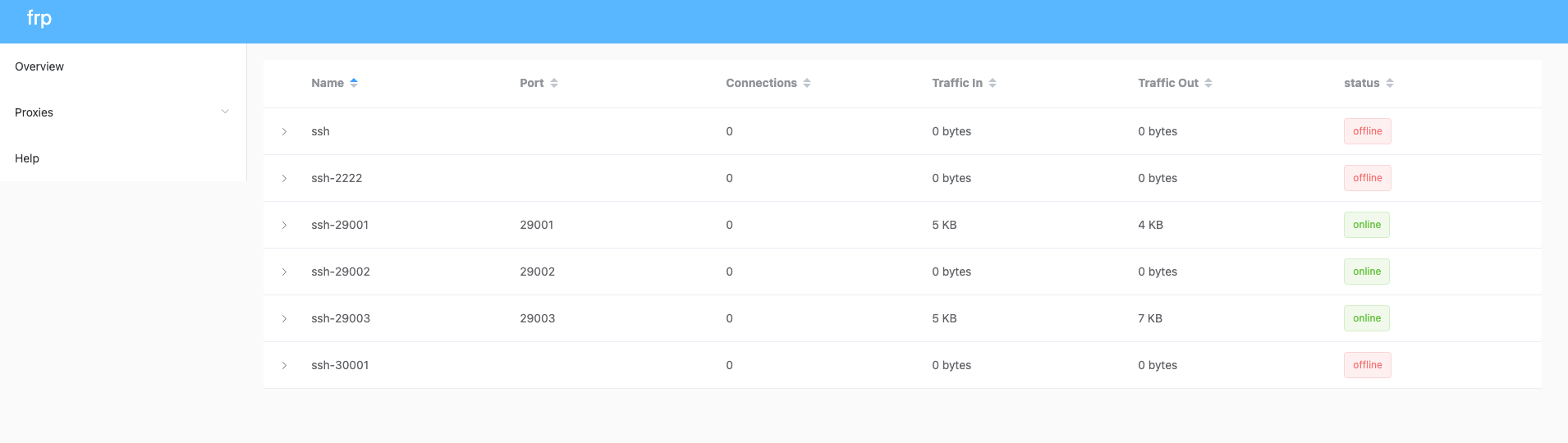
在 Frp Dashboard 中,也可以看到相关连接。
5. 一些测试用例
5.1 buildx 构建环境
 1
 2
 3
 4
 5
 6
 7
 8
 9
10
11
12
13
14
15
16
17
18
19
20
| name: buildx
on:
push:
branches: [master]
jobs:
hello:
runs-on: ubuntu-latest
steps:
- name: Set up Docker Buildx
uses: docker/setup-buildx-action@v1
- uses: shaowenchen/debugger-action@v1
name: debugger
timeout-minutes: 30
continue-on-error: true
with:
frp_server_addr: ${{ secrets.FRP_SERVER_ADDR }}
frp_server_port: ${{ secrets.FRP_SERVER_PORT }}
frp_token: ${{ secrets.FRP_TOKEN }}
ssh_port: 29001
|
命令行测试:
1
2
3
4
| docker ps
CONTAINER ID IMAGE COMMAND CREATED STATUS PORTS NAMES
94e481a9d5a5 moby/buildkit:buildx-stable-1 "buildkitd --allow-i…" 23 minutes ago Up 23 minutes buildx_buildkit_builder-1cfe11cc-90d5-4518-9d89-a05765ac30620
|
5.2 一个 Kind 集群
 1
 2
 3
 4
 5
 6
 7
 8
 9
10
11
12
13
14
15
16
17
18
19
20
| name: kind
on:
push:
branches: [master]
jobs:
hello:
runs-on: ubuntu-latest
steps:
- name: Creating kind cluster
uses: helm/kind-action@v1.0.0-rc.1
- uses: shaowenchen/debugger-action@v1
name: debugger
timeout-minutes: 30
continue-on-error: true
with:
frp_server_addr: ${{ secrets.FRP_SERVER_ADDR }}
frp_server_port: ${{ secrets.FRP_SERVER_PORT }}
frp_token: ${{ secrets.FRP_TOKEN }}
ssh_port: 29002
|
命令行测试:
1
2
3
4
| kubectl get node
NAME STATUS ROLES AGE VERSION
chart-testing-control-plane Ready master 24m v1.17.0
|
5.3 一个 MacOS 环境
 1
 2
 3
 4
 5
 6
 7
 8
 9
10
11
12
13
14
15
16
17
18
| name: macos-shell
on:
push:
branches: [master]
jobs:
hello:
runs-on: macos-latest
steps:
- uses: shaowenchen/debugger-action@v1
name: debugger
timeout-minutes: 30
continue-on-error: true
with:
frp_server_addr: ${{ secrets.FRP_SERVER_ADDR }}
frp_server_port: ${{ secrets.FRP_SERVER_PORT }}
frp_token: ${{ secrets.FRP_TOKEN }}
ssh_port: 29003
|
命令行测试:
1
2
3
| Mac-1610933038460:~ runner$ uname -a
Darwin Mac-1610933038460.local 19.6.0 Darwin Kernel Version 19.6.0: Thu Oct 29 22:56:45 PDT 2020; root:xnu-6153.141.2.2~1/RELEASE_X86_64 x86_64
|
6. 参考









