通常,我们需要在 GitHub 上进行一些操作,才能触发 GitHub Action。本篇将介绍一种通过 API 远程调用触发 GitHub Action 的方法。
1. 常见的几种触发 GitHub Action 的方式
下面是一个 GitHub Action 的示例:
1
2
3
4
5
6
7
| name: GitHub Actions Demo
on: [push, pull_request]
jobs:
Explore-GitHub-Actions:
runs-on: ubuntu-latest
steps:
- run: echo "Hello World!"
|
在 on 关键字下,定义的就是触发 Workflow 执行的事件。下面常用的几种 GitHub Action 事件:
在 inputs 中可以添加交互参数(可选)。
1
2
3
4
5
6
7
| on:
workflow_dispatch:
inputs:
name:
description: "Person to greet"
required: true
default: "Mona the Octocat"
|
1
2
3
| on:
issues:
types: [opened, edited, milestoned]
|
1
2
3
| on:
issue_comment:
types: [created, deleted]
|
1
2
3
| on:
project:
types: [created, deleted]
|
1
2
3
| on:
pull_request:
types: [assigned, opened, synchronize, reopened]
|
利用这些事件 hook,可以自动化很多流程。
2. 使用 API 远程触发 GitHub Action
2.1 创建一个 Token
访问链接页面 https://github.com/settings/tokens/new 申请一个 Token。
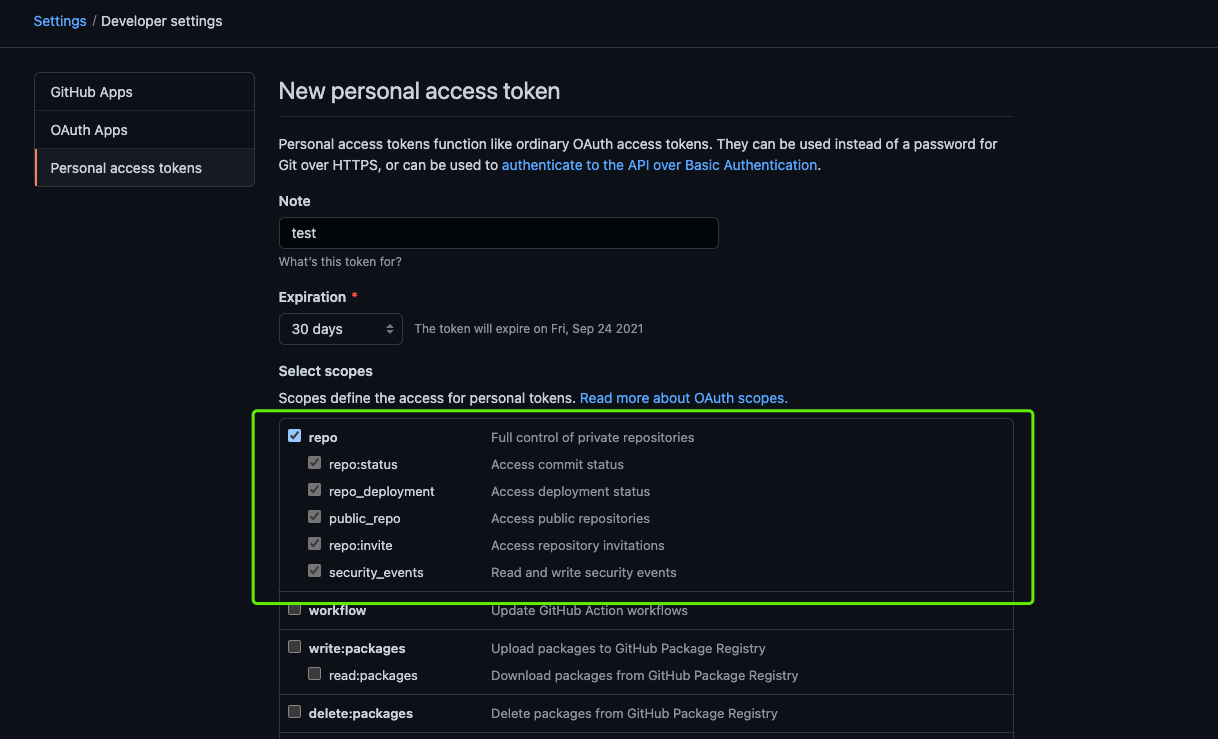
需要勾选 repo 权限。
2.2 添加
在仓库 https://github.com/shaowenchen/wait-webhook-to-run 下,新建一个文件 .github/workflows/worker.yml。内容如下:
 1
 2
 3
 4
 5
 6
 7
 8
 9
10
11
12
13
14
| on:
repository_dispatch:
types:
- webhook-1
- webhook-2
jobs:
run:
runs-on: ubuntu-latest
steps:
- name: Hello World
run: |
echo Hello World!
|
在 repository_dispatch 的 types 中,可以自定义事件类型。
2.3 远程触发 Github Action
下面是 API 调用格式:
1
2
3
4
| curl -X POST https://api.github.com/repos/:owner/:repo/dispatches \
-H "Accept: application/vnd.github.everest-preview+json" \
-H "Authorization: token TRIGGER_TOKEN" \
--data '{"event_type": "TRIGGER_EVENT"}'
|
其中,owner 是用户名,repo 是仓库名, TRIGGER_TOKEN 是上面申请的 Token 凭证,TRIGGER_EVENT 是自定义的事件名。
1
2
3
4
| curl -X POST https://api.github.com/repos/shaowenchen/wait-webhook-to-run/dispatches \
-H "Accept: application/vnd.github.everest-preview+json" \
-H "Authorization: token ghp_xxxxxxxxxxxxxxxxxxxxxxxxxx" \
--data '{"event_type": "webhook-1"}'
|
1
2
3
4
| curl -X POST https://api.github.com/repos/shaowenchen/wait-webhook-to-run/dispatches \
-H "Accept: application/vnd.github.everest-preview+json" \
-H "Authorization: token ghp_xxxxxxxxxxxxxxxxxxxxxxxxxx" \
--data '{"event_type": "webhook-2"}'
|
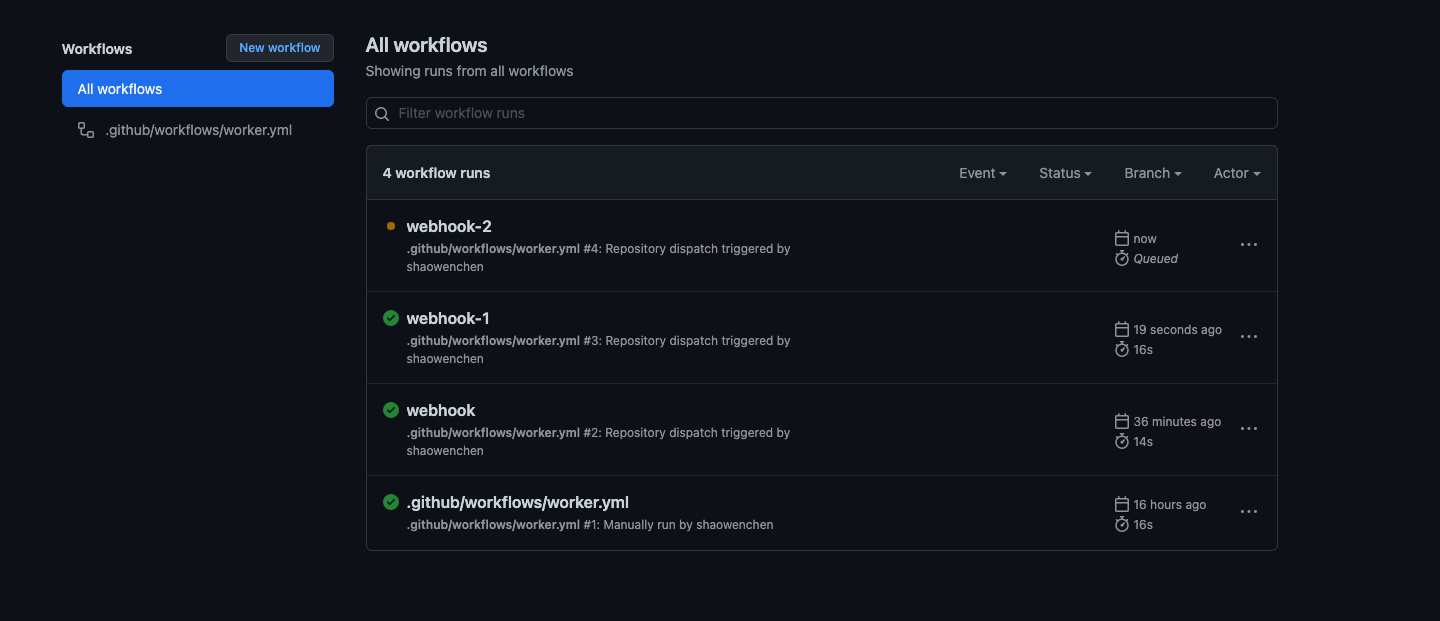
查看 GitHub Action 执行:
3. 参考









