









很早之前博客用过iconfont字体图标,没错,就是左下角的小火箭,惊叹于它的矢量特性、多平台适用性及易维护等。这几天又开始捣鼓网站源码,想做一个记录宝贝成长的网页相册。其中有些小图标想采用iconfont,许久不用又忘了,折腾了好半天,记录一下,以备不时之需。
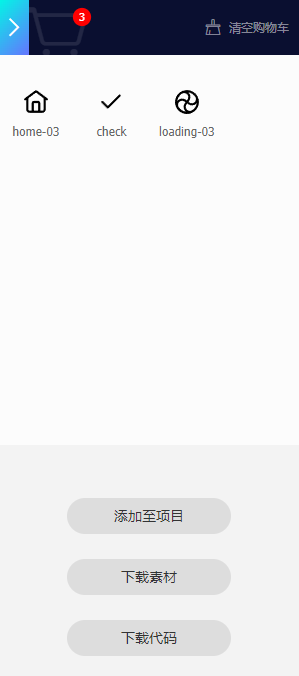
简单来说,分为以下几个步骤:下载、引用、声明、定义、部署。提供iconfont图标的资源站点很多,这次以阿里图标为例。首先是选择需要的图标,比如这次我要选择代表设置、 对钩、音乐、首页等4个,那么点击购物车图标加入购物车即可(前提是用手机号注册一下)。同一个项目最好是用同一套图标,实在找不到想要的,用不同图标集的也不是不可以,只是用起来感觉风格不统一。
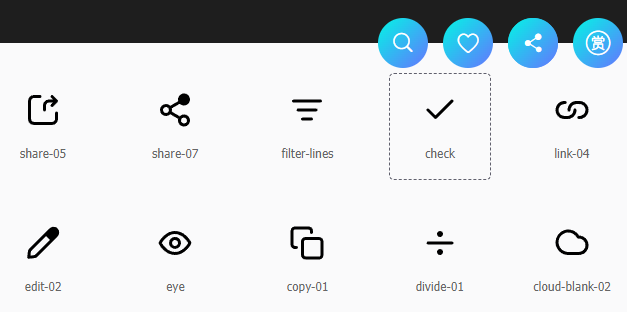
选好后,点击下载代码,即可打包下载所需要的字体文件。
下载解压后的文件列表如下: 其中文件不是全部都能用上的,根据不同的部署方法有所不同。
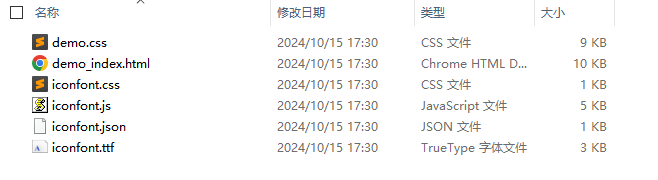
demo.css - 说明页面的样式表
demo_index.html - 说明页面,用来指导用户怎么部署字体
iconfont.css - 字体图标的样式表
iconfont.js - 字体图标的js文件
iconfont.json - 字体图标的json文件
iconfont.ttf - 字体文件
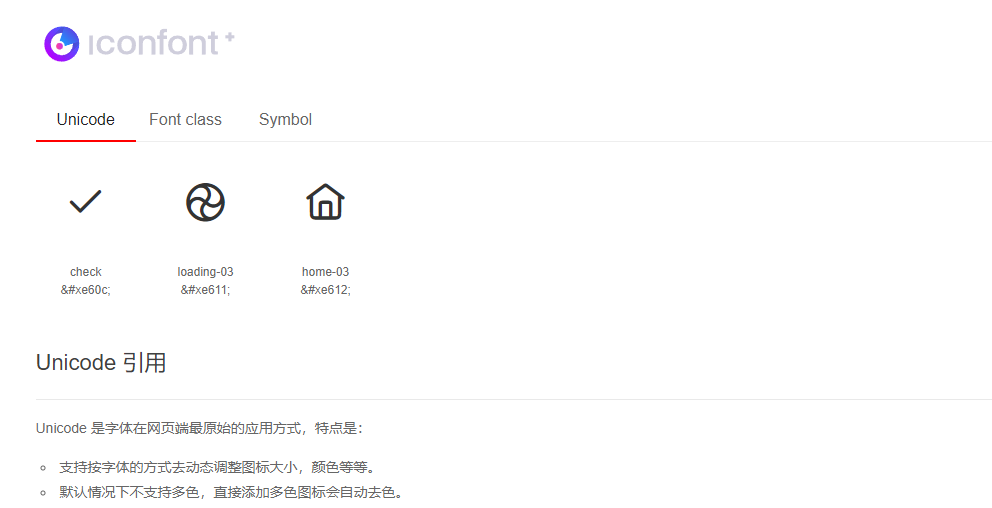
在浏览器打开demo_index.html,查看使用说明,提供了三种部署方法,这里以Unicode 引用为例,只需要用到iconfont.css和iconfont.ttf。将iconfont.ttf拷贝到项目文件夹中,比如fonts等,iconfont.css拷贝到css文件夹中。
在页面头部引用iconfont.css
<link rel="stylesheet" href="css/iconfont.css">在iconfont.css中声明iconfont字体、并定义iconfont字体,这些事情都帮你做好了,不需要改代码,
@font-face {
  font-family: "iconfont"; /* Project id  */
  src: url('font/iconfont.ttf?t=1728984656995') format('truetype');
}/*声明字体
.iconfont {
font-family: "iconfont" !important;
font-size: 16px;
font-style: normal;
-webkit-font-smoothing: antialiased;
-moz-osx-font-smoothing: grayscale;
}/*字体样式,如果需要修改字体图标大小,改font-size属性即可,或者,注释掉font-size: 16px;在引用字体时定义大小也可以*/.icon-check:before {
content: "\e60c";
}
.icon-loading-03:before {
content: "\e611";
}
.icon-home-03:before {
content: "\e612";
}/*定义字体,即为每个图标定义Unicode编码在项目的头部或者外部css里定义iconfont字体集,这里的iconfont必须与iconfont.css里的.iconfont类名一致,当然也可以改成自己喜欢的名字。
body {
	font-family: 'iconfont', Aller;
}
在需要放图标的地方部署字体,可以用:after或者:before伪类都可以,可以自定图标的颜色、大小等。
#skin li.selected::after{
    color:#fff;
    content:'\e605';
    font-size: 22px;
}
此内容由惯性聚合(RSS阅读器)自动聚合整理,仅供阅读参考。 原文来自 — 版权归原作者所有。