惯性聚合 高效追踪和阅读你感兴趣的博客、新闻、科技资讯
阅读原文 在惯性聚合中打开

推荐订阅源

爱范儿
爱范儿
WordPress大学
WordPress大学
博客园 - 【当耐特】
The Cloudflare Blog
B
Blog
Last Week in AI
Last Week in AI
小众软件
小众软件
量子位
S
SegmentFault 最新的问题
V
Visual Studio Blog
博客园 - 叶小钗
美团技术团队
阮一峰的网络日志
阮一峰的网络日志
Hugging Face - Blog
Hugging Face - Blog
钛媒体:引领未来商业与生活新知
钛媒体:引领未来商业与生活新知
宝玉的分享
宝玉的分享
A
About on SuperTechFans
雷峰网
雷峰网
J
Java Code Geeks
Microsoft Azure Blog
腾讯CDC
MongoDB | Blog
MongoDB | Blog
酷 壳 – CoolShell
酷 壳 – CoolShell
Martin Fowler
Martin Fowler

Android Performance

SmartPerfetto 架构文章 Q&A:8 个深度技术问答 从 Trace 到洞察:SmartPerfetto AI Agent 的 Harness Engineering 实战 OpenClaw 常见问题解答:Token 消耗、能干什么、本地模型、隐私安全、使用体验 我把 OpenClaw 跑在本地三周后,发现它根本不是聊天机器人 Android Perfetto 系列 10 - Binder 调度与锁竞争 Android Perfetto 系列 9 - CPU 信息解读 Android Perfetto 系列 8:深入理解 Vsync 机制与性能分析 Android Perfetto 系列 7 - MainThread 和 RenderThread 解读 Android Perfetto 系列 6:为什么是 120Hz?高刷新率的优势与挑战 Android Perfetto 系列 5:Android App 基于 Choreographer 的渲染流程 Android Perfetto 系列 4:使用命令行在本地打开超大 Trace Android ANR 系列 3 :ANR 案例分享 Android ANR 系列 2 :ANR 分析套路和关键 Log 介绍 Android ANR 系列 1 :理解 Android ANR 设计思想 Android Perfetto 系列 3:熟悉 Perfetto View Android Perfetto 系列 2:Perfetto Trace 抓取 Android Perfetto 系列 1:Perfetto 工具简介 Android Perfetto 系列目录 2023 年的方方面面 关于 The Android Performance 知识星球介绍 The Performance Design Of OS OS 设计之性能设计 当 App 有了系统权限,真的可以为所欲为? The Performance 星球茶话会 - 第一期 Systrace 线程 CPU 运行状态分析技巧 - Sleep 和 Uninterruptible Sleep 篇 Systrace 线程 CPU 运行状态分析技巧 - Running 篇 Systrace 线程 CPU 运行状态分析技巧 - Runnable 篇 Android 性能优化的术、道、器 Techniques, Philosophy, and Tools for Android Performance Optimization 回顾 2021
Android Bottom navigation 规范二:样式、行为与规格
Gracker · 2016-04-05 · via Android Performance

Android 官方在三月的某一天更新了一个新的设计规范,所谓设计规范就是告诉开发者和设计师要如何去设计和使用某一个组件。不过这次 Bottom navigation 的发布,让许多人大跌眼镜,毕竟 Bottom navigation 这样的组件,在之前的 MD 设计语言中可是只字未提,Android 开发者与 iOS 开发中最大的不同也是由于 Bottom navigation 是 iOS 应用的必备,而遵循 MD 设计规范的 Android 应用,则对 Bottom navigation 敬而远之。

本文是 Android Bottom navigation 的第二篇文章,主要介绍样式、行为与规格。

这篇文章里的尺寸、颜色、交互动效来自早期 Material Design 规范。现在做新项目时应以 Material 3 为准:Compose 使用 NavigationBar/NavigationBarItem,并让 Material 3 组件处理系统栏 inset;从 Material 2 迁移时,BottomNavigation/BottomNavigationItem 对应到 Material 3 的 NavigationBar/NavigationBarItem。底部导航仍然适合紧凑宽度,但中大屏应切换到 Navigation rail/drawer 或自适应导航组件,避免底栏在宽屏上拉得过长。

1. 样式-Style

1.1 图标和文字-Icons and text

Because bottom navigation actions are presented as icons, they should be used for content that can be suitably communicated with icons.
由于底部导航操作显示为图标,它应该使用与其内容相符合的图标。根据以下条件来为每个操作设定样式:

  • 当 Item 是 focus 状态的时候,显示这个 Item View 的图标和文字。
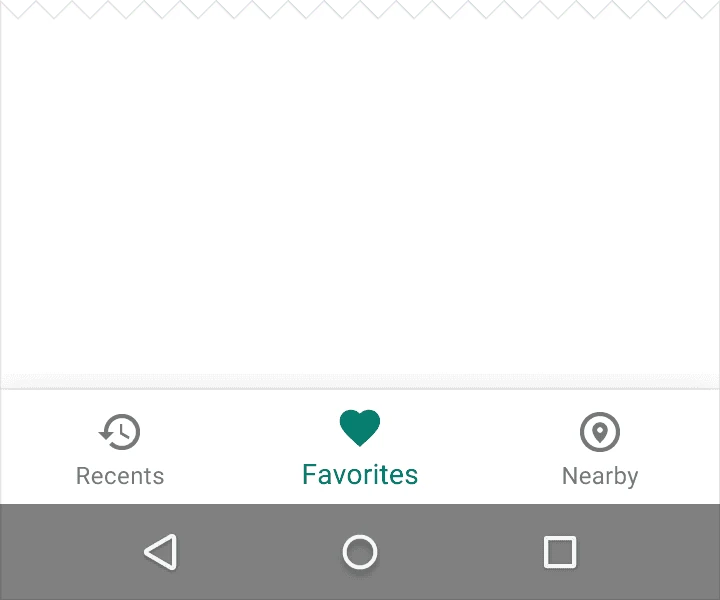
  • 当 bottom navigation 只有三个 Item 的时候,他们的图标和文字都应该被显示。
  • 当 bottom navigation 有四个或者五个 Item 的时候,在非激活状态的时候只显示他们的图标即可。

1.2颜色

Tint the current bottom navigation action (including the icon and any text label present) with the app’s primary color
用应用的主色调给底部导航操作(包括图标与当前标签文字)上色。
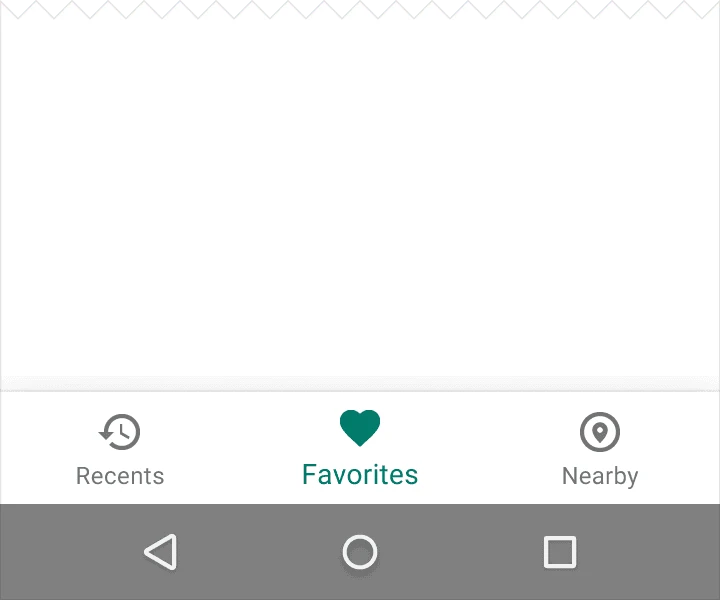
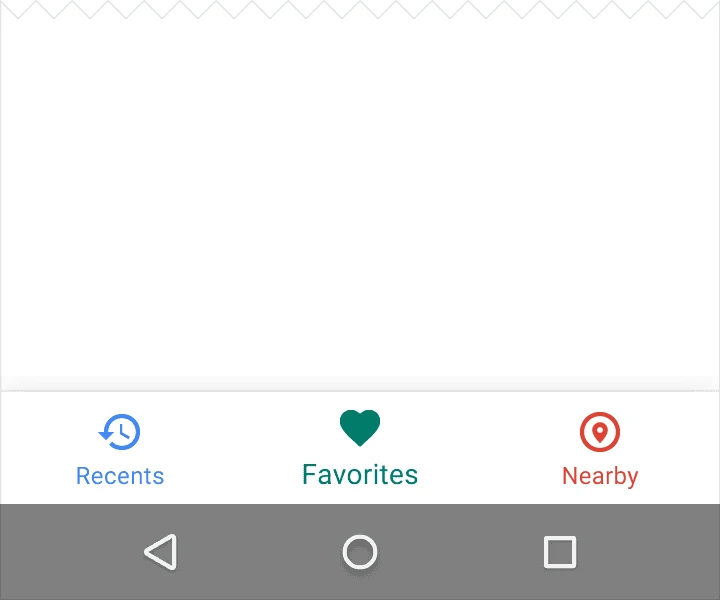
Do. Use the app’s primary color to indicate the view in focus.

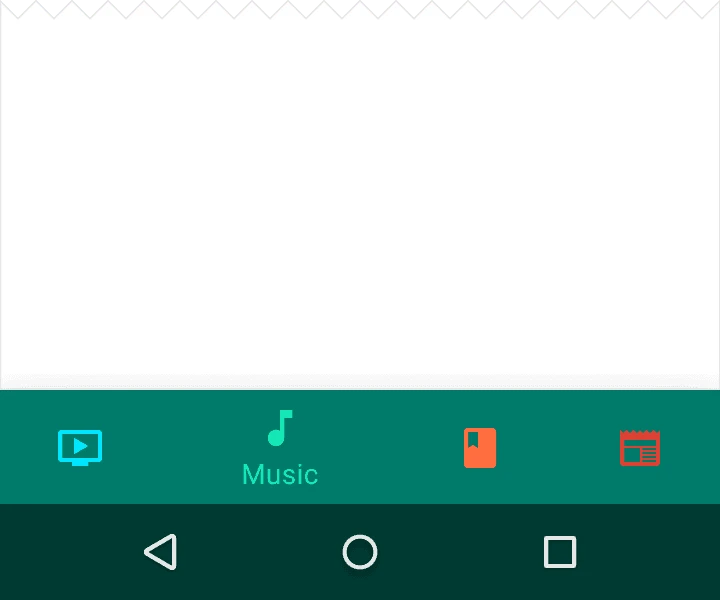
Don't. Avoid using different colored  icons and text labels.
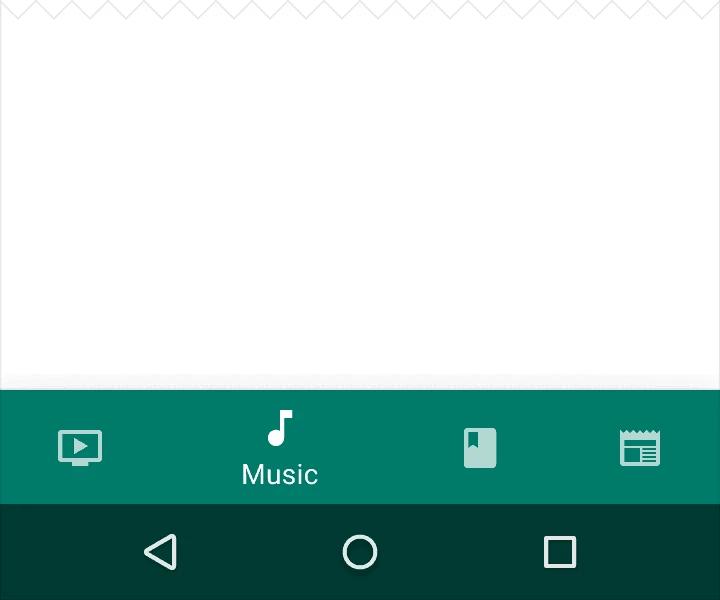
如果底部导航条已着色,将底部导航操作图标和文字设置为白色或黑色。

Do. Use black or white iconography if the bottom navigation bar is colored.

Don't. Avoid pairing colored icons with a colored bottom navigation bar.

1.3文本标签

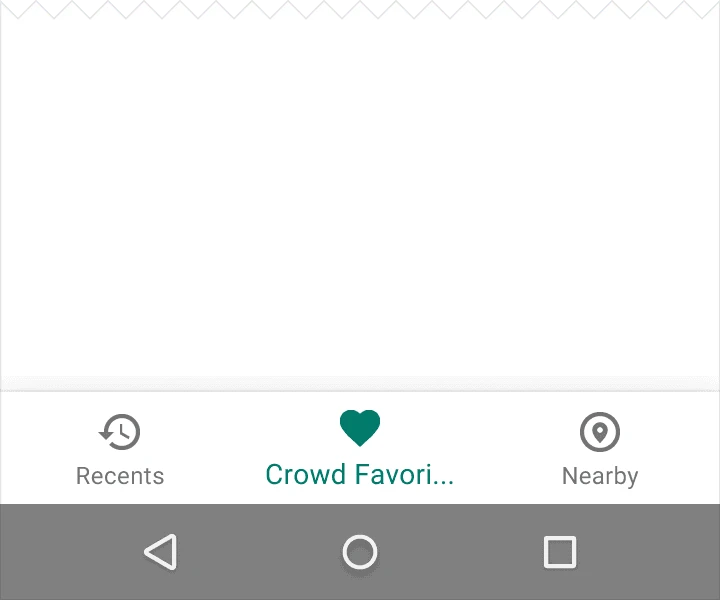
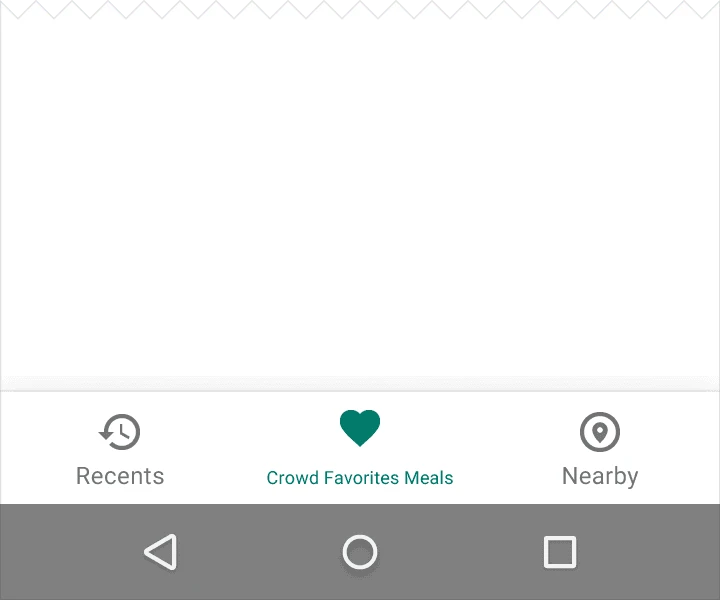
文本标签为导航图标提供简明的定义。应避免使用较长的文本而造成文本被裁截或遮挡。
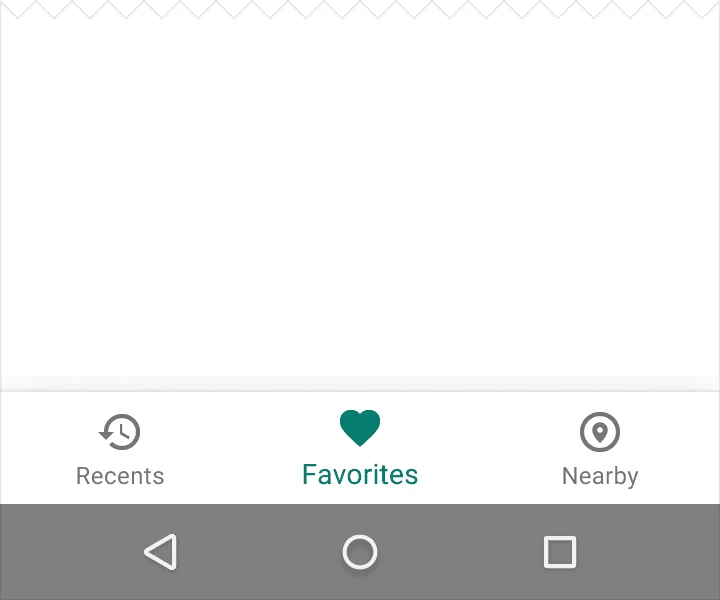
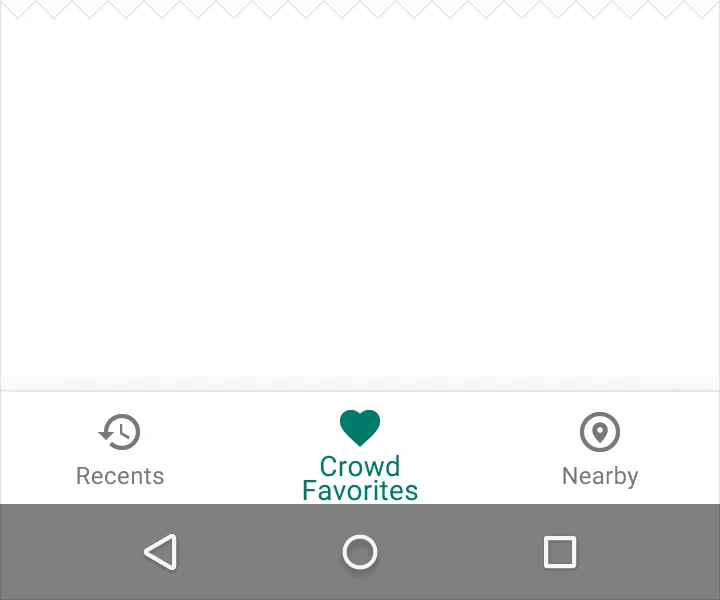
Do. Use short labels

Don't. Avoid labels with wrapping text

Don't. Avoid truncating text labels as doing so may prevent comprehension.

Don't. Avoid shrinking text labels to fit on a single line.

2.操作

点击底部导航图标将直接跳转至相关的界面或刷新当前的界面。

每一个底部导航图标都必须指向一个目的,不应打开主菜单或跳转至其他窗口。

每一个底部导航图标都会随着界面的滚动而动态的显示或隐藏。

  • 界面向下滚动时隐藏底部导航栏
  • 界面向上滚动时显示底部导航栏

在内容区域使用滑动手势不能进行界面的跳转。
在当前界面与未激活界面的跳转过程中使用淡入淡出的动画效果。

3.空间

3.1确定底部导航栏

用底部导航栏的总长度除以图标的个数,计算出每个图标的宽度。也就是说,要使得每个底部导航图标占有最充足的空间。
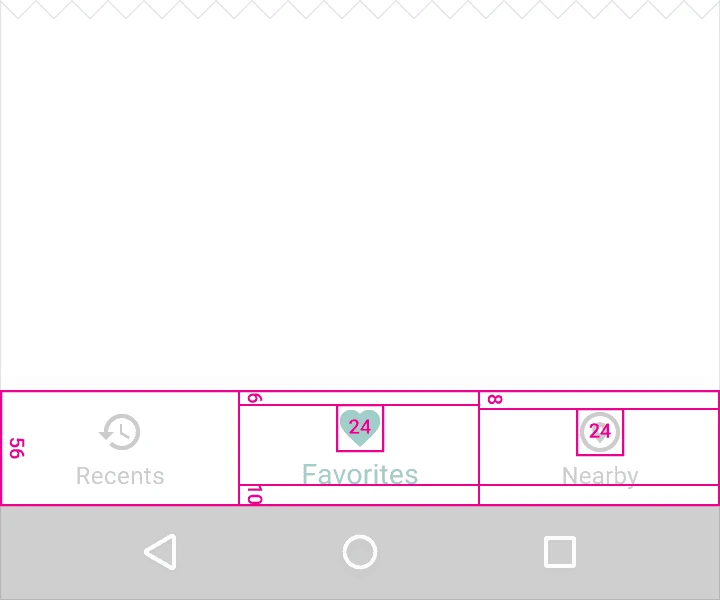
Fixed bottom navigation bar on mobile
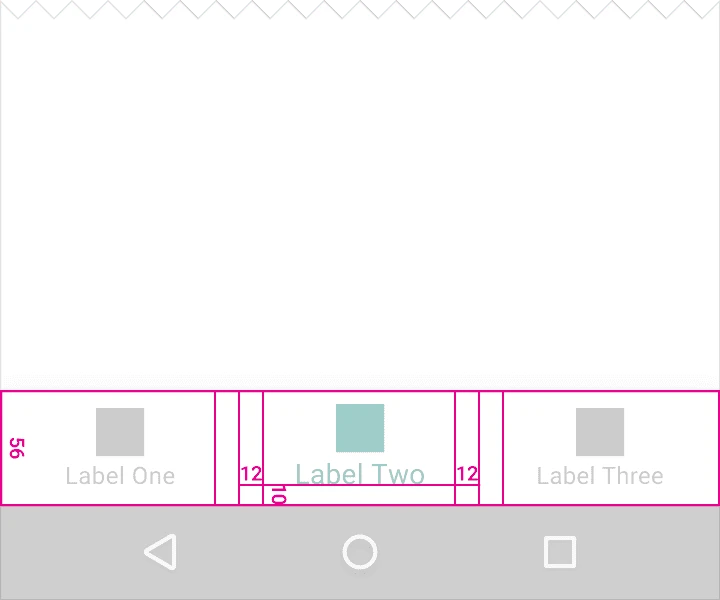
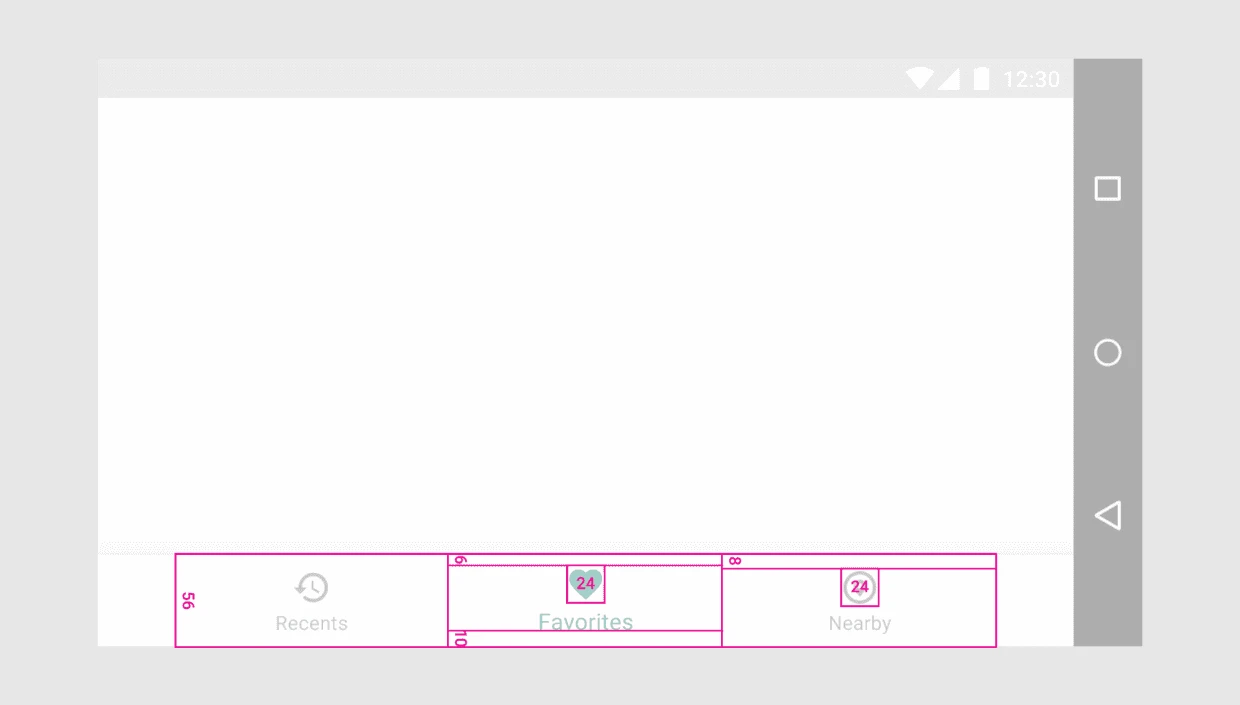
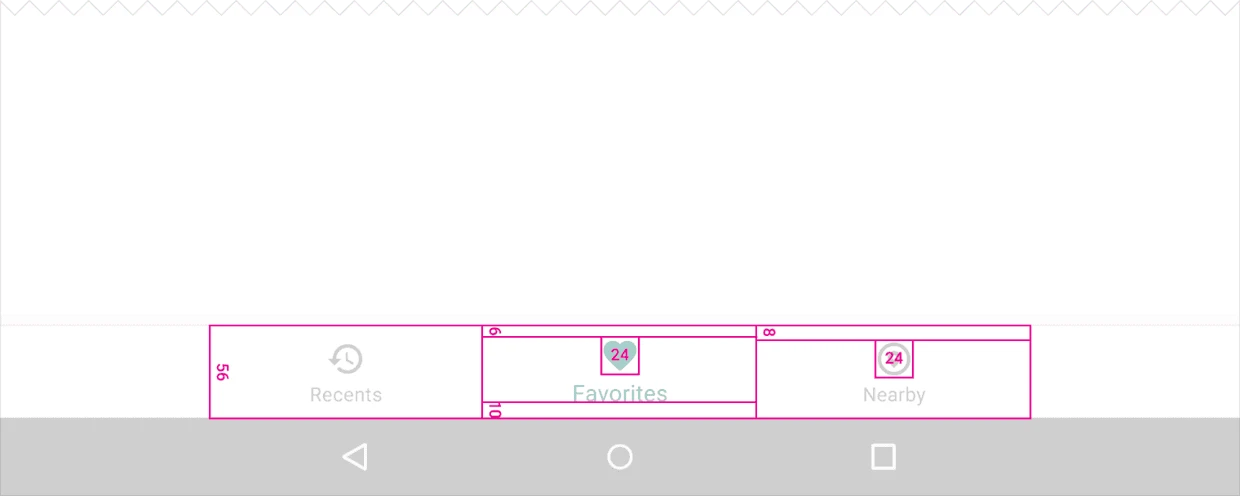
宽度的最大及最小值(这些数据包含边距):

  • 最大值:168dp
  • 最小值:较大界面为 120dp,较小界面为 104dp

高度:
56dp

图标:
24*24dp
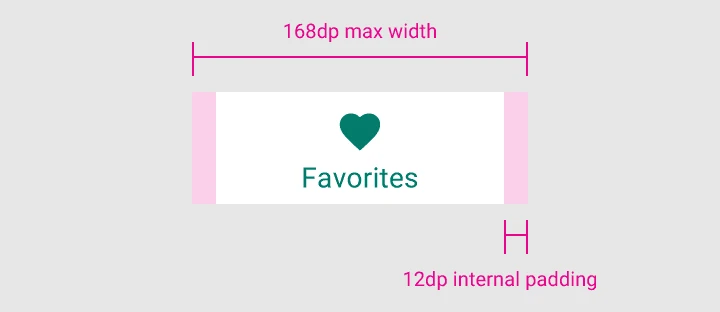
168dp max width
内容对齐:
文本与图标需居中且水平。

边距:

  • 距图标 6dp(当前界面),距图标 8dp(未被激活界面)
  • 距文本 10dp
  • 距文本左右各 12dp

文本标签:

  • 常规 Roboto字体: 14sp(当前界面)
  • 常规 Roboto字体:12sp(未激活界面)

12dp left and right of text

12dp left and right of text

Fixed bottom navigation bar on landscape mobile

Fixed bottom navigation bar on tablet

3.2切换底部导航栏

用底部导航栏的总长度除以图标的个数,计算出每个图标的宽度。
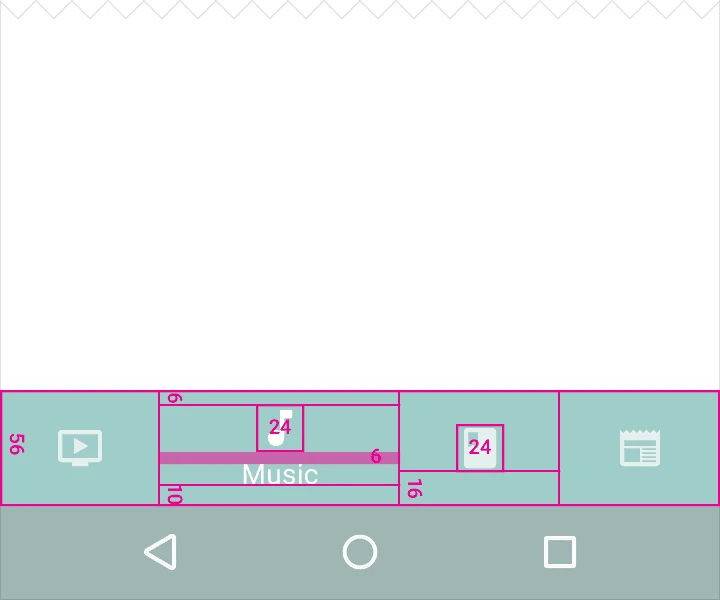
Shifting bottom navigation bar on mobile

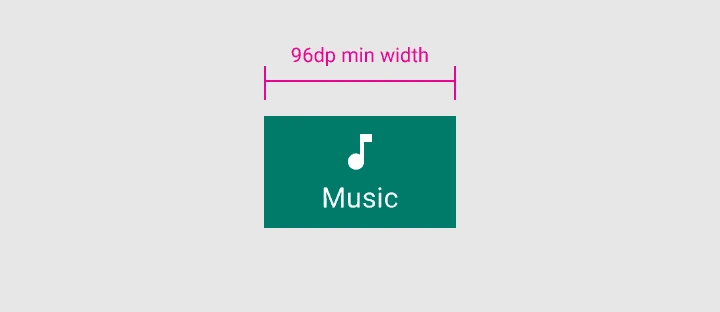
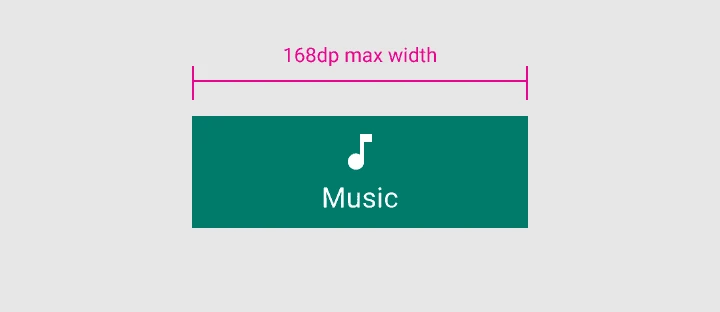
宽度的最大及最小值(这些数据包含边距):
当前界面

  • 最大值:168 dp
  • 最小值:96 dp

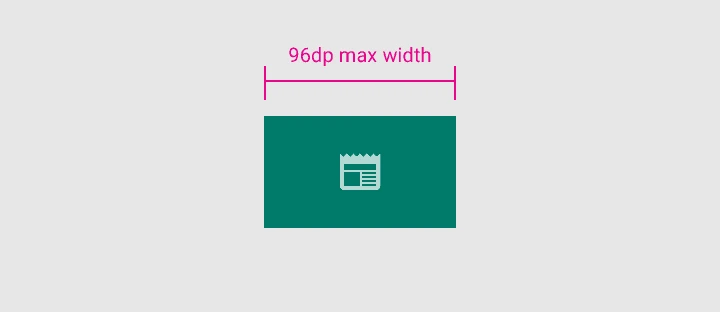
未激活界面

  • 最大值:96 dp
  • 最小值:64 dp

Active view: 96dp min width

Active view: 168dp max width

Inactive view: 64dp min width

Inactive view: 96dp max width
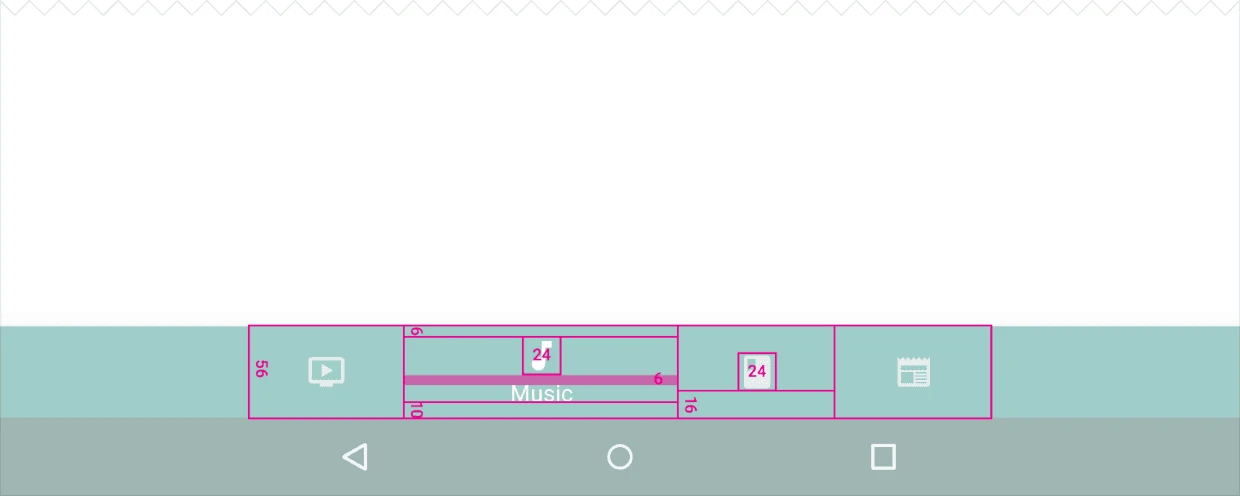
高度:
56dp

图标:
24*24 dp

内容对齐:
文本与图标需居中且水平。

边距:

  • 距图标上 6dp(当前界面),距图标上下各 16dp(未被激活界面)
  • 距文本下 10dp

文本标签:
常规 Roboto 字体: 14sp(当前界面)
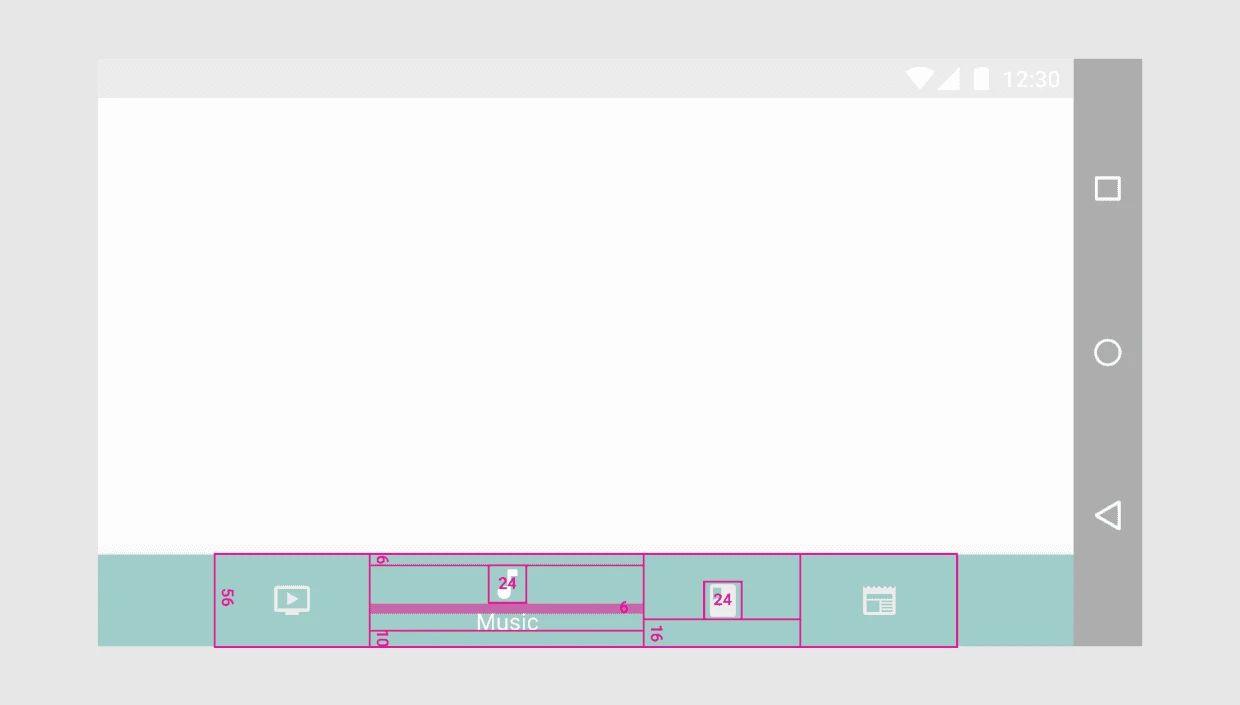
Shifting bottom navigation bar on landscape mobile

Shifting bottom navigation bar on tablet

4. 层级

由于 snackbars 的层级高度(elevation) 为6dp,而 navigation bar 的层级高度为 8dp,所以 snackbars 显示在 navigation bar 的后面。而 Bottom sheets, navigation drawers 和 keyboards 都显示在 navigation bar 的前面,完全覆盖 navigation bar 。
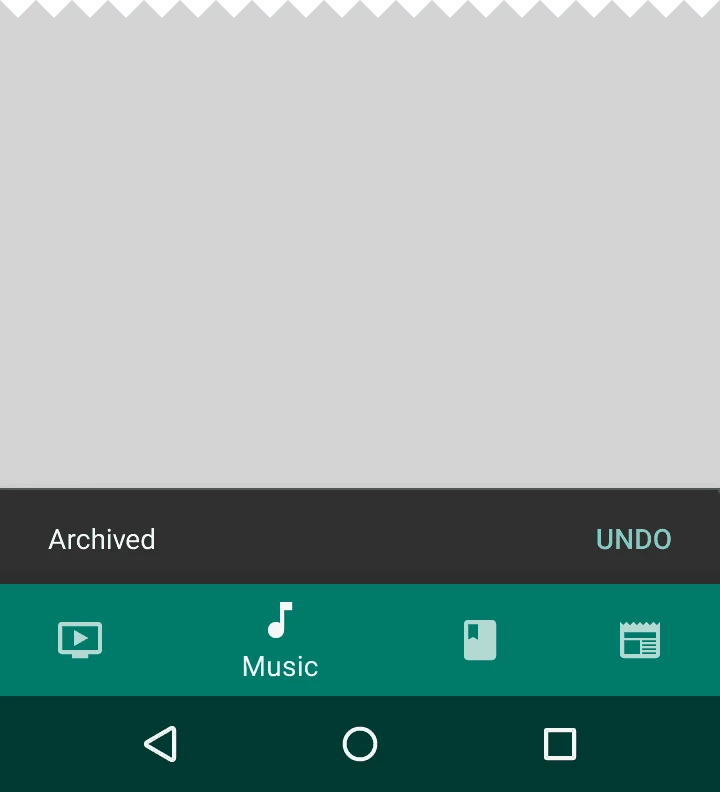
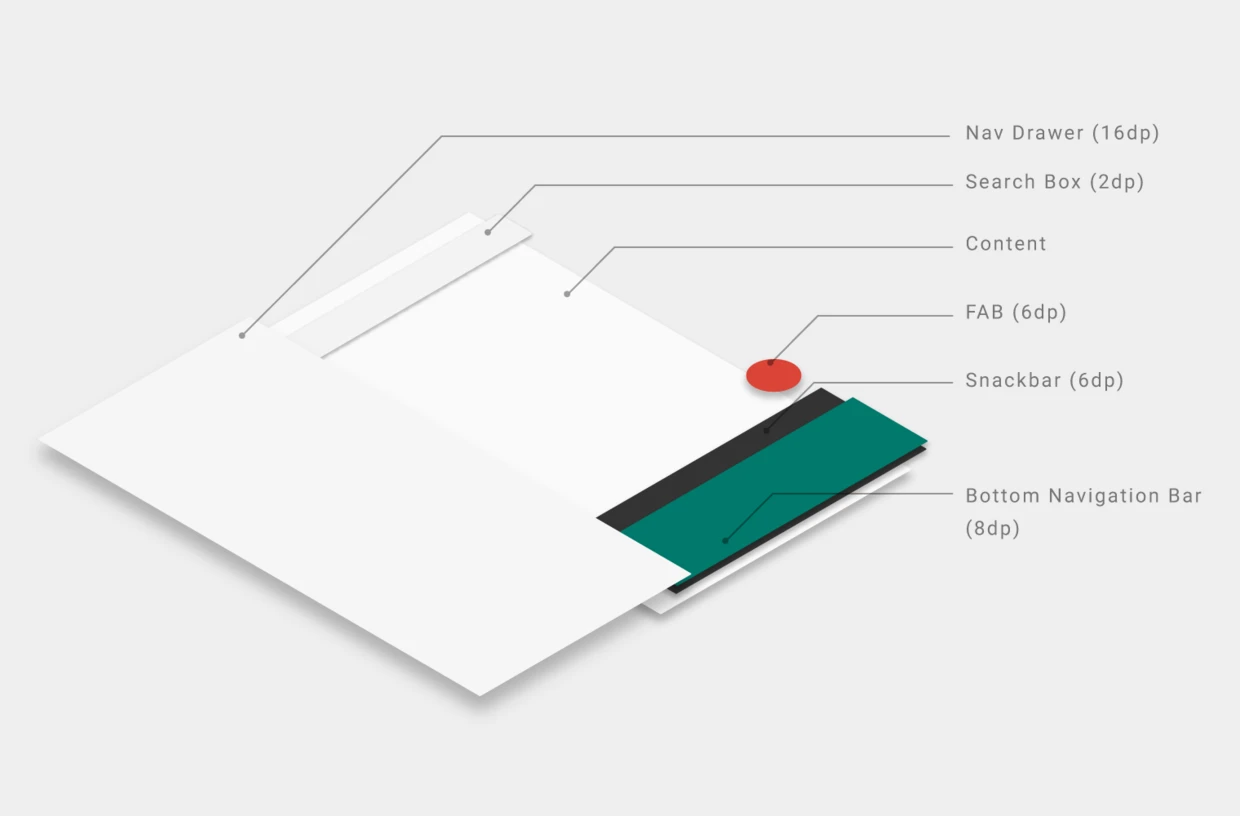
Snackbars appear behind the bottom navigation bar.

Orthographic view of app structure

关于我 && 博客

下面是个人的介绍和相关的链接,期望与同行的各位多多交流,三人行,则必有我师!

  1. 博主个人介绍 :里面有个人的微信和微信群链接。
  2. 本博客内容导航 :个人博客内容的一个导航。
  3. 个人整理和搜集的优秀博客文章 - Android 性能优化必知必会 :欢迎大家自荐和推荐 (微信私聊即可)
  4. Android性能优化知识星球 : 欢迎加入,多谢支持~

一个人可以走的更快 , 一群人可以走的更远

微信扫一扫