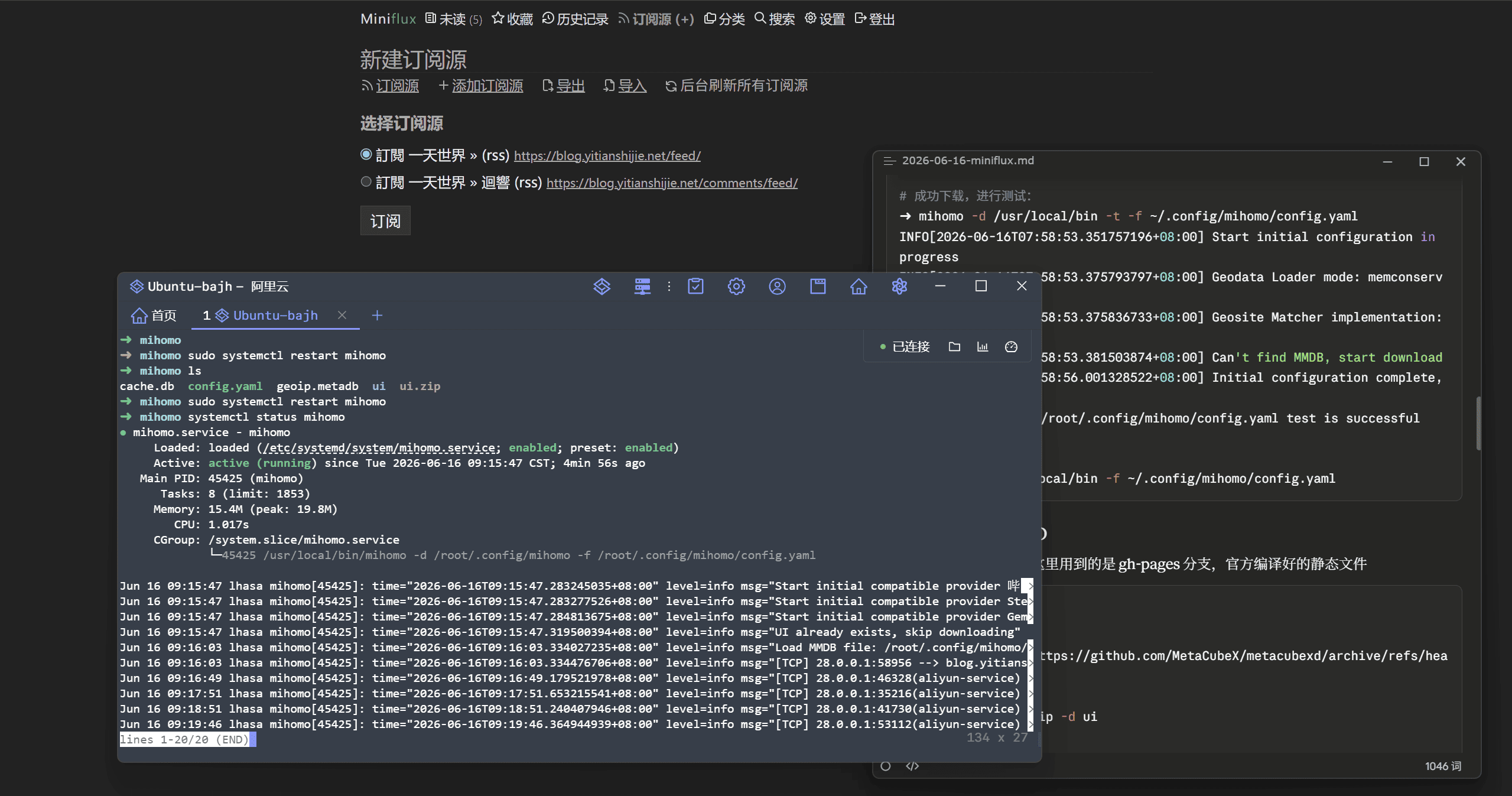
书接上文
昨天把订阅器迁到了 Miniflux,遇到老问题:
由于网络错误,Miniflux 无法访问此网站:Get "https://blog.yitianshijie.net/": dial tcp 108.160.170.43:443: i/o timeout。大陆服务器无法正常订阅部分墙外博客和 YouTube
之前我用 GitHub Actions 做爬虫虽然能翻,但对服务器内部请求经常超时,体验很差
今天一劳永逸
Mihomo 是 Clash 的一个分支,现在基本已经发展成独立项目了
轻量,易配置,Linux 不二之选
cd /usr/local/bin/
sudo curl -L -o mihomo.gz https://github.com/MetaCubeX/mihomo/releases/download/v1.19.27/mihomo-linux-amd64-compatible-v1.19.27.gz
sudo gunzip mihomo.gz
sudo chmod +x mihomo
mihomo -v

Mihomo Meta v1.19.27 linux amd64 with go1.26.4 Sat Jun  6 07:43:19 UTC 2026
Use tags: with_gvisor
创建配置目录,我这里是把在 Windows 上的 Clash Verge 配置上传到服务器
mkdir -p ~/.config/mihomo第一次运行会尝试下载 Geoip(失败)
mihomo -t -f ./config.yaml手动下载 Geoip
wget -O geoip.metadb https://github.com/MetaCubeX/meta-rules-dat/releases/download/latest/geoip.metadbGeoip 下载完成后,进行测试
mihomo -d /usr/local/bin -t -f ~/.config/mihomo/config.yaml

INFO[2026-06-16T07:58:53.351757196+08:00] Start initial configuration in progress
INFO[2026-06-16T07:58:53.375793797+08:00] Geodata Loader mode: memconservative
INFO[2026-06-16T07:58:53.375836733+08:00] Geosite Matcher implementation: succinct
INFO[2026-06-16T07:58:53.381503874+08:00] Can't find MMDB, start download
INFO[2026-06-16T07:58:56.001328522+08:00] Initial configuration complete, total time: 2649ms
configuration file /root/.config/mihomo/config.yaml test is successful

# 成功启动
mihomo -d /usr/local/bin -f ~/.config/mihomo/config.yaml
因为 Mihomo 是命令行设计的工具
这里选择 Metacube XD 实现 Mihomo 图形化(Web)
wget -O ui.zip https://github.com/MetaCubeX/metacubexd/archive/refs/heads/gh-pages.zip

unzip -o -j ui.zip -d ui
刚刚下载的 gh-pages 分支是官方编译好的静态文件,需要配置到 config.yaml :
# Metacube XD 端口
external-controller: 0.0.0.0:XXXXXX
# 登录密码
secret: XXXXXXXXXXXXXXXXXXXXXXXXXXX.

# Metacube XD 源码路径
external-ui: /root/.config/mihomo/ui

# 基础网络配置
mixed-port: 7890
ipv6: true
udp: true
allow-lan: false
bind-address: '*'
mode: rule
log-level: info
unified-delay: true

# TUN 模式
tun:
  enable: true
  stack: system
  auto-route: true
  auto-detect-interface: true
  dns-hijack:
    - any:53
...“config.yaml”配置完成后,浏览器访问服务器IP:端口/ui即可打开管理界面
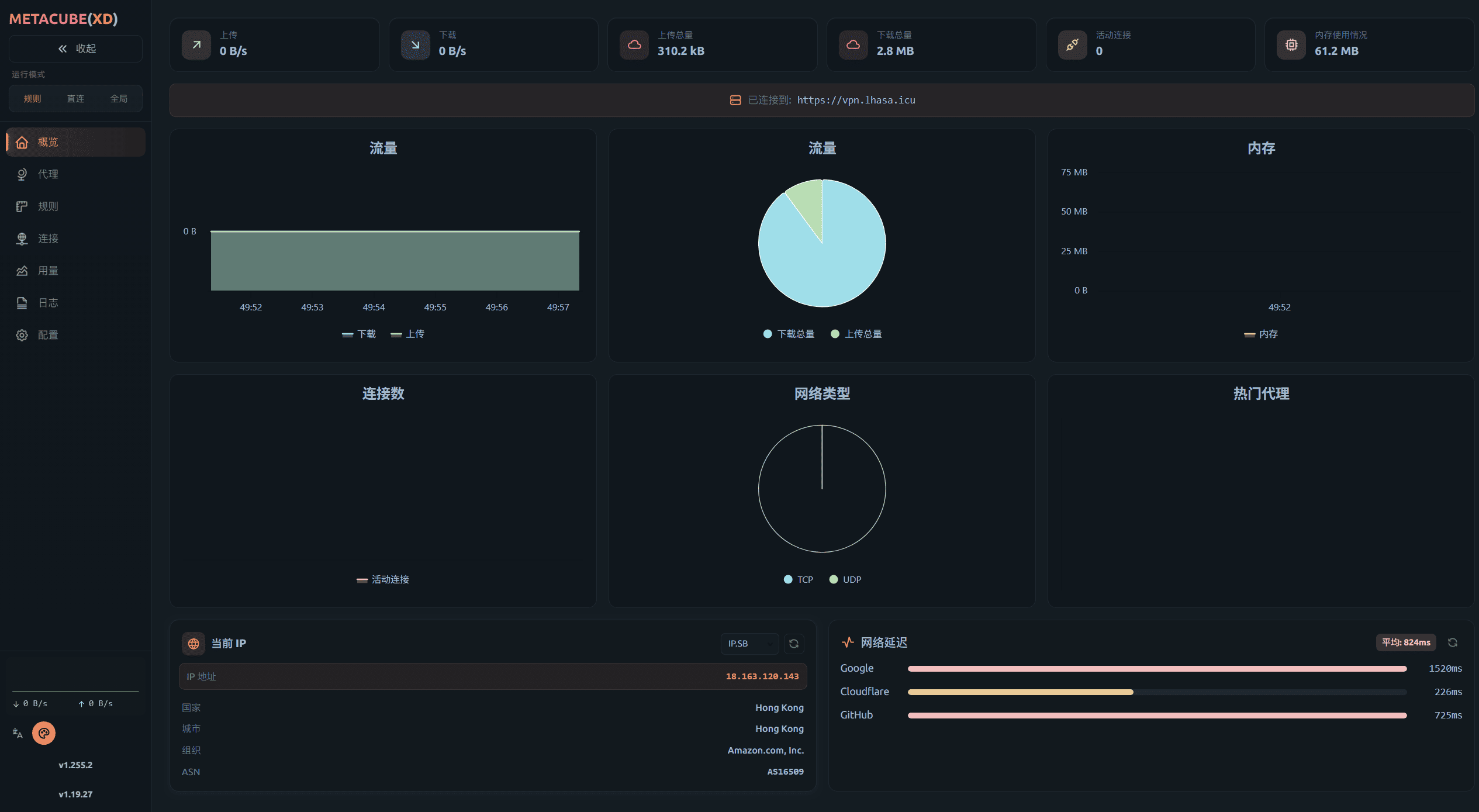
为了让服务器重启后依然保持稳定运行,还需要配置守护进程:
sudo cat >/etc/systemd/system/mihomo.service <<'EOF'
[Unit]
Description=mihomo
After=network-online.target
Wants=network-online.target

[Service]
Type=simple
User=root
WorkingDirectory=/root/.config/mihomo
ExecStart=/usr/local/bin/mihomo -d /root/.config/mihomo -f /root/.config/mihomo/config.yaml
Restart=always
RestartSec=5

    [Install]
WantedBy=multi-user.target
EOF
重新加载配置、自启、启动
sudo systemctl daemon-reload
sudo systemctl enable --now mihomo

Created symlink /etc/systemd/system/multi-user.target.wants/mihomo.service → /etc/systemd/system/mihomo.service.
测试试试
sudo systemctl status mihomo

● mihomo.service - mihomo
     Loaded: loaded (/etc/systemd/system/mihomo.service; enabled; preset: enabled)
     Active: active (running) since Tue 2026-06-16 08:44:39 CST; 11min ago
   Main PID: 35598 (mihomo)
      Tasks: 8 (limit: 1853)
     Memory: 19.5M (peak: 27.5M)
        CPU: 2.927s
     CGroup: /system.slice/mihomo.service
             └─35598 /usr/local/bin/mihomo -d /root/.config/mihomo -f /root/.config/mihomo/config.yaml
...
Jun 16 08:44:39 lhasa mihomo[35598]: time="2026-06-16T08:44:39.206736047+08:00" level=info msg="Start initial compatible provider 苹 >
...
lines 1-20/20 (END)
成功订阅墙外博主