


I’ve been an iOS developer for years, deeply familiar with Swift, SwiftUI, and Apple’s ecosystem — but with very limited experience on the Android side. Historically, building a cross-platform app felt intimidating: different toolchains, different languages, different UI frameworks.
This changed dramatically when I started using Cursor’s AI Agent together with Claude-4.5-Sonnet.
With these AI tools, I discovered that even as an iOS-focused engineer, I could quickly build a fully functional Android + iOS app using Kotlin Multiplatform (KMP). The AI agents filled every knowledge gap — Gradle, Compose, Kotlin idioms, Android permissions — and guided me through the entire cross-platform workflow.
For the first time, I felt truly empowered:
AI made cross-platform development not only possible, but enjoyable.
In this article, I’ll share how I used Cursor + Claude-4.5-Sonnet to develop a Generative AI Chat App for both Android and iOS, powered by Ollama as the model backend.

As an iOS developer stepping into Android territory, this combination was perfect:
This setup eliminated the biggest barrier: the mental overhead of learning a whole new mobile ecosystem at once.
Instead of spending days understanding Compose or Gradle, I simply asked the AI agent:
“Explain this build error like I’m new to Android.”
and it did — clearly and patiently.
The easiest way to start is by using the official Kotlin Multiplatform Wizard:
👉 https://kmp.jetbrains.com/?android=true&ios=true&iosui=compose&includeTests=true
Just open the link, select your options, and download the generated project directly.
There’s no complicated setup, no scaffolding script, no Gradle gymnastics.
Everything works out of the box.
The shared module, the Android app, and the iOS app are already wired together.
You get:
And one of the biggest advantages today:
You can run the iOS app directly inside Android Studio using the built-in iOS simulator integration.
This makes cross-platform development feel surprisingly unified — especially for someone like me who comes primarily from an iOS background.
A single command builds Android:
./gradlew :composeApp:assembleDebug
Then I run it in Android Studio — no Android experience needed.
Whenever I hit Gradle errors (which used to terrify me), I highlighted the stack trace and asked Cursor:
“Fix this Gradle error and update my KMP config automatically.”
Claude-4.5-Sonnet offered explanations so I could learn what was happening, without stalling progress.
Traditionally, iOS apps had to run in Xcode. With modern KMP:
This was surreal the first time I tried it.
No context switching.
No re-opening projects.
Just hit Run in Android Studio and see the iOS UI.
As an iOS engineer, this made Android Studio feel like home.
The prompt for Cursor is like:
To write an AI chat app using:
JSON request:
{
  "model": "qwen3:30b",
  "prompt": "Why is the sky blue?",
  "stream": false
}
To generate the shared API service, I asked Cursor:
“Create a KMP Ktor client with a generateResponse(prompt) function that posts to /api/generate on the configured host.”
Cursor wrote the entire module.
Claude reviewed it and improved the architecture.
As someone new to Android networking and Ktor, this was a massive productivity boost.
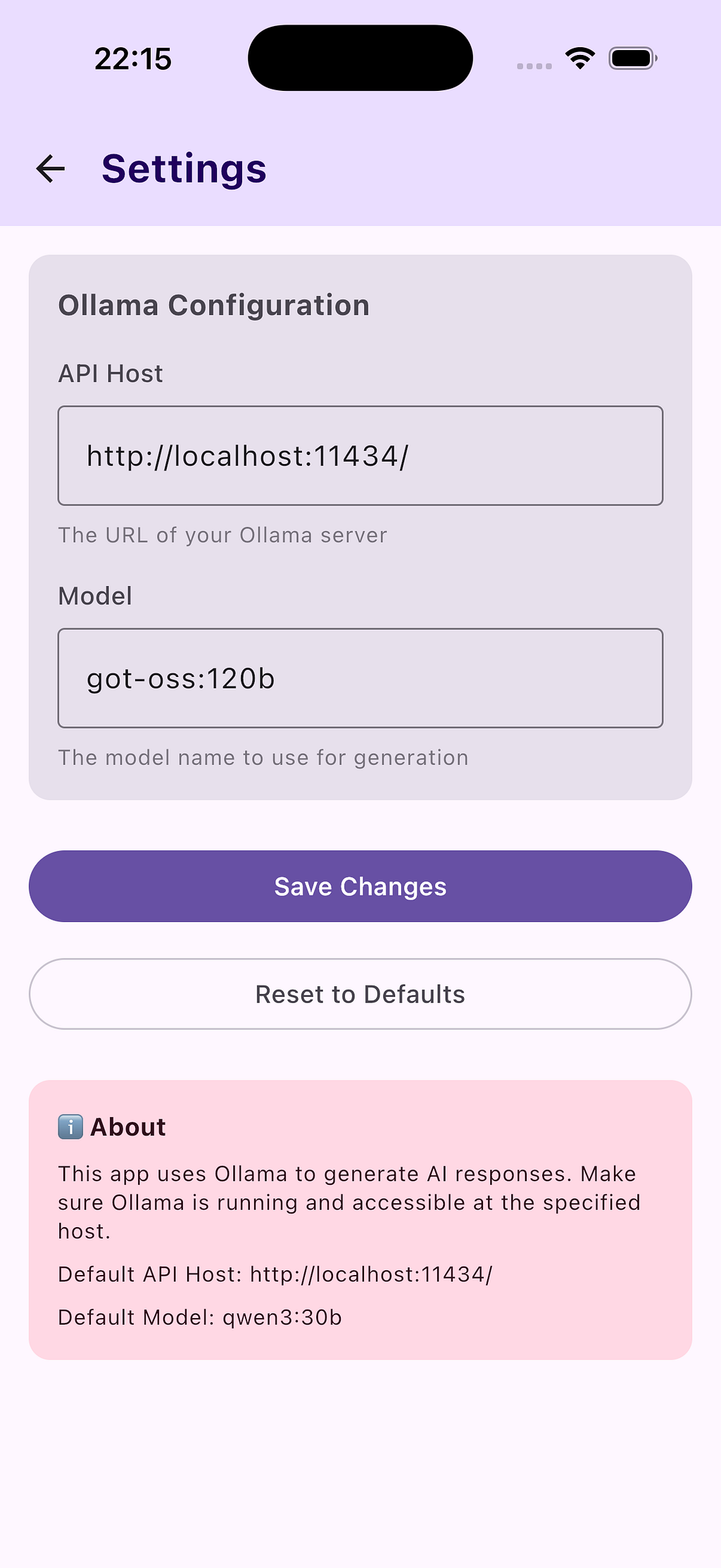
The first iteration of generative code had two issues:
Cursor auto-generated:
Claude explained why Android works this way.
I found the response messages were always empty. After debugging, the response was a chunked. I didn’t find a way to put Transfer-Encoding = chunked like Postman did. However, Cursor helped me a lot.
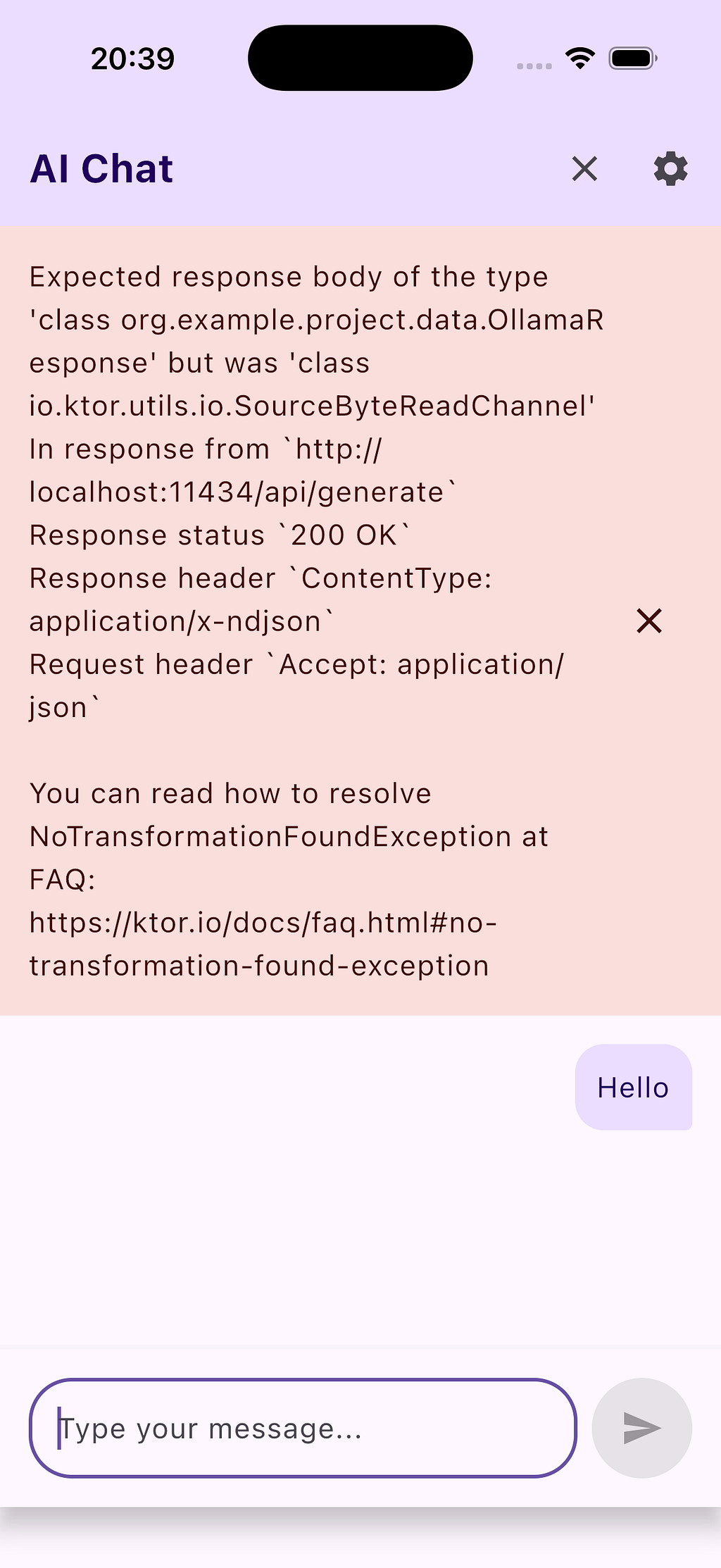
Cursor updated the Ktor client to buffer chunks.
Claude improved JSON parsing to handle malformed streams.
Together, they turned a tricky cross-platform networking issue into a one-prompt solution.
After testing, I expected to add a new feature to make the app better.
The app stores:
Cursor built a shared SettingsRepository using Multiplatform Settings.
Claude suggested exposing it through a shared ViewModel for cleaner use across Compose and SwiftUI.
Cursor generated:
As someone new to Compose, this helped me understand the structure quickly.
Claude produced:
Result: Both platforms feel fully native.
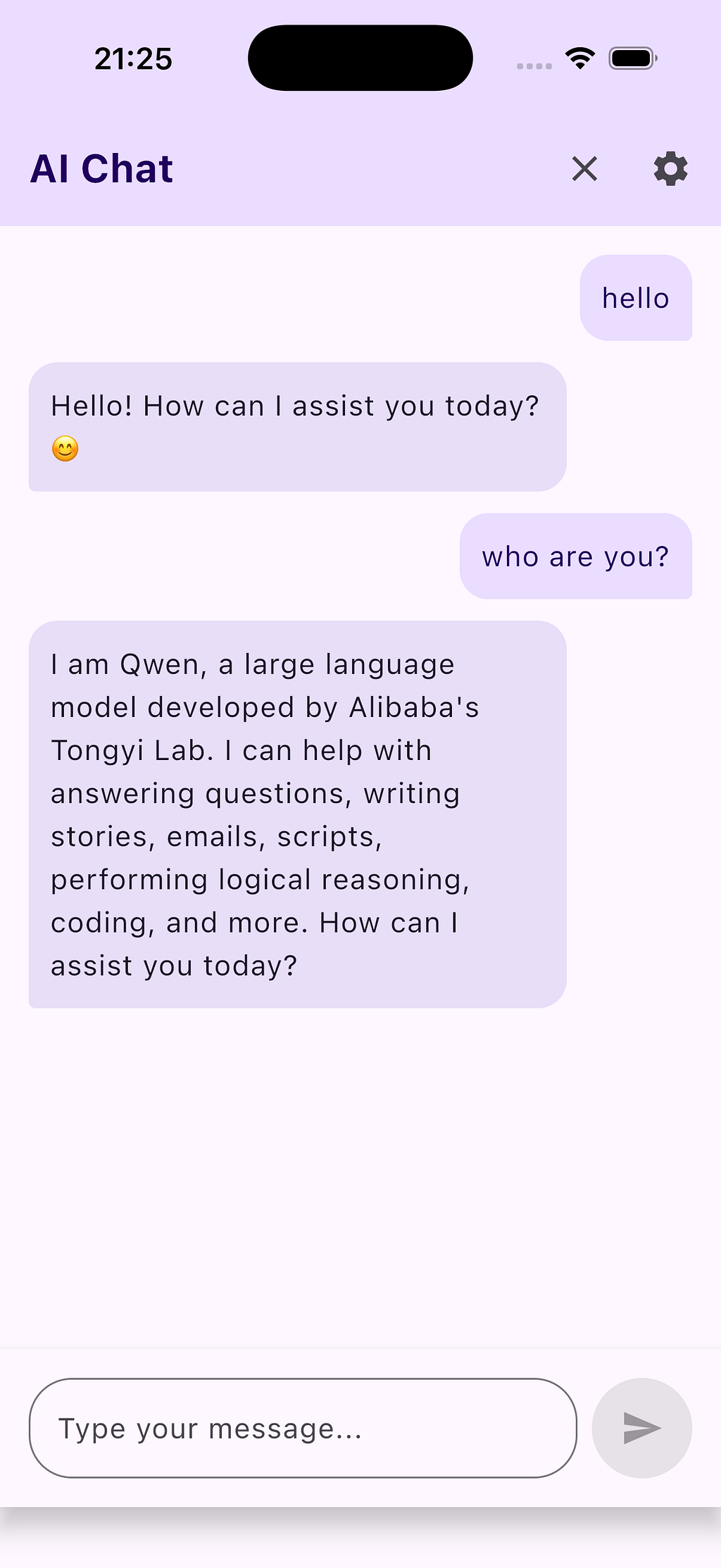
Using Cursor + Claude-4.5-Sonnet, even as an iOS-only developer, I built:
This was the first time I truly felt that AI expanded my abilities as a developer — not just autocomplete or code suggestions, but acting as a real, intelligent collaborator.
As an iOS engineer with limited Android background, I always felt the cross-platform world was too fragmented and too complicated.
But Cursor + Claude-4.5-Sonnet + KMP completely changed that.
Together, they unlock a new way to build mobile apps — fast, cross-platform, and AI-accelerated.
此内容由惯性聚合(RSS阅读器)自动聚合整理,仅供阅读参考。 原文来自 — 版权归原作者所有。