





We show you how to connect the GTmetrix MCP with ChatGPT.
Overview
The GTmetrix MCP can be connected to ChatGPT in order to integrate GTmetrix workflow directly into ChatGPT.
In this guide, we’ll show you how to connect the GTmetrix MCP to ChatGPT with step-by-step instructions.
You can connect the GTmetrix MCP to ChatGPT with just a few clicks.
Note that the connection procedure is the same on both the desktop app and the browser version.
1) Open the App Settings
Click on “Settings” on the bottom left corner and navigate to Apps using the sidebar.
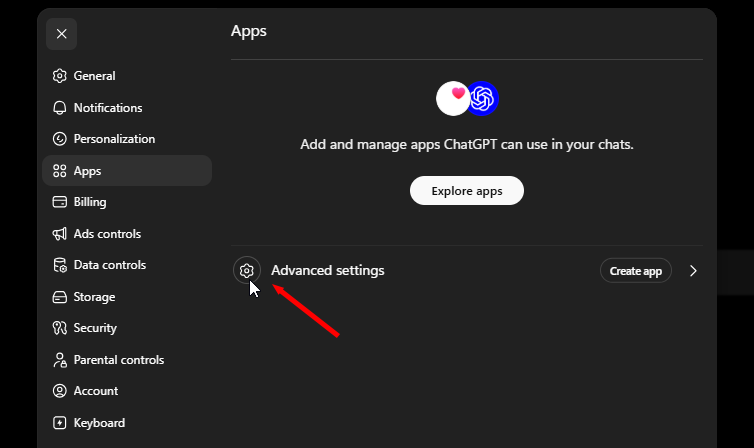
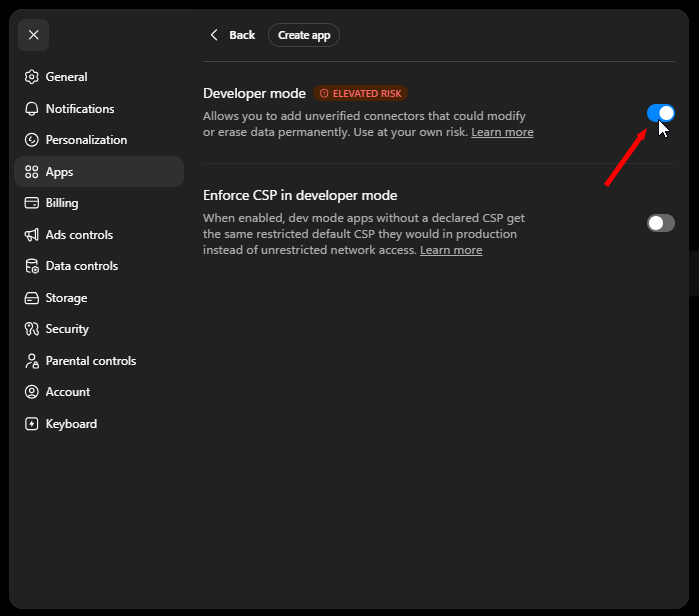
2) Click on Advanced Settings and enable Developer mode
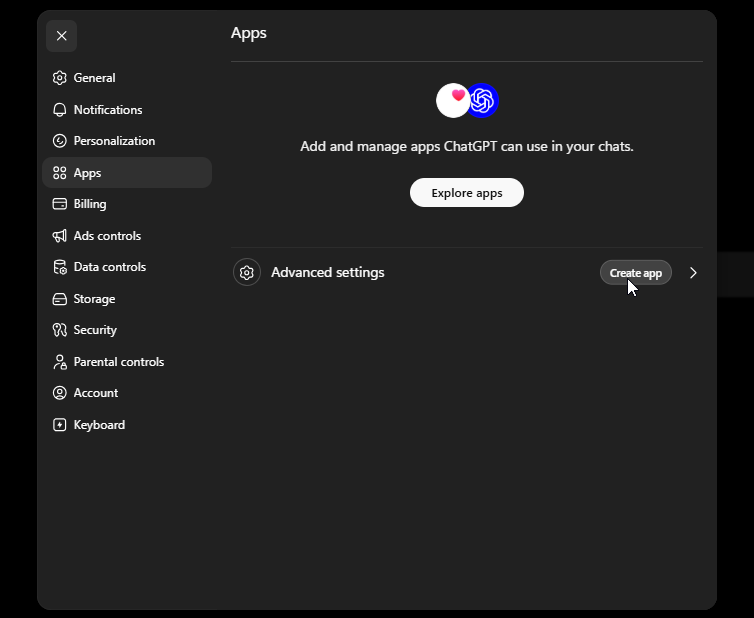
3) Click on “Create app”
Navigate back to the previous menu (“Apps”) and click on Create app.
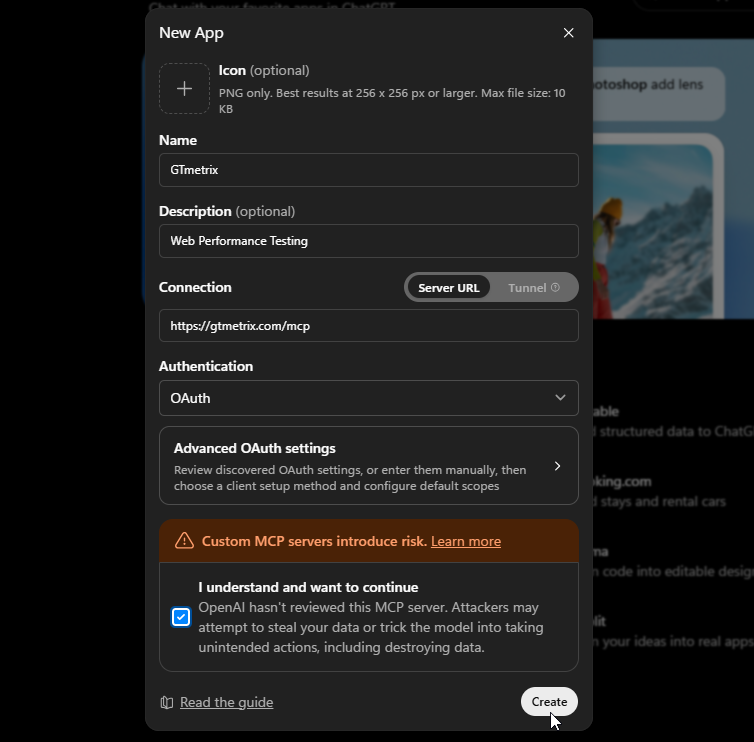
4) Enter MCP details
Name: GTmetrix
Connection: https://gtmetrix.com/mcp
The Description is optional. Make sure the Authentication method chosen is “OAuth“. Do not change any of the default or Advanced OAuth settings.
Click “Create” once you’ve entered the required details.
5) Click the “Sign in with GTmetrix” button
Link your GTmetrix Account by clicking the Sign in with GTmetrix button.
This will launch a new browser window asking you to log into GTmetrix.
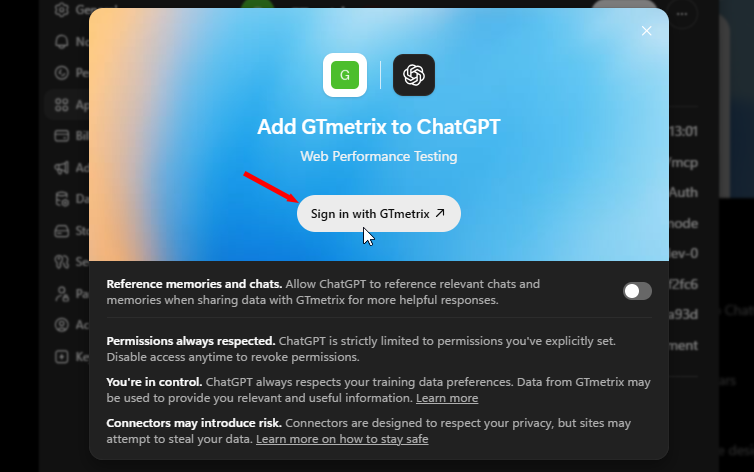
6) Authorize your Connection
- Log into your GTmetrix account
- Click Allow to authorize your connection
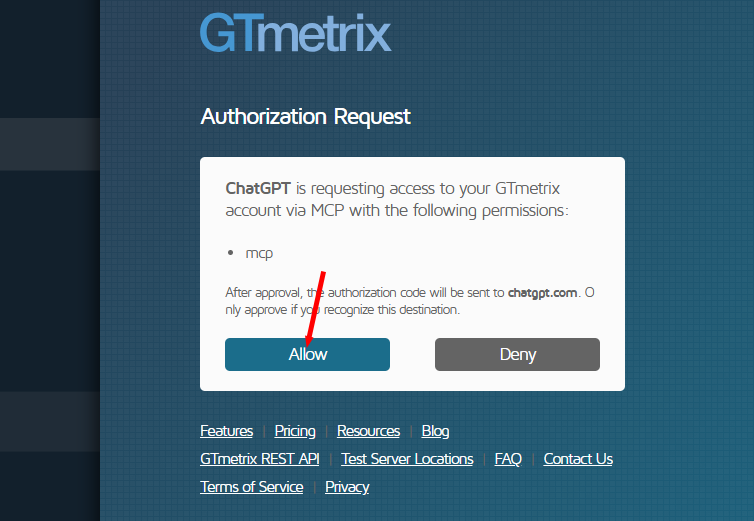
A success screen should appear when the connection is successfully established.
7) Verify GTmetrix tools
Back in the “Apps” menu, you’ll see the GTmetrix MCP now active.
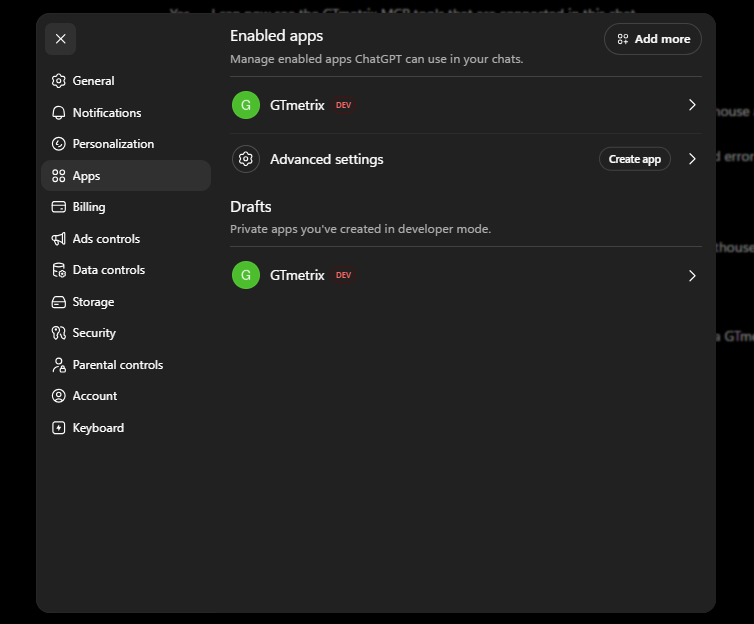
Click on GTmetrix to open the MCP Preferences, then scroll down and you should see the various active tools (e.g., gtmetrix_get_account_status, gtmetrix_get_catalog, etc.).
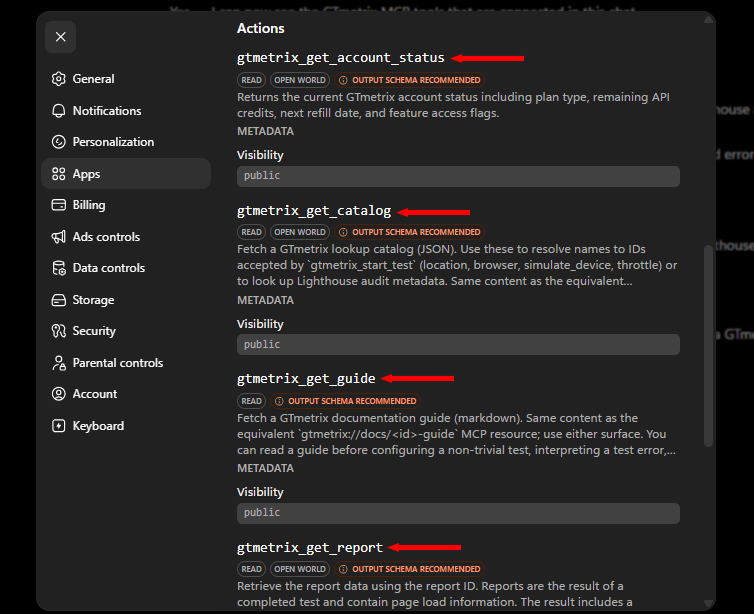
8) Restart ChatGPT and Confirm Connection
Make sure to quit the app entirely and restart to apply the changes!
Quit the ChatGPT application properly and launch it again.
For ChatGPT browser, close and reopen the tab to start a new session.
To confirm the connection, start a new chat and ask ChatGPT if it can see the GTmetrix MCP tools.
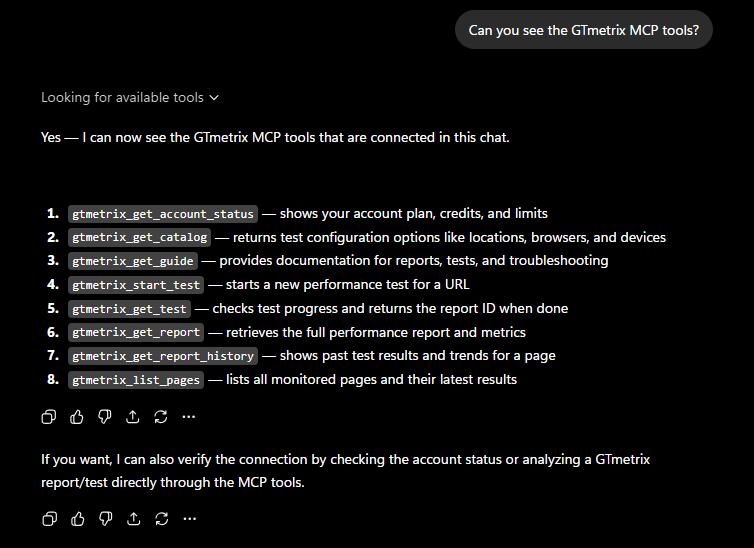
If ChatGPT responds with a list of GTmetrix tools, you know that the connection was successful and you can now start interacting with ChatGPT and get it to use GTmetrix.
Summary
Connecting the GTmetrix MCP to ChatGPT is quick, simple, and can be done with just a few clicks.
Use the GTmetrix MCP connection to bring your GTmetrix workflows directly into ChatGPT.
Get ChatGPT to start GTmetrix tests, test in different scenarios (locations/devices/connection speeds, etc.), compare results, and help you understand what’s slowing down your page and how to fix them.
Give this a try and let us know if you run into any bugs or issues.
Unlock More API Credits for ChatGPT Powered Performance Testing
Run more tests with additional API credits. Use GTmetrix MCP inside ChatGPT to automate testing, compare results, access history, and surface actionable insights.
Available with select PRO plans (excluding Lite plan).
Other features include: Priority access for tests, More Monitored Slots, Access to more locations, Remote Location Monitoring, Complete Mobile testing suite, and more!