








You can now run Claude Cowork and Code in Claude Desktop against any LLM.
GPT-5, Grok, Gemini, open-weight models via OpenRouter, a local model on your laptop, or your enterprise gateway (Bedrock, Vertex, Foundry).
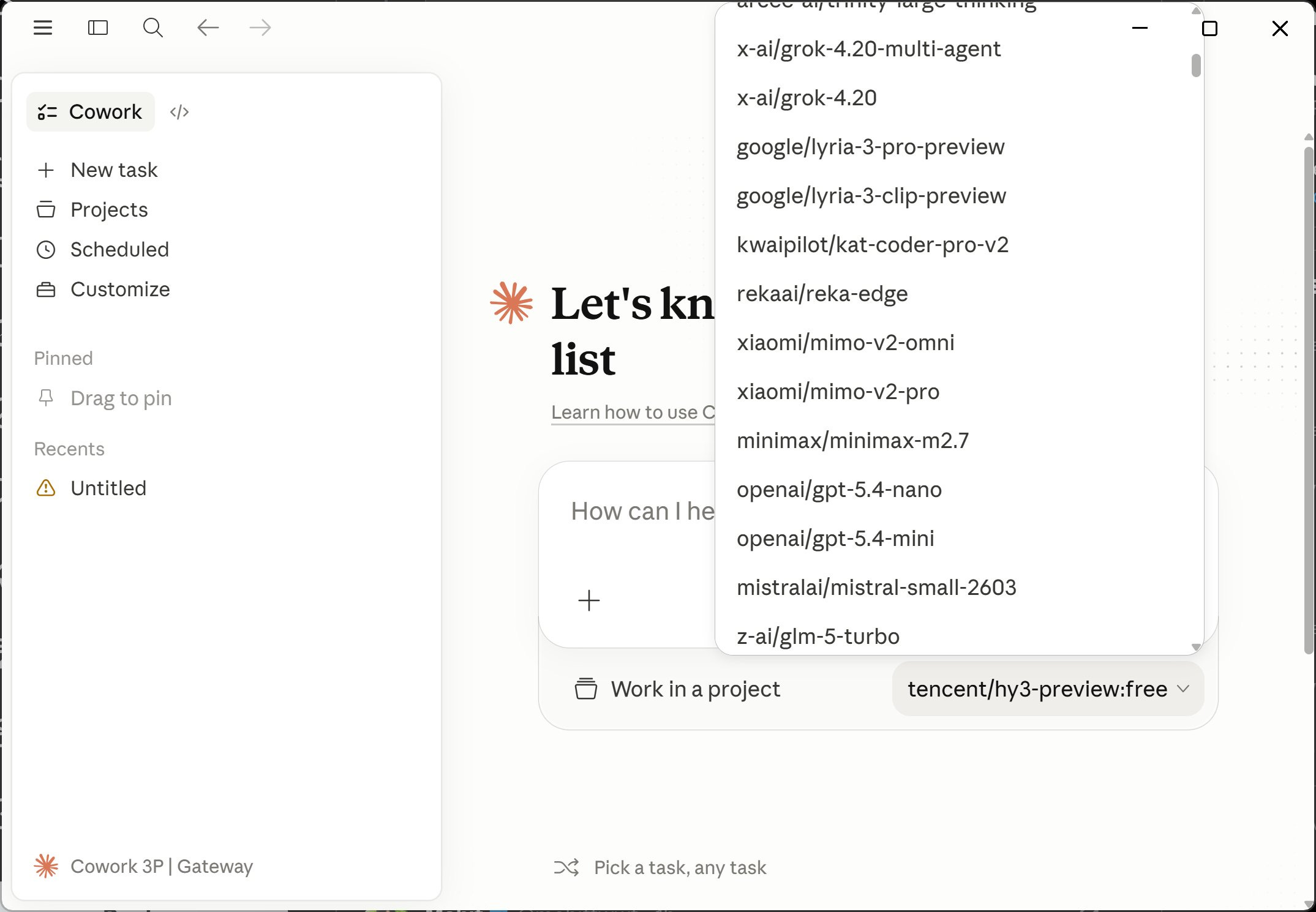
Anthropic shipped it quietly. No announcement. No blog post. Just technical docs. I discovered it by accident. 20+ hours later, still zero official word.

Paweł Huryn@PawelHuryn
Anthropic has quietly shipped third-party inference for Cowork and Code in Claude Desktop. This should work with local models or OpenRouter via LiteLLM proxy. Is it just me?
7:46 PM · Apr 22, 2026 · 530K Views
46 Replies · 68 Reposts · 947 Likes
Built for enterprises and individuals. Same config panel, same admin controls.
If your organization uses Amazon Bedrock, Google Cloud Vertex AI, Azure AI Foundry, or an LLM gateway to access Claude, you can deploy Claude Cowork to run on the same infrastructure.
This is a research preview. The official docs cover three paths:
regulated industries
companies running Claude through their own gateway
individuals on pilot/evaluation setups
Any individual can install it today.
Every admin control (per-user token caps, MCP allowlist, OpenTelemetry, block auto-updates, remove built-in tools) ships on all three paths.
OpenRouter counts as an LLM gateway. Anthropic doesn’t list it in the docs, but I tested that it works. Confirmed by the OpenRouter CEO:

Alex Atallah@alexatallah
OpenRouter now works in Claude Cowork!

Paweł Huryn @PawelHuryn
Anthropic has quietly shipped third-party inference for Cowork and Code in Claude Desktop. This should work with local models or OpenRouter via LiteLLM proxy. Is it just me?
2:43 AM · Apr 23, 2026 · 43.9K Views
11 Replies · 7 Reposts · 231 Likes
Brief summary:
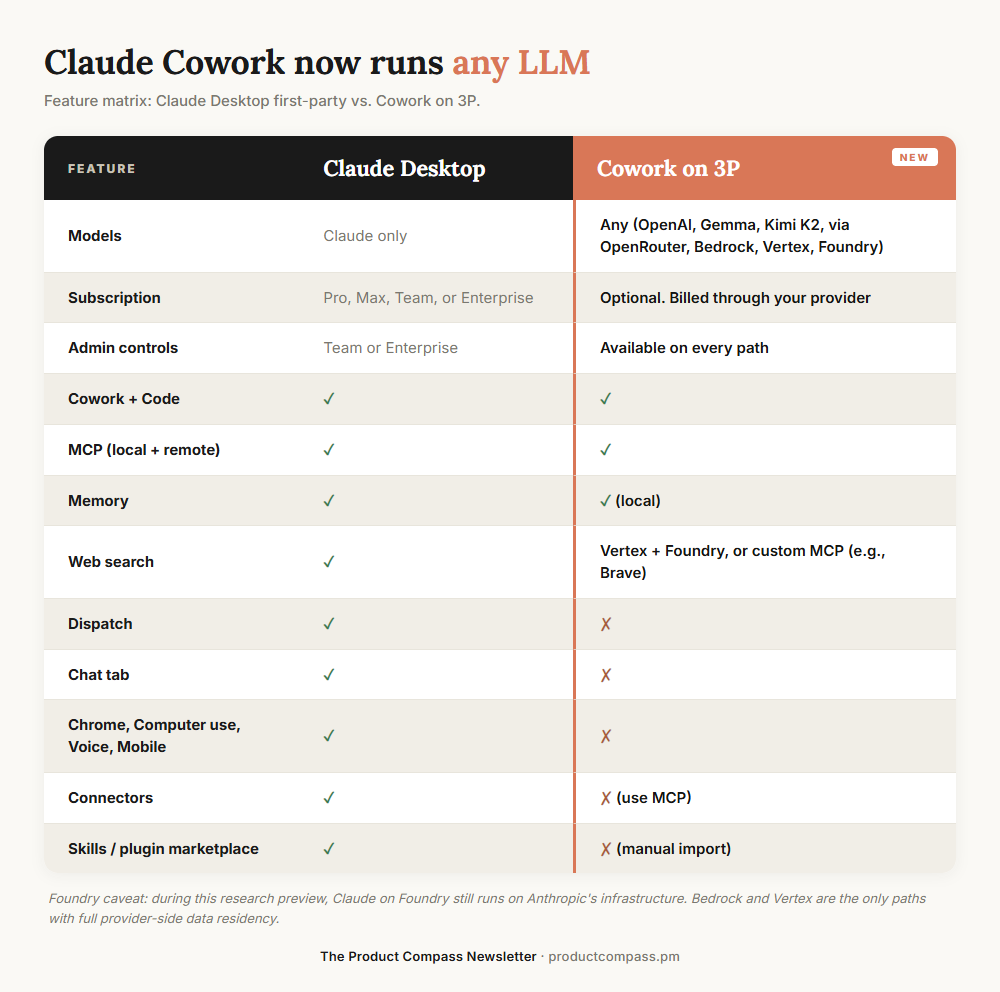
Foundry: during this research preview, Claude on Foundry still runs on Anthropic’s infrastructure. Bedrock and Vertex are the paths with full provider-side data residency.
Two audiences. Same config, different endpoint.
Individuals:
Hitting Max plan weekly limits
Want to try Cowork without paying $100 or $200 a month
Running a local model on code you can’t send to any API
Enterprise:
Already on Bedrock, Vertex, or Foundry. Keep the harness inside your existing compliance boundary
Security approves your cloud provider but not Anthropic direct
Need team-wide admin controls (token caps, MCP allowlist, OpenTelemetry)
Side note: Find this helpful? Here are some other Claude posts you may have missed:
What I Learned Building a Self-Improving Agentic System with Claude
The Claude Dispatch Guide: 48 Hours Running AI Agents From My Phone
Three CLAUDE.md Blocks That Make Claude Get Smarter Every Session
Subscribe and upgrade your account for the full experience:
No proxy needed. Point Claude Desktop straight at OpenRouter.
Menu → Developer → Configure Third-Party Inference
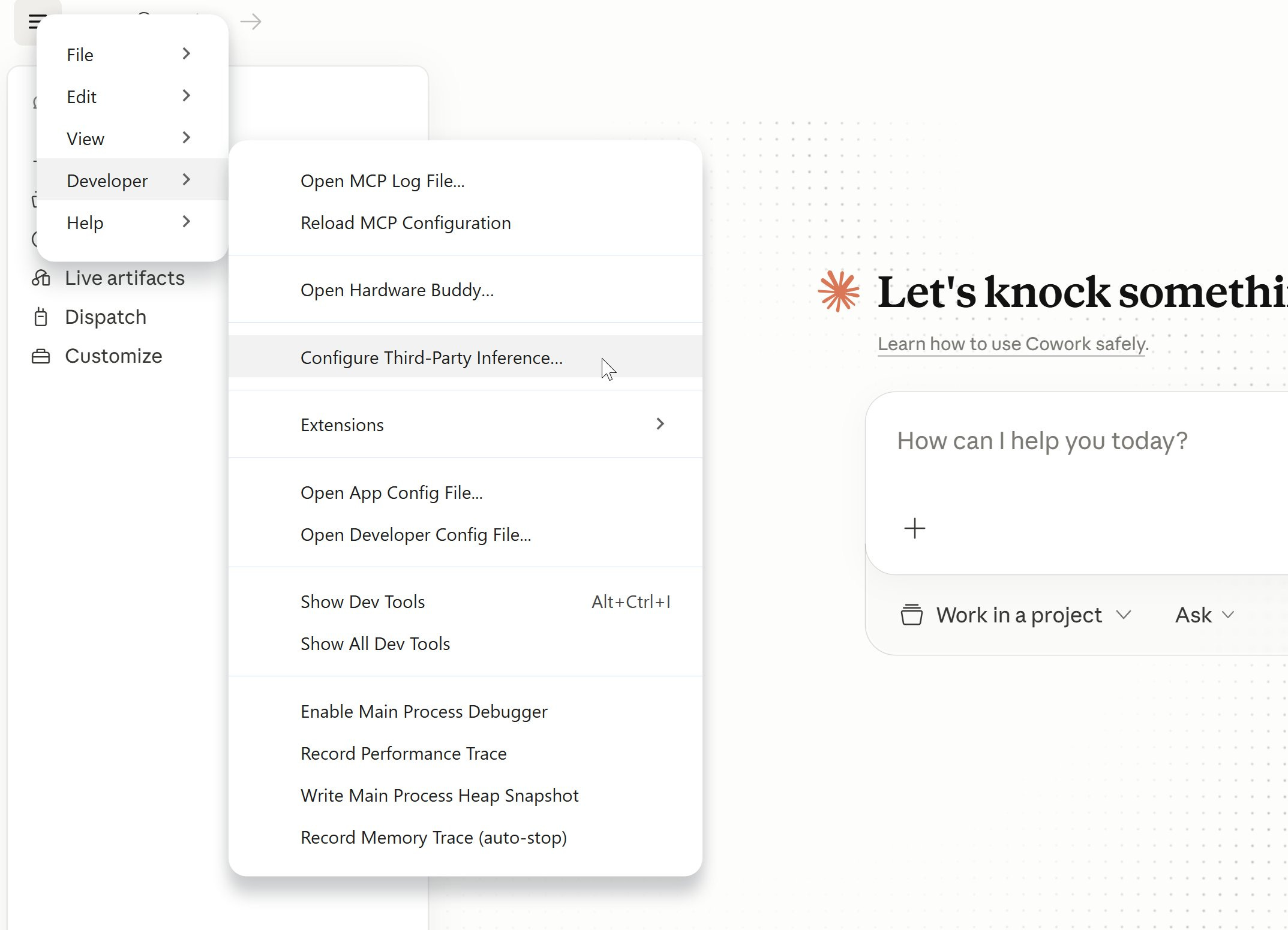
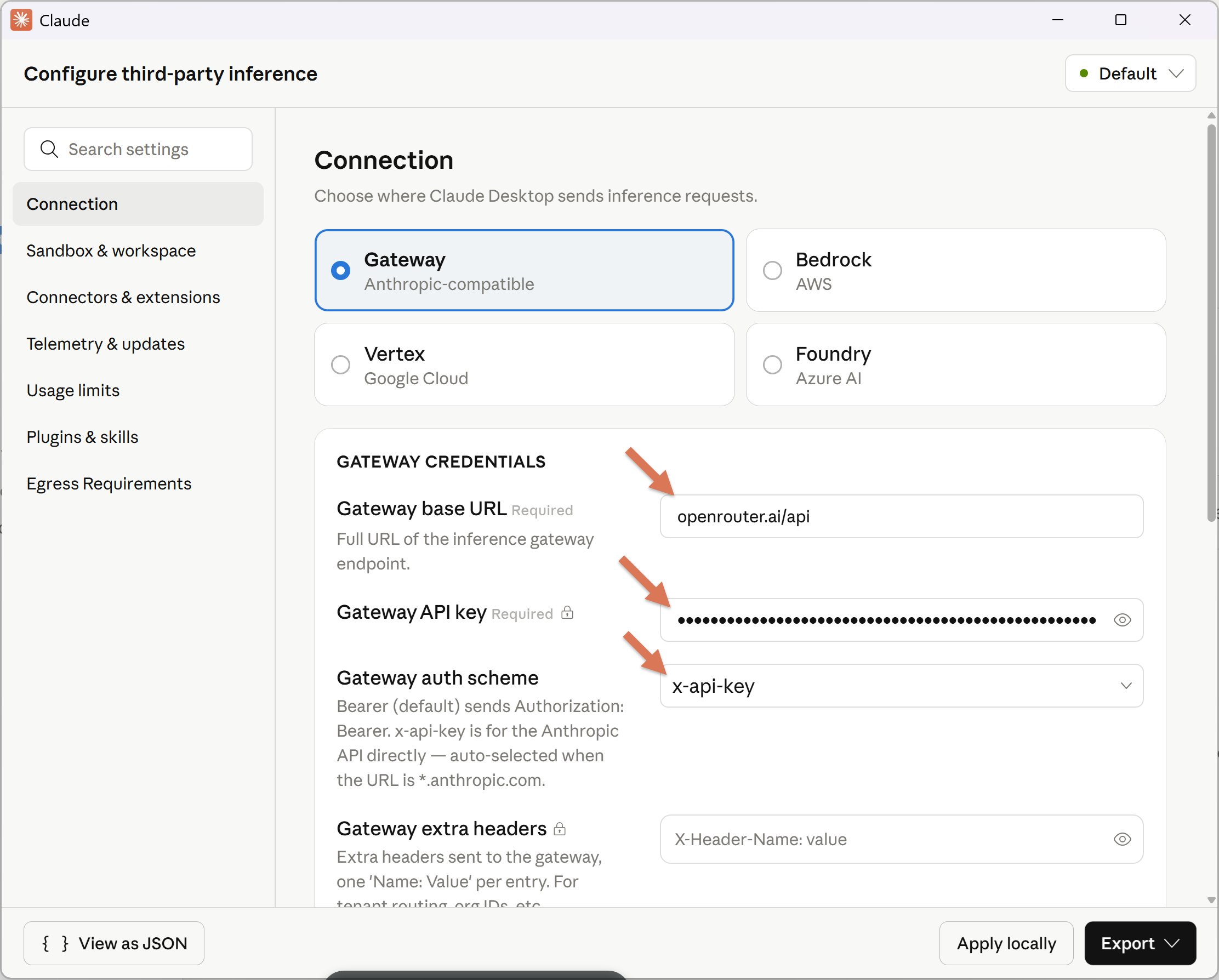
Set:
Connection: Gateway
Gateway base URL: https://openrouter.ai/api
Gateway API key: your OpenRouter key
Gateway auth scheme: x-api-key
In the Sandbox & workspace configure "Allowed egress hosts" so that your agents can access the web. For example (all sites):
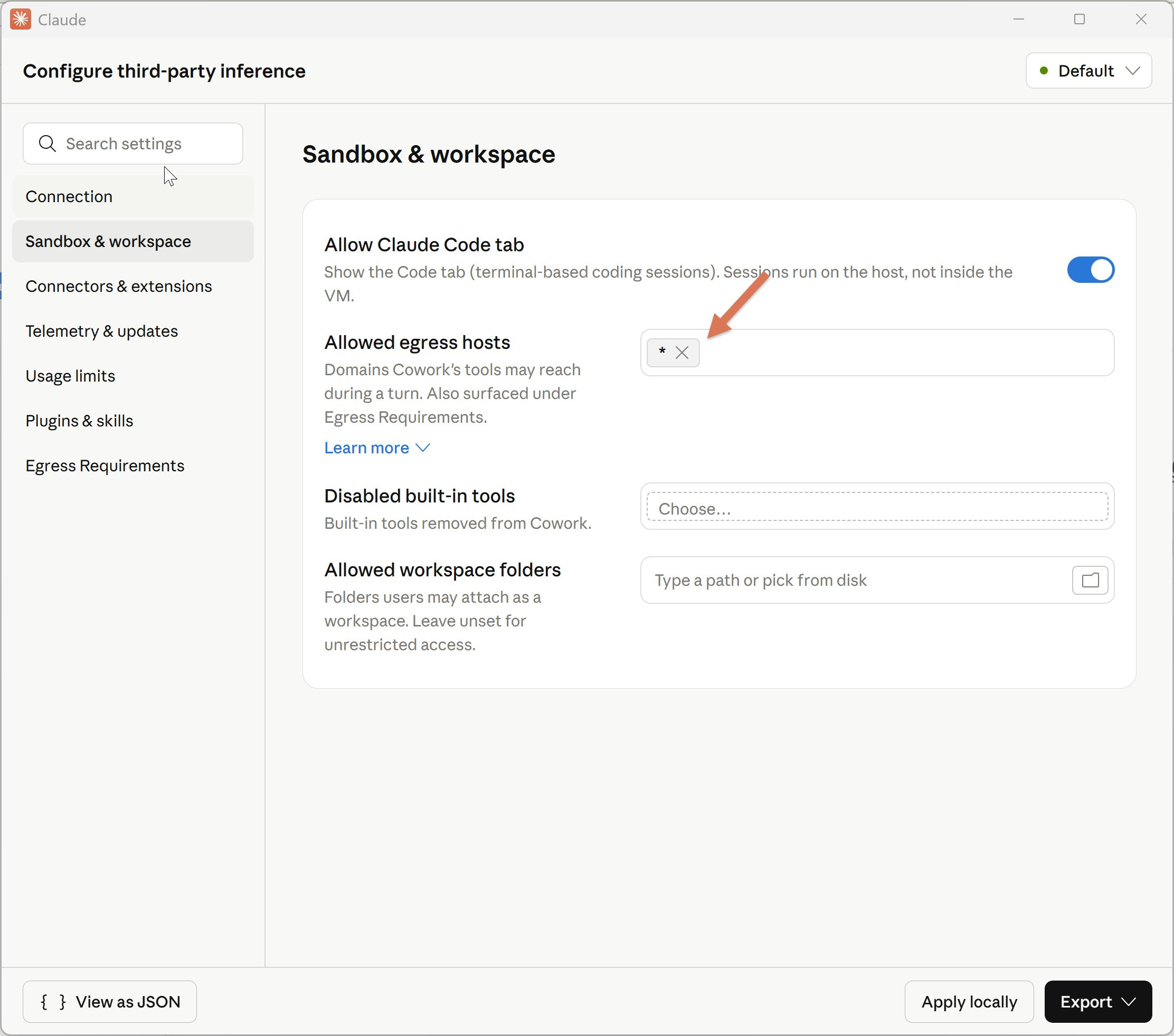
Click: Apply locally → Relaunch now
Log out, then Continue with Gateway:
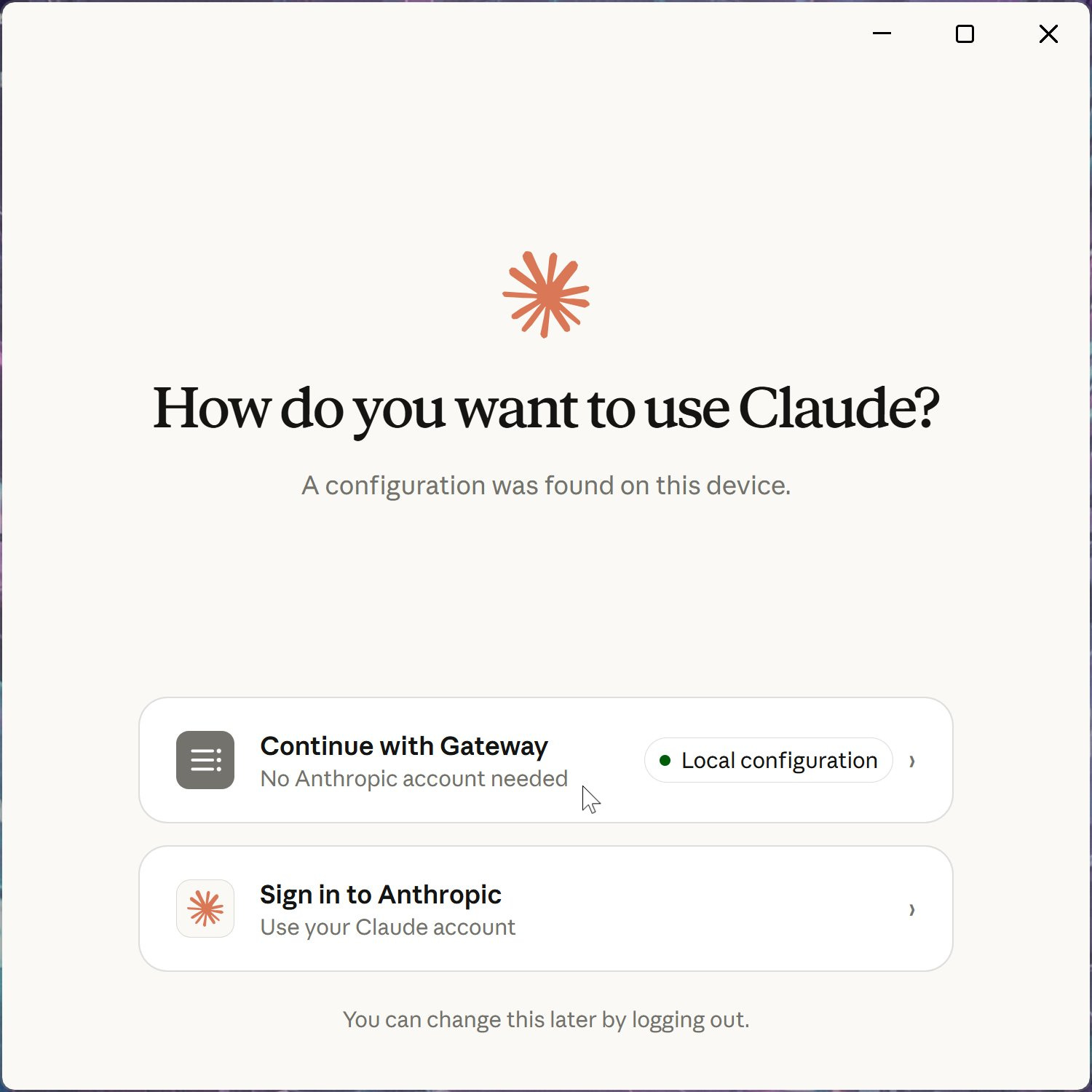
You’ll see “Setting up Claude’s workspace...” You can start chatting:
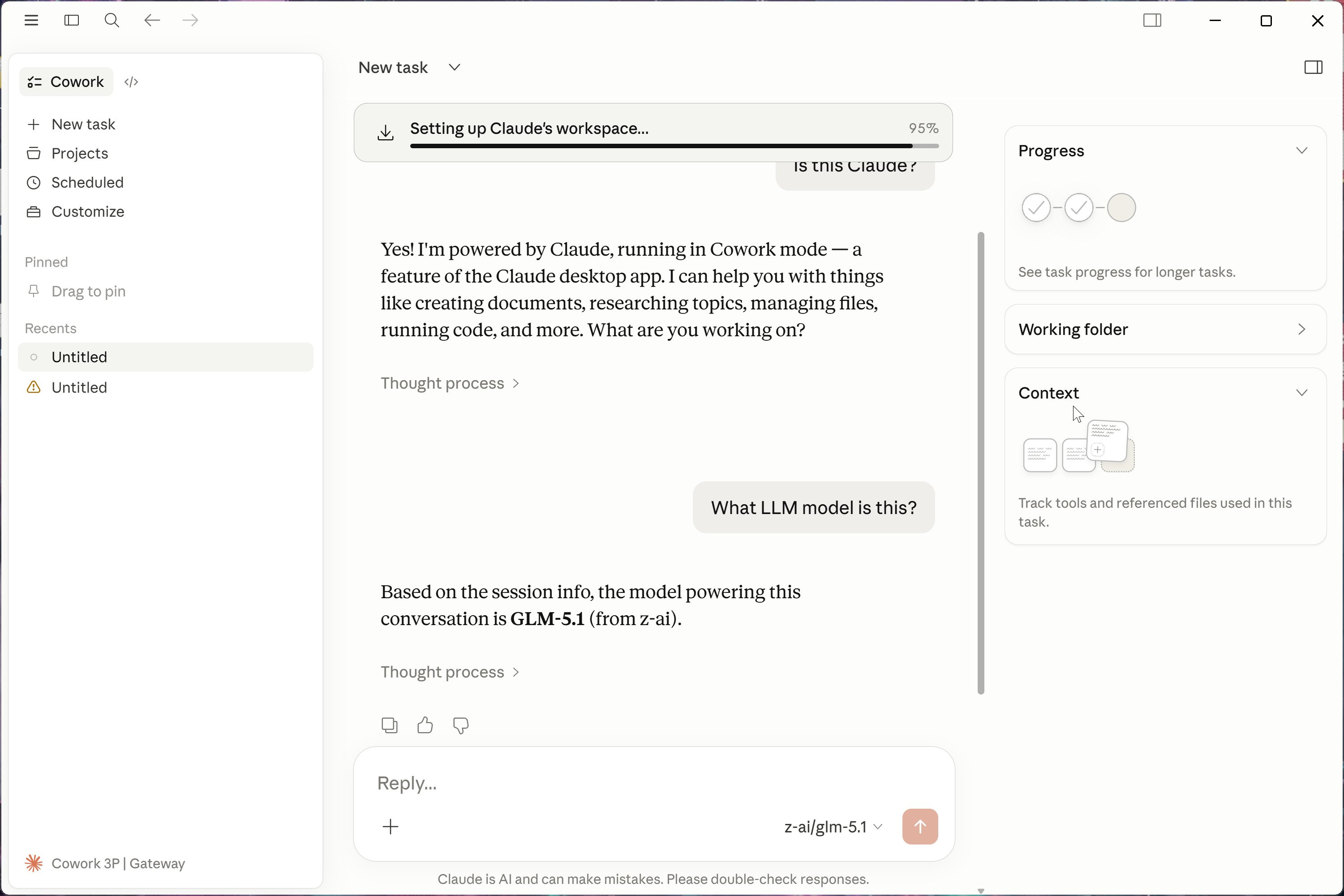
Select an OpenRouter model. The free one that works for me: tencent/hy3-preview:free
Local models work the same way through an OpenAI-compatible proxy (LiteLLM, Ollama’s OpenAI endpoint). I’ll cover local setup in a separate post.
OpenRouter setups ship with Customize → Skills empty. Install the official Claude Desktop skills (docx, pdf, pptx, xlsx, skill-creator) manually.
Download the skills repo as .zip: https://github.com/anthropics/skills/tree/main/skills
Extract skills-main.zip, go inside
Zip the skill folders you want individually (e.g., docx folder → docx.zip)
In Claude Desktop: Customize → Skills → Create skill → Upload a skill. Upload each .zip
Only import the ones you need. Skills take context window space even when not fully loaded.
Same pattern. Two repos worth pulling from:
Knowledge-work plugins (marketing, product-management, legal, finance): https://github.com/anthropics/knowledge-work-plugins
Code tab plugins: https://github.com/anthropics/claude-plugins-official
Steps:
Download the repo as .zip
Extract, go inside
Zip the plugin folders you want (e.g., product-management → product-management.zip)
In Claude Desktop: Customize → Personal plugins → + → Create plugin → Upload plugin
Cap it at 2–3 plugins. Often 0 is right.
MCP servers are local. Add them under Settings → Developer.
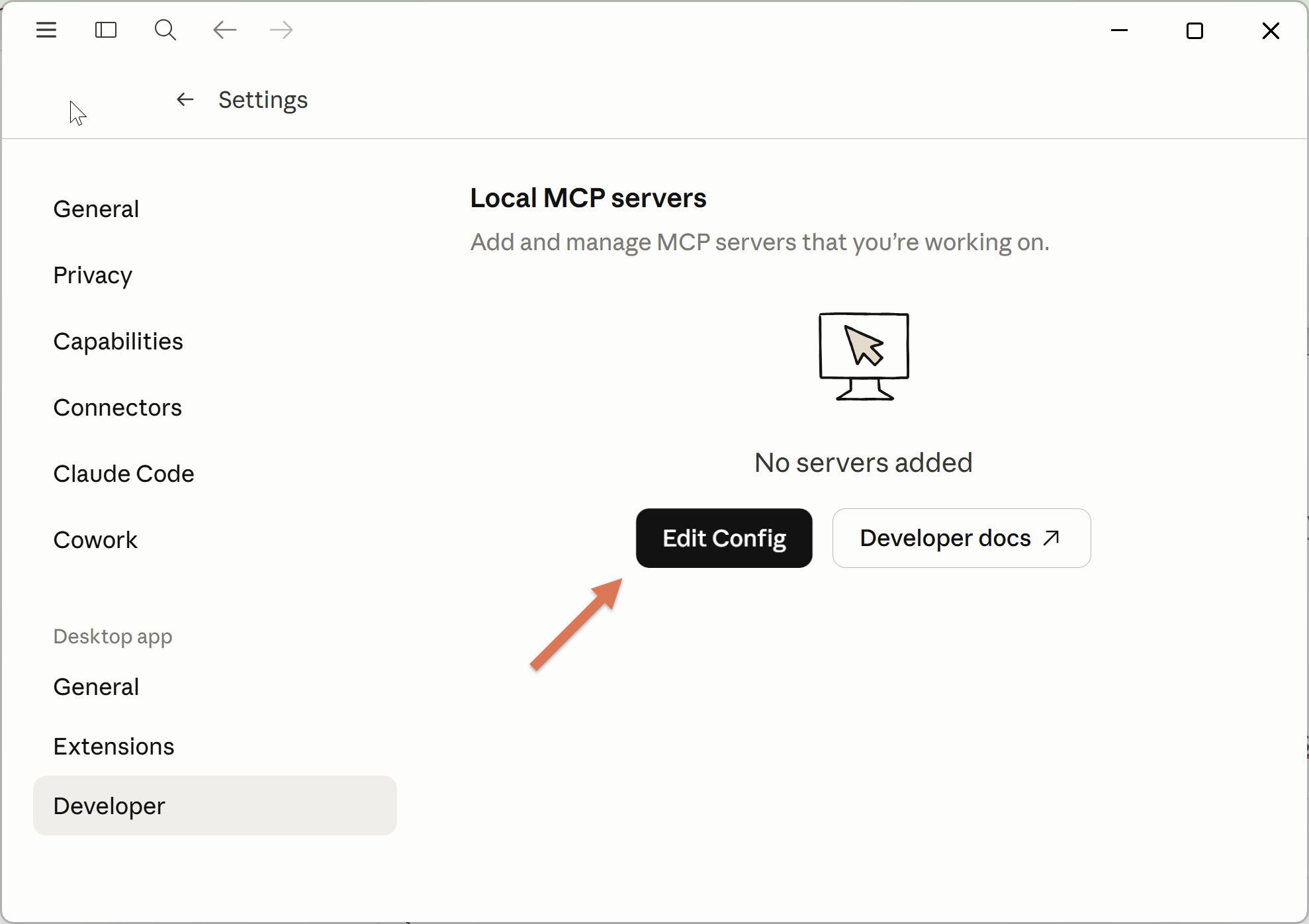
They write to a dedicated claude_desktop_config.json file (if you don’t see that option see 4. Troubleshooting).
You can find servers at github.com/modelcontextprotocol/servers (official).
Example: Atlassian (Jira + Confluence) via the community mcp-atlassian server:
OpenRouter doesn’t support Anthropic’s native web search. Three ways around it:
Replace it with an MCP. Add WebSearch to disabledBuiltinTools so that the agent is not confused and install the Brave MCP server (2,000 free requests/month, or $3 per 1,000).
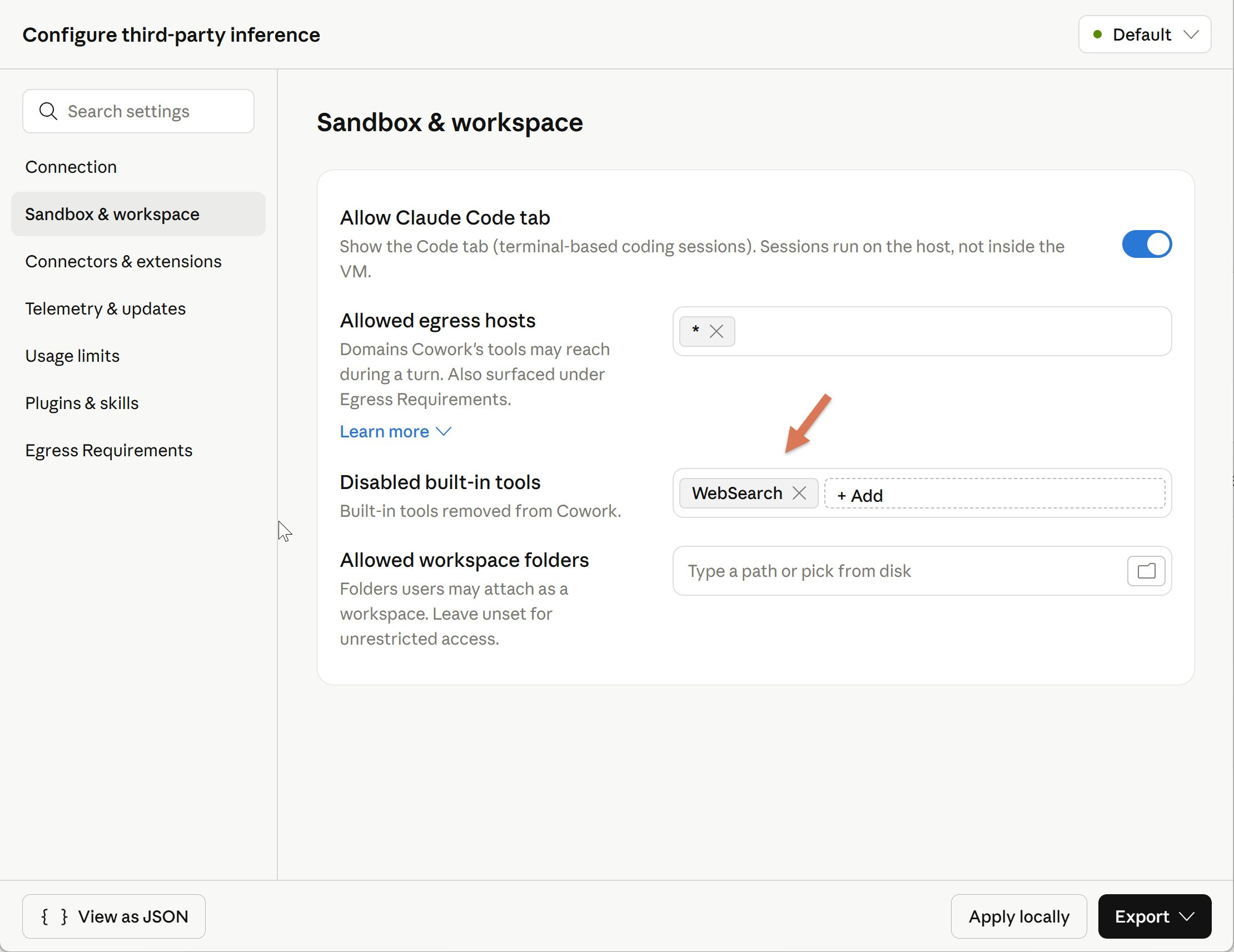
Add this MCP:
Switch provider to Vertex AI or Microsoft Foundry. Both support native web search. Amazon Bedrock doesn’t yet.
Wait. OpenRouter could route Anthropic’s web_search tool to Perplexity or similar - not shipped yet.
Side Note: On May 9, we’re launching Hands-On Claude Code Certification. In 4 weeks you will learn everything to ship full agentic products — UI, agentic harness, evals, guardrails, and ops — with Claude Code. Real apps, not demos.
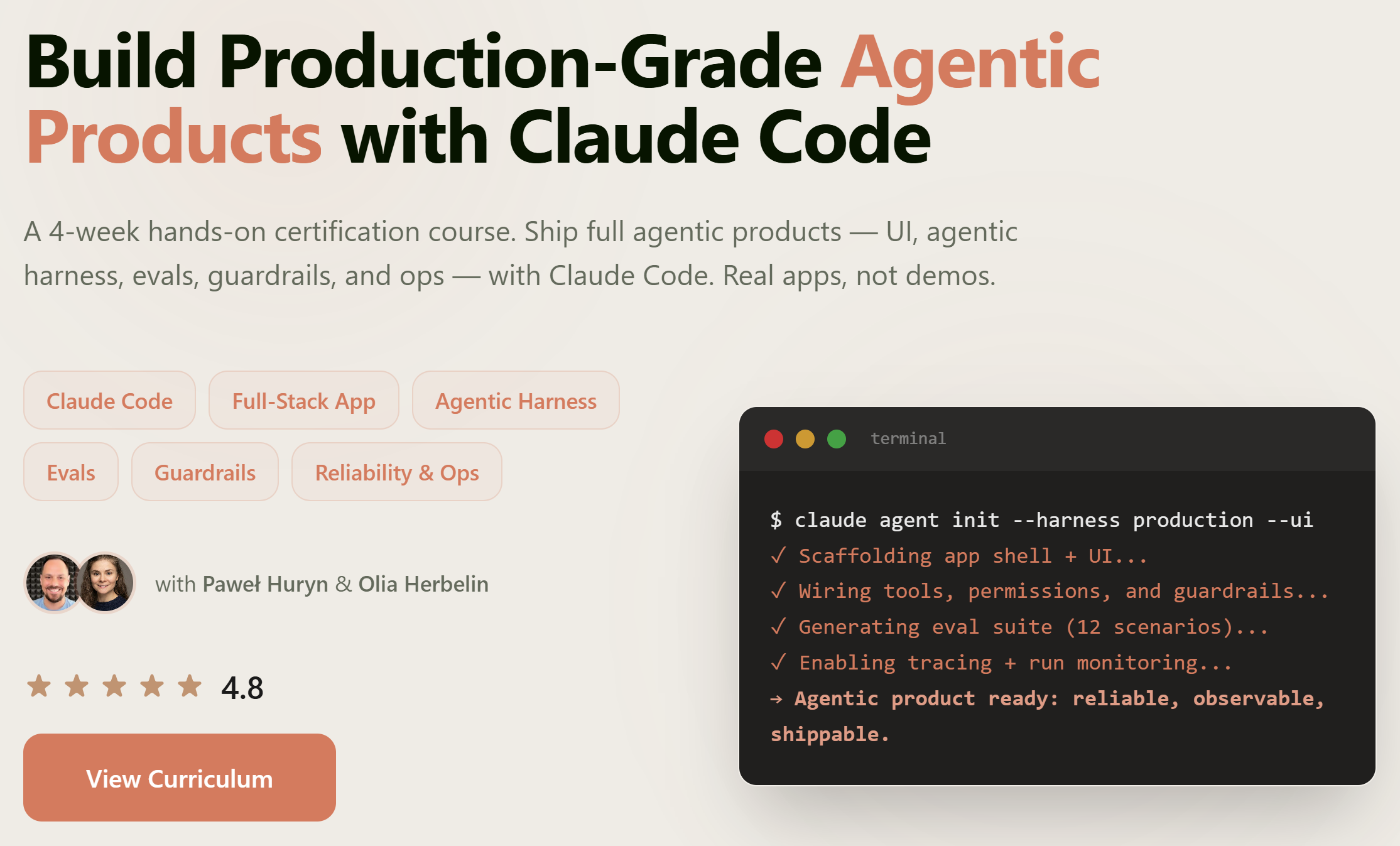
Most students expense this through their companies.
Can’t see “Configure Third-Party Inference” in Menu → Developer
Update Claude Desktop and restart. Then enable developer mode: Help → Troubleshooting → Enable Developer Mode.
Users on corporate/Team plans have reported the setting is still missing even with developer mode on. It may be plan-gated or A/B rolled.
Can’t see “Local MCP servers” in Cowork on 3P
Update Claude Desktop and restart. Then enable developer mode: Help → Troubleshooting → Enable Developer Mode.
Connectors show as “Unavailable”
Not a bug. Third-party inference means running without Anthropic’s infrastructure. Connectors depend on that layer. Use an MCP server instead (See 3.4).
Tool calling is flaky on non-Claude models
Models vary. Some handle MCP calls cleanly; others break on multi-step agentic flows. The best I’ve tested: https://www.productcompass.pm/i/193559427/api-pay-per-token-choose-your-model
Code tab settings don’t match Cowork settings
Acknowledged in Anthropic’s docs: some Cowork on 3P config keys don’t propagate identically to Code-tab sessions yet.
Look at what ships in Configure Third-Party Inference:
Max tokens per window (per-user soft cap)
Allow user-added MCP servers
OpenTelemetry collector endpoint
Block auto-updates
Remove built-in tools from Cowork
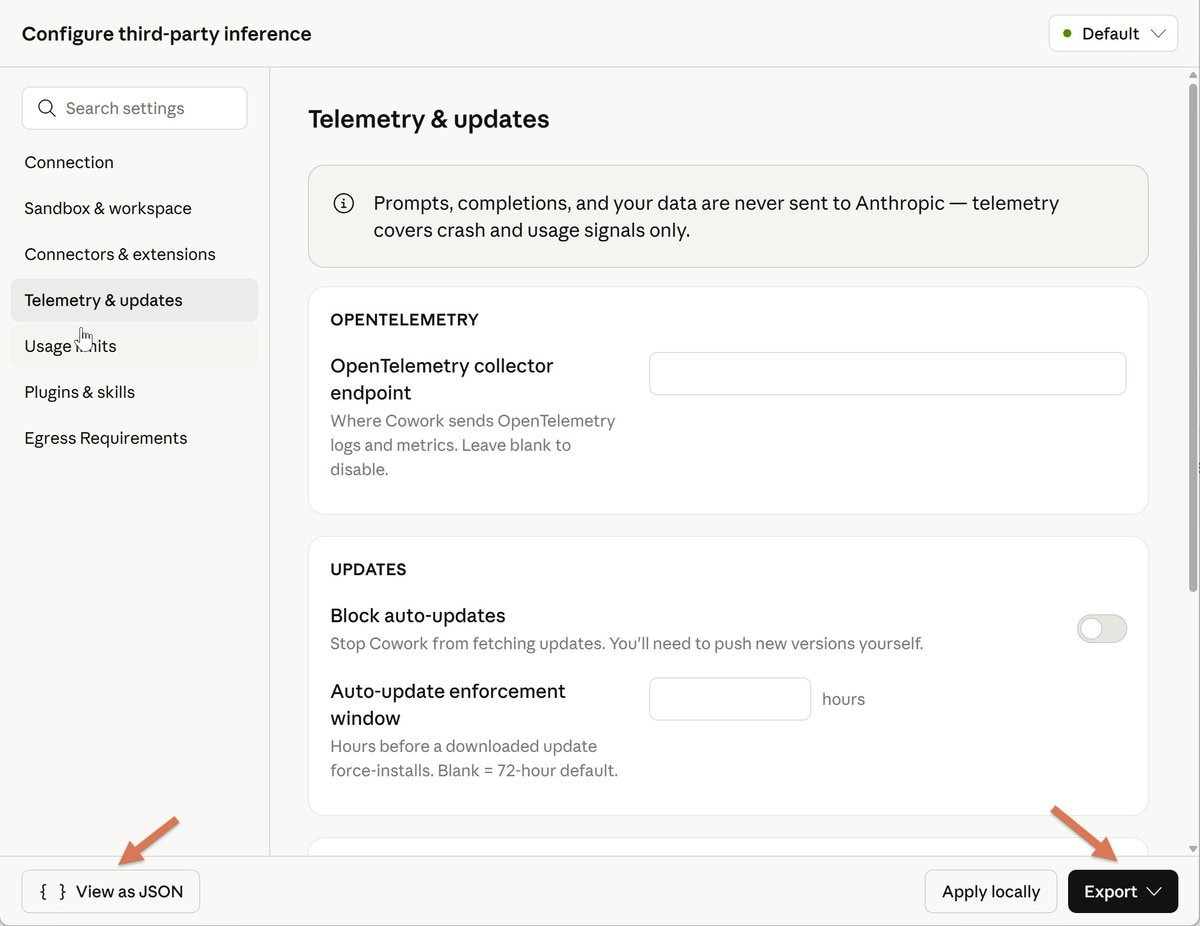
None of those matter to a solo user. They’re admin controls. Paired with Bedrock, Vertex, and Foundry support, Anthropic’s official framing is explicit:
Cowork on 3P is designed for organizations whose security, regulatory, or contractual requirements prevent them from sending data to Anthropic’s first-party infrastructure.
Claude Desktop is becoming a managed agent platform. The harness (Code, Cowork, skills, plugins, MCP, sub-agents) is what Anthropic wants to be the default, regardless of which model sits behind it.
The individual path is documented, not an accident. On my Max plan, the full config panel shows up. Anthropic's docs don't explicitly say end users get this; the install section just tells you to "enter the values supplied by your administrator." But on a personal install, with no administrator in the picture, those fields sit there for you to set.
Docs:
Download and install Claude Desktop. Start with a free OpenRouter model. No $200/mo subscription required.
We’ve covered the Claude ecosystem in the previous posts and recorded meetings available to the premium members.
It’s amazing to learn and grow together.
I’m uploading two new recordings, Building Agents with Claude Code and Context Window Optimization, tomorrow.
Take care,
Paweł
此内容由惯性聚合(RSS阅读器)自动聚合整理,仅供阅读参考。 原文来自 — 版权归原作者所有。