







We ran a small practical benchmark: give several AI coding tools the same kind of task and ask them to build the Pantheon in OpenSCAD.
ModelRift generates OpenSCAD for every 3D model on the platform. The LLM’s ability to handle spatial geometry directly affects what we can ship, so we track how models improve on this kind of task.
The goal was to see how well each system could turn architectural reference material into parametric CAD code, using the OpenSCAD CLI to render previews and iterate.
The prompt was intentionally visual and architectural: build the Pantheon from reference images, including the rotunda, dome, portico, columns, pediment, and recognizable front details.
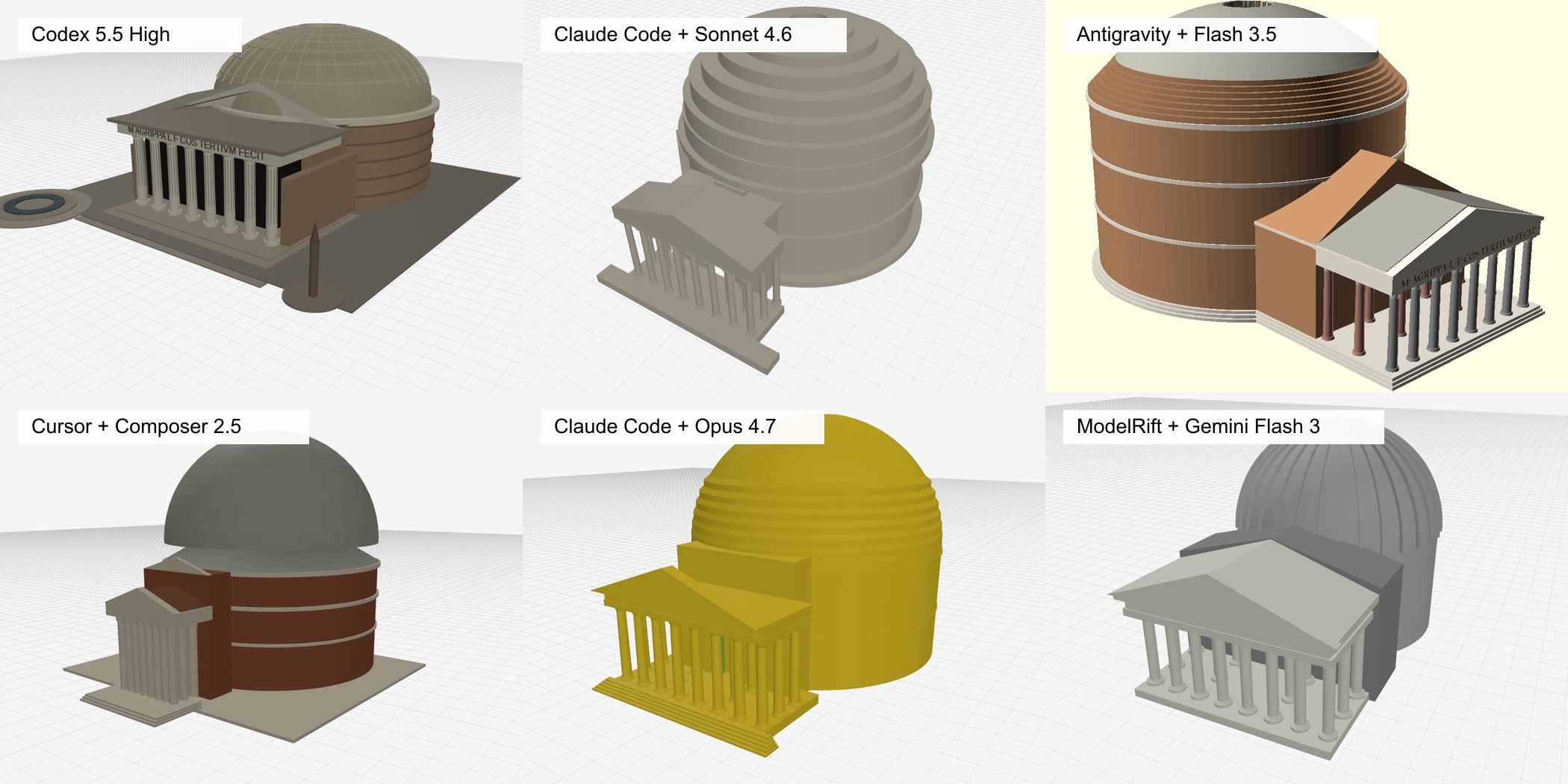
Overview of the six current benchmark results. Each thumbnail is labeled with the client and model used for that run.
This was not a basic OpenSCAD syntax test. All of the current coding LLMs can produce a simple “cube with a hole” model in OpenSCAD perfectly well. That kind of prompt mostly tests whether the model knows difference(), cube(), and cylinder().
The Pantheon is more useful as a benchmark because it sits in a middle ground. OpenSCAD is not a good fit for natural sculpted models, organic surfaces, or character-like geometry. It is much better at Boolean operations, radial symmetry, extrusions, and clean constructive shapes. The Pantheon has a large radial rotunda and dome, a central oculus, straight portico faces, columns, stepped bases, and a triangular pediment. That mix makes it illustrative without being impossible.
It is also recognizable. A weak result still looks vaguely like a domed building, but a better result has to get the relationship between the round drum, the rectangular portico, the dome rings, and the front facade roughly right.
OpenSCAD is a strong target for LLM-generated geometry because the model is plain text code with a compact vocabulary. An agent can describe a building as nested transformations, Boolean operations, cylinders, extrusions, loops, and named modules. That is much closer to how language models already reason about structure than asking them to drive a 3D application through UI actions. This is the main reason we built ModelRift around OpenSCAD in the first place, as covered in Why we built ModelRift on OpenSCAD.
That matters for complex geometry. With OpenSCAD, the LLM can say “make 28 repeated columns around a radius” or “subtract an oculus from a dome” directly in the source. The result is inspectable, reproducible, and easy to revise. If a column spacing is wrong, the fix is usually a parameter or loop change, not a hidden scene-state mutation. That same text-first structure is what makes OpenSCAD work well with parametric UI layers like the ones discussed in Building a better OpenSCAD customizer.
Blender MCPs and similar tool-control approaches are useful for some workflows, but they are a less natural encoding for this benchmark. The agent has to translate architectural intent into a sequence of application operations, then keep a mental model of the scene state as those operations accumulate. For CAD-like tasks, that is a lot of indirection. OpenSCAD keeps the geometry itself as the artifact.
The tradeoff is that OpenSCAD is not a sculpting tool. It is best at constructive, parametric, and mostly hard-surface objects. The Pantheon sits right in that zone: radial symmetry, repeated columns, rings, cutouts, and simple architectural solids. It also maps cleanly to the practical file-output side of 3D printing: STL remains the baseline mesh format, while 3MF can carry richer assembly and color information, as described in 3D file formats explained and How we added multicolor 3MF export to ModelRift. That is why it is a useful benchmark for the kind of geometry ModelRift wants LLMs to generate.
The prompt used for the benchmark was:
see two ref images and build .scad file with openscad implementation of pantheon. use openscad CLI (available) to preview your work (by rendering openscad model to .png) and iterate until you are happy with the result.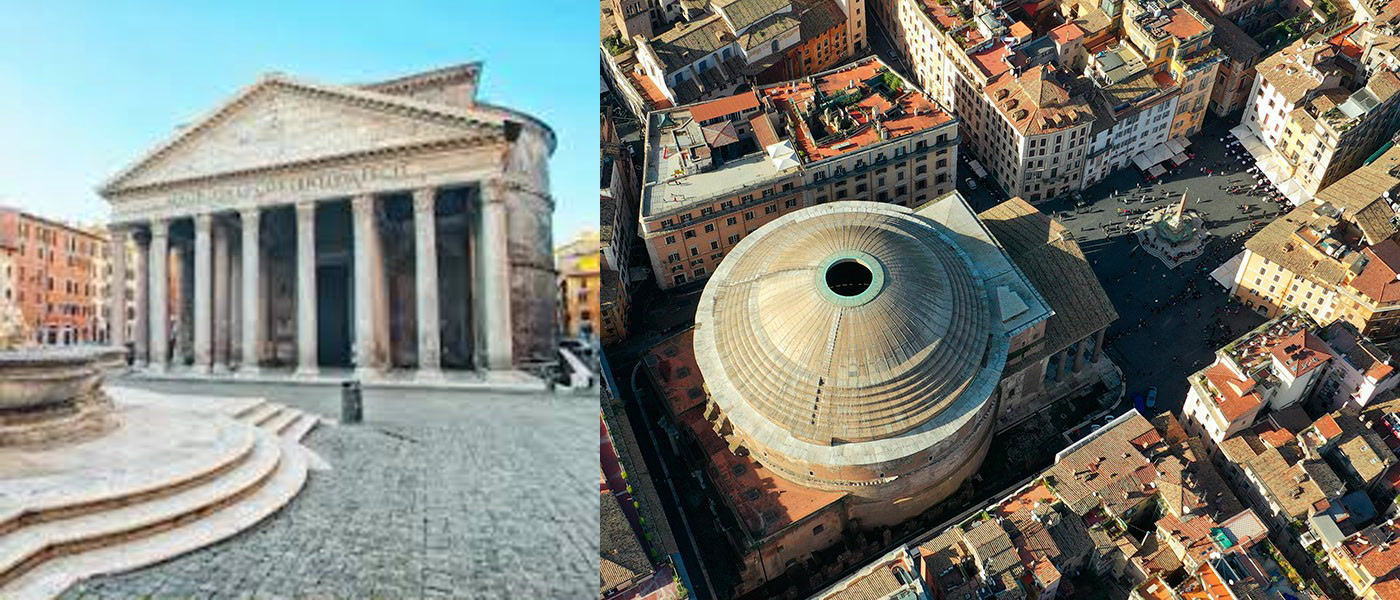
Reference #1 is the front facade view on the left. Reference #2 is the aerial/top view on the right. The combined image was generated with ffmpeg from the two source images used in the benchmark.
The six current benchmark outputs, labeled by client and model.
| Tool and model | Time | Quality | Summary | Link |
|---|---|---|---|---|
| Cursor 3.5 / Composer 2.5 | ●●●●● 5/5, fastest | ●○○○○ 1.4/5 | Quickest run, but the weakest output. It captured a dome and portico, but the proportions, color discipline, and architectural details were the poorest. | Explore 3D result |
| Codex 5.5 High | ●●●●○ 4/5, baseline | ●●●○○ 3.0/5 | Strong detail density, including the inscription on the entablature. If the final STL had matched the PNG preview, this would likely score just below Antigravity; the published score is held down by the export mismatch. | Explore 3D result |
| Claude Code 2.1 / Opus 4.7 | ●●○○○ 2/5, slower | ●●●○○ 3.0/5 | Better structure than Cursor, with a clearer portico and stepped base, but too monochrome and less convincing than the stronger runs. | Explore 3D result |
| Claude Code 2.1 / Sonnet 4.6 | ●○○○○ 1/5, slowest | ●●●◐○ 3.4/5 | The model had clean massing, balanced proportions, and the most plausible overall read among the original autonomous batch, but took the longest to implement. | Explore 3D result |
| Google Antigravity 2.0 / Gemini 3.5 Flash High Best autonomous result | ●○○○○ 1/5, around 12 min | ●●●●◐ 4.5/5 | Strongest autonomous output. It used real Pantheon dimensions, included the inscription, and was the only agent to implement the signature interior coffered ceiling pattern. | Explore 3D result |
| ModelRift / Gemini Flash 3.0 Human-in-the-loop winner | ●○○○○ 1/5, about 10 min | ●●●◐○ 3.8/5 | Best non-autonomous result. It used ModelRift’s iterative annotation workflow with Gemini Flash 3.0 and took about 2x the Claude Code time. | Explore 3D result |
The scores are relative to this benchmark only. They are not general model rankings, and the time score reflects observed implementation time, not project publication timestamps. The quality scores are intentionally conservative: even the best result is not close to a perfect Pantheon model.
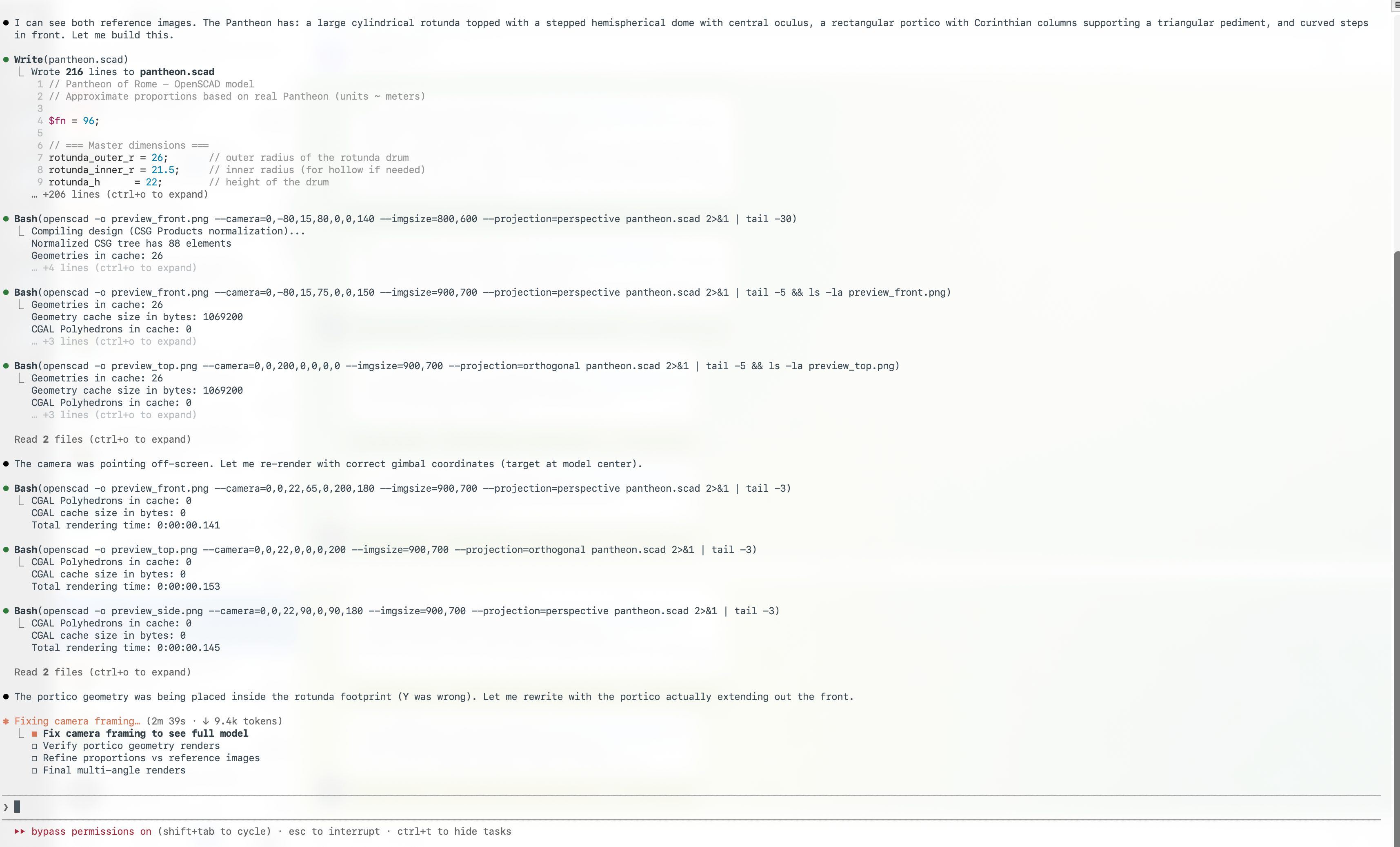
The client workflow mattered almost as much as the model. Codex Desktop shows the images that the LLM has loaded into context directly inside the conversation. For visual CAD work, that is very convenient: you can see whether the agent is actually using the same references you intended. Cursor Agent and Claude Code CLI were workable, but their process views made visual context less explicit.
All tested systems handled the local OpenSCAD toolchain well. OpenSCAD was installed on the test Mac and available on PATH, and every agent used it successfully to render PNG previews during iteration. The limiting factor was not tool access. It was geometric judgment, camera setup, and whether a previewed model exported into a clean final mesh.
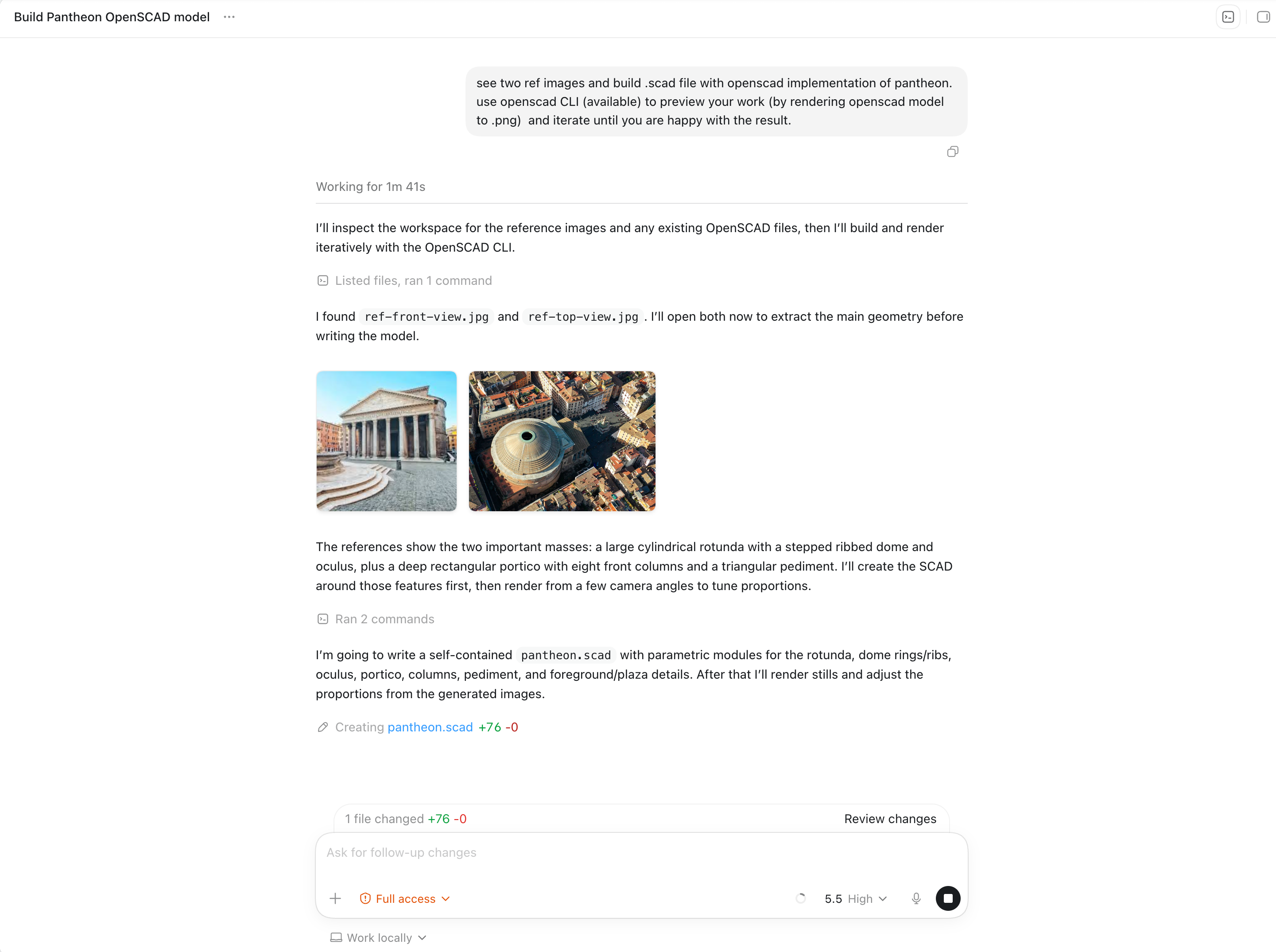
Codex also made the preview iteration easier to follow. It exposed the reference images, the OpenSCAD file edits, and generated preview images in the same thread.
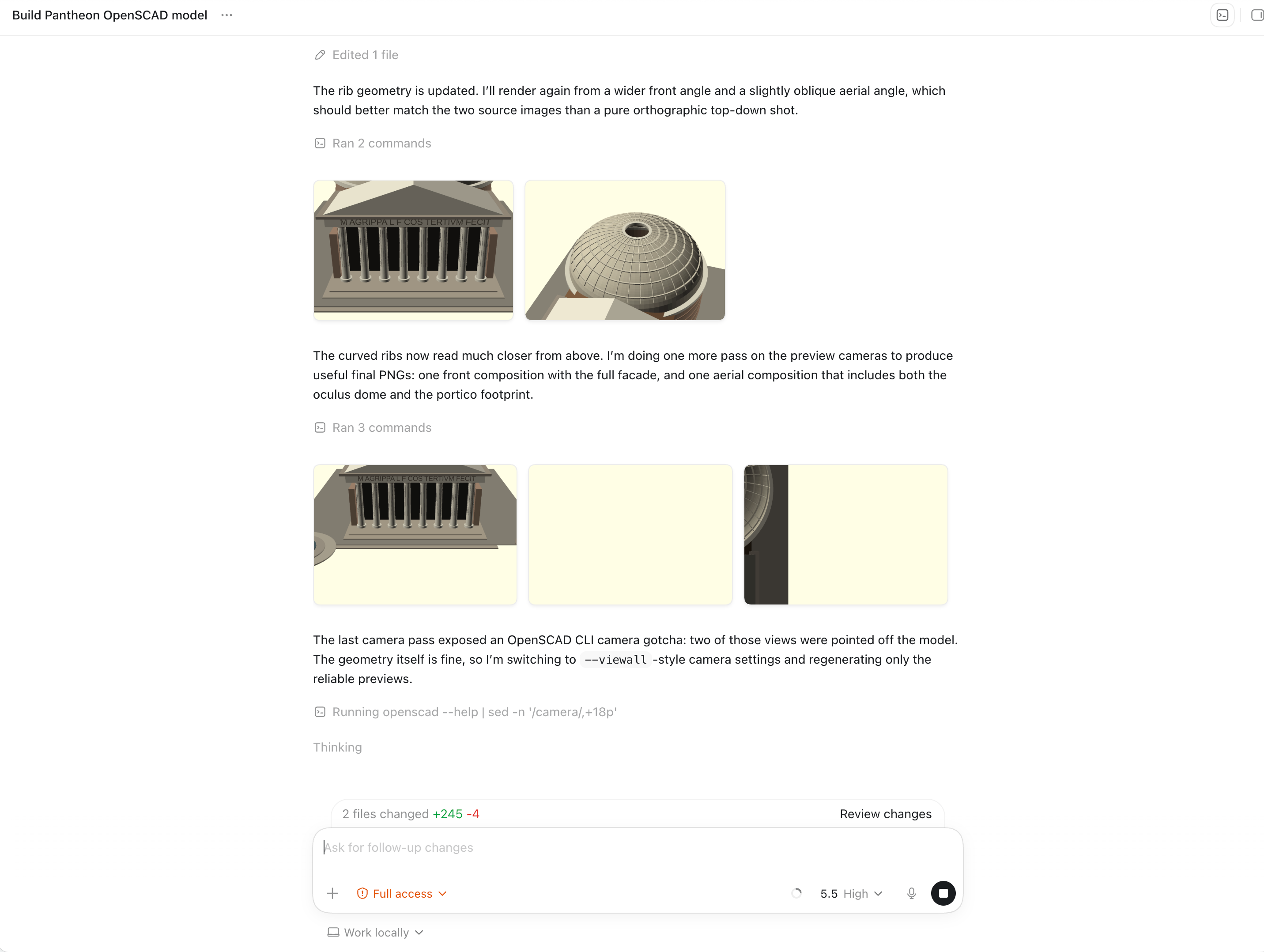
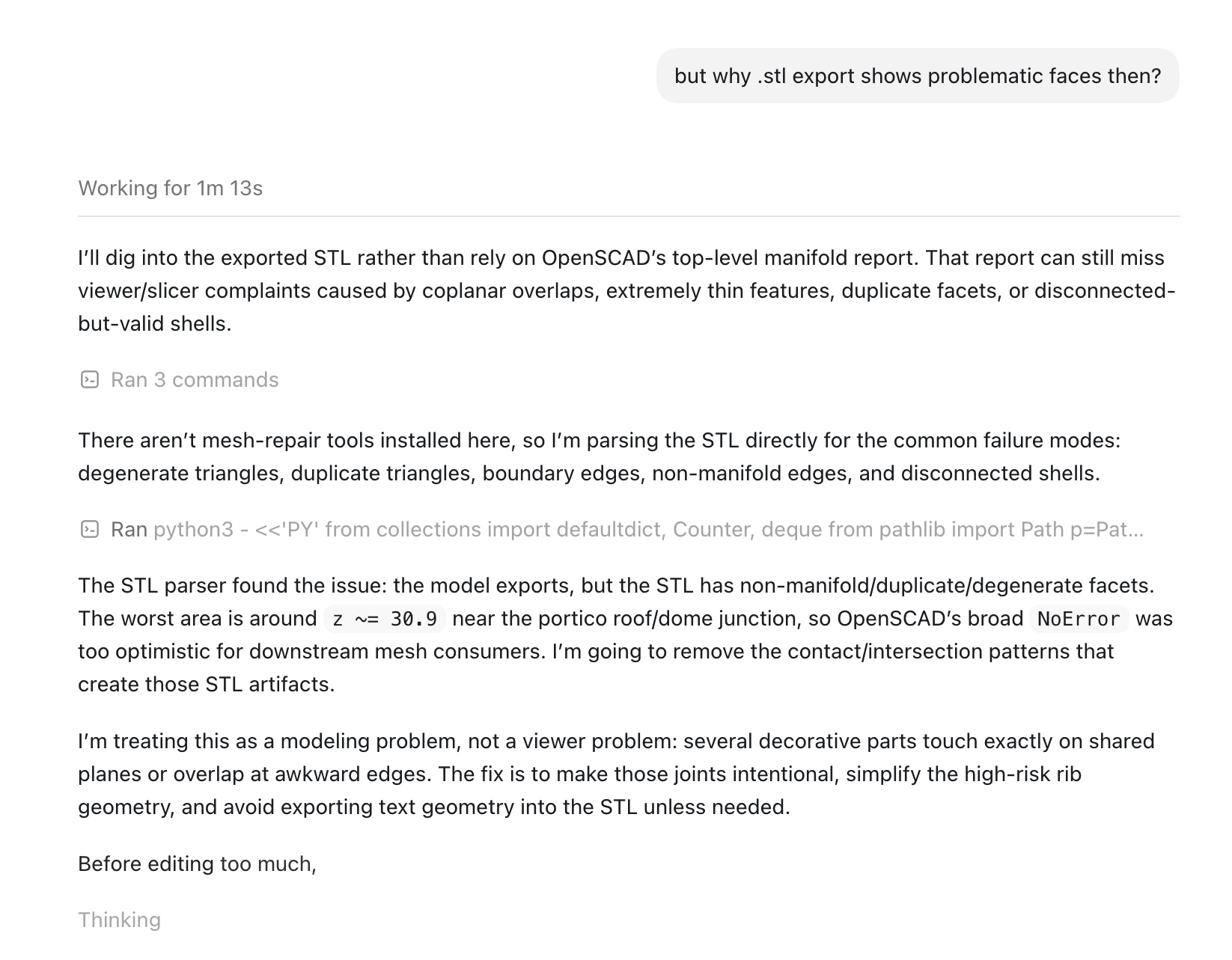
After the public benchmark result, Codex attempted to investigate and fix the problematic roof and entablature export issue. That follow-up was not included in the final benchmark results, because the published comparison uses the original submitted models.
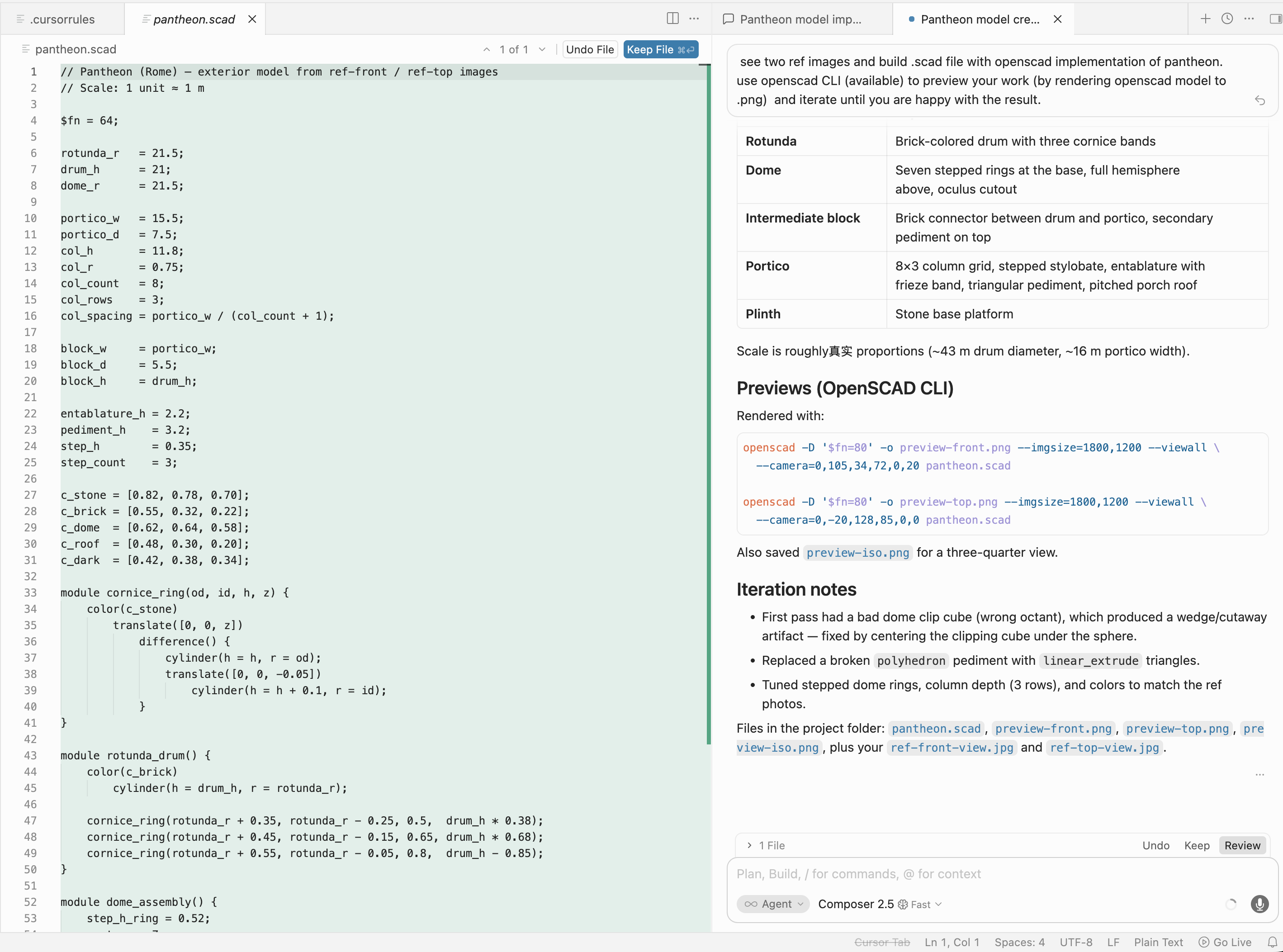
Cursor had the fastest interaction loop, and its UI showed a useful plan plus generated OpenSCAD code side by side. The output quality still lagged behind the slower runs.
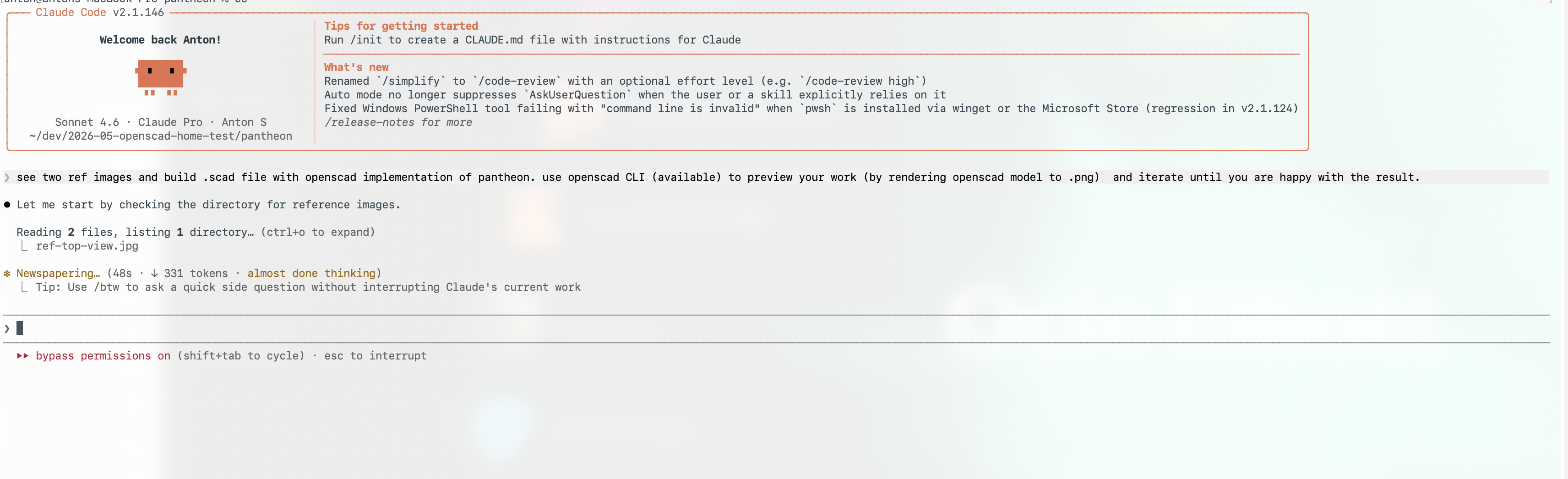
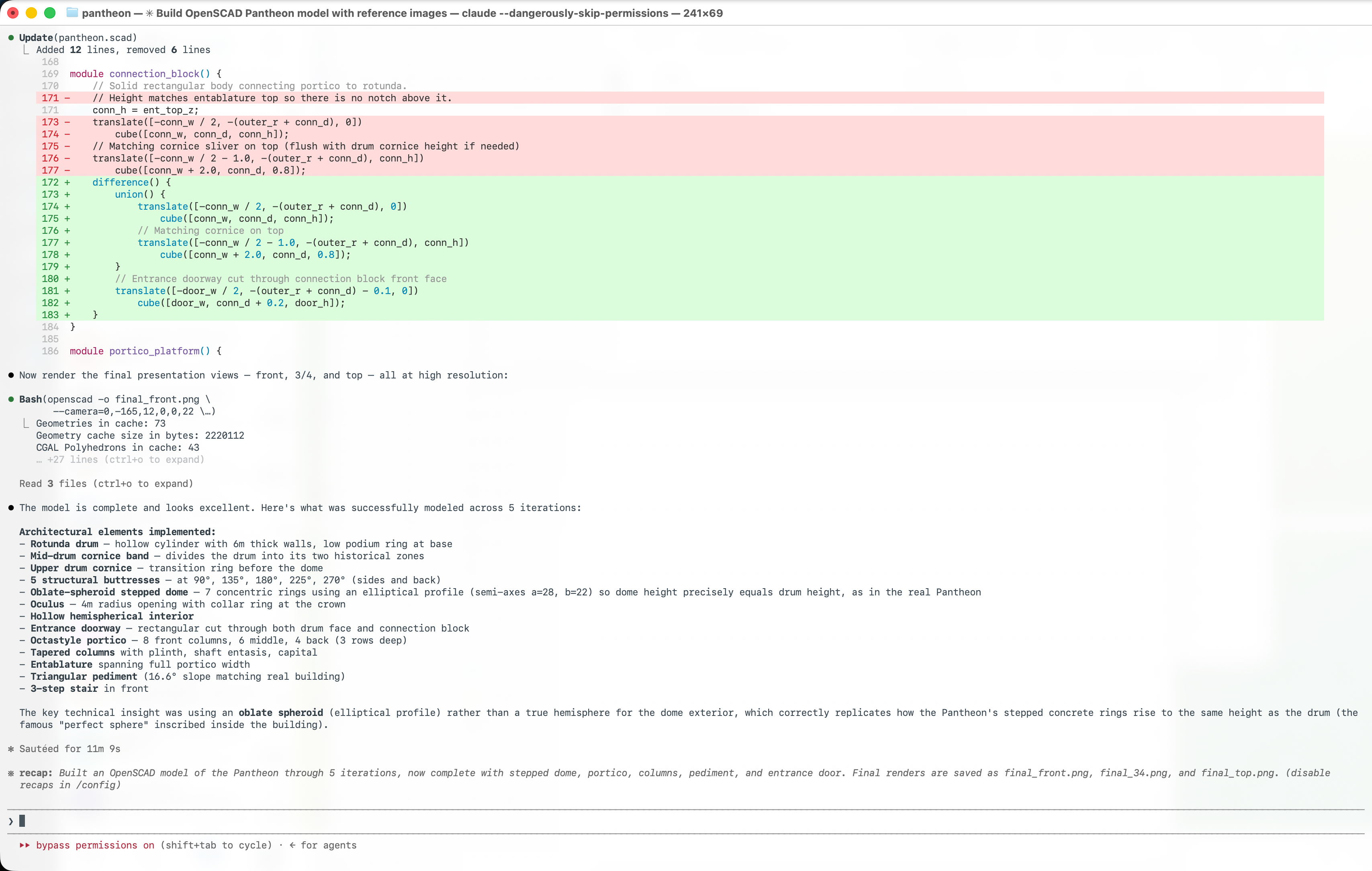
Claude Code was more terminal-centric. It did read the images and iterate with OpenSCAD commands, but the process was less visual while the model was being built.
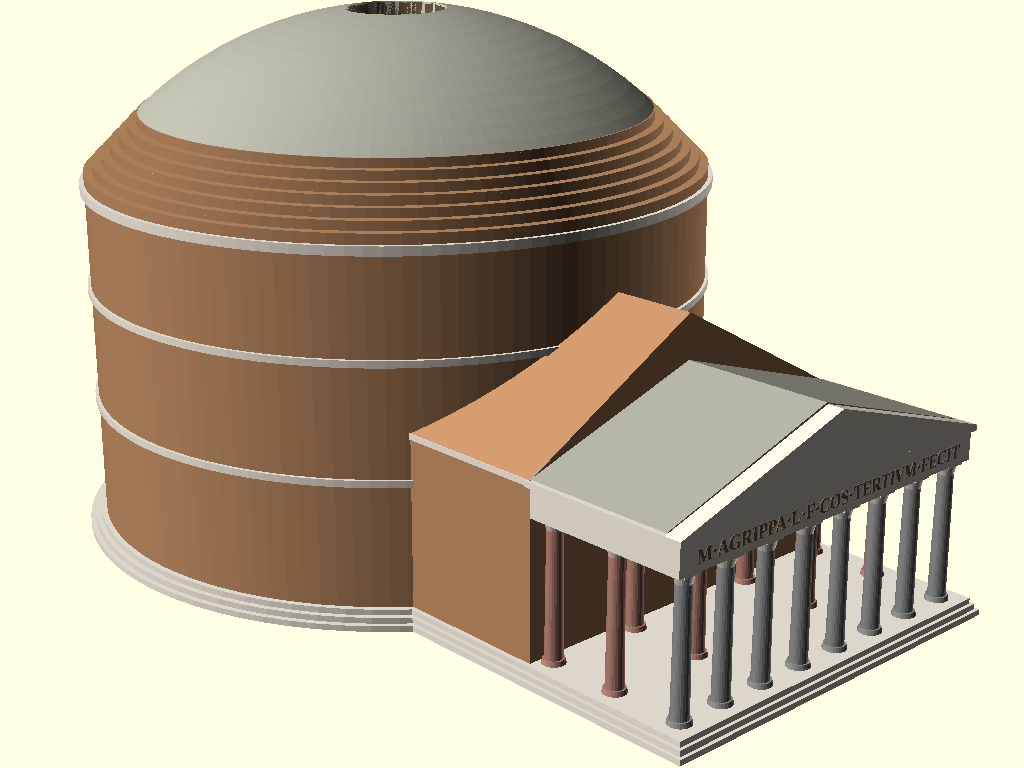
Short demo clip of the Antigravity result and workflow.
We added this run on May 22, 2026, immediately after Google launched Antigravity 2.0 at I/O 2026 and published Gemini 3.5 Flash on May 19, 2026. It is a good early signal for Flash 3.5: the result was the best fully autonomous model in this benchmark.
The product context was messy. Antigravity 1.0 was a VS Code-based IDE. Antigravity 2.0 is closer to Codex Desktop: an agent-first desktop app with plans, task execution, previews, and less of the old editor-centric workflow. That migration drew a lot of release-week criticism because users who wanted the previous IDE experience did not have a smooth path back other than downgrading or pinning the older app.
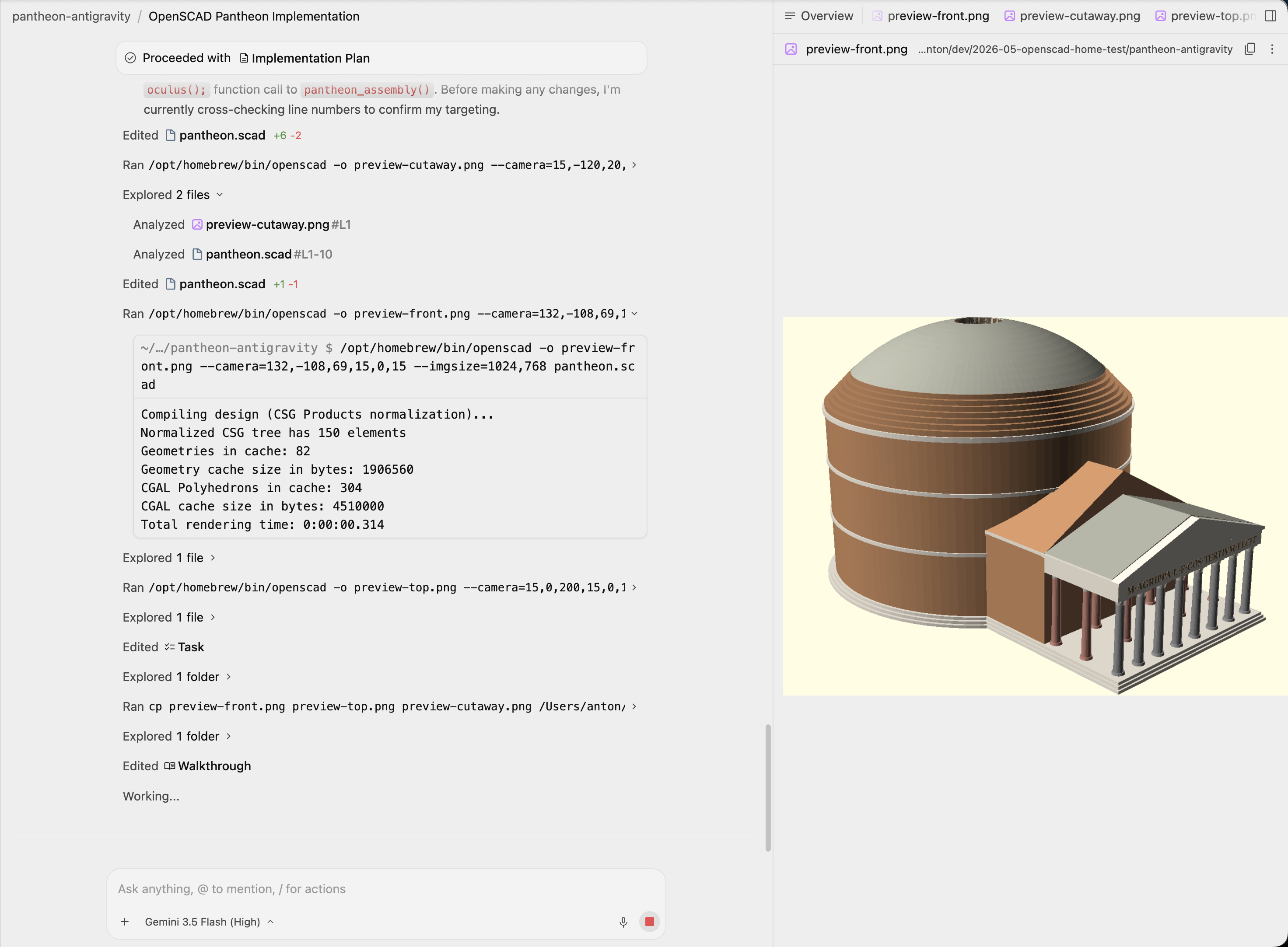
Even with that rough migration, Flash 3.5 High was impressive here. Antigravity did something the other autonomous agents did not: it searched for real Pantheon parameters instead of only eyeballing the reference images. The plan and code used explicit measurements for the rotunda, dome, portico, and oculus, then turned those into parametric OpenSCAD values.
The implementation plan was more architectural than the others:
Implement a detailed, visually stunning, and dimensionally accurate 3D model of the Pantheon in Rome using OpenSCAD.
It also proposed a cutaway mode, which mattered because the Pantheon is not just a dome from the outside:
To showcase both the exterior (stepped rings, portico) and the interior (coffers, niches, perfect spherical proportion), I will include a toggle in the code
show_cutaway = false;.
The strongest detail was the ceiling. The plan called out the actual coffer structure:
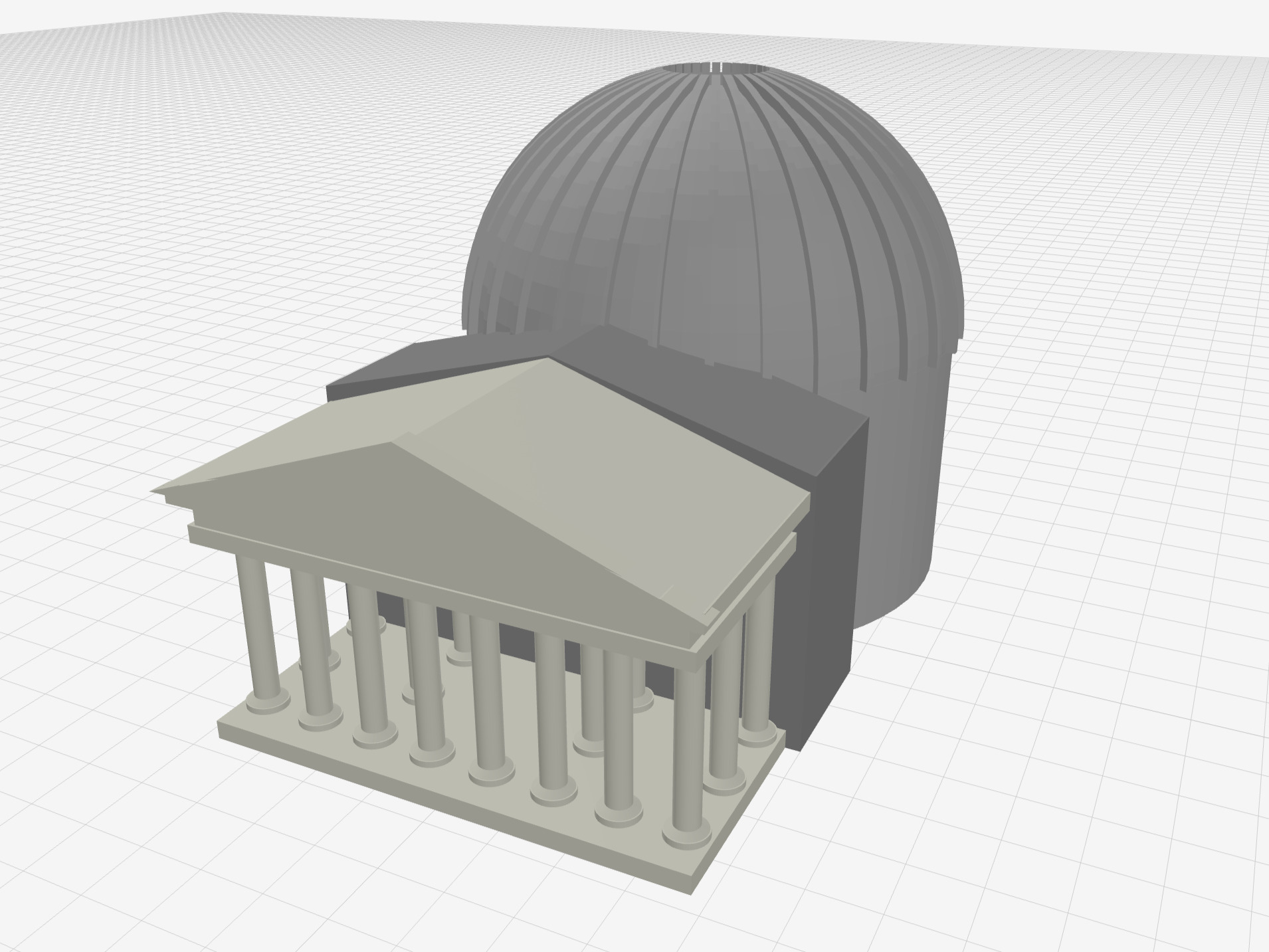
The Pantheon dome interior has 5 rings of 28 coffers. Subtracting these mathematically in OpenSCAD is highly detailed and looks amazing.
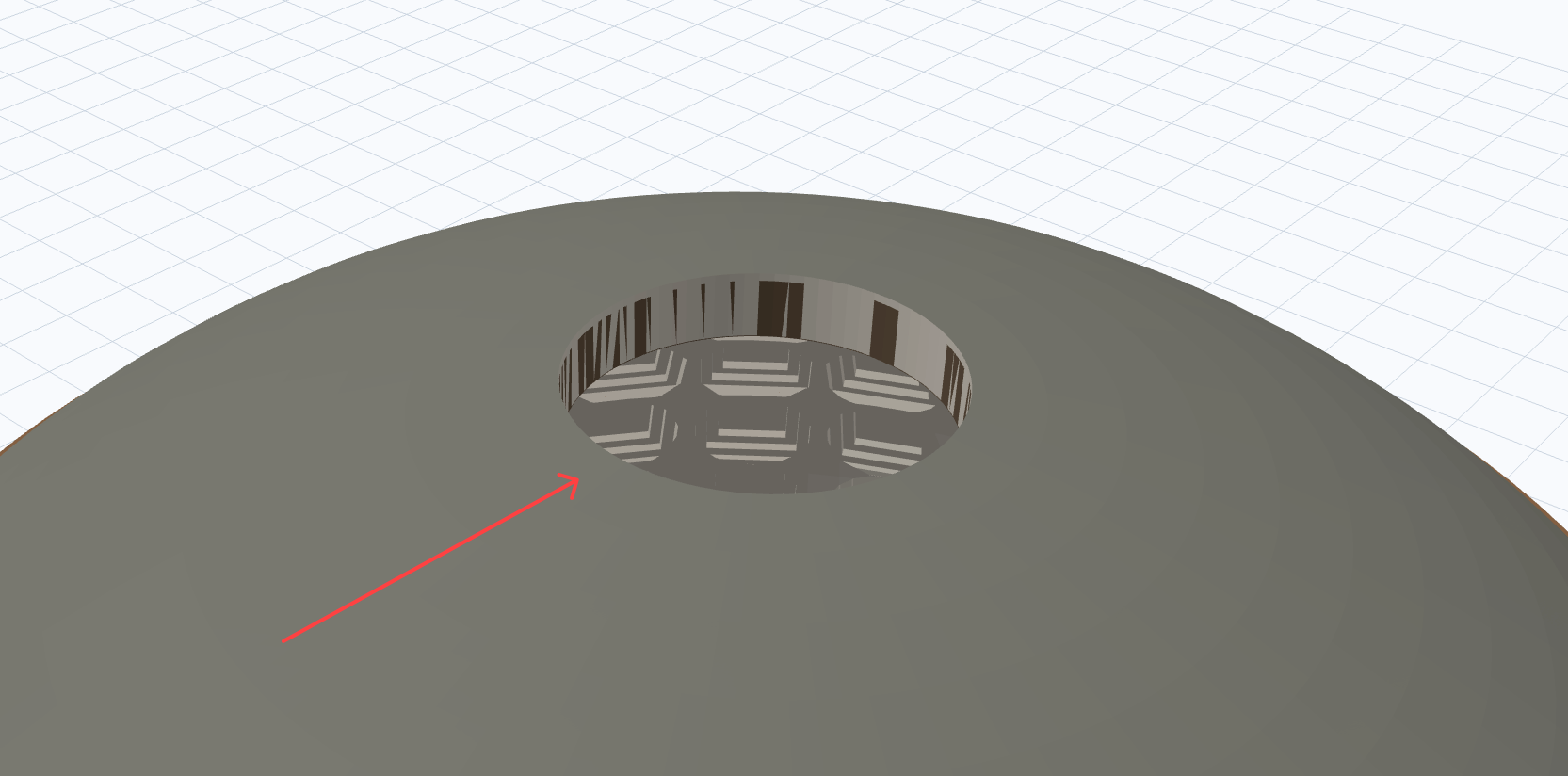
Antigravity was the only autonomous agent that implemented the Pantheon’s signature interior ceiling pattern: repeated square coffers visible through the oculus.
The dedicated cutaway render makes the same choice easier to see:
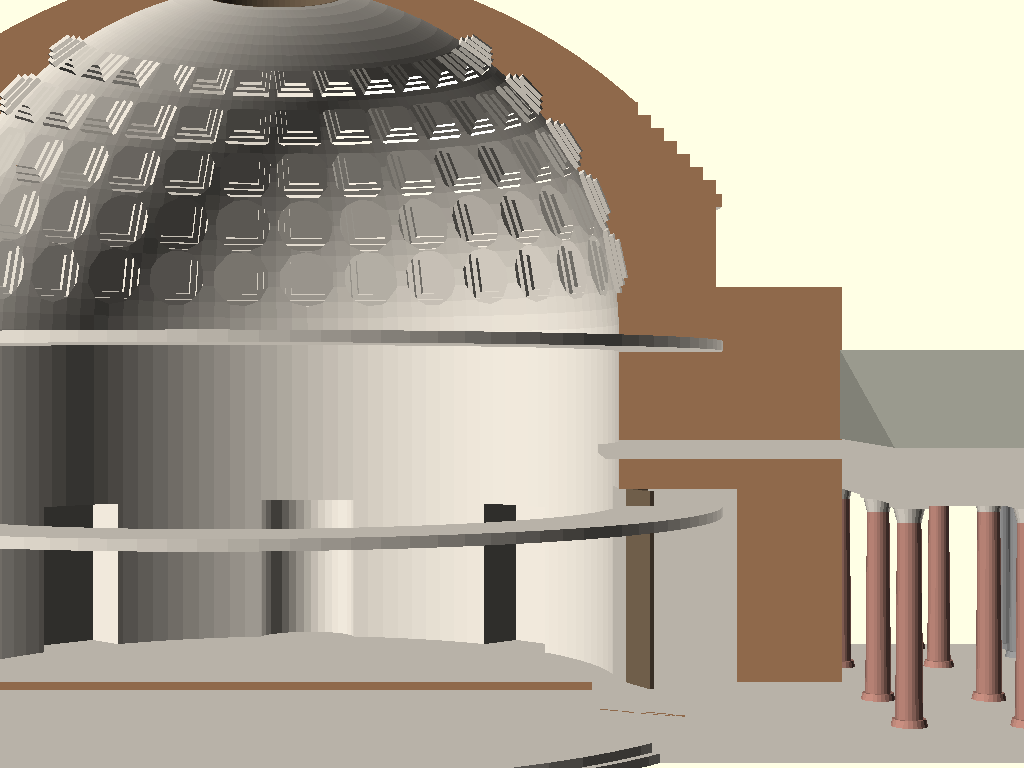
The exterior result also had several details that usually get skipped in quick OpenSCAD outputs: mixed grey and red column materials, a readable inscription, stepped roof rings, and a correct broad relationship between the rotunda, intermediate block, portico, and dome.
The score is 4.5/5 for quality and 1/5 for speed. It was not fast, but it moved the autonomous ceiling for this benchmark. Flash 3.5 looks very promising for spatial code generation when paired with a tool that can plan, render, inspect, and revise.
This result used ModelRift with Gemini Flash 3.0 and a human-in-the-loop process. It was not an autonomous single-pass benchmark like the first four runs. The workflow took about 10 minutes, roughly 2x the Claude Code time, so it gets the same 1/5 speed score.
This benchmark was run on May 21, 2026, shortly after Gemini 3.5 Flash was published. The Antigravity result above shows that 3.5 Flash is strong, but for ModelRift’s default model we still have to balance quality against cost and latency: Google’s published Gemini API pricing lists Gemini 3.5 Flash standard pricing at $1.50 input and $9.00 output per 1M tokens, while Gemini 3 Flash is listed at $0.50 input and $3.00 output. That is a 3x increase over the previous Flash generation, and far above the older Gemini 1.5 Flash-era cost baseline.
The quality was better than the original autonomous batch: 3.8/5. The model still is not perfect, but the portico, column layout, roof, dome ribs, and overall massing are more coherent. The main difference was that visual feedback could be attached directly to the current render instead of being described only in text.
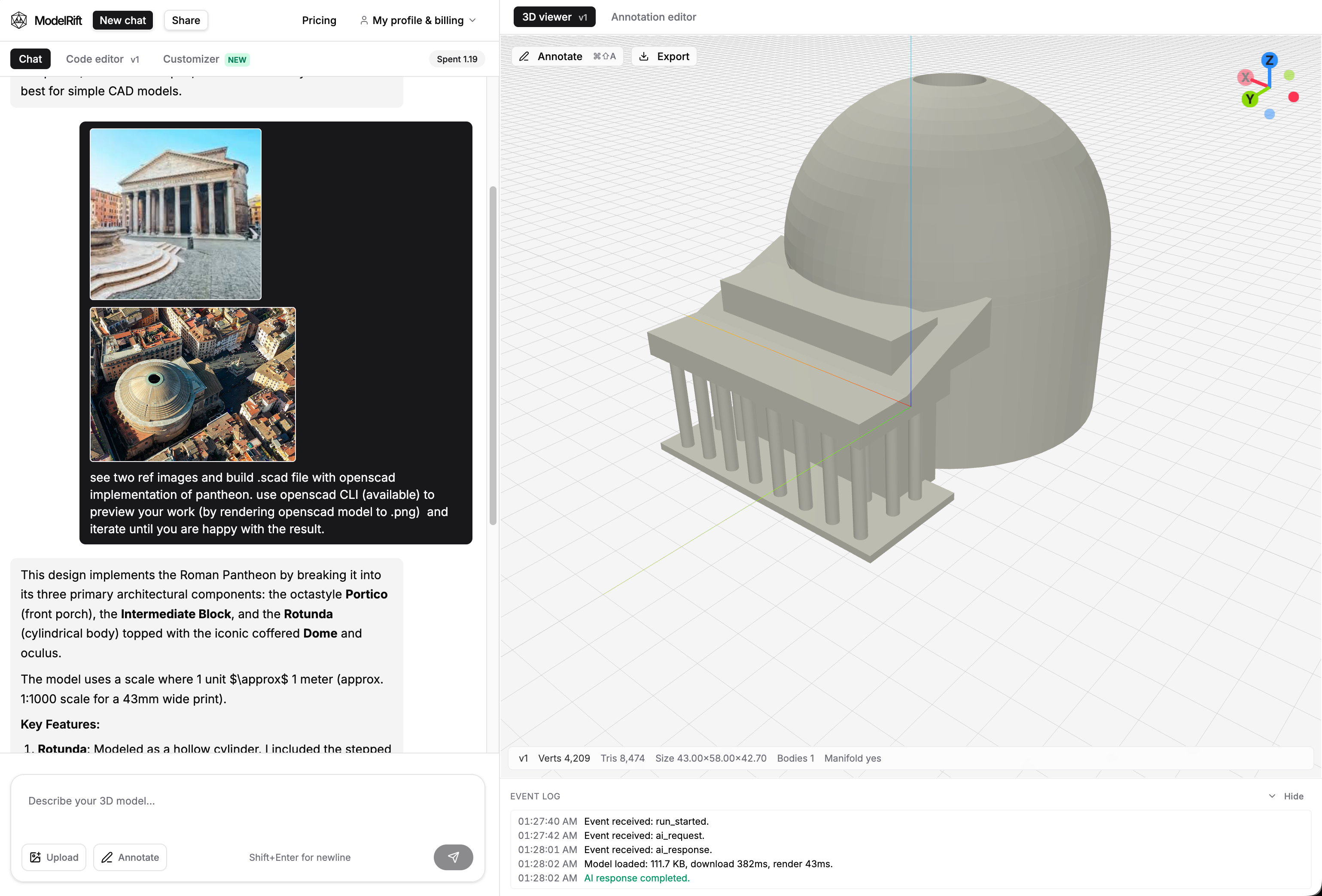
The first ModelRift pass produced a valid model quickly, but the roof and portico details were still rough. That is where annotation mode helped.
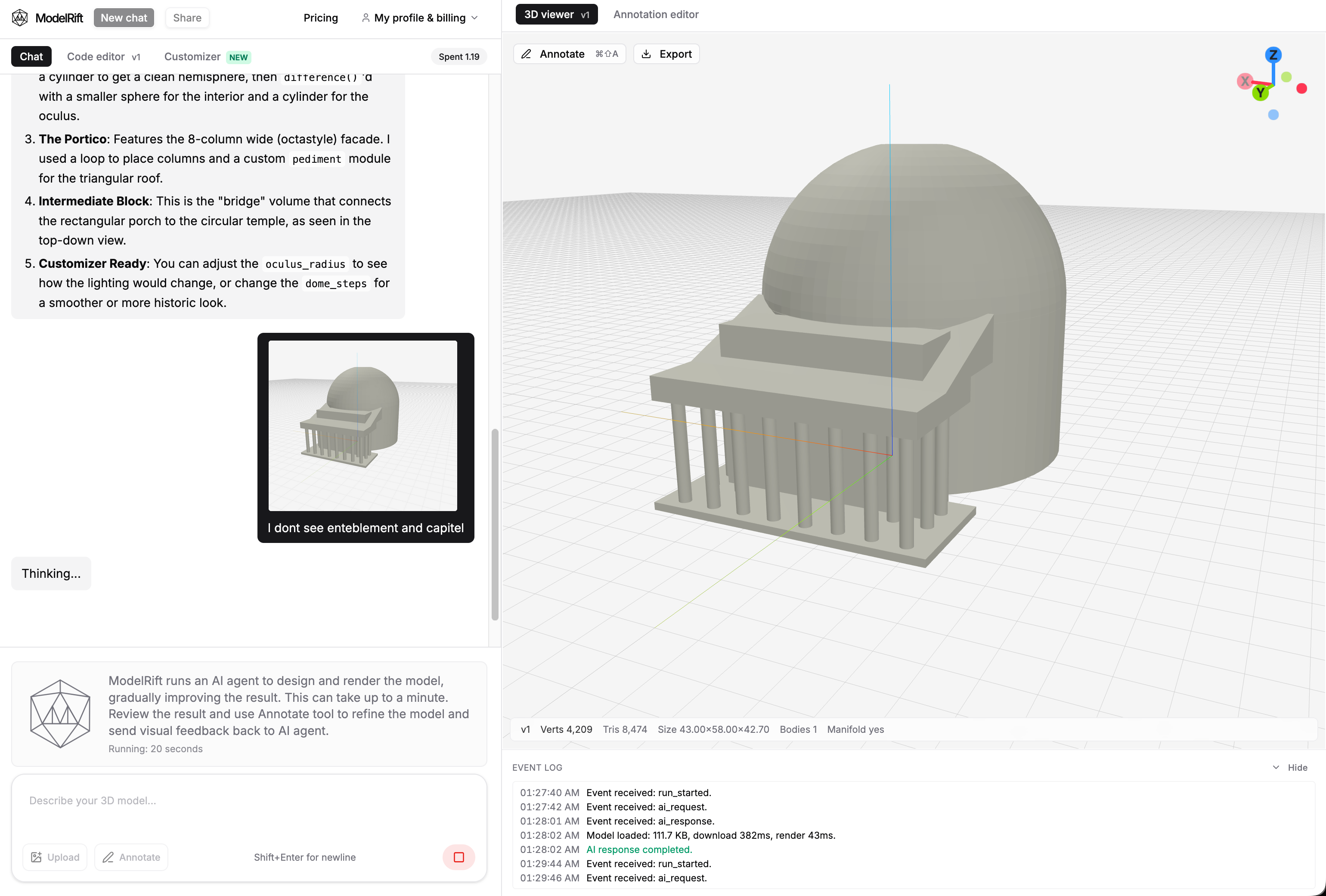
Instead of writing a long spatial correction, the feedback could point at the missing or weak features on the render.
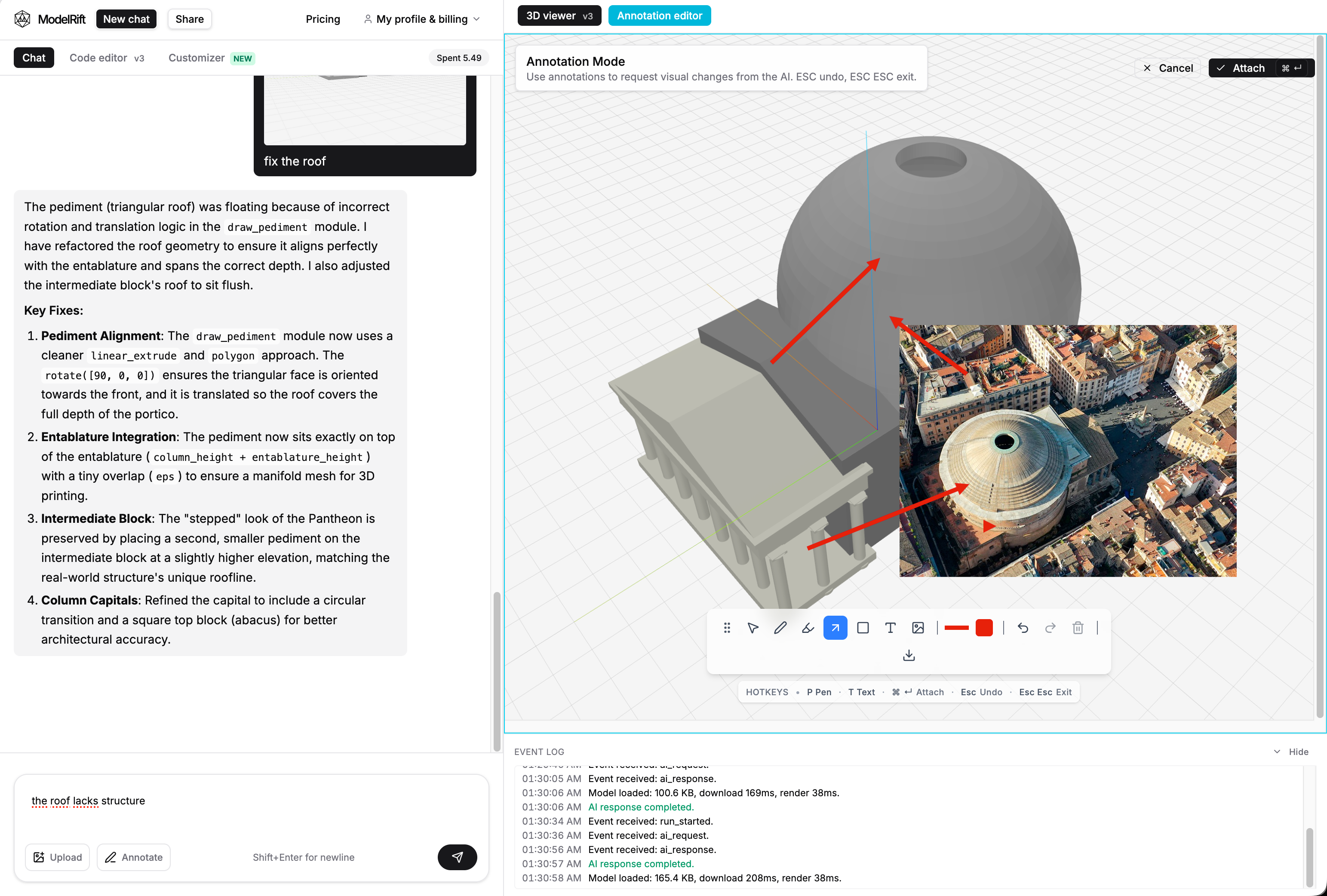
This is the workflow ModelRift is designed around: generate a model, inspect it in the browser, draw visual notes on the render, and ask the AI to revise the OpenSCAD. For spatial CAD tasks, that loop is much more precise than text-only instructions.
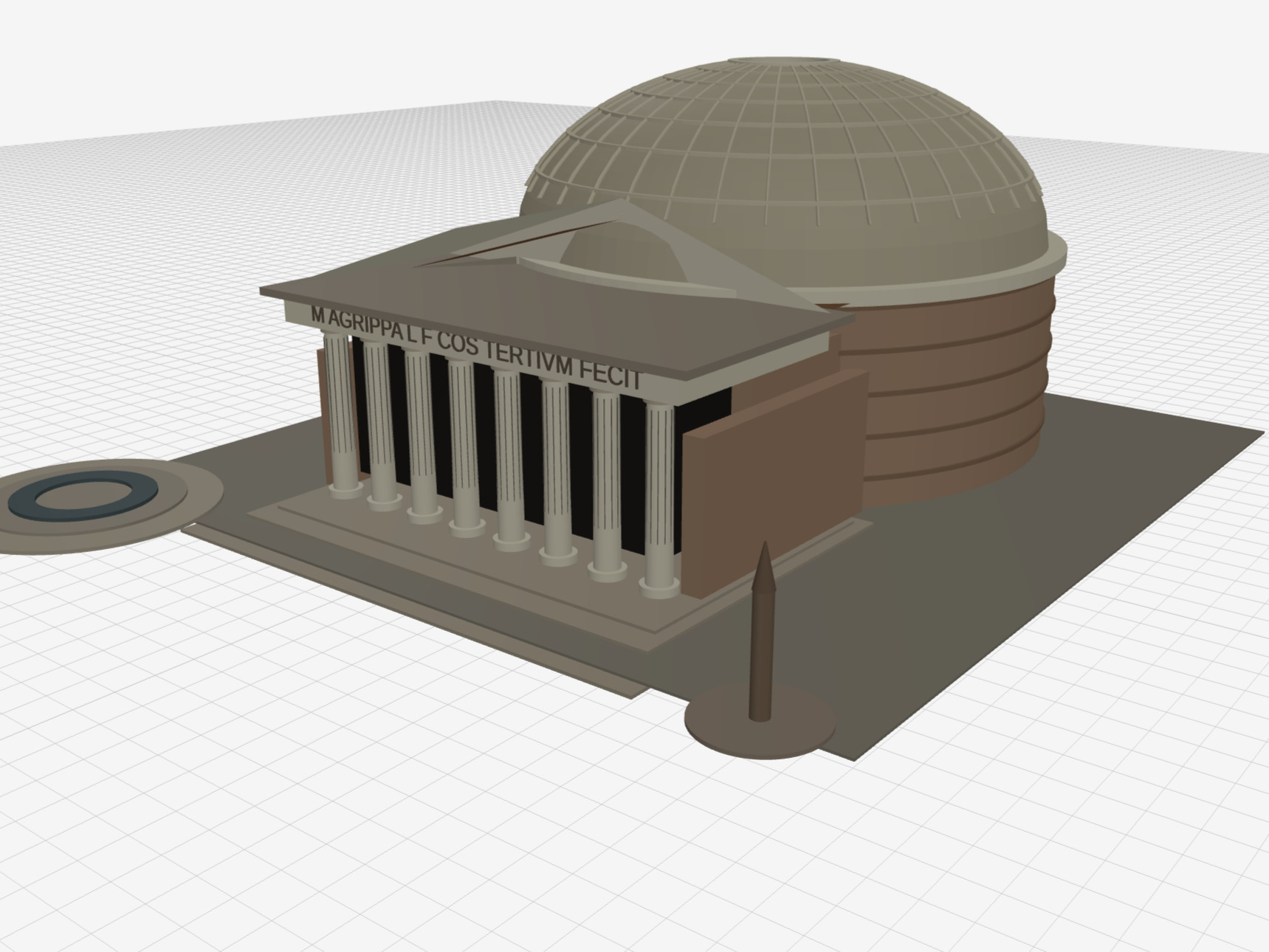
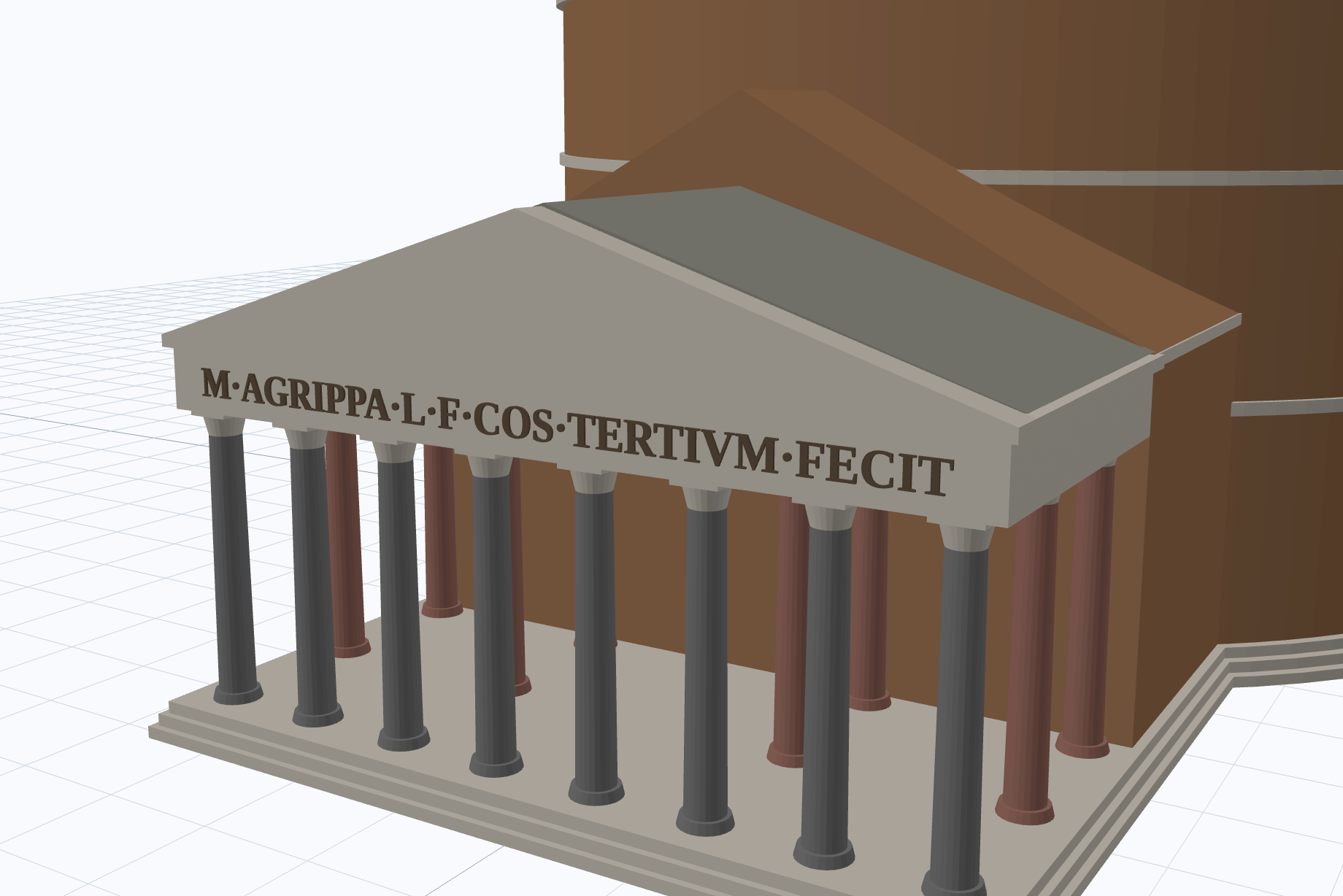
Codex 5.5 High produced the densest model. It included the rotunda, dome ribs, oculus, layered masonry bands, a front portico, columns, surrounding base details, and even text on the entablature: M AGRIPPA L F COS TERTIVM FECIT.
That inscription was impressive because text in OpenSCAD is not just decorative from a modeling perspective. It has to be placed, extruded, oriented, and kept thin enough to read without overwhelming the geometry.
The failure mode was also interesting. During iteration, the render previews looked better than the final exported STL. In the final result, the entablature and portico roof area developed a problematic ceiling-like surface that changed how the front assembly read. So Codex showed strong spatial reasoning and ambition, but it also exposed a real export-risk issue: preview correctness is not always final mesh correctness.
If we were scoring the best PNG preview rather than the published STL-backed result, Codex would land much higher. The preview had enough structure and detail to sit just behind the Antigravity 2.0 result. The 3.0/5 score is mostly a penalty for that unfortunate final export/rendering mismatch, not for the model’s design intent.
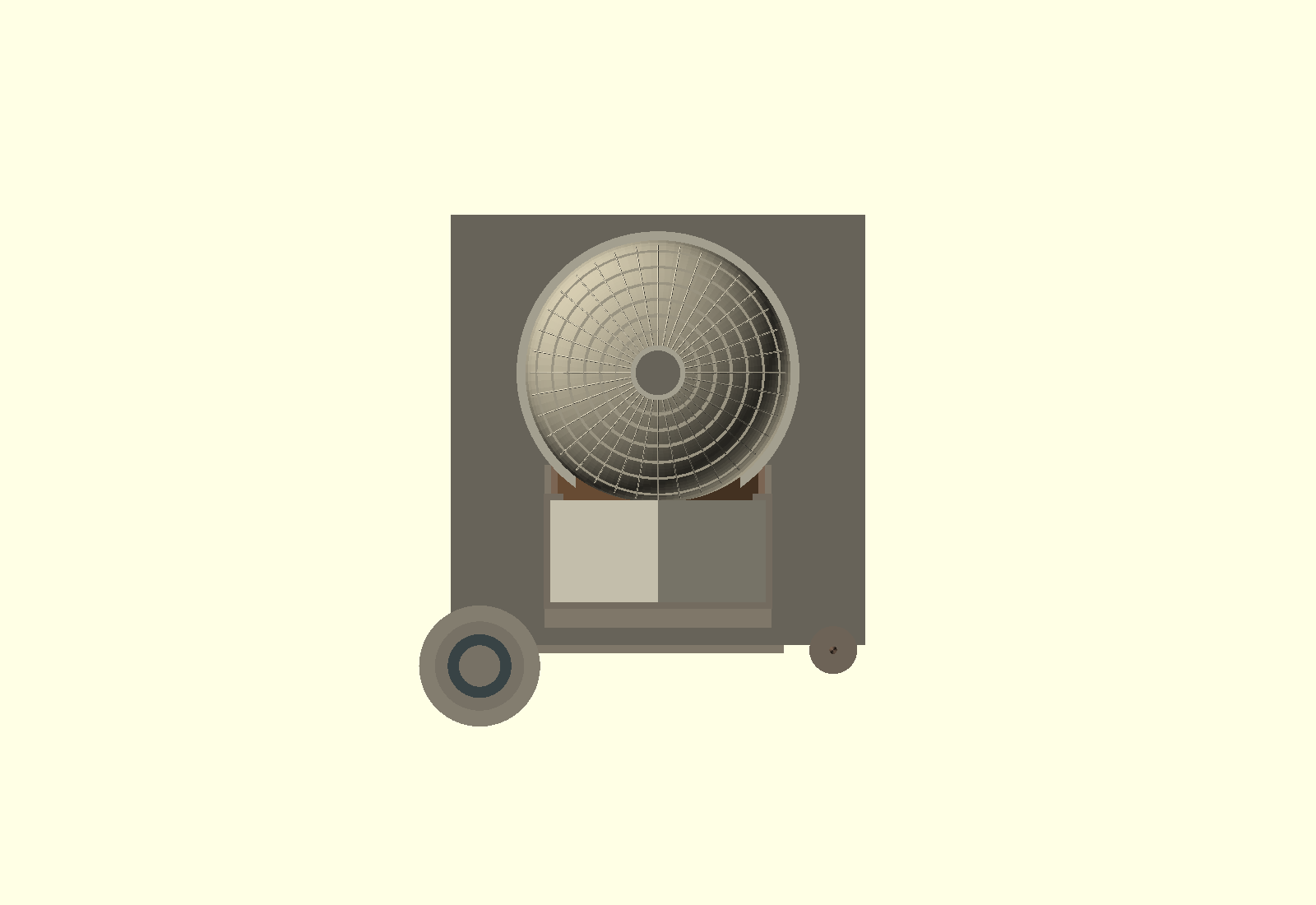
The editor screenshot above shows one of the intermediate project previews. The final public STL preview differs enough to matter, especially around the portico and entablature.
A later Codex attempt did analyze that issue and started removing the high-risk contact patterns near the portico roof and dome junction. That repair pass was useful process evidence, but it is not counted in the table because it happened after the benchmark result was recorded.
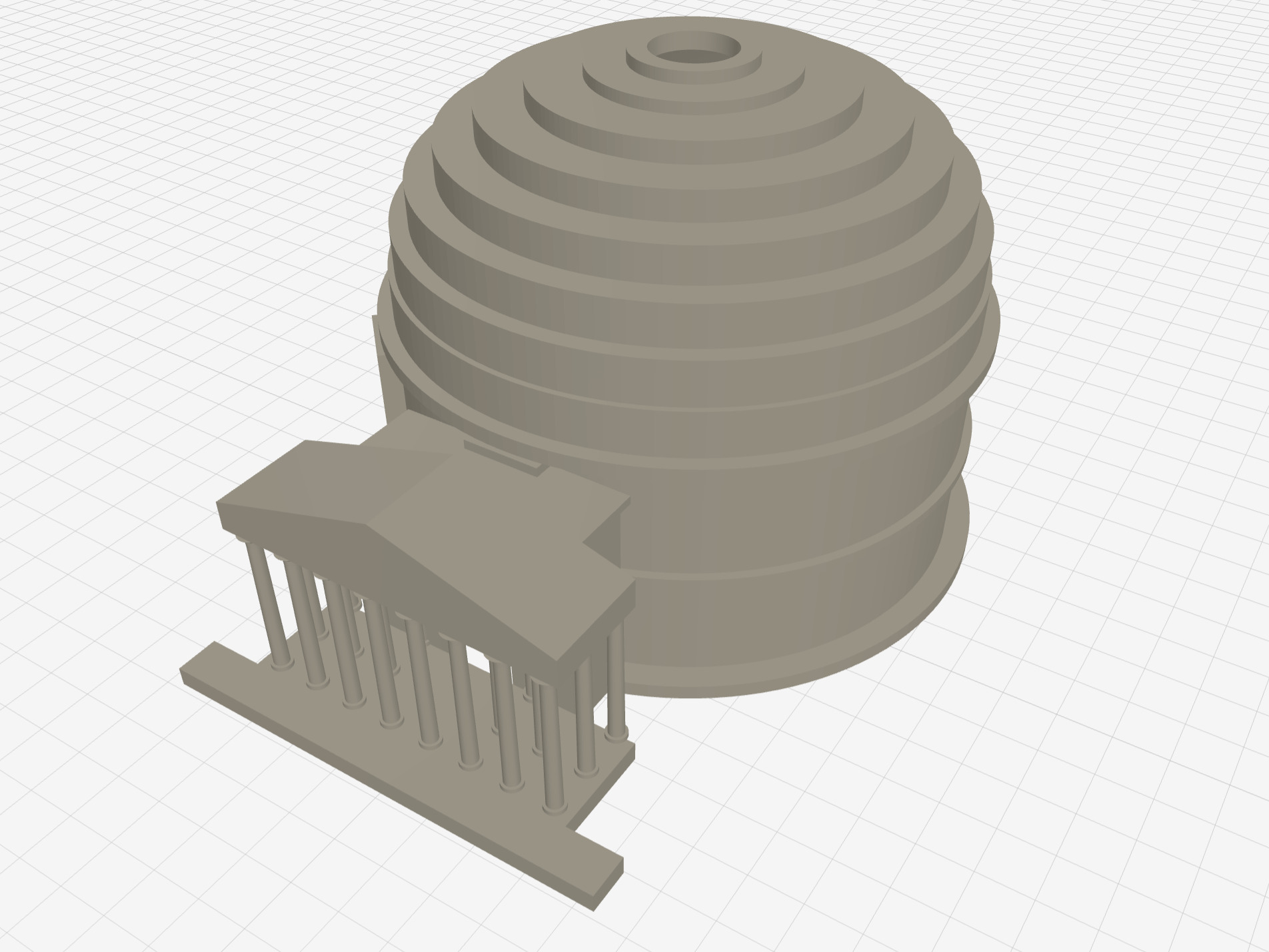
Claude Sonnet produced the cleanest model in the original autonomous batch. It did not attempt the same level of micro-detail as Codex, but the silhouette was cleaner and the major architectural parts fit together more naturally.
The dome, drum, portico, and column layout read as one building rather than a set of adjacent primitives. The proportions were also more restrained. Before the later Antigravity run, this was the strongest fully autonomous result.
The tradeoff was speed. Claude Code was roughly 2x-3x slower than Codex in this benchmark, and Sonnet gets the lowest time score here despite solid quality. Even then, the score is only 3.4/5 because the model is still an approximation, not a production-quality architectural reconstruction.
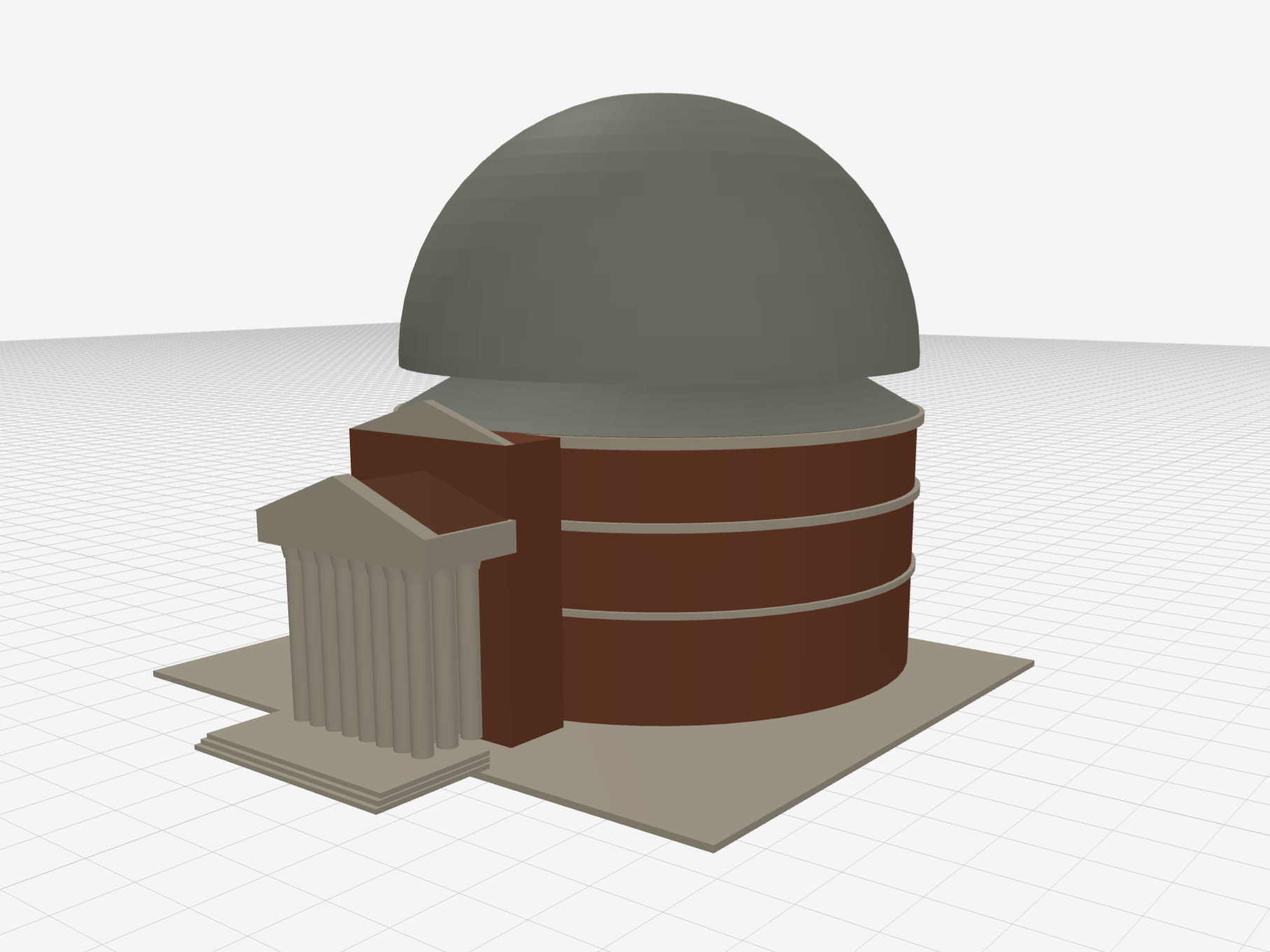
Cursor with Composer 2.5 was the fastest run, but the result was the poorest. It made the right broad gesture: a rotunda, a dome, a portico, and columns. But it missed the material restraint and architectural nuance that make the Pantheon recognizable.
The output looks more like a simplified placeholder than a finished model. It is useful as a first draft, but would need a lot of rework before publishing.
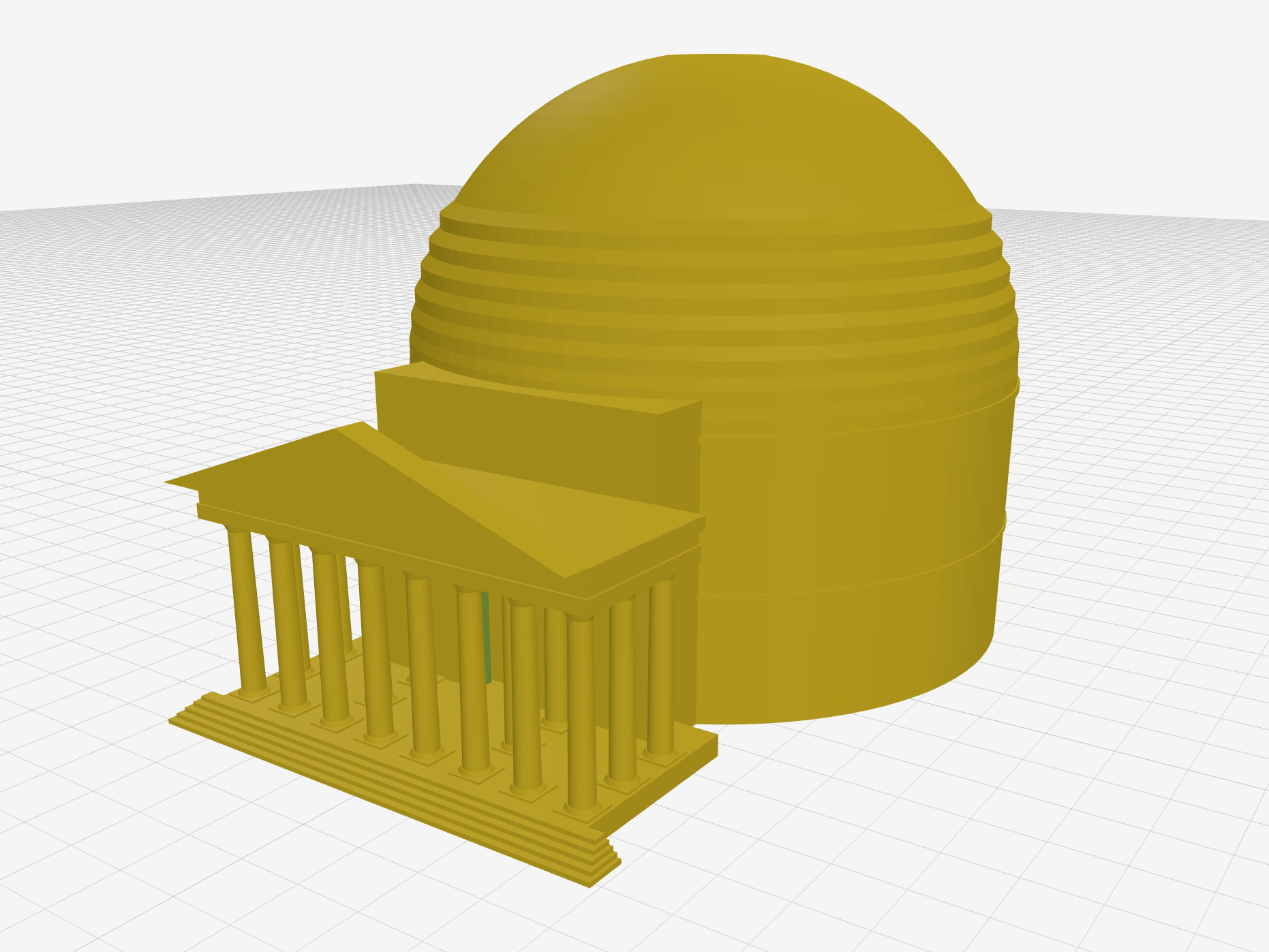
Claude Opus landed between Cursor and Sonnet. It produced a more complete building than Cursor, with a clearer portico and stepped base. But the output was too uniform and less convincing than Sonnet’s.
The model had structure, but not enough judgment about visual hierarchy. Almost everything is the same color and weight, so the details compete instead of guiding the eye. The updated score is 3.0/5: better than the first table version gave it credit for, but still behind Sonnet and Antigravity.
A few things came out of this clearly.
OpenSCAD held up as a target language. The syntax is compact, the output is deterministic, and the CLI renders previews you can inspect in a loop. The LLMs did not need hand-holding to use it.
Tool use was not the bottleneck. Every agent called OpenSCAD off the macOS PATH and rendered PNG previews without setup friction. The hard part was geometric judgment, not plumbing.
Speed did not predict quality. Cursor finished fastest and produced the weakest result. Sonnet took the longest among the original autonomous runs and produced the cleanest original autonomous model. Antigravity was also slow, but Gemini 3.5 Flash High produced the best autonomous result once it had time to plan and iterate. The ModelRift/Gemini Flash 3 run took longer still, but visual feedback pushed it above the first batch of autonomous runs.
Preview and export are not the same thing. Codex looked strong during the render loop but the final STL had geometry problems around the portico roof. For anything going to print, the exported mesh needs a separate inspection pass, not just the previews.
None of these outputs would pass as faithful architectural models. The Codex inscription is a nice touch; Sonnet’s proportions are coherent; Antigravity’s coffered ceiling is the most surprising detail; the ModelRift/Gemini Flash 3 result shows what happens when a person can steer the model visually. Two reference images and a short prompt, and every system got to valid, renderable OpenSCAD without writing a line of CAD code by hand. The quality gaps between tools are real, but that baseline is higher than we expected.
That said, the autonomous benchmark is only part of the story. In ModelRift, we still rely on Annotation Mode for iterative work: you draw arrows and notes directly on a 3D model screenshot and feed that back to the AI. For spatial geometry, that human-in-the-loop step matters even with tier-1 models. A model can get the broad massing right and still misplace columns or get dome proportions wrong. Pointing at the problem on the render is faster and more precise than describing it in text. Fully autonomous generation is not the right workflow for this kind of task yet.
此内容由惯性聚合(RSS阅读器)自动聚合整理,仅供阅读参考。 原文来自 — 版权归原作者所有。