惯性聚合 高效追踪和阅读你感兴趣的博客、新闻、科技资讯
阅读原文 在惯性聚合中打开

推荐订阅源

Y
Y Combinator Blog
博客园 - 司徒正美
TaoSecurity Blog
TaoSecurity Blog
Martin Fowler
Martin Fowler
T
Threat Research - Cisco Blogs
Blog — PlanetScale
Blog — PlanetScale
S
Secure Thoughts
博客园 - 三生石上(FineUI控件)
K
KPMG report finds enterprise disconnect between AI and its ROI | CIO
K
Kaspersky official blog
cs.CL updates on arXiv.org
Cisco Talos Blog
Cisco Talos Blog
H
Help Net Security
博客园 - 叶小钗
爱范儿
爱范儿
GbyAI
GbyAI
I
Intezer
M
MIT News - Artificial intelligence
Latest news
Latest news
Schneier on Security
T
Tor Project blog
Simon Willison's Weblog
I
InfoQ
Threat Intelligence Blog | Flashpoint
Cyber Security Advisories - MS-ISAC
C
CXSECURITY Database RSS Feed - CXSecurity.com
罗磊的独立博客
N
News and Events Feed by Topic
T
The Blog of Author Tim Ferriss
V2EX - 技术
V2EX - 技术
B
Blog
T
Tailwind CSS Blog
N
Netflix TechBlog - Medium
Security Latest
Security Latest
V
V2EX
F
Fortinet All Blogs
Forbes - Security
Forbes - Security
Application and Cybersecurity Blog
The Hacker News
The Hacker News
Scott Helme
Scott Helme
P
Privacy International News Feed
P
Palo Alto Networks Blog
H
Heimdal Security Blog
C
Cisco Blogs
T
The Exploit Database - CXSecurity.com
博客园 - Franky
酷 壳 – CoolShell
酷 壳 – CoolShell
G
Google Developers Blog
W
WeLiveSecurity
L
LINUX DO - 最新话题

芈亓的Blog

Docker迁移数据教程 – 芈亓的Blog CentOS安装记录之固定IP – 芈亓的Blog CentOS安装记录之无线网卡 – 芈亓的Blog IDEA通用激活码,有效期一年 – 芈亓的Blog Intellij IDEA激活码 – 芈亓的Blog 阿里云服务器学生合集,赶快看过来!!! – 芈亓的Blog ChatGPT-NEXT-Web免费使用 – 芈亓的Blog swagger使用教程 – 芈亓的Blog SpringBoot项目集成QuartzJob任务 – 芈亓的Blog Maven加载本地Jar包的实操记录 – 芈亓的Blog MySQL主从复制学习小记 – 芈亓的Blog Elasticsearch 保姆级入门篇 – 芈亓的Blog 免费搭建自己的私人ChatGPT小助手 – 芈亓的Blog 宝塔面板使用记录分享 – 芈亓的Blog “七七事变”86周年!勿忘国耻,吾辈自强! – 芈亓的Blog 炒菜的一个坏习惯,很多人还在做! – 芈亓的Blog 早上吃粽子,要多久才能消化完? – 芈亓的Blog 长夏如意,逢考必赢 – 芈亓的Blog 公司砍的就剩我俩了,万万没想到... – 芈亓的Blog
NVM安装步骤及使用方法 – 芈亓的Blog
芈亓 · 2023-06-27 · via 芈亓的Blog

NVM说明

nvm 主要是用来管理 nodejs 和 npm 版本的工具,可以用来切换不同版本的 nodejs。

NVM下载

https://github.com/coreybutler/nvm-windows/releases
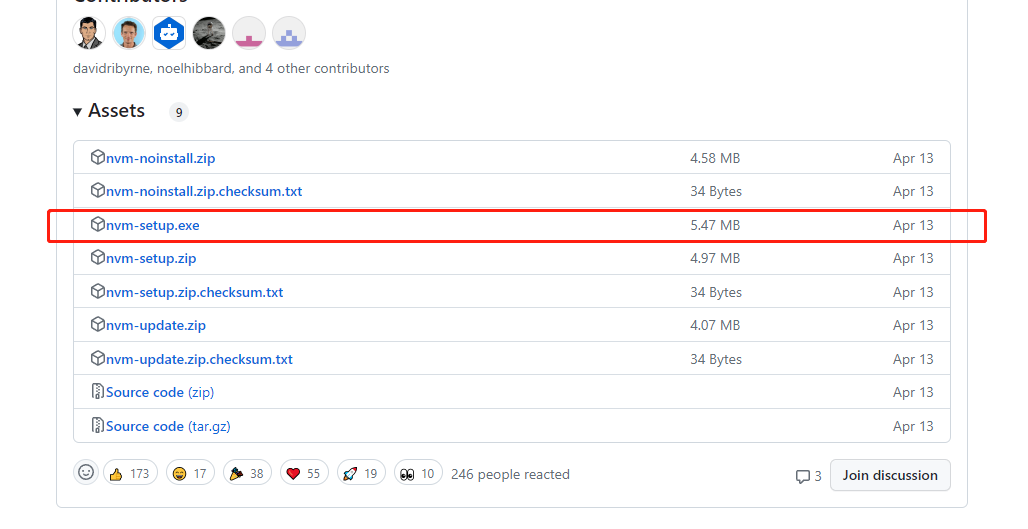
image-1687795672304

NVM安装

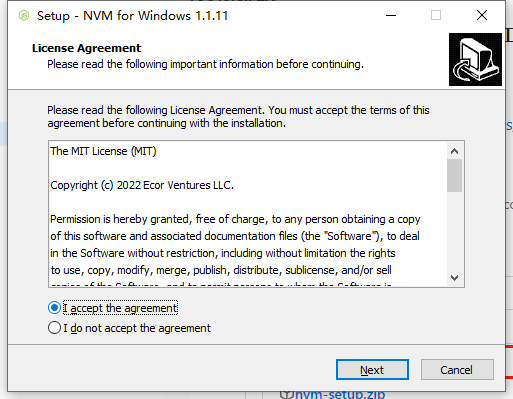
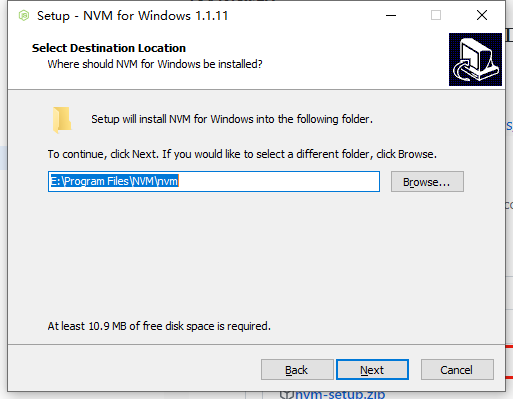
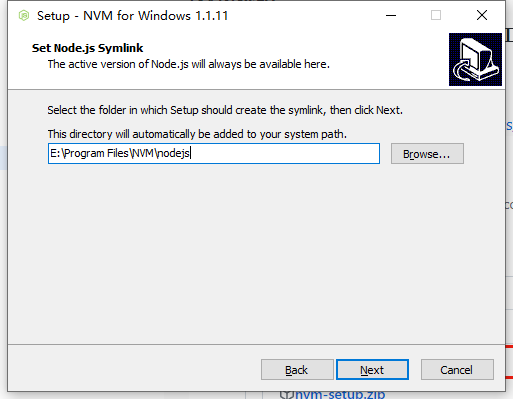
顺序如下,请自行参考(具体的安装位置因人而异):
image-1687795736460
image-1687795742448
image-1687795771810
image-1687795781148

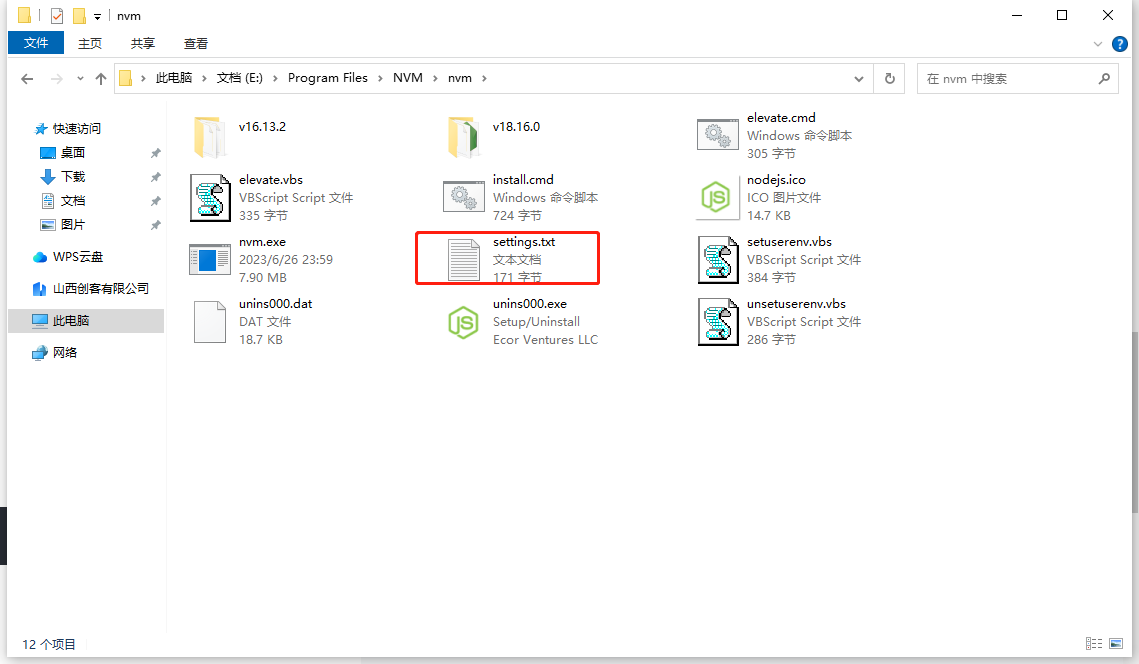
NVM安装完成之后添加命令

image-1687795887311
image-1687795899224
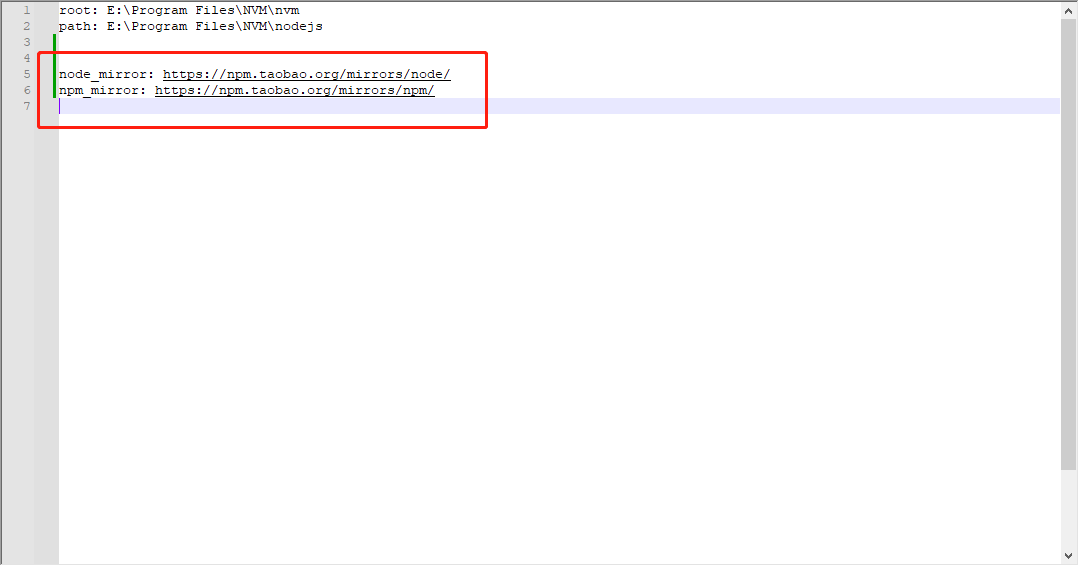
找到指定nvm打开后,给该文件添加这两行命令:

node_mirror: https://npm.taobao.org/mirrors/node/
npm_mirror: https://npm.taobao.org/mirrors/npm/

添加环境变量配置

①右击此电脑
②选择属性
③选择高级系统设置
新添加如下两个配置(以自己实际安装位置为准):
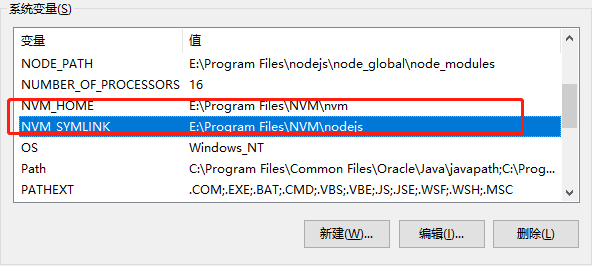
image-1687795980214

NVM_HOME       		:        E:\Program Files\NVM\nvm
NVM_SYMLINK   	   :  		E:\Program Files\NVM\nodejs

以上即完成了NVM的安装

以下是NVM的常用命令

nvm -v 查看当前版本
nvm --config 
nvm list 查看已安装node版本列表
nvm install 版本号 下载对应node版本(如:nvm install 16.13)
nvm use 版本号 切换node版本
nvm on 开启nvm
nvm off 关闭nvm
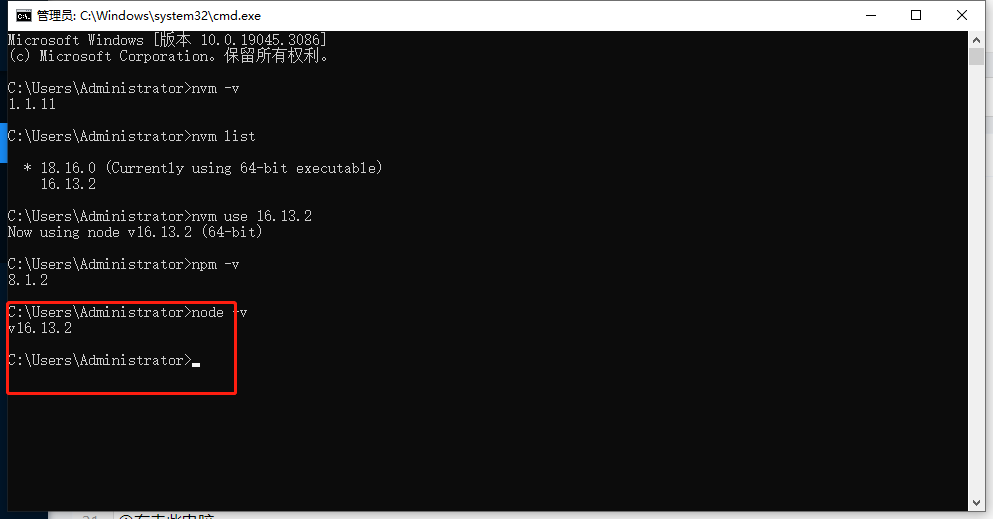
image-1687796377864