惯性聚合 高效追踪和阅读你感兴趣的博客、新闻、科技资讯
阅读原文 在惯性聚合中打开

推荐订阅源

V
Vulnerabilities – Threatpost
U
Unit 42
F
Fortinet All Blogs
aimingoo的专栏
aimingoo的专栏
P
Proofpoint News Feed
F
Full Disclosure
月光博客
月光博客
Engineering at Meta
Engineering at Meta
博客园_首页
The Register - Security
G
Google Developers Blog
The Cloudflare Blog
博客园 - Franky
K
Kaspersky official blog
A
Arctic Wolf
Scott Helme
Scott Helme
C
Cisco Blogs
Hugging Face - Blog
Hugging Face - Blog
C
Check Point Blog
NISL@THU
NISL@THU
AI
AI
D
DataBreaches.Net
Cyber Security Advisories - MS-ISAC
Stack Overflow Blog
Stack Overflow Blog
Project Zero
Project Zero
The GitHub Blog
The GitHub Blog
H
Hackread – Cybersecurity News, Data Breaches, AI and More
量子位
Vercel News
Vercel News
T
Tor Project blog
P
Privacy International News Feed
D
Docker
I
Intezer
L
LangChain Blog
P
Proofpoint News Feed
Security Latest
Security Latest
C
CXSECURITY Database RSS Feed - CXSecurity.com
T
Threatpost
博客园 - 聂微东
AWS News Blog
AWS News Blog
Martin Fowler
Martin Fowler
P
Privacy & Cybersecurity Law Blog
V
V2EX
Last Week in AI
Last Week in AI
C
Cybersecurity and Infrastructure Security Agency CISA
The Hacker News
The Hacker News
T
Tenable Blog
Blog — PlanetScale
Blog — PlanetScale
钛媒体:引领未来商业与生活新知
钛媒体:引领未来商业与生活新知
T
Tailwind CSS Blog

梦荟楼的后花园

玩转OpenClaw(Moltbot)|启用webui-梦荟楼的后花园 玩转OpenClaw(Moltbot)|重生之我用ai自动考试-梦荟楼的后花园 银河麒麟CVE-2025-6019漏洞排查和修复-梦荟楼的后花园 国产系统(kylin、uos)维护工具推荐-梦荟楼的后花园 debian常用命令、配置文件位置及配置方式-梦荟楼的后花园 华为防火墙多wan口指定接口进行dns透明代理-梦荟楼的后花园 华为防火墙光电互斥口切换模式-梦荟楼的后花园 天融信防火墙设置双向地址转换-梦荟楼的后花园 1panel添加群晖webdav作为备份账号-梦荟楼的后花园 Windows映射文件夹-梦荟楼的后花园 Windows命令查看文件的MD5/SHA1/SHA256-梦荟楼的后花园 雷池最佳实践-梦荟楼的后花园 matomo设置使用cdn获取真实客户端IP-梦荟楼的后花园 Linux硬盘io测试-梦荟楼的后花园 Debian12配置静态ipv4和ipv6-梦荟楼的后花园 雷池专业版4.3.0测评💦-梦荟楼的后花园 长亭新春礼盒开箱-梦荟楼的后花园 盈高准入加密U盘或移动硬盘时一直提示正在等待Windows加载系统盘符-梦荟楼的后花园 华为交换机解决设备观察端口不足的问题-梦荟楼的后花园
linux下使用硬盘哨兵查看raid下硬盘健康状态-梦荟楼的后花园
梦荟楼 · 2024-07-05 · via 梦荟楼的后花园

环境

系统:debian12

阵列卡:H730P

raid:raid5

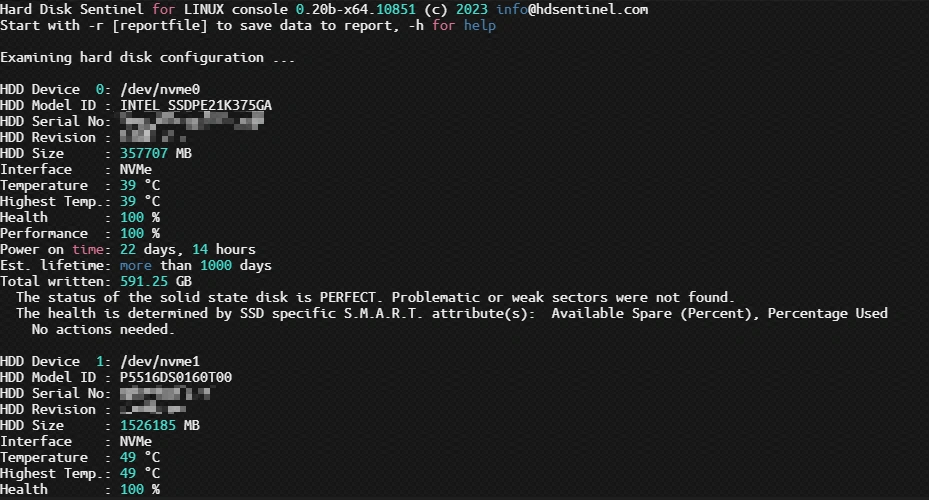
任务目标在命令行下使用硬盘哨兵查看raid下硬盘的健康状态

下载硬盘哨兵linux版

https://www.hdsentinel.com/hard_disk_sentinel_linux.php

在此处下载硬盘哨兵
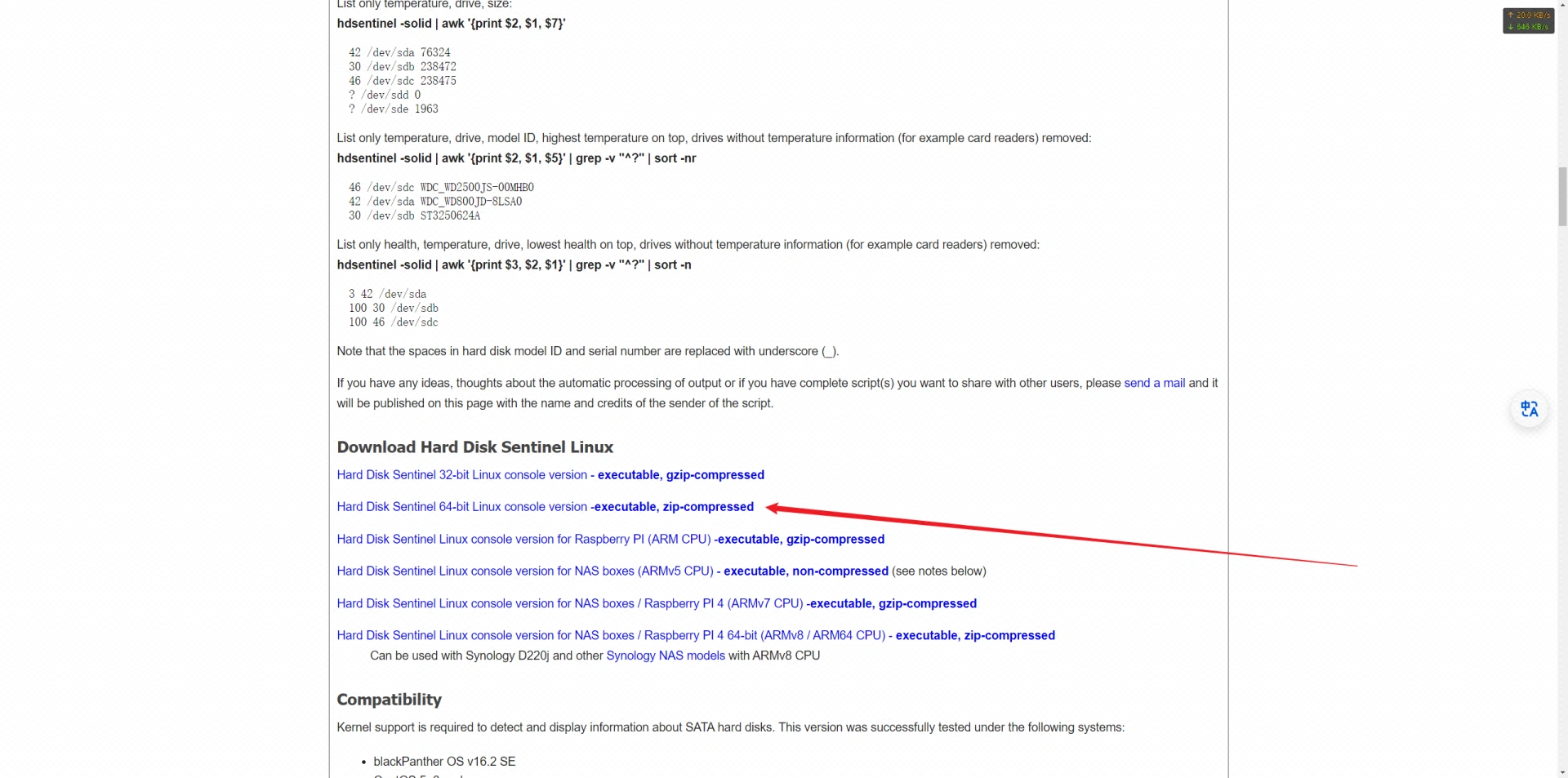
下载方式

wget

复制该链接的url使用命令wget + url即可下载,如wget https://www.hdsentinel.com/hdslin/hdsentinel-020b-x64.zip 下载完成后再解压即可

下载到本地通过ssh上传

将文件下载后通过scp来上传文件,如scp D:\system\download\IDM\压缩文件\HD  root@192.168.0.101:/root/ 此命令意思为上传D盘 \system\download\IDM\压缩文件\ 目录下的HD 文件到192.168.0.101 这台服务器的root 目录下

运行硬盘哨兵

进入到硬盘哨兵文件所在目录,默认硬盘哨兵的文件名为HDSentinel 本文就以HDSentinel 文件来做示例

赋权

使用chmod命令该给硬盘哨兵执行权限 ,在硬盘哨兵所在目录下执行chmod 755 HDSentinel 即可

运行

在硬盘哨兵所在目录下执行./HDSentinel 即可