












书接上文
table-transformer,来自微软,基于Detr,在PubTables1M 数据集上进行训练,模型是在提出数据集同时的工作,
paper PubTables-1M: Towards comprehensive table extraction from unstructured documents,发表在2022年的 CVPR
数据来自 PubMed PMCOA 数据库的 一百万个 文章表格
PubTables-1M 针对表格处理 一共有 三个任务(所以table transformer 也能做到)
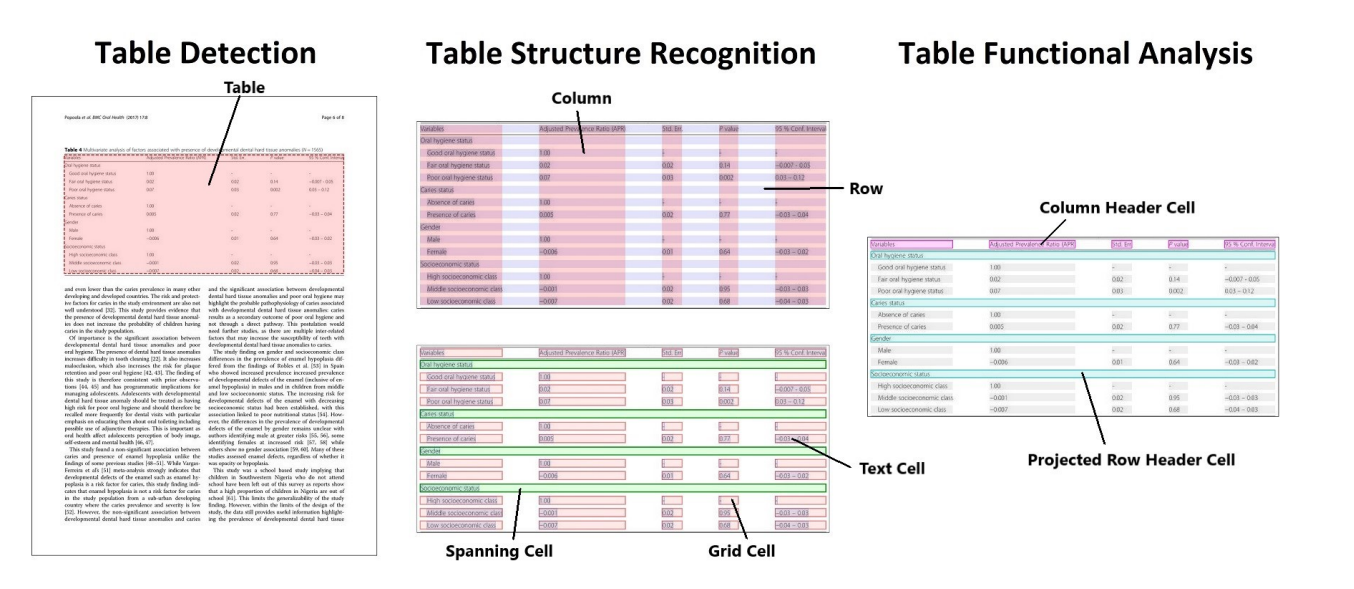
table-transformer
是第一个将 detr 用于 表格处理任务的 模型,没有使用任何特别的定制模块,简称为 TATR
we apply the Detection Transformer (DETR) [2] for the first time to the tasks of TD, TSR, and FA, and demonstrate how with PubTables-1M all three tasks can be addressed with a transformer-based object detection framework without any special customization for these tasks.
有关模型详细的权重、指标信息 可以通过论文 和 Github仓库 可以进一步了解
https://arxiv.org/abs/2110.00061
https://github.com/microsoft/table-transformer
官方也在HuggingFace 上提供了各个模型权重
https://huggingface.co/collections/microsoft/table-transformer-6564528e330b667bb267502e
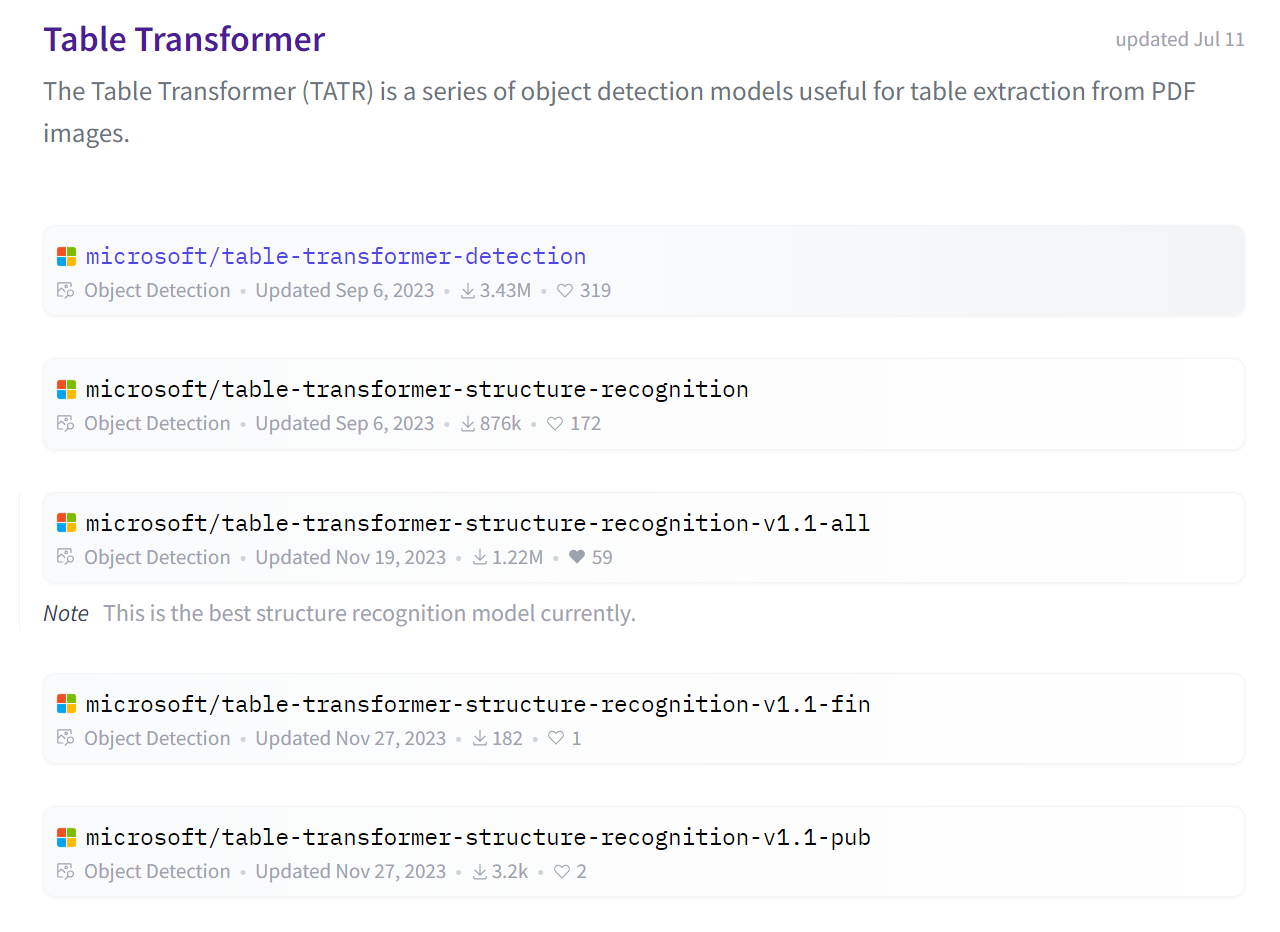
各个模型的版本和区别 信息如下
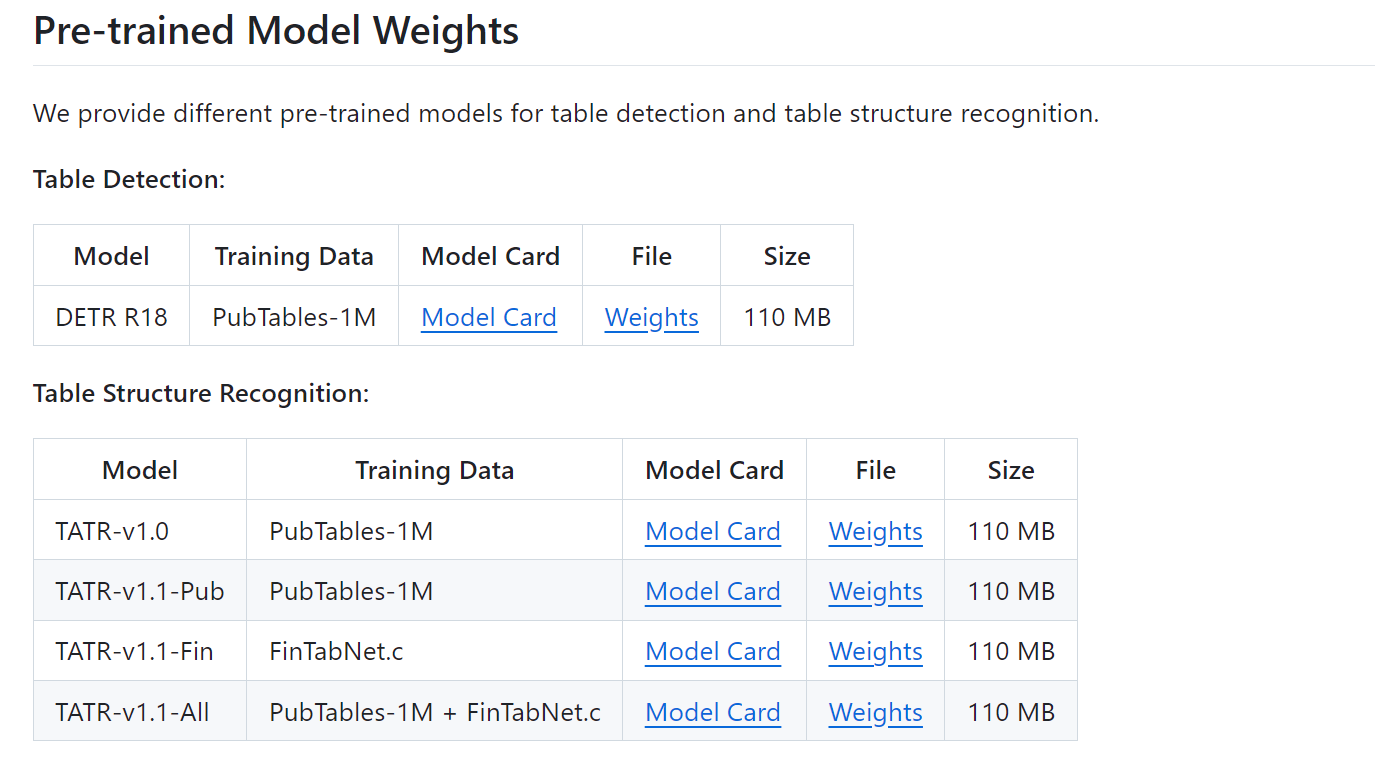
官方提示,microsoft/table-transformer-structure-recognition-v1.1-all 是最好的结构识别模型
如有问题,需要帮助,欢迎留言、私信或加群 交流【群号:392784757】
通过这样设置,可以加速下载以及保存模型到当前文件夹下
import os
os.environ["HF_ENDPOINT"] = "https://hf-mirror.com"
os.environ["HF_HUB_ENABLE_HF_TRANSFER"] = "0"
os.environ['HF_HUB_CACHE'] = './hf_models/'
打开文件
table_img_path = './table.jpg'
image = Image.open(table_img_path).convert("RGB")
file_name = table_img_path.split('/')[-1].split('.')[0]
加载模型
image_processor = AutoImageProcessor.from_pretrained("microsoft/table-transformer-detection")
model = TableTransformerForObjectDetection.from_pretrained("microsoft/table-transformer-detection")
模型推理
inputs = image_processor(images=image, return_tensors="pt")
outputs = model(**inputs)
结果解析
i = 0
for score, label, box in zip(results["scores"], results["labels"], results["boxes"]):
    box = [round(i, 2) for i in box.tolist()]
    print(
        f"Detected {model.config.id2label[label.item()]} with confidence "
        f"{round(score.item(), 3)} at location {box}"
    )

    region = image.crop(box) #检测
    region.save(f'./{file_name}_{i}.jpg')
i += 1打开图片与模型加载
from transformers import DetrFeatureExtractor
feature_extractor = DetrFeatureExtractor()

file_path = "./locate_table.jpg"
image = Image.open(file_path).convert("RGB")

encoding = feature_extractor(image, return_tensors="pt")
model = TableTransformerForObjectDetection.from_pretrained("microsoft/table-transformer-structure-recognition-v1.1-all")
print(model.config.id2label)
# {0: 'table', 1: 'table column', 2: 'table row', 3: 'table column header', 4: 'table projected row header', 5: 'table spanning cell'}
模型推理与后处理
with torch.no_grad():
    outputs = model(**encoding)

target_sizes = [image.size[::-1]]
results = feature_extractor.post_process_object_detection(outputs, threshold=0.6, target_sizes=target_sizes)[0]
# print(results)
结果解析
header
headers_box_list = [results['boxes'][i].tolist() for i in range(len(results['boxes'])) if results['labels'][i].item()==3]
crop_image = image.crop(headers_box_list[0])
crop_image.save('header.png')
column
columns_box_list = [results['boxes'][i].tolist() for i in range(len(results['boxes'])) if results['labels'][i].item()==1]
print(len(columns_box_list))
row
rows_box_list = [results['boxes'][i].tolist() for i in range(len(results['boxes'])) if results['labels'][i].item()==2]
print(len(rows_box_list))
cell
cell_draw_image = image.copy()
cell_draw = ImageDraw.Draw(cell_draw_image)

# col row inserction
for col in columns_box_list:
  for row in rows_box_list:
    cell = intersection(col,row) # 自行定义
    if cell is not None:
       cell_draw.rectangle(cell, outline="red", width=3)

cell_draw_image.save("cells.png")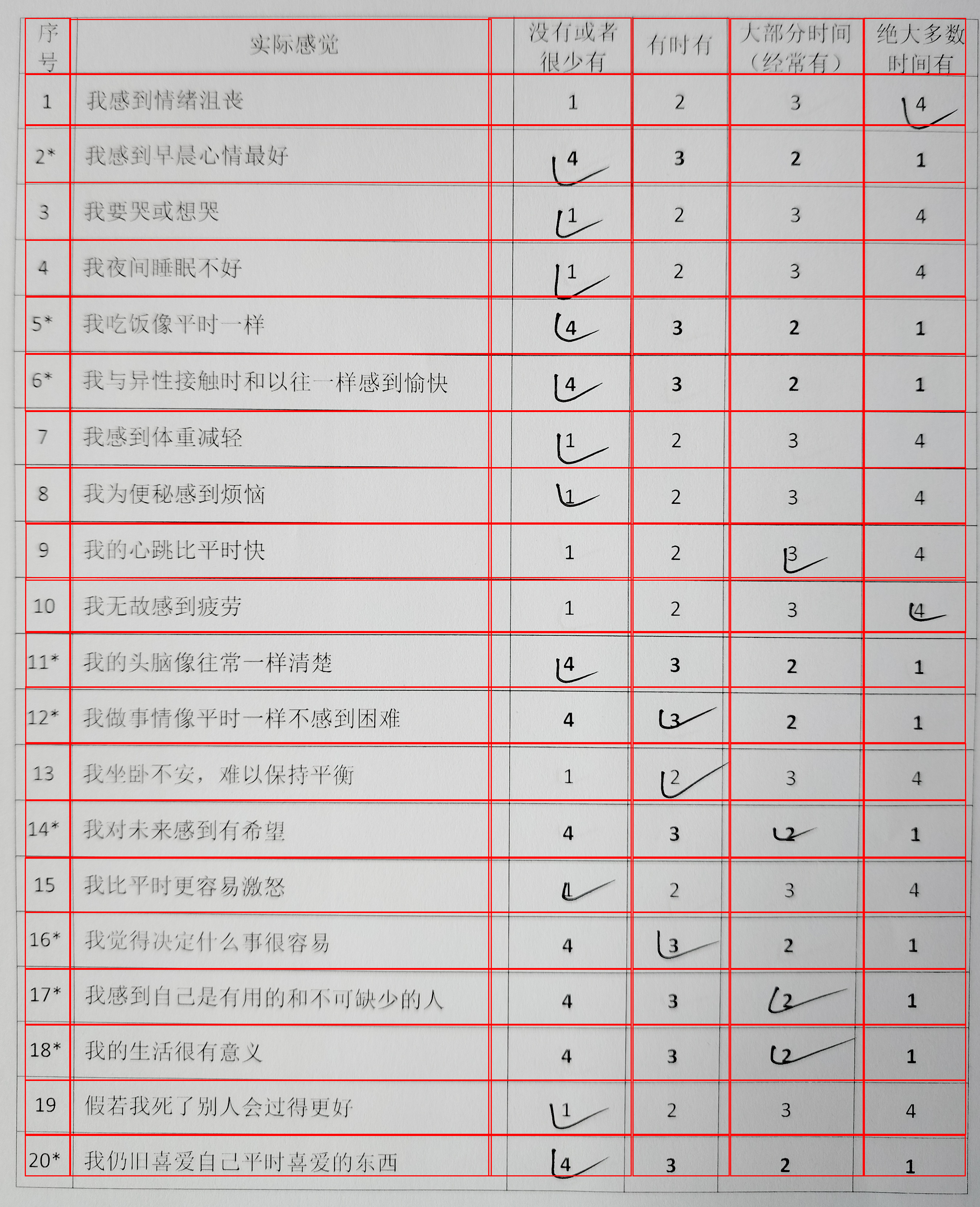
效果不错
感谢以下文章提供的灵感与代码参考
此内容由惯性聚合(RSS阅读器)自动聚合整理,仅供阅读参考。 原文来自 — 版权归原作者所有。