惯性聚合 高效追踪和阅读你感兴趣的博客、新闻、科技资讯
阅读原文 在惯性聚合中打开

推荐订阅源

T
Troy Hunt's Blog
cs.AI updates on arXiv.org
T
Threat Research - Cisco Blogs
K
KPMG report finds enterprise disconnect between AI and its ROI | CIO
Schneier on Security
Scott Helme
Scott Helme
L
LINUX DO - 热门话题
Help Net Security
Help Net Security
cs.CL updates on arXiv.org
P
Palo Alto Networks Blog
P
Privacy International News Feed
AWS News Blog
AWS News Blog
Forbes - Security
Forbes - Security
N
News and Events Feed by Topic
L
LINUX DO - 最新话题
A
Arctic Wolf
Hacker News: Ask HN
Hacker News: Ask HN
P
Proofpoint News Feed
N
News and Events Feed by Topic
S
Security @ Cisco Blogs
Cyberwarzone
Cyberwarzone
Google Online Security Blog
D
Darknet – Hacking Tools, Hacker News & Cyber Security
PCI Perspectives
PCI Perspectives
Know Your Adversary
Know Your Adversary
The Hacker News
The Hacker News
www.infosecurity-magazine.com
T
Tenable Blog
S
Security Affairs
P
Privacy & Cybersecurity Law Blog
W
WeLiveSecurity
Jina AI
Jina AI
The GitHub Blog
The GitHub Blog
S
Securelist
AI
AI
Latest news
Latest news
T
The Blog of Author Tim Ferriss
Application and Cybersecurity Blog
C
Cybersecurity and Infrastructure Security Agency CISA
月光博客
月光博客
酷 壳 – CoolShell
酷 壳 – CoolShell
C
CXSECURITY Database RSS Feed - CXSecurity.com
美团技术团队
G
GRAHAM CLULEY
cs.CV updates on arXiv.org
Simon Willison's Weblog
Hacker News - Newest:
Hacker News - Newest: "LLM"
C
Cisco Blogs
V
Visual Studio Blog
L
LangChain Blog

ddadaal.me

fork subgen实现纯本地AI视频字幕生成和翻译 - ddadaal.me 把nanobot关进Docker后,如何同时保留浏览器可视化与自动化 - ddadaal.me 可划分显存 != 统一内存:AI Max+ 395 64G AI推理性能 2025年总结 - ddadaal.me 14寸16核32线程:搭载AMD AI Max+ 395的HP战99 Ultra使用感受 Node是并发性能的绊脚石吗?测试Express服务器的基准并发能力 - ddadaal.me 用大模型总结文章:效果很好,但是玄学 - ddadaal.me 2024年总结 - ddadaal.me 在西雅图,给生活换个环境 - ddadaal.me 从调库到翻源代码:给wakapi增加SQL Server支持 - ddadaal.me 增加自制博客点击量统计 - ddadaal.me 博客集成AI文章总结功能 - ddadaal.me 2023年总结 - ddadaal.me 博客的发展2:重写,重生 - ddadaal.me 2022年总结 - ddadaal.me 2021年总结 - ddadaal.me 我的第一个真实项目:总结和经验 - ddadaal.me 一次生产环境的文件丢失事故:复盘和教训 - ddadaal.me react-typed-i18n: 使用Template Literal Types实现强类型的i18n - ddadaal.me wslg初体验:最佳Linux发行版? - ddadaal.me 借助Docker,把VPN当作HTTP代理来用 - ddadaal.me 2020年总结 - ddadaal.me 美好的回忆和未知的未来:写在研究生开学前 - ddadaal.me 使用X11 Forwarding在WSL 2中运行GUI程序 - ddadaal.me 在小手机已经消失的时代,我选择了Galaxy S20 - ddadaal.me 使用PowerShell脚本让UWP应用使用localhost上的系统代理 - ddadaal.me 安装Arch Linux并使用N卡玩Steam游戏 - ddadaal.me 可靠性、辅助功能和多屏协同:我对智能手表的体验和看法 - ddadaal.me 从VSCode到Vim到……两个都用? - ddadaal.me 2019年总结 - ddadaal.me 入手4K显示器:LG 27UL550 - ddadaal.me 暗色模式上线 - ddadaal.me 修复gatsby-transformer-remark插件中文词数统计错误问题 - ddadaal.me 折腾Linux: 从实体机到Win10 - ddadaal.me 从viccrubs改名为ddadaal - ddadaal.me A React Form Component Performance Optimization with Profiler 博客的发展一:RSS,国内托管…… - ddadaal.me 2016至2019,和南京大学微软学生俱乐部一起成长 - ddadaal.me 北大信科 | 上交软院 | 南大软院夏令营经历 使用MVC、MVP、MVVM和FRP实现Android局域网群聊应用 - ddadaal.me 2019年春微软实习面试经验 - ddadaal.me Strongly Typed i18n with TypeScript A Kotlin DI Framework in 50 Lines and Thoughts on Kotlin 7天Hackathon,Web前端极速入门指南 - ddadaal.me An Infinite Loop Caused by Updating a Map during Iteration Simstate and Why - ddadaal.me 2018年总结 - ddadaal.me MSRA DKI组前端面经 - ddadaal.me Safety/Security and Extensibility/Scalability in Software System Design and Architecture 微软听听文档体验报告 - ddadaal.me 正则语法分析器和LALR(1)词法分析器 - ddadaal.me 新博客正式上线 - ddadaal.me 写代码要动脑子! - ddadaal.me 2017年总结 - ddadaal.me Python语言实现的符合本福特定律的十进制固定长度随机数发生器 - ddadaal.me 院自建GitLab CI配置实录 - ddadaal.me C++测例查看器 - ddadaal.me
C++插件在VS2017上无法使用的分析 - ddadaal.me
2017-09-27 · via ddadaal.me

✨AI全文摘要

DeepSeek R1DeepSeek R1 8B

作者在VS2017中使用CppPlugin插件时出现“获取可执行文件路径出错”,反编译定位到TestControllerImp.cs中通过ConfigurationManager获取输出路径的代码存在异常。测试发现VS2017的Configuration.Properties返回null,导致API失效。微软未在文档提及该变动,社区反馈类似问题均未解决,确认为VS2017兼容性问题。结论为微软API变动导致插件无法适配,建议继续使用VS2013或虚拟机方案。

Azure AI部署的DeepSeek-R1模型推理

前言

因为VS2017是我的刚需(和Azure的交互以及个人的喜好),所以当插件可以下载的时候,我直接解包修改了插件的配置文件从而在VS2017上运行。我以为就这样我就可以用VS2017而不需要虚拟机装VS2013了,但事实还是证明我太年轻了……

错误

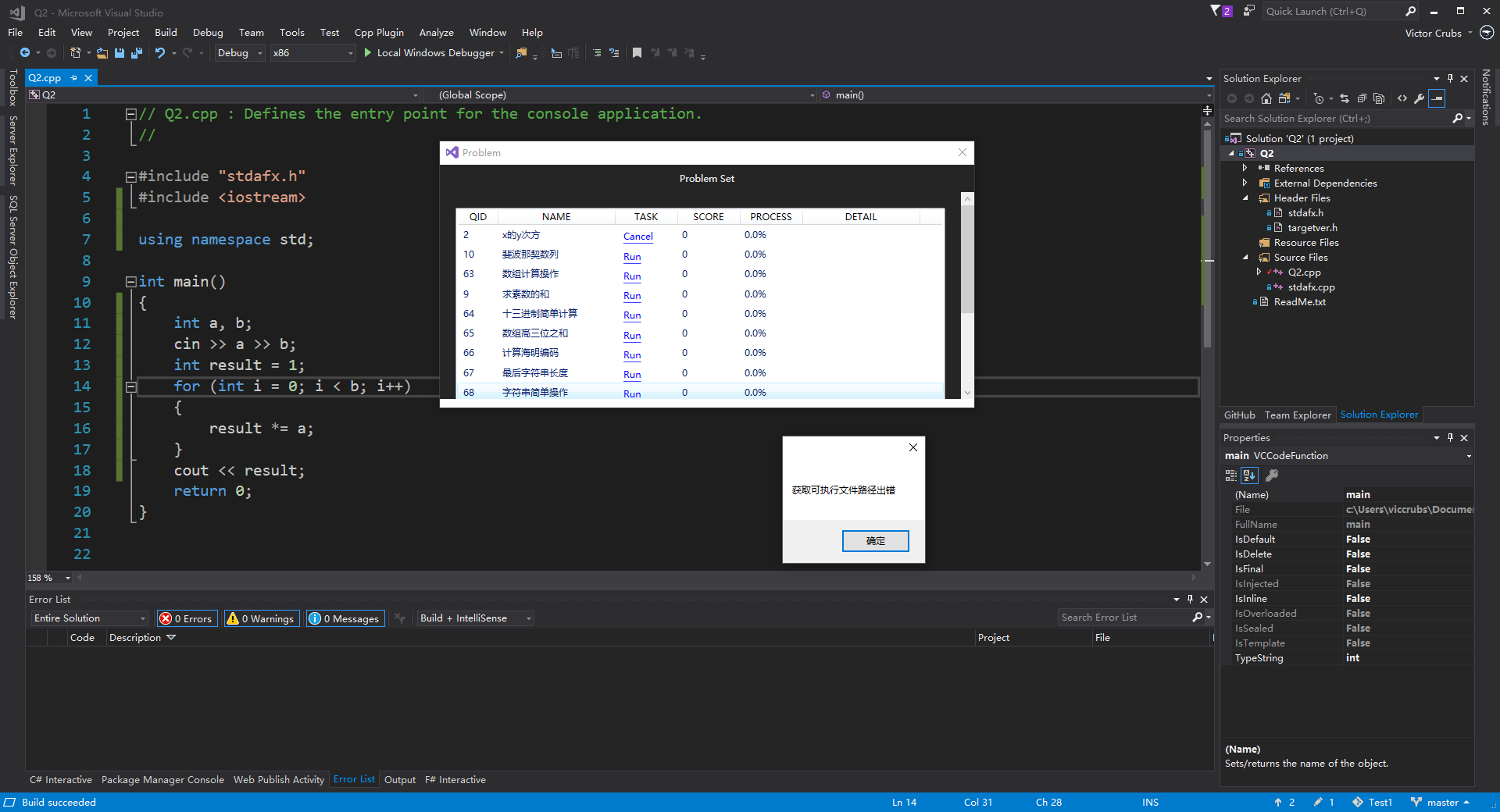
在VS2017上运行插件,运行测试时,会弹出如下的错误提示。

找错

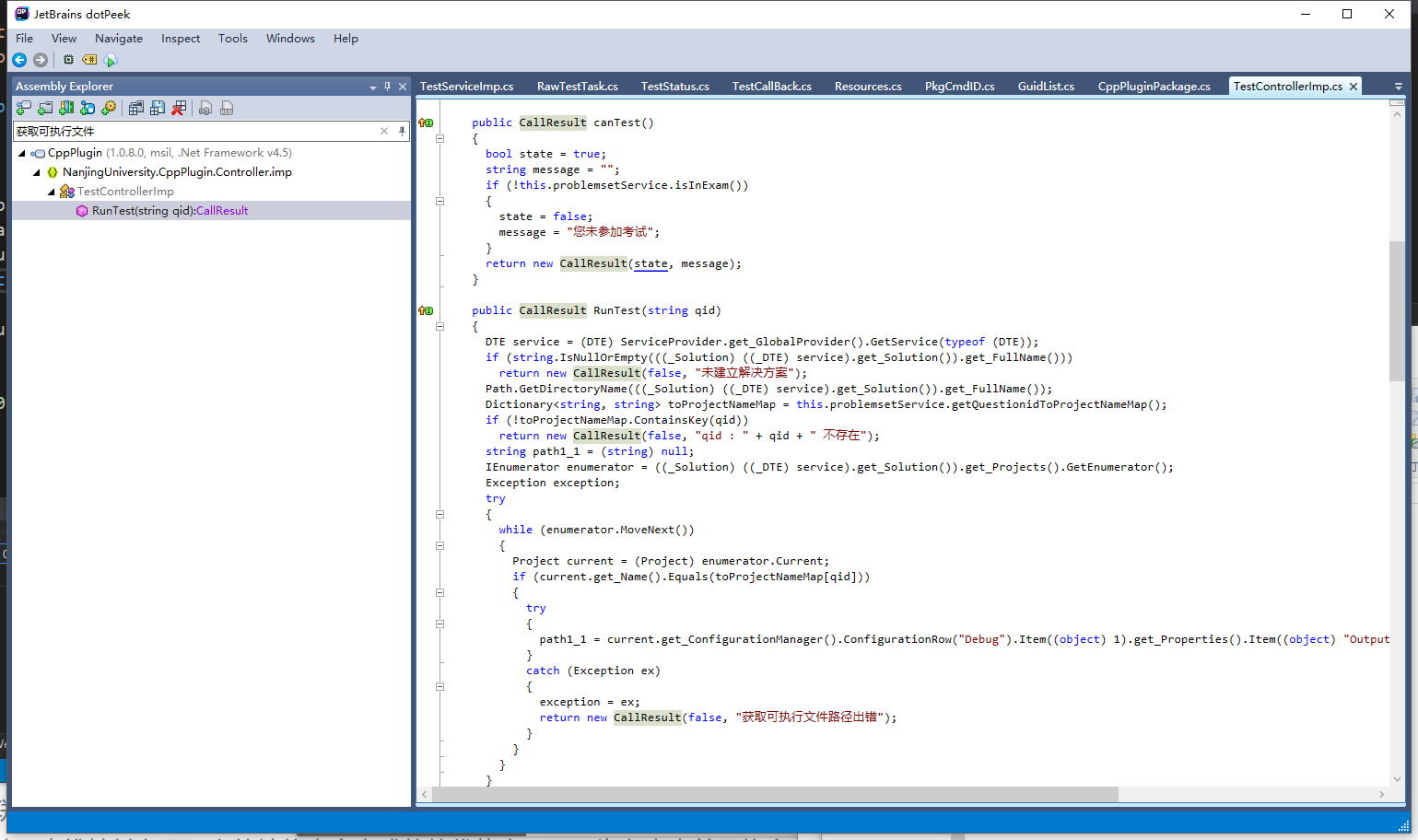
为了找到这个的原因,使用免费的JetBrains的dotPeek工具对CppPlugin工具解包出的CppPlugin.dll文件进行反编译并导出成解决方案到VS里查看。
导出到VS后,需要在nuget里安装Microsoft.VisualStudio.ShellEnvDTE依赖以正常获得InteliSense提示。否则就要去翻MSDN……

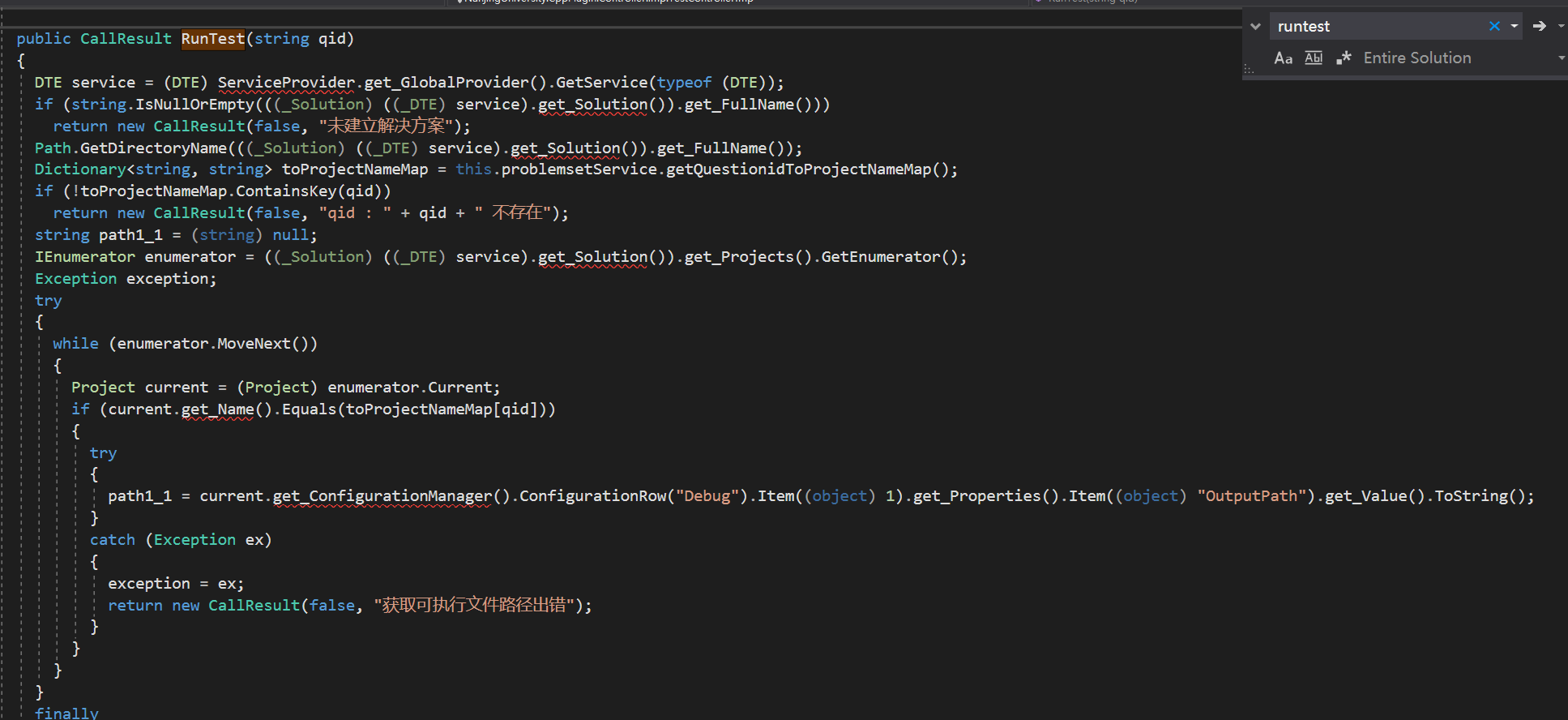
通过查找报错的字符串获取可执行文件路径出错直接定位出错的位置,可以发现相关代码路径是Controller/imp/TestControllerImp.csCallResult RunTest(string)方法。

图中get_Solution()get_Name()等语句不是错误,它们是C#的属性编译后的代码。在自己程序中,如需访问Solution等属性,只能直接.Solution,不能直接调用get_Solution()代码。

更具体来说,是下部if (current.Name.Equals(toProjectNameMap[qid])块中的赋值语句。

path1_1 = current.get_ConfigurationManager().ConfigurationRow("Debug").Item((object) 1).get_Properties().Item((object) "OutputPath").get_Value().ToString();

这句话非常长,有很多函数调用。

为了弄清楚具体哪一个调用出错,我新建了一个全新的VSIX扩展程序项目,并在点击事件响应中加入了这个方法。
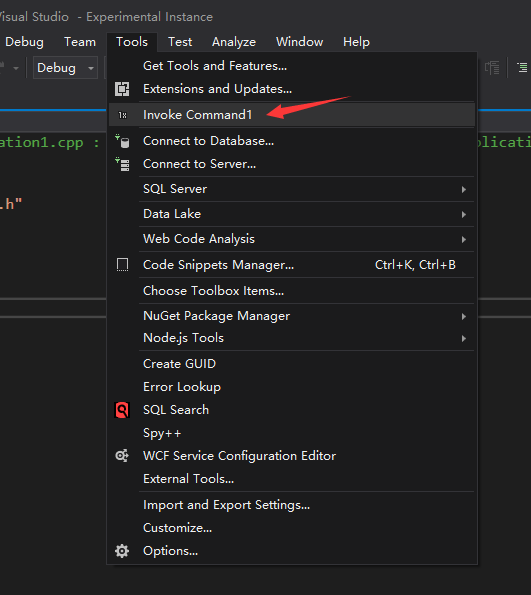
在调试中的VS实例中新建一个C++控制台程序,点击菜单按钮,发现如下结果:
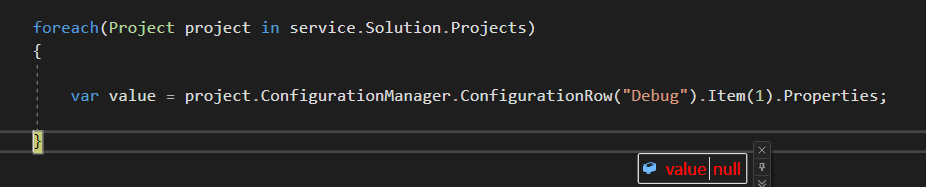
Properties是null,Item(1)返回的是一个COM对象,无法获得值。

这就是错误所在了。

社区

微软的相关文档中并没有提到任何相关API在VS2017中的变化。

Configurations.Item(Object)方法

Configuration.Properties属性

同时,在StackOverflow下有类似问题:

Configuration.Properties object returning null in Visual Studio 2017 VSIX extension

按描述,题主也是有一个C++相关的扩展程序,相同代码在VS2015中能够运行,而在VS2017中出现错误。题主最后提出了一个可用解决方案。如有兴趣请点进去查看,这里就不搬运了。

在官方社区中也有相关问题ConfigurationManager.ActiveConfiguration.Properties is empty for c++ projects in Visual Studio Extensions,微软官方并未给出有效回答,却以有效信息不足的理由关闭了这个问题。这就非常滑稽了。

Thank you for your feedback! Unfortunately, we don’t have enough information to narrow down this issue and find a solution. If this is still an issue for you, we recommend that you upgrade to the latest version via the in-product notification or from here: https://www.visualstudio.com. If the problem should again occur, please let us know by creating a new problem report using the latest version.

总结

总的来说,这个插件不兼容VS2017,是微软的锅:API变动却没有在任何地方体现(可能这是个feature吧)。请大家可以不折腾这个插件了,安心用虚拟机或者实机安装VS2013吧!