


惯性聚合 高效追踪和阅读你感兴趣的博客、新闻、科技资讯
阅读原文 在惯性聚合中打开

推荐订阅源

Microsoft Security Blog
WordPress大学
WordPress大学
S
SegmentFault 最新的问题
爱范儿
爱范儿
B
Blog RSS Feed
Last Week in AI
Last Week in AI
OSCHINA 社区最新新闻
OSCHINA 社区最新新闻
Blog — PlanetScale
Blog — PlanetScale
Vercel News
Vercel News
Jina AI
Jina AI
aimingoo的专栏
aimingoo的专栏
I
Intezer
Cyber Security Advisories - MS-ISAC
Attack and Defense Labs
The GitHub Blog
The GitHub Blog
小众软件
小众软件
AI
AI
cs.AI updates on arXiv.org
N
News and Events Feed by Topic
腾讯CDC
D
Docker
CTFtime.org: upcoming CTF events
罗磊的独立博客
人人都是产品经理
人人都是产品经理
W
WeLiveSecurity
N
News and Events Feed by Topic
Security Archives - TechRepublic
C
Check Point Blog
Webroot Blog
Webroot Blog
奇客Solidot–传递最新科技情报
奇客Solidot–传递最新科技情报
H
Help Net Security
Recorded Future
Recorded Future
H
Hacker News: Front Page
T
Troy Hunt's Blog
V
V2EX
Forbes - Security
Forbes - Security
Stack Overflow Blog
Stack Overflow Blog
The Register - Security
P
Palo Alto Networks Blog
K
KPMG report finds enterprise disconnect between AI and its ROI | CIO
博客园 - 叶小钗
Threat Intelligence Blog | Flashpoint
S
Security Affairs
The Hacker News
The Hacker News
Simon Willison's Weblog
博客园 - 三生石上(FineUI控件)
B
Blog
Apple Machine Learning Research
C
Cyber Attacks, Cyber Crime and Cyber Security
D
DataBreaches.Net

PetaPixel

Polaroid Go Generation 3 Is the World’s Smallest Instant Analog Camera China Lucky’s New Color C200 Film Has Arrived in the US and Looks Great Chinese Private Equity Firm HSG Emerges as Leading Bidder to Buy Stake in Leica Camera Leica Cine Compact 1 Projector Promises a Plug-and-Play Home Theater Experience There Are No Photos Allowed at the Studio Ghibli Amusement Park Xiaomi 17T Pro Review: High-End Photography Without the Flagship Price Photographer Builds the iPhone Camera App He Always Wanted New $50 Y2K-Inspired Compact Camera Looks Thin In Form and Function Save Big on Macro Photography Essentials Nvidia’s New Chip Aims to Upend the Creative Laptop Market Japanese Zoo Considering Photo Ban After US Tourists Invade Punch the Monkey’s Enclosure Years in the Making, Glass Imaging Is Delivering on its Promise to Transform Smartphone Photography Gen Z are Five Times More Likely to Have a Plan for Photos After Death Long Island Beach Where Marilyn Monroe Posed for Iconic Photos Honored With Plaque Camera Trap Captures One-Armed Gorilla Raising Newborn in the Wild Photographer’s Camera Gear Gets Jet Washed by 20-Foot Wave in Tahiti Photojournalists Say ICE Agents Targeted Them and Their Cameras at Delaney Hall Protests Model Sues Fashion Brand After it AI-Generated Pictures of Her Easy Macro Photography Tips for Incredible Close-Up Photos The Myth of Intent in Photography Samsung’s Competitors Have a Better Samsung Camera Than Samsung Does Thypoch Simera 50mm f/1.4 Review: Crisp and Clean The AI Film ‘Dreams of Violets’ Is How You Get Me to Hate Movies Photographer Documents the Vanishing Wildlife of the ‘American Amazon’ Press Photographer Releases 30-Year Archive of Iconic Celebrity Images Photographer Granted Rare Access to Cambridge’s May Balls for 40 Years Atmos Is a Weather App By Photographers, for Photographers A Feature-Length AI-Generated ‘Live Action’ Movie Is Premiering at Tribeca for Some Reason Despite Being a Member, YoloLiv Isn’t Complying with the Micro Four Thirds Standard ArcBlue C42 Is the World’s First Smart Full-Frame Astrophotography System Film Friday: Kodak TMax 400 Is Far From a One-Trick Pony Sihoo Doro C300 Pro V2 Ergonomic Chair with Full-Body Adaptive Support Keeps You Comfortable and Creative Unknown Photographer Who Took First Royal Portrait Honored With Blue Plaque 15 of the Best Photos Smithsonian Just Added to Unsplash for Free The Challenge of Photographing Mountain Gorillas in the Mist of an Impenetrable Forest This Javelin Thrower Looks Like He is Impaling Himself in Crazy Optical Illusion Photo Capture One’s Private Equity Owner Is Trying to Sell It: Report Thypoch’s New Simera-C 16mm T1.9 Is its Widest Cinema Lens Yet Employee vs Contractor: What Photographers Need to Know Nat Geo’s New Documentary, ‘Time and Water,’ Tells a Story You’re Still Writing Massive Sample Gallery Update: Lumix L10, Sony a7R VI, and More Crafty Lens Cap for Leica M Hides AirTags Polaroid’s Limited Edition Purple Film Gives ‘Waste a Second Life’ Thypoch Voyager 24-50mm f/2.8 Review: Autofocus Zoom for a Bargain Xiaomi’s 17T Series Phones Feature Leica Tech and a New 5x Camera People Don’t Believe This Smartphone Wildlife Photographer’s Images are Real Leica’s Brand-New Metal Gray Paint Finish Looks Very Stylish Independent Audit Finds No Security Basis for Restricting DJI in the USA Witnesses in Nick Ut’s Defamation Trial Against Netflix Include ‘Napalm Girl’ Herself 70mm Film Festival to Show in Palm Springs This Weeekend Google’s New Gemini Omni AI Video Model Can Do Crazy Things Photographers Are Livid About a Photo Festival’s Camera-Busting Rage Room Capture One to Increase All Product Prices By 6% One-of-a-Kind Leica Rifle Camera Used by the Luftwaffe Could Fetch $160,000 The Ultimate ‘First Camera Purchase’ Accessory Tier List | The PetaPixel Podcast 8 Editing Problems Nik Collection 9 Actually Solves Halide Mark III Promises ‘Most Beautiful Photos Possible’ on iPhone New Film Will Chronicle the Life and Work of Brazilian Photographer Claudia Andujar Virginia Museum of Fine Arts Receives Major Gift of Nearly 2,000 Important Photographs Ilford and Expired Film Club Get Into the World Cup Spirit Photographer Arrested for Allegedly Failing to Deliver Quinceañera Photos Acer’s Three New Monitors Are Made for Photographers and Videographers A Streaming Service Made Up Entirely of AI-Generated Shows is About to Launch The Incredible Photography of ‘Obsession’ Spectacular Moment Meteor Explodes Behind Erupting Volcano Caught on Camera VSCO Terms of Use Explained: Why It Says It Isn’t Stealing Your Photos Calibrite Colorimeter Is the First That Hardware Calibrates Apple Displays How a Photographer Became a Writer to Tell an Even More Powerful Story Imagen Is Offering Full AI Editing Access for $10, Just In Time for Peak Season Misunderstanding of Fujifilm Film Announcement Causes Panic on Social Media Viltrox Vintage Z1 Pro Flash Offers Retro Style and Modern Performance for Under $60 Pope Leo Warns AI Images Are a ‘Powerful Amplifier’ of Disinformation Footage Reveals Newly Discovered Blue Octopus No Bigger Than a Golf Ball Wedding Photographer Seriously Injured After Being Stabbed by Guest Photographer Takes One in 1.7 Million Photo of Airplane Transiting the Sun Photographer Bitten by ‘Shark or Sea Lion’ During Surf Competition NYC Gallery Says it Has ‘Every Right’ to Create AI Version of Iconic Ansel Adams Photo Sony 100-400mm f/4.5 GM OSS Review: Zoom Zoom NYC Gallery Sold an AI-Generated Ansel Adams Photo Without Permission The Story Behind The Last Photograph of Oscar Wilde on His Death Bed I Fundamentally Disagree With Canon Building a Wall Between its V and C Series Cameras Underwater Cameras Capture Seals Resting in Secret ‘Bubble Caves’ Student Captures Cosmic Radiation on Film by Sending Negative to Space The Enduring Mystery Behind Iconic American Photograph ‘Lunch on a Beam’ The Hidden World of Insect Wings Revealed by Macro Photographer These Earbuds Have Tiny Cameras That Take Photos and Let Users Talk to AI About What They See Yashica Brings Beloved Characters to the Cheap Keychain Camera Segment Fujifilm Has Over 40 New Lens Ideas: ‘It’s Difficult to Convey How Much We Care About Our Lenses’ Why So Many Watch Enthusiasts Love One Specific Camera The 25 Best Memorial Day Deals for Photographers Thypoch’s Stylish Ksana 35mm f/2 Prime Promises 1980s-Inspired Flare Lyft Driver Tries to Scam Customer with AI-Generated Photo of ‘Damage’ to Vehicle What Does It Look to Take a Photo With Half a Lens? First Ever Photograph of ‘Rusty Lark’ Bird Thought to be Extinct for 94 Years Cannes Photographer Reveals His Trick of Getting Hollywood Stars to Look at His Camera IMAX Stock Soars as Takeover Talks Revealed Before the Frame: A Filmmaker’s Approach to Street Photography Scientists Are Building a Camera System to Monitor Zoo Animals’ Health MLS Game To Be First Pro Sports Broadcast Shot Entirely With iPhone Photographers Can Build Their Very Own Keychain Camera at Home
Discovering and Using the Unique Features of OM System Cameras
https://www.facebook.com/ivortog · 2026-06-21 · via PetaPixel

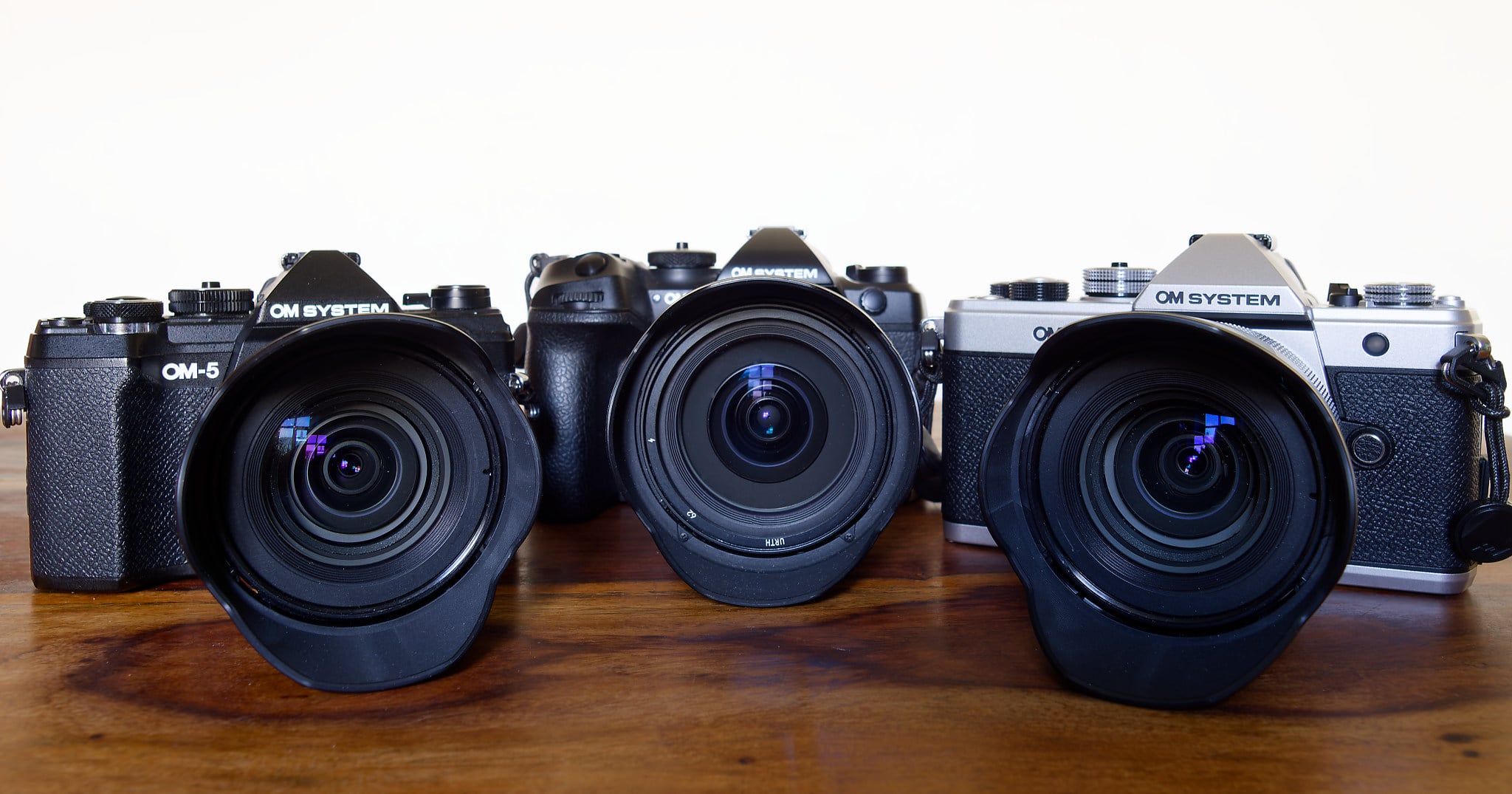
Three OM System cameras with attached lenses and hoods are displayed side by side on a wooden surface against a plain white background.

OM System Cameras have an enormous range of unique and uncommon features. Getting to know what they do can open up whole new photographic opportunities.


Full disclosure: Ivor Rackham is an OM System Ambassador.


It’s widely acknowledged that OM System is a market leader in innovative features and computational photography. The cameras sport a range of often exclusive functions that let you do things with them that most other cameras cannot. If you own one of their cameras, you may have noticed features that intrigue you. Therefore, here are brief explanations of major features and where to find them.
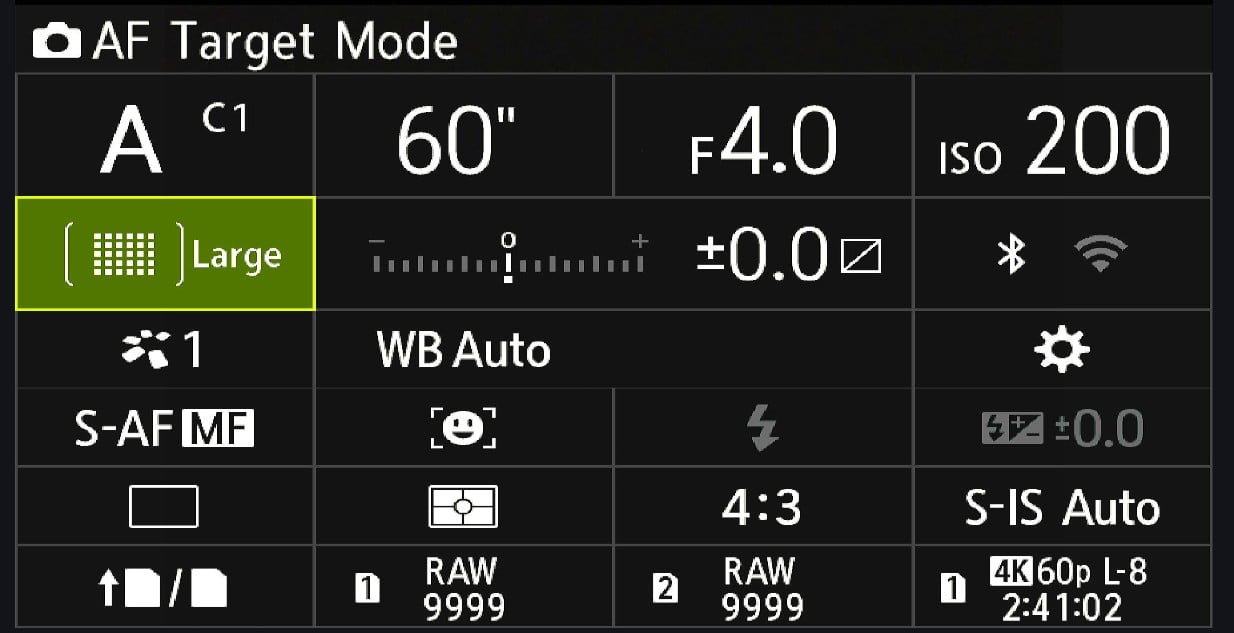
Camera settings display shows: Aperture Priority mode, 60-second shutter, f/4, ISO 200, large AF target, exposure ±0.0, auto white balance, RAW format, and 4K video 60p, 2 hours 41 min left.
Many of the functions are available through the “Super Control Panel” that is activated by pressing the OK button. Other functions are available in the menus.

While the following functions are available on the OM-1 Mark II flagship model, not all features are available on every camera in the range. I have included the menu position on the OM-1 Mark II, and it will be similar, if not precisely the same, on the other models. There will be some more pronounced differences, too. For example, the OM-3 has a creative dial on the front of the camera that accesses some functions, and it shares with the OM-5 Mark II a CP button that serves as a shortcut to computational photography settings. The OM-1 has neither of these. Meanwhile, the most basic OM-D E-M10 Mark IV still uses the old menu system.
Advanced Imaging Technologies

High Res Shot

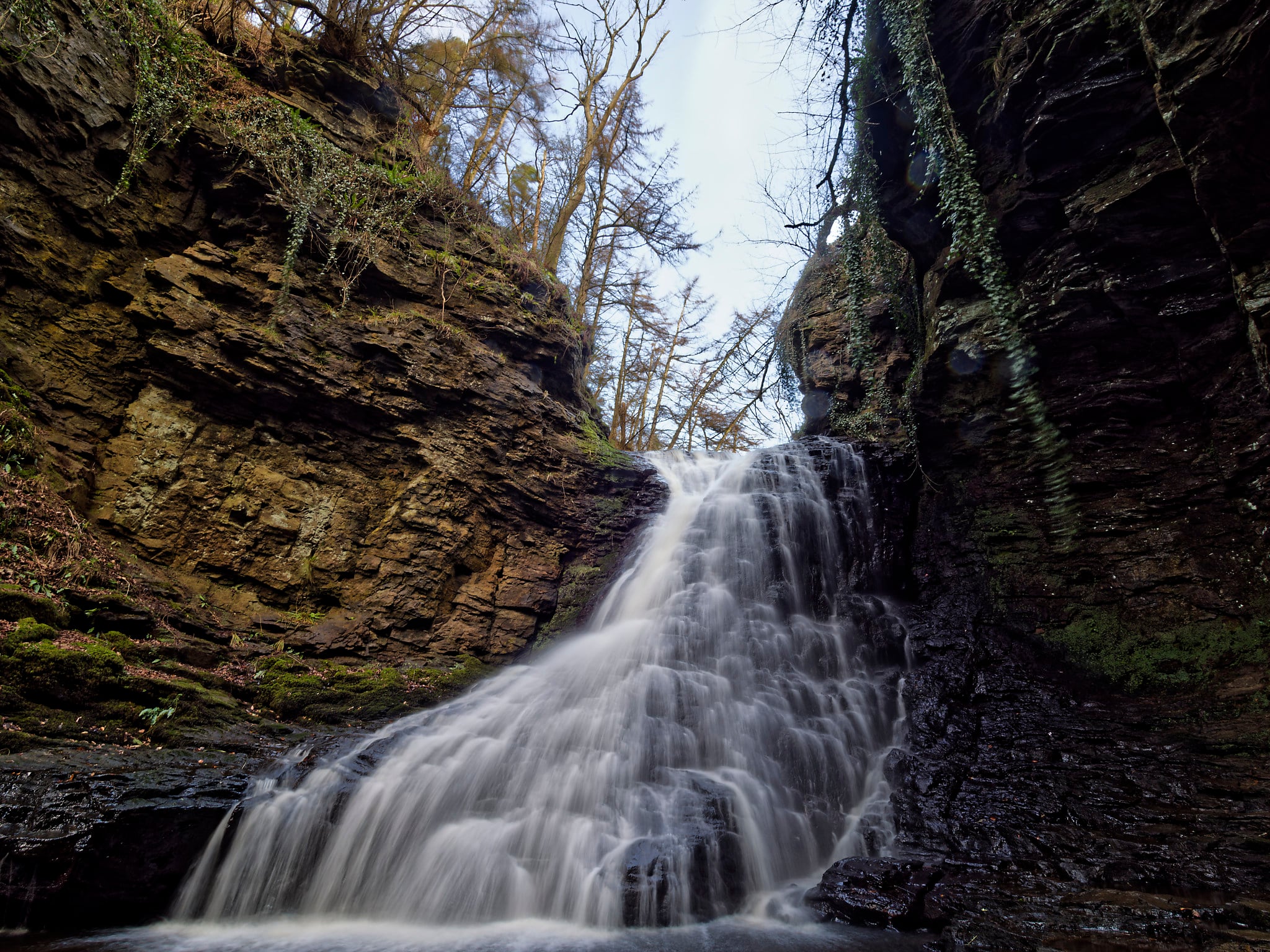
A waterfall cascades down layered, rocky cliffs surrounded by moss and trees, with water flowing smoothly over dark rocks under a bright sky.
The latest version of high-resolution shooting can handle challenging subjects, such as moving water. OM-1 Mark II, 7-14mm F2.8 PRO Lens, f/9. 1/13th second. Original image,10368 x 7776 pixels

High Res Shot uses sensor-shift technology to produce ultra-high-resolution images. The camera shoots several photos in quick succession, moving the sensor slightly and precisely between each frame. It then combines these into a single high-resolution image.

There are two options. Handheld, it can produce a 50-megapixel image (8,160 × 6,120 pixels). However, when used with a tripod, it will produce a massive 80-megapixel image (10,368 × 7,776 pixels).

Available on: OM-1 Mark II, OM-3, OM-5 Mark II

Navigation: On the OM-1 Mark II: Menu > Camera 2 > 1. Computational Modes 

Live ND Shooting

This function applies a Neutral Density filter digitally, up to ND128 on the OM-1 Mark II. That means you can achieve much slower shutter speeds than would otherwise be possible without fitting a filter to the lens. It is only available in Shutter Priority and Manual Modes.

A serene beach at sunset with the sun low on the horizon, casting a warm orange glow over the water and wet sand. Clouds are scattered in the sky and the scene is calm and peaceful.
Combining Live ND with a glass ND1000 filter can achieve long exposures in bright light.

Although typically used for waterfall and seascape photography, you can also use it for other creative photos and, if necessary, in conjunction with a glass filter.

Available on: OM-1 Mark II, OM-3, OM-5 Mark II
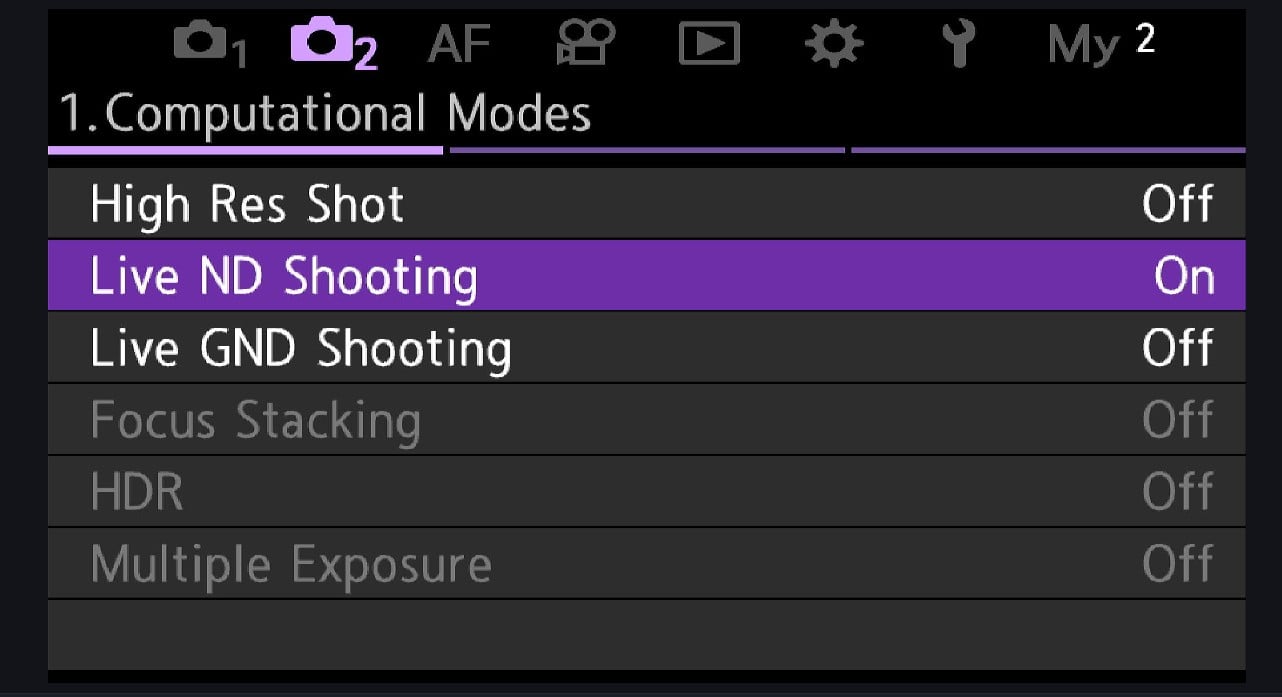
Camera settings menu displaying "Computational Modes." "Live ND Shooting" is highlighted in purple and set to "On," while other options like "High Res Shot," "Focus Stacking," and "HDR" are set to "Off.

Navigation: On the OM-1 Mark II: Menu > Camera 2 > 1 Computational Modes. > OK

Live GND Shooting

Live GND works similarly to Live ND Shooting. It digitally applies a graduated neutral density filter to balance exposure between bright skies and darker foregrounds. You can use the joystick and arrow keys to move and adjust the filter’s position.

Live GND is especially useful when scenes have bright skies and dark foregrounds.

Available on: OM-1 Mark II, OM-3

Navigation: On the OM-1 Mark II: Menu > Camera 2 > 1 Computational Modes. Only available in Manual and Shutter Priority modes.
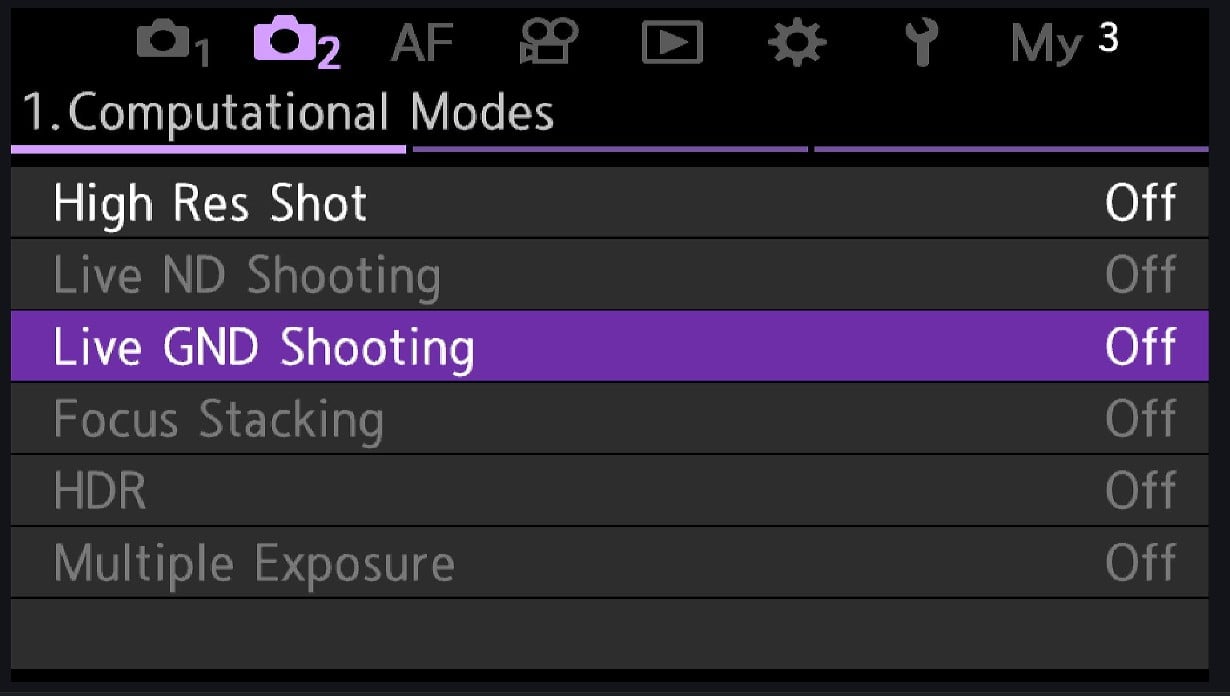
Camera settings menu showing computational modes with options such as High Res Shot, Live ND Shooting, Live GND Shooting (highlighted), Focus Stacking, HDR, and Multiple Exposure, all set to off.

Focus Stacking

This feature automatically captures multiple images at different focus points and combines them to achieve an extended depth of field throughout the scene.

The camera automatically adjusts focus incrementally across the scene, then processes the images to create a single photo with sharp focus from foreground to background.

Mainly used in macro work, it’s also useful for product and landscape photography, as well as scientific and technical documentation, all of which require front-to-back sharpness.

Available on: OM-1 Mark II, OM-3, OM-5 Mark II, TG-7

Navigation: On the OM-1 Mark II: Menu > Camera 2 > 1 with compatible lenses.

A close-up of a pale yellow butterfly perched on a vibrant purple flower, with a softly blurred green and purple background. The butterfly's delicate wings and tiny details are clearly visible.

HDR (High Dynamic Range)

This feature automatically captures multiple exposures and combines them to preserve detail in both highlights and shadows.

The camera captures several images at different exposure values and computationally merges them to create a single image with an extended dynamic range, revealing details in both highlights and shadows. It’s perfect for high-contrast scenes, such as interior photography with windows or landscape photography in challenging lighting.

Waves splash against rocks in the foreground as the sun sets over the ocean horizon, casting an orange glow across the sky and water.

Available on: OM-1 Mark II, OM-3, OM-5 Mark II, OM-D E-M10 Mark IV, PEN E-P7, TG-7

Navigation: on the OM-1 Mark II: Menu > Camera 2 > 1 >

Live Time (and Live Bulb)

Live Time provides a real-time preview during long exposures, allowing photographers to see the image building up on the Live View screen and stop the exposure at the right moment. It updates the preview at set intervals during long exposures, showing the image’s progressive development. Live Time requires two presses on the shutter release button, one to start the exposure and one to end it. Live bulb functions with the shutter button fully depressed throughout the shot.
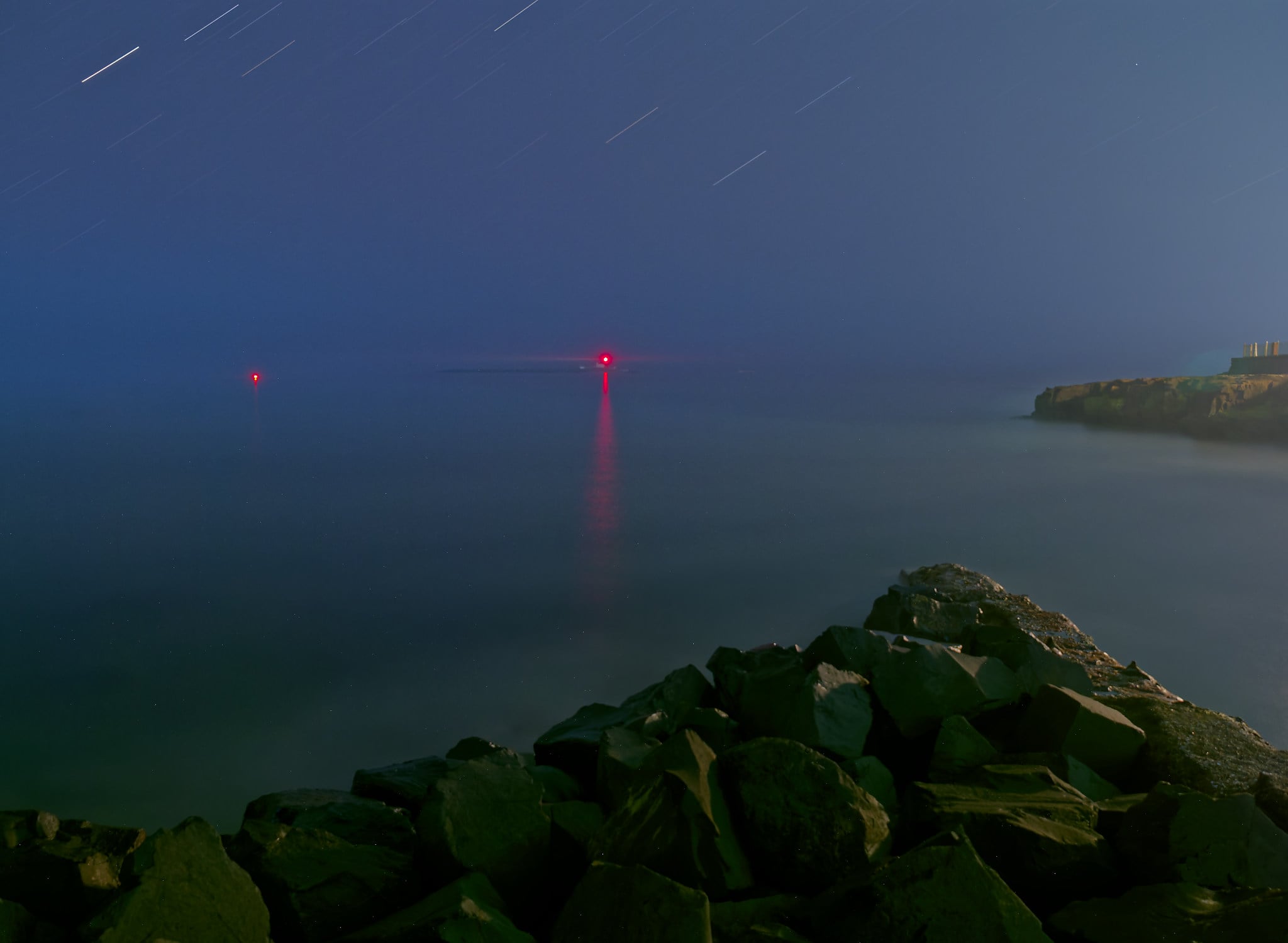
A rocky shoreline at night under a starry sky, with two red lights in the distance reflecting on calm water; faint star trails are visible, and a cliff is seen on the right side of the image.
Shot 7 years ago with an Olympus OM-D E-M1 Mark II, I used live time on this 766-second exposure. The night was so dark that I could not see the mist-shrouded island with my eyes, which you can just make out in the photo. The newer OM-1 has much better noise control for long exposures, but even back then, it wasn’t bad.

It’s used for night photography with precise exposure control and for astrophotography, which requires exact timing. Many also use the feature for creative long exposure work.

Available on: OM-1 Mark II, OM-3, OM-5 Mark II, OM-D E-M10 Mark IV, PEN E-P7

Navigation: Switch to bulb mode and turn the rear adjustment dial to select. Then press the menu button, then the rear dial to select the desired image refresh time, and press OK. The front dial changes the aperture.

Live Composite

Live Composite combines multiple long exposures, adding only new, brighter elements to the image. One takes an initial base exposure, then adds only the brighter pixels from subsequent exposures, preventing overexposure while building up light trails.

Colorful fireworks burst in the night sky, with red, green, yellow, and blue sparks radiating above a dark landscape, creating vibrant trails and bright patterns against a deep blue background.
Typically, Live Composite keeps the ambient light at a fixed exposure and only adds new light to it. This was repeated with one-second exposures over about 15 seconds. I could see the exposure progress on the Live View screen, so I could judge when to stop it.

Apart from star and traffic-light trail photography, it’s also for light painting, creative lighting, and fireworks photography.

Available on: OM-1 Mark II, OM-3, OM-5 Mark II, OM-D E-M10 Mark IV, PEN E-P7

Navigation: Switch to bulb mode and turn the rear adjustment dial to select Live Comp. Then, press the menu to change the shutter speed for each composite frame. Press the shutter button once to set up the shot and a second time to begin composite shooting.

Pro Capture Mode

Pro Capture first appeared on the Olympus OM-D E-M1 Mark II back in 2017. Other manufacturers are now adopting it, and it appears in their top-end cameras. It continuously buffers images and saves frames both before and after the shutter is pressed, ensuring precise timing for unpredictable subjects. Therefore, it removes your reaction time from the equation, saving the moment of shutter release plus several frames before it.

A white seabird dives sharply toward the water, its wings pointed upward and beak nearly touching the rippling surface, creating a reflection.
Pro capture helps you to photograph the decisive moment.

With Continuous Autofocus, the OM-1 can capture 50 raw frames per second, or 120 raw frames with single autofocus.

Pro Capture is useful for wildlife photography, especially with unpredictable subjects such as birds. Also, sports and action photographers use it when split-second timing is essential.

Available on: OM-1 Mark II, OM-3, OM-5 Mark II, TG-7

Navigation: In the Super Control Panel on the OM-1 Mark II, left-hand column, third row up. It usually says S-AF, C-AF, MF, etc. Select Pro Cap or SH1 for Pro Capture with continuous autofocus or SH1 for Single Autofocus. The fastest speeds are available only on certain lenses.

AI Subject Detection

A small bird with a black head, white neck patch, and orange-brown chest perches on a dry branch against a blurred blue and beige background.
Subject detection instantly locks onto the subject, whether it is an easy shot like this bird-on-a-stick image of a stonechat or a more challenging photo of a bird partially obscured by foliage.

Subject Detection is a focus feature that automatically recognizes and tracks specific subject types, including humans, cats and dogs (and other mammals), motor vehicles, airplanes, trains, and birds.

It uses artificial intelligence algorithms to identify subject types and automatically adjust autofocus tracking for optimal results. For creatures, it focuses on the eyes.

This feature has revolutionized wildlife photography and especially bird photography. The other subjects on the list of available subjects benefit equally from its functionality.

A dark-feathered bird with a bright red and yellow beak stands among tall, pale reeds, blending into its marshy surroundings.

Available on: OM-1 Mark II, OM-3

Navigation: On the OM-1 Mark II: In the Super Control panel, 2nd column, third row.

Starry Sky AF

This specialized autofocus system achieves sharp focus on stars and celestial objects in low-light conditions. It uses advanced algorithms to detect and focus on point light sources, such as stars, even in extremely dark conditions.A vibrant night sky shows green and red auroras above a calm sea, with stars visible. Two lit beacons mark the end of a pier and a distant point on the water, reflecting their lights on the waves.
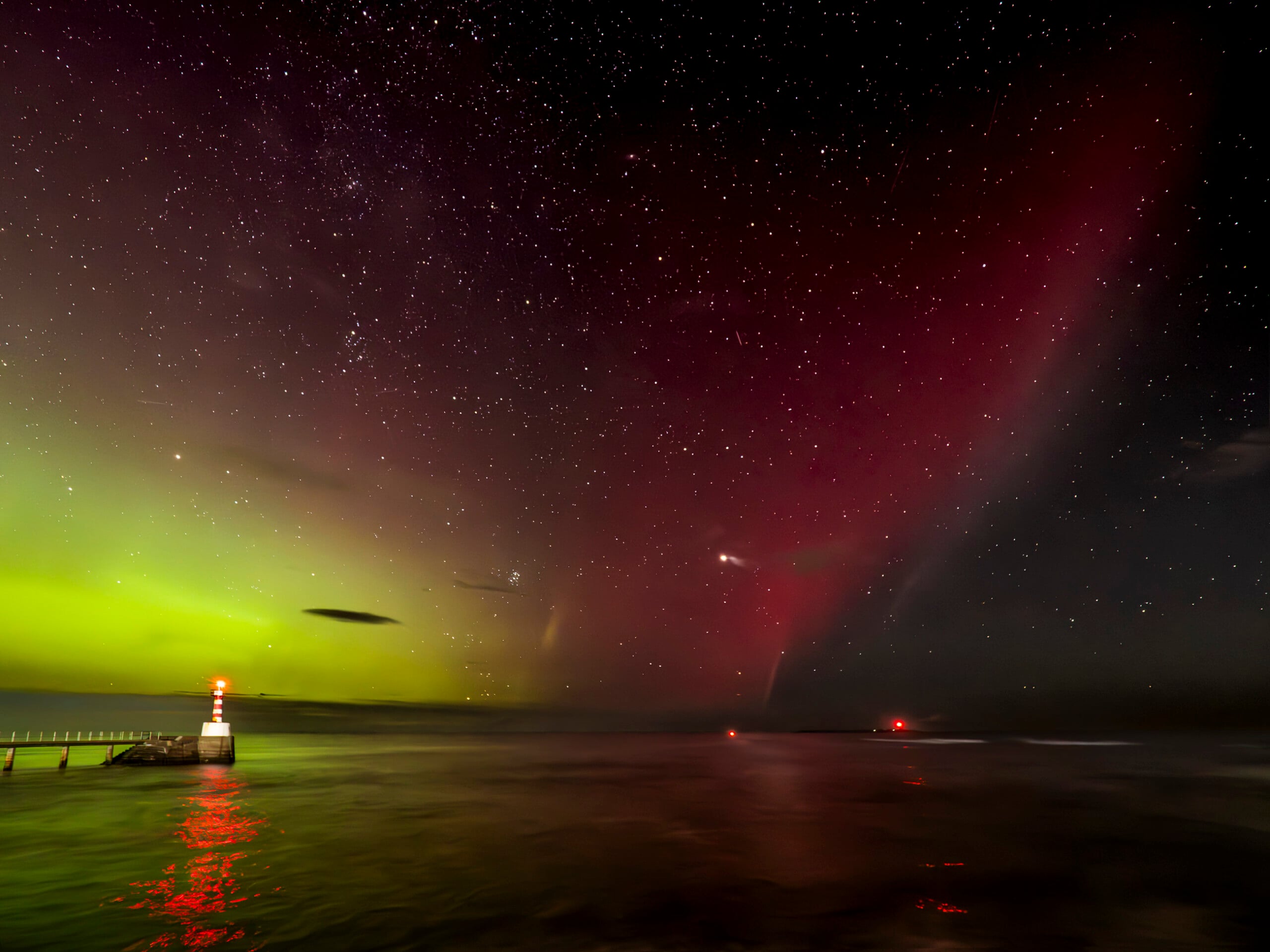
It’s used for astrophotography and night-sky imaging, as well as for landscape photography under starry skies.

Available on: OM-1 Mark II, OM-3, OM-5 Mark II
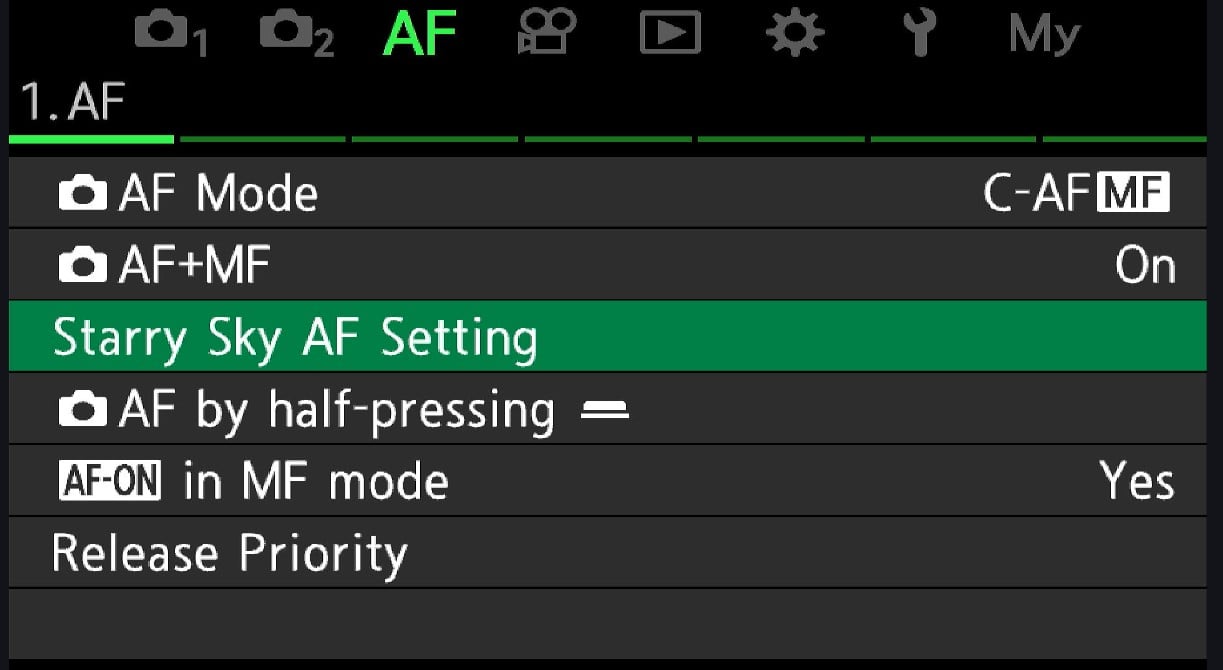
Camera menu screen showing autofocus (AF) settings. "Starry Sky AF Setting" is highlighted in green. Other options listed include AF Mode, AF MF, AF by half-pressing, AF-ON in MF mode, and Release Priority.

Navigation: On the OM-1 Mark II, in the super control panel, select the left-hand column and the third row up. Scroll through the autofocus settings to the star symbol. Adjusting the settings is in Menu > AF > 1 > Starry Sky AF Settings > OK.

Keystone Compensation

By digitally adjusting the image geometry, keystone compensation automatically corrects converging vertical lines and perspective distortion when photographing tall buildings or other architectural subjects.

Staircases with white railings zigzag upward against a blue sky, with a tall, grid-patterned building in the background and modern blue structures visible on the right.
When photographing architecture, you usually want your vertical lines to be parallel.

Available on: OM-1 Mark II, OM-3, OM-5 Mark II, OM-D E-M10 Mark IV, PEN E-P7

Navigation: On the OM-1 Mark II, Menu > Camera 2 > 2. Other Shooting Functions > Keystone Comp 

Creative and Artistic Features

Multiple Exposure

Multiple exposure combines images into a single frame with various blending modes for creative effects. It works by overlaying multiple exposures and then blending them to create artistic compositions.

Available on: OM-1 Mark II, OM-3, OM-5 Mark II, OM-D E-M10 Mark IV, PEN E-P7, TG-7

Navigation: On the OM-1 Mark II: Menu > Camera 2 > 1 > 

Art Filters and Art Bracketing

The Art filters apply various in-camera artistic effects. It processes images through artistic algorithms that simulate various photographic and artistic styles. Art Bracketing captures the same scene with multiple filter effects simultaneously.
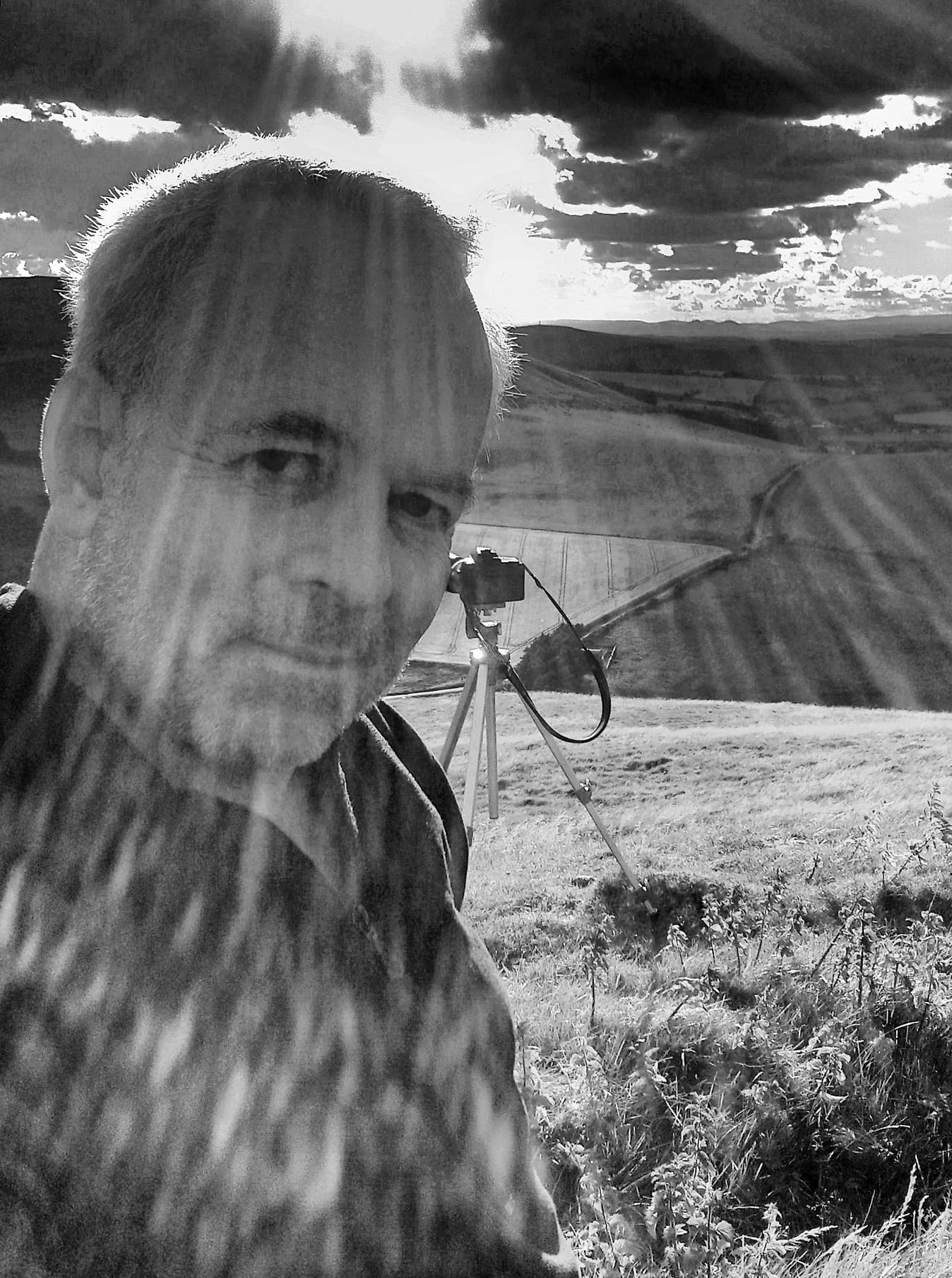
A man takes a selfie outdoors on a grassy hill under dramatic sunlight, with sunbeams streaming through clouds. A camera on a tripod is set up behind him, overlooking a rural landscape. The photo is in black and white.
“Dramatic Tone II” is one of the available art filters. Many of the effects are adjustable.

Available on: OM-1 Mark II, OM-3, OM-5 Mark II, OM-D E-M10 Mark IV, PEN E-P7, TG-7

Navigation: On the OM-1 Mark II Super Control Panel, First Column, Fourth row up.

Fisheye Compensation

As its name suggests, Fisheye compensation corrects barrel distortion from fisheye lenses while maintaining the ultra-wide field of view. It does this by applying digital correction algorithms to reduce.

Available on: OM-1 Mark II, OM-3, OM-5 Mark II, OM-D E-M10 Mark IV, PEN E-P7
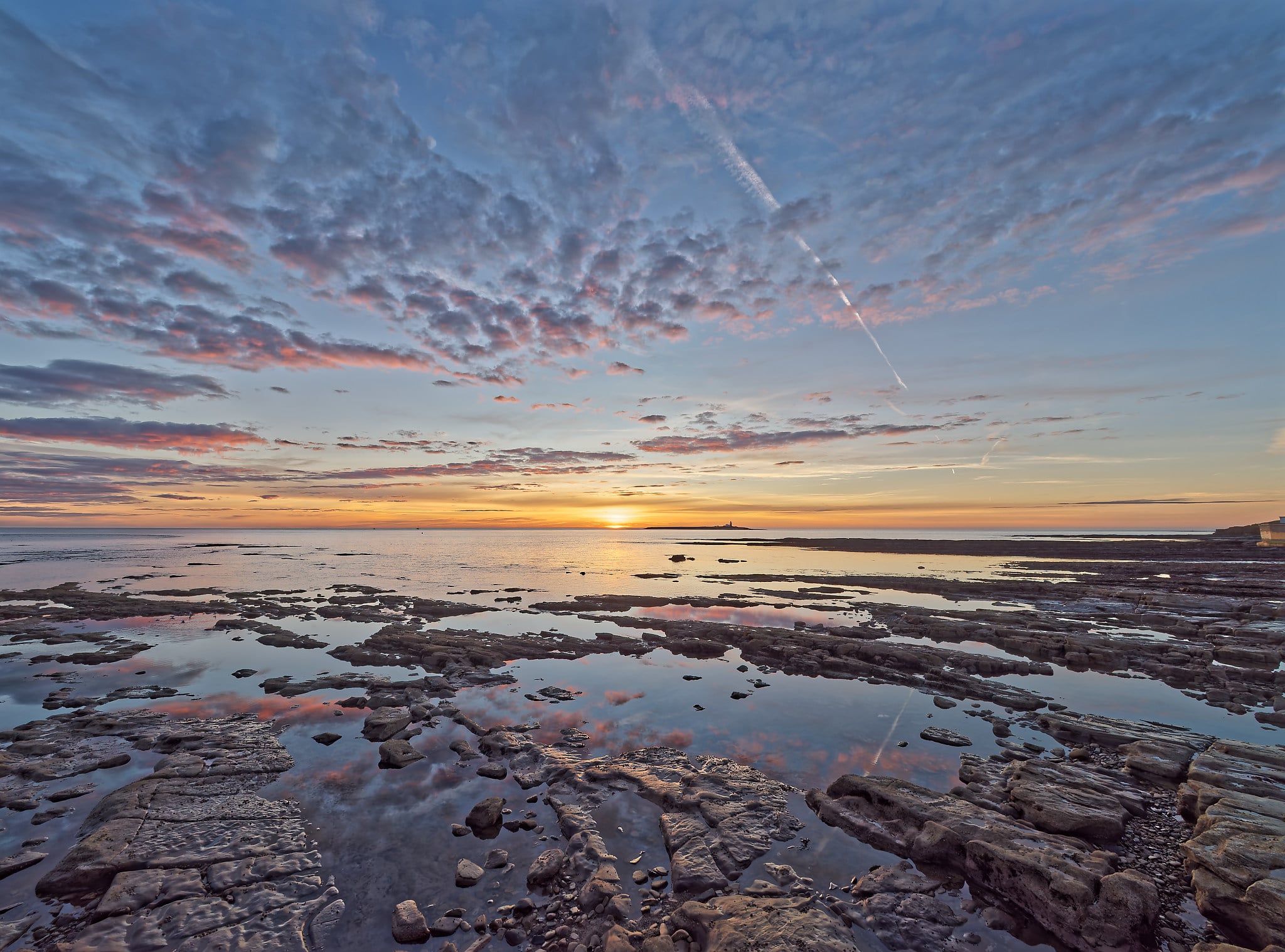
Rocky shoreline with shallow water pools reflecting a colorful sunset sky filled with clouds; the sun is low on the horizon, casting warm light across the tranquil sea and wet stones.
I don’t have a fisheye lens that I can use to illustrate this feature, but this is a scene shot at 7mm using the OM System 7-14mm F2.8 PRO

Navigation: On the OM-1 Mark II: Menu > Camera 2 > 2 >

Other Useful Features

Digital Tele-converter

This digital wizardry does more than simply cropping the frame. Using interpolation and sharpening through intelligent upscaling algorithms, it extends the effective focal length of lenses, providing a 2x digital zoom while maintaining image quality.

Available on: OM-1 Mark II, OM-3, OM-5 Mark II, OM-D E-M10 Mark IV, PEN E-P7, TG-7

Navigation: On the OM-1 Mark II: Menu > Camera 2 > 2 >

An Atlantic puffin flies with wings outstretched, holding several small fish in its colorful beak against a blurred gray background.

Interval Shooting

Allowing you to take up to 9,999 frames at an interval you specify from 1 second to 24 hours, it then compiles the shots into a time-lapse movie.

IP53 Weather sealing.

Take your camera out in the rain or a sandstorm, and it withstands it with no problems. However, it must be paired with a lens that has the same weather sealing to take advantage of that feature.
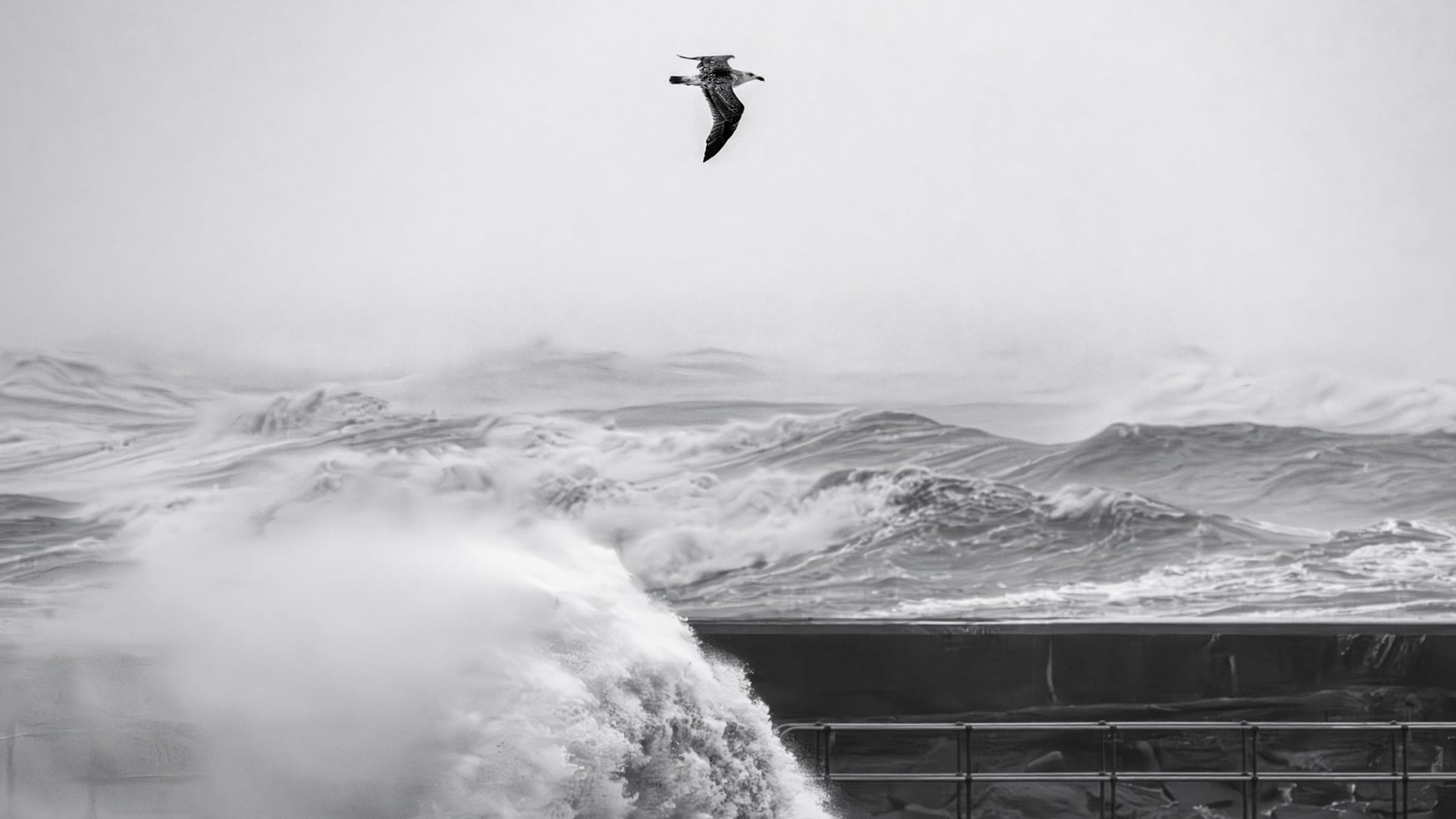
A seagull flies above crashing waves with mist and foam in the air; the scene is in black and white, showing a dramatic, stormy ocean backdrop.
Most of my photography happens on the beach, where I am sprayed by the sea and sand-blasted by the sand. Therefore, top-quality weather sealing is essential.

Up to 8.5 Stops of In-Body Image Stabilization

The in-body image stabilization (IBIS) is second to none. It works by moving the sensor to counteract your movement, thus allowing you to handhold the camera at much slower shutter speeds than would otherwise be possible. The setting is in the Super Control Panel in the right-hand column, second row up.

In most circumstances, you can leave this on auto. However, when tracking moving subjects, you may want to turn it off or choose S-IS 2, which eliminates only vertical shake. That is necessary for subjects moving horizontally. S-IS 3 stops horizontal shake, so it is good for vertically moving subjects.

Different levels of availability on all OM System cameras.

Calm sea at sunset with golden sunlight reflecting on the water, an island with a lighthouse on the horizon, and a streak of cloud in the blue sky.
A few years ago, a handheld 2-second exposure at 17mm like this one would have been unheard of. Image stabilization technology has come a long way since then.

Navigation: On the OM-1 Mark II super control panel, fourth column, second row up.

Supersonic Wave Filter (SSWF) Lens/Sensor Cleaning System

Widely recognized as the best sensor dust removal system of any camera, it shakes a filter element set above the sensor, not the sensor itself, as happens on other cameras. That reduces mechanical stress on the sensor, allows a very high vibration frequency, and improves dust efficiency. (In 20 years of Olympus/OM System ownership, I have never needed to clean dust off the filter.)

Navigation: Turn your camera off and on again.

A starling with iridescent feathers and white spots stands on a weathered wooden post against a blurred blue background.

Micro Four Thirds

Finally, the OM System shares this format with Panasonic and over 60 other companies. Don’t overlook the advantages of the smaller Micro Four Thirds sensor.

Apart from making the entire system smaller and lighter, it effectively gives lenses double the reach of full-frame cameras with 35mm sensors. For wide-angle shots, you, of course, need a wider-angle lens than with a full-frame camera, but these are readily available. But if you are photographing a bird, it will appear twice the size in the frame. Contrary to popular belief, Micro Four Thirds also provides a shallower depth of field at any given focal length and aperture combination than full-frame or APS-C. Consequently, the background will be blurrier than if the same lens were fitted to a full-frame model.
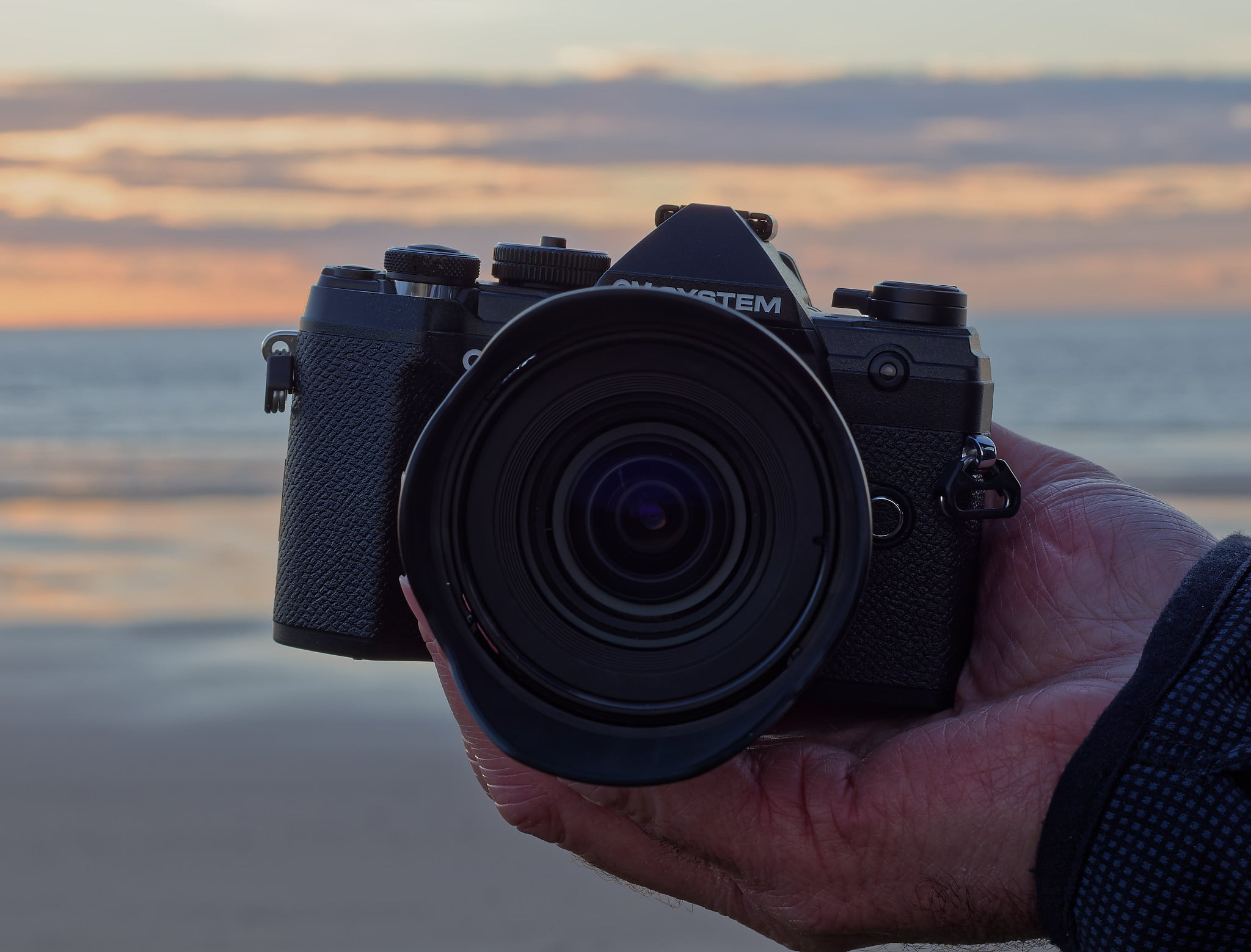
A close-up of a hand holding a black digital camera with a wide lens, against a blurred background of a beach and ocean at sunset.

In Conclusion

I hope you found that very brief guide to your OM System camera’s features useful. For each of those functions, there will be books and videos explaining their use in more depth, and there is likely to be an OM System Ambassador near you who can give you a hands-on lesson. It will be great to see some of your photos taken with your OM System camera in the comments below.